如何将培训幻灯片转化为配音视频?8款最佳工具盘点
使用正确的工具,将培训幻灯片转化为配音视频会变得轻而易举。Leadde、Pictory、SlideSpeak和Synthesia等AI视频生成器能够通过AI配音、字幕和数字人(Presenter),将PowerPoint幻灯片转化为视频,全程无需手动录制或复杂的剪辑。
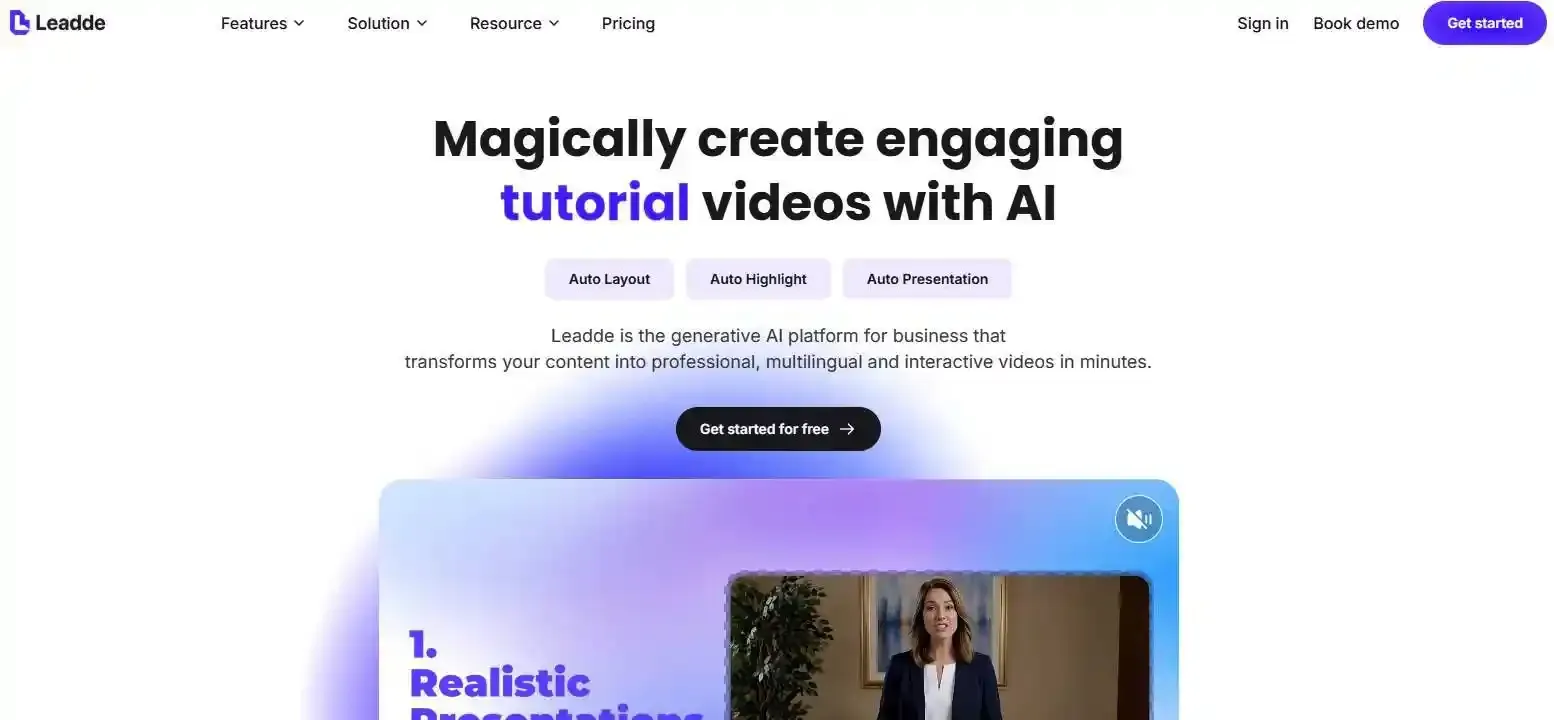
对于需要超越“逐页幻灯片式”配音的团队而言,Leadde能将培训演示转化为结构化的[[AI-narrated videos]],并支持自定义数字人和多语言功能,帮助企业[[scale employee training and onboarding]]。
但哪款工具最适合您的需求?本指南对比了[[8 PowerPoint-to-video tools]],涵盖功能、局限性、免费选项以及实用工作流程,助您挑选出最合适的解决方案。
Best Tool to Turn a Training Deck into a Narrated Video: Which Should You Choose?
Leadde是制作结构化AI培训视频的强力之选,PowerPoint适用于手动配音,而Pictory或SlideSpeak则适合直接将幻灯片转为视频。 当您需要AI数字人出镜时,Synthesia和HeyGen同样值得考虑。
What Is the Best Tool for Each Training Video Workflow?
请根据您的制作需求进行选择:制作配音幻灯片、[[how to create an avatar-led presentation from power point]],还是重新设计培训视频。
How Do the Best Training Deck-to-Video Tools Compare?
| Tool | Best For | Narration | Main Limitation |
| Leadde | Structured AI training videos | AI voice, scripts, avatars | Generated content needs review |
| PowerPoint | Preserving existing slides | Recorded voice | Manual narration |
| Pictory | Repurposing presentations | AI voice, speaker notes | Complex media needs checking |
| SlideSpeak | Quick narrated MP4s | Automatic AI voice | Limited free editing |
| Synthesia | Avatar-led training | AI voice and avatars | PPT animations not imported |
| HeyGen | Presenter-led videos | AI voice and avatars | 50-slide import limit |
| Narakeet | Script-driven narration | Text-to-speech | Less focused on visual redesign |
| Loom | Quick walkthroughs | Recorded voice | Not automatic PPT narration |
What Is the Difference Between Converting Slides and Creating a Training Video?
转换是指保留演示文稿并为其添加音频。而培训视频的制作则可能涉及重写解释说明、重新组织内容,以及引入有助于学习者理解材料的视觉元素。
What Makes a Tool Suitable for Training Rather Than Just Video Creation?
评估标准包括内容准确性、配音控制、视觉可编辑性、教学质量、更新效率以及培训交付效果。一段精致的MP4视频并不一定等于高效的学习资源。
What Are the 8 Best Tools for Turning PowerPoint Training Decks into Narrated Videos?
Leadde — Best for Turning Training Content into Structured AI-Narrated Videos
[[Leadde]]可将PowerPoint演示文稿和文档转换为结构化视频,支持AI生成的配音、可编辑场景、字幕以及可选的数字人。
团队既可以导入演讲者备注,也可以[[how to generate a script from power point slides with ai]]。当培训材料需要持续修改时,其可编辑的PPT导入功能显得尤为实用。
Best for: 员工入职引导、SOP解释、教育视频以及多语言培训。
Microsoft PowerPoint — Best for Recording and Exporting Existing Slides
PowerPoint支持录制配音、幻灯片计时、动画以及导出MP4格式。
如果您的幻灯片已经制作完成,且您更倾向于[[how to record ppt as video]],这款工具将非常实用。
Best for: 一次性培训演示和简便的配音幻灯片。
Pictory — Best for Repurposing Slides into Edited Videos
Pictory支持上传PowerPoint、AI配音、演讲者备注、字幕和场景编辑。
其较新的工作流程允许用户保留原有的幻灯片,或根据演示文稿内容创建新的视频场景。
Best for: 将现有演示文稿重新改造为培训视频或说明视频。
SlideSpeak — Best for Quick PPT-to-Video Conversion and Training Exports
SlideSpeak提供了一个免费转换器,无需注册即可生成带有英文配音的MP4视频。
其独立且更高级的视频编辑器则提供了更多配音和编辑功能。
Best for: 快速转换以及正在探索基于幻灯片的培训制作团队。
Synthesia — Best for AI Avatar-Led Training Presentations
Synthesia可将PPTX文件转换为可编辑的视频场景,导入演讲者备注,并支持AI数字人出镜。
其PowerPoint导入文档确认:原有的幻灯片动画无法被导入。
Best for: 数字人出镜的企业培训和标准化的教学交付。
HeyGen — Best for Presenter-Led PowerPoint Videos
HeyGen支持PowerPoint和PDF导入、可编辑或静态的幻灯片布局,以及AI数字人演示。
Best for: 数字数字人视频和配音商务演示。
Narakeet — Best for Narrating Slides with Prepared Speaker Notes
Narakeet专注于将书面解说和演示材料转化为语音驱动的视频。
Best for: 手头已有脚本、主要需要文本转语音配音的教育工作者和培训师。
Loom — Best for Recording Quick Training Walkthroughs
Loom可以录制您的屏幕、声音以及可选的摄像头画面。
Best for: 非正式的产品教程、内部操作演练,以及更倾向于真人讲解的演示场景。
Which Tools Have the Most Important Limitations?
在选定[[ppt to video AI tools]]之前,请先检查上传限制、订阅限制、动画兼容性、声音编辑和导出选项。
Which Tools Preserve Editable Slides Instead of Flattening Them into Images?
视觉保真度与可编辑性是两码事。 以图片形式导入的幻灯片虽然看起来可能没问题,但极难进行更新。
Leadde提供静态图片和可编辑图层的PPT导入模式。Synthesia也支持导入可编辑的元素。建议同时测试视觉准确性与后续的编辑便利度。
How Can You Turn a Training PowerPoint into a Narrated Video Without Recording Your Voice?
一个典型的AI辅助工作流程能让团队在六个步骤中[[how to make a video from powerpoint without recording yourself]]。
Step 1 — Prepare the Deck, Learning Objectives, and Speaker Notes
清除过时信息,明确目标受众,并检查源材料是否能够支撑每一个学习目标。
Step 2 — Upload the PPTX or PDF into an AI Video Tool
选择一个兼容的平台。当需要可编辑的幻灯片元素或演讲者备注时,PPTX通常是更佳的选择。
Step 3 — Generate or Import the Narration Script
利用现有的备注,或根据幻灯片内容生成初稿。在生成音频前,请先对脚本进行审核。
Step 4 — Choose an AI Voice and Synchronize It with the Slides
选择合适的语言和语速风格。确保幻灯片的展示时间足以让其讲解内容播放完毕。
Step 5 — Review the Visuals, Captions, and Narration
检查发音、图表、幻灯片转场、字幕以及是否有遗漏信息。
Step 6 — Export the Video and Test It with Learners
导出所需的格式,并验证播放效果、可读性、无障碍访问性以及与学习平台的兼容性。
How Do You Validate AI-Generated Narration Against the Original Deck?
使用**“源头至脚本”审核法**:将每一条重要的指令、数字声明和政策条款追溯至其对应的原始幻灯片或已批准的文档。
对于安全、合规和技术培训而言,这一点尤为重要。
Should You Keep Your Original Slides, Use an AI Avatar, or Rebuild the Training Video?
When Is a Simple Slide-and-Voiceover Video Enough?
当视觉设计清晰且培训内容保持稳定时,直接保留幻灯片即可。
When Does an AI Avatar Help Deliver Training?
数字人能够为入职引导、重要公告和引导式讲解提供持续一致的真人出镜式交付。
它的作用应当是辅助课程,而不是分散学习者的注意力。
When Should AI Reorganize the Deck into New Scenes?
当幻灯片包含大量密集的文字、零散的想法,或者需要额外解释才能[[how to turn content-heavy power points into engaging ai training videos]]的视觉元素时,应当对内容进行重构。
What Happens to Charts, Animations, Images, and Complex Layouts?
导入的兼容性因工具而异。在发布之前,请务必预览复杂的图表、嵌入式媒体、动画和字体。
When Should You Skip Video and Keep the Content as a Job Aid?
详细的参考表格、故障排除检查清单以及频繁更新的规格说明,作为可搜索的文档可能效果更好。
并非所有的培训幻灯片都需要变成视频场景。
| Content Type | Primary Goal | Recommended Format | Why This Approach Works |
| Compliance & Onboarding | Engagement & Human Touch | AI Avatar-Led Presentation | Avatars build rapport and simulate instructor-led training. |
| Technical SOPs & System Workflows | Procedural Accuracy | Reorganized Video Scenes + Screen Captures | Breaks dense slides into digestible, bite-sized tasks. |
| Stable Conceptual Overviews | Rapid Delivery | Preserved Slides + AI Voiceover | Quickest turnaround; ideal when visuals are already polished. |
| Troubleshooting & Data Specs | Searchability & Quick Lookup | Skip Video (Interactive Job Aid / Doc) | Video scrub bars frustrate users looking for quick error codes. |
Can AI Turn PowerPoint Speaker Notes into Natural Narration?
可以。数款AI视频工具都能够将演讲者备注转化为口头配音。
How Do AI Video Tools Use Speaker Notes as Scripts?
它们会提取备注,并将这些文本与对应的幻灯片或视频场景关联起来。
What If the Training Deck Has No Speaker Notes?
AI可以根据幻灯片文本起草解说词。然而,内容不全的幻灯片可能无法提供足够的情境来进行准确的解释。
How Can You Improve AI Voiceovers for Technical Terms and Acronyms?
尽可能使用发音控制功能,将冷僻的缩写拼写出来,并在生成整段视频之前先测试代表性的片段。
How Do You Keep Narration and Slide Timing in Sync?
在支持的情况下使用由音频驱动的时间轴。仔细检查图表、演示和转场前后的停顿。
When Is a Human Voice Better Than AI Narration?
对于敏感信息、高管传话,或是需要展现个人信誉与细腻情感的讲解,真人配音或许是更优的选择。
How Do You Make an AI-Narrated Training Video Accurate and Easy to Learn From?
How Can You Stop AI from Adding Unsupported Training Instructions?
提供权威的源材料,并禁止添加未经证实的内容。在发布前必须审查所有操作说明。
How Should You Turn Dense Slides into Short Learning Segments?
应围绕学习目标(而非幻灯片页码)来组织内容,或者思考如何[[how to turn long power point decks into microlearning videos with ai]]。
When Should You Add Examples, Callouts, or Screen Demonstrations?
使用示例来澄清决策,使用标注来强调重要细节,并通过屏幕录像来演示实际的软件操作。
How Should Subject Matter Experts Review the Script?
在将[[how to convert sme power point decks into learner-friendly ai videos]]时,请SME对技术准确性、专业术语、必经步骤以及政策合规性进行核实。
How Can You Check Whether Learners Understand the Material?
应当通过小测验、真实场景模拟或后续练习来检验,而不是单纯依赖视频的观看完成率。
How Can You Turn a 50-Slide Deck into Learning Modules Instead of 50 Narrated Slides?
采用**“保留–拆分–合并”(Preserve–Split–Merge)**方法:
- 保留那些传达一个清晰概念的幻灯片。
- 拆分包含多个学习目标的幻灯片。
- 合并属于同一解释说明的重复性幻灯片。
例如,一份入职培训幻灯片可以被拆分为公司概况、安全规程、软件权限以及岗位专项任务等独立模块。
相比于单一不间断的配音幻灯片,这种方式能创造出更易于导览的学习体验。
Which PPT-to-Video Features Matter Most for Corporate Training?
Do You Need Captions, Transcripts, and Accessible Video Controls?
是的,特别是在需要兼顾不同学习环境时。字幕、易读的文本和文字稿能够提升教学内容的可及性。
Can the Tool Support Multiple Languages and Localized Narration?
部分平台支持多语言配音。请检查它们是否还能对屏幕文本、字幕和专业术语进行本地化处理,或者使用相关工具[[how to create multilingual power point videos with ai]]。
Does It Export MP4, SCORM, or Other LMS-Compatible Formats?
MP4是一种视频格式,而SCORM包则能够支持学习平台的进度追踪。
带配音的 MP4 视频并不会自动提供测验得分或完成情况追踪。
Can Teams Review, Update, and Reuse Training Videos?
寻找支持可编辑项目、可复用模板、脚本编辑以及清晰审批工作流的工具。
What Should You Check Before Uploading Confidential Training Materials?
审查数据保留政策、访问权限控制、供应商隐私条款以及内部的信息安全要求。
Can Learners Search and Navigate the Video After It Is Uploaded?
视频过长可能会导致具体的指令难以被快速定位。
在发布前,请考虑添加章节标记、可搜索的文字稿、补充文档以及LMS导航。
| Enterprise Feature | Why It Matters for L&D | Risk of Omitting | Format / Standard |
| SCORM / xAPI Export | Tracks learner completion, quiz scores, and LMS progress. | Only get passive video views without compliance proof. | SCORM 1.2 / 2004, xAPI |
| Multilingual Voice & Subtitles | Global rollouts across regional branches. | High re-recording costs for local voice actors. | Multi-track audio, VTT/SRT |
| Editable Slide Layers | Fixes typos or compliance updates in seconds. | Complete re-render and project rebuilding for single changes. | PPTX layered import |
| Enterprise Security & SOC2 | Protects internal IP and proprietary trade secrets. | Data leaks or unauthorized AI training on company assets. | SOC2 Type II, GDPR, SSO |
| Searchable Chapters | Enables quick reference without scrubbing the timeline. | Reduced productivity when looking up specific SOP steps. | Timestamped VTT / Chapters |
Are Free PowerPoint-to-Video Tools Good Enough for Training?
Can You Export a Narrated MP4 Using PowerPoint for Free?
前提是您已经拥有受支持的PowerPoint版本,无需购买单独的AI视频订阅,PowerPoint即可将录制好的演示文稿导出为MP4文件。
What Can Free AI PPT-to-Video Converters Actually Do?
SlideSpeak提供免费的自动英文配音和MP4转换功能。尽管不同平台的免费功能 and 使用条件各不相同,但市面上依然存在多种[[how to convert powerpoint to mp4 online]]的替代方案。
Which Limits Matter: Watermarks, Credits, Voices, or Export Length?
在做决定前,请仔细检查文件大小限制、可用音色、编辑权限、导出限制以及重新生成的费用。
When Is a Paid Training Video Platform Worth Considering?
当团队需要可重复的工作流程、高级编辑、本地化或是标准化的培训产出时,付费工具的价值便会凸显出来。
How Much Will AI Narration Cost Across Hundreds of Training Videos?
应当评估总体制造成本,而不仅仅是看订阅价格。
将视频生成、后期修改、翻译、审核人工以及日常更新都纳入考量,从而计算出[[how much does it cost to convert power point to ai video at scale]]。如果每次修改都需要大量返工,那么起初看似低成本的导出最终可能会变得异常昂贵。
How Do You Update Narrated Training Videos When the Slides Change?
Can You Edit One Slide Without Rebuilding the Entire Video?
部分工具支持场景级别的编辑和重新生成,从而让团队能够[[how to update an ai power point video without re-recording]]。在选择平台之前,请务必确认其是否具备该能力。
How Do You Regenerate Narration and Captions After an Edit?
更新已批准的脚本,重新生成受影响的音频,核对时间轴,并检查与之同步的字幕。
How Can You Keep Multilingual Training Versions Consistent?
维护一份经过审批的源脚本,并在各个本地化版本中追踪变动。
What Is an Efficient Workflow for Maintaining a Training Video Library?
将源文档、视频项目、审批记录以及发布版本集中存放在一起。
What Happens When One Policy Change Affects Multiple Training Videos?
采用**“变更影响工作流”**:
- 识别发生变更的政策或流程。
- 定位受影响的脚本和场景。
- 更新经过审批的源内容。
- 重新生成相关的配音和视觉画面。
- 审查语言版本并重新发布。
这可以降低整个培训库中出现指令不一致的风险。
| Maintenance Approach | Required Steps | Typical Turnaround | Maintenance Effort | Risk of Version Drift |
| Scene-Level AI Regeneration | 1. Edit text on affected slide. 2. Regenerate single audio track. 3. Republish. | 5–10 Minutes | Low | Low (Source script is synced across versions) |
| Full Video Re-render (Flattened MP4) | 1. Re-edit external video timeline. 2. Re-time voiceover. 3. Export full file. | 2–4 Hours | Medium | Medium (Manual caption and timing alignment) |
| Traditional Human Re-recording | 1. Book speaker/studio. 2. Re-record voiceover. 3. Re-edit audio track and slice slides. | 2–5 Business Days | High | High (Voice tone and environment changes between sessions) |
How Do You Choose the Right Training Deck-to-Video Tool for Your Team?
What Should You Test with a Real Training Deck Before Buying?
使用一份包含演讲者备注、复杂图表、专业术语以及未来需要更新的指令的代表性幻灯片进行测试。
How Can You Compare Narration Quality, Editing Effort, and Learning Accuracy?
应用**“培训幻灯片转视频契合度框架”**:
| Evaluation Factor | Suggested Weight |
| Content accuracy | 25% |
| Narration control | 20% |
| Visual editability | 15% |
| Instructional quality | 15% |
| Update efficiency | 15% |
| Training delivery | 10% |
这些是建议的评估权重,并非独立的独立产品测试结果。
Which Tool Fits Your Training Team's Workflow and Budget?
针对简单的录记录,选择PowerPoint;针对数字人出镜内容,选择AI数字人工具;当培训材料需要进行更深度的重塑时,则选择结构化的视频生成工具。
对于需要将文档和演示文稿转换为可扩展培训内容的团队而言,[[Leadde]] 凭借其结构化的AI配音、可编辑的PPT工作流以及多语言视频创作能力,非常值得评估体验。
How Can You Score Tools Using the Same Training Deck?
针对六个评估因素给各个平台打分(1至5分),应用建议的权重,然后进行结果对比。
在修改了一张幻灯片后重复测试。第二次导出往往能暴露出初次演示时被忽视的维护局限性。
Frequently Asked Questions
Can AI automatically turn a PowerPoint presentation into a narrated video?
可以。AI视频工具能够分析PowerPoint幻灯片、生成配音、将语音与视觉画面同步,并导出视频。自动化程度和编辑控制权则取决于具体的平台。重要的培训指令在发布前仍应经过人工审核。
Can I convert PowerPoint speaker notes into AI voiceovers?
可以。Pictory、Synthesia和Leadde等工具均支持基于演讲者备注的配音工作流程。您可以直接使用现有的解说,而不必从头编写每一份脚本。请注意检查原本为现场演示而写的备注,因为它们可能会缺少独立观看时所必需的上下文。
What is the best free tool to turn a PPT into a video with audio?
对于免费、直接地将PPT转换为带英文AI配音的MP4视频,SlideSpeak是一个不错的选择。如果您已经安装了相关软件,且更偏爱录制自己的声音,那么PowerPoint也是个实用的选择。请务必核实当前的各项文件大小、编辑和导出限制。
Can I create a narrated training video without an AI avatar?
可以。许多工具都允许您将幻灯片的视觉画面、AI配音、字幕和屏幕演示结合起来,而无需使用数字人。无数字人的视频对于技术图表、软件教程和流程解释而言尤其有效。
Can AI video tools preserve PowerPoint animations and charts?
兼容性各不相同。部分工具可以保留图表的视觉外观,而另一些工具则会重构或扁平化幻灯片元素。原有的PowerPoint动画可能无法被完整迁移。在批量转换庞大的培训库之前,请务必先对复杂的演示文稿进行测试。
How long does it take to turn a training deck into a narrated video?
具体时间取决于演示文稿的长度、脚本的复杂程度、渲染速度以及审核要求。虽然自动化生成可以减少手动录制的时间,但高质量的培训视频仍然需要经过脚本核对、视觉检查和审批流程。
Can I upload an AI-narrated PowerPoint video to an LMS?
通常可以,只要LMS支持您导出的视频格式。然而,MP4视频播放与基于SCORM的追踪属于两项不同的功能。请确认您的学习平台究竟是需要完成情况追踪、考核测验,还是特定的数据打包格式。
How can I update an AI training video without recording everything again?
选择支持编辑已保存的视频项目并重新生成受影响场景的平台。更新脚本、替换相关音频、检查字幕与时间轴,然后重新发布。同时,也请对翻译版本以及使用相同源材料的其他视频进行审查。