
استنسخ نفسك بالذكاء الاصطناعي وتجنب الكاميرا
ماذا يعني استنساخ نفسك بالذكاء الاصطناعي؟
استنساخ نفسك بالذكاء الاصطناعي يعني إنشاء بديل رقمي يحمل ملامح وجهك وصوتك، ليتم تقديم نص مكتوب كفيديو دون الحاجة لوجودك أمام الكاميرا. في Leadde، يتم بناء الجزأين بشكل منفصل. تصبح الصورة رمزًا شخصيًا (أفاتار) ضمن "أفاتاراتي"، ويصبح التسجيل الصوتي القصير صوتًا ضمن "أصواتي"، ويقوم المشروع بدمجهما.
موثوق به من قبل العلامات التجارية الرائدة عالميًا







مقاطع فيديو يقدمها مذيع مستنسخ

ملف الموظف
يسلط الضوء على المسيرة الشخصية والإنجازات والتطور الوظيفي للموظفين البارزين، مشاركًا قصص نجاحهم وموقفهم في العمل.

مبادئ التنفيذ
اكتشف ثلاث تحولات إنتاجية للمؤسسين: ركز على النتائج لا الكمال، تعمق في مهمة واحدة بدلاً من تعدد المهام، وحدد أهدافك بوضوح للحفاظ على الزخم.

مبادئ التعاون

برنامج الشراكة
نقدم برنامج الشراكة بالامتياز التجاري لـ Verdant Leaf Tea، مسلطين الضوء على قيم العلامة التجارية، وحرفية الشاي، وتجارب المجتمع، وفرص الشراكة طويلة الأمد.
لماذا Leadde هي الطريقة الآمنة لاستنساخ نفسك
ابدأ من صورة واحدة
نسختك المستنسخة تبقى في حسابك
إعادة الكتابة لا تكلفك شيئًا
غيّر النص، لا التصوير
كيف تستنسخ نفسك بالذكاء الاصطناعي
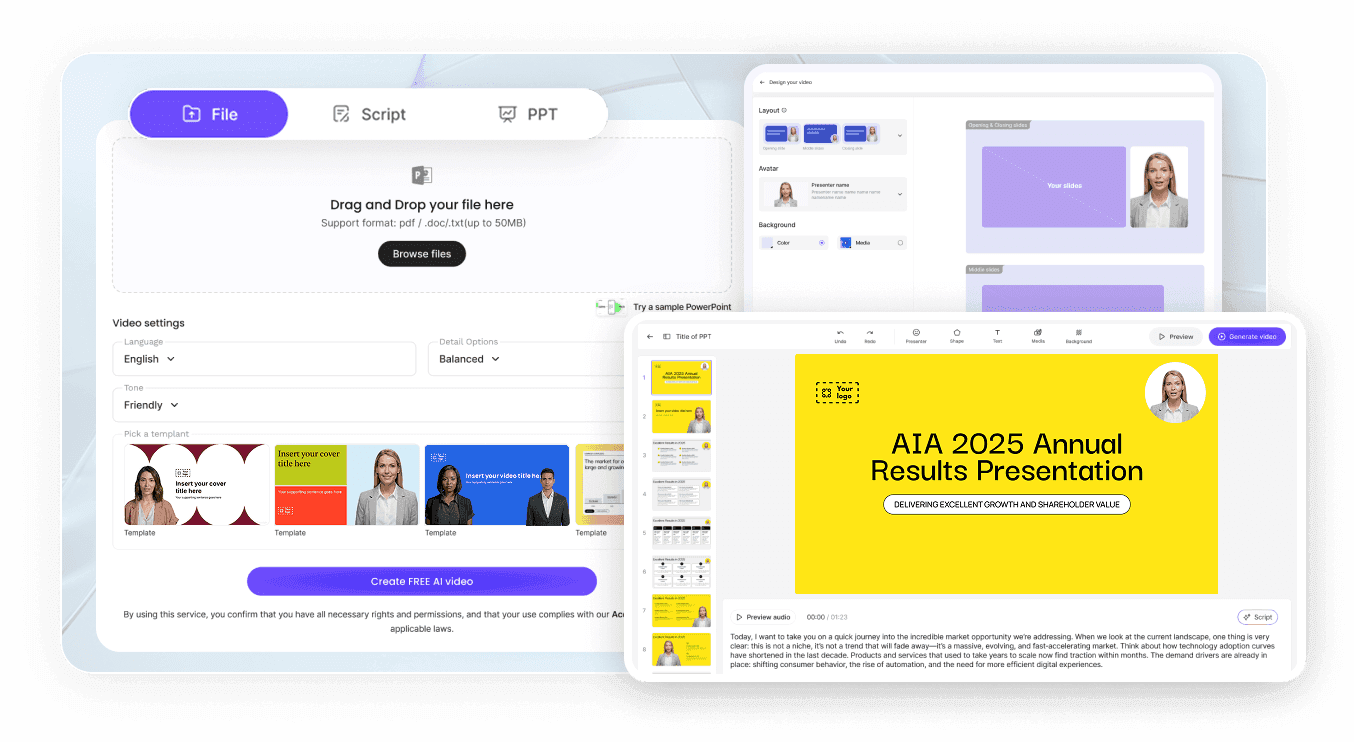
الخطوة 1: ارفع صورتك
الخطوة 2: أضف صوتك
الخطوة 3: قم بالمزاوجة والإنشاء
حالات استخدام استنساخ AI
أرسل تحديثات أسبوعية بنفسك
يمكن للقادة الذين يتوجب عليهم تقديم تحديثات منتظمة للشركة كتابتها في عشر دقائق والسماح للنسخة المستنسخة بتقديمها، بدلاً من التأجيل حتى يتوفر وقت للتصوير.
درّس دورة تدريبية دون إعادة التسجيل
تتغير محتوى الدروس. يتيح لك الاستنساخ مراجعة وحدة واحدة في محرر النصوص بدلاً من إعادة تصوير فصل كان جيداً بخلاف ذلك.
خصص التواصل مع العملاء المحتملين
انسخ مشروعاً، استبدل اسم العميل المحتمل والجملة الافتتاحية، وسيحصل كل مستلم على رسالة تبدو وكأنها مسجلة خصيصاً له.
استمر في النشر أثناء السفر
يتطلب التصوير غرفة وإضاءة وهدوءاً. بينما يحتاج الاستنساخ إلى نص، وهو الجزء الوحيد من العمل الذي لا يزال يتطلب وجودك.

قبل استنساخ وجهك وصوتك
استنسخ نفسك، لا الآخرين
اعرف مكان وجود الملفات
استنساخات الشركة تعيش في مكان آخر
أخبر المشاهدين متى يكون الأمر ضروريًا
أفكار لاستنساخ نفسك بالذكاء الاصطناعي
مقدمة المؤسس على موقعك الإلكتروني
رسائل المتابعة بعد المؤتمرات
ترحيب المدير بالموظفين الجدد
تحديثات دورية للمستثمرين أو مجلس الإدارة
دروس الدورات التدريبية بلغات متعددة
إجابات داخلية للأسئلة المتكررة
الأسئلة الشائعة
يعني ذلك بناء مقدم رقمي يحمل مظهرك وصوتك، ثم استخدامه لتقديم النصوص كفيديو. في Leadde، يأتي الأفاتار من صورة ويأتي الصوت من عينة صوتية قصيرة، وتقوم بإقرانهما في مشروع واحد.
صورة واضحة واحدة تكفي لإنشاء Photo Avatar. أما Studio Avatar، الذي يعكس حركاتك وتعبيراتك الفعلية من مقطع فيديو، فيتم إعداده بواسطة فريق Leadde بعد مراسلتك لـ support@leadde.ai.
كلاهما ممكن. الأصوات المعدة مسبقًا متاحة فورًا، بينما الصوت المستنسخ من تسجيل قصير خاص بك سيشبه نبرة صوتك. يمكنك اختيار أي من الاثنين تستخدمه النسخة في منطقة النص.
يبقى الأفاتار والصوت الخاصين بك ضمن "أفاتاراتي" و"أصواتي" بدلاً من المكتبات المشتركة المعدة مسبقًا. في مساحة عمل فريق المؤسسة (Enterprise Team Workspace)، يتم تجميع هذه الموارد للفريق بدلاً من ذلك، لذا فإن من يمكنه الوصول إليها يتبع قائمة أعضاء الفريق وأدواره.
فقط بموافقتهم الصريحة والموثقة قبل أي عملية رفع. تُلزم Leadde المبدعين بامتلاك حقوق أي شخصية يبتكرونها، لأن إنشاء صورة رقمية لشخص دون إذن قد يُعد انتهاكًا لقوانين حماية الصورة وحقوق النشر. وهذا ينطبق على الزملاء تمامًا كما ينطبق على الشخصيات العامة.
ابدأ بخطتنا المجانية دون أي تكلفة. يتطلب إنشاء الصورة الرمزية واستنساخ الصوت، بالإضافة إلى كل فيديو يظهر فيه الاستنساخ، استخدام أرصدة. بما أن هذه العمليات الثلاث تشترك في رصيد واحد، فإن تكلفتك تعتمد على حجم ما تنشره، لا على الإعداد الأولي.
استخدم صورة عالية الدقة تعكس مظهرك الحالي. تجنب الصور الجماعية، القبعات، النظارات الشمسية، الحيوانات الأليفة، الفلاتر الثقيلة، الصور منخفضة الدقة ولقطات الشاشة. بالنسبة للصوت، سجل عينة قصيرة ونقية بمتحدث واحد وبدون ضوضاء خلفية.
تعتمد المتطلبات على المنصة والسياق، لذا تحقق من القواعد في المكان الذي تنشر فيه. ملاحظة موجزة في الوصف أو في المشهد الافتتاحي هي نهج شائع للفيديوهات الداخلية والتعليمية والتسويقية.
أنشئ استنساخك واكتب أول نص
