
Leadde Logo

Teaching Video Maker

Turn any lesson plan, curriculum topic, or subject content into a clear, animated teaching video in minutes. Leadde's teaching video maker uses AI Motion, narrated scenes, and 200+ presenters to bring science, math, history, and every other subject to life — no video editor, no recording equipment, and no animator needed.

Why Leadde is the Best Teaching Video Maker

Cover Every Subject and Level in One Workflow

Cover Every Subject and Level in One Workflow

From primary school science and GCSE mathematics to AP Biology, A-level chemistry, and undergraduate engineering, Leadde structures any lesson plan or curriculum content into a scene-by-scene teaching video — covering every subject, age group, and educational level in a single tool.
AI Motion That Makes Every Lesson Visual and Engaging

AI Motion That Makes Every Lesson Visual and Engaging

Static slides and printed notes can't show how a concept unfolds or how a process connects step by step. Leadde's Text-to-Motion feature turns written lesson content into animated diagrams and narrated visuals — making abstract concepts, scientific processes, and mathematical proofs visible and engaging for every learner.
Narrated Teaching Videos in 88 Languages
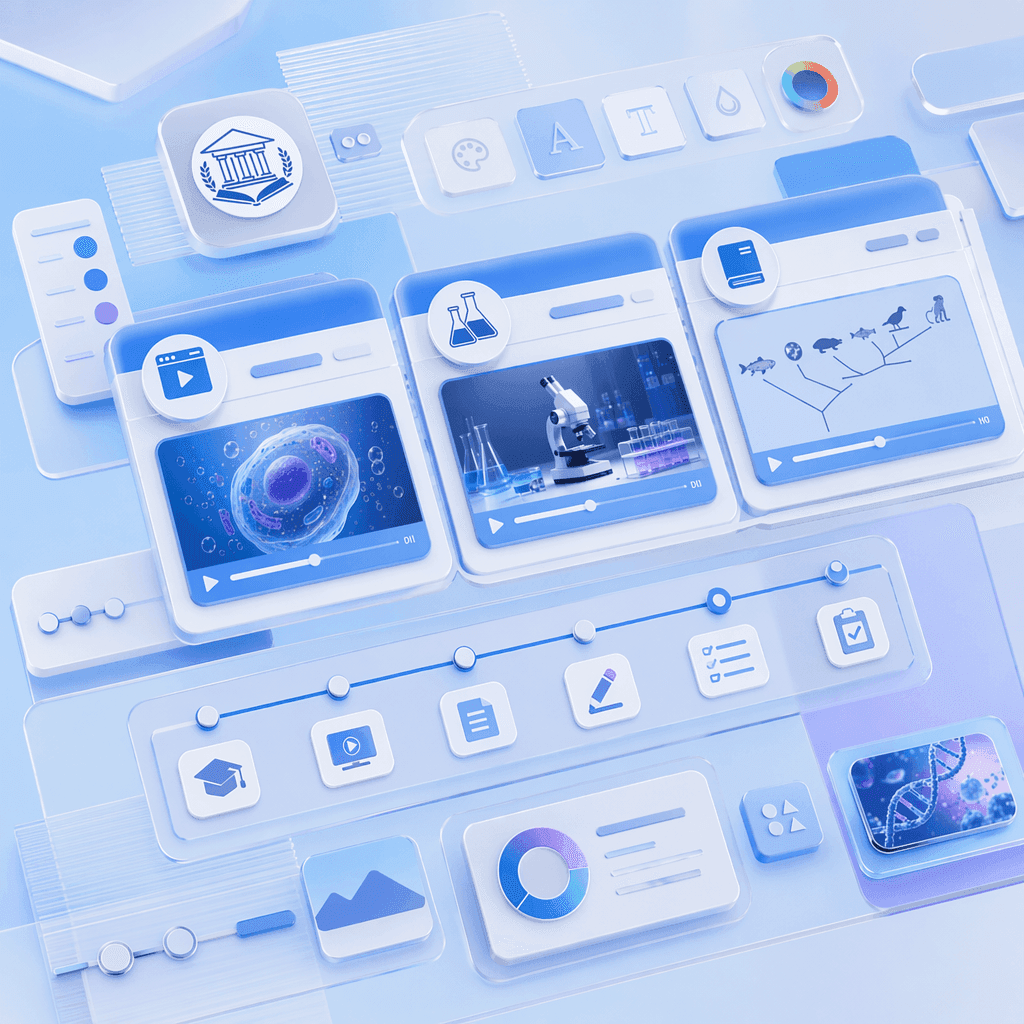
Narrated Teaching Videos in 88 Languages

Pair every teaching video with a lifelike AI instructor. Choose from 200+ avatars with the Expressive IV Engine, then translate voiceover and on-screen text into 88 languages and 175 dialects — ideal for ESL classrooms, international schools, multilingual programs, and global online course audiences.
Templates for Every Lesson Format and Subject

Templates for Every Lesson Format and Subject

Apply your school, institution, or brand's colors, logo, and font once, then reuse the layout across every lesson — keeping teaching videos visually consistent from introductory topics in term one to advanced revision content and final exam preparation in the last unit.

How to Create a Text to Animation Video with AI
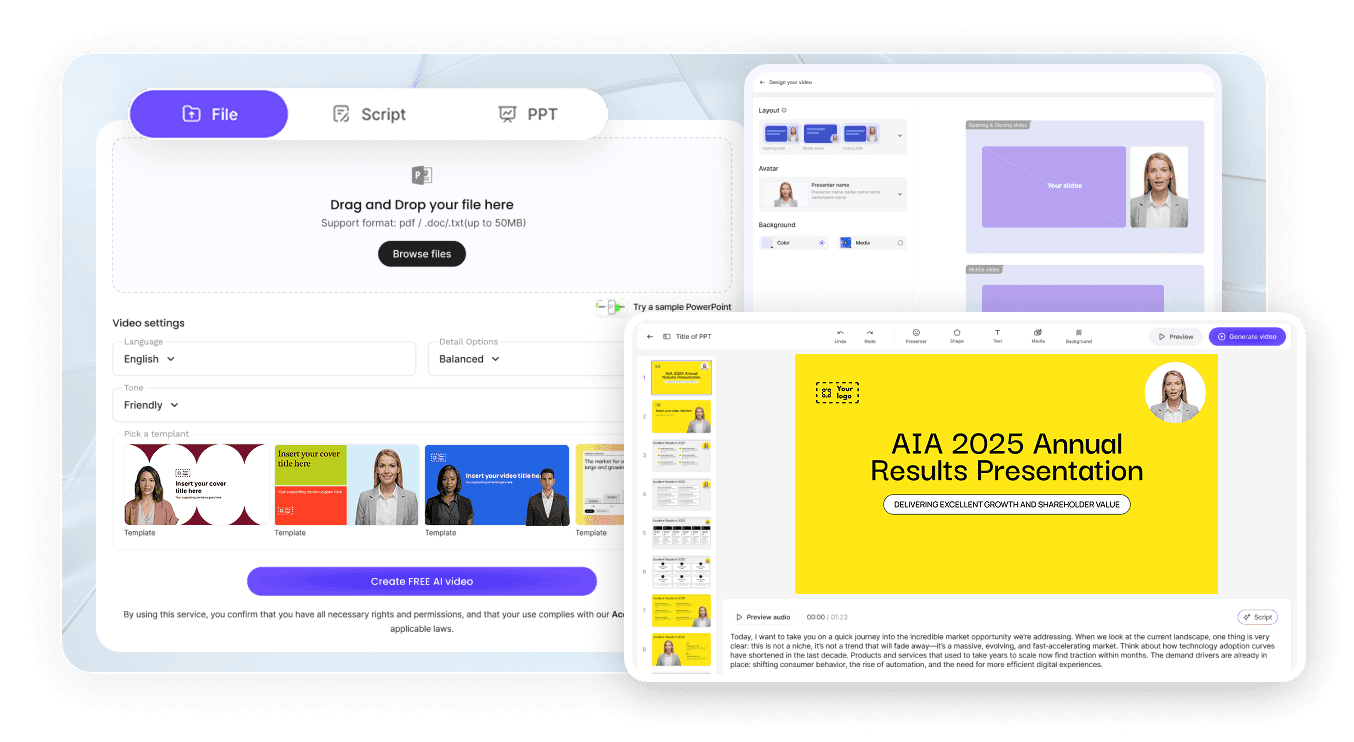
Turn any lesson plan or curriculum topic into a polished animated teaching video in three steps — no recording equipment required.
AI Video Generator Interface

Step 1: Add Your Lesson Plan, Notes, or Curriculum Content

Log into Leadde and paste your lesson notes or upload a textbook chapter, curriculum document, or PowerPoint deck. Set your audience level and subject — the AI builds a scene-by-scene teaching video outline.

Step 2: Generate Animations and Narration

Open Text-to-Motion and generate animated visuals from your lesson topic. Add an AI teaching presenter, drag in supporting diagrams or images, and let the AI Script tools structure, expand, or refine the narration for each scene. Apply your Brand Kit across every video.

Step 3: Refine, Translate, and Share with Students

Preview pacing, then click "Generate Video." Download the HD MP4 and upload to Google Classroom, Canvas, Moodle, or YouTube — or translate into 88 languages and share via a password-protected Leadde link.

Subject Lesson & Explainer Teaching Videos

Science Teaching Video

Build an animated science teaching video from lesson notes on biology, chemistry, physics, or earth science — every concept visualized with AI Motion diagrams and narrated by a lifelike AI presenter. Perfect for primary school, GCSE, AP Science, and introductory undergraduate science courses at any level.

Math Teaching Video

Animate algebra, geometry, calculus, and statistics lessons from written notes or textbook chapters — a math teaching video walking through worked examples, proofs, and graph transformations step by step. Ideal for primary school, GCSE, AP Calculus, and introductory undergraduate mathematics courses.

History Teaching Video

Convert history lesson notes on wars, civilizations, political movements, and turning points into animated teaching videos — a history video mapping events, causes, and consequences in chronological sequence. Perfect for primary school, GCSE, A-level, AP World History, and undergraduate history courses.

Geography Teaching Video

Animate geography lessons on plate tectonics, rivers, climate change, urbanisation, and development from written notes — a geography teaching video connecting processes, case studies, and data in one narrated animated lesson. Ideal for GCSE, A-level, AP Human Geography, and undergraduate geography courses.

Professional Development, Training & EdTech Teaching Videos

Teacher CPD and Professional Development Video

Animate professional development topics — pedagogical frameworks, assessment strategies, classroom management, and curriculum planning — into narrated CPD teaching videos for staff training days and online professional learning programs. Perfect for school leadership teams and education organizations.

Staff Onboarding and Training Video

Convert onboarding documents, policy guides, and training procedures into animated staff training videos — a training teaching video walking new staff through processes, expectations, and key information in narrated animated scenes. Ideal for schools, universities, and educational organizations at any level.

EdTech Platform Teaching Video

Build subject-specific teaching videos for an EdTech platform — a platform teaching video pairing AI Motion animated content, structured lesson narration, and AI presenter delivery to create scalable, replayable learning content. Perfect for EdTech startups, digital learning platforms, and educational publishers.

Parent and Community Education Teaching Video

Animate informational videos explaining curriculum content, school programs, and educational frameworks for parents and the wider community — a parent education video making school content accessible and clear in narrated animated scenes. Ideal for schools, local authorities, and community education programs.

Trusted by Teachers, Tutors, and EdTech Creators

One Tool for Every Subject, Level, and Audience

From primary school science explainers to advanced undergraduate lecture supplements and corporate training videos, Leadde covers every teaching video format in one workspace — build a whole term's worth of animated teaching videos without switching tools, hiring animators, or re-recording.

Update Content as Curriculum and Lessons Change

Syllabi update, exam specifications shift, and lesson approaches evolve. Reopen your saved Leadde project, edit the script, and regenerate the teaching video instantly — no re-recording, no re-animating, and no third-party production agency ever required.

Interactive Q&A for Every Student

Share each teaching video through a password-protected Leadde hosted link and students can ask follow-up questions in the built-in chat panel — answered instantly from your uploaded lesson content. The video becomes an always-on teaching assistant available to every student at any time.

Track Engagement and Comprehension

Use Leadde's analytics dashboard to monitor impressions, total views, unique views, average watch time, completion rate, and interaction count for every teaching video — easy to identify which lessons need a follow-up video, additional worked example, or content revision.
compliance background

Teaching Video Ideas & Use Cases

Classroom Teachers & Subject Specialists

Convert lesson plans, textbook chapters, and curriculum notes across every subject into animated teaching videos students rewatch before tests, homework tasks, and end-of-unit assessments.

Tutors & Private Educators

Build animated teaching videos covering weak-spot topics, worked examples, and revision summaries for one-to-one and small group tuition sessions across every subject and level.

Online Course Creators

Package teaching videos as standalone modules for Udemy, Teachable, or Coursera — each lesson its own narrated, scene-by-scene animated teaching video covering one clear learning objective.

School & University Leaders

Build animated teaching videos for staff CPD, parent communication, curriculum overviews, and school program explainers — accessible, shareable content for the whole school community.

자주 묻는 질문

교육 비디오 메이커는 모든 과목과 교육 수준의 수업 계획, 교육 과정 콘텐츠, 과목 노트를 애니메이션 내레이션 교육 비디오로 전환하는 소프트웨어입니다. Leadde는 AI를 활용하여 작성된 콘텐츠에서 모션 그래픽을 생성하고, 수업을 장면별로 구성하며, 88개 언어로 사실적인 AI 발표자를 통해 교육을 제공합니다.

네, 가능합니다. Leadde의 무료 플랜은 AI Video Creator, Text-to-Motion 생성, 200개 이상의 아바타 라이브러리, 핵심 편집 도구에 대한 모든 기능을 제공합니다. 신용 카드나 소프트웨어 설치 없이 브라우저에서 첫 교육 비디오를 바로 만들 수 있습니다.

스크립트 기반 수업에 적합한 모든 과목(과학, 수학, 역사, 지리, 영어, 외국어, 사회, 공학, 비즈니스 등)의 교육 비디오를 만들 수 있습니다. 수업 노트, 교과서 챕터, PowerPoint 자료, 교육 과정 문서, 온라인 강좌 개요, 복습 요약, 숙제 해설 등 다양한 콘텐츠 형식을 지원합니다. 최대 200MB의 PPTX, PDF, DOC, DOCX, TXT 파일을 업로드하세요.

네, 가능합니다. Leadde는 88개 언어와 175개 방언을 지원합니다. 원본 언어로 교육 비디오를 한 번 만든 후, 번역 도구를 사용하여 현지화된 음성 해설, 입술 움직임 동기화, 화면 자막을 추가하여 모든 학생에게 맞춤형 비디오를 제공할 수 있습니다.

직접 시도해 보세요. 사이드바에서 AI Tools > Create Media로 이동하면 시각 자료를 생성하는 두 가지 방법을 찾을 수 있습니다. 무료 옵션으로는 Motion 탭을 사용하여 특정 동작이나 설명을 애니메이션으로 만들 수 있습니다. 전체 비디오 생성을 원하시면, Text-to-Video 기능을 통해 계정 크레딧을 사용하여 텍스트 프롬프트만으로 완전한 비디오 클립을 생성할 수 있습니다.

Leadde를 사용해 볼 준비가 되셨나요?

오늘 바로 교육 비디오 제작을 시작하세요. 무료로 가입하세요 — 신용 카드나 녹음 장비가 필요 없습니다.
avatar
