How to Create Onboarding Videos in 5 Minutes (AI Workflow + Proven Strategy for 2026)
To learn how to create onboarding videos in 5 minutes, you must transition from manual filming to AI-driven automation. The most efficient workflow involves converting existing documents, such as a PDF or training PPT, directly into a structured video format.
By using an AI video generator for onboarding, you can automatically generate scripts and lifelike avatar narrations without any specialized editing skills.
Scaling a world-class orientation program no longer requires a Hollywood budget or weeks of production. Many forward-thinking HR teams are ditching the camera to reduce onboarding costs while maintaining professional standards.
This guide breaks down exactly how to create onboarding videos in 5 minutes, while also covering:
- Proven frameworks that improve retention and engagement
- Real-world workflows used by modern teams
- Common mistakes that reduce onboarding effectiveness
- How to scale onboarding globally without increasing cost
With Leadde, you can transform static company manuals into dynamic, presenter-led experiences that your new hires will actually want to watch.
If your current process feels like a bottleneck, it is time to experience the speed of a tool built specifically for high-growth business teams.
A successful video strategy is the difference between a confident new hire and one who feels lost in the shuffle.
Statistics show that a strong onboarding process increases employee retention by 82% and boosts productivity by over 70%.
Implementing consistent remote training ensures that every team member, regardless of their location, receives the same high-quality introduction to your company.
In the following sections, we will break down the exact 5-minute framework to help you master onboarding videos. You will discover how to leverage AI avatars for HR and multilingual employee orientation to build a global-ready program.
Why Onboarding Videos Are Critical for Employee Retention and Productivity
Why video works better than text
Modern workplaces require immediate clarity to keep new hires engaged. Leadde helps teams bridge the productivity gap quickly. Its AI Video Creator produces content as fast as products change. This speed ensures training remains relevant for every new employee.
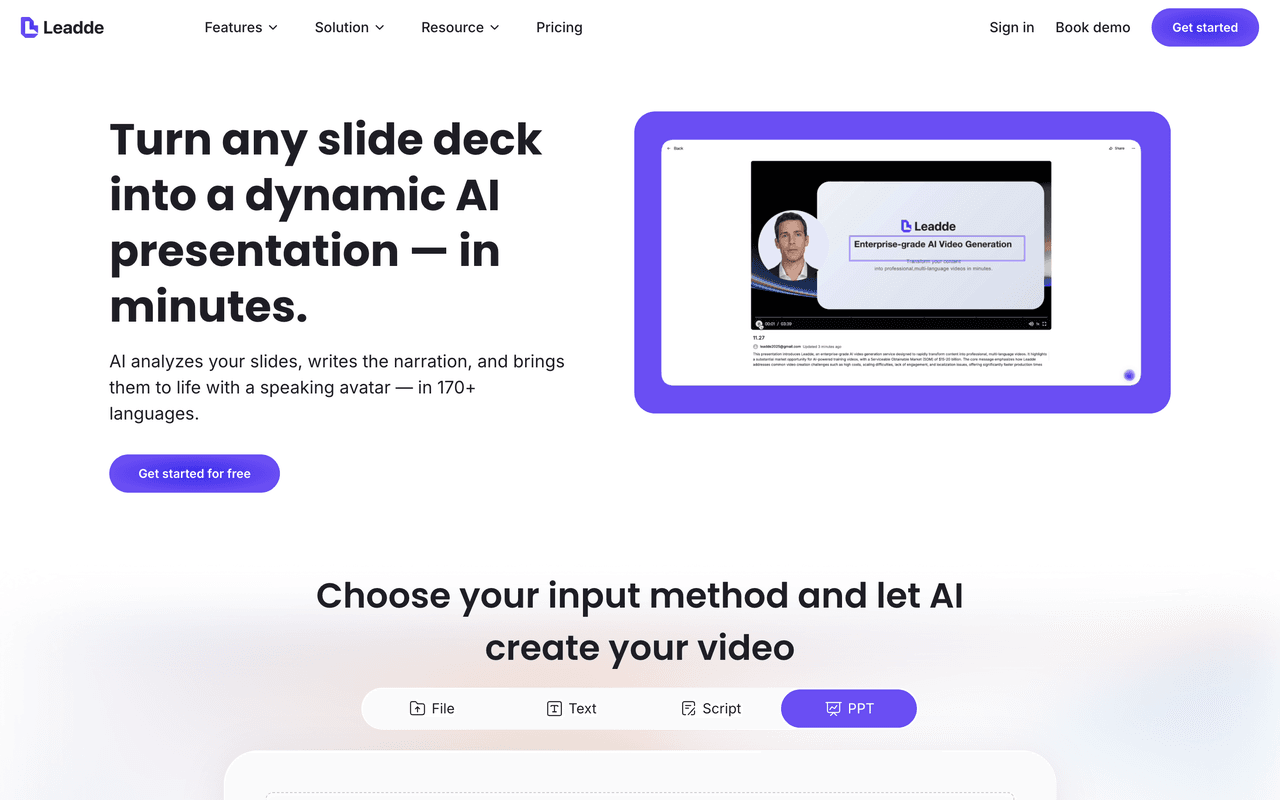
A lack of clear guidance often leads to early turnover. Onboarding Videos solve this by offering high-quality visual instructions. Most employees actually prefer watching videos over reading long manuals.
The following statistics demonstrate why a visual-first approach is superior:
- Employees are 75% more likely to watch a video.
- Visual information is processed much faster than text.
- On-demand access allows for flexible, self-paced learning.
These factors combine to create a more welcoming professional environment.
Driving Long-Term ROI Through Productivity
Investing in a strong orientation process yields significant business returns. Research shows retention can increase by up to 82%. High-quality training also boosts overall team productivity by 70%.
Using an AI video generator for onboarding lowers initial production costs. It removes the need for expensive filming or studio rentals. This efficiency allows HR teams to focus on strategic mentorship.
By optimizing the "time to productivity," companies see faster results. Consistent training ensures no crucial details are left out. This structured path leads to a more confident workforce.
Script Framework for Onboarding Videos (Proven Structure That Works)
One of the biggest insights from real-world onboarding workflows:
👉 Script quality matters more than tools.
A high-performing onboarding script looks like this:
Step 1: Define the goal
- “By the end of this video, you will…”
Step 2: Show the workflow
- Break into 3–5 clear steps
Step 3: Reinforce the outcome
- What success looks like in real usage
Real example (SaaS onboarding workflow)
Before:
- Recorded raw product walkthrough
- No structure
After:
- Added 8–10 line script
- Structured flow (problem → feature → outcome)
- Created multiple short modules
👉 Result: significantly improved clarity and usability (based on internal team feedback and iteration cycles)
What Key Components Make an Onboarding Video Strategy Effective?
Building Emotional Connections Through Culture
The first few days define an employee's view of the company. Effective videos introduce new hires to the core company culture. Using welcome messages from leadership builds immediate emotional connections.
Authentic storytelling helps new members feel like part of the team. "Day-in-the-life" segments provide a realistic look at daily work. These videos make the transition into a new role smoother.
Accelerating Growth with Role-Specific Tutorials
Generic training often fails to address specific job responsibilities. Targeted modules should focus on everyday tools and software. Clear screen recordings reduce confusion for new technical staff.
Text-to-speech onboarding provides clear instructions for complex tasks. This ensures that technical training remains professional and easy to follow. Providing these resources early prevents new hire frustration.
Streamlining Compliance with Professional AI Avatars
Safety and policy training are mandatory, but often feel repetitive. Leadde simplifies this by using lifelike AI avatars for HR. These presenters deliver complex rules with natural, professional confidence, ideal for creating interactive safety training videos.
Choosing the right format for different topics improves information retention. The table below outlines how to match content with the best delivery style:
| Video Type | Primary Goal | Recommended Leadde Feature |
|---|---|---|
| Welcome Message | Cultural Alignment | Realistic AI Avatars |
| Policy/Compliance | Regulatory Clarity | Automated Scene Outlines |
| Tool Walkthrough | Skill Development | Media Upload & Visuals |
Using these tools ensures your training library stays professional. You no longer need a production crew for high-quality results. This approach delivers a consistent experience for global teams.
How Long Should an Onboarding Video Be? (Data-Backed Best Length)
Video length directly impacts completion rate.
Based on onboarding performance data and testing:
- 2–5 minutes → Best for product onboarding
- 5–10 minutes → Best for training modules
- 10+ minutes → Only for deep technical content
👉 In most cases, completion rates drop sharply after 5 minutes.
Best practice: modular videos
Instead of one long video:
- Break content into short, focused clips
- Each video = one objective
This aligns with how modern teams structure scalable onboarding systems.
How Can You Create Onboarding Videos in 5 Minutes Without Filming?
Producing professional training content usually requires significant time and high budgets. However, modern teams now learn how to create onboarding videos in minutes by using automation. Leadde eliminates the need for expensive cameras or complex editing software.
Minute 1: Skip Scriptwriting with Document Conversion
Traditional production begins with hours of tedious scriptwriting and manual outlining. Leadde allows you to skip this phase by repurposing your existing assets. This PPT to video conversion capability turns static files into structured narrations.
The AI engine analyzes your materials to build a logical scene flow instantly. This process ensures your training is organized and professional:
- Upload a 50-page employee handbook PDF for instant summarization.
- Convert PowerPoint slides directly into a draft with narrated scenes.
- Generate a structured outline and script based on specific training objectives.
Minute 2: Skip Filming with Professional AI Avatars
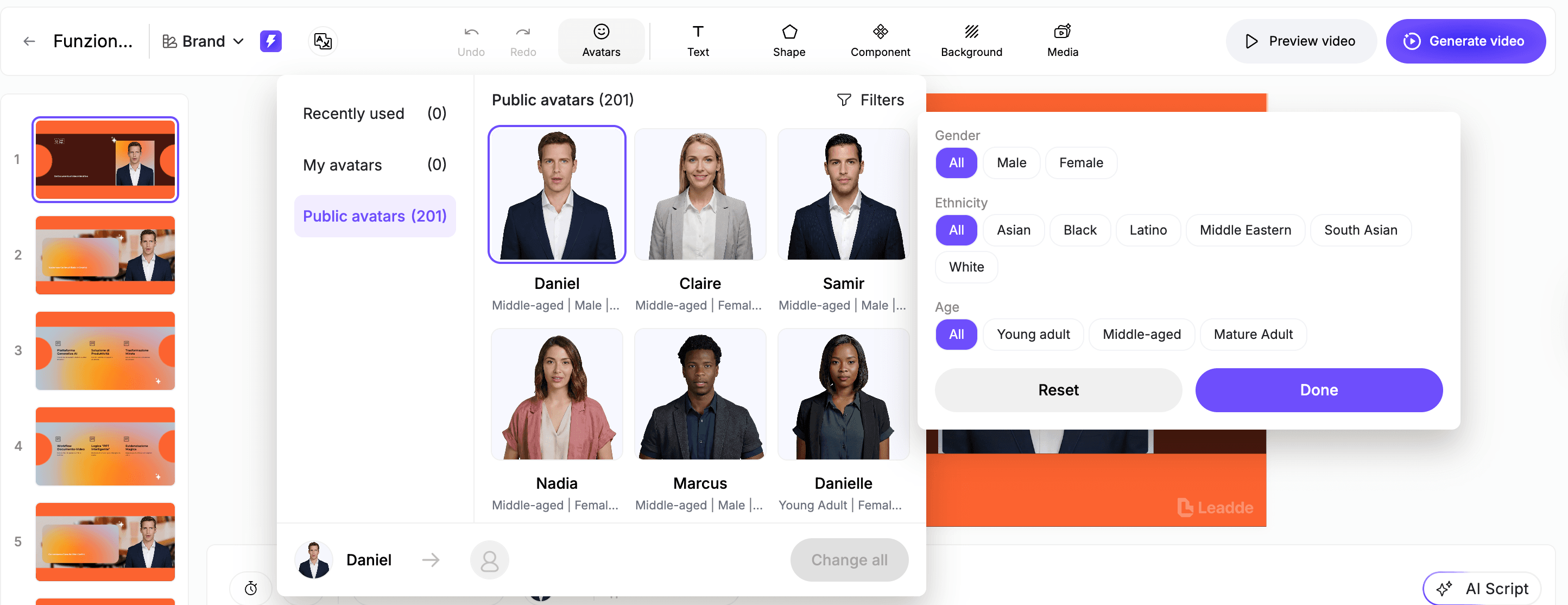
You no longer need to coordinate busy executive schedules or hire professional actors. Choosing AI avatars for onboarding videos allows you to deliver messages with natural facial expressions. These digital presenters maintain high energy and credibility across every video.
Simply select an avatar that matches your company’s professional identity:
- Access 200+ built-in presenters with diverse ethnic backgrounds.
- Apply a single avatar across all scenes with one simple click.
- Use a formal tone to ensure your CEO's welcome message stays professional.
Minute 3: Automated Visual Design and Smart Layouts
Manual editing often leads to boring visuals that fail to hold employee attention. Leadde solves this by using AI video generator for onboarding features like smart layouts. Every key message is automatically animated to emphasize the most important details.
Professional templates ensure your content looks polished without requiring design skills:
- Use "Business Ready" templates designed for SOPs and training.
- Highlight core benefits automatically through animated text and frames.
- Sync visual elements perfectly with the narration for better clarity.
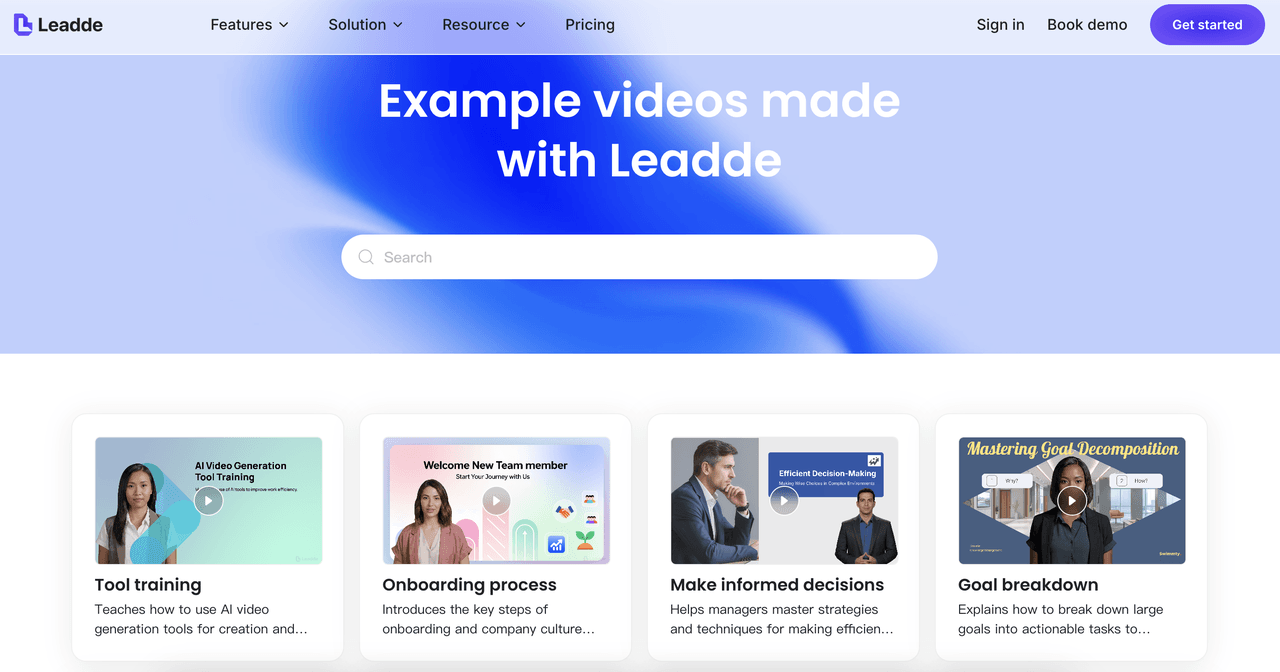
Minute 4: One-Click Instant Globalization
Scaling a remote orientation program often faces significant language barriers. Leadde provides multilingual employee orientation support in over 170 languages. This allows you to generate localized versions of your training instantly through effective video localization.
Managing global teams becomes simple through automated translation tools:
- Generate narration in 170+ languages to reach every international office.
- Support localized training for global manufacturing or retail sites.
- Ensure consistent messaging for diverse staff in healthcare and sales.
Minute 5: Future-Proofing with Effortless Updates
Outdated training materials often force teams to restart production from scratch. Leadde offers rapid video content iteration by allowing you to edit videos like documents. You can update a script or image without needing any reshoots.
Keeping your training library current is now a fast and painless process:
- Modify narration text and regenerate the scene audio instantly.
- Replace old software screenshots to keep technical tutorials accurate.
- Add or delete scenes easily as your internal policies change
How to Scale Multilingual Orientation for Global Teams?
Overcoming the High Cost of Global Localization
Traditional video production makes it nearly impossible to support a diverse, international workforce. Hiring local narrators or agencies for multiple languages is both slow and expensive. Leadde helps you reduce onboarding costs by providing one-click ability to translate a video for all training materials.
Efficiency is the core of a scalable global orientation strategy:
- Avoid expensive production agencies through automated multilingual tools.
- Ensure every employee receives the same high-quality information in their native tongue.
- Distribute compliant training across global locations without delays.
Promoting Inclusivity with Automated Accessibility
Accessibility is essential for improving information retention among all new hires. Videos with captions have a 91% completion rate, compared to 66% without them.
Leadde enhances consistent remote training by automatically generating these critical inclusive features.
Every global training module should prioritize clear communication and inclusivity:
- Generate accurate captions and subtitles in many languages automatically.
- Use high-contrast visual layouts to support employees with different needs.
- Provide audio narrations that use clear, corrected pronunciation for key terms.
How to Update Onboarding Videos Without Re-recording Everything
Successful training programs must evolve as business processes change. Maintaining evergreen employee training videos requires a flexible production strategy. Breaking content into small segments prevents full-scale obsolescence.
Traditional video production often becomes outdated very quickly. Updating a single policy usually requires expensive studio reshoots. This cycle creates high costs and long production delays.
Modern teams use a modular approach to content creation. This strategy ensures that information remains accurate and useful. You can target specific sections for quick, tactical improvements.
Designing for Scalability with Modular Content
Organizing your training into short modules simplifies the update process. Each video should focus on one specific learning objective.
This prevents information overload for new team members.
Standardizing your consistent remote training ensures long-term message clarity. You can organize your library by department or role. This structure makes finding and editing specific clips easier.
A modular strategy offers several benefits for growing companies:
- Update individual scenes without redoing entire training courses.
- Scale your program easily as new departments are added.
- Maintain a professional look with unified brand templates.
This organized framework supports a culture of continuous learning.
Eliminating Reshoots with Rapid Video Iteration
Leadde revolutionizes maintenance with its "no-reshoot" technical strategy. You can update scripts or visuals like editing a document. This rapid video content iteration saves significant time and resources.
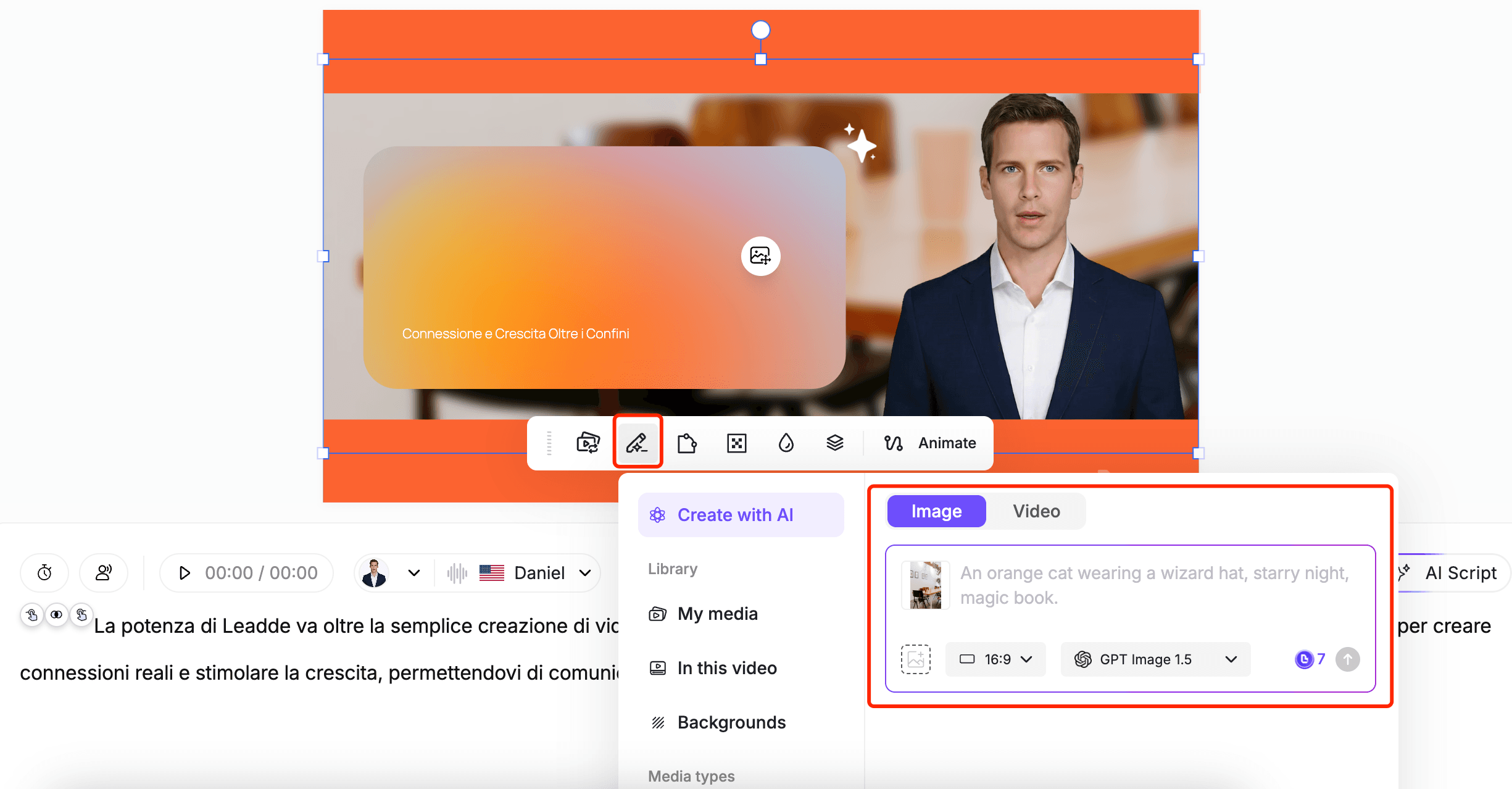
Simply enter the editor to modify your existing text narration. The system then regenerates the scene with natural AI speech.
This allows for instant updates to technical or policy changes.
The platform also allows for easy visual swaps across scenes. You can update a software screenshot in seconds. This ensures that your tutorials always match the latest software version.
How Do You Measure the Success of Your Onboarding Videos?
The goal of orientation is to prepare hires for professional success.
You must track how quickly employees integrate into their roles. A strong process increases productivity by over 70 percent.
Measuring ROI focuses on production efficiency and training speed. Traditional methods are often too slow for modern business needs. You can reduce onboarding costs by automating the creation workflow.
Using external feedback helps identify areas for content improvement. You can refine your scenes based on employee performance data. This ensures your training stays aligned with real-world requirements.
Leveraging External Feedback and Integration Speed
Monitoring integration speed reveals the effectiveness of your orientation. Observe how quickly new hires complete their first assignments. High-quality onboarding videos shorten this initial learning curve.
You should collect direct feedback from every new team member. Surveys help you understand what information felt most valuable. This data guides future updates to your training library.
Effective feedback strategies often include the following components:
- Post-training surveys to measure content clarity and relevance.
- Performance observations during the first 30 days of work.
- Regular check-ins to identify any remaining knowledge gaps.
This information helps you build a more supportive environment.
Driving Continuous Improvement through Refinement
Refining your program requires the ability to iterate on content quickly. You can refine localized onboarding scripts based on regional feedback. This keeps your global team aligned with headquarters' standards.
Use external data from platforms like YouTube to trigger updates. You can low-costly regenerate videos to fix any confusing segments. This ensures your multilingual employee orientation remains highly effective.
Continuous iteration prevents your training from becoming static or boring. You can insert pauses or correct pronunciations for better clarity. This high-information density keeps your audience engaged and informed.
Best Tools to Create Onboarding Videos (By Use Case)
Instead of listing tools randomly, here’s how teams actually choose:
1. Screen recording tools
- Best for quick demos
- Limitation: requires editing
2. AI video generators (e.g. Leadde)
- Best for:
- Training videos
- HR onboarding
- Strength:
- Speed
- Scalability
3. Documentation-to-video tools
- Best for SOPs and guides
- Limitation: less engaging
👉 The most effective setups combine:
- AI generation + structured scripting
How to Create Onboarding Videos Without Video Editing Skills
Many teams avoid video because of editing complexity.
Modern workflows remove that barrier entirely.
Traditional workflow:
- Record
- Edit
- Sync audio
- Add visuals
AI workflow:
- Upload document
- Generate script
- Auto-create video
👉 Result:
- No editing skills required
- Production time reduced from hours to minutes
Why Most Onboarding Videos Fail (And How to Fix Them)
After reviewing dozens of employee onboarding video examples, the same failure patterns appear repeatedly:
1. “Just record a walkthrough” approach
Most teams record a product demo without structure.
👉 Result: confusing, unfocused videos that don’t teach anything.
2. No script or learning structure
Without a clear narrative, videos become:
- Too long
- Too detailed
- Hard to follow
3. Information overload
Trying to explain everything in one video leads to:
- Low completion rates
- Poor retention
How to fix it (what actually works)
High-performing onboarding videos follow a simple structure:
- Problem – What the user is trying to achieve
- Context – Why it matters
- Action – What to do
- Outcome – What success looks like
👉 This structure consistently outperforms unstructured demos in both engagement and comprehension.
Onboarding Video vs Interactive Product Tour: Which Converts Better?
A common strategic question is whether to use video or interactive onboarding.
When onboarding videos work best:
- Explaining complex workflows
- Communicating company culture
- Providing high-level understanding
When product tours work better:
- Simple feature walkthroughs
- UI-based onboarding
- Immediate action flows
Best-performing approach (hybrid model)
Top teams combine both:
- Video → context and understanding
- Interactive tour → hands-on execution
👉 This combination consistently delivers higher engagement and faster adoption.
Real Use Cases: How Teams Actually Use Onboarding Videos
Case 1: SaaS Team Improving Product Onboarding
- Before: unstructured walkthrough videos
- After: structured scripts + short modules
👉 Result: clearer user understanding and better engagement
Case 2: Remote Team Reducing Training Time
- Used:
- AI scripts
- automated editing
👉 Result:
- Significant time savings
- More consistent onboarding
Case 3: Startup Automating Video Production
- Replaced:
- OBS + manual editing
With:
- AI-generated onboarding videos
👉 Result:
- Faster production
- Scalable workflow
Case 4: Small Business Eliminating Repetitive Training
- Recorded onboarding once
- Reused across hires
👉 Result:
- Reduced repetitive work
- More efficient training
FAQ: Common Questions About Creating Onboarding Videos
1. What is the easiest way to create onboarding videos?
Using AI tools that convert documents into videos is the fastest approach.
2. Are AI onboarding videos better than manual editing?
They are faster and more scalable, but may lack customization in some cases.
3. How often should onboarding videos be updated?
Whenever workflows or UI change—ideally using editable formats to avoid re-recording.
4. Do users actually watch onboarding videos?
Yes—especially when videos are short, structured, and relevant.
5. What is the ideal length?
2–5 minutes for most onboarding scenarios.
6. Should I use animation or screen recording?
Depends on the use case:
- Screen recording → tools
- Animation → concepts
7. Can onboarding videos replace live training?
They can reduce it significantly, but not fully replace human interaction.
8. What tools are best for beginners?
AI video generators are the easiest starting point.
9. How do I improve engagement?
Use short videos, clear scripts, and visual highlights.
10. How do I test effectiveness?
Measure completion rate, performance, and feedback.
Final Thoughts
Creating onboarding videos is no longer about production quality—it’s about speed, clarity, and scalability.
The most effective teams:
- Use structured scripts
- Automate production
- Continuously update content
👉 By combining AI workflows with proven onboarding strategies, you can build a system that scales with your business—without increasing cost or complexity.