What Is a Commercial Video Creator? Tools, Features, and Use Cases

A commercial video creator is a software tool that enables businesses to produce professional, goal-driven videos without relying on traditional video production workflows. Instead of managing crews, cameras, and long timelines, teams use commercial video creators to turn content such as documents, scripts, or presentations into structured videos designed for marketing, training, onboarding, or internal communication.
Tools like Leadde take this a step further by automatically converting documents into structured, branded, and multilingual commercial videos, allowing teams to create and update content at scale without production overhead.

What Is a Commercial Video Creator?
A commercial video creator is a business-focused video creation tool built to support commercial objectives rather than entertainment or social content. Its purpose is to help organizations communicate clearly, consistently, and at scale.
Unlike consumer video editors, commercial video creators prioritize:
- Structured storytelling
- Brand consistency
- Speed and repeatability
- Measurable business outcomes
They are commonly used for explainer videos, training materials, onboarding programs, product education, and internal communications.
How a Commercial Video Creator Works
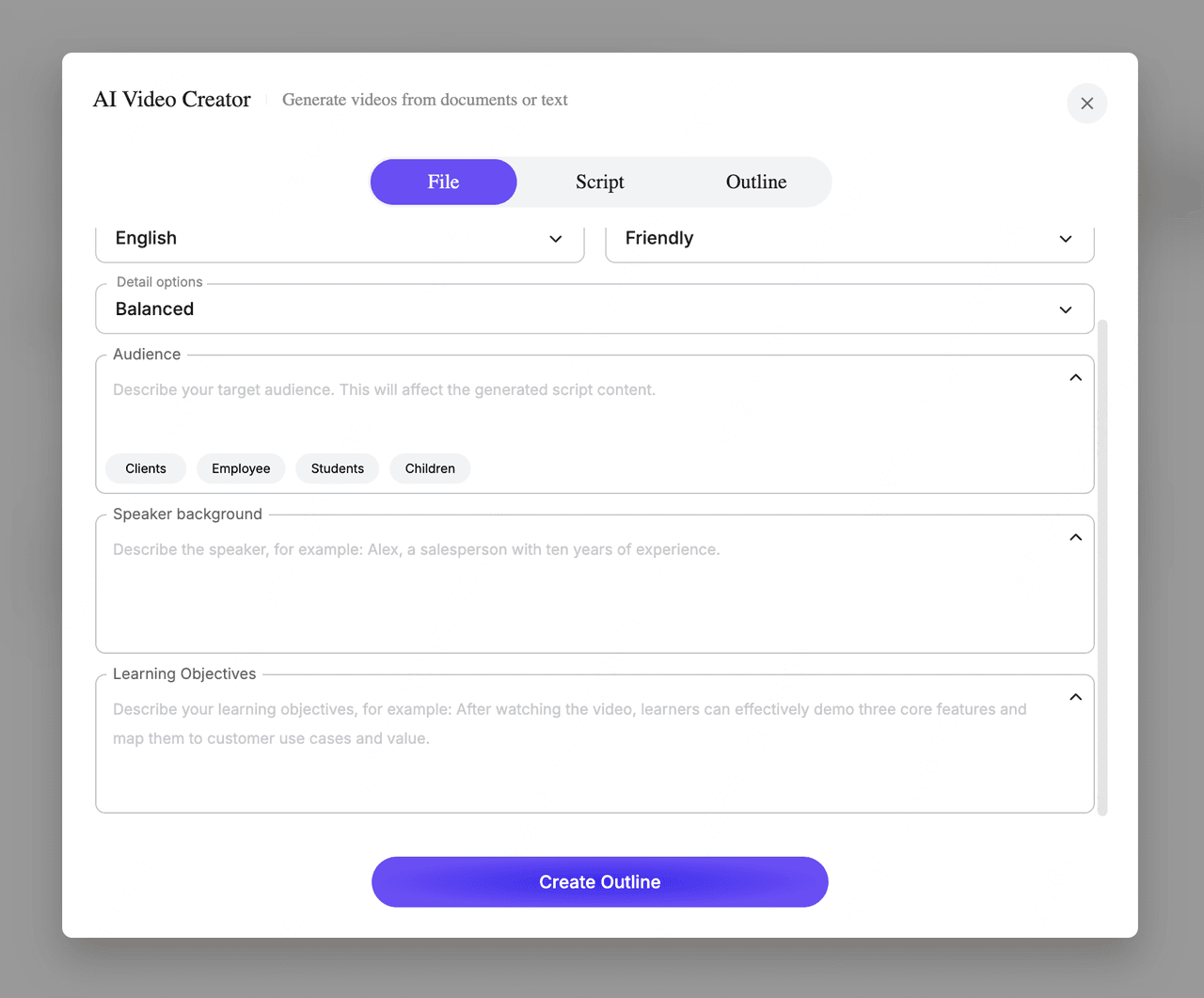
Most commercial video creators follow a content-first workflow rather than a production-first one.
Instead of starting with footage, users start with:
- Documents
- Slides
- Scripts
- PDFs
- Knowledge bases
The tool then:
- Organizes content into scenes
- Generates clear explanations
- Applies consistent layouts
- Produces a polished video output
This approach removes many manual steps found in traditional video production and allows teams to focus on message clarity rather than technical execution.
Key Features of a Commercial Video Creator
Automated Video Structure and Layout
Commercial video creators automatically convert raw content into structured video scenes. This ensures logical flow, clear pacing, and consistent presentation across all videos.
Script and Speech Generation
These tools generate natural, business-ready narration from written content, helping teams explain complex ideas clearly without manual voiceover production.
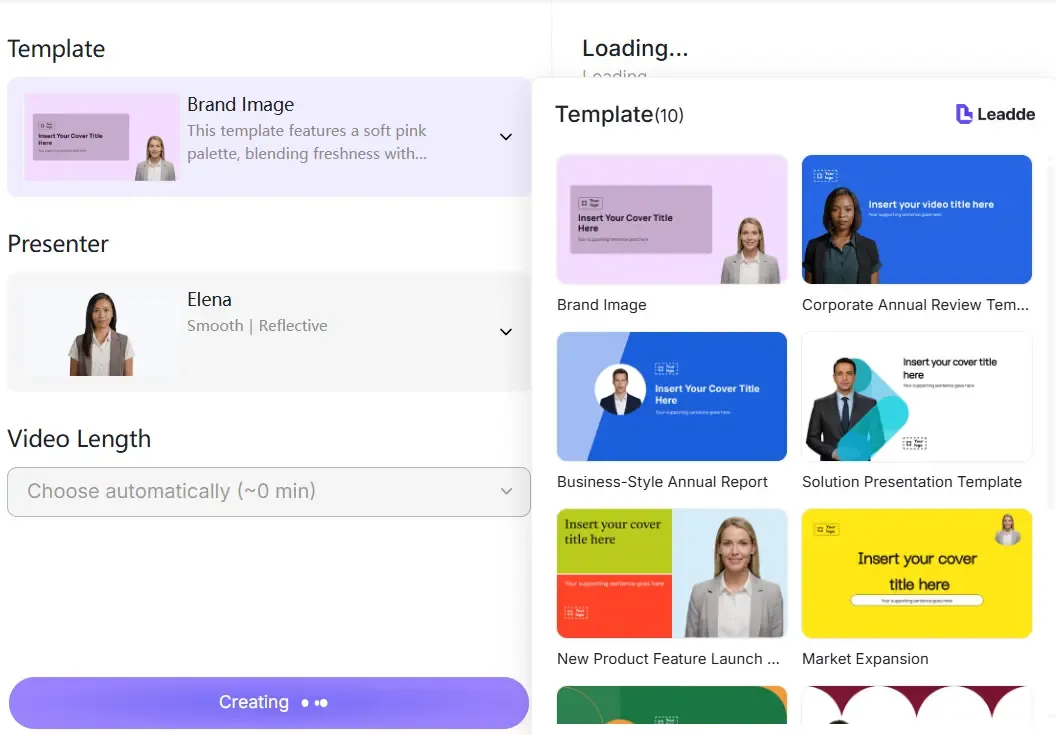
Template-Based Video Creation
Templates provide predefined structures for common business use cases such as training, onboarding, SOPs, and product walkthroughs. This reduces errors and speeds up production.
Multilingual Video Support
Many commercial video creators support multiple languages, enabling teams to localize content efficiently for global audiences without recreating videos from scratch.
Version Control and Easy Updates
Unlike traditional videos, content can be updated by editing the source text. New versions can be published quickly without restarting the production process.
Commercial Video Creator vs Traditional Video Production
The difference between a commercial video creator and traditional video production lies in scalability and control.
Traditional video production
- Project-based and manual
- High upfront cost
- Long turnaround times
- Difficult to update or localize
Commercial video creators
- System-based and repeatable
- Lower and predictable costs
- Fast turnaround
- Easy updates and localization
For teams producing videos regularly, commercial video creators provide a more sustainable model.
Who Should Use a Commercial Video Creator?
Commercial video creators are designed for teams that need reliable, repeatable video output.
Common users include:
- Marketing teams
- HR and learning teams
- Operations and compliance teams
- Product and customer education teams
- Internal communications teams
They are especially valuable for organizations producing content across multiple departments or regions.
Common Use Cases for Commercial Video Creators
Training and Employee Education Videos
Commercial video creators are widely used to create structured training content that is easy to update as processes change.
Onboarding Videos
New hires can quickly understand workflows, policies, and culture through consistent onboarding videos built from internal documentation.
Product and Service Explainer Videos
Teams can transform product documentation into clear, concise explainer videos for customers or internal stakeholders.
SOP and Compliance Videos
Standard operating procedures can be converted into videos that improve clarity and reduce misunderstanding, especially in regulated environments.
Internal Communication Videos
Leadership updates, process changes, and company announcements can be shared as videos that are easier to absorb than long documents.
What Makes a Commercial Video Creator Best for Business Teams?
The best commercial video creators are not defined by flashy effects but by their ability to support business workflows.
Key evaluation criteria include:
- Ease of use for non-technical teams
- Ability to scale across departments
- Support for multilingual content
- Consistent output quality
- Clear analytics and performance insights
Tools that treat video as a managed content asset, rather than a one-off project, tend to deliver the strongest long-term value.
How Commercial Video Creators Support Scalable Content Production
By automating structure, narration, and layout, commercial video creators allow teams to:
- Reduce production time by up to 90%
- Lower production costs by up to 80%
- Create multiple versions without duplicating effort
- Maintain consistent messaging across regions
This makes video a practical communication channel rather than a costly exception.
The Role of Commercial Video Creators in Modern Business
As businesses demand faster communication, global reach, and measurable ROI, commercial video creators are becoming a core part of the content stack.
They enable teams to move away from dependency on external production and toward an in-house, scalable video creation system that evolves with the business.
Meta Description
A commercial video creator is a business-focused tool for creating professional videos at scale. Learn how it works, key features, and common use cases.