
How to Make Corporate Training Videos Employees Actually Watch

To make effective corporate training videos in 2026, companies are shifting away from long, lecture-style recordings and adopting shorter, AI-assisted video workflows designed for speed, clarity, and employee engagement. The most successful training videos are typically under 2–5 minutes, focused on solving one specific employee problem, and built around real workflows instead of generic presentations. Modern teams now combine screen recordings, conversational narration, quizzes, captions, and interactive elements to improve retention while reducing production time.
However, creating training videos manually is still expensive and slow for many organizations. Writing scripts, recording voiceovers, editing scenes, updating outdated SOPs, and localizing content across teams can turn a simple onboarding video into a multi-week project.
This is why many companies are now using AI video platforms such as Leadde.ai, Loom, Camtasia, Synthesia, and HeyGen as part of their corporate training workflow. Instead of building videos entirely from scratch, teams can now turn existing PDFs, PowerPoint decks, SOP documents, and internal knowledge bases into professional multilingual training videos in minutes.
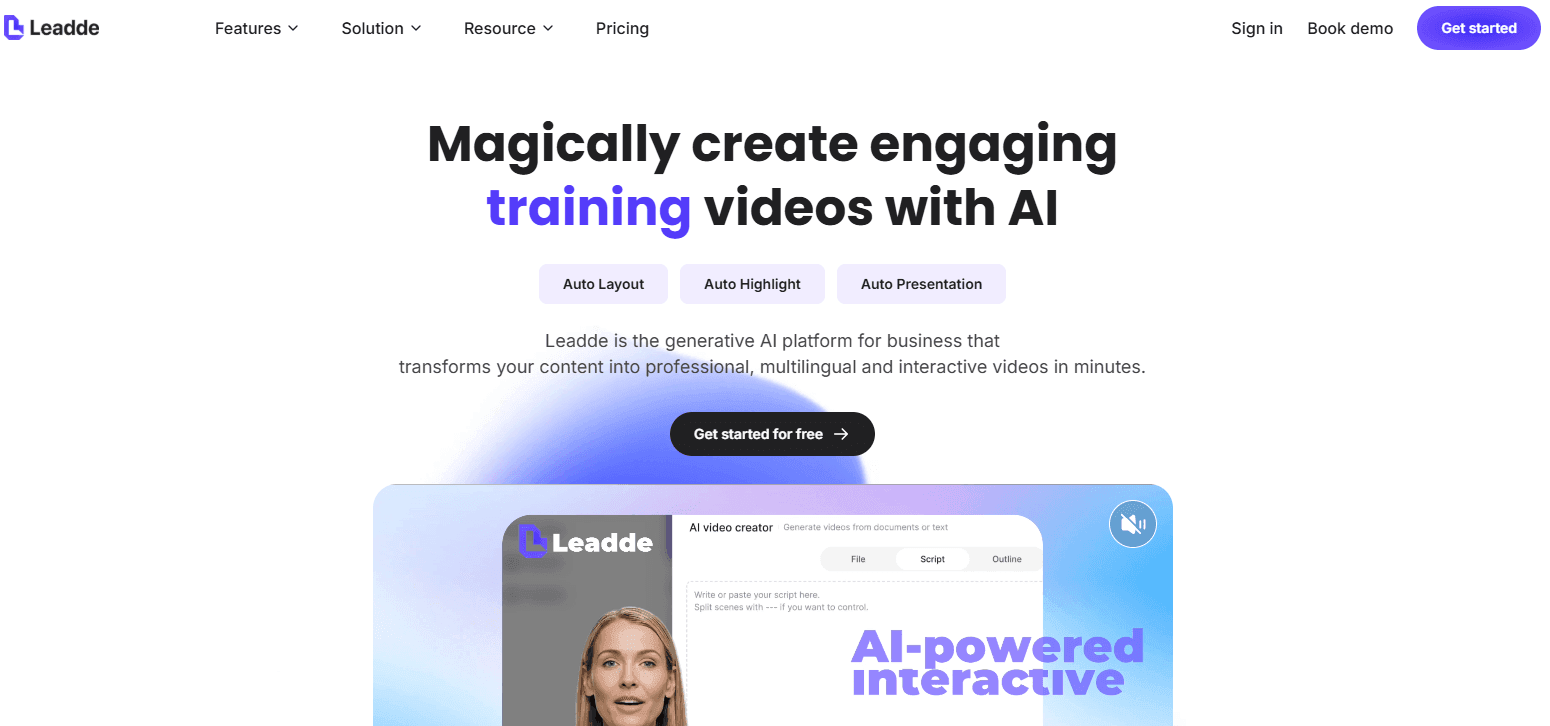
For example, platforms like Leadde.ai focus on document-to-video workflows for enterprise training teams. Instead of manually rewriting training materials into scripts, teams can upload PPTs, onboarding guides, compliance documents, or product manuals and automatically generate narrated training videos with AI avatars, captions, multilingual voiceovers, and editable scenes. This dramatically reduces production bottlenecks for HR, L&D, customer onboarding, and internal operations teams.
The most engaging corporate training videos also follow a few consistent principles:
- Keep videos short and focused on one task or workflow
- Use conversational language instead of corporate jargon
- Show real screens, products, and workflows whenever possible
- Add captions and visual highlights to improve retention
- Use quizzes or branching interactions to increase participation
- Prioritize clear audio over overly polished visuals
- Design videos around employee pain points, not company structure
Different formats also work better for different training goals:
- Screen recordings → software walkthroughs and SOP training
- AI avatar videos → scalable onboarding and multilingual learning
- Animated explainers → compliance or abstract concepts
- Talking-head videos → leadership communication and culture training
- Interactive videos → certification and knowledge testing
In practice, the fastest-growing trend in corporate learning is not traditional video editing. It is AI-powered training content generation, where companies reuse existing internal documents and transform them into scalable video learning systems.
What Makes Corporate Training Videos Different from Marketing Videos
Corporate training videos serve a fundamentally different purpose than marketing or social media content.
Training videos are:
- Educational, not promotional
- Structured like lessons, not ads
- Focused on skills, processes, and correct behaviors
- Designed to be revisited, not consumed once
Unlike marketing videos—which aim to attract attention—training videos aim to change behavior and improve performance. That difference shapes every decision, from scripting and pacing to visuals and delivery style.
Why Companies Use Video for Corporate Training
Companies adopt video for training because it solves three persistent challenges: scale, consistency, and efficiency.
In practice, organizations using training videos see:
- Faster onboarding, since every employee receives the same explanation
- Fewer mistakes, thanks to visual demonstrations instead of text-only instructions
- Higher knowledge retention, as employees can rewatch content on demand
Instead of repeating the same explanations in meetings or documents, teams capture proven processes once and reuse them across departments, locations, and time zones.
Why Most Corporate Training Videos Fail to Keep Employees Engaged
Most corporate training videos fail for one simple reason: they are designed like presentations instead of workflow tools.
Across software onboarding, compliance training, and internal enablement projects, the same engagement problems appear repeatedly:
- videos are too long
- too many concepts are combined into one lesson
- presenters talk without showing workflows
- the content feels generic instead of role-specific
- employees cannot quickly find the exact answer they need
One of the clearest patterns we found in training workflow analysis was that employees rarely want “courses.” They want fast answers that help them complete a task immediately.
Long-format training often creates cognitive overload because learners must remember information that is not immediately relevant to their work.
The highest-performing training systems instead use:
- short task-focused modules
- searchable video libraries
- workflow-based segmentation
- step-by-step demonstrations
- clear visual reinforcement
In practice, engagement improves significantly when employees can open a 3-minute workflow video instead of navigating a 45-minute onboarding module.
How to Structure Corporate Training Videos for Higher Knowledge Retention
Employees retain training better when videos are structured around a single repeatable action.
In our analysis of successful onboarding and software enablement programs, modular learning consistently outperformed broad “all-in-one” training videos.
The most effective structure usually follows this sequence:
- Explain the task
- Demonstrate the workflow visually
- Highlight critical decisions or mistakes
- Reinforce the correct process
- End immediately after the task is complete
This structure works because it aligns with how employees actually use training content in real work environments.
High-retention training videos also share several characteristics:
- one objective per video
- minimal unnecessary visuals
- narration synchronized with on-screen actions
- clear pacing
- practical examples instead of theory
Training videos become dramatically easier to retain when employees can directly connect the lesson to a real workflow they perform every day.
Who Corporate Training Videos Are Really For
Effective corporate training videos are always built for a specific audience, such as:
- Employees (onboarding, compliance, skill development)
- Partners (tools, workflows, standards)
- Clients (product usage, implementation guidance)
Because the audience is clearly defined, training videos are intentionally niche and focused. This clarity helps teams avoid generic content and deliver information only to those who actually need it.
Common Types of Corporate Training Videos (and When to Use Them)
Different learning goals require different video formats. The most common and effective types include:
- Screencast training videos Ideal for software tutorials, system walkthroughs, and step-by-step processes.
- Talking-head training videos Useful when human connection matters, such as leadership messages or cultural onboarding.
- Animated training videos Effective for abstract concepts, compliance topics, or multilingual training that needs easy localization.
- Scenario-based training videos Best for soft skills like sales conversations, customer support, or safety decision-making.
- How-to training videos Short, task-focused videos that solve a specific problem or explain a clear procedure.
Choosing the right format ensures the video supports learning instead of distracting from it.
How to Plan Corporate Training Videos That Get Used
Strong training videos start long before production.
The planning phase determines whether employees will actually finish and reuse the content.
Effective planning usually includes:
- defining one learning objective
- identifying the target role
- removing nonessential information
- mapping the real workflow
- determining what employees already know
One of the most common production mistakes is trying to teach too much at once.
Training becomes significantly more effective when each video answers one practical question clearly.
For example:
Bad structure:
- “Complete CRM Training”
Better structure:
- “How to Create a New Lead in Salesforce”
- “How to Assign Leads Automatically”
- “How to Export Pipeline Reports”
Employees naturally prefer modular answers because they align with real workflow interruptions.
The Corporate Training Video Production Process That Works
Successful training teams typically follow a repeatable production workflow.
Step 1: Define the Workflow Goal
Start with the exact employee behavior the training should improve.
Good training goals are operational, not abstract.
Example:
- reduce onboarding confusion
- reduce support tickets
- improve workflow consistency
- shorten time-to-productivity
Step 2: Gather Existing Training Materials
Most companies already have usable knowledge assets, including:
- SOPs
- onboarding docs
- process guides
- help center articles
- release notes
- internal wikis
These materials often contain the majority of the training knowledge already needed.
Step 3: Convert Knowledge Into Modular Scripts
Training scripts should be:
- concise
- procedural
- conversational
- visually synchronized
The strongest video scripts eliminate filler and focus only on what employees need to do.
Step 4: Build Visual Workflow Demonstrations
Visuals should reinforce actions, not distract from them.
The best-performing training videos consistently use:
- highlighted UI actions
- zoom effects
- captions
- step indicators
- workflow segmentation
Step 5: Review for Real Workflow Accuracy
The final review should prioritize:
- accuracy
- usability
- clarity
- workflow alignment
Training videos succeed when employees can immediately apply what they learned.
Why Clarity Beats Complexity in Corporate Training Videos
Research in learning science consistently shows that extra visuals or information that don’t support learning cause cognitive overload. When learners are overwhelmed, retention drops.
Effective training videos:
- Pair spoken explanations with supportive visuals
- Highlight only essential steps and concepts
- Maintain a clean structure and steady pacing
By aligning narration and visuals, learners can integrate new information with their existing knowledge and retain it longer.
How to Make Corporate Training Videos More Engaging (Not Just Correct)
Engagement doesn’t come from entertainment—it comes from relevance.
High-performing training videos:
- Assume learners already have baseline knowledge
- Get straight to the point
- Use real examples instead of theoretical explanations
- Focus on what employees need to do differently after watching
When training videos respect the learner’s time and experience, they are far more likely to be completed and revisited.
How AI Is Changing Corporate Training Video Production Workflows
AI is dramatically changing how corporate video production workflows operate because it removes many of the most time-consuming bottlenecks.
Instead of starting from scratch, teams can now transform existing knowledge into training videos automatically.
In modern production workflows, AI is especially effective for:
- script generation
- scene structuring
- narration
- localization
- presenter generation
- content repurposing
This significantly reduces production time for onboarding and enablement teams.
For example, teams can now upload:
- PDFs
- SOPs
- onboarding documents
- process outlines
- PowerPoint decks
and automatically generate structured training videos from those assets.
How to Create Corporate Training Videos Fast with AI
Creating corporate training videos no longer requires long production cycles, recording sessions, or editing expertise. With AI-powered video tools like Leadde, teams can turn existing training materials into professional corporate training videos in minutes.
The key shift is simple: instead of creating videos from scratch, teams start from the knowledge they already have—documents, SOPs, onboarding guides, or process outlines.
Step 1: Turn Existing Training Documents into Video Content
Most corporate training already exists in written form:
- Employee onboarding documents
- Internal SOPs and compliance guides
- Product or tool walkthroughs
- Process checklists and knowledge bases
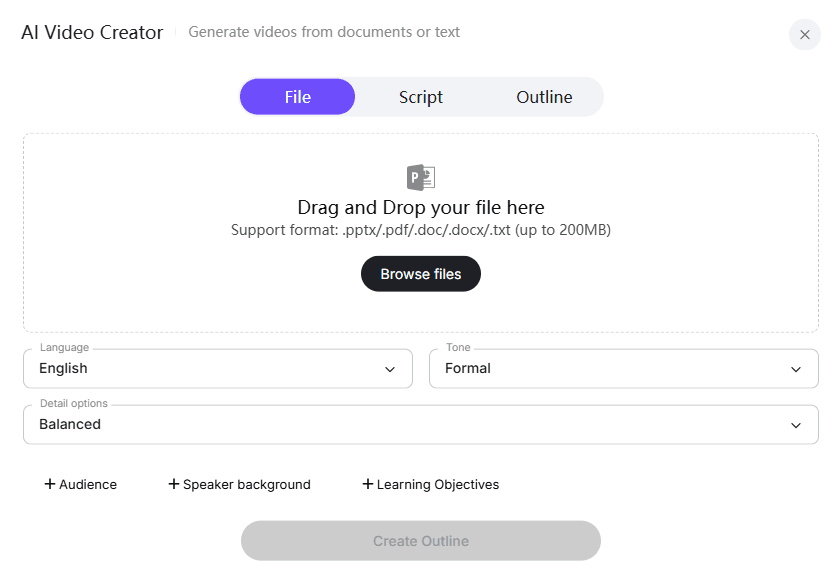
With Leadde, teams upload these materials in formats like DOC, PDF, PPT, or plain text. The AI automatically analyzes the structure, identifies key steps, and understands the training goal—whether it’s onboarding, compliance, or skills training.
This eliminates the most time-consuming part of corporate training video creation: manual scripting and layout planning.
Step 2: Let AI Structure the Training Video Automatically
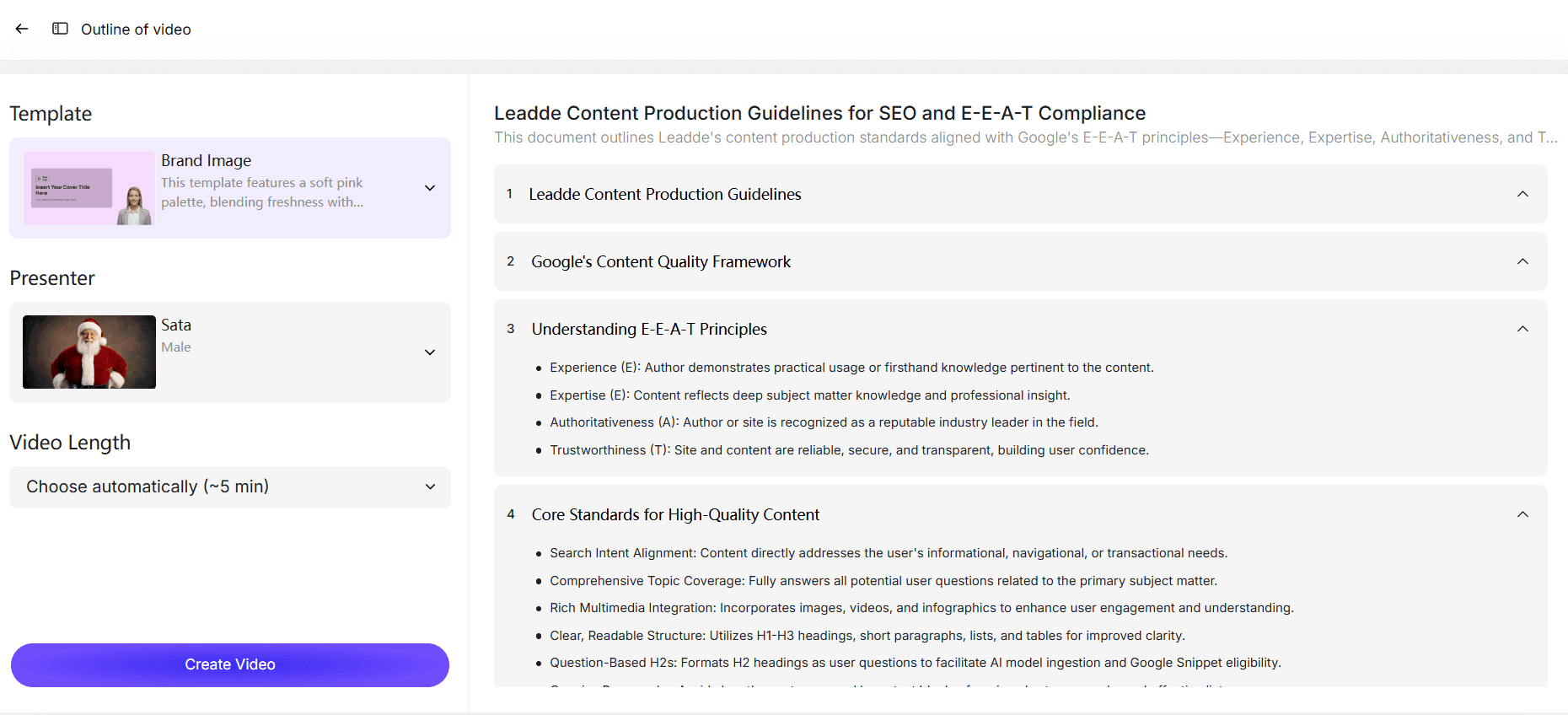
Once the content is uploaded, AI generates a clear, structured training outline optimized for video learning. Teams can easily:
- Reorder steps to match real workflows
- Adjust the level of detail for different audiences
- Remove unnecessary explanations for experienced employees
This approach supports modular corporate training, where each video focuses on one task or process, making content easier to update and reuse across teams.
Step 3: Add an AI Presenter and Natural Voiceover
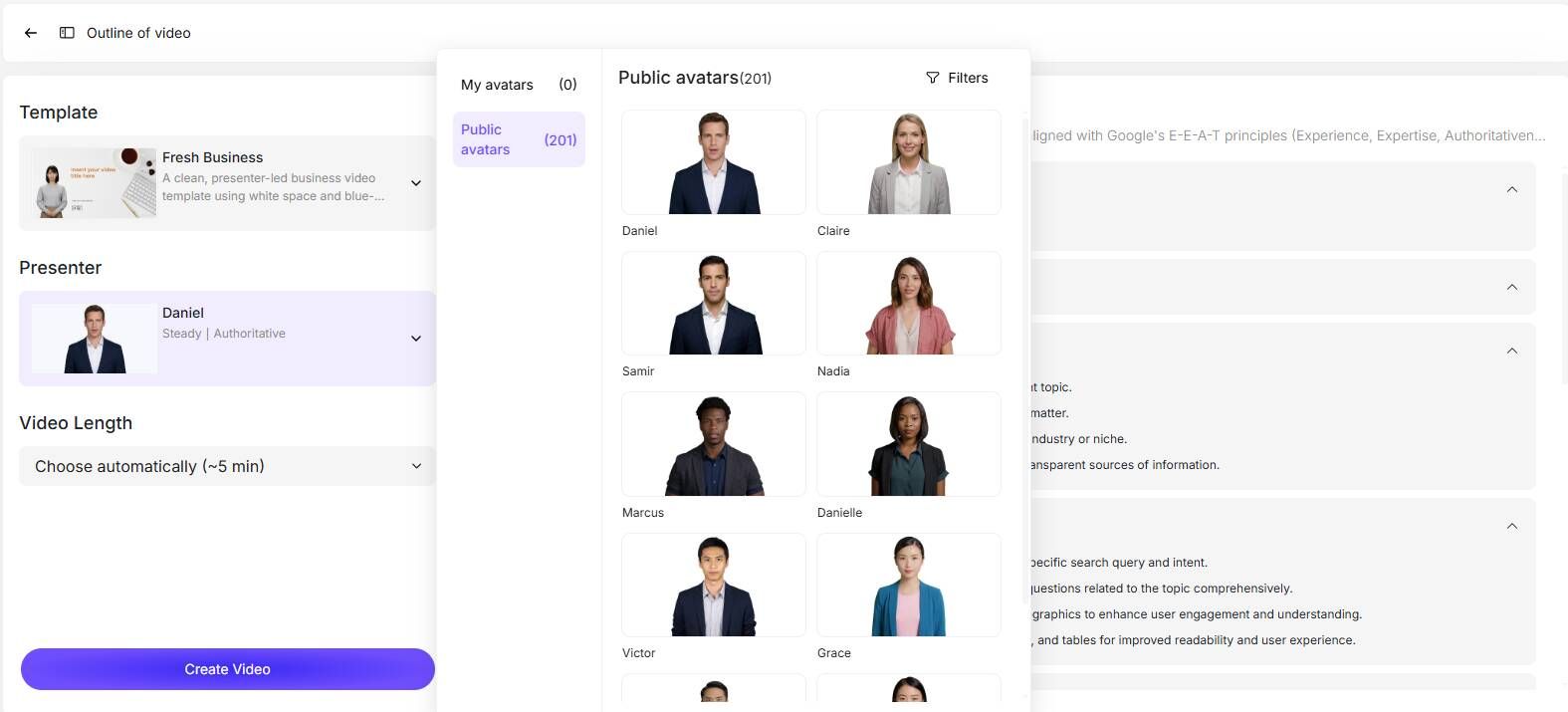
Instead of asking employees to record themselves, Leadde allows teams to choose from 200+ lifelike AI presenters and multiple voice styles.
This is especially useful for corporate training because:
- It removes camera anxiety for subject-matter experts
- It keeps visual delivery consistent across training modules
- It allows instant language changes for global teams
AI presenters guide learners step by step, while smart highlights emphasize critical actions, rules, or decisions at the right moment.
Step 4: Generate and Share Corporate Training Videos in Minutes
With one click, Leadde transforms the structured outline into a complete corporate training video—including scenes, narration, and visual emphasis.
Teams can:
- Preview and share training videos instantly
- Update content without re-recording
- Localize videos across multiple languages
- Maintain consistent quality at scale
In real corporate environments, this workflow has helped teams reduce training video production time by up to 90%, while improving engagement and clarity compared to static documents.
Why AI Works Especially Well for Corporate Training Videos
Corporate training videos prioritize clarity, consistency, and repeatability, not cinematic production. AI excels at exactly these requirements.
By using AI to handle:
- Layout and pacing
- Script generation
- Narration and localization
L&D teams and HR leaders can focus on what truly matters: accurate knowledge, real workflows, and employee performance improvement.
Instead of asking “Do we have time to make a training video?”, teams can now ask:
“What knowledge should we turn into video next?”
Metrics That Actually Measure Corporate Training Video Effectiveness
Training effectiveness should be measured through operational outcomes, not vanity metrics.
The most useful performance indicators include:
- completion rates
- repeat views
- reduced support tickets
- fewer workflow errors
- faster onboarding
- shorter time-to-productivity
- improved process consistency
For task-based training, repeat viewing is often a stronger signal than raw completion percentage because it reflects real workflow usage.
The strongest training systems continuously analyze where employees:
- pause
- replay
- drop off
- search repeatedly
These behavioral patterns reveal which workflows require clearer explanations or additional support documentation.
How to Scale Corporate Training Across Global Teams
As organizations become increasingly distributed, scalable training systems become critical.
Global teams require training that is:
- multilingual
- consistent
- easy to update
- accessible across regions
Traditional video production often struggles with video localization because every language version requires separate recording workflows.
AI-assisted production significantly simplifies this process through:
- automated translation
- AI voice localization
- reusable templates
- centralized training libraries
This allows organizations to maintain consistent onboarding and compliance standards across multiple countries without multiplying production costs.
FAQ About Corporate Training Videos
What is the ideal length for a corporate training video?
For most task-based training, shorter videos perform significantly better. In operational training environments, videos between 2 and 7 minutes tend to achieve higher completion and repeat-view rates because employees can quickly find the exact workflow they need.
Are AI-generated corporate training videos effective?
Yes — when AI is used to improve production efficiency rather than replace instructional clarity. AI works especially well for narration, localization, modular updates, and converting SOPs into scalable learning content.
Should corporate training be video or documentation?
The most effective systems use both. Video works best for demonstrations and onboarding videos, while documentation is better for searchable reference material and frequently updated instructions.
What are the best types of corporate training videos?
The most effective formats usually include:
- screencast tutorials
- microlearning videos
- scenario-based learning
- workflow demonstrations
- onboarding explainers
The right format depends on the learning objective.
How do companies keep training videos updated?
Scalable organizations avoid large monolithic courses and instead use modular training systems with short workflow-specific videos that are easier to update individually.
What metrics matter most for training video performance?
The most important metrics include:
- completion rate
- repeat views
- reduced support requests
- reduced workflow errors
- onboarding speed
- employee task accuracy
These indicators reveal whether employees are actually applying the training successfully.
Conclusion: Training Videos That Stick Are Built for Learning
Corporate training videos are not just another content format. They sit at the intersection of education and communication, helping organizations transfer knowledge efficiently and consistently.
The training videos that truly stick:
- Are designed as learning modules, not promotions
- Focus on clarity, structure, and real-world application
- Respect how people actually process and retain information
When done right, corporate training videos become a scalable, high‑impact investment in workforce performance—not just a checkbox in a training program.





