
How to Create Training Videos Without Re-Recording Every Time

Creating training videos with AI is no longer about generating a polished video in one click. The most effective approach is to use AI to convert existing knowledge (SOPs, documents, workflows) into modular, short, and easily updatable training videos, combining script generation, voiceover, screen recording, and structured editing.
In real-world implementations, this approach reduces production time by 70%+, avoids full re-recording when processes change, and enables teams to scale training across departments and regions—without sacrificing quality.
With AI video platforms like Leadde, teams can turn documents or outlines into polished training videos in just a few minutes.

Why AI Tools Are Changing How Training Videos Are Created
Traditional training video production is slow and resource‑heavy. It often requires scripting, filming, editing, and coordination across multiple roles. AI tools remove these bottlenecks.
In real business environments, teams report:
- Up to 90% reduction in content creation time when converting documents directly into videos
- 3× higher learner engagement compared with static slide-based training
- Up to 80% lower production costs by eliminating studios, external editors, and re-shoots
AI doesn’t replace instructional design or expertise. It accelerates execution so teams can produce more relevant content, faster.
What AI Tools Actually Do in Training Video Creation
AI tools support training video creation at the execution level—not the strategic level.
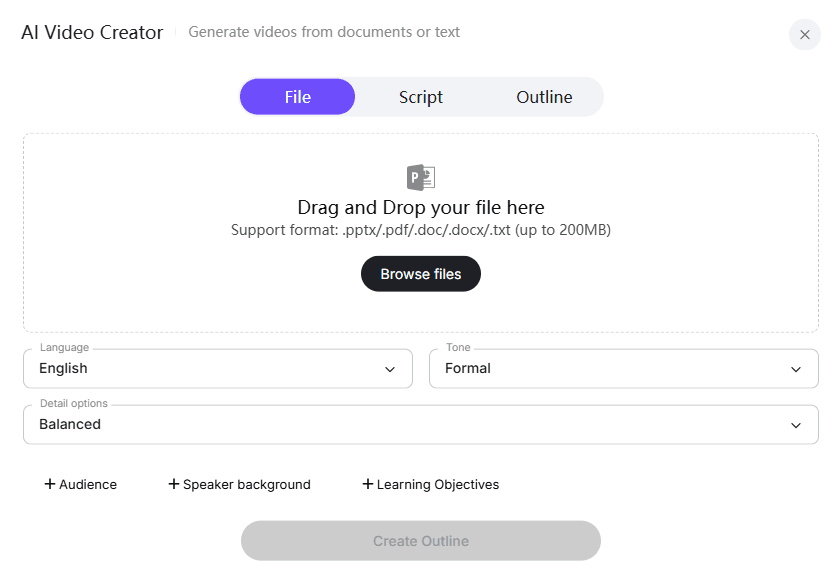
In practice, AI helps teams:
- Convert DOCs, PDFs, PPTs, and scripts into structured video outlines
- Automatically generate voiceovers and on-screen highlights
- Apply scene layout and pacing for better comprehension
- Add subtitles and multilingual localization, often saving 60–70% of translation time
- Use AI avatars when employees prefer not to appear on camera
What AI does not do:
- Decide what employees need to learn
- Replace subject‑matter expertise
- Guarantee quality without human review
Effective training still depends on good content. AI simply makes that content easier to deliver as video.
How to Create Training Videos with AI: A Practical Workflow
A proven AI‑assisted workflow looks like this:
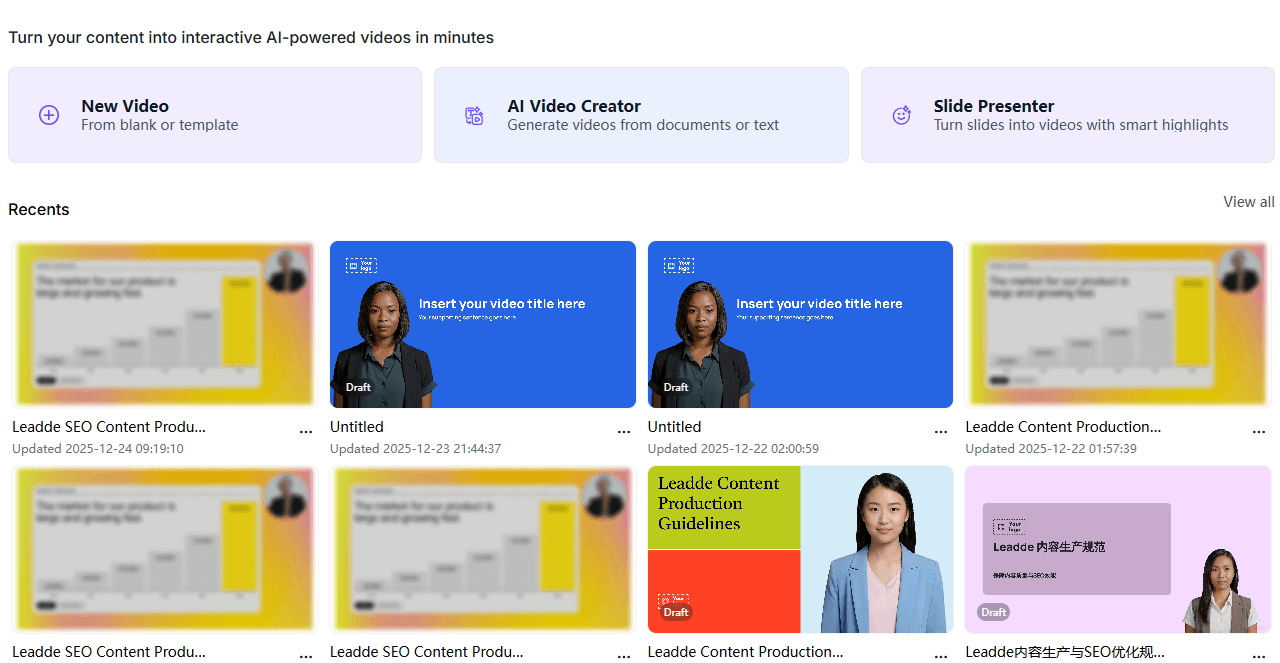
A high-performing workflow consistently looks like this:
1. Start with Existing Knowledge (Not Blank Pages)
Use:
- SOPs
- Checklists
- Internal docs
- Slide decks
This ensures accuracy and avoids hallucinated content.
2. Generate Structured Video Drafts with AI
AI converts content into:
- Scenes
- Narration
- Visual emphasis
3. Add Screen Recording for Real Context
In practice, the most effective training videos include:
- Real UI walkthroughs
- Step-by-step demonstrations
This is critical for usability.
4. Apply AI Voiceover and Subtitles
Teams often replace manual recording with AI voice to:
- Avoid multiple takes
- Maintain consistency
- Enable easy edits
5. Review with Subject-Matter Experts
This step determines final quality:
- Accuracy validation
- Real-world scenario alignment
6. Publish and Iterate (Not One-Time Delivery)
Modern teams treat training as:
- Continuously updated assets
- Not static videos
How to Update Training Videos Without Re-Recording Everything
One of the biggest operational problems is not creating videos—it’s maintaining them.
In real production environments:
- A small process change used to require full video re-recording
- This could delay updates by days or weeks
What Works Instead
Teams that scale successfully use:
Modular video design
- 1 topic = 1 video
- 2–3 minutes per module
Scene-level editing
- Update only the affected step
- No need to re-record the entire video
AI voiceover replacement
- Edit text → regenerate audio instantly
Real Outcome
In one workflow optimization case:
- Updating training content became 70% faster
- Only specific segments were replaced instead of full videos
This fundamentally changes training from a static asset into a maintainable system.
Why Long AI-Generated Training Videos Fail (And What Actually Works)
A common assumption is that AI can generate full-length training courses.
In practice, long videos (30–60 minutes):
- Have low completion rates
- Are hard to update
- Lose learner attention
What Works Better
Based on observed performance:
Microlearning structure
- 2–5 minutes per video
- Single objective per module
Library-based training
- Hundreds of small videos instead of a few long ones
Real Implementation Pattern
For complex systems:
- Teams build hundreds of short videos
- Each covers one action or workflow step
This approach:
- Improves retention
- Makes updates trivial
- Aligns with real “on-the-job” learning behavior
AI Avatars in Training Videos: When to Use Them (and When to Avoid Them)
AI avatars are often overused.
From hands-on implementation and user testing:
Where Avatars Work Well
- Introductions
- Course overviews
- Recaps
Where They Fail
- Step-by-step training
- Technical walkthroughs
- Detailed instruction
Why
Common issues observed:
- Unnatural facial movement
- Lip-sync inconsistencies
- Reduced learner trust
Practical Recommendation
Use avatars sparingly:
- As a supplement—not the main teaching method
Most effective training videos prioritize:
- Screen content
- Clear narration
- Visual guidance
The Most Efficient AI Training Video Stack (Real-World Setup)
No high-performing team relies on a single tool.
A practical stack usually includes:
Script & Structure
- AI writing tools to convert documents into scripts
Voice Generation
- AI video platforms or editors for layout and pacing
Video Creation
- AI video platforms or editors for layout and pacing
Screen Recording (Critical Layer)
- Tools for real workflow demonstration
Key Insight
The biggest efficiency gains come from combining tools, not replacing everything with one platform.
How to Turn SOPs, PDFs, and Documents into Training Videos with AI
This is one of the highest ROI use cases.
Real Workflow
Input
- SOPs
- PDFs
- Internal guides
Process
- AI extracts structure
- Converts into scenes
- Generates narration
- Adds highlights
Human Layer
- Add context
- Validate accuracy
- Insert real examples
Real Case Example
A content creator transitioning from written materials:
- Converted long-form documents into 5-minute training videos
- Used AI voice instead of recording manually
- Avoided repeated takes and inconsistent delivery
Key Insight
In practice:
Content quality depends more on the source material than the AI tool.
Microlearning with AI: Why Short Training Videos Drive Better Results
Short-form training consistently outperforms long courses.
Observed Benefits
- Faster consumption
- Easier updates
- Higher repeat usage
- Better alignment with real tasks
Real Pattern
Teams structure training as:
- “Just-in-time” learning
- Task-based video library
Instead of:
- Linear courses
The Biggest Mistake Teams Make with AI Training Videos
The most common failure is:
Treating AI output as final content
What Happens
- Generic explanations
- Missing real-world context
- Lower effectiveness
What Works
High-performing teams:
- Treat AI output as a draft
- Always involve SMEs
- Validate against real workflows
How to Design Training Videos That Are Easy to Maintain
The real goal is not video creation—it’s sustainable training systems.
Key Design Principles
Modularity
- Break content into independent units
Version Control
- Track updates at scene level
Content Reusability
- Reuse segments across videos
Core Insight
A training video is not an asset.
A maintainable training system is.
Best Use Cases for AI-Powered Training Videos
AI video tools perform best in frequent, process-driven learning scenarios, such as:
- Employee onboarding: company policies, tools, culture, and workflows
- Operational training: SOPs, equipment usage, safety protocols
- Compliance and security awareness: phishing detection, approved software, data handling
- Manager enablement: decision-making frameworks, goal setting, reporting
- Product and tool training: internal systems, updates, and best practices
These use cases benefit from short, focused videos that can be updated quickly—exactly where AI excels.
FAQ: Real Questions About Creating Training Videos with AI
Can AI fully replace human-created training videos?
No. AI accelerates production but still requires human expertise for accuracy and relevance.
What’s the best length for training videos?
2–5 minutes per module performs best for retention and usability.
Are AI avatars effective for training?
Only in limited cases like introductions or summaries—not for core instruction.
Can I convert PDFs into training videos automatically?
Yes, but results require human refinement for clarity and accuracy.
How do I update training videos efficiently?
Use modular videos and AI voiceover to update only specific sections.
What tools are best for AI training videos?
A combination of scripting tools, voice generation, video editors, and screen recording works best.
Are long AI-generated courses effective?
No. Short, focused videos outperform long-form content.
Does AI reduce production costs significantly?
Yes, by eliminating recording, editing, and re-shooting overhead.
How do I ensure training quality with AI?
Always include SME review and real workflow validation.
Should I use AI for all training content?
No. Use it for process-driven, repeatable training—not for high-context or emotional topics.
Final Takeaway
AI is not just a faster way to create training videos—it enables a fundamentally different approach:
- Modular instead of linear
- Maintainable instead of static
- Scalable instead of one-off
The teams that succeed are not the ones generating the most videos, but the ones building systems that keep knowledge accurate, accessible, and continuously updated.





