How to Write a Video Script: Step-by-Step Templates and Examples

To master how to write a script for a video, you first need to define your specific audience, select a high-conversion structure like the A.A.A.A. formula, and refine your narration for clarity. A professional business video succeeds when you map out key points before drafting the dialogue to ensure it fits within your intended time limit.
Using a proven step-by-step video script template helps your message land effectively while providing the visual cues your production team needs.
Have you ever sat staring at a blinking cursor, wondering how to turn your complex ideas into a compelling marketing video strategy?
You can actually skip the stress of manual drafting by turning your existing PDFs, PowerPoints, or Word documents into polished scripts in just a few clicks.
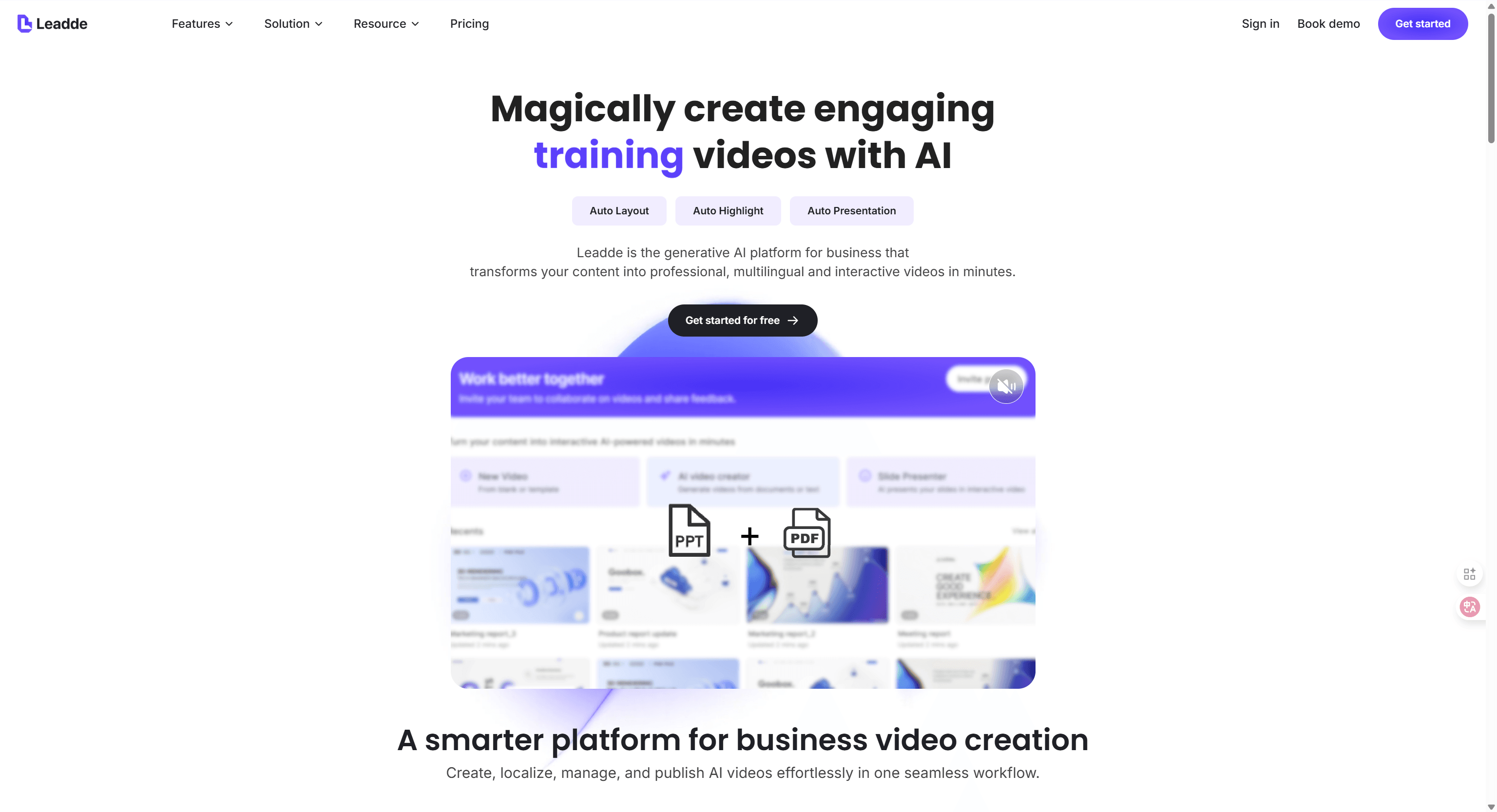
Leadde analyzes your files to build a structured scene-by-scene flow and narration that matches your brand voice. Once your draft is ready, you can turn your video script into an AI video and review the full scene flow.
Effective script writing for business works best when you use high-retention formulas that speak directly to your viewer’s challenges. By adopting a short-form video script formula, you can easily manage word counts to keep your content punchy and under 60 seconds.
This guide shares the exact frameworks that top professionals use to transform static data into dynamic instructional videos without the usual headache.
If you feel like traditional scripting is a bottleneck for your sales enablement or L&D teams, you are not alone.
Modern workflows now lean on AI-driven automation to handle the heavy lifting of structure and even multilingual localization. Whether you are preparing a CEO internal update or a global training series, these templates will help you streamline your work and get your message on screen faster.
Why Is a Strategic Script the Secret to a Successful Business Video?
How Leadde Eliminates the Fear of a Blank Page
Starting a business video from scratch often feels overwhelming and slow. Most creators waste hours staring at a blank document. You can now bypass this creative block by using Leadde to transform existing assets.
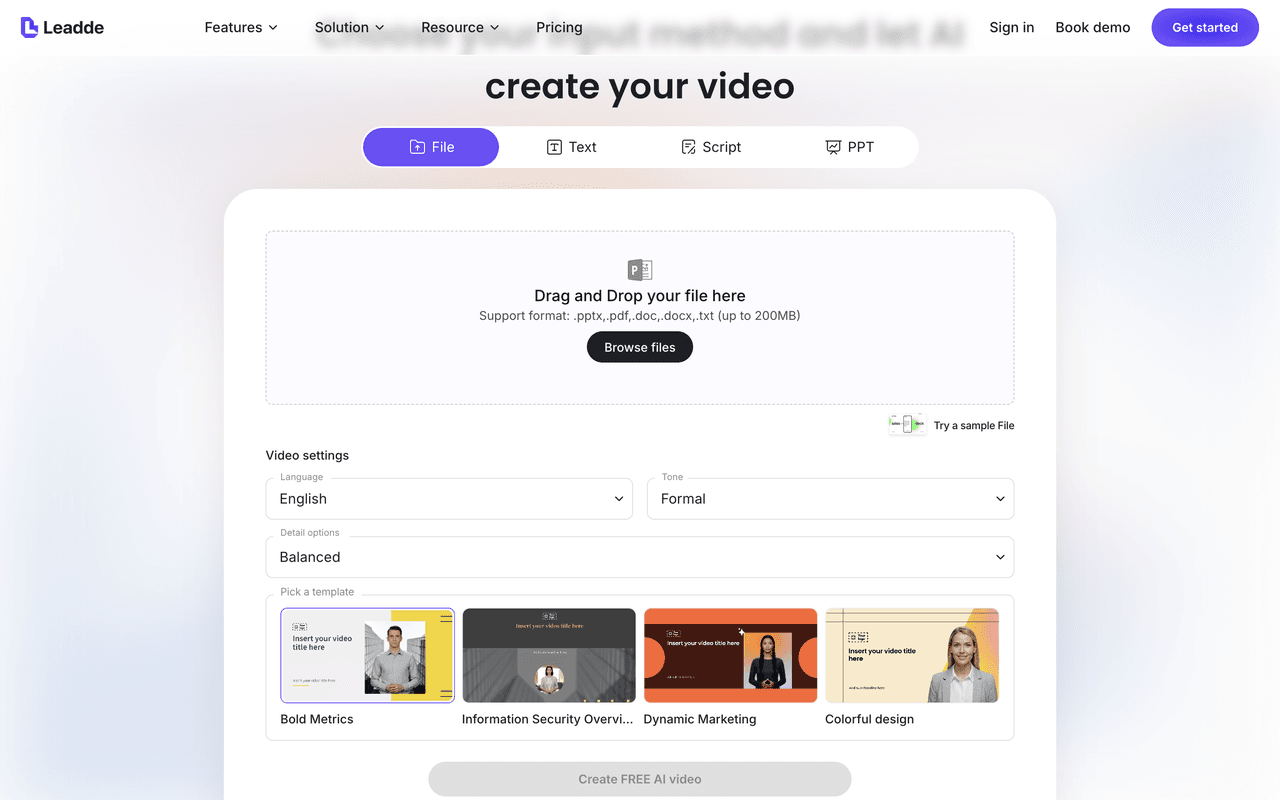
If you already have a PDF, PowerPoint, SOP, or product sheet, tools like Leadde can generate a video script from your document and use the first draft as your starting point.
Maximizing Production Efficiency and Brand Consistency
A professional script ensures your business video delivers a clear message. It acts as a guide to keep every scene focused. Preparation helps you avoid costly mistakes during the final production.
Writing down your narration helps maintain high brand standards and tone. This organization allows team members to collaborate without any technical confusion. Scripts also provide the necessary framework for precise visual timing.
- Edit Time Reduction: Clear scripts prevent unnecessary revisions in post-production.
- Filler Word Removal: Narrators avoid "um" or "ah" when following a script.
- Unified Messaging: Ensure every department shares the same correct brand information.
Using these methods helps your business video land effectively with viewers. Organized scripts are the key to scaling your content production safely. You can achieve professional results while keeping your budget under control.
How Do You Prepare Your Content Before Writing the First Line?
Setting Clear Objectives and Target Audience Profiles
Successful script writing begins with a well-defined strategic goal. You must decide if your business video aims to educate or persuade. Clear objectives guide the tone and structure of your entire script.
| Objective Type | Primary Video Goal | Target Audience Focus |
|---|---|---|
| Education | Teach specific skills or SOPs | Internal staff and new hires |
| Marketing | Build brand identity and trust | Potential leads and customers |
| Sales | Drive conversions and pitch products | Targeted customer segments |
Once you define the "why," identifying the audience becomes much simpler. Your business video should address the specific pain points of your viewers. Knowing your audience ensures the message is received and understood perfectly.
Selecting the Right Avatar and Narrative Tone
The voice of your business video depends on the narrator's personality. Relatable characters help connect the audience to your core message. Your script writing should match the speaker's background and authority.
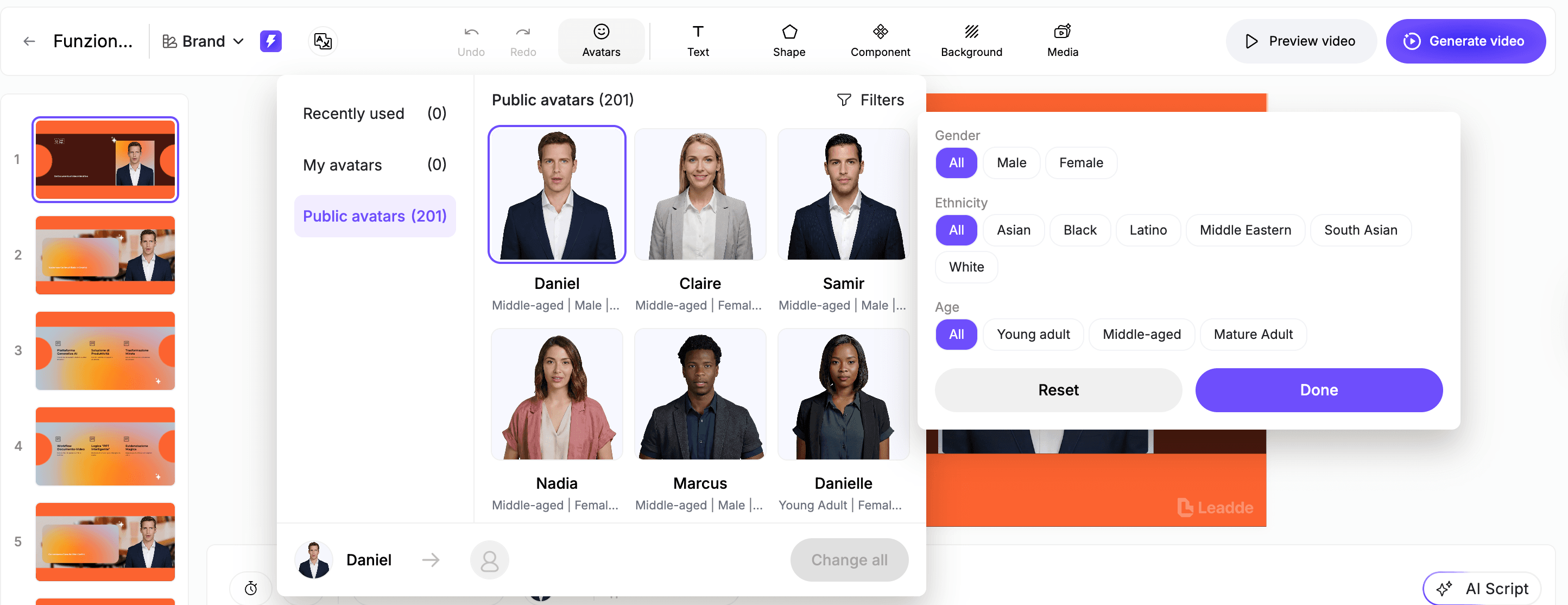
Choosing a Tone Selection in Leadde simplifies this complex creative task. You can set the style to "Formal" or "Friendly" with one click. This ensures your AI avatar delivers the script with appropriate energy.
Leadde provides access to over 200 lifelike digital presenters. These avatars help maintain visual consistency across all your training scenes. Matching the right face to the right script builds viewer trust.
Automating Preparation with Intelligent AI Settings
Preparing to write is often the hardest part of the workflow. Leadde solves this by letting you pre-set your training objectives early. This allows the AI to tailor the narration to your needs.
The system uses these settings to suggest the best scene structure automatically. It matches the level of detail to your chosen audience profile. This smart preparation ensures your business video feels relevant and high-quality.
You can easily adjust the detail level to be concise or detailed. This flexibility helps in creating content for different levels of expertise. Strategic preparation in Leadde results in a more engaging final script.
Step 1: How to Structure Your Script Using Professional Formulas (A.A.A.A. & Funnels)?
A great business video needs a strong structure. You could capture interest quickly using the A.A.A.A. formula. This proven method guides viewers from initial attention to final action.
A.A.A.A. Formula and Funnel Strategy
The A.A.A.A. formula helps organize your core message effectively. It stands for Attention, Agitation, Activity, and Action. This structure is perfect for creating professional SOP scripts.
- Attention: Grab the viewer with a strong hook.
- Agitation: Highlight a common business pain point.
- Activity: Show your solution in a clear way.
- Action: Tell the audience exactly what to do.
Beyond basic formulas, you should consider the marketing funnel approach. Short-form videos often use the "Quips, Tips, and Clips" strategy. This method ensures your business video content remains highly engaging.
Implementing the Funnel Strategy in Script Writing
The top of your funnel utilizes "Quips," which are fast-paced scripts designed to cast a wide net. These scripts focus on quick opinions, bold stats, or anecdotes that challenge common beliefs to earn shares and follows. When writing these, avoid "off-brand hacks" for the sake of virality.
Instead, ensure your hook aligns with your ideal audience's core interests.
Middle-of-funnel scripts, or "Tips," are for viewers ready to go deeper into your expertise. These scripts provide specific frameworks, tools, or strategies that solve a problem, with the ultimate goal of turning a follower into an email subscriber.
At the bottom, "Clips" use personal stories or behind-the-scenes footage to foster brand loyalty among existing customers.
- Quips (Top): Focus on broad appeal and high-engagement hooks to increase reach.
- Tips (Middle): Deliver actionable value that inspires the viewer to join your community.
- Clips (Bottom): Build a human connection through authentic, person-to-person conversation.
Streamlining Funnel Content with Leadde
Managing multiple funnel stages can become complex, but Leadde simplifies this by repurposing your existing business assets. You can upload a deep-dive whitepaper and use the AI Video Creator to extract "Quips" for social media or "Tips" for a training series.
This allows you to maintain a consistent message across the entire funnel without writing every script from scratch.
Because Leadde allows for Scene Level Script Editing, you can easily adjust the call to action for each funnel stage.
For a Top-of-funnel video, you might regenerate a scene to end with a "Follow" prompt, while a Bottom-of-funnel script can be polished to encourage a direct DM. This flexibility ensures your business video strategy remains agile and effective.
Step-by-Step A.A.A.A. Script Template
Providing a clear framework simplifies the production process significantly. You can use this step-by-step video script template today. It ensures your business video stays focused and impactful.
- Hook: Start with a bold, relevant question.
- Problem: Describe the specific challenge your viewers face.
- Solution: Present your product as the ideal answer.
- Next Step: Direct viewers to your website or link.
This template works well for both internal and external communication. It helps you master how to write a script for a video. Using these guidelines makes your production workflow much faster. After drafting the template, generate a video from your script to check pacing, scene order, and CTA clarity before rewriting the copy again.
Step 2: How to Define Tone and Audience with AI-Powered Drafting?
Defining your tone is critical for a successful business video. Your voice should align with your established brand image. This consistency builds trust with your specific target audience.
Defining Tone for Brand Image
The right tone makes your content feel more professional. You should identify if your audience needs a formal approach. A friendly tone often works best for internal team updates.
To reach the right people, consider these common business styles:
- Formal: Best for compliance and legal training videos.
- Friendly: Ideal for onboarding and team culture content.
- Persuasive: Perfect for sales pitches and product marketing.
Choosing the wrong style can confuse your loyal viewers. It is essential to match your words to your goals. This ensures your business video delivers maximum results every time.
Leadde's Tone Selection Advantage
If you're using an AI tool like Leadde, tone is a one-click setting — you pick Formal, Friendly, or Inspirational and the narration adjusts across the whole script automatically.
Step 3: How to Refine Your Script with Scene-Level Editing and Visual Cues?
A professional business video requires perfect coordination between sound and sight. Traditional methods involve complex two-column formats to manage these elements. Mastering how to write a script for a video means mastering this balance.
The Power of Two-Column Scripting and Visual Cues
The two-column script format remains a global industry standard for teams. It separates what the audience hears from what they see on screen. This structure ensures that every visual cue aligns with the narration.
Effective scripting uses this layout to guide editors and narrators alike. It prevents confusion by marking exactly where graphics or B-roll should appear. Proper organization leads to much faster post-production workflows.
- Audio Column: Contains the full spoken dialogue and narration.
- Visual Column: Lists graphics, B-roll, and specific on-screen animations.
- Timing Cues: Synchronizes text highlights with the narrator's specific words.
By following this disciplined format, you eliminate guesswork for your production team. It allows you to build a cohesive storyboard before filming. Clear instructions lead to a polished and professional final result.
Automating Visuals with Leadde Scene-Level Editing
Modern technology simplifies the technical side of script writing significantly. Leadde offers advanced Scene Level Script Editing for full creative control. You can easily refine dialogue and visuals scene by scene.
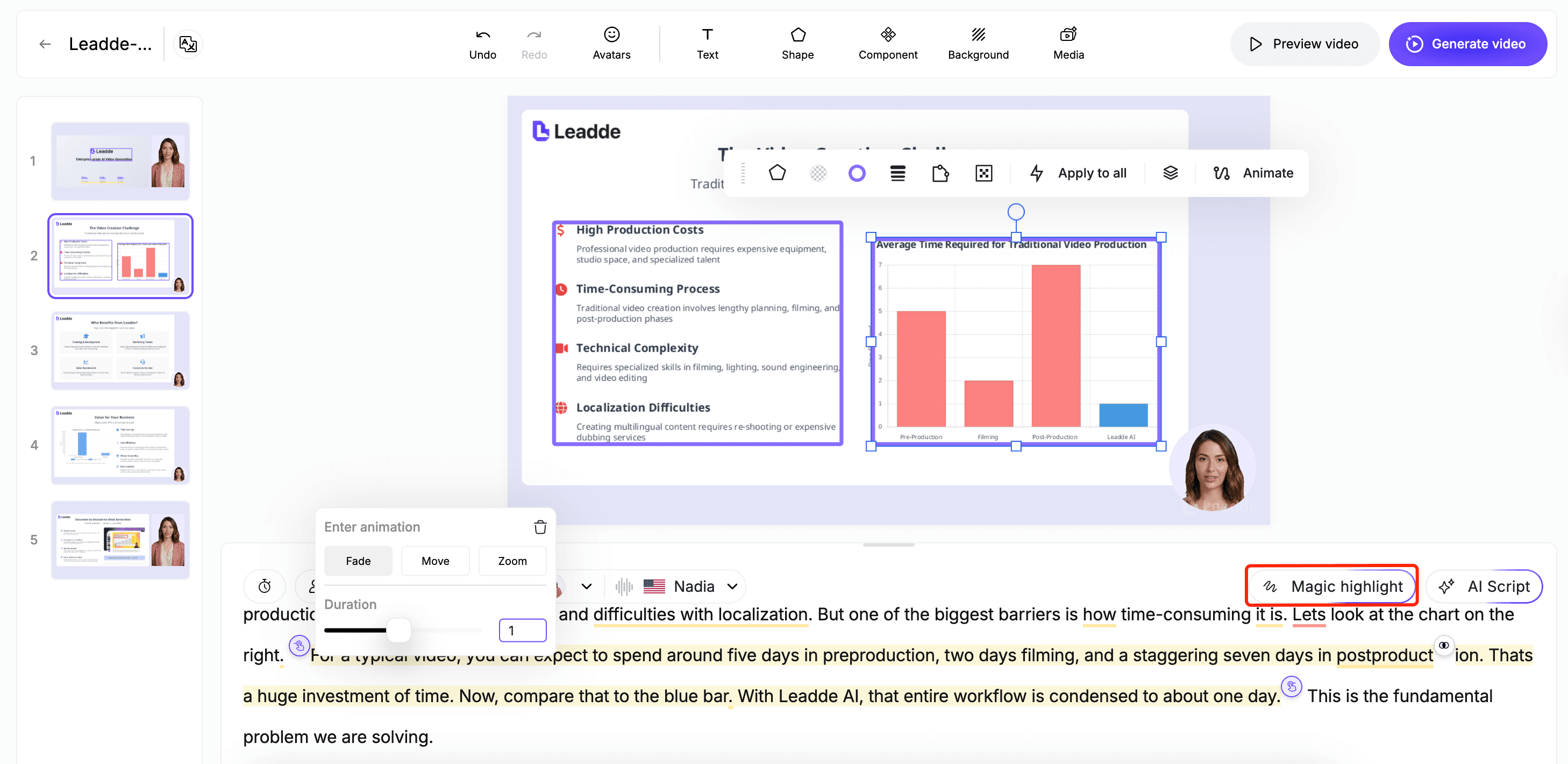
A standout feature is Smart Highlights, which automates your visual cues. The AI identifies key data points and animates them instantly. This means you never have to manually type visual instructions.
- Scene Control: Delete or rewrite content for any specific segment.
- Auto Highlights: Key metrics like "20% growth" pop up automatically.
- Dynamic Layouts: AI organizes frames into clean, professional visual structures.
This automation ensures your business video remains engaging without manual effort. It bridges the gap between raw text and visual storytelling. You can save hours of work by letting AI handle the design.
Step 4: How to Optimize Word Count and Pacing for Global Audiences?
Pacing is the heartbeat of every successful business video script. You must balance the total word count with the video's length. This optimization ensures your audience stays focused from start to finish.
Mastering Word Counts for Short-Form Retention
Retention rates depend heavily on the brevity of your script writing. Short-form videos perform best when they are under sixty seconds. You must learn to say more with fewer words.
For social media, aim for a specific word-to-time ratio constantly. This discipline prevents your business video from becoming too long. Proper length management is essential for high viewer engagement.
- 30-Second Limit: Keep your total script under 75 words.
- 60-Second Limit: Ensure the word count stays below 150 words.
- The 3-Second Rule: Hook viewers immediately with your most powerful line.
If your draft is too long, delete every unnecessary phrase. This refinement makes how to write a script for a video easier. Concise scripts always lead to better information retention for viewers.
Achieving Natural Pacing and Professional Delivery
Writing for the ear is different than writing for the eye. A conversational tone makes your business video feel much more relatable. Aim for a natural speed of 120 to 150 words per minute.
Reading your script aloud is a critical step for quality. It helps you find awkward spots and timing issues fast. This verbal run-through ensures your AI avatar sounds completely natural.
- Conversational Style: Use simple language that mimics real human speech.
- Insert Pauses: Add natural breaks for better flow and impact.
- Pronunciation Correction: Ensure names and technical terms sound exactly right.
Polishing these details elevates the quality of your business video significantly. It turns a basic script into a persuasive communication tool. Natural pacing builds trust and keeps your viewers watching longer.
Scaling Globally with Multilingual Video Generation
Global teams need a business video strategy that crosses every border. Leadde enables Multilingual Generation for 170+ languages. This feature solves the problem of localizing complex training materials.
You only need to write one perfect English script once. Leadde then translates it while maintaining your original core message. This ensures consistency for global offices and distributed remote teams.
If you need the same script in multiple languages, tools like Leadde handle translation and avatar localization in one step — write once, generate across markets.
Conclusion: Transforming Your Scriptwriting from Manual Labor to AI Automation
Mastering how to write a script for a video is the vital foundation of a high-impact business video strategy. By implementing the A.A.A.A. formula, you ensure messages remain organized from the initial hook to the final call to action. Combining these templates with a strategic funnel—using Quips, Tips, and Clips—allows your brand to connect with viewers at every journey stage.
Precise word counts and natural pacing ensure your business video remains professional and engaging. Moving beyond manual script writing lets your team focus on storytelling rather than technical formatting.
Modern tools now integrate visual cues and smart highlights automatically, creating a seamless link between narration and on-screen graphics.
The shift to AI automation represents the future of corporate communication. Leadde empowers you to bypass the "blank page" by converting existing documents into polished video drafts instantly.
Whether localizing for global offices or updating a sales pitch, this intelligent workflow saves time while ensuring consistent quality.
Comparing Traditional Scripting vs. The Leadde AI Workflow
The following table illustrates how Leadde simplifies the traditional script writing process into a streamlined, automated experience.
| Step | Traditional Scriptwriting | Leadde AI Approach |
|---|---|---|
| Starting | Staring at a blank page | Upload PDF/PPT to auto-generate outline |
| Structuring | Manually planning scenes | AI breaks content into logical scenes |
| Drafting | Writing dialogue line-by-line | Select Tone (Formal/Friendly) & Generate |
| Visuals | Writing visual cues in columns | Auto-generated Smart Highlights |
| Revising | Rewriting entire drafts | Regenerate single scenes instantly |
Don't let manual drafting slow down your business video production in a fast-moving market.
You've got the framework. Now put it to work.Pick one video you've been putting off — an onboarding guide, a product walkthrough, a training module. Upload the source document to Leadde and it'll apply everything you just read: scene structure, pacing, tone selection, visual cues. First draft in under 5 minutes.
Experience the power of document-to-video automation: create a script-based video with Leadde and turn an existing SOP, product sheet, or slide deck into a polished video draft.