
How to Write Video Scripts That Convert (Proven Framework + Real Case Studies)

Explainer video scripts are one of the most powerful tools for turning ideas into conversions. Whether you're launching a product, explaining a service, or growing a YouTube channel, the difference between a high-performing video and one that gets ignored often comes down to one thing:
The script.
After analyzing real creator workflows, performance data, and production processes, one thing becomes clear:
High-performing video scripts are not just well-written — they are structured, tested, and optimized for human attention.
In this guide, you’ll learn how to write video scripts that increase retention, improve clarity, and drive action, backed by real-world examples and proven frameworks.
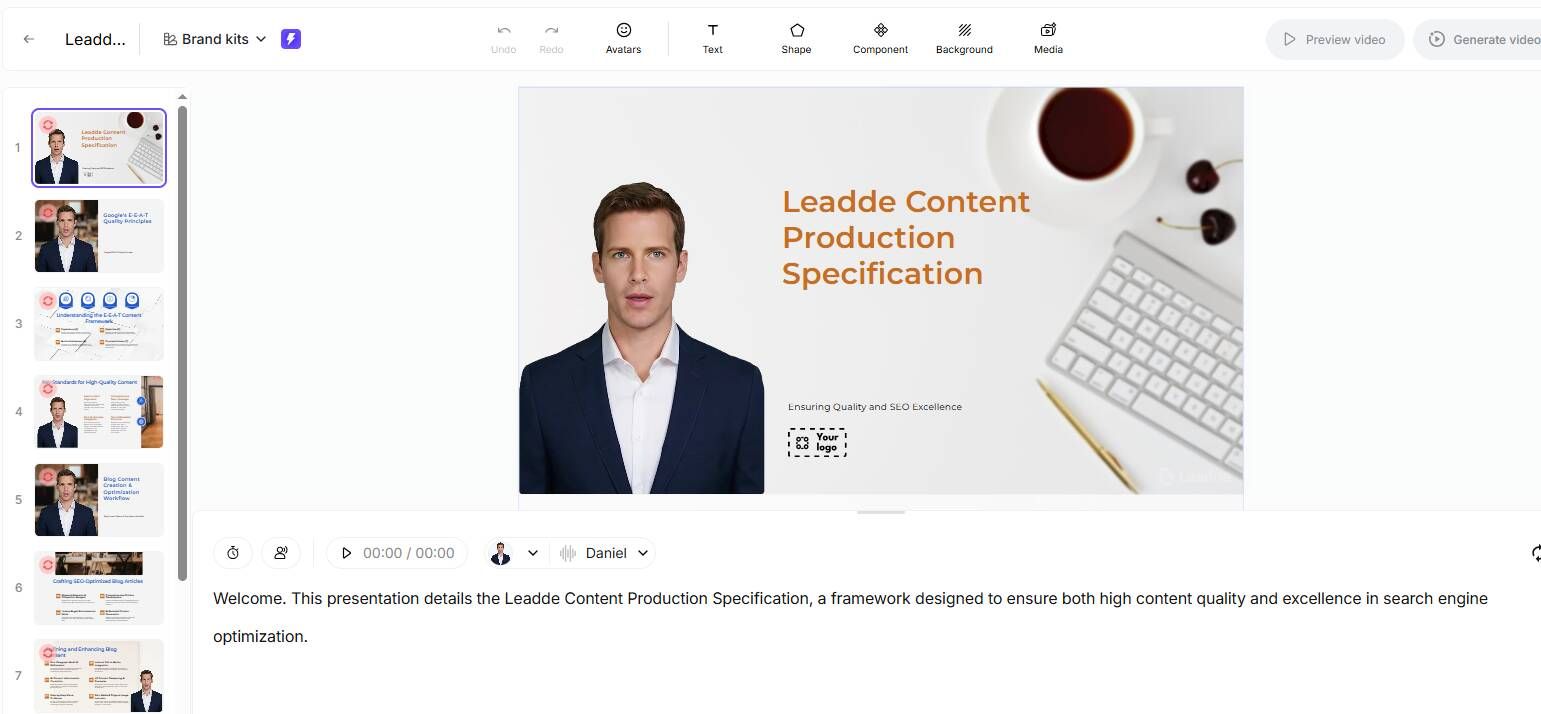
If you want to speed up this entire process, tools like Leadde.ai can help you generate structured, high-converting video scripts in minutes.

What Is a Video Script? (And Why It Directly Impacts Conversions)
A video script is a structured blueprint that guides:
- What is said (voiceover/dialogue)
- What is shown (visuals, scenes, animations)
- How the message flows (pacing, tone, emotion)
A strong explainer video script typically includes:
- Hook (attention grabber)
- Problem (audience pain point)
- Solution (your product/service)
- How it works (clarity + proof)
- Call-to-action (conversion trigger)
This structure ensures your message is not just heard — but understood and acted on.
How to Structure a Video Script for Higher Retention (Proven Framework)
One of the biggest breakthroughs in improving video performance comes from using a clear structure.
Through analysis of high-performing content, this framework consistently delivers better retention:
The 5-Part High-Converting Script Structure
- Hook (0–5 seconds)
- Grab attention immediately
- Problem
- Show you understand the viewer
- Build-up
- Increase tension or curiosity
- Solution / Payoff
- Deliver value clearly
- Call-to-Action (CTA)
Real Impact Example
A technical creator producing a Raspberry Pi tutorial applied structured scripting:
- 31.7K views in 5 days
- 2,500 watch hours
- 827 subscribers (~3.5% conversion rate)
Before: Unstructured explanation
After: Clear scripted flow
👉 Result: Higher retention + significantly improved subscriber conversion
Script vs Outline: Which Video Script Format Works Best?
One of the most common decisions in video creation is:
Should you write a full script or just an outline?
What Actually Works in Practice
Full Script (Best for):
- Tutorials
- Educational videos
- Product explainers
Outline (Best for):
- Vlogs
- Commentary
- Personal content
The Real Winning Approach: Hybrid
In real production workflows:
- Start with bullet-point outline
- Expand into partial script
- Leave room for natural delivery
👉 This balances clarity + authenticity
Why Your Video Script Sounds Robotic (And How to Fix It)
One of the biggest performance killers is a script that sounds unnatural.
Common Causes
- Writing like an article, not like speech
- Overly complex sentences
- No emotional variation
Fix: Write for the Ear, Not the Eye
Instead of:
“This product significantly improves efficiency across multiple workflows.”
Say:
“This makes your work faster — and way easier.”
The Read-Aloud Test: The Fastest Way to Improve Any Script
This is one of the most effective techniques used in real workflows.
How It Works
- Write your script
- Read it out loud
- Record yourself
- Listen back and fix awkward parts
Why It Works
- Instantly reveals unnatural phrasing
- Improves pacing and flow
- Aligns script with real speech patterns
👉 In practice, this catches 80% of script issues before recording
How to Write a Hook That Grabs Attention in the First 5 Seconds
Your opening determines whether viewers stay or leave.
3 High-Performing Hook Types
1. Problem Hook
“Still wasting hours editing videos?”
2. Shock Hook
“Most creators are doing this completely wrong.”
3. Outcome Hook
“Here’s how I got 800+ subscribers in 5 days.”
👉 The key: Start with value, not introduction
How to Write Video Scripts Faster Without Sacrificing Quality
Many creators struggle with slow scriptwriting.
Inefficient Approach
- Starting from scratch
- Writing line-by-line perfectly
Optimized Workflow
- Dump ideas (messy)
- Turn into bullet points
- Expand key sections
- Refine only what matters
👉 This reduces writing time dramatically while improving clarity
From Idea to Script: A Practical Workflow Used by Creators
A proven workflow used in real projects:
Step-by-Step
- Idea capture
- Define audience + goal
- Create outline
- Draft script
- Read aloud + refine
- Record
👉 This ensures speed + consistency across videos
How to Add Emotion and Personality to Your Video Script
Great scripts are not just clear — they are engaging.
Add These Elements
- Conversational phrases
- Short sentences
- Emotional cues (pause, emphasis)
Example
Flat:
“This tool improves productivity.”
Engaging:
“This tool will save you hours — seriously.”
Should You Memorize or Read Your Video Script?
There are 3 main approaches:
1. Read Word-for-Word
- Best for accuracy
- Risk: sounds robotic
2. Memorize Key Points
- Best balance
3. Use Teleprompter
- Best for longer scripts
👉 Most creators perform best with bullet points + partial scripting
Common Video Script Mistakes That Kill Viewer Retention
Avoid these high-impact mistakes:
- Slow or boring intro
- No clear structure
- Over-explaining
- Lack of pacing
- No CTA
👉 These directly reduce watch time and conversions
How to Turn Spoken Ideas Into Natural Video Scripts
A powerful alternative workflow:
Process
- Speak your ideas freely
- Record audio
- Convert into script
- Clean up wording
Why It Works
- Natural tone
- Faster creation
- Less overthinking
Advanced Video Script Techniques Used by High-Performing Creators
1. Storytelling Frameworks
- Hero’s Journey
- Problem → Struggle → Solution
2. Open Loops
- Create curiosity
- Delay answers strategically
3. Pattern Interrupts
- Change pace or visuals
- Keep attention high
👉 These techniques significantly improve retention
How to Align Video Script with Visuals and Editing
A script is not just words — it's production planning.
Add to Your Script:
- Scene notes
- Visual cues
- Editing instructions
👉 This ensures smooth production and better storytelling
AI Video Script Writing: What Works and What Doesn’t
AI tools can accelerate scriptwriting — if used correctly.
What Works
- Generating first drafts
- Structuring ideas
- Rewriting sentences
What Doesn’t
- Using output without editing
- Expecting natural tone automatically
Recommended Tools
- Leadde (script generation + optimization)
- Pictory (script → video)
- Synthesia (AI avatars + voice)
- Veed.io (editing + subtitles)
👉 Best approach: AI + human refinement、
Real Case Studies: What Actually Works
Case 1: Structured Tutorial Script
- 31.7K views (5 days)
- 827 subscribers
- 3.5% conversion
👉 Key takeaway: structure drives retention + growth
Case 2: Story-Based Vlog Structure
- Applied storytelling framework
- Result: significantly more views
👉 Insight: narrative > randomness
Case 3: Speaking Before Writing
- Switched from writing → speaking first
- Result: more natural delivery
👉 Insight: speech-first workflow improves authenticity
How to Balance Structure and Authenticity in Video Scripts
This is the ultimate challenge.
Too Structured
- Feels robotic
Too Loose
- Feels chaotic
The Sweet Spot
👉 Structured flow + natural delivery
This is what high-performing creators consistently do.
FAQ: Real Questions About Video Script Writing
How detailed should a video script be?
Depends on content. Tutorials need full scripts; casual videos work with outlines.
Why does my script sound unnatural?
Because it’s written, not spoken. Use the read-aloud test.
How do I make scripts more engaging?
Use shorter sentences, emotion, and hooks.
Do I need a script for YouTube?
Not always — but structure is essential.
What makes a good hook?
Curiosity, pain point, or strong outcome.
How can I write scripts faster?
Use bullet points → expand → refine.
Should I memorize scripts?
Better to memorize key points.
Can AI write video scripts?
Yes, but editing is required.
What’s the best workflow?
Idea → outline → draft → refine → record.
How do I improve voice delivery?
Practice reading aloud and recording.
Final Thoughts: The Real Secret to High-Converting Video Scripts
Writing a great video script is not about being a perfect writer.
It’s about:
- Understanding your audience
- Structuring your message clearly
- Delivering it naturally
And most importantly:
👉 Testing, refining, and improving with every video





