
How to Write an Explainer Video Script: Step-by-Step Guide for High-Impact Videos

Writing an explainer video script is the first and most crucial step to producing an engaging video that clearly communicates your message. A well-crafted script guides your visuals, defines your brand voice, and ensures your audience understands your product or service. Typically, an effective explainer video script should be concise, clear, and compelling—averaging around 150 words for a 60-second video, which is the industry standard.
An even easier way is to let Leadde generate the script for you, quickly turning it into a complete video so you can create professional explainer videos with minimal effort.
Understand Your Goal and Audience
Before writing your script, identify the goal of your explainer video. Are you aiming to:
- Educate viewers about a product?
- Promote a new service?
- Simplify complex concepts?
Knowing your audience is equally important. For example, a startup targeting small businesses might focus on practical benefits and affordability, whereas an enterprise-focused video might highlight efficiency and ROI metrics. Research from 80 explainer video companies shows that clear goal alignment reduces revisions and keeps production costs within the $4,000–$10,000 range for a 60-second video.
Structure Your Script Effectively
A standard explainer video script follows a three-part structure:
- Problem Statement: Start by presenting the viewer’s pain point. Keep it concise to grab attention in the first 10–15 seconds.
- Solution Introduction: Introduce your product, service, or idea as the solution. Use specific examples and relatable scenarios.
- Call to Action: End with a clear instruction, whether it’s visiting a website, signing up, or contacting your team.
Case Study: In a 30-second product feature explainer, one SaaS company condensed their message into a 120-word script. This led to a high viewer retention rate and a 35% increase in demo requests.
Keep It Concise and Engaging
Explainer video research indicates that shorter scripts cost less per second and maintain audience engagement. A 60-second video averages $8,746 in production cost, with shorter 30-second videos ranging from $2,700 to $4,500. Overly long scripts can dilute messaging and increase production complexity. Aim for 150–180 words per minute of animation.
Use Simple, Conversational Language
Avoid jargon unless targeting a highly technical audience. Use direct and conversational phrasing that resonates with viewers. Examples of effective language include:
- Instead of: “Our platform provides a scalable solution to optimize operational workflows,”
- Use: “Our tool helps your team work smarter and faster.”
This approach improves comprehension and retention while reducing the need for multiple revisions.
Incorporate Visual Cues in the Script
Your script should indicate what the viewer sees alongside the narration. Include notes for:
- Animations or motion graphics
- On-screen text or stats
- Character actions or product demonstrations
Example: A market expansion explainer video added animated maps and charts at the moment the narrator mentioned target regions. This enhanced comprehension and reduced editing time, keeping production within the $4,000–$7,000 sweet spot for SMBs.
Optimize Pacing and Timing
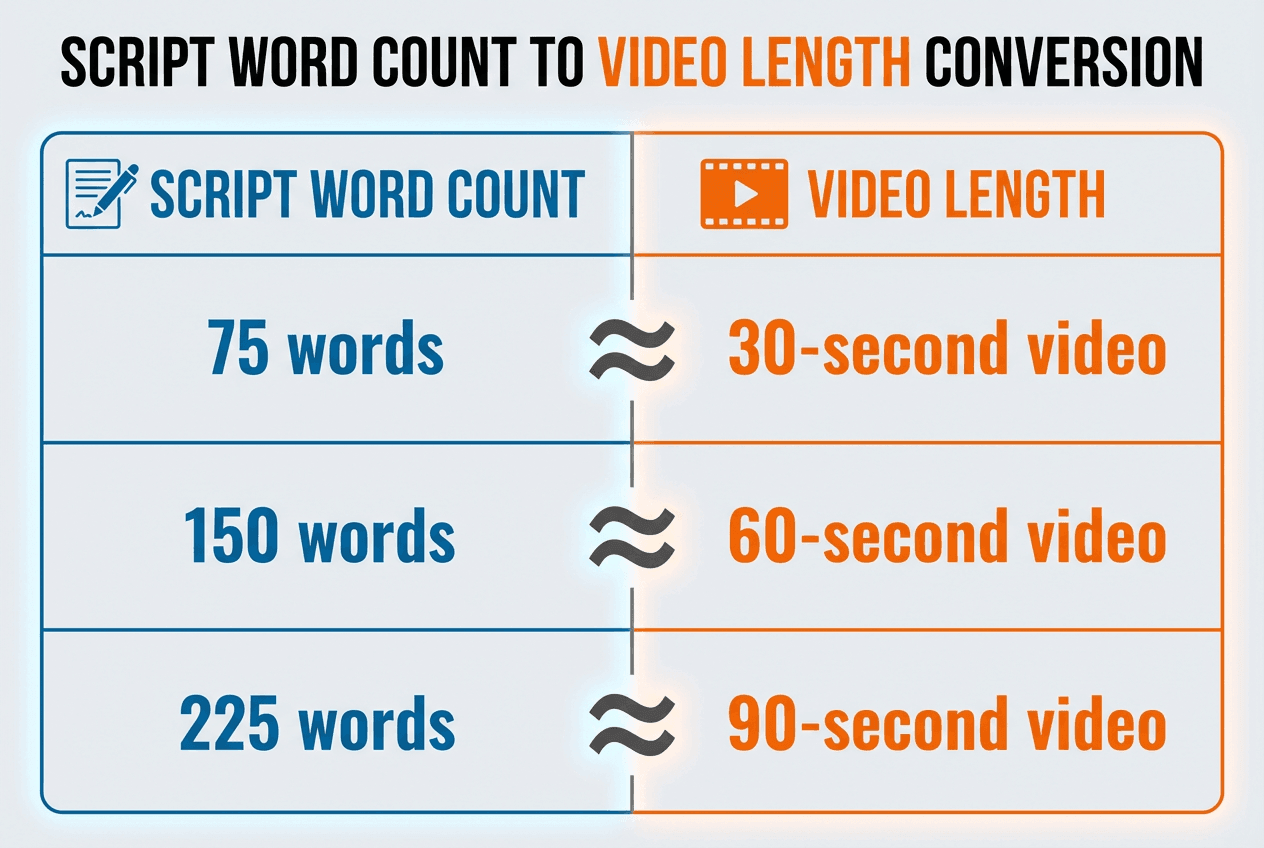
Time your script according to the video length. Industry data shows that the first 15 seconds are critical for viewer engagement. Use this time to hook your audience. A pacing rule of thumb:
- 150 words ≈ 60-second video
- 75 words ≈ 30-second video
- 225 words ≈ 90-second video
Adjust sentence length and phrasing to maintain a natural flow.
Leverage AI Tools for Scriptwriting
AI-powered video creation tools can streamline the script-to-video workflow. For instance:
- Leadde AI Video Creator: Subscription pricing starts at $25/month and includes 200 credits, which can be flexibly used to create AI videos, generate avatars, clone voices, and access AI tools. It automatically transforms scripts into professional explainer videos with animations and AI-generated voiceovers.
- Synthesia: Create AI avatars and voiceovers.
- Pictory: Convert long-form content into short explainer videos.
These tools reduce cost and production time while maintaining quality.
Revise and Test Your Script
Even with AI tools, human review is critical. Test your script by:
- Reading aloud to check pacing
- Sharing with colleagues for clarity feedback
- Ensuring all visual cues match narration
Data from Yans Media shows that scripts with 1–2 rounds of minor revisions result in fewer post-production delays, reducing potential extra costs like rush jobs or additional voiceover recordings.
60-Second Example Explainer Video Script
Video Length: 60 seconds
Script Word Count: ~150 words
[0:00 – 0:10 | Hook / Problem]
- Narration: “Struggling to keep your remote team on the same page? Miscommunication can cost hours, even days, in lost productivity.”
- Visual Cue: Animated frustrated employees working on different tasks; speech bubbles showing confusion.
[0:10 – 0:25 | Introduce Solution]
- Narration: “Introducing TeamSync, the all-in-one platform that centralizes your projects, updates, and feedback in one place.”
- Visual Cue: Dashboard animation showing project overview, task assignments, and notifications popping up.
[0:25 – 0:40 | Demonstrate Features / Benefits]
- Narration: “With real-time collaboration, automated reminders, and easy-to-read analytics, your team stays productive and aligned—no more missed deadlines.”
- Visual Cue: Animated checkmarks, task progress bars filling, and charts showing productivity improvement.
[0:40 – 0:50 | Social Proof / Trust]
- Narration: “Join over 5,000 companies worldwide who trust TeamSync to manage their teams efficiently.”
- Visual Cue: Logos of sample companies, happy team avatars celebrating success.
[0:50 – 1:00 | Call to Action]
- Narration: “Start your free trial today and see how TeamSync can transform your team’s workflow!”
- Visual Cue: Animated button ‘Start Free Trial’ pops up; subtle confetti animation for excitement.
Notes & Tips:
- Word Count: ~150 words for 60 seconds, perfect for pacing.
- Visual-Text Integration: Every narration line has a visual cue, reducing the need for heavy post-production explanation.
- Tone: Conversational and benefit-focused, avoiding jargon.
- Flexibility: Script can be adapted for 30-second social media ads by condensing problem/solution sections.
Conclusion
Writing an explainer video script involves careful planning, concise messaging, and clear visual guidance. By understanding your audience, structuring your content effectively, and leveraging AI tools like Leadde, you can produce professional, engaging videos while controlling costs. Following these steps ensures your explainer video delivers maximum impact and supports your business goals efficiently.





