
10 Best Video Tutorial Softwares for 2026 (Tested by Workflow, Editing Time, and Use Case)
Choosing the best video tutorial software in 2026 is not really about finding the tool with the longest feature list.
After reviewing how tutorial creators, SaaS teams, educators, and training teams actually make instructional videos, one pattern becomes obvious: the best tool is usually the one that fits your production workflow, not the one with the most advanced editing panel.
That distinction matters more than most buyers expect.
Some teams need to record a quick walkthrough and send it immediately. Others need polished software tutorials with smooth zooms, captions, annotations, and step-by-step structure. Some need to create dozens of training videos at scale and quickly discover that a “good” recording tool becomes a bad workflow the moment post-production starts piling up.
That is why this guide compares the best video tutorial softwares for 2026 through the lens that actually matters in practice:
- how easy it is to record tutorials
- how much editing time it creates or removes
- whether it works for tutorials, onboarding, training, or product walkthroughs
- how well it scales from 2 videos to 20 or 200
If your goal is to create tutorial videos that are clear, professional, and efficient to update, the right choice is rarely about raw power alone. It is about reducing friction from script to screen to final delivery.
If you want a tool built specifically for structured, step-by-step tutorials that reduce editing time and scale easily across onboarding and training, you can create a step-by-step tutorial video with Leadde using an existing script, document, or training outline.

What Is Video Tutorial Software? A Clear Definition for Tutorial Creators
Video tutorial software is software designed to help you create instructional videos that explain a task, workflow, feature, or process in a structured, easy-to-follow way.
Unlike general video editors, tutorial software usually focuses on things that matter specifically for teaching:
- screen recording
- webcam capture
- annotations and callouts
- cursor emphasis
- captions and transcripts
- step-by-step sequencing
- easy sharing or embedding
In my testing, this is the biggest difference between a normal video editor and true tutorial video software: tutorial tools are supposed to reduce cognitive load for the viewer, not just make the video look nice.
That is why the best software for tutorial videos usually does more than record a screen. It helps the viewer understand what is happening, in what order, and why it matters.
How We Tested and Compared These Tools
To select the 10 best video tutorial software, we evaluated based on:
- Tutorial-centric features – screen recording, step sequencing, interactive elements
- Ease of use – learning curve for non-experts
- Output quality – resolution, captioning, edit flexibility
- Use-case suitability – internal training, product demos, customer education
- Pricing flexibility – free tiers and team-ready plans
This approach ensures not just a list of popular tools, but practical options for real tutorial creation needs.
How to Choose the Best Video Tutorial Software Based on Your Workflow, Not Just Features
One of the clearest patterns in real-world tutorial production is that people usually outgrow the wrong tool, not the weak tool.
A creator who only needs fast async walkthroughs may love Loom. A trainer producing polished software tutorials may quickly hit its limits. A team that starts with OBS because it is free may later realize that free recording is not the hard part; editing and cleanup are.
That is why I now evaluate video tutorial software by workflow fit first.
If your workflow is “record and send,” your ideal tool is different from someone whose workflow is “record, annotate, caption, zoom, trim, repurpose, and publish in a help center.”
In practice, most buyers fall into one of these groups:
Fast walkthrough workflow
You want to record your screen, speak naturally, and share immediately. Editing matters less than speed.
Polished software tutorial workflow
You need zoom effects, callouts, cursor emphasis, pacing control, captions, and clean transitions.
Training and onboarding workflow
You need consistency, repeatability, and often a way to produce many tutorial assets without rebuilding everything manually.
AI-assisted tutorial workflow
You want to reduce editing time by using tools that generate structure, captions, scripts, or polished tutorial layouts automatically.
The best video tutorial software is rarely “the most powerful.” It is the one that matches how you actually produce tutorials.
Why Most Video Tutorial Software Fails to Produce Clean, Professional Tutorials
A major insight from reviewing tutorial creation workflows is that “recording a tutorial” and “creating a clean tutorial” are very different tasks.
Many creators can record a screen. Far fewer can produce tutorials that feel smooth, intentional, and easy to follow.
The most common problems are surprisingly consistent:
- cursor movement feels chaotic
- zooms are missing or poorly timed
- steps are not visually separated
- pacing feels uneven
- the creator explains while figuring things out live
- the viewer has to work too hard to follow the sequence
This is why so many people describe wanting their videos to look “clean” or “professional.” What they usually mean is not cinematic quality. They mean instructional clarity.
That distinction matters for SEO too, because users searching for best video tutorial software are usually not searching for color grading or film-style editing. They are searching for tools that make their tutorials easier to understand.
In my experience, tutorial clarity is more important than visual polish. A tutorial that looks slightly plain but explains every step clearly will outperform a flashy tutorial that leaves users confused.
The Real Bottleneck in Video Tutorial Creation: Editing Time, Not Recording Time
A lot of creators assume recording is the hard part.
In practice, the real bottleneck is usually editing.
That is one of the strongest workflow patterns across tutorial creators: recording often feels manageable, but the cleanup stage expands fast. As soon as you start removing pauses, fixing pacing, adding captions, smoothing cursor behavior, trimming mistakes, inserting zooms, and clarifying steps, the cost of a “simple tutorial” starts rising.
This is why tools like Descript, Vizard, Screen Studio, Rapidemo, Wisecut, and similar AI-assisted platforms keep coming up in practical tutorial workflows. Their value is not just that they edit video. Their value is that they reduce the amount of repetitive cleanup work after recording.
One strong example from educational video creation was the appeal of tools that automatically generate captions, layouts, and even supporting visual structure for long lessons, because they remove exactly the kind of work that slows down tutorial publishing. Another repeated pattern was demand for tools that automatically smooth cursor motion and apply zooms, because those two details disproportionately affect how “professional” a tutorial feels.
So when evaluating the best software for tutorial videos, I now ask a simpler question:
Does this tool reduce editing, or does it create more editing later?
That question usually matters more than headline features.
Single-Tool vs Multi-Tool Video Tutorial Workflow: What Actually Scales
A workflow that works for one tutorial often breaks by the time you have to produce thirty.
That is why single-tool versus multi-tool workflow is one of the most important decisions in tutorial production.
A common multi-tool setup looks like this:
- OBS for recording
- another tool for voice cleanup
- another editor for cutting and zooms
- another tool for captions
- another system for publishing or embedding
For one or two videos, that can be fine. In fact, it is often how people start.
But as tutorial volume increases, the friction compounds. Files move across tools. Revisions become slow. Style consistency gets harder. Updating older videos becomes more expensive. And every new team member has to learn not one system, but five.
This is especially important for onboarding and training teams. If you are creating repeated product feature updates, SOP walkthroughs, customer education content, or internal training videos, workflow fragmentation becomes a bigger problem than tool capability.
That is why many teams eventually move toward one of two directions:
- a more integrated tutorial platform like Camtasia or Descript
- an AI-assisted tutorial workflow such as Leadde or similar tools that reduce the number of manual steps
Workflow simplicity scales better than tool flexibility in most tutorial environments. When your tutorial library starts growing, the fastest path is to turn your tutorial script into video and keep the script, scenes, narration, and updates in one workflow.
Screen Recording vs AI Tutorial Software: Which Video Tutorial Software Do You Actually Need?
This is one of the most useful ways to think about the category.
Not every tutorial needs AI. Not every tutorial should start with a raw screen recording. And not every tutorial belongs in an interactive learning authoring tool.
Screen recording software for tutorial videos
Tools like OBS, Loom, ScreenPal, and Screen Studio are best when the tutorial needs to show real software behavior, real UI states, and real step-by-step interactions.
They are excellent for:
- product walkthroughs
- support tutorials
- internal demos
- quick software explanations
AI-assisted video tutorial software
Tools like Descript, Synthesia, Colossyan, or Leadde become more useful when you want to reduce manual production work.
They are helpful for:
- structured onboarding videos
- repeatable training content
- narrated tutorials without studio recording
- scaling tutorial production across languages or formats
Interactive tutorial and learning tools
Once your content needs pauses, hotspots, embedded questions, or branching logic, you are no longer choosing only tutorial software. You are moving into e-learning platforms such as H5P, Articulate Storyline, or Edpuzzle.
That is an important distinction because many buyers search for “best video tutorial software” when they actually need “best interactive learning tool.”
The right question is not “Which tool is best?”
It is “Which type of tutorial experience am I trying to create?”
Why Step-by-Step Tutorial Structure Matters More Than Video Effects
The best tutorial videos feel easy to follow because their structure is doing the heavy lifting.
This is why tutorial-first tools stand out. They do not just help you create a video. They help you present a process in the right sequence.
A strong tutorial usually does three things well:
- defines the task clearly
- breaks the process into logical steps
- visually supports each step at the moment it is explained
That sounds obvious, but many tutorial creators still approach instructional videos like mini marketing videos. They over-focus on aesthetics and under-focus on sequencing.
In real use, viewers rarely care whether the tutorial had a stylish transition. They care whether they can complete the task without replaying the video three times.
This is also why a tutorial-focused platform like Leadde stands out differently from generic AI video tools. It is designed around step sequencing, instructional flow, and onboarding-style walkthroughs rather than pure presentation.
When judging the best video tutorial software, I now treat step-by-step structure as a core feature, not a nice-to-have. If your content already has a process, checklist, SOP, or onboarding flow, build a structured tutorial video in Leadde instead of piecing the sequence together manually.
Why Many Tutorial Creators Eventually Switch Software
Tool switching is one of the clearest signals that tutorial needs evolve with volume and standards.
A common path looks like this:
Stage 1: free tools
Creators begin with OBS, Clipchamp, iMovie, or basic screen recorders because the goal is simply to start.
Stage 2: stronger editing tools
Once they need cleaner outputs, they move to DaVinci Resolve, Camtasia, or Descript.
Stage 3: efficiency-first tools
As volume increases, they look for tools that reduce manual editing, such as Screen Studio, Vizard, Rapidemo, or tutorial-focused AI platforms.
Stage 4: workflow and training systems
Once tutorials are being created as part of customer education, onboarding, or internal training, the decision shifts again toward scalable systems and consistency.
This progression matters because it shows the real buying trigger: people switch tools not because they suddenly like another interface more, but because their current workflow no longer fits their scale.
The best tutorial software for a solo creator publishing two videos a month is often not the best software for a team maintaining a help center, onboarding program, or product academy.
Quick Comparison: Top 10 Video Tutorial Software by Real Use Case in 2026
leadde.ai — Best for Step-by-Step Tutorial Videos
Best for: Product walkthroughs, SOP tutorials, onboarding videos
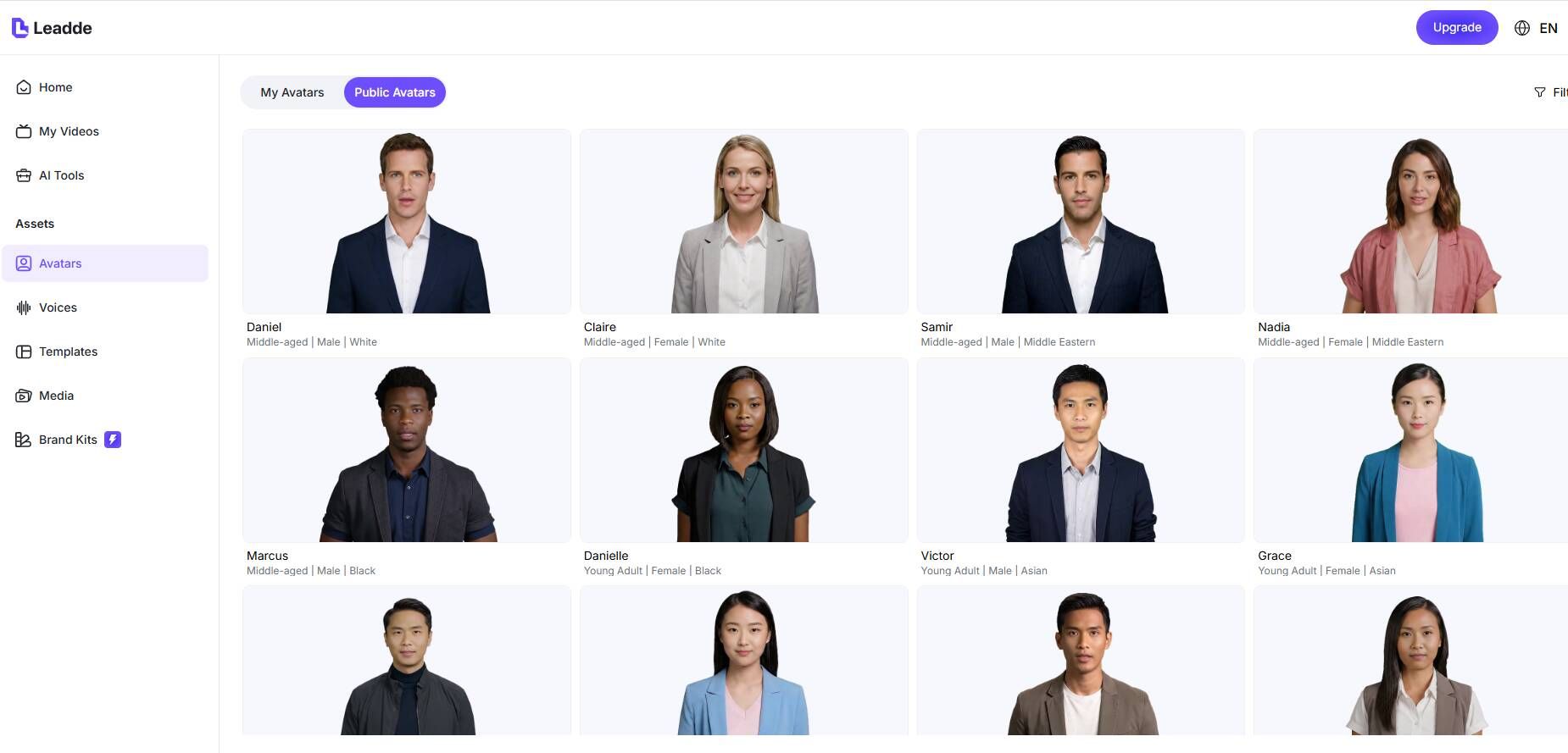
Unlike generic AI video tools, leadde.ai focuses on tutorial workflows first. It is strongest when your goal is not just to show a product, but to teach a task clearly. For onboarding, SOPs, product walkthroughs, and customer education, the value is in step sequencing, narration, and repeatable updates rather than flashy editing effects.
Why it stands out:
- Prioritizes tutorial structure over marketing aesthetics
- Focused on product walkthroughs that reduce support tickets
- Supports annotation and step sequencing optimized for learning
- Designed with tutorial creators in mind, not just video editors
- Turns scripts, SOPs, and training outlines into repeatable tutorial workflows
Best use cases:
- SaaS product onboarding
- Customer support tutorials
- Internal team training
Tip: If your objective is teaching use cases rather than showing capabilities, try Leadde with your own tutorial content and compare the workflow against a generic editor.
Synthesia — Best for AI-Driven Tutorial Videos
Best for: Tutorials with AI avatars and narration
Synthesia lets you create narrated tutorial videos by typing your script and choosing a digital presenter — without cameras or studios. It supports multilingual narration and often fits well for internal corporate training or global product demos.
Pros:
- Automatic voiceovers in 140+ languages
- No recording equipment needed
- Quick production from script → video
Cons:
- Avatar movement may feel less natural
- Not ideal if you need detailed screen annotations
Colossyan — Best for Text-to-Video Tutorials
Best for: Tutorial videos generated from text scripts
Colossyan shares the AI-script-to-video space with Synthesia but emphasizes flexible character and language options. This makes it useful when you need consistent branding across tutorial videos or multiple language versions.
Pros:
- Large avatar library
- Strong text-input workflow
Cons:
- Limited traditional screen capture editing
Loom — Best for Fast Screen-Based Tutorials
Best for: Quick tutorials and walkthrough videos
Loom is known for its simplicity: record your screen with webcam and voice, then share instantly. It’s ideal for CEOs, educators, and support teams needing rapid, asynchronous tutorials.
Pros:
- Ultra-fast recording & sharing
- Browser and desktop versions available
- Minimal editing needed
Cons:
- Lacks deep editing or interactive features
Camtasia — Best for Advanced Editing
Best for: Detailed software tutorial videos
Camtasia combines screen recording with powerful editing tools. It’s a go-to choice for instructional designers who need precision control and professional results.
OBS Studio — Best Free Screen Recording
Best for: Open Source, Flexible Recording
For teams on a budget or those needing custom capture configurations, OBS Studio offers powerful free screen recording. It’s more complex to learn, but unmatched for flexibility.
Descript — Best for Text-Driven Video Editing
Best for: Tutorials where editing by transcript matters
Descript allows you to edit video like text — delete words, cut sections, or adjust pacing visually through transcripts. This text-first editing can streamline tutorial creation.
Vyond — Best for Animated Tutorials
Best for: Animated explainer tutorial videos
If your tutorials benefit from animated characters and visuals, Vyond provides easy drag-and-drop animation tools for creating engaging, step-based content.
Vimeo Create — Best Simple Tutorial Videos
Best for: Light tutorials with hosting built in
Vimeo Create offers simple templates and hosted delivery, which can be useful when your priority is ease of upload and distribution rather than deep editing.
ScreenPal — Best Budget Beginner Tutorial Software
Best for: Free and beginner tutorial needs
ScreenPal’s free tier includes basic screen recording, captions, and simple editing — an accessible starting point for creators new to tutorial videos.
Best video tutorial software for fast, no-fuss tutorials
Loom
Best when speed matters more than polish. Ideal for quick walkthroughs, async updates, and basic onboarding.
ScreenPal
Good for beginner-friendly tutorial creation on a budget, especially when you want something simple and accessible.
Best software for polished software tutorial videos
Camtasia
Still one of the strongest options for detailed software tutorials that need cursor emphasis, callouts, zooms, and traditional timeline control.
Screen Studio
Excellent when you want tutorials to look smooth and premium with less manual effort, especially on Mac.
Best free video tutorial software
OBS Studio
The strongest free starting point for screen capture. Best when budget is the priority and you are willing to manage complexity yourself.
Best AI-assisted video tutorial software
Descript
A strong choice when transcript-based editing, captions, and faster cleanup matter more than traditional editing controls.
Leadde
Useful when you want narrated tutorial-style content without camera recording, especially for internal or multilingual business use.
Colossyan
Similar value for script-led training videos, especially when consistency across language variants matters.
Best tutorial-first workflow software
Leadde
The most differentiated option when the goal is not just to generate a video, but to create structured, step-by-step tutorial content for onboarding, SOPs, and product education. It is especially useful when you want tutorial logic, sequencing, and learning flow emphasized over generic video aesthetics.
Best video tutorial software for animation
Vyond
Strong for process explanations and animated instructional content, especially when literal screen capture is not the best teaching format.
Best video tutorial software for lightweight hosted content
Vimeo Create
Useful when speed of publishing and hosting convenience matters more than deep editing.
What Actually Makes the Best Video Tutorial Software in 2026
After comparing tools and workflows, the best video tutorial software in 2026 tends to do five things well:
It records clearly.
It reduces editing time.
It supports instructional structure.
It scales beyond a few videos.
It matches the use case.
That is why the “best” tool is rarely just the one with the most features.
For example:
- OBS is powerful, but not always efficient
- Camtasia is polished, but not cheap
- Loom is fast, but limited
- Descript is efficient, but not always a full replacement
- Leadde is tutorial-first, which matters when teaching is the primary goal rather than generic video output
The real benchmark is not how many features a tool offers. It is how much friction it removes across the full tutorial workflow.
Which Video Tutorial Software Should You Choose?
For Fast, No-Fuss Tutorials: Loom, ScreenPal
For Professional Tutorials & Training: Camtasia, Descript
For AI-Assisted Narration: Leadde, Synthesia, Colossyan
For True Tutorial-First Workflows: leadde.ai
Related tutorial video tools
- Tutorial Video Maker — Create structured tutorial videos from scripts, outlines, or training content.
- SOP Video Maker — Turn repeatable processes into clear SOP training videos.
- AI Walkthrough Video Maker — Create product walkthroughs and onboarding videos with AI.
- AI Learning Video Generator — Build educational videos for training and learning workflows.
- Script to Video — Convert a tutorial script into a video workflow.
FAQ: Best Video Tutorial Softwares
What is the best video tutorial software for beginners?
For beginners, the best option is usually one that reduces setup friction. Loom and ScreenPal are easier entry points than OBS or DaVinci Resolve because they help you start faster and require less technical setup.
Is OBS enough for creating professional tutorial videos?
OBS is enough for recording professional-quality tutorial footage, but not always enough for creating polished tutorial videos on its own. Most creators who start with OBS still need editing, captions, zooms, or layout cleanup afterward.
What is better for software tutorials: Camtasia or OBS?
It depends on what you value. OBS is better if you want a free and flexible recorder. Camtasia is better if you want recording and tutorial-friendly editing in one place, especially for software walkthroughs that need cursor effects, annotations, and zooms.
Why do my tutorial videos look unprofessional?
Usually because the issue is not recording quality but tutorial clarity. Weak pacing, messy cursor movement, missing zoom emphasis, and poor step structure make videos feel unpolished even when the footage itself is fine.
How do I make tutorial videos look clean and smooth?
Use tools or workflows that improve instructional polish: cursor emphasis, structured steps, captions, zooms, and trimmed pacing. In many cases, software like Screen Studio, Camtasia, Descript, or tutorial-first AI tools helps more than a general video editor.
Do I need editing software for tutorial videos?
In most cases, yes. Even simple tutorial videos benefit from trimming, captions, pacing cleanup, and visual emphasis. The only exception is extremely quick async content where raw clarity matters more than polish.
Can AI tools replace traditional tutorial software?
Sometimes. AI tools are best when they reduce repetitive editing or help structure content faster. But traditional screen recording software is still better when you need exact, real-time demonstrations of software or workflows.
What is the best tutorial software for training videos?
For polished software tutorials, Camtasia remains one of the best all-in-one options. OBS is strong if you need flexibility and low cost. Leadde is a strong choice when you need structured, step-by-step tutorial workflows rather than just raw recording.
How do I reduce editing time when making tutorial videos?
Choose tools that automate the most repetitive work: captions, transcript editing, cursor smoothing, zooms, and layout cleanup. This is where AI-assisted tools and tutorial-focused platforms often create the biggest time savings.
When should I use interactive video tools instead of tutorial video software?
Use interactive tools when your goal is learning interaction rather than passive viewing. If you need quizzes, hotspots, branching, or learning checkpoints, tools like H5P or Storyline are more appropriate than standard tutorial video software.
What is the best tutorial software for training videos?
For structured internal training or onboarding, the best choice depends on whether you need real screen capture, AI narration, or scalable step-by-step sequencing. Camtasia, Synthesia, Colossyan, and Leadde each fit different training workflows, with Leadde standing out for tutorial-first structure and onboarding use cases.
Should I choose one all-in-one tool or multiple specialized tools?
For low volume, a multi-tool setup can work. For larger tutorial libraries, onboarding programs, or repeated training production, integrated workflows usually scale better and reduce revision pain.
Final Takeaway: The Best Video Tutorial Software Is the One That Removes Friction
Most people searching for the best video tutorial software think they are comparing features.
In reality, they are comparing workflows.
The best video tutorial software in 2026 is not just the one that records the screen well. It is the one that helps you create tutorials that are clear, efficient to edit, easy to update, and realistic to produce at the scale you need.
If your tutorials are simple, speed-first tools may be enough.
If they need polish, control, and instructional clarity, you need more than a recorder.
If you are building onboarding systems, SOP libraries, or customer education at scale, tutorial-first workflows matter even more.
That is what separates a useful tool from a useful system. For onboarding, SOP, or customer education videos, build your first training tutorial with Leadde and see whether a tutorial-first workflow removes more friction than another recorder.





