
8 Explainer Video Templates for Business (With Real Use Cases, Frameworks & Proven Results)

When it comes to creating effective business videos, most teams don’t struggle with design—they struggle with clarity, structure, and speed.
After working with SaaS founders, marketers, and L&D teams—and analyzing real-world usage patterns—one thing is clear:
👉 The most effective explainer videos are not built from scratch.
👉 They are built on proven templates + structured storytelling frameworks.
In this guide, you’ll learn:
- The 8 essential explainer video templates used across business scenarios
- Real-world use cases and workflows
- Proven video structures that improve clarity and engagement
- How to use tools like Leadde AI Video Creator to produce professional explainer videos in minutes

How to Choose the Right Explainer Video Template for Your Business Goals
One of the biggest mistakes teams make is choosing templates based on design instead of business objectives.
From real project experience, here’s how high-performing teams map templates to goals:
| Business Goal | Best Template |
|---|---|
| Investor communication | Corporate Annual Review / Business Report |
| Lead generation | Solution Presentation |
| Product education | Feature Launch / Demo |
| Internal training | L&D / Onboarding |
👉 Insight:
Teams that align templates with specific outcomes (conversion, onboarding, retention) consistently produce more effective videos.
8 High-Converting Explainer Video Templates for Business
Corporate Annual Review Template
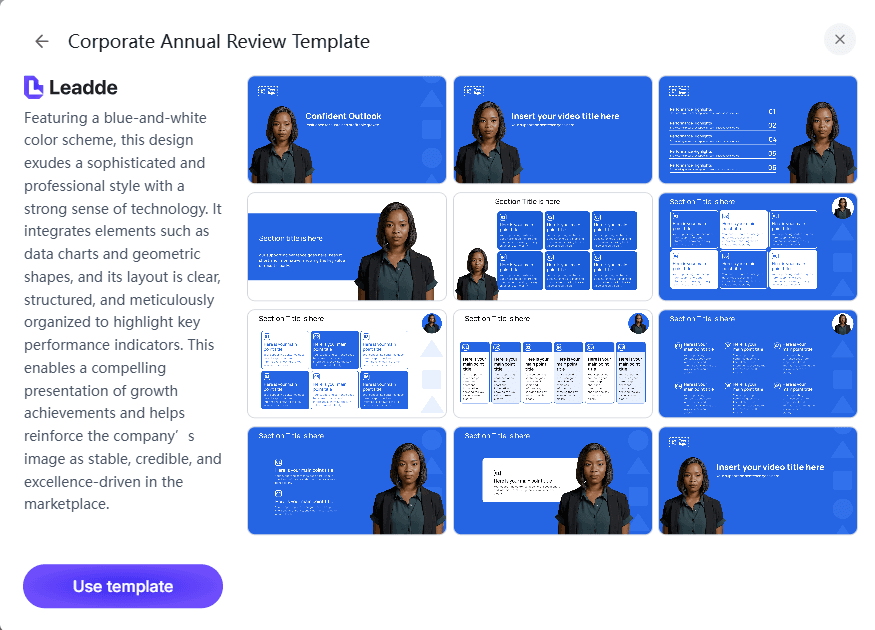
This template is designed to communicate:
- Yearly performance
- Financial growth
- Strategic milestones
Why it works:
In practice, stakeholders don’t want raw data—they want interpretable insights.
This template transforms:
- KPIs → visual charts
- Reports → animated summaries
👉 Use case:
A SaaS founder used this structure to present growth metrics instead of spreadsheets, making complex numbers digestible during investor updates.
Business-Style Annual Report
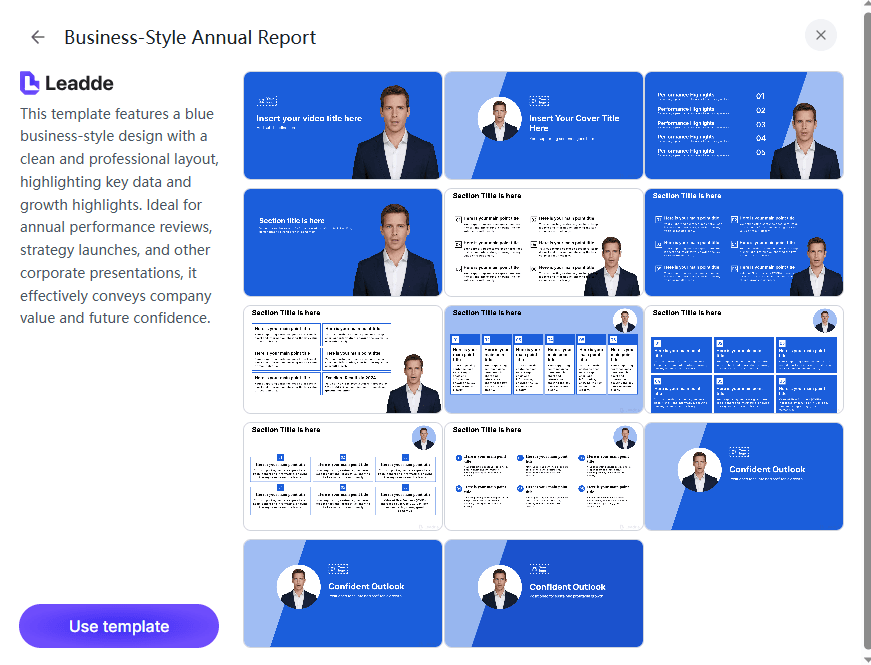
This format focuses on:
- Structured storytelling
- KPI breakdowns
- Operational insights
Real insight:
Teams often struggle with data overload. This template solves that by:
- Segmenting information
- Using animated callouts
👉 Result:
Internal teams understand performance faster, reducing meeting time spent explaining reports.
Solution Presentation Template
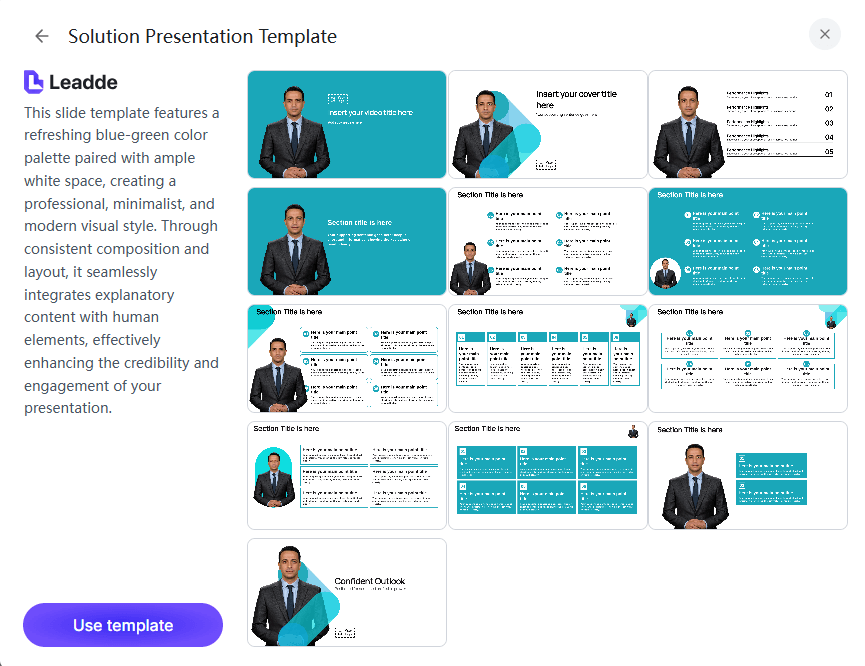
This is one of the most widely used and highest-converting formats.
Proven structure:
- Problem
- Solution
- Benefits
- Outcome
Real use case:
A startup without a finished product used this template to:
- Explain the problem space
- Show mock solutions
👉 Before:
No clear messaging
👉 After:
A structured narrative used for pitching and landing pages
New Product Feature Launch Template
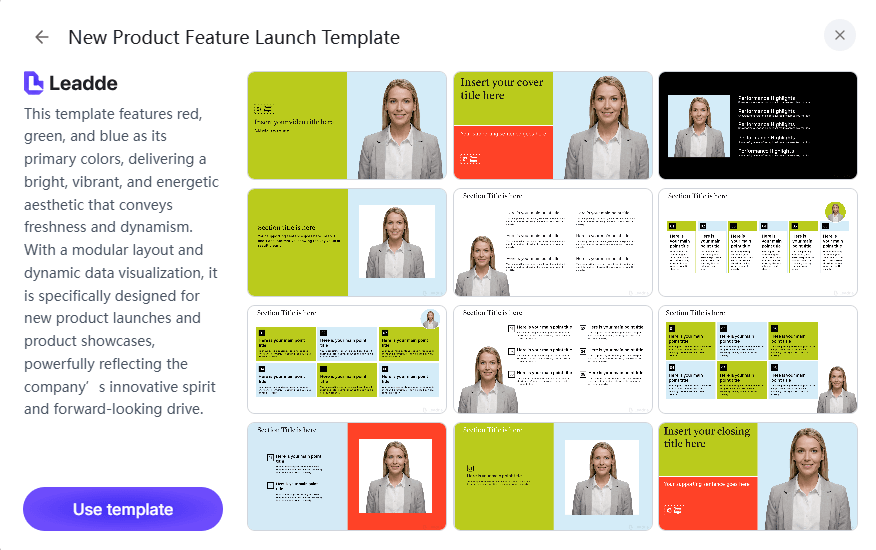
Perfect for:
- Feature rollouts
- Tutorials
- Product updates
What works:
- Step-by-step visual walkthrough
- Highlighted UI interactions
Real workflow:
Teams combine:
- Screen recordings
- Template overlays
👉 Result:
Users understand features faster without long documentation.
Market Expansion Template
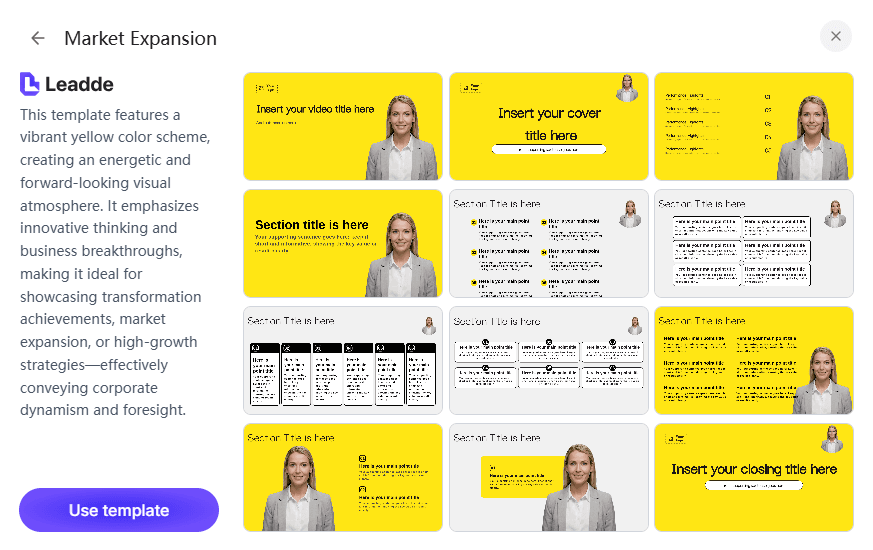
Used for:
- Entering new markets
- Explaining growth plans
Key elements:
- Maps
- Audience segmentation
- Competitive positioning
👉 Insight:
Visual storytelling significantly improves understanding of complex strategic decisions.
Future Growth Template
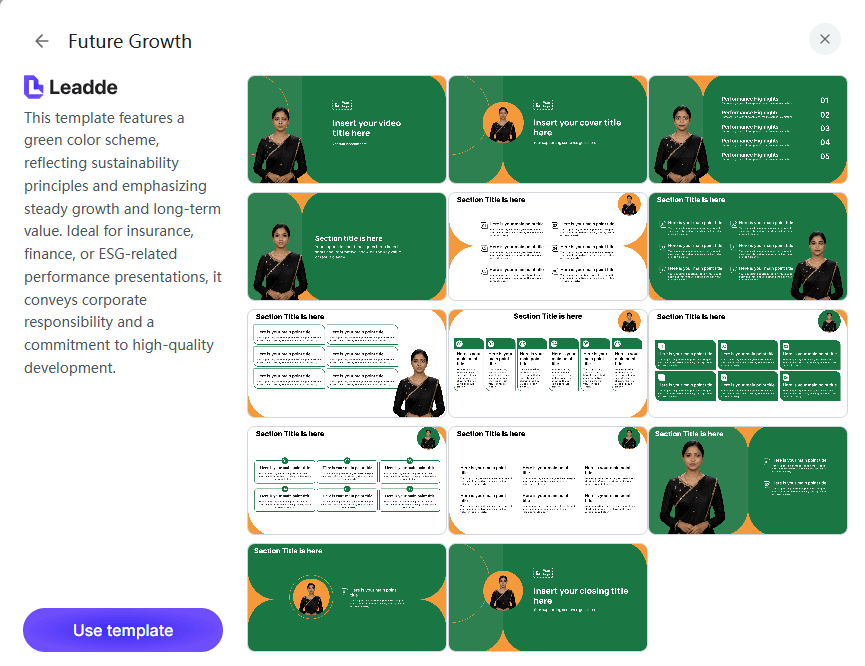
This template communicates:
- Long-term goals
- Revenue projections
- Strategic direction
Real challenge solved:
Teams often struggle to explain “future plans” clearly.
👉 This template converts:
Abstract plans → visual roadmaps
L&D Professional Training Template
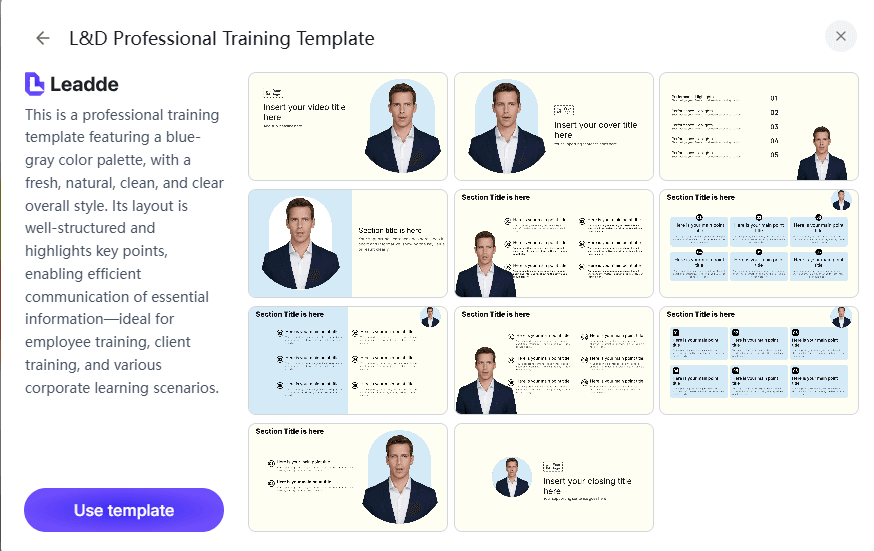
Designed for:
- Structured learning
- Skill development
Real use case:
Teams replaced static PDFs with:
- Modular video lessons
- AI-generated narrations
👉 Result:
More consistent knowledge delivery across teams
Onboarding & Process Training Template
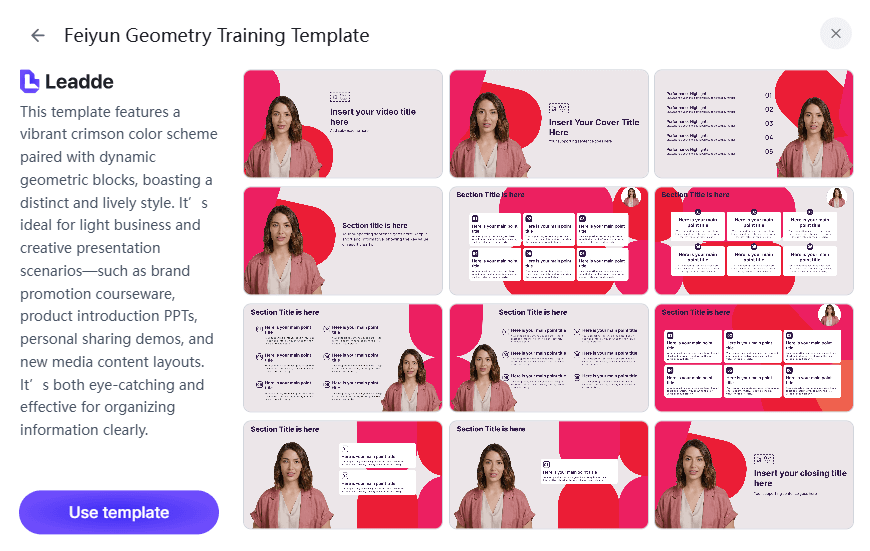
This template simplifies:
- Policies
- Workflows
- Internal processes
Real impact:
Before:
- Long manuals
- Repetitive HR explanations
After:
- Structured video onboarding
👉 Outcome:
Reduced training time and improved employee understanding.
Explainer Video Structure: A Proven Framework for High-Converting Videos
Across multiple successful implementations, high-performing videos follow a consistent video script structure:
- Hook (first 5 seconds)
- Problem
- Solution
- How it works
- Proof
- Call-to-action
Why this matters:
Teams that skip structure often produce videos that look good—but fail to convert.
👉 Insight:
Templates provide visuals. Structure drives results.
Why Most Explainer Video Templates Fail (And How to Fix It)
Even with great templates, many corporate explainer videos underperform.
Common failure points:
- No clear narrative
- Too much information
- Generic storytelling
Real pattern observed:
Older formats like:
👉 “Meet John…” character storytelling
Are becoming less effective.
Fix:
- Focus on clarity over creativity
- Use data and visuals instead of long narration
- Deliver one key message per scene
AI vs Traditional Explainer Videos: Which Works Better in 2026?
Teams today typically choose between two approaches:
AI Video Creation
Pros:
- Minutes to produce
- Low cost
- Scalable
Real case:
A content creator used AI tools to generate videos in minutes instead of hours.
Traditional Production
Pros:
- Higher control
- Better for complex explanations
Cons:
- Expensive
- Time-consuming
Best Practice (Hybrid Approach)
Most effective teams combine:
- AI templates
- Screen recordings
- Light editing
👉 Result:
Fast production + clear communication
The Biggest Challenge: Turning Complex Ideas Into Simple Visual Stories
The #1 difficulty across teams is not tools—it’s simplification.
Common scenarios:
- SaaS products with complex logic
- Financial reports
- Training content
Solution framework:
- Break content into layers
- Use visuals instead of text
- One idea per screen
👉 Insight:
Clarity is the real competitive advantage in explainer videos.
How to Create Explainer Videos Without a Finished Product
Early-stage startups often need SaaS explainer videos before their product is ready.
Proven approach:
- Focus on problem + outcome
- Use mockups instead of real UI
- Use templates to simulate workflows
Real use case:
A founder created a full explainer using only:
- Concept diagrams
- Structured templates
👉 Outcome:
Used for pitching and early validation
Explainer Video vs Product Demo: Which Should You Use?
This is a critical strategic decision:
| Type | Purpose |
|---|---|
| Explainer Video | Awareness & acquisition |
| Product Demo | Conversion & onboarding |
Best strategy:
Use both:
- Explainer → attract users
- Demo → convert users
How to Avoid Generic Templates and Stand Out
A major complaint in real-world usage is:
👉 “Templates all look the same”
How to fix:
- Customize colors (brand identity)
- Replace stock visuals
- Add real product footage
- Focus on data-driven storytelling
Building an Efficient Explainer Video Workflow
The most efficient teams don’t rely on one tool—they build workflows:
Example workflow:
- Script (Docs)
- Recording (Loom)
- Template (Canva / AI tools)
- Voice (AI narration)
- Final edit
👉 Insight:
Efficiency comes from reducing friction between steps
Case Studies: Real-World Explainer Video Use Cases
Case 1: SaaS Founder Creating a Product Explainer
- Goal: Explain product before full launch
- Approach: Solution template
- Before: No structured messaging
- After: Clear narrative for pitching
👉 Insight:
Templates help structure thinking, not just visuals
Case 2: Content Creator Scaling Video Production
- Tools: Canva, InVideo, AI voice tools
- Goal: Produce videos faster
Before:
- Manual editing
After:
- Template-based production
👉 Result:
Faster output (no measurable data shared)
Case 3: SaaS Demo Workflow
- Tools: Screen recording + templates
- Goal: Explain product features
Before:
- Static explanation
After:
- Visual demo + structured storytelling
Case 4: AI Video Automation
- Tools: AI video generators
- Goal: Speed
👉 Result:
Videos generated in minutes
The Future of Explainer Videos: From Templates to AI Storytelling
The industry is shifting from:
- Manual editing → AI generation
- Static templates → dynamic storytelling
- Single videos → scalable content systems
👉 Future trend:
The winning teams will be those who can explain complex ideas quickly and clearly at scale
FAQ: Common Questions About Explainer Video Templates
What is the best explainer video template for SaaS?
Use a Solution Presentation Template for early-stage and a Product Demo + Feature Template for growth stage.
How do I create a video without a product UI?
Use mockups, diagrams, and storytelling templates focused on outcomes.
Which tools are best for beginners?
Template-based tools like Canva or AI video creators are easiest to start with.
Are AI-generated explainer videos good enough?
Yes for marketing and simple content—but complex products may require hybrid workflows.
How can I make my explainer video less generic?
Customize visuals, avoid stock storytelling formats, and use real product content.
Is explainer video still effective in 2026?
Yes—but only when structured properly and focused on clarity.
What’s cheaper: AI video or traditional production?
AI is significantly cheaper and faster, saving massive video production costs.
Should I use explainer videos or demos?
Use both—they serve different purposes.
How long should an explainer video be?
Typically 60–120 seconds for best engagement.
Can I scale explainer video production?
Yes—using templates + AI tools + repeatable workflows.
Conclusion: Turn Templates Into Scalable Business Communication
Explainer video templates are not just about saving time—they are about:
- Creating clarity at scale
- Delivering consistent messaging
- Reducing production costs
With tools like Leadde AI Video Creator, you can:
- Turn documents into videos
- Use AI presenters
- Generate content in minutes
👉 The real advantage isn’t the template—it’s how fast you can communicate complex ideas clearly.





