How to Create Multilingual AI Avatars: Step-by-Step Guide

Creating multilingual AI avatars is no longer experimental. Today, businesses use AI avatars to turn scripts, documents, and training materials into localized videos in minutes—without filming multiple versions.
But after working with teams and analyzing real-world implementations, one thing is clear:
The challenge is no longer generating avatar videos—it’s making them realistic, scalable, and actually worth the investment.
In this guide, you’ll learn not just how to create multilingual AI avatars, but also:
- When they actually deliver ROI
- Where they break down in real workflows
- How teams are using them at scale (with real data)
- What to look for when choosing a platform
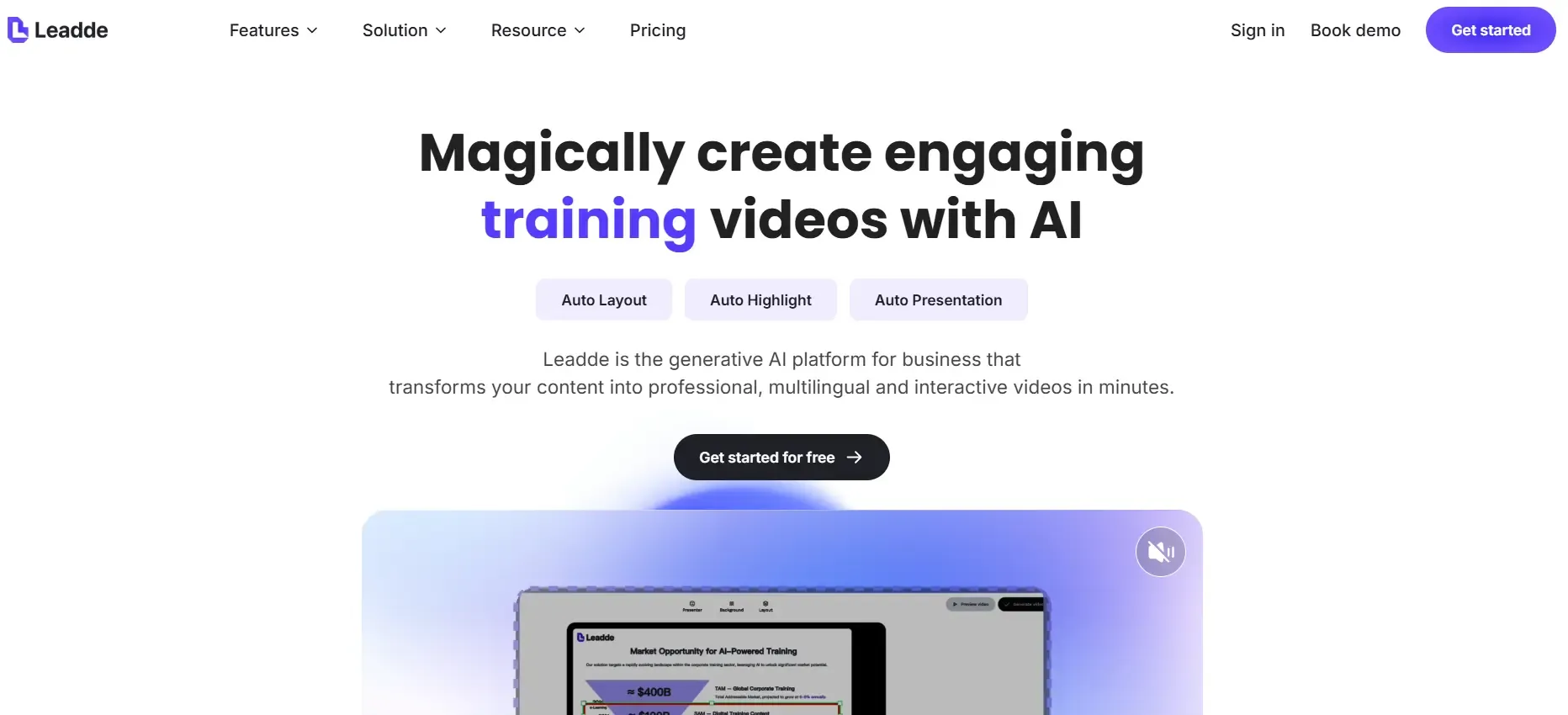
For teams that need to create and localize multilingual AI avatar videos at scale, Leadde provides an enterprise-ready platform that automatically transforms documents into professional, interactive videos in minutes.
What Are Multilingual AI Avatars and Why They Matter
Multilingual AI avatars are digital presenters that can speak multiple languages using AI-powered voice synthesis and translation. They turn static content like text, PDFs, or presentations into localized video experiences without recording separate videos for each language.
For global teams, they solve several problems at once:
- Eliminating repetitive video production
- Ensuring consistent messaging across regions
- Making content accessible to international audiences
- Reducing localization time and cost
They are widely used in training, onboarding, customer education, marketing, and internal communication.
Are Multilingual AI Avatars Actually Worth It for Business in 2026?
This is the first question every team asks—and based on real implementation data, the answer is:
Yes—but only in the right use cases.
Where They Deliver Strong ROI
A real training workflow I analyzed showed:
- A team produced 4 language versions of training videos
- Saved ~60 hours of production time
- Eliminated the need for external translators and voice actors
This is where AI avatars shine:
- Repetitive content
- Multi-language scaling
- Internal communication
Where They Fall Short
They are not ideal for:
- High-trust sales videos
- Deep technical tutorials
- Emotion-heavy storytelling
In these cases, realism and human nuance still matter more than speed.
How Multilingual AI Avatar Technology Works
Multilingual AI avatars combine several technologies:
- Text-to-Speech (TTS) → Converts scripts into natural voice
- Machine Translation → Adapts content into multiple languages
- Avatar Animation → Syncs lip movement and expressions
- Voice Cloning → Maintains identity across languages
More advanced platforms also include:
- Document-to-video automation
- Scene generation
- Interactive video chat
How Realistic Are AI Avatars Today? What You Should Expect
One of the most misunderstood aspects of AI avatars is realism.
What Works Well
From testing multiple tools and reviewing production outputs:
- Voice quality is often near-human
- Lip sync works well in short-form or mid-shot videos
- Multilingual delivery is surprisingly consistent
Where It Breaks
However, realism still drops in:
- Close-up shots
- Long-form videos
- Complex emotional delivery
This creates what’s often called the “uncanny valley” effect—where the avatar feels slightly unnatural.
Key Insight
Audio quality is ahead of visual realism.
That’s why many teams prioritize:
- Strong voice cloning
- Simpler visuals
- Shorter segments
The Biggest Limitations of Multilingual AI Avatars
Through hands-on usage and user research, several limitations consistently appear.
1. Realism Gaps
Even the best avatars can feel unnatural in certain contexts, especially in professional or educational settings.
2. Workflow Complexity
While generation is fast, editing is not.
A typical workflow still involves:
- Script editing
- Re-rendering
- Timeline adjustments
- Multi-tool integration
3. Poor Fit for Some Content Types
AI avatars are not ideal for:
- Step-by-step software tutorials
- Highly interactive demos
- Complex visual explanations
4. Revision Costs Are Higher Than Expected
Changing a single section may require:
- Re-generating entire scenes
- Re-exporting multiple language versions
Multilingual AI Avatar Workflow: Where Time Is Actually Saved (and Lost)
Many assume AI avatars reduce production time across the board.
The reality is more nuanced.
Before AI Avatars
- Filming
- Editing
- Voiceover
- Translation
- Re-recording
After AI Avatars
- Script → Generate → Export
BUT:
Where Time Is Saved
- Initial production
- Multi-language scaling
- Voice generation
Where Time Is Lost
- Revisions
- Cross-tool workflows
- Consistency management
Real Example
One creator reported:
- After consolidating tools into one workflow
- Production time per video dropped by ~50%
But before that:
- Time was lost managing multiple tools and assets
How to Maintain Avatar Consistency Across Multiple Videos and Languages
One of the biggest challenges at scale is consistency.
Common Issues
- Avatar appearance changes slightly
- Lighting varies
- Voice tone shifts across languages
Why This Happens
AI models generate outputs probabilistically, not deterministically.
Best Practices
From real-world implementations:
- Use custom avatars instead of stock avatars
- Lock scripts and prompts
- Use platforms with character persistence
- Avoid mixing too many tools
Multilingual AI Avatars vs Traditional Video Localization: Cost and Efficiency
| Factor | AI Avatars | Traditional Production |
|---|---|---|
| Cost | Low | High |
| Speed | Fast | Slow |
| Scalability | High | Low |
| Realism | Medium | High |
| Flexibility | Medium | High |
Step-by-Step Guide to Creating Multilingual AI Avatars
Step 1: Choose a Multilingual AI Avatar Platform
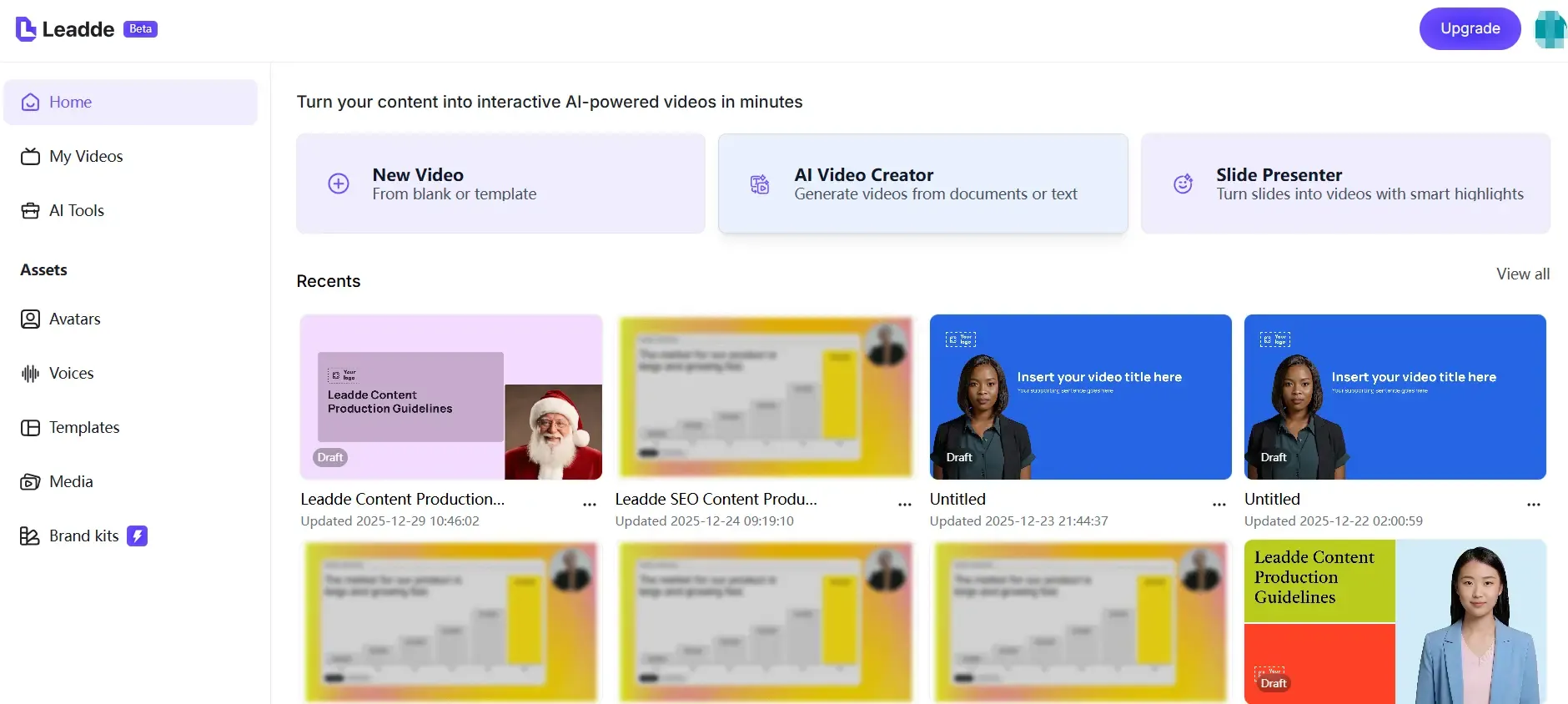
Start by selecting a platform that supports multiple languages, realistic avatars, and scalable video creation.
For business and training use, platforms that support document-based video generation and localization workflows are especially valuable.
Popular options include:
- Leadde.ai – Enterprise-focused AI video platform that transforms documents into multilingual, interactive videos with diverse avatars and automated layouts
- HeyGen – Known for wide language support and voice cloning
- Synthesia – Professional avatar library with strong corporate use cases
- D-ID – Talking avatars from images
- Colossyan / Trupeer – Training and internal communication scenarios
- Convai – Real-time, 3D avatars for virtual environments
Step 2: Create or Upload Your AI Avatar
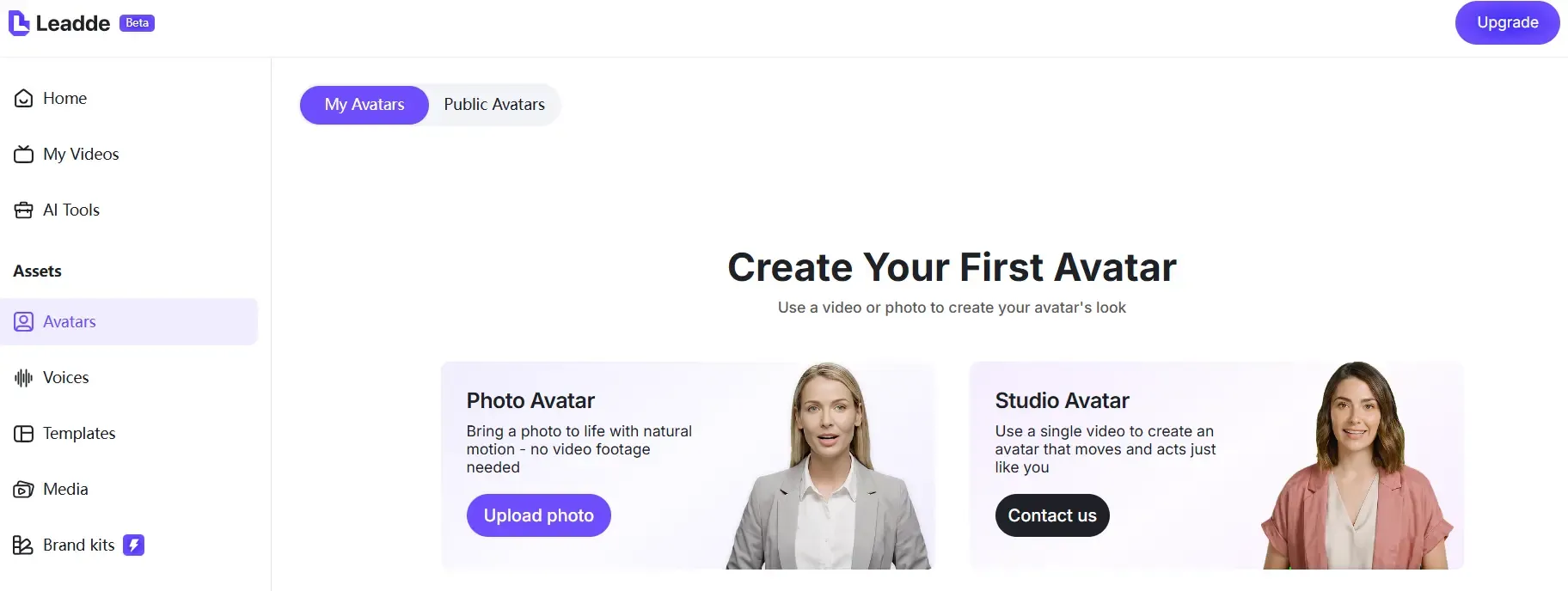
Most platforms let you choose between stock avatars or custom avatars.
You can upload a photo to create a personalized digital avatar or record a short video clip to build a digital twin with voice and appearance cloning. For enterprise use, custom avatars help maintain brand consistency and trust.
Some platforms also support avatars that represent different cultures, regions, and identities, which is critical for global audiences.
Step 3: Add Your Script and Select Languages
Once your avatar is ready, input your script. AI platforms can automatically translate the content into multiple languages.
You then select voices for each language. Many tools offer dozens or even hundreds of language and accent options, allowing precise localization for regional audiences.
Advanced platforms allow adjusting tone, pacing, and explanation depth depending on the audience.
Step 4: Generate and Customize the Avatar Video
After selecting languages and voices, generate the video. You can customize:
- Backgrounds and scenes
- Text highlights and captions
- Music and pacing
- Visual emphasis on key points
Some tools automatically structure content into scenes, highlight important ideas, and adjust layouts based on the source document.
Step 5: Export, Share, and Update at Scale
Export your videos for websites, learning platforms, or internal tools. Enterprise platforms support version control, allowing you to update content once and refresh all language versions automatically.
This is especially useful for policies, training materials, and product documentation that change frequently.
Key Features to Look for in Multilingual AI Avatar Tools
Text-to-Speech and High-Quality Translation
Accurate translation and natural-sounding voices are essential. Look for tools that support many languages without sounding robotic.
Voice Cloning for Personalized Avatars
Voice cloning lets your avatar sound like a real person across languages, which is useful for leadership messages and branded communication.
Stock and Custom Avatars
A strong library of avatars plus custom avatar creation ensures flexibility for different use cases.
Real-Time or Fast Language Switching
Some platforms allow instant language changes within the same project, reducing production time.
Document-to-Video Automation
Advanced platforms like Leadde go beyond scripts by converting PDFs, PPTs, and documents directly into structured, multilingual videos.
How to Choose the Right Multilingual AI Avatar Platform
Instead of comparing tools blindly, use this framework:
If You Need Training Content
→ Choose structured platforms (e.g., Synthesia, Colossyan)
If You Need Marketing Videos
→ Choose flexible avatar tools (e.g., HeyGen)
If You Need Automation at Scale
→ Choose document-to-video platforms (e.g., Leadde)
Best Tools to Create Multilingual AI Avatars in 2026
Here are leading platforms, ranked for business and scalability:
- Leadde.ai Best for enterprises that need multilingual avatars combined with document-to-video automation, interactive video chat, analytics, and compliance-ready workflows.
- HeyGen Strong language coverage with easy avatar creation and voice cloning.
- Synthesia Reliable choice for corporate and training videos with professional avatars.
- D-ID Effective for turning images into talking avatars at scale.
- Colossyan / Trupeer Well-suited for internal training, onboarding, and knowledge sharing.
- Convai Ideal for 3D avatars and real-time interactions in virtual environments.
Advanced Use Cases Beyond Basic Avatar Videos
Multilingual AI avatars are no longer limited to marketing videos.
They are increasingly used for:
- Employee onboarding across regions
- Compliance and security training
- Product walkthroughs and tutorials
- Customer education and support
- Internal knowledge sharing
- Executive communication at scale
Some platforms also allow users to chat with video content, creating interactive learning experiences instead of passive watching.
Common Mistakes When Creating Multilingual AI Avatar Videos
From real projects, these mistakes happen often:
- Using avatars for the wrong content type
- Relying fully on auto-translation
- Ignoring cultural nuance
- Overproducing visuals instead of clarity
- Not planning for updates
Advanced Use Cases Beyond Basic Avatar Videos
AI avatars are evolving into:
- Interactive training systems
- Chat-based video experiences
- Real-time multilingual assistants
This shifts content from:
Passive watching → Active interaction
FAQ: Multilingual AI Avatars
Which AI avatar tool is the most realistic right now?
No AI avatar tool is fully realistic yet. Current platforms deliver strong voice quality and decent lip sync, but visual realism—especially in close-up or emotional delivery—still falls short of human video.
Can I turn a script into a multilingual training video easily?
Yes. Most modern platforms allow you to convert a script into a multilingual training video in minutes using built-in translation, text-to-speech, and avatar generation—without filming.
Are AI avatars suitable for online courses?
AI avatars work well for simple, structured lessons but are less effective for deep learning content that requires strong human presence, nuance, or engagement.
Can AI avatars replace traditional video production?
AI avatars can replace traditional production for scalable, repeatable content like training or internal communication, but they are not a full replacement for high-end or emotionally driven videos.
What is the best low-budget setup for AI avatar videos?
A cost-effective setup typically combines an AI avatar platform, a high-quality AI voice tool, and a basic video editor for final adjustments and enhancements.
Can I maintain the same avatar across multiple videos?
Yes, but it requires using custom avatars, consistent scripts, and controlled workflows. Without these, visual and voice inconsistencies may occur across videos.
Are multilingual AI avatars effective for marketing?
They are effective for scaling marketing content across multiple languages, but less suitable for storytelling, branding, or high-emotion campaigns.
Can I translate existing videos instead of recreating them?
Yes. AI dubbing and translation tools allow you to localize existing videos without recreating them, which is often more efficient than generating new avatar videos.
Do multilingual AI avatars actually save time?
They significantly reduce initial production time, especially for multi-language content, but revisions and updates can still be time-consuming.
What is the biggest challenge when using AI avatars today?
The biggest challenge is maintaining realism and consistency across multiple videos, languages, and updates at scale.
Final Thoughts: Creating Multilingual AI Avatars at Scale
Creating multilingual AI avatars is no longer a technical challenge. With the right platform, businesses can turn existing content into localized, engaging videos in minutes.
The real advantage comes from choosing tools that combine avatars with automation, localization, and lifecycle management. Platforms like Leadde.ai show how multilingual avatars can move beyond simple videos and become part of a smarter, scalable content system.