
Policy Training Video Examples for HR, Compliance, and Operations
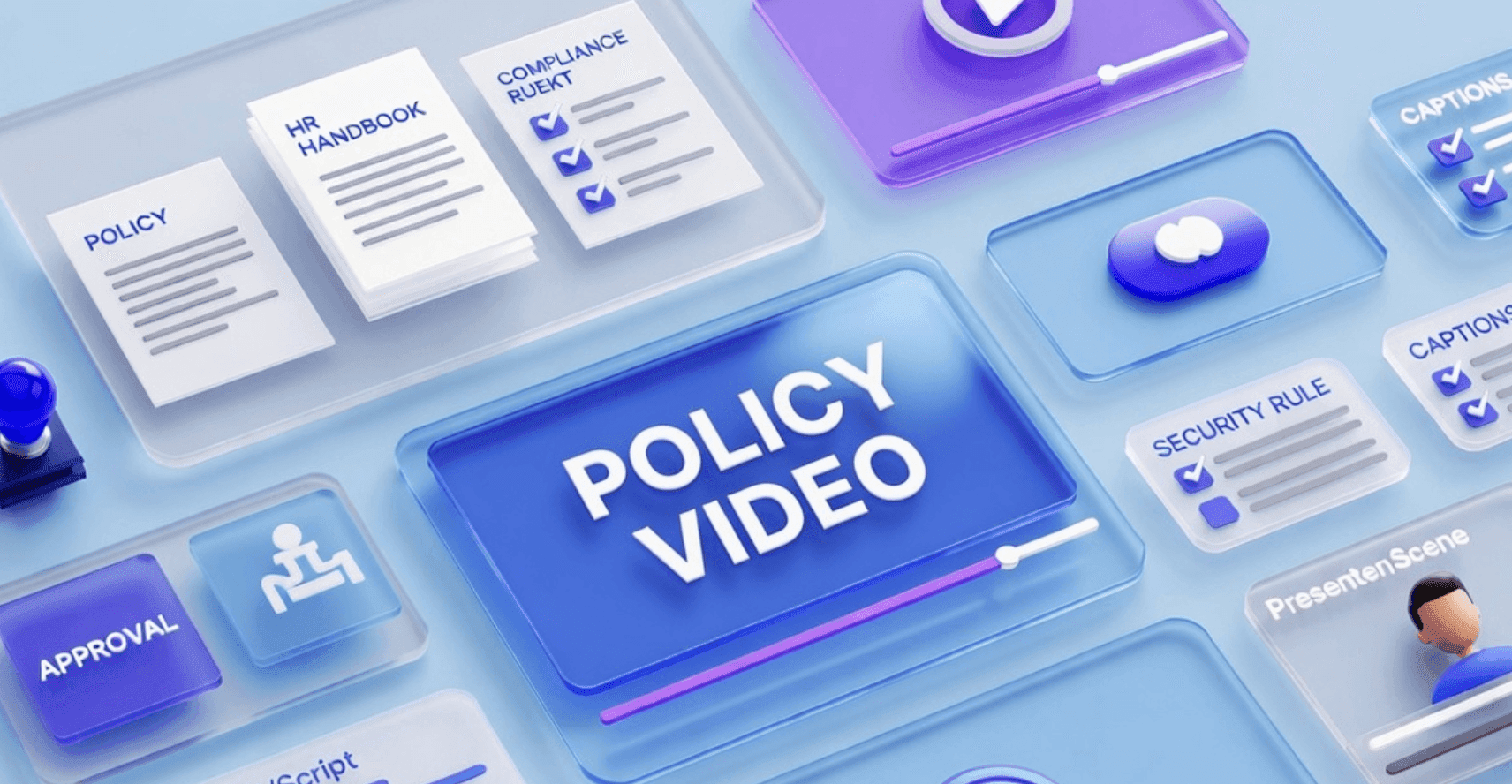
Policy documents are important, but they are not always easy to understand or remember.
Employees may receive a handbook, compliance policy, security rule, or finance procedure and still feel unsure about what to do in real situations. The policy may be accurate, but the format can be too formal, too long, or too disconnected from day-to-day work.
That is where policy training videos help.
A policy training video turns written rules into a clear learning experience. It can explain what the policy means, who it applies to, what behavior is expected, what examples are allowed or not allowed, and what employees should do when they are unsure.
If your team already has policy documents, Leadde's Policy Video tool helps turn policy content into editable, avatar-led training videos for HR, compliance, operations, finance, legal, and internal communication teams.
Why Policy Training Videos Matter
Policy documents are often written for accuracy and legal clarity. Training videos are built for understanding.
That difference matters.
A written policy can tell employees what the rule is. A training video can explain how the rule applies in real situations.
Policy training videos can help teams:
- Explain policies in plain language
- Reduce repeated HR and compliance questions
- Make new policies easier to roll out
- Help employees understand required behavior
- Show realistic workplace examples
- Highlight common mistakes
- Support onboarding and refresher training
- Keep policy communication consistent across teams
- Create multilingual versions for global employees
This is especially useful for policies that affect employee behavior, risk, safety, compliance, data protection, finance, or customer trust.
For a step-by-step workflow, see Leadde's related guide on turning policy documents into videos. This article focuses on practical policy training video examples your team can create.
Policy Training Video Examples by Use Case
Different policies need different training videos. A harassment policy video should not feel like an expense policy video. A data security policy needs different examples than a remote work policy.
Here are practical examples.
| Policy Training Video Example | Best For | What the Video Should Teach |
|---|---|---|
| Employee handbook policy video | HR and onboarding | Key workplace rules new hires need to know |
| Anti-harassment policy video | HR, legal, compliance | Expected conduct, reporting steps, and examples |
| Data security policy video | IT and security teams | How employees should handle sensitive data |
| Expense policy video | Finance and operations | What can be expensed and how to submit claims |
| Remote work policy video | HR and distributed teams | Availability, communication, security, and work expectations |
| Code of conduct video | Company-wide training | Values, behavior standards, and escalation paths |
| Safety policy video | Operations and frontline teams | Required safety behavior and what to avoid |
| Customer privacy policy video | Support, sales, success | How teams should handle customer information |
The best policy videos are short, specific, and example-driven. One video should usually explain one policy area, one behavior standard, or one decision point.
Example 1: Employee Handbook Policy Video
Employee handbooks often include many policies at once: attendance, communication, equipment, benefits, security, conduct, leave, and workplace expectations.
That is too much for one video.
A better approach is to create a short employee handbook policy video that explains the most important rules new hires need during their first week.
This video can cover:
- Where to find the official handbook
- Which policies new hires must review first
- How communication should work
- What security rules apply immediately
- What to do when something is unclear
- Who to contact for HR questions
This is useful for onboarding because new hires often receive too much information at once.
For onboarding-specific policy training, connect this workflow with AI Onboarding Video Maker.
Example 2: Anti-Harassment Policy Video
Anti-harassment policies are important, but they can be difficult to communicate well.
A written policy may define harassment, reporting procedures, retaliation rules, and investigation steps. But employees often need examples to understand what the policy means in practice.
An anti-harassment policy training video can explain:
- What behavior is not acceptable
- What employees should do if they experience or witness an issue
- How reporting works
- What retaliation means
- What managers are responsible for
- Where employees can get help
For this use case, the video should be clear, serious, and respectful. It should not use jokes, casual visuals, or vague examples.
If your team needs this specific workflow, use Harassment Training Videos.
Example 3: Data Security Policy Video
Data security policies are often ignored until something goes wrong.
A data security policy training video can help employees understand what they should and should not do with company, customer, or employee information.
The video can cover:
- What counts as sensitive data
- How to share files safely
- What tools are approved
- What to avoid when using personal devices
- How to report suspicious activity
- What to do if data is sent to the wrong person
This kind of video is useful for onboarding, annual security refreshers, and role-specific training for support, sales, finance, and operations teams.
A good data security policy video should use simple scenarios. For example:
- "A customer asks you to send a file to a personal email address. What should you do?"
- "You receive a suspicious login alert. What is the next step?"
- "A spreadsheet includes customer information. Where should it be stored?"
Scenarios make policy training easier to remember.
Example 4: Expense Policy Video
Expense policies often create confusion because employees want to know what is allowed, what is not allowed, and how to submit claims correctly.
An expense policy training video can explain:
- Which expenses are reimbursable
- Which expenses need pre-approval
- What receipts are required
- What spending limits apply
- How to submit an expense report
- What causes reimbursement delays
- Who approves exceptions
This video is useful for finance teams because it reduces repeated questions and prevents incomplete submissions.
A strong expense policy video should include examples. For example:
- Approved: a business travel meal under the limit with a receipt
- Not approved: a personal subscription submitted as a work expense
- Needs review: a team dinner above the standard spending limit
These examples are more useful than simply reading the policy aloud.
Example 5: Remote Work Policy Video
Remote and hybrid teams need clear expectations.
A remote work policy video can explain:
- Working hours and availability
- Communication expectations
- Meeting norms
- Equipment rules
- Data security requirements
- Location restrictions
- Manager approval steps
- What to do during outages or emergencies
This video is useful for distributed teams because policy interpretation can vary across locations.
A remote work policy video should answer practical questions:
- When should employees be online?
- Which channels should they use?
- Can they work from another country?
- What equipment can they take home?
- What security steps are required?
The goal is to make the policy actionable.
Example 6: Code of Conduct Video
A code of conduct video helps employees understand company expectations beyond basic rules.
It can cover:
- Respectful communication
- Conflicts of interest
- Customer interactions
- Use of company resources
- Reporting concerns
- Manager responsibilities
- Professional behavior
- Company values in practice
This type of video is useful for onboarding and annual training.
A strong code of conduct video should not feel like a legal document. It should explain how the company expects people to behave and what employees should do when they see a problem.
Example 7: Safety Policy Video
Safety policies need to be clear, memorable, and easy to follow.
A safety policy training video can explain:
- Required protective equipment
- Restricted areas
- Incident reporting
- Emergency procedures
- Safety checks
- Common risks
- What to do when a hazard is found
This is useful for manufacturing, healthcare, labs, facilities, logistics, retail, and other operational teams.
If your team creates safety or compliance videos often, connect this workflow with an AI training video generator so each module follows a consistent format.
For related compliance and safety content, see Leadde's guide on creating compliance safety training videos.
Example 8: Customer Privacy Policy Video
Customer-facing teams need to understand how to handle personal or sensitive customer information.
A customer privacy policy video can explain:
- What customer data should be protected
- What information can be shared internally
- What should not be sent externally
- How to verify customer identity
- How to handle deletion or access requests
- When to escalate to legal or security teams
This video is useful for sales, support, customer success, finance, and operations teams.
The goal is not to turn employees into legal experts. The goal is to help them recognize common situations and respond correctly.
How to Create Policy Training Videos with AI
The examples above follow a similar process.
The goal is not to turn every paragraph of a policy into narration. The goal is to turn the policy into a clear, reviewable training experience.
Step 1: Choose One Policy Area
Start with one policy, not the entire employee handbook.
Good candidates include:
- A policy employees ask about often
- A policy that recently changed
- A compliance policy that must be acknowledged
- A policy with repeated mistakes
- A policy that affects customer trust
- A policy that creates operational risk
- A policy new hires need immediately
One policy should usually become one short video or a small video series.
Step 2: Define the Training Objective
Before generating the video, define what employees should understand or do after watching.
Examples:
| Policy | Training Objective |
|---|---|
| Anti-harassment policy | Know what behavior is not acceptable and how to report concerns |
| Data security policy | Handle sensitive information safely |
| Expense policy | Submit compliant expense reports |
| Remote work policy | Follow availability, communication, and security expectations |
| Customer privacy policy | Recognize when customer data needs extra protection |
A clear objective keeps the video focused.
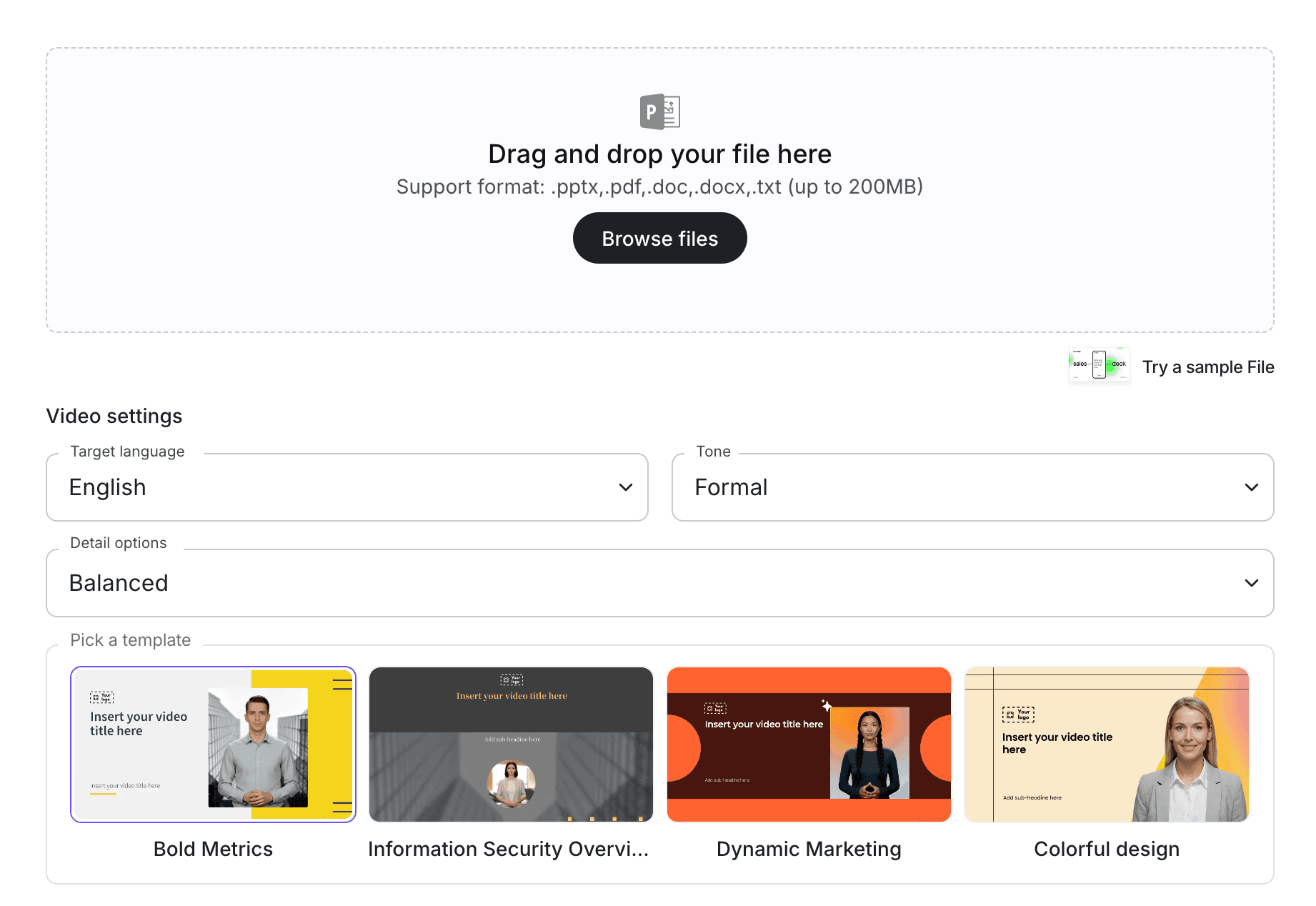
Step 3: Upload the Policy into an AI Video Workflow
With Policy Video, teams can turn policy content into editable video drafts. If the source is part of a larger document set, you can also use Doc to Video or PDF to Video, depending on the format.
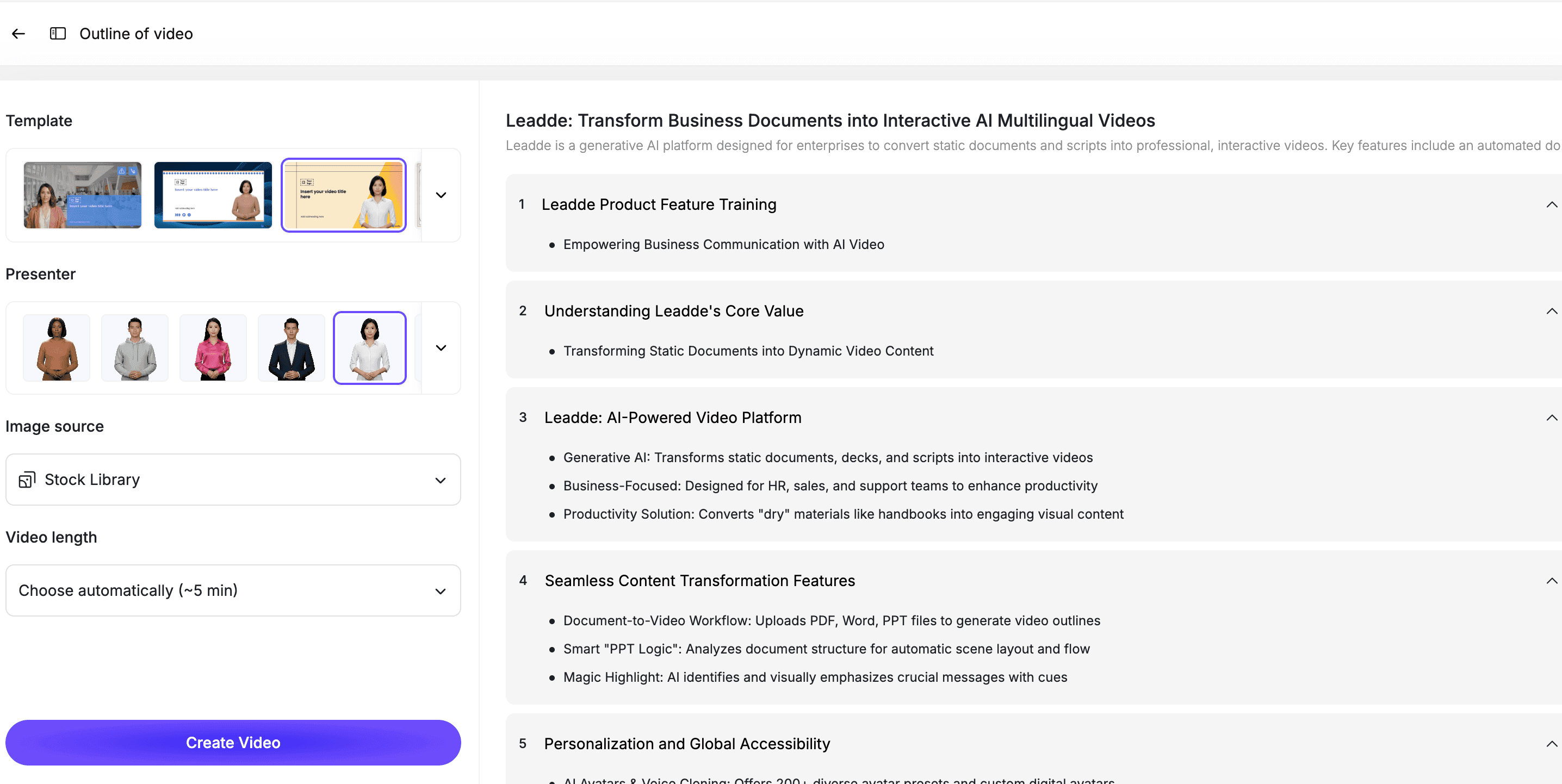
At this stage, AI should identify the policy structure, extract key points, and create a training-friendly outline.
The output should be reviewed before publishing, especially for HR, compliance, legal, safety, security, or regulated workflows.
Step 4: Turn Policy Language into Plain-Language Scenes
Policy documents are often formal. Training videos should be easier to understand.
A strong policy video usually includes:
| Scene | Purpose |
|---|---|
| Scene 1 | Explain what the policy covers |
| Scene 2 | Define who the policy applies to |
| Scene 3 | Explain why the policy matters |
| Scene 4 | Show required behavior |
| Scene 5 | Give examples of allowed and not allowed actions |
| Scene 6 | Explain what to do if someone is unsure |
| Scene 7 | Summarize the key takeaway |
This structure helps employees apply the policy in real situations.
Step 5: Add an AI Presenter and Visual Examples
Policy training works better when the learner has a guide.
With an AI avatar generator, teams can create presenter-led policy videos without filming a trainer or recording new voiceover each time a policy changes.
Use visual highlights for:
- Key rules
- Examples
- Dos and don'ts
- Reporting steps
- Approval paths
- Required documents
- Common mistakes
- Escalation contacts
This helps employees understand the policy faster than reading a long document.
Step 6: Review the Video with the Policy Owner
AI can help create the first draft, but policy content needs review.
Before publishing, compare the video against the source policy.
Check for:
- Missing requirements
- Changed meaning
- Over-simplified rules
- Incorrect examples
- Outdated language
- Missing exceptions
- Unclear reporting steps
- Misleading visuals
- Tone that does not match the topic
For high-risk policies, the policy owner, HR, legal, compliance, or security team should approve the final video.
Best Practices for Policy Training Videos
Keep Each Video Focused
One video should explain one policy area or one behavior standard.
If a policy document covers many topics, split it into shorter modules.
Keep the Policy as the Source of Truth
The video is a training layer, not the official legal or HR document.
Employees should still be able to access the original policy for exact language and details.
Use Examples Carefully
Examples make policy training more useful, but they must be accurate.
Use simple, realistic examples that match the policy. Avoid dramatic or confusing scenarios unless the policy owner approves them.
Match the Tone to the Topic
A workplace conduct video should not feel playful. A finance policy video can be more practical. A remote work policy video can be warmer and more conversational.
Tone matters because policy training affects credibility.
Make the Video Easy to Update
Policies change.
Use an editable workflow so your team can update a script line, example, scene, or presenter without recreating the entire video.
How Leadde Helps Create Policy Training Videos
Leadde helps teams turn policy documents into editable, avatar-led training videos.
With Leadde, teams can:
- Upload policy documents or PDFs
- Generate plain-language training scripts
- Break policies into short video scenes
- Add AI presenters
- Edit scripts and scenes before publishing
- Add examples, captions, and visual highlights
- Create multilingual policy training videos
- Update videos when policies change
Start with Policy Video if your source material is a policy document. Use AI Training Video Generator if your team is building a broader training library across policies, SOPs, onboarding materials, PDFs, and internal documents.
If you already have a policy ready, you can also try Leadde directly and start building your first policy training video.
Common Mistakes to Avoid
Mistake 1: Turning the Entire Handbook into One Video
A full handbook is too broad for one training video.
Split it into shorter videos by policy area, audience, or required action.
Mistake 2: Reading the Policy Word for Word
Policy language is often too formal for training.
Rewrite it into plain language while preserving the meaning.
Mistake 3: Leaving Out Examples
Employees need to understand how the policy applies in real situations.
Include simple examples, decision points, and common mistakes.
Mistake 4: Skipping Legal, HR, or Compliance Review
Policy training can affect risk.
The policy owner should review the script and final video before publishing.
Mistake 5: Forgetting to Update the Video
When the policy changes, the video should change too.
Use an editable workflow so updates are fast and controlled.
FAQ
What is a policy training video?
A policy training video is a video that explains a company policy in a clear, practical way. It helps employees understand what the policy means, who it applies to, what behavior is expected, and what to do when they are unsure.
What are good policy training video examples?
Good examples include employee handbook videos, anti-harassment policy videos, data security policy videos, expense policy videos, remote work policy videos, code of conduct videos, safety policy videos, and customer privacy policy videos.
Can AI turn a policy document into a training video?
Yes. AI can turn a policy document into a training video by extracting key rules, generating a plain-language script, breaking the policy into scenes, adding an AI presenter, and creating an editable video draft.
Should a policy video replace the written policy?
No. The written policy should remain the source of truth. The video is a training layer that helps employees understand and apply the policy.
How long should a policy training video be?
Most policy training videos should be short and focused. A good target is 2 to 6 minutes per policy area. Long policies should be split into multiple modules.
Who should review a policy training video before publishing?
The policy owner should review the final video. Depending on the topic, HR, legal, compliance, finance, security, or operations leaders may also need to approve it.
Can policy training videos be updated later?
Yes, if they are built in an editable workflow. Your team should be able to update scripts, examples, scenes, captions, and visuals when the policy changes.
Conclusion
Policy training videos help teams turn formal documents into clear, practical learning experiences.
The best policy videos do more than summarize the policy. They explain what the policy means, why it matters, who it applies to, what behavior is expected, and what employees should do in real situations.
Start with one high-value policy, define the training objective, turn the policy into scenes, add an AI presenter, include realistic examples, review the video with the policy owner, and keep the final version editable.
Use Leadde's Policy Video tool to turn your policy documents into editable, avatar-led training videos.





