
AI Walkthrough Video Maker & Generator



Make Complex Processes Easy to Follow

Onboarding walkthrough
Turn compliance documents, safety protocols, or regulatory guidelines into structured certification videos. Let an AI avatar walk employees through each requirement clearly — reducing legal risk and keeping teams audit-ready.

Cleanroom protocols
Explains the behavior guidelines and operational requirements for cleanrooms, ensuring employees adhere to standards and improve work efficiency and safety.

AR-700 operation training
Introduces the operation process and safety guidelines of the AR-700 precision assembly robot, helping employees master proper operating techniques.

Marketing insights
Trusted by the world's leading brands







Why Leadde is the Best Tool for Walkthrough Videos
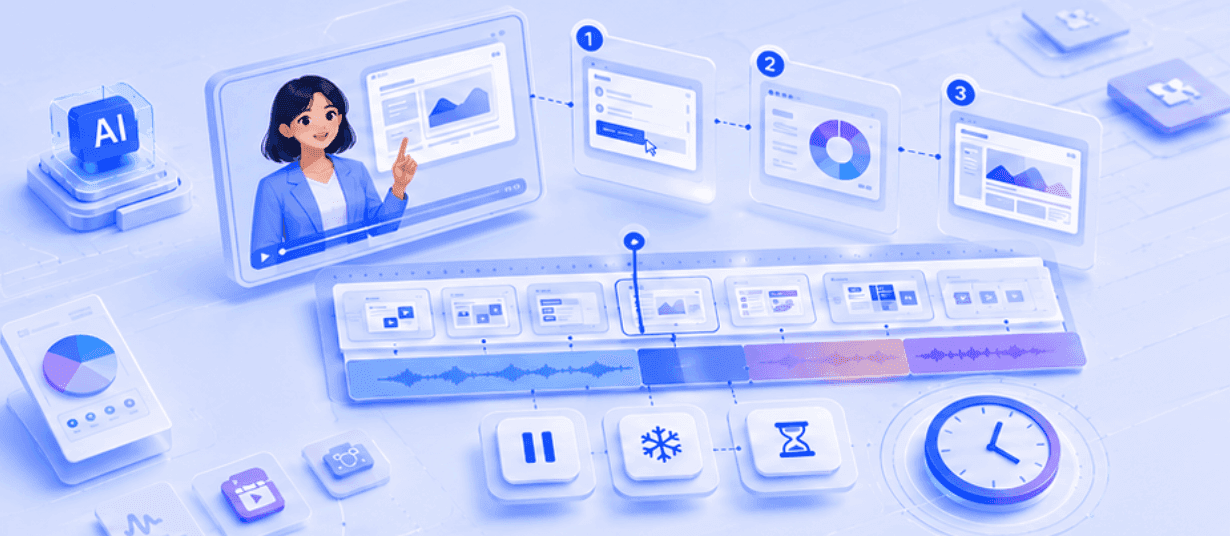
Sync narration with each step
Pause, freeze, or extend key moments so the AI presenter can finish explaining each screen before the video moves on.
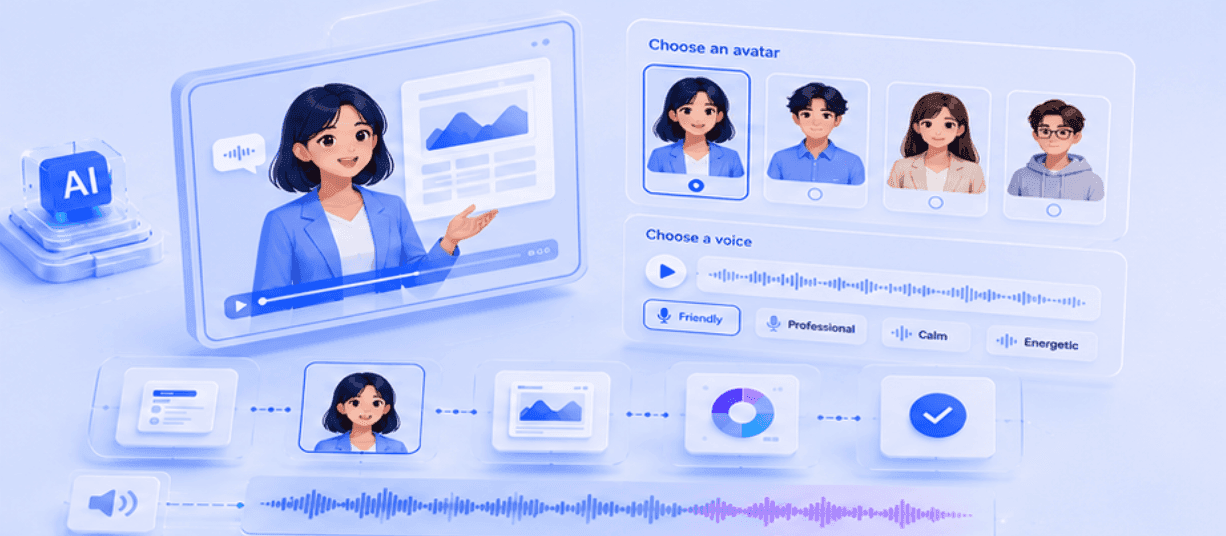
Add an AI presenter to guide viewers
Choose an avatar and a voice to explain your walkthrough clearly without recording yourself or hiring voice talents.

Turn slides and docs into guided walkthroughs
Upload PowerPoint, PDF, DOC, DOCX, TXT, or scripts and turn static content into narrated walkthrough scenes.

Localize walkthroughs for global teams
Translate product tours, training guides, and support walkthroughs into multiple languages for international audiences.
How to Create a Walkthrough Video with AI
Build a clear, step-by-step avatar video in three simple stages.
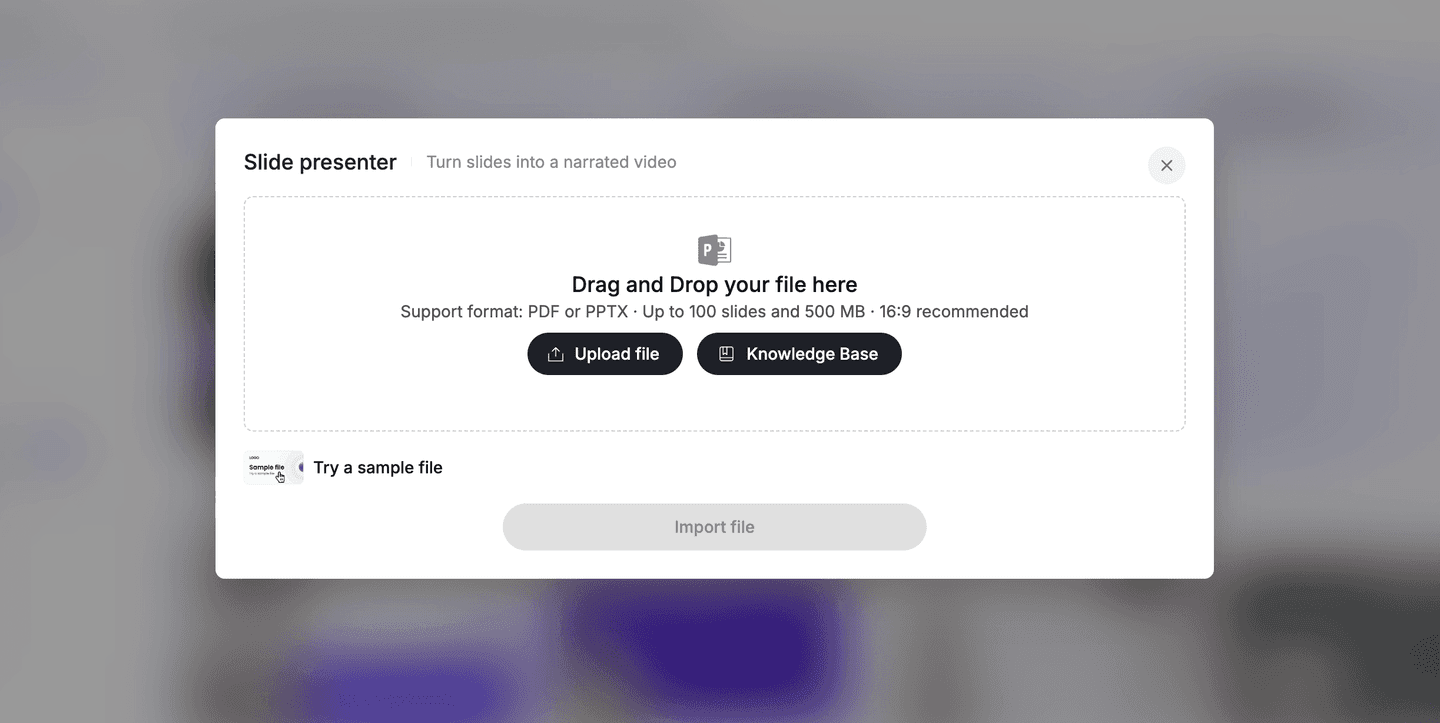
Step 1: Add Your Content
Upload a PPT, PDF, DOC, DOCX, TXT file, or start from text/script
Step 2: Choose Video Settings
Select the target language, tone, detail level, and template for your walkthrough.
Step 3: Generate Your Walkthrough
Leadde turns your content into a narrated, step-by-step walkthrough AI video

The Smart Choice for Clear Communication
Leadde helps product, training, support, and operations teams turn complex workflows into clear guided videos that viewers can follow without confusion.

No microphone required
Create polished narration from text, scripts, slides, or SOPs without background noise, retakes, or recording equipment.
Update a step, not the whole video
When your product UI or process changes, replace the outdated visual or edit the script and regenerate the walkthrough.
Keep every walkthrough on brand
Use brand kits, logos, colors, and consistent presenters so every tutorial feels professional and recognizable.
Highlight the exact step
Use shapes, annotations, and visual focus to point viewers to the button, menu, room, or workflow step that matters.
Walkthrough Video Ideas & Examples
SaaS onboarding walkthrough
Show account setup, dashboard navigation, and the first key action new users should complete.
Software feature walkthrough
Explain a new feature with screen highlights, AI narration, and step-by-step visual guidance.
Customer support walkthrough
Turn repeated support questions into reusable self-serve videos that reduce tickets.
Employee SOP walkthrough
Convert process documents, checklists, and policies into guided training videos for internal teams.
Presentation walkthrough
Turn a PowerPoint deck into a narrated video where an AI presenter walks through each slide.
Product release walkthrough
Show users what changed, why it matters, and how to adopt the update.
Frequently asked questions
A walkthrough video is a step-by-step visual guide that shows viewers how to complete a task, use a product, or navigate a space. It typically combines screen recordings or physical footage with a voiceover explanation to make complex information easy to follow. With an AI tool like Leadde, the process is automated: you provide the visuals and a script, and the AI generates a synchronized voiceover, layouts, and scenes—no manual editing required. You can add a realistic AI avatar to narrate, choose from 88 languages and 175 dialects, and even let viewers ask questions and receive instant answers directly from the finished video, turning a one-way recording into interactive, conversational content.
Using Leadde, you can create one by uploading your visual assets (like screen recordings or photos). Then, type out the steps in the script editor, choose an AI avatar to narrate, and use our synchronization tools to match the speech with the on-screen action. In practice: open the editor, add your media to the canvas, and enter the narration text in the script box for each scene. Pick a voice (from preset voices or your own cloned voice) and an avatar driven by either the Expressive IV Engine for natural expressions and full-body movement, or the Standard Engine for basic motion and lip-sync. You can add visual animation effects, captions, and transitions between scenes to highlight key steps, then click "Preview Video" to check it. When everything looks right, click "Generate Video" in the top-right corner. Your edits save automatically as long as you're connected to the internet.
An AI-enhanced real estate walkthrough allows agents to add a professional, multilingual virtual host to their existing property footage. Instead of just playing a silent video, the AI avatar can highlight specific home features, creating a more engaging and personal viewing experience. Because Leadde supports 88 languages and 175 dialects, the same walkthrough can be delivered to buyers in their own language, making it ideal for reaching international or cross-language audiences. Agents can use a built-in avatar or clone a custom one (even from a single photo) for personal branding, add captions and animations to emphasize selling points, and protect the shared video with a password. Viewers watching the shared link can also ask questions in the chat panel and get instant answers, while agents track impressions, watch time, and completion rate through the analytics dashboard.
A walkthrough presentation is a guided explanation of a slide deck. With Leadde's "Slide Presenter," you can automate this by uploading a PPT file; the AI will read the speaker notes and create a video where a virtual presenter guides the audience through each slide. To do this, click "Slide Presenter" on the Home page, upload your .pptx or .pdf file, and choose whether to import it as static images or as fully editable layers (PPT only). For the script, you can select "No script," "Auto generate script," or "Import from PPT notes," then set the language, video length, and tone—optionally adding the audience, speaker background, and learning objectives so the AI-generated narration fits your scenario. Leadde converts your slides into editable video scenes; from there you confirm the canvas elements and narration, preview the result, and click "Generate Video." This turns a static deck into a dynamic, narrated explainer video—ideal for training, marketing, or internal communication.
Create Your First AI Walkthrough Video
