Compliance Training Video Examples You Can Create with AI
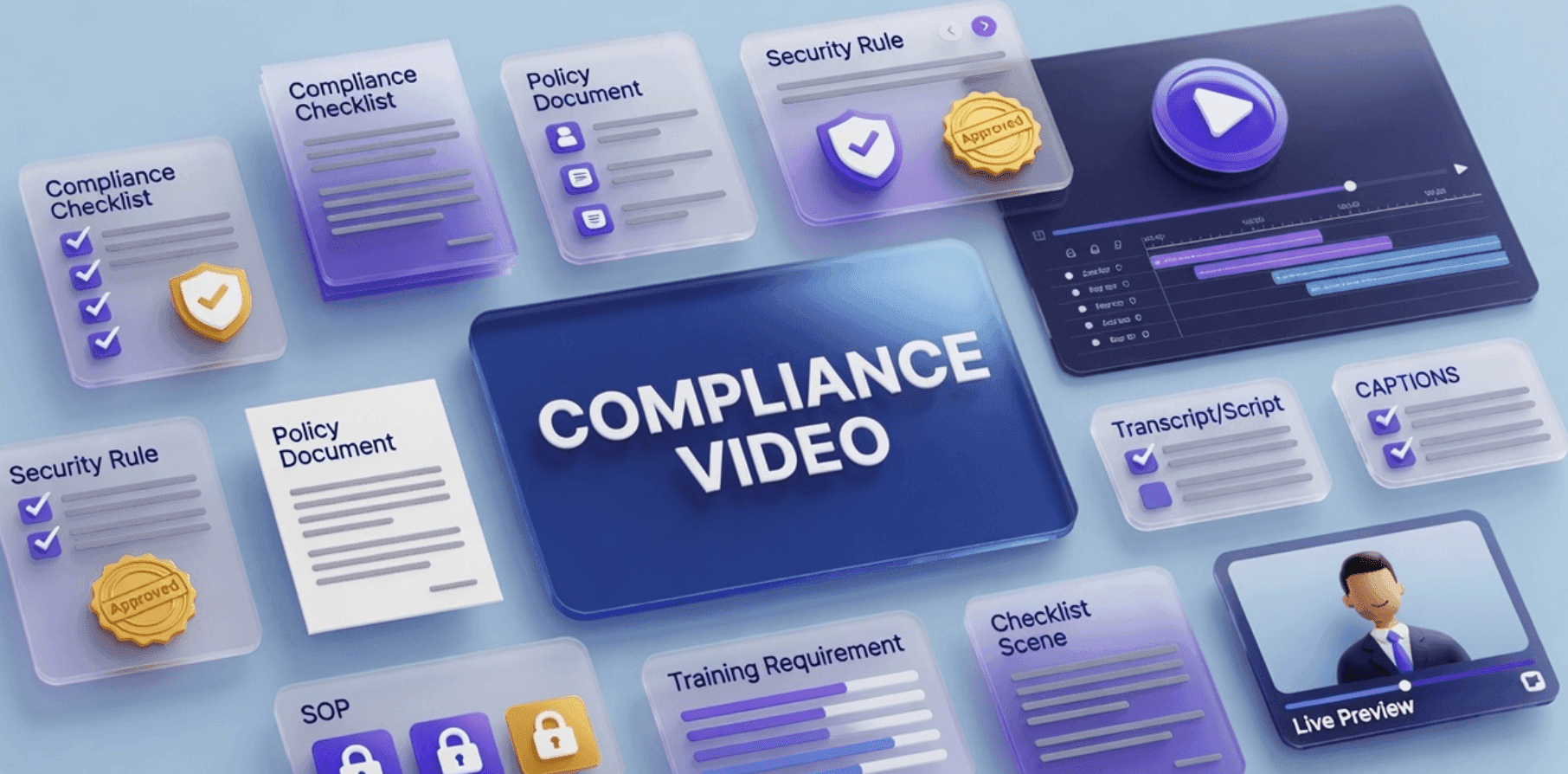
Compliance training works best when employees can understand what the rule means, why it matters, and what they should do in real situations.
That is hard to achieve with documents alone.
A policy PDF, handbook section, SOP, or compliance checklist may be accurate, but employees often need examples. They need to see what acceptable behavior looks like, what common mistakes to avoid, and when to ask for help.
That is why compliance training videos are useful. A good compliance video can turn formal requirements into a clear, repeatable learning experience.
If your team already has compliance documents, policies, SOPs, or training checklists, Leadde's AI Training Video Generator helps turn them into editable, avatar-led training videos for HR, legal, finance, healthcare, security, operations, and internal training teams.
Why Compliance Training Videos Matter
Compliance training is not just about telling employees the rules.
The real goal is behavior change. Employees need to know what to do, what to avoid, how to recognize risk, and where to escalate questions.
Written policies are still important, but they are not always enough. Employees may skim them, forget them, or misunderstand how they apply to daily work.
Compliance training videos help by making the information more practical.
A good compliance training video can:
- Explain rules in plain language
- Show realistic workplace examples
- Highlight common mistakes
- Clarify approval and reporting steps
- Make training easier to repeat across teams
- Support onboarding and annual refreshers
- Create consistent messaging across departments
- Help global teams localize training faster
- Make complex policies easier to remember
For policy-specific examples, see Leadde's guide on policy training video examples. This article focuses more broadly on compliance training video examples across HR, security, privacy, finance, healthcare, safety, and operations.
Compliance Training Video Examples by Topic
Different compliance topics need different video formats. A cybersecurity video should not feel like a workplace conduct video. A finance compliance video needs different examples than a safety training video.
Here are practical examples.
| Compliance Training Video Example | Best For | What the Video Should Teach |
|---|---|---|
| Code of conduct video | All employees | Expected behavior, reporting paths, and company standards |
| Anti-harassment training video | HR, legal, people teams | What behavior is not acceptable and how to report concerns |
| Data privacy training video | Sales, support, success, operations | How to handle personal and customer data safely |
| Cybersecurity awareness video | All employees | How to recognize phishing, protect accounts, and report risks |
| Finance compliance video | Finance, sales, managers | Expense rules, approvals, documentation, and fraud prevention |
| Healthcare compliance video | Healthcare, life sciences, admin teams | Patient privacy, documentation, and risk handling |
| Workplace safety compliance video | Operations, facilities, frontline teams | Safety rules, hazard reporting, and required actions |
| SOP compliance video | Operations and regulated teams | How to follow required procedures consistently |
| Onboarding compliance video | New hires | Required policies and first-week compliance actions |
The best compliance videos are specific. One video should usually focus on one policy, one behavior standard, one procedure, or one risk area.
Example 1: Code of Conduct Training Video
A code of conduct video introduces employees to the company's behavior expectations.
It can cover:
- Respectful communication
- Conflicts of interest
- Use of company resources
- Customer interactions
- Reporting concerns
- Manager responsibilities
- Anti-retaliation expectations
- Professional behavior
A strong code of conduct video should not simply read the policy aloud. It should explain how the standards apply in everyday situations.
For example, the video can show:
- What to do if an employee sees a conflict of interest
- When to report a concern
- How to ask for clarification before taking action
- What respectful communication looks like in team settings
This type of video is useful for onboarding and annual compliance refreshers.
Example 2: Anti-Harassment Training Video
Anti-harassment training needs a serious, clear, and respectful tone.
A video can explain:
- What behavior is not acceptable
- What employees should do if they experience or witness harassment
- How reporting works
- What retaliation means
- What managers are responsible for
- Where employees can get help
For this topic, examples matter. Employees need to understand how the policy applies in real workplace situations.
A strong anti-harassment training video should avoid jokes, vague language, or overly casual visuals. The goal is clarity and trust.
If your team needs this specific type of content, use Harassment Training Videos.
Example 3: Data Privacy Training Video
Data privacy training helps employees understand how to handle personal, customer, employee, or business-sensitive information.
A data privacy video can explain:
- What counts as personal data
- Which information should not be shared
- How to store files safely
- How to verify a customer's identity
- What to do with deletion or access requests
- When to escalate to legal, privacy, or security teams
This type of training is useful for sales, support, customer success, operations, HR, and finance teams.
A practical video might include scenarios like:
- A customer asks for account information over email.
- A teammate wants to export customer data into a spreadsheet.
- An employee accidentally sends a file to the wrong person.
- A customer asks to delete or access their data.
These examples make the training more useful than a static privacy policy.
Example 4: Cybersecurity Awareness Video
Cybersecurity training should help employees recognize risk before something goes wrong.
A cybersecurity awareness video can cover:
- Phishing emails
- Suspicious links
- Password hygiene
- Multi-factor authentication
- Device security
- Approved tools
- Reporting suspicious activity
- Safe file sharing
The video should be simple and practical.
For example, instead of saying "avoid phishing," show what a suspicious message might look like and what the employee should do next.
A good cybersecurity video should end with a clear action:
- Do not click the link.
- Report the message.
- Contact security.
- Use approved tools only.
- Ask before sharing sensitive data.
Example 5: Finance Compliance Training Video
Finance compliance videos help employees understand spending, approvals, documentation, and risk.
A finance compliance video might cover:
- Expense policy basics
- Approval thresholds
- Required receipts
- Vendor approval rules
- Gift and entertainment limits
- Fraud prevention
- Recordkeeping requirements
- What to do if something looks suspicious
This is useful for employees, managers, finance teams, and sales teams.
A strong finance compliance video should include examples:
- Approved expense: a business travel meal under the limit with a receipt
- Needs approval: a team dinner above the standard threshold
- Not allowed: a personal subscription submitted as a work expense
- Escalate: an invoice from an unknown vendor
For finance-specific compliance content, see Leadde's guide on how financial institutions scale compliance training with AI video.
Example 6: Healthcare Compliance Training Video
Healthcare compliance training often involves sensitive information, documentation, patient privacy, safety, and internal procedures.
A healthcare compliance video can explain:
- Patient privacy basics
- Secure communication
- Documentation expectations
- Access rules
- Incident reporting
- Role-specific responsibilities
- What to do when unsure
- How to avoid common mistakes
This type of video should be carefully reviewed by the policy owner or compliance team before publishing.
A healthcare compliance video should not overstate legal or clinical guidance. It should explain the organization's internal process and direct employees to the official policy when details matter.
Example 7: Workplace Safety Compliance Video
Safety compliance videos help employees understand required behavior in physical environments.
A workplace safety video can cover:
- Required protective equipment
- Restricted areas
- Hazard reporting
- Emergency procedures
- Inspection steps
- Cleaning or setup requirements
- Incident documentation
- Mistakes to avoid
This type of video is useful for manufacturing, healthcare, labs, logistics, retail, facilities, and field teams.
For safety-specific workflows, see Leadde's guide on creating compliance safety training videos.
A good safety compliance video should be direct and precise. The goal is not entertainment. The goal is correct action.
Example 8: SOP Compliance Training Video
Many compliance failures happen because employees do not follow required procedures consistently.
An SOP compliance video can explain:
- Who must follow the SOP
- When the procedure applies
- Which steps must happen in order
- What documentation is required
- Which mistakes create risk
- What to do if something goes wrong
- Who should approve exceptions
For SOP-specific examples, see Leadde's guide on SOP training video examples.
If your source material is an SOP document, SOP Video Maker can help turn it into an editable training video.
Example 9: Onboarding Compliance Training Video
New hires often need to complete several compliance tasks quickly.
An onboarding compliance video can explain:
- Which policies must be reviewed
- Which training modules are required
- Which tools need secure setup
- What behavior expectations apply immediately
- Where to find the employee handbook
- Who to contact for HR, IT, or compliance questions
- What to complete during the first week
This is useful because new hires often receive too much information at once.
For script-level onboarding content, see Leadde's employee onboarding video script template, or use AI Onboarding Video Maker to create onboarding videos directly.
How to Create Compliance Training Videos with AI
The examples above all follow a similar workflow.
The goal is not to turn every paragraph of a policy into narration. The goal is to create a clear, reviewable training experience that helps employees understand what to do.
Step 1: Choose One Compliance Topic
Start with one topic, not the entire compliance program.
Good candidates include:
- A policy employees ask about often
- A recurring compliance mistake
- A required annual training topic
- A new policy rollout
- A high-risk process
- A role-specific compliance requirement
- A workflow that managers explain repeatedly
One compliance topic should usually become one short video or a small video series.
Step 2: Define the Training Objective
Before generating the video, define what the employee should understand or do after watching.
Examples:
| Compliance Topic | Training Objective |
|---|---|
| Code of conduct | Know expected behavior and reporting steps |
| Data privacy | Handle sensitive information safely |
| Cybersecurity | Recognize and report suspicious activity |
| Expense policy | Submit compliant expenses with proper documentation |
| Safety policy | Follow required safety steps and report hazards |
| SOP compliance | Complete a required procedure in the correct order |
A clear objective keeps the video focused.
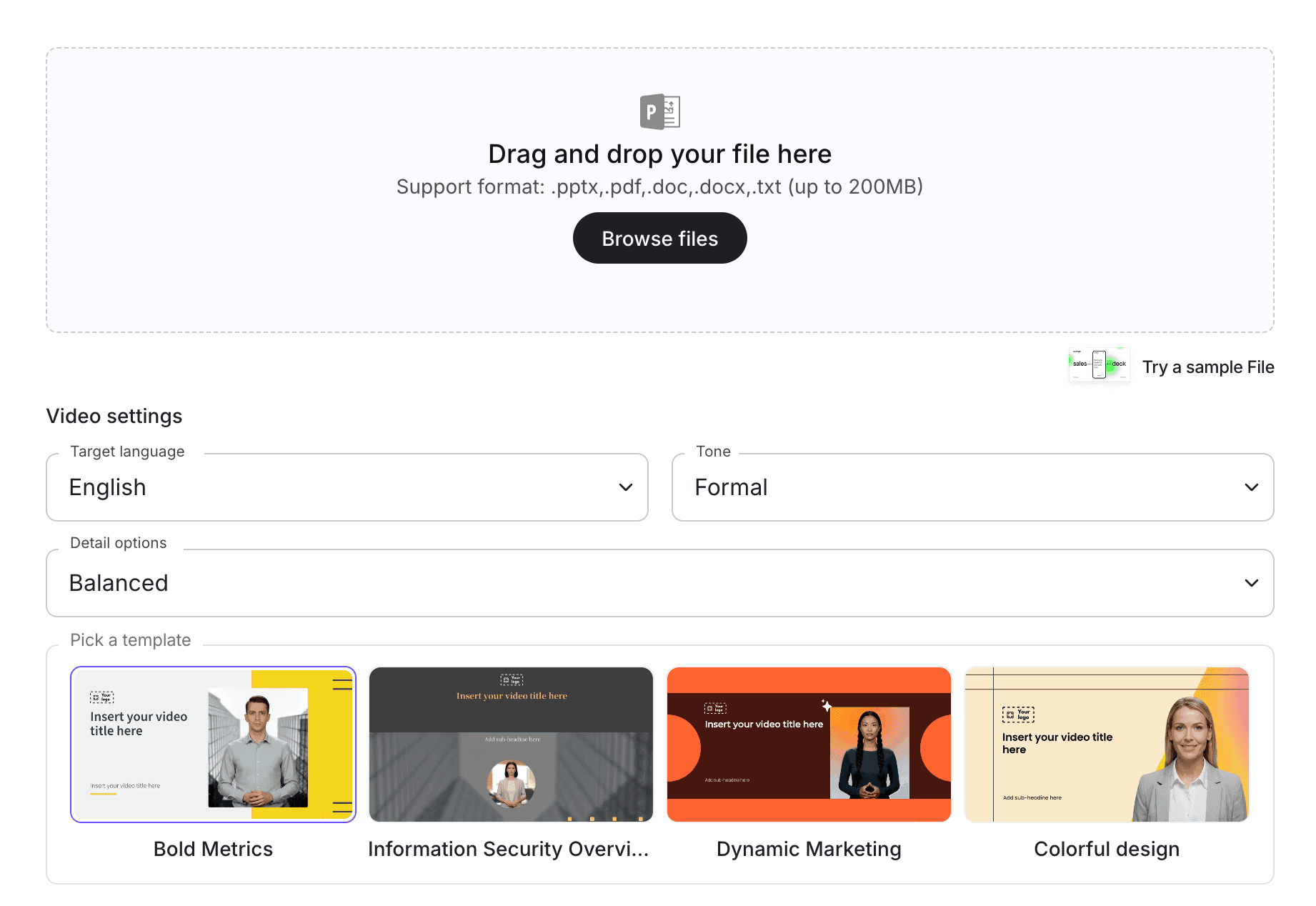
Step 3: Upload Source Materials
Compliance videos usually start from existing materials.
Useful source materials include:
- Policy documents
- SOPs
- Employee handbooks
- Compliance checklists
- Safety procedures
- Training decks
- Internal FAQs
- Approval workflows
- Incident response guides
With Doc to Video and PDF to Video, teams can turn source documents into video drafts. For policy-specific workflows, use Policy Video.
Step 4: Turn Compliance Language into Plain-Language Scenes
Compliance content is often formal. A training video should be easier to understand.
A simple scene structure might look like this:
| Scene | Purpose |
|---|---|
| Scene 1 | Explain what the training covers |
| Scene 2 | Define who needs to follow it |
| Scene 3 | Explain why the rule matters |
| Scene 4 | Show required behavior |
| Scene 5 | Give examples of allowed and not allowed actions |
| Scene 6 | Explain reporting or escalation steps |
| Scene 7 | Summarize the key takeaway |
This structure helps employees apply the rule in real situations.
Step 5: Add an AI Presenter and Visual Examples
Compliance training often works better with a guide.
With an AI avatar generator, teams can create presenter-led compliance videos without filming a trainer or recording new voiceover every time a policy changes.
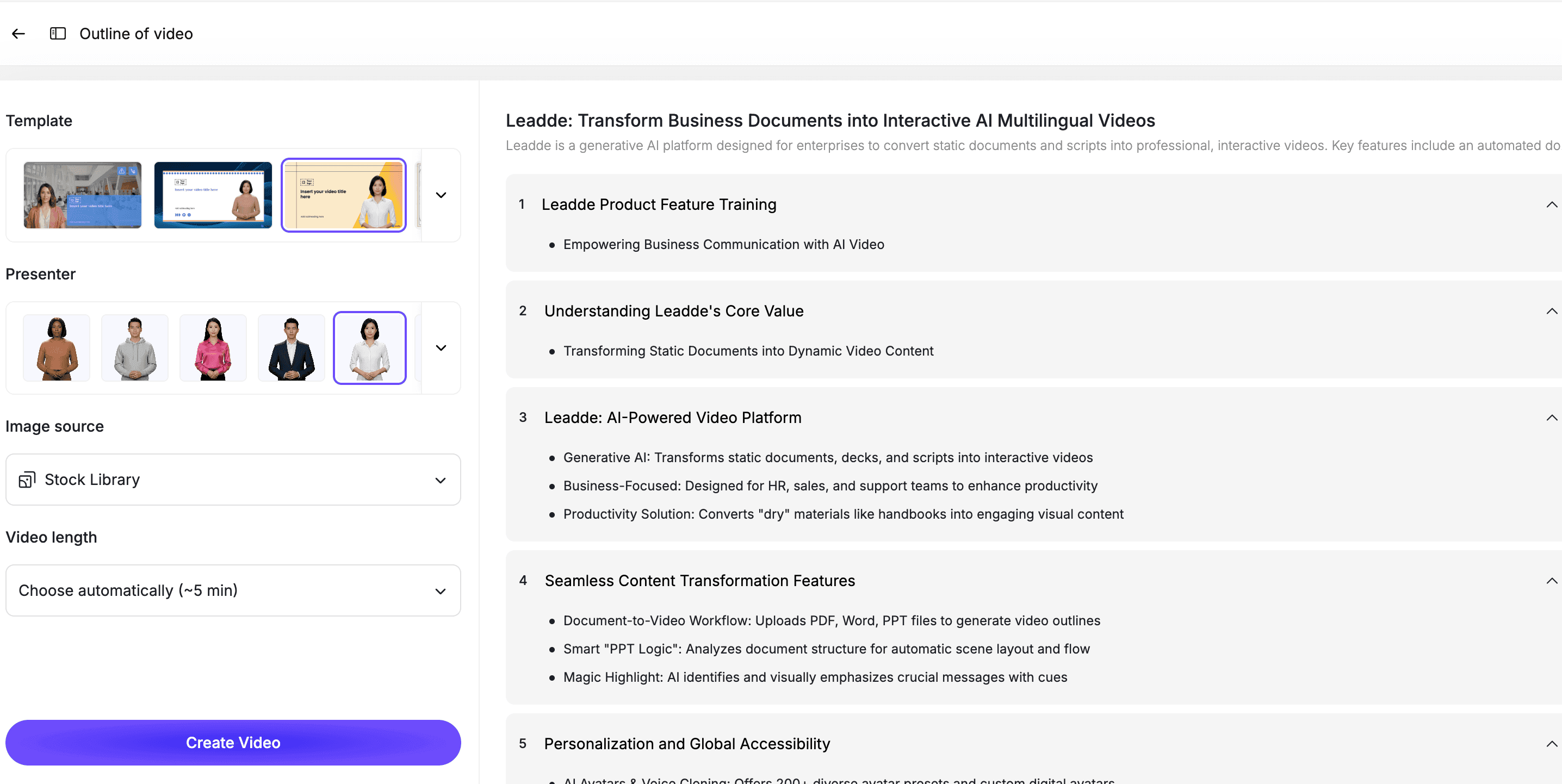
Use visual highlights for:
- Key rules
- Dos and don'ts
- Reporting steps
- Approval paths
- Required documents
- Common mistakes
- Escalation contacts
- Scenario examples
This helps employees remember the behavior, not just the policy text.
Step 6: Review with the Compliance Owner
AI can help create the first draft, but compliance content needs review.
Before publishing, compare the video against the source policy, SOP, or training material.
Check for:
- Missing requirements
- Changed meaning
- Over-simplified rules
- Incorrect examples
- Outdated language
- Missing exceptions
- Unclear reporting steps
- Misleading visuals
- Tone that does not match the topic
For high-risk topics, the compliance owner, HR, legal, security, finance, healthcare compliance, or operations leader should approve the final video.
Best Practices for Compliance Training Videos
Keep Each Video Focused
One video should explain one compliance topic, one policy area, or one required behavior.
If the topic is broad, split it into multiple short modules.
Keep the Official Policy as the Source of Truth
The video is a training layer, not the official legal or compliance document.
Employees should still be able to access the original policy, SOP, or handbook for exact language and details.
Use Realistic Examples
Examples make compliance training easier to apply.
Use simple, realistic scenarios that match your workplace. Avoid dramatic or confusing examples unless the compliance owner approves them.
Match the Tone to the Risk
A cybersecurity video can be practical and direct. An anti-harassment video should be serious and respectful. A finance policy video can be clear and procedural.
Tone affects credibility.
Make the Video Easy to Update
Compliance requirements change.
Use an editable workflow so your team can update a script line, example, scene, or presenter without recreating the entire video.
How Leadde Helps Create Compliance Training Videos
Leadde helps teams turn compliance documents, policies, SOPs, PDFs, and training decks into editable, avatar-led training videos.
With Leadde, teams can:
- Upload compliance source materials
- Generate plain-language training scripts
- Break policies and procedures into short scenes
- Add AI presenters
- Edit scripts and scenes before publishing
- Add examples, captions, and visual highlights
- Create multilingual compliance training videos
- Update videos when policies or requirements change
Start with AI Training Video Generator if your team is building a broader compliance training library. Use Policy Video for policy-specific videos, or SOP Video Maker for procedure-based compliance training.
If you already have a compliance document ready, you can also try Leadde directly and start building your first compliance training video.
Common Mistakes to Avoid
Mistake 1: Turning the Entire Compliance Manual into One Video
A full compliance manual is too broad for one video.
Split it into shorter modules by topic, audience, or required action.
Mistake 2: Reading the Policy Word for Word
Compliance language is often too formal for training.
Rewrite it into plain language while preserving the meaning.
Mistake 3: Leaving Out Examples
Employees need to understand how the rule applies in real situations.
Include simple examples, decision points, and common mistakes.
Mistake 4: Skipping Review
Compliance training can affect risk.
The compliance owner should review the script and final video before publishing.
Mistake 5: Forgetting to Update the Video
When the policy changes, the video should change too.
Use an editable workflow so updates are fast and controlled.
FAQ
What is a compliance training video?
A compliance training video is a video that teaches employees how to follow required rules, policies, procedures, or behavior standards. It helps explain what the rule means, why it matters, and what employees should do in real situations.
What are good compliance training video examples?
Good examples include code of conduct videos, anti-harassment training videos, data privacy videos, cybersecurity awareness videos, finance compliance videos, healthcare compliance videos, workplace safety videos, SOP compliance videos, and onboarding compliance videos.
Can AI create compliance training videos?
Yes. AI can help create compliance training videos by turning policies, SOPs, PDFs, and training documents into scripts, scenes, captions, and editable video drafts. Human review is still important before publishing.
Should compliance videos replace written policies?
No. Written policies, SOPs, or compliance documents should remain the source of truth. Videos help employees understand and apply the rules, but they should not replace official documents.
How long should a compliance training video be?
Most compliance training videos should be short and focused. A good target is 2 to 6 minutes per topic. Longer programs should be split into multiple modules.
Who should review compliance training videos?
The compliance owner or policy owner should review the final video. Depending on the topic, HR, legal, security, finance, healthcare compliance, or operations leaders may also need to approve it.
Can compliance training videos be updated later?
Yes, if they are built in an editable workflow. Your team should be able to update scripts, examples, scenes, captions, and visuals when policies or requirements change.
Conclusion
Compliance training videos help teams turn formal rules into clear, practical learning experiences.
The best videos do more than summarize a policy. They explain what the rule means, why it matters, who it applies to, what behavior is expected, and what employees should do in real situations.
Start with one compliance topic, define the training objective, upload the source materials, turn the content into plain-language scenes, add an AI presenter, review the video with the compliance owner, and keep the final version editable.
Use Leadde's AI Training Video Generator to turn compliance documents, policies, and procedures into editable, avatar-led training videos.