Employee Onboarding Video Script Template: Examples and AI Workflow
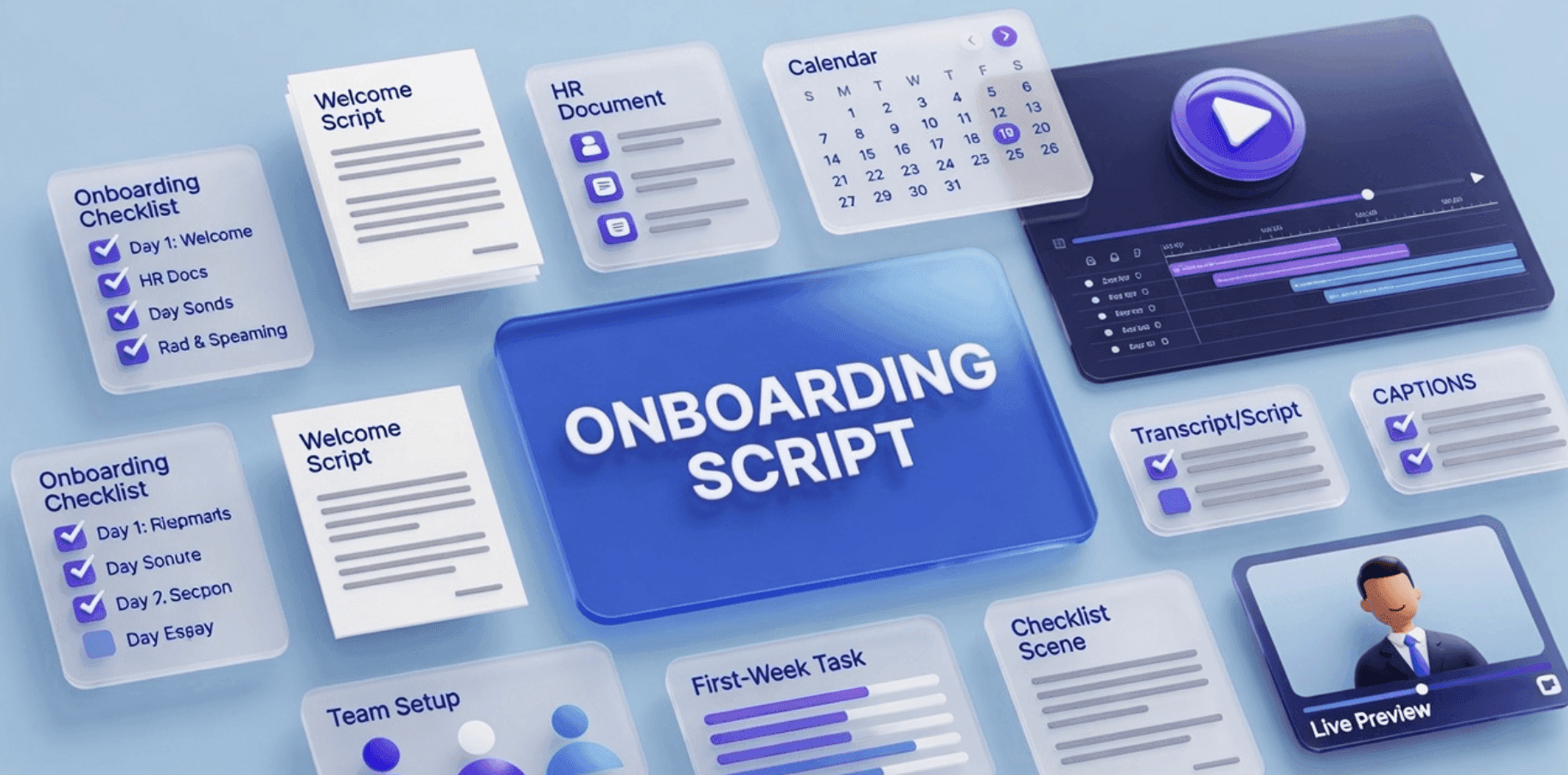
A good employee onboarding video starts with a good script.
The video can have an AI presenter, polished visuals, captions, and a clear layout, but if the script is vague, the onboarding experience will still feel generic. New hires need more than a welcome message. They need to understand what to do, where to go, who to ask, and what matters in their first days on the team.
That is why an onboarding video script template is useful.
Instead of starting from a blank page, HR, L&D, people operations, and team managers can use a repeatable script structure for welcome videos, first-week guides, policy explainers, tools setup, benefits overviews, and role-specific training.
If your team wants to turn onboarding scripts, documents, and checklists into videos, Leadde's AI Onboarding Video Maker helps create editable, avatar-led onboarding videos for new hires.
Why Employee Onboarding Videos Need a Script
Employee onboarding videos often fail because they try to do too much at once.
A new hire does not need a long company documentary on day one. They need a clear path through the first few steps: what the company does, how the team works, what tools to set up, which policies matter, and what to do next.
A script helps keep the video focused.
A strong onboarding video script can:
- Welcome the new hire clearly
- Explain what the video covers
- Set expectations for the first week
- Break complex information into short sections
- Explain policies in plain language
- Make tool setup easier to follow
- Reduce repeated HR and manager questions
- Keep onboarding consistent across teams
- Give AI video tools better source material
For broader inspiration, see Leadde's related guide with employee onboarding video examples. This article focuses specifically on script templates your team can copy and adapt.
Employee Onboarding Video Script Structure
A useful onboarding video script should be simple, modular, and easy to edit.
Here is the basic structure:
| Section | Purpose | Example |
|---|---|---|
| Opening | Welcome the new hire | "Welcome to the team. We are excited to have you here." |
| Context | Explain what the video covers | "In this video, we will walk through your first-week setup." |
| Key steps | Tell the employee what to do | "First, activate your account. Then join the team workspace." |
| Expectations | Clarify what matters | "By Friday, you should have completed your setup checklist." |
| Support | Tell them where to ask for help | "If you get stuck, contact your manager or People Operations." |
| Closing | End with the next action | "Your next step is to complete the onboarding checklist." |
This structure works for most onboarding videos because it gives the new hire direction without overwhelming them.
Copy-Paste Employee Onboarding Video Script Template
Use this template as a starting point.
Template: General Employee Onboarding Video
Opening
Welcome to [Company Name]. We are excited to have you join the team.
Starting a new role can feel like a lot, so this video will walk you through the most important things to know during your first few days.
What this video covers
In this onboarding video, we will cover:
- What [Company Name] does
- How your first week is structured
- Which tools you need to set up
- Which policies you should review
- Where to find key resources
- Who to contact if you need help
Company context
At [Company Name], our goal is to [briefly explain company mission or product]. Your work will help us [connect the new hire's role to company impact].
First-week expectations
During your first week, focus on three things:
- Set up your accounts and tools.
- Meet your manager and core teammates.
- Complete the required onboarding and policy training.
You do not need to learn everything at once. The goal of the first week is to understand the basics, ask questions, and know where to find information.
Tools and resources
You will use [Tool 1], [Tool 2], and [Tool 3] for daily work. You can find setup instructions in [resource location].
If a tool does not work or you do not have access, contact [support owner or team].
Policies and training
Please review the required policies in your onboarding checklist. These may include security, communication, expense, remote work, and code of conduct policies.
The policy documents are the source of truth. This video is here to help you understand what to do next.
Where to ask for help
If you have questions, start with your manager. For HR questions, contact [HR contact]. For technical access issues, contact [IT contact]. For team-specific questions, use [team channel].
Closing
Your next step is to complete the onboarding checklist and schedule your first check-in with your manager.
Welcome again to [Company Name]. We are glad you are here.
Employee Onboarding Video Script Examples
Different onboarding videos need different scripts. A welcome video is not the same as a tools setup video. A policy explainer needs a different tone from a role-specific training video.
Here are practical script examples your team can adapt.
Example 1: New Hire Welcome Video Script
A welcome video should be short, warm, and clear. It should not overload the employee with every detail.
Script Template
Welcome to [Company Name]. We are excited to have you on the team.
In this video, we want to give you a quick overview of what to expect during your first week.
You will meet your manager, set up your core tools, review important company policies, and learn how your team works. You will also have time to ask questions and get familiar with your role.
Your first week is not about knowing everything. It is about getting oriented, meeting the right people, and understanding where to find help.
Your next step is to open your onboarding checklist and complete the first three setup tasks.
Welcome again. We are excited to work with you.
Best For
- Day-one welcome
- HR onboarding
- Company-wide new hire orientation
- Remote onboarding
- Async onboarding programs
For more ideas, see Leadde's guide on how to create onboarding videos in 5 minutes.
Example 2: First-Week Checklist Video Script
A first-week checklist video helps new hires understand what to do without reading a long document.
Script Template
In this video, we will walk through your first-week checklist.
By the end of the week, you should complete five key tasks.
First, activate your company accounts and confirm that you can access your email, calendar, and team workspace.
Second, review your onboarding schedule and attend your required orientation sessions.
Third, read the required policies in your onboarding folder. These include security, communication, expense, and workplace conduct policies.
Fourth, schedule your first one-on-one with your manager.
Fifth, introduce yourself in [team channel or workspace].
If you get stuck at any step, check the onboarding guide or contact [support owner].
The goal is not to rush. The goal is to make sure you have the right access, the right context, and the right support.
Best For
- Remote teams
- HR onboarding portals
- LMS onboarding modules
- New hire task lists
- Manager-led onboarding
If your checklist lives in a PDF or document, you can turn it into video using Doc to Video or PDF to Video.
Example 3: Tools Setup Onboarding Video Script
Tools setup is one of the most common onboarding friction points.
A video can reduce repeated questions and make setup easier to follow.
Script Template
This video will help you set up the core tools you need for your role.
You will use [Tool 1] for communication, [Tool 2] for project work, [Tool 3] for documentation, and [Tool 4] for team meetings.
Start by checking your company email for account invitations. Accept each invitation and follow the setup instructions.
Next, log in to [Tool 1] and join the required team channels. Your manager will confirm which channels are most important for your role.
Then, open [Tool 2] and review your assigned onboarding tasks.
If you do not see an invitation or cannot access a tool, contact [IT contact or support channel]. Do not create a personal account unless the instructions say to do so.
When all tools are ready, mark the setup task as complete in your onboarding checklist.
Best For
- IT onboarding
- Remote employee setup
- SaaS tool onboarding
- Role-specific access setup
- First-day onboarding
Example 4: Policy Overview Video Script
Policy training should be clear and practical.
The goal is not to read the full policy word for word. The goal is to help new hires understand what the policy means and where to find the official version.
Script Template
In this video, we will review the key policies you need to know as a new employee.
These policies help protect our team, our customers, and our company.
You will find the official policy documents in [resource location]. The documents are the source of truth. This video is a guide to help you understand what to review first.
Start with the security policy. It explains how to protect company and customer information.
Next, review the communication policy. It explains how we use email, chat, meetings, and shared documents.
Then, review the expense policy. It explains what can be reimbursed, what needs approval, and how to submit receipts.
Finally, review the code of conduct. It explains the behavior we expect from everyone on the team.
If you are ever unsure about a policy, ask your manager or contact [HR or compliance contact].
Best For
- HR policy onboarding
- Compliance onboarding
- Employee handbook overview
- Remote work policy introduction
- Security and conduct refreshers
For deeper policy content, see Leadde's policy training video examples.
Example 5: Manager Introduction Video Script
Managers can use onboarding videos to make the first week feel more personal and structured.
Script Template
Hi [New Hire Name], welcome to the team. I am [Manager Name], and I will be your manager.
I wanted to give you a quick overview of what to expect as you get started.
During your first week, we will focus on learning the team, understanding your role, and making sure you have the tools and context you need.
You do not need to have all the answers right away. I encourage you to ask questions, take notes, and share anything that feels unclear.
We will have our first one-on-one on [date]. In that meeting, we will talk about your goals, your onboarding plan, and how we will work together.
Your next step is to review the onboarding checklist and complete the first setup tasks.
Welcome again. I am excited to have you here.
Best For
- Manager-led onboarding
- Remote employee welcome
- Personalized onboarding
- Small team introductions
- Department onboarding
Example 6: Role-Specific Training Video Script
Role-specific onboarding helps new hires understand what success looks like in their actual job.
Script Template
This video introduces the key workflows for your role as [Role Name].
In this role, your main responsibilities include [Responsibility 1], [Responsibility 2], and [Responsibility 3].
During your first two weeks, focus on understanding how our team handles [core workflow]. This workflow includes three steps.
First, [Step 1].
Second, [Step 2].
Third, [Step 3].
The most common mistake new team members make is [common mistake]. To avoid it, make sure you [best practice].
You can find the full process documentation in [resource location].
If you have questions, ask [manager or process owner].
Your next step is to review the workflow document and watch the next training video in this onboarding series.
Best For
- Department onboarding
- Sales onboarding
- Customer support onboarding
- Operations onboarding
- Product or engineering onboarding
- Role-specific workflows
For SOP-based role training, see Leadde's SOP training video examples.
How to Turn an Onboarding Script into an AI Video
Once you have the script, the next step is to turn it into a video.
The workflow is simple.
Step 1: Choose One Onboarding Topic
Do not try to cover the entire onboarding program in one video.
Start with one topic:
- Welcome to the company
- First-week checklist
- Tools setup
- Policy overview
- Manager introduction
- Role-specific workflow
- Benefits overview
- Team communication norms
One topic should usually become one short video.
Step 2: Fill in the Script Template
Start with the template that matches your use case.
Replace placeholders like:
- [Company Name]
- [Manager Name]
- [Tool 1]
- [Resource Location]
- [HR Contact]
- [Team Channel]
- [Next Step]
Then read the script out loud. If it sounds too formal, simplify it.
A good onboarding video script should sound like a helpful teammate, not a legal document.
Step 3: Add Source Materials
If the script is based on existing onboarding documents, upload those materials into your AI video workflow.
Useful source materials include:
- Employee handbook
- Onboarding checklist
- Tools setup guide
- HR policy PDF
- Role-specific SOP
- Team wiki page
- PowerPoint orientation deck
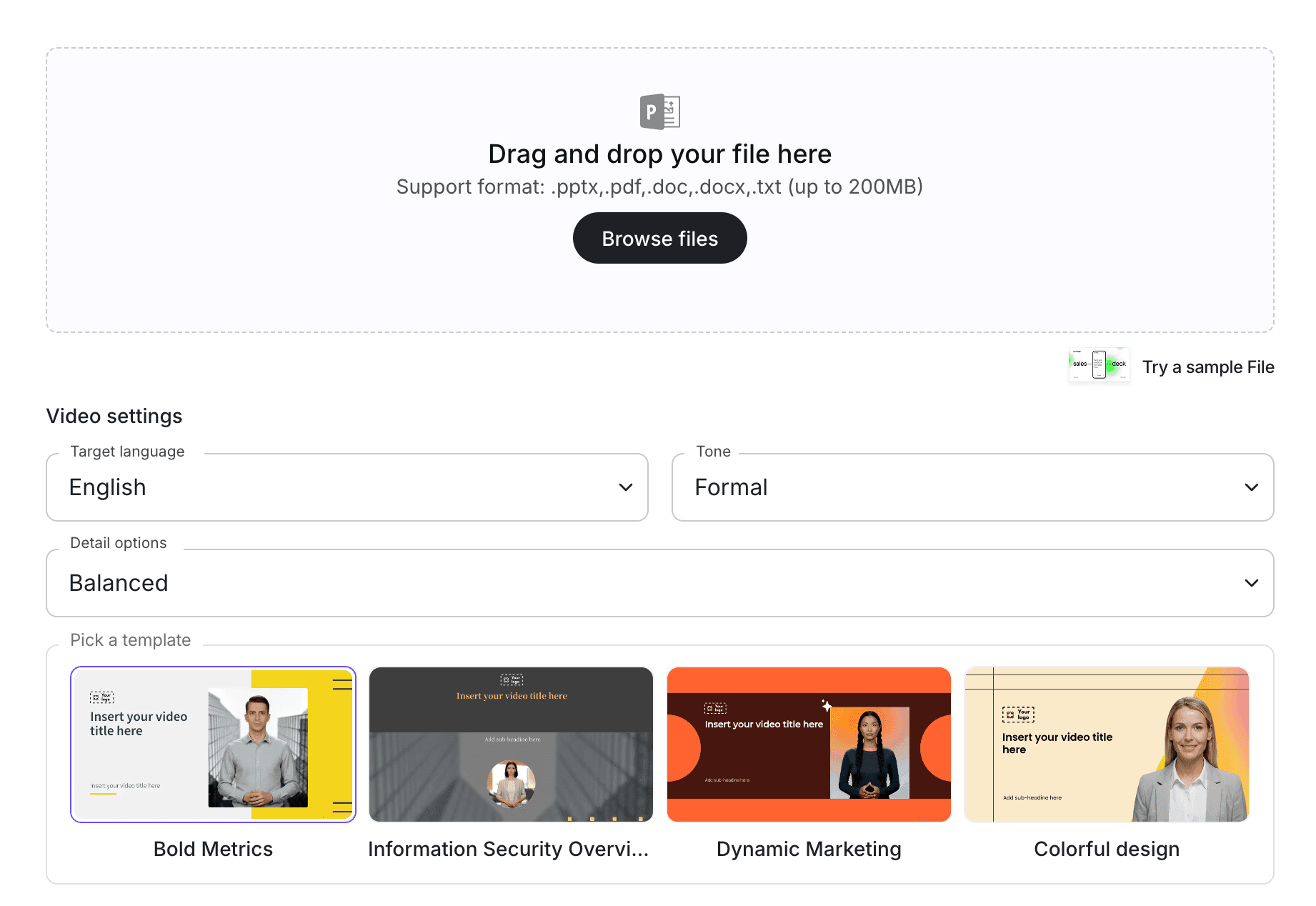
Leadde can help turn these materials into video workflows through Doc to Video, PDF to Video, and PowerPoint to Video.
Step 4: Create the Video with an AI Presenter
An AI presenter can make onboarding feel more guided and personal.
With an AI avatar generator, teams can create presenter-led onboarding videos without filming a new video every time the script changes.
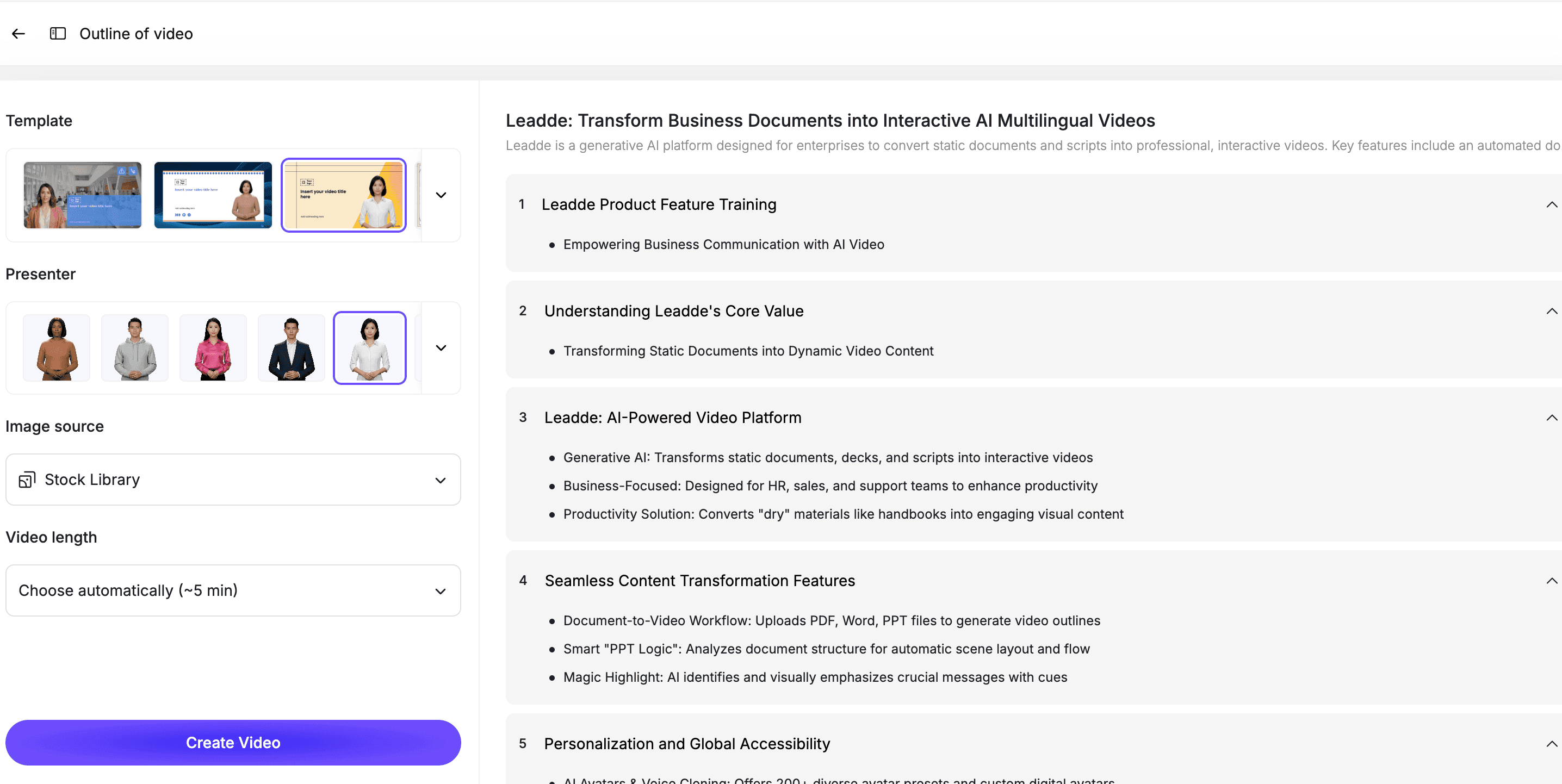
Choose a presenter style that matches the video:
- Welcome video: warm and friendly
- Policy overview: clear and professional
- Tools setup: practical and direct
- Role-specific training: focused and confident
- Manager intro: personal and conversational
Step 5: Review Before Publishing
Before publishing, review the final video.
Check for:
- Outdated tools or links
- Incorrect names or contacts
- Missing next steps
- Confusing policy language
- Unclear instructions
- Too much information in one video
- Tone that feels too formal or robotic
The owner of the onboarding process should approve the final version before it goes live.
Best Practices for Employee Onboarding Video Scripts
Keep Each Video Short
Most onboarding videos should be 2 to 5 minutes.
If the topic needs more time, split it into multiple videos.
Give One Clear Next Step
Every onboarding video should end with one action.
Examples:
- Complete your setup checklist.
- Schedule your manager check-in.
- Review the security policy.
- Join the team workspace.
- Watch the next video in the series.
Use Plain Language
Avoid internal jargon in the first video.
New hires may not know team names, acronyms, workflows, or tool names yet.
Keep the Tone Human
Even if the video is created with AI, the script should feel personal.
Use direct language:
- "Welcome to the team."
- "Here is what to do next."
- "If you get stuck, ask your manager."
- "You do not need to learn everything today."
Make Scripts Easy to Update
Onboarding content changes often.
Keep scripts modular so your team can update one video when a tool, policy, or contact changes.
How Leadde Helps Create Employee Onboarding Videos
Leadde helps teams turn onboarding scripts, documents, checklists, PDFs, and slide decks into editable AI videos.
With Leadde, teams can:
- Turn onboarding scripts into video scenes
- Add AI presenters
- Upload onboarding documents and checklists
- Edit scripts before publishing
- Add captions, visuals, and scene titles
- Create multilingual onboarding videos
- Update videos when policies or tools change
- Build a consistent onboarding video library
Start with AI Onboarding Video Maker if you are creating onboarding content for new hires. Use AI Training Video Generator if your team is building a broader employee training library.
If you already have an onboarding script or checklist ready, you can also try Leadde directly and start building your first onboarding video.
For related guidance, see how to create AI avatar videos for employee onboarding.
Common Mistakes to Avoid
Mistake 1: Writing One Script for the Entire Onboarding Program
A single onboarding script will become too long.
Split onboarding into short videos by topic.
Mistake 2: Making the Script Too Generic
A generic welcome video does not help new hires take action.
Include specific tools, contacts, resources, and next steps.
Mistake 3: Reading the Employee Handbook Word for Word
The handbook is a reference document.
The onboarding video should explain what the new hire needs to know first.
Mistake 4: Forgetting the Manager's Role
Onboarding is not only HR's job.
Add manager-specific videos or team-level scripts when possible.
Mistake 5: Not Updating the Video
Onboarding changes when tools, policies, teams, or processes change.
Use an editable workflow so updates are fast.
FAQ
What is an employee onboarding video script?
An employee onboarding video script is the written narration and structure for a video that welcomes new hires, explains key information, and tells them what to do next during onboarding.
What should an onboarding video script include?
A strong onboarding video script should include a welcome message, context, key steps, first-week expectations, tools or resources, support contacts, and a clear next action.
How long should an employee onboarding video be?
Most employee onboarding videos should be 2 to 5 minutes. If the topic is complex, split it into multiple short videos instead of one long video.
Can AI create employee onboarding videos from a script?
Yes. AI can turn an onboarding script into a video by generating scenes, adding narration or an AI presenter, creating captions, and producing an editable video draft.
What are good employee onboarding video topics?
Good topics include welcome videos, first-week checklists, tools setup, policy overviews, manager introductions, role-specific workflows, benefits explanations, and team communication norms.
Should onboarding videos replace live onboarding?
No. Onboarding videos should support live onboarding, not replace it completely. They help standardize repeated information so managers and HR teams can spend more time on personal support.
Can onboarding videos be updated later?
Yes, if they are created in an editable workflow. Your team should be able to update scripts, scenes, visuals, presenters, and captions when onboarding materials change.
Conclusion
Employee onboarding videos work best when they start with a clear script.
A strong script welcomes the new hire, explains what the video covers, gives practical steps, points to the right resources, and ends with a clear next action. It helps HR teams, managers, and L&D teams create consistent onboarding without repeating the same explanation every time someone joins.
Start with one onboarding topic, choose a script template, customize the placeholders, turn the script into scenes, add an AI presenter, review the final video, and keep the content editable.
Use Leadde's AI Onboarding Video Maker to turn your employee onboarding video scripts into editable, avatar-led onboarding videos.