
SOP Training Video Examples You Can Make with AI
SOPs are essential for keeping teams consistent, compliant, and efficient. But a written SOP is not always enough.
A standard operating procedure may explain the right steps, but employees still need to understand when to use it, why it matters, what mistakes to avoid, and what good execution looks like in practice. That is where SOP training videos can help.
Instead of asking teams to read long process documents, companies can turn SOPs into short, structured training videos. These videos can explain the process, show the required steps, highlight common mistakes, and give employees a clearer way to follow the procedure.
If your team already has SOP documents, Leadde's SOP Video Maker helps turn them into editable, avatar-led training videos for onboarding, operations, compliance, safety, customer support, and internal training.
Why SOP Training Videos Work Better Than SOP Documents Alone
SOP documents are useful as official reference materials. But they are often too dense for day-to-day training.
Employees may read the SOP once and forget the details. New hires may not know which steps matter most. Managers may need to repeat the same explanation again. In regulated or high-risk workflows, misunderstanding a procedure can create compliance, safety, or customer experience problems.
SOP training videos help by making procedures easier to learn and repeat.
A good SOP training video can:
- Explain the purpose of the procedure
- Show the required steps in order
- Clarify who is responsible for each step
- Highlight common mistakes
- Explain what to do when something goes wrong
- Reinforce compliance or safety requirements
- Help new hires learn faster
- Make processes easier to update and reuse
AI makes this faster because teams do not need to film every process manually, record voiceover, or rebuild training videos from scratch each time an SOP changes.
For a step-by-step guide, see Leadde's related article on turning SOP documents into training videos. This article focuses on practical SOP training video examples your team can create.
SOP Training Video Examples by Team
Different teams need different SOP videos. A support SOP is not the same as a safety SOP. A sales handoff process is not the same as a compliance approval process.
Here are practical examples.
| SOP Training Video Example | Best For | What the Video Should Teach |
|---|---|---|
| New hire process SOP video | HR and onboarding | How to complete first-week tasks correctly |
| Customer support escalation SOP video | Support teams | When and how to escalate customer issues |
| Safety procedure SOP video | Operations and frontline teams | Required safety steps and mistakes to avoid |
| Compliance approval SOP video | Legal, finance, HR, compliance | How to follow approval rules and documentation steps |
| IT access request SOP video | IT and security teams | How to request, approve, and revoke access |
| Sales-to-CS handoff SOP video | Sales and customer success | How to transfer account context after a deal closes |
| Manufacturing or cleanroom SOP video | Manufacturing and regulated teams | How to complete repeatable procedures consistently |
| Incident response SOP video | Security, operations, support | What to do when an issue or emergency happens |
The best SOP videos are short, specific, and role-based. One video should usually explain one procedure, one workflow, or one decision point.
Example 1: New Hire Onboarding SOP Video
Many companies have onboarding SOPs that explain what a new hire should do in their first week.
The SOP may include:
- Account setup
- Tool access
- Required training
- HR forms
- Security requirements
- Team introductions
- First-week checklist
- Manager check-ins
As a written document, this can feel overwhelming. As a video, it can become a guided walkthrough.
A strong new hire SOP training video should explain:
- What the new hire needs to complete
- Which steps happen on day one
- Which tools need to be set up
- Who to contact for help
- What must be completed before the end of the first week
This type of video is useful because onboarding is repeated often. HR teams should not need to explain the same checklist manually every time a new employee joins.
For onboarding-specific workflows, use AI Onboarding Video Maker.
Example 2: Customer Support Escalation SOP Video
Customer support teams often have escalation SOPs that define when an issue should move to another team.
A support escalation SOP may include:
- Severity levels
- Response time rules
- Required customer information
- Internal owner assignment
- Communication templates
- Documentation steps
- Follow-up requirements
A video can explain the escalation process more clearly than a text document.
A good support escalation SOP video should show:
- What counts as a high-priority issue
- When to escalate
- What information to collect before escalating
- What not to promise the customer
- How to document the issue
- What happens after escalation
This is especially useful for new support agents who need examples, not just rules.
Example 3: Safety Procedure SOP Video
Safety SOPs are some of the best candidates for training videos because the procedure needs to be followed correctly.
A safety SOP video might cover:
- Required equipment
- Preparation steps
- Restricted actions
- Emergency procedures
- Inspection checklists
- Reporting requirements
- Common mistakes
- Final confirmation steps
Instead of asking employees to read a safety document, a video can show the sequence of actions and highlight the risks.
A strong safety SOP training video should use clear, direct language. It should not be overly creative. The goal is accuracy, clarity, and memory.
If your team creates safety or compliance training often, connect this workflow with an AI training video generator so all modules follow a consistent format.
Example 4: Compliance Approval SOP Video
Compliance, finance, HR, and legal teams often have SOPs for approvals.
These may cover:
- Who can approve a request
- Which documents are required
- What threshold triggers additional review
- How to record the decision
- What to do if information is missing
- What happens if approval is denied
A compliance approval SOP video can turn a formal process into a practical training module.
A good video should explain:
- What the approval process protects
- Who needs to follow it
- Which steps are required
- What evidence or documentation is needed
- What common mistakes cause delays
- Where to ask questions
This helps employees follow the process correctly without depending on one manager to explain it each time.
Example 5: IT Access Request SOP Video
IT and security teams often have SOPs for requesting, approving, changing, and removing access.
An access request SOP video can explain:
- How to submit a request
- Who approves access
- What information is required
- How long approval usually takes
- What access should not be requested
- How to remove access when someone changes roles
- What to do for urgent requests
This type of training video is useful because access workflows affect security and compliance. If employees do not follow the process, teams may create unnecessary risk.
A video can make the steps easier to understand and reduce repeated questions to IT.
Example 6: Sales-to-Customer-Success Handoff SOP Video
Sales-to-CS handoff is a common process that often breaks down when expectations are unclear.
A handoff SOP may explain:
- When the handoff starts
- What information sales must provide
- Which notes belong in the CRM
- What customer goals should be shared
- What risks or objections should be documented
- Who owns the next meeting
- What the customer success team should do next
A video can explain the workflow with examples.
A strong handoff SOP training video should show what a good handoff looks like and what a weak handoff misses.
This is useful for sales enablement, customer success onboarding, and manager coaching.
Example 7: Manufacturing or Cleanroom SOP Video
Manufacturing, lab, healthcare, and cleanroom procedures often require exact steps.
An SOP video might cover:
- Preparation
- Required materials
- Safety requirements
- Step-by-step procedure
- Quality checks
- Documentation
- Cleanup
- Escalation if something goes wrong
This kind of SOP training video should be precise and reviewable. The original SOP should remain the source of truth, and the video should help employees understand and remember the procedure.
For regulated or high-risk workflows, the process owner should review the final video before publishing.
Example 8: Incident Response SOP Video
Incident response SOPs are important because teams need to act quickly under pressure.
An incident response SOP video can explain:
- What counts as an incident
- Who should be notified
- What information to collect
- What actions to take first
- What not to do
- How to document the incident
- When to escalate
- How to close the loop after resolution
This format works for security incidents, customer-impacting outages, operations issues, compliance events, and internal emergencies.
A video can help teams remember the process before the incident happens.
How to Create SOP Training Videos with AI
The examples above all follow a similar workflow.
The goal is not to turn every sentence of the SOP into narration. The goal is to turn the procedure into a clear training experience.
Step 1: Choose One SOP
Start with one procedure, not an entire operations manual.
Good candidates include:
- A process new hires ask about often
- A workflow with repeated mistakes
- A compliance or safety procedure
- A customer-facing process
- A workflow that managers explain repeatedly
- A procedure that recently changed
One SOP should usually become one short video or a small video series.
Step 2: Define the Training Objective
Before generating the video, define what the learner should be able to do after watching.
Examples:
| SOP | Training Objective |
|---|---|
| New hire setup SOP | Complete first-week onboarding steps correctly |
| Escalation SOP | Know when and how to escalate a customer issue |
| Safety SOP | Follow the required safety sequence without missing steps |
| Approval SOP | Submit requests with the right documentation |
| Handoff SOP | Transfer customer context clearly between teams |
A clear objective keeps the video focused.
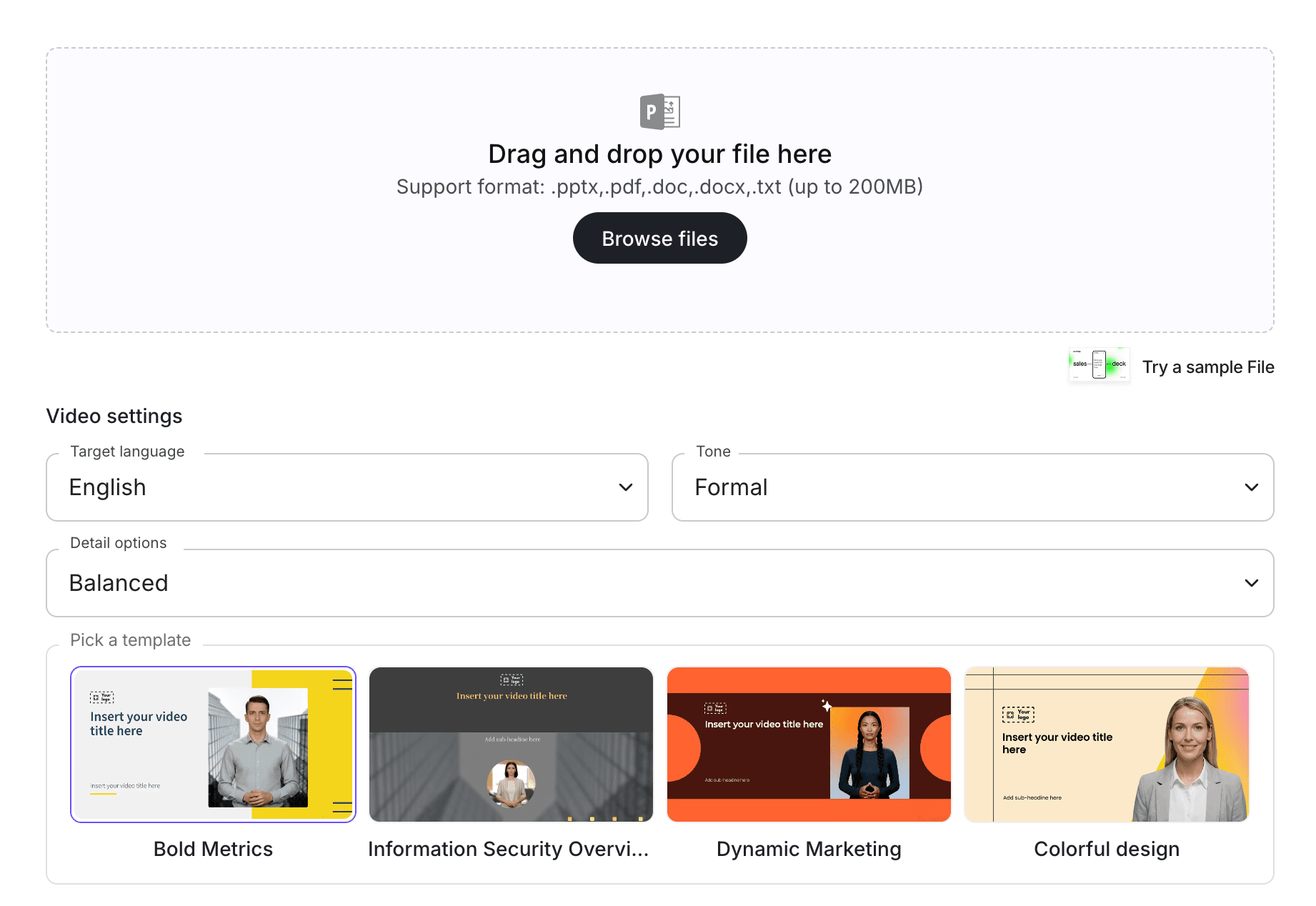
Step 3: Upload the SOP into an AI Video Workflow
With SOP Video Maker, teams can turn SOP content into editable video drafts. If the SOP is part of a larger document library, you can also use Doc to Video or PDF to Video, depending on the source format.
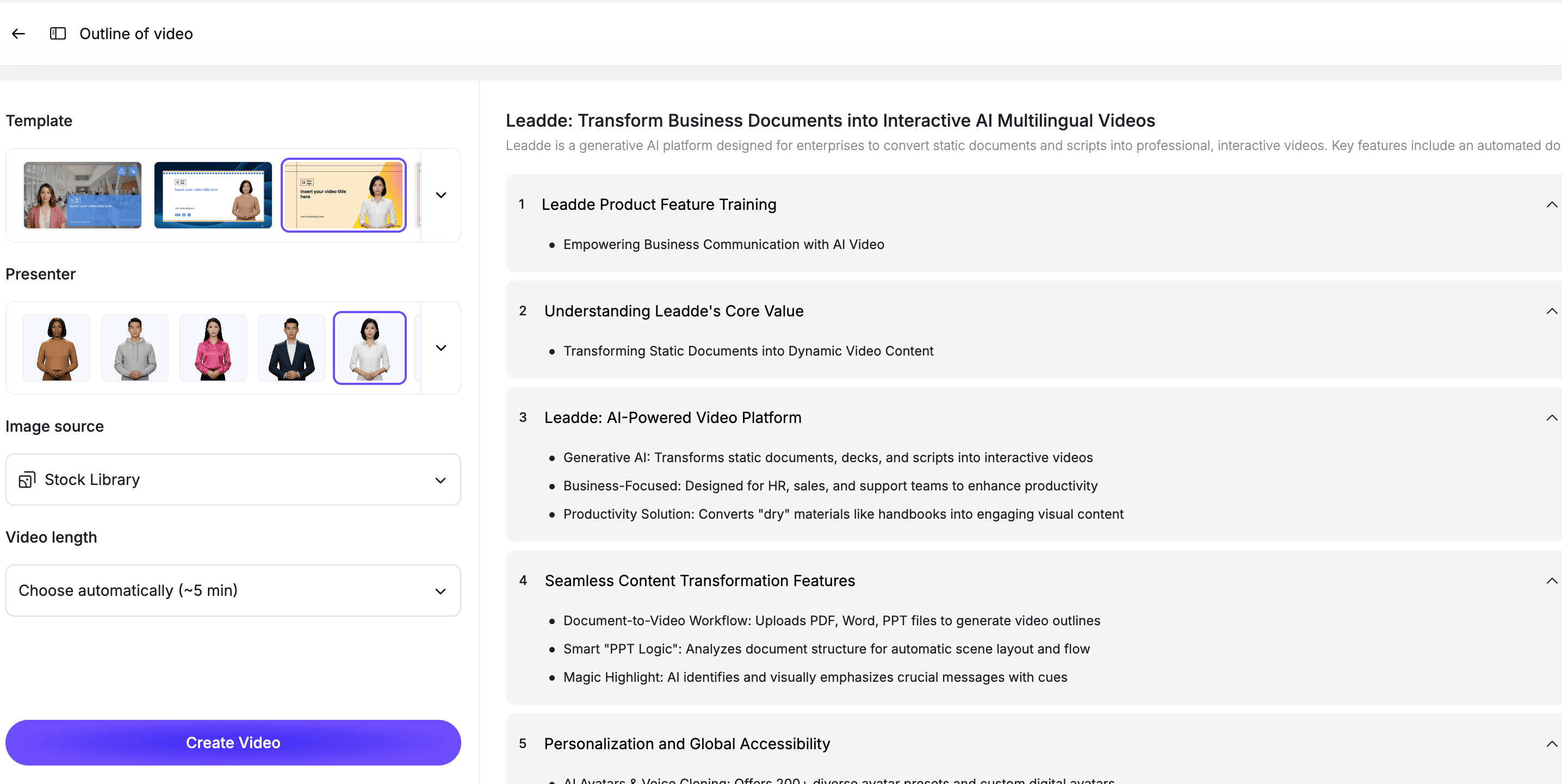
At this stage, the AI should identify the structure of the SOP, extract key steps, and generate a training-friendly outline.
The output should be reviewed before publishing, especially for compliance, safety, legal, or regulated workflows.
Step 4: Turn SOP Steps into Scenes
A strong SOP video should follow the procedure in order.
A simple scene structure might look like this:
| Scene | Purpose |
|---|---|
| Scene 1 | Explain what the SOP is for |
| Scene 2 | Define who must follow it |
| Scene 3 | List required materials or inputs |
| Scene 4 | Walk through the steps |
| Scene 5 | Highlight common mistakes |
| Scene 6 | Explain what to do if something goes wrong |
| Scene 7 | Summarize the key takeaways |
This structure helps employees understand both the process and the reason behind it.
Step 5: Add an AI Presenter and Visual Highlights
An AI presenter can make SOP training feel more guided than a static document.
With an AI avatar generator, teams can create presenter-led SOP videos without filming a trainer or recording new voiceover every time the procedure changes.
Use visual highlights for:
- Required steps
- Warnings
- Decision points
- Dos and don'ts
- Checklists
- Examples
- Escalation paths
- Review reminders
This helps employees remember the procedure more clearly.
Step 6: Review the Video Against the SOP
AI can speed up production, but SOP training needs accuracy.
Before publishing, compare the video against the source SOP.
Check for:
- Missing steps
- Incorrect order
- Changed meaning
- Missing warnings
- Incorrect terminology
- Outdated details
- Unclear responsibilities
- Visuals that distract from the procedure
For high-risk workflows, the SOP owner should approve the final video.
Best Practices for SOP Training Videos
Keep Each SOP Video Focused
One video should explain one procedure or one decision point.
If an SOP document covers multiple workflows, split it into multiple training videos.
Keep the SOP as the Source of Truth
The video is a training layer, not the official source.
The written SOP should remain available for exact policy language, detailed instructions, and formal documentation.
Show Common Mistakes
SOP training is more useful when it explains what can go wrong.
Include a short section on common mistakes, skipped steps, or misunderstood responsibilities.
Make Responsibilities Clear
A procedure often involves multiple roles.
Clarify who starts the process, who approves it, who completes the steps, and who should be contacted if there is a problem.
Make the Video Easy to Update
SOPs change.
Use an editable workflow so your team can update one scene, script line, or visual instead of recreating the whole video.
How Leadde Helps Create SOP Training Videos
Leadde helps teams turn SOP documents into editable, avatar-led training videos.
With Leadde, teams can:
- Upload SOP documents or process materials
- Generate training scripts from SOP content
- Break procedures into short scenes
- Add AI presenters
- Edit scripts and scenes before publishing
- Add visual highlights, captions, and checklists
- Create multilingual SOP training videos
- Update videos when procedures change
Start with SOP Video Maker if your source material is a standard operating procedure. Use AI Training Video Generator if your team is building a broader training library across SOPs, policies, onboarding materials, PDFs, and internal documents.
If you already have an SOP ready, you can also try Leadde directly and start building your first SOP training video.
Common Mistakes to Avoid
Mistake 1: Turning the Entire SOP Manual into One Video
A long SOP manual should not become one long video.
Split it into short modules by process, role, or workflow.
Mistake 2: Copying SOP Language Word for Word
SOP documents are often formal and dense.
Rewrite the content into clear spoken language while keeping the meaning accurate.
Mistake 3: Skipping the Reason Behind the Procedure
Employees follow procedures better when they understand why the process matters.
Explain the purpose, risk, or outcome behind the SOP.
Mistake 4: Leaving Out Edge Cases
Many SOPs fail in real life because employees do not know what to do when something is unusual.
Include escalation steps or exception handling when relevant.
Mistake 5: Publishing Without Process Owner Review
The SOP owner should review the final video.
This is especially important for safety, compliance, legal, security, healthcare, manufacturing, and finance workflows.
FAQ
What is an SOP training video?
An SOP training video is a video that teaches employees how to follow a standard operating procedure. It explains the purpose, steps, responsibilities, common mistakes, and required actions in a clearer format than a written document alone.
What are good SOP training video examples?
Good examples include onboarding SOP videos, customer support escalation videos, safety procedure videos, compliance approval videos, IT access request videos, sales handoff videos, manufacturing SOP videos, and incident response videos.
Can AI turn an SOP into a training video?
Yes. AI can turn an SOP into a training video by extracting the procedure, generating a spoken script, breaking the workflow into scenes, adding an AI presenter, and creating an editable video draft.
Should an SOP video replace the written SOP?
No. The written SOP should remain the source of truth. The video is a training layer that helps employees understand and apply the procedure.
How long should an SOP training video be?
Most SOP training videos should be short and focused. A good target is 2 to 6 minutes per procedure. Long SOPs should be split into multiple modules.
Who should review an SOP training video before publishing?
The SOP owner or process owner should review the final video. For high-risk workflows, compliance, safety, legal, security, or department leadership may also need to approve it.
Can SOP training videos be updated later?
Yes, if they are built in an editable workflow. Your team should be able to update scripts, scenes, presenters, visuals, and captions when the SOP changes.
Conclusion
SOP training videos help teams turn written procedures into clear, repeatable learning experiences.
The best videos do more than summarize the SOP. They explain why the process matters, who is responsible, what steps to follow, what mistakes to avoid, and what to do when something goes wrong.
Start with one high-value SOP, define the training objective, turn the procedure into scenes, add an AI presenter, review the video against the source document, and keep the final version editable.
Use Leadde's SOP Video Maker to turn your SOP documents into editable, avatar-led training videos.





