
How to Keep SOP Training Videos Updated When Processes Change

To keep SOP training videos updated when processes change, treat the SOP document as the source of truth, break each video into modular scenes, use AI to identify what changed, regenerate only the affected sections, review the update with a process owner, then publish the new version with clear version control and retraining notifications.
The key is not to re-record the entire video every time a workflow changes. A better AI SOP video workflow looks like this:
- Update the SOP document first.
- Use AI to turn the revised SOP into updated video scenes.
- Regenerate only the outdated sections.
- Refresh the voiceover, captions, on-screen text, and translations.
- Review the new version for accuracy.
- Archive the old version and notify affected employees.
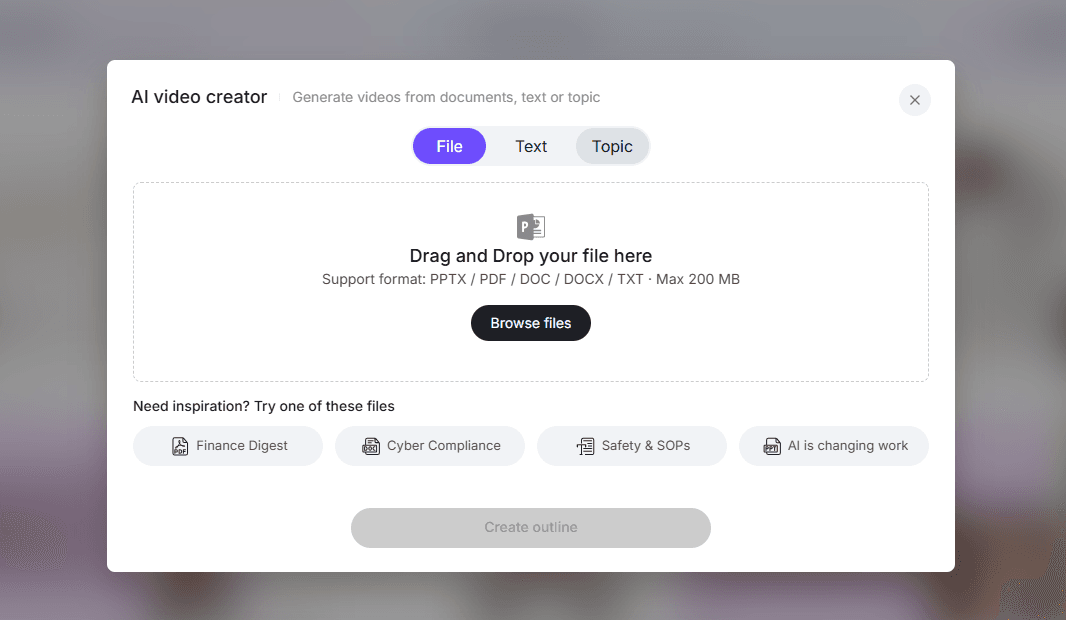
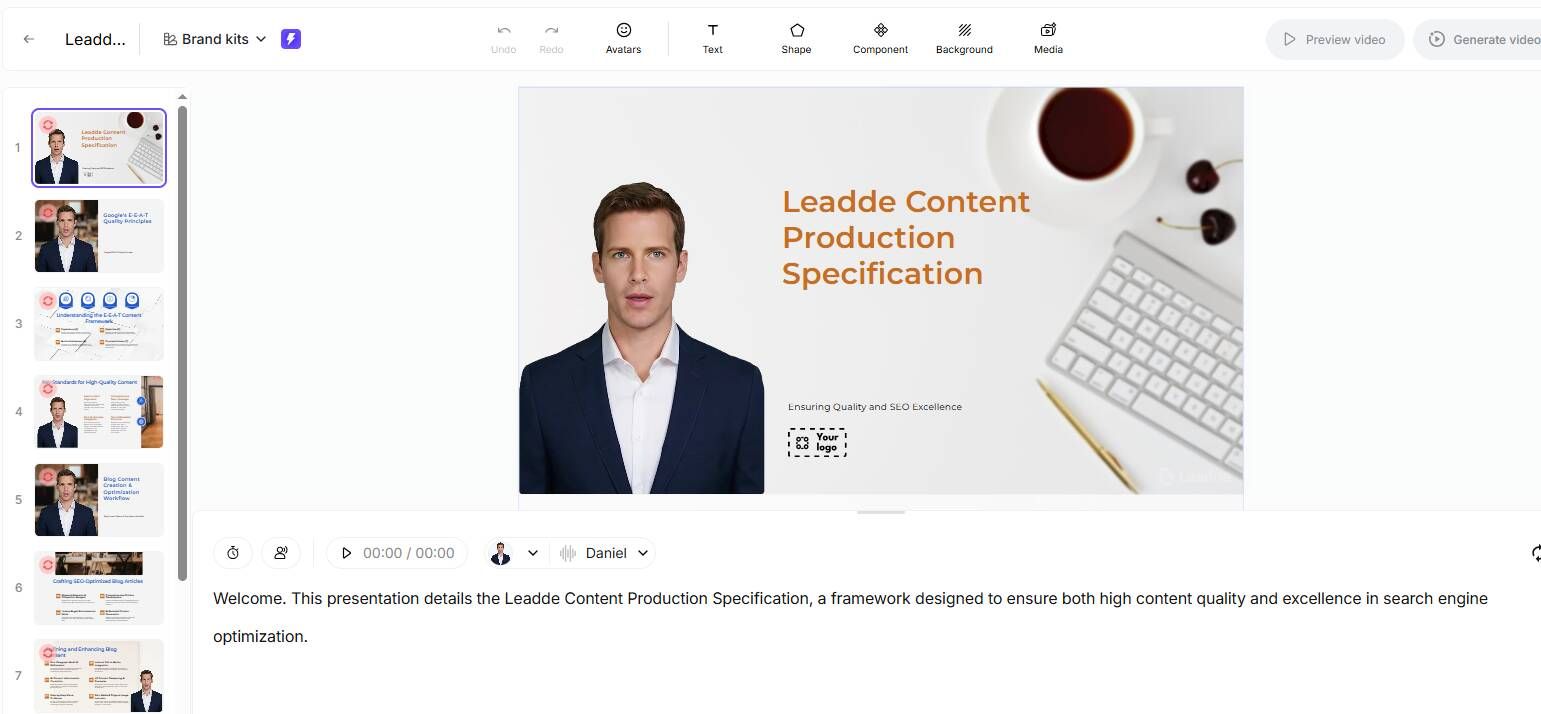
This is where platforms like Leadde are especially useful. Leadde helps teams turn SOP documents, PDFs, PPTs, scripts, and other business materials into structured training videos with AI avatars, voiceovers, visual layouts, and multilingual support. Its biggest advantage for SOP training is not just creating videos faster, but making them easier to update when the underlying process changes.

Why SOP Training Videos Become Outdated So Quickly
SOP training videos become outdated because business processes change faster than traditional video production workflows.
In our user research across small businesses, agencies, manufacturing teams, finance teams, HR teams, and operations groups, one pattern appeared repeatedly: teams did not only struggle to create SOP training content. They struggled to keep it current.
A training video can become outdated after:
- A software interface changes
- A compliance step is added
- A customer onboarding workflow is revised
- A billing process changes
- A safety instruction is updated
- A product feature changes
- A manufacturing process receives an engineering update
- A new AI tool changes the way employees complete a task
The risk is that employees often treat training videos as authoritative. If the video shows an old workflow, they may confidently follow the wrong process.
That makes outdated SOP videos more dangerous than outdated written documents. A PDF may be ignored, but a video creates a stronger sense of certainty.
One small-agency case from our research showed this clearly. An 8-person agency wanted to create internal training videos for project management, client onboarding, and design workflows. The team was repeating the same explanations around 10 times per week, but their workflows changed almost every month. Simple recording tools were easy to use, but updating those videos repeatedly became the real problem.
The first version of an SOP video is usually not the hard part. The second, third, and fourth versions are where the workflow breaks.
Why Traditional SOP Video Updates Are Too Slow
Traditional SOP video updates fail because they treat every process change like a new video production project.
A manual update workflow usually looks like this:
- Find the old SOP document
- Rewrite the script
- Re-record the screen or presenter
- Re-record the voiceover
- Edit the new clip into the old video
- Export the video again
- Upload the new version
- Replace the old link
- Tell employees the process changed
This process may work for a one-time course. It does not work well for operational SOPs that change frequently.
In one 50-person company case from our research, the team had already created SOPs, process videos, FAQs, short summaries, and visual instructions. They even had a 3-minute video explaining a basic time-off request process. Yet new hires still asked questions that were already answered in the materials.
That case revealed an important lesson:
Having SOP videos is not the same as having an up-to-date SOP training system.
A video library becomes fragile when:
- Videos are too long to search
- Different versions live in different tools
- No one owns the update process
- Employees do not know which version is current
- Managers answer questions directly instead of improving the SOP
- The written SOP and the video drift apart
This is why AI workflows are becoming important. They reduce the friction between a process change and a training content update.
Use the SOP Document as the Source of Truth
The most important rule is simple:
The SOP document should be the source of truth. The video should be a training asset generated from that source.
Many teams do the opposite. They record a video once, upload it somewhere, and treat it as the main training material. Then the written SOP changes, but the video does not. Or the video changes, but the document does not. Eventually, employees find conflicting instructions.
A better AI SOP video update workflow is:
- Maintain the SOP document as the master version
- Add a clear SOP ID and version number
- Link every training video to the source SOP
- Update the SOP document first when the process changes
- Use AI to regenerate the affected video sections
- Review the video against the updated SOP
- Publish the new version and archive the old one
For example, if a customer onboarding SOP changes because a new compliance check is added, the team should update the SOP first. Then an AI platform can help turn the revised section into updated scenes, narration, captions, and visual highlights.
This document-first model is where Leadde fits naturally. Teams can start with existing Word documents, PDFs, PPTs, scripts, or process notes, then convert them into structured training videos. When the SOP changes, the same source material can be revised and used to refresh the video faster.
Break SOP Training Videos into Modular Scenes
To make SOP training videos easier to update, avoid long, monolithic videos.
If a process has 12 steps, do not turn it into one 45-minute recording. Break it into smaller modules.
For example, instead of one video called:
“Complete Customer Onboarding Process”
Create separate modules:
- Create the customer record
- Verify required documents
- Complete the compliance check
- Assign the onboarding task list
- Send the welcome email
- Escalate missing information
When the compliance check changes, only that section needs to be updated.
This matters because most process changes are small. One approval step changes. One field is added. One screen changes. One exception rule is rewritten. One safety warning needs to be highlighted.
In another case from our research, a business owner grew a team from 3 people to 8 people and spent a full day training a new hire. The next day, the new hire still asked questions that had already been covered. The solution was not simply to record longer videos. The better solution was to build a searchable SOP system where repeated questions became small reusable training modules.
Another team reduced training time by recording repeatable responsibilities as SOPs and video walkthroughs. The important detail was that they separated the generic workflow from customer-specific variations. The base workflow became reusable video content, while exceptions were documented as separate SOP notes or modules.
That is the right model for AI-updated SOP videos:
- Standard process: reusable video module
- Exception: separate micro-module
- High-risk step: highlighted scene
- Frequently changing step: easy-to-regenerate section
- Role-specific workflow: separate version
Leadde-style document-to-video workflows work best when SOP content is structured this way.
Use AI to Identify and Regenerate Only What Changed
An effective AI SOP video workflow should help answer one question quickly:
What part of this video no longer matches the current SOP?
When a process changes, teams rarely need a completely new video. They need to locate and replace the outdated parts.
A practical AI workflow includes:
- Compare the old SOP with the new SOP
- Identify changed, added, or removed steps
- Map those changes to existing video scenes
- Rewrite only the affected script sections
- Regenerate the relevant voiceover and captions
- Update visual highlights or presenter scenes
- Review the revised video against the new SOP
- Publish the new version
This is the real advantage of AI. It does not need to blindly rewrite every training asset. It should reduce the manual work required to find, restructure, and regenerate the parts that changed.
One operational case showed why this matters. A key medical billing employee was leaving, and the team had about one week to capture the person’s computer-based workflow. The immediate need was to preserve knowledge: record the task, extract the steps, and turn them into usable training material for the next hire.
If that process is stored only as a raw screen recording, future updates are hard. But if the recording is converted into structured SOP content and then into modular video scenes, the company has something it can maintain.
The same issue appeared in a finance case. A large-company FP&A team used recorded meetings and training videos to help new analysts learn multiple systems and reporting workflows. This was a practical way to capture knowledge, but it also created the next challenge: how to keep those videos searchable, current, and aligned with changing systems.
AI helps turn these messy training assets into a more structured update workflow.
Add Human Review, Version Control, and Retraining
AI can speed up SOP video updates, but it should not be the final authority on operational accuracy.
Every AI-updated SOP training video should be reviewed before publishing. The reviewer should check:
- Are the steps correct?
- Are safety warnings still included?
- Are tool names and fields current?
- Are numbers, thresholds, and policy details accurate?
- Are exceptions explained clearly?
- Do captions match the narration?
- Is the video linked to the correct SOP version?
- Has the old version been archived?
This is especially important in manufacturing, healthcare, finance, HR compliance, safety, and regulated workflows.
In one manufacturing case, a small boat-building company wanted to place 5 tablets at workstations so employees could search for training videos by work order number. If an employee was working on job 154, they wanted to open the right video and related files such as PDFs or spreadsheets.
That case shows why accuracy and version control matter. In a workstation environment, SOP videos affect real execution. A wrong or outdated video can cause rework, quality issues, delays, or safety risks.
Every SOP video should include:
- SOP ID
- Video version
- Last updated date
- Process owner
- Approval status
- Related document link
- Affected roles
- Retraining requirement
- Old version archive
For a small team, a simple naming convention may be enough:
“SOP-ONB-003 | Customer Onboarding Compliance Check | Video v2.1 | Updated March 2026”
For larger teams, this should be managed inside an LMS, knowledge base, or internal training system.
In one enterprise training case, a company with around 400 employees needed a way to organize SOPs, policies, and training materials by role. At that scale, the challenge is not only making videos. It is making sure the right employee sees the right version at the right time.
Updating the video is only half the workflow. The other half is notifying affected employees and confirming retraining.
A good update notice should explain:
- What changed
- Why it matters
- Who needs to retrain
- When retraining must be completed
- Whether a quiz or acknowledgment is required
For important process changes, do not simply say, “The video has been updated.” Say:
“The customer onboarding SOP now includes a compliance verification step before welcome email delivery. Please watch the updated 4-minute module by Friday and complete the 3-question check.”
That turns a content update into an operational update.
Example: Updating an SOP Training Video with AI
Here is how an AI workflow works in practice.
Scenario
A customer onboarding SOP changes because the company adds a new compliance check before account activation.
Traditional workflow
The process owner updates the SOP. The training manager rewrites the script. Someone records new screen footage. Another person records a new voiceover. A video editor inserts the new clip, updates captions, exports the file, uploads it, replaces the old link, and tells employees to watch the new version.
This can take days, especially if the editing files are hard to find.
AI workflow with a platform like Leadde
The process owner updates the SOP document. The updated document is uploaded into the AI video platform. AI identifies the changed compliance section and generates a revised scene with updated narration, captions, and on-screen highlights. The process owner reviews the new scene. The video is published as Version 2.0. Affected onboarding employees receive a retraining notice. The old version is archived.
This turns SOP video maintenance from a video production project into a content operations workflow.
That is the practical value of Leadde. It helps teams turn updated SOP documents and business materials into refreshed training videos without rebuilding everything from scratch.
Best Practices for Keeping SOP Training Videos Updated with AI
The best AI SOP video workflows follow a few practical rules.
First, write SOPs in a video-friendly format. Avoid vague instructions such as “complete the setup as usual.” Use specific steps: “Open the customer profile, select Billing, confirm the tax ID field, and assign the account to billing review if the field is missing.”
Second, keep videos short. A 3-minute module is easier to update and rewatch than a 30-minute recording.
Third, avoid hardcoding fast-changing details. Names, dates, prices, department owners, UI labels, and approval thresholds should be easy to edit.
Fourth, connect videos to a searchable knowledge base. Employees should be able to search by task name, SOP ID, tool name, department, role, work order number, or process stage.
Fifth, treat employee questions as update signals. When someone asks a question already covered by training, do not only answer it. Ask whether the video was hard to find, outdated, too long, or missing a key detail.
In one small-business case, a team reported saving 10+ hours per week after shifting toward searchable SOPs, checklists, and a culture where employees looked for documented answers before asking managers. The lesson is clear: the best SOP video system improves both content and behavior.
When AI SOP Video Updates Work Best
AI SOP video updates work best when the content is repeatable, structured, and based on existing documents.
Strong use cases include:
- Employee onboarding
- Internal tool tutorials
- Customer onboarding workflows
- HR policy training
- Compliance refreshers
- Software walkthroughs
- Finance and operations processes
- Manufacturing work instructions
- Customer support procedures
- Sales process training
- Product update training
- Multilingual employee training
AI is especially valuable when the same process needs to be taught repeatedly. In the 8-person agency case, the team repeated explanations 10 times per week. In the 50-person company case, managers could not afford to spend 2 hours per new hire explaining basic workflows. In the manufacturing case, employees needed task-specific training at the workstation. In the 400-employee case, the organization needed role-based access to SOPs and training materials.
AI is less suitable as a fully automated solution for high-risk safety procedures, medical decisions, legal interpretations, complex judgment-based work, or tasks that require physical demonstration and supervisor evaluation.
The right principle is simple:
Use AI to accelerate SOP video updates, not to remove ownership from the training process.
Conclusion
Processes will keep changing. Your SOP training videos need to change with them.
The best way to keep SOP training videos updated is to build an AI-assisted workflow around the source SOP document. Keep the document as the master version, break videos into modular scenes, use AI to regenerate changed sections, review every update with a human expert, version every video, archive old content, and notify employees when retraining is required.
Our user research shows a clear pattern: teams do not simply need more training videos. They need SOP videos that stay accurate, searchable, reusable, and easy to update.
That is where platforms like Leadde create the most value. They help teams turn updated SOP documents into refreshed training videos faster, without rebuilding the entire video from scratch.





