
Turn any slide deck into a dynamic AI presentation — in minutes
Choose your input method and let AI create your video

Why Leadde is the smartest AI slide presenter for business?
Slides in, video out — instantly
Auto talking points & narration
Smart highlights, perfect timing
Expressive avatars, engaging delivery
How to create AI videos with Leadde
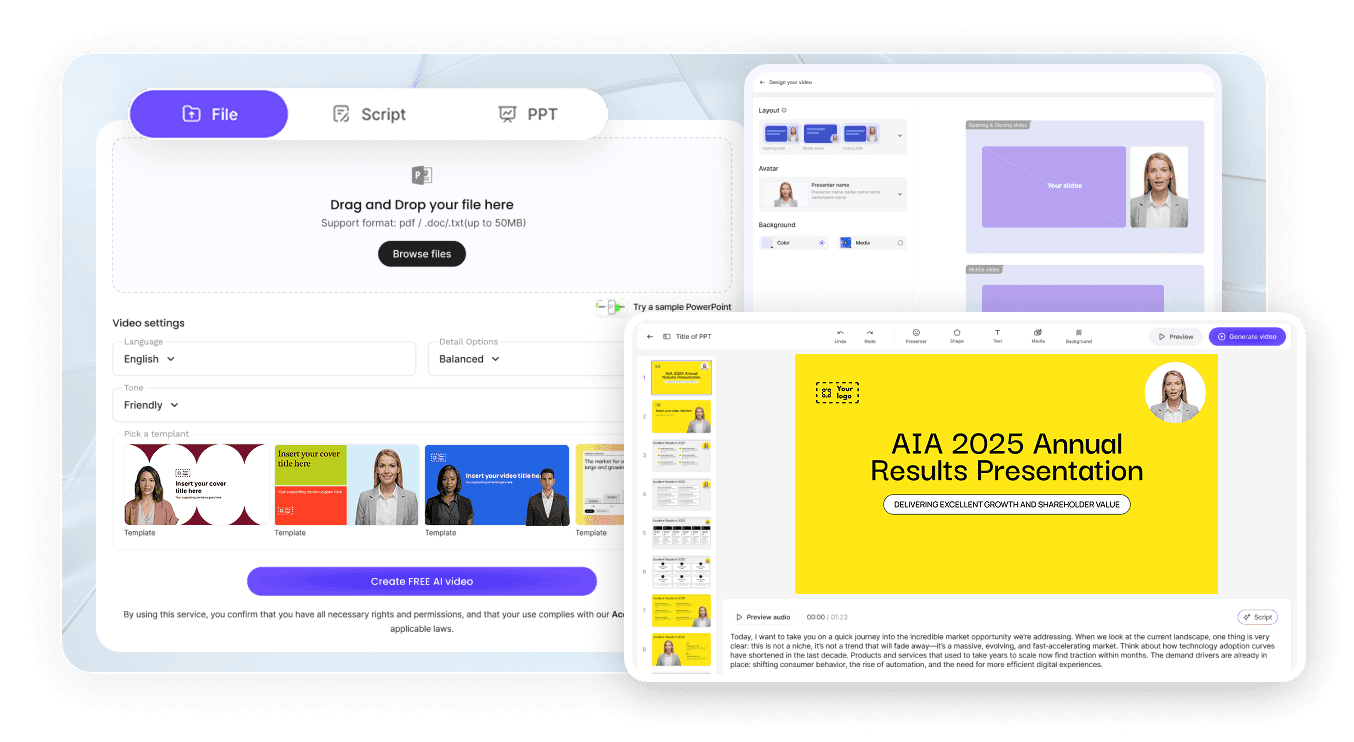
Step 1: Upload your document
Step 2 - Edit and customize
Step 3 - Export, publish, and update
Frequently asked questions
Leadde is dedicated to the intelligent generation of multilingual training videos. With the Slide Presenter, you can quickly transform your PowerPoint or PDF files into vivid and engaging dynamic instructional videos. It is ideal for enhancing engagement and effectiveness in training, marketing, and internal communications.
Yes. Leadde supports multilingual content generation and AI voiceovers, making it ideal for training and communication across regions and teams.
Leadde is suitable for both individual creators and business users, especially teams and organizations that need to frequently create training or instructional videos.
Click the "Upgrade" button on the homepage. Then complete the payment online to finish upgrading your plan.
If you need help while using Leadde, have any questions about our products or services, or wish to submit feedback or requests, please contact our customer support team by sending an email to support@leadde.ai
Ready to try Leadde?
