EHR Training Videos: How to Train Healthcare Staff at Scale
EHR training videos help healthcare organizations train staff at scale by turning software workflows, SOPs, onboarding manuals, screenshots, and role-specific procedures into short, modular video lessons. The most effective workflow uses approved source documents, AI-generated outlines and scripts, screen recordings, captions, job aids, and scenario-based checks. In my healthcare training research, the biggest problems were outdated screenshots, long PDFs, 40-minute videos, and repeated manual documentation work; one software training workflow involved about 5 hours per week spent taking screenshots and pasting them into new-hire tutorials.
An electronic health record, or EHR, is a system used to securely document, store, retrieve, share, and manage patient care information. Because EHR workflows affect clinical documentation, scheduling, billing, patient communication, and compliance, staff training must be accurate, role-based, and easy to update.
The goal is not to create one long EHR course for everyone. The goal is to build a scalable EHR training system: short videos, current screenshots, editable scripts, role-based assignments, searchable job aids, and a clear update process when screens or workflows change.
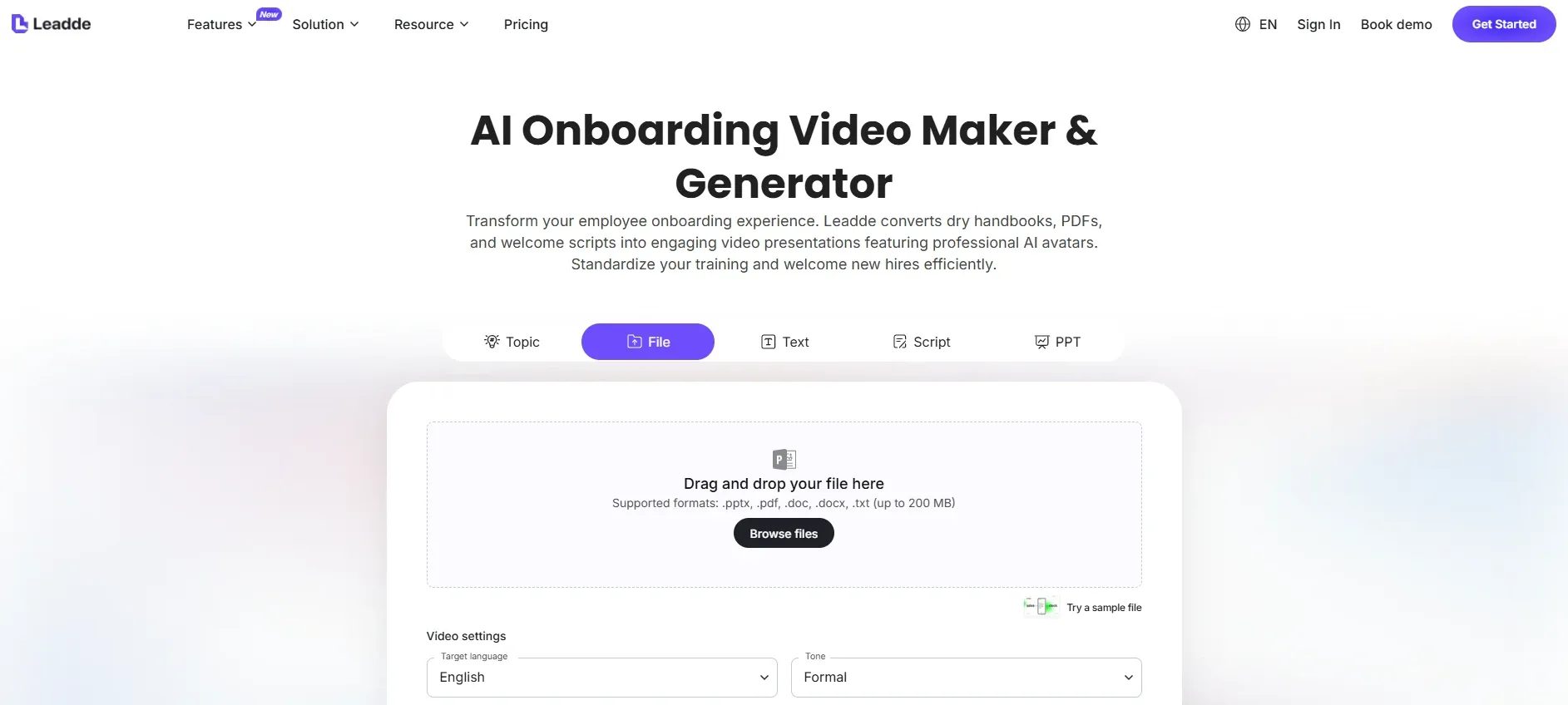
With [Leadde](With Leadde, healthcare teams can upload EHR SOPs, onboarding manuals, PDFs, PowerPoint decks, or workflow documents and quickly turn them into AI-assisted training videos with scripts, narration, captions, and updateable modules.), healthcare teams can upload EHR SOPs, onboarding manuals, PDFs, PowerPoint decks, or workflow documents and quickly turn them into AI-assisted training videos with scripts, narration, captions, and updateable modules.

Why EHR Training Videos Are Hard to Scale in Healthcare
EHR training is hard to scale because each healthcare role uses the system differently.
A nurse may need to document care notes, review orders, and record incidents. A front desk employee may need to verify demographics, schedule appointments, and update insurance. A billing specialist may need to correct claims data. A call center agent may need to confirm appointments or route patient requests. A manager may need reporting access.
In my healthcare training research, the same EHR training pain points appeared repeatedly:
- Training materials are scattered across PDFs, shared folders, slide decks, and recordings.
- New hires do not know which workflow applies to their role.
- Screenshots become outdated when the EHR interface changes.
- Long videos are difficult to search and rewatch.
- Staff rely on shadowing because formal training is too broad.
- Training teams spend too much time recreating screenshots and step-by-step documents.
- Completion records do not always prove that staff can perform the task.
This is why EHR training videos should be designed around specific workflows, not around the entire system.
Weak module:
EHR system overview.
Better module:
How front desk staff verify patient identity and update missing demographic information.
Weak module:
Billing workflow training.
Better module:
How billing staff correct a rejected insurance field before resubmission.
At scale, specificity matters. A library of short, role-based EHR videos is easier to assign, easier to update, and easier for staff to use during real work.
The Best AI Workflow for Creating EHR Training Videos
Teams looking to create healthcare training videos from existing documents often find that the best approach is to combine AI-assisted scripting with human-reviewed screen recordings.
A practical workflow looks like this:
- Start with the approved EHR workflow, SOP, onboarding manual, or process document.
- Use an AI sop video maker to turn the source material into a training outline.
- Split the workflow into short role-based modules.
- Generate a first-draft script.
- Add screenshots or screen recordings of the actual EHR workflow.
- Use AI to create narration, captions, summaries, and quiz questions.
- Add a job aid or step-by-step guide.
- Review with the system owner, trainer, compliance lead, or department manager.
- Publish through the LMS, intranet, knowledge base, or EHR training hub.
- Update the script and affected screen segment when the workflow changes.
The safest model is:
AI drafts, humans review, teams publish.
AI is useful for outlining, scripting, simplifying dense SOP language, creating captions, generating multilingual versions, and drafting knowledge checks. But AI should not be the final authority on whether an EHR workflow is correct. The final review should come from someone who owns the workflow.
This is especially important when EHR workflows touch protected health information. HIPAA-related training and security procedures require careful review, version control, and role-appropriate access. For high-stakes workflows, learning how to make hipaa training videos for healthcare staff ensures operational compliance and patient privacy.
How to Structure EHR Training Videos for Healthcare Staff
The strongest EHR training videos are short, task-based, and role-specific.
A useful structure includes:
| Training Component | Purpose |
|---|---|
| Role | Defines who the video is for |
| Workflow trigger | Explains when to use the workflow |
| Screen walkthrough | Shows the actual EHR steps |
| Common mistake | Prevents repeat errors |
| Documentation rule | Clarifies what must be entered |
| Escalation path | Explains when to ask for help |
| Job aid | Gives staff a quick reference |
| Knowledge check | Confirms understanding |
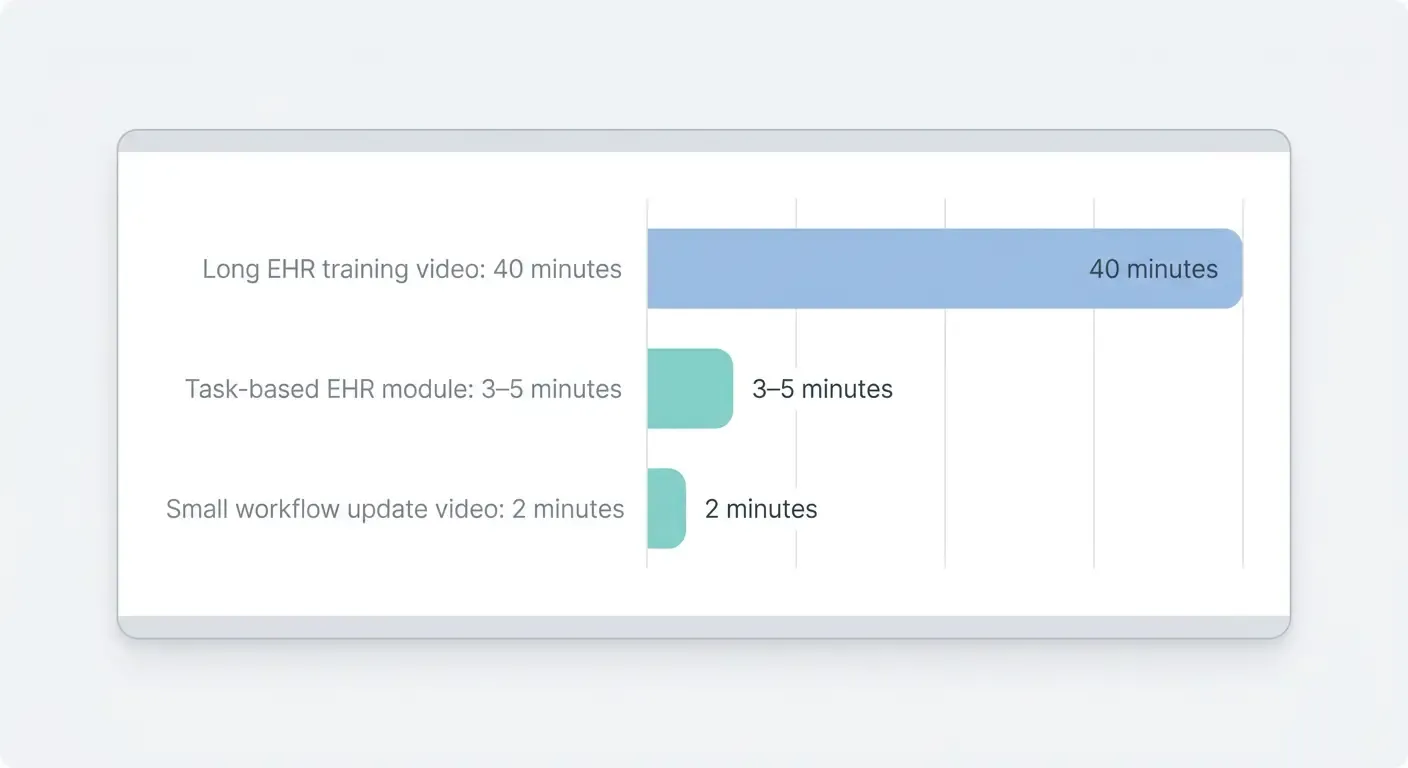
For most EHR workflows, a 3–5 minute module is more practical than a long system overview. For small changes, a 2-minute “what changed” walkthrough may be enough.
Example EHR training modules include:
- How to log in and access the correct patient chart
- How to verify patient demographics
- How to document a patient phone call
- How to enter a visit note
- How to update insurance information
- How to correct an incomplete field
- How to submit an incident report
- How to route a message to the clinical team
- How to use the patient portal workflow
- What changed in the latest EHR update
This modular structure helps onboarding as well. Instead of assigning a long EHR course to every new hire, managers can use an ai onboarding video maker to systematically assign only the modules each role needs during the first week.
Case Study: Reducing Manual Screenshot Work for EHR and Software Training
One of the clearest cases from my research involved new-hire software tutorials. The team needed to document simple workflows, but the process was highly manual.
The old workflow looked like this:
- Perform the task in the system.
- Take screenshots.
- Paste screenshots into a document.
- Add arrows, notes, and step descriptions.
- Update the document when the interface changed.
- Repeat the process for new hire questions.
The measurable pain point was about 5 hours per week spent taking screenshots and maintaining tutorial documents.
The improved workflow combined video, AI-assisted scripting, and step-by-step guides:
- Start with the approved EHR or software workflow.
- Use AI to generate a short outline and script.
- Record the screen walkthrough once.
- Add narration and captions.
- Generate a one-page job aid from the same workflow.
- Publish both the video and guide.
- Update only the affected screen segment when the interface changes.
The key lesson is that EHR training should not be video-only. For software workflows, staff often need:
- A short video to understand the process
- A step-by-step guide to follow while working
- A searchable SOP or knowledge base article
- A checklist for required fields
- A scenario-based question to confirm understanding
This combination reduces repeated explanations and makes the training library easier to maintain.
How to Keep EHR Training Videos Updated When Screens Change
EHR training videos become outdated quickly because interfaces and workflows change.
A button moves. A required field is added. A menu is renamed. A documentation step changes. A patient portal workflow is redesigned. If the video still shows the old screen, staff may lose trust in the training library.
To avoid massive rework, learning how to keep healthcare training videos updated requires a modular design approach.
Instead of creating one long EHR video, separate each training asset into:
- Concept explanation
- Screen walkthrough
- Common mistakes
- Job aid
- Knowledge check
- Update note
When the screen changes, update the screen walkthrough and job aid. Do not rebuild the full course unless the full workflow changed.
Use action-based language in scripts. Avoid fragile directions like:
Click the blue button in the top right.
Use:
Select “Submit incident report” from the action menu.
The second instruction is more likely to survive visual interface changes.
For version control, every EHR training video should include:
- Source workflow or SOP name
- Source version
- Video version
- Last reviewed date
- Owner
- Reviewer
- Target role
- Related job aid
- Change log
Example:
Source: EHR Incident Reporting Workflow v3.2
Video: Incident Reporting for Nursing Staff v3.2
Audience: Nursing staff
Owner: Clinical Operations
Reviewer: EHR Training Lead
Replaces: v3.1 training module
This turns EHR training updates into a controlled process instead of a last-minute production scramble.
How AI Helps Scale EHR Training Across Roles and Locations
AI is especially useful for scaling EHR training because it shortens the production cycle and makes role-based variations easier to create.
AI can help teams:
- Turn SOPs into outlines
- Generate first-draft scripts
- Rewrite technical workflows into plain language
- Create captions
- Generate multilingual narration
- Create role-specific versions
- Summarize what changed between workflow versions
- Draft scenario-based quiz questions
- Regenerate updated modules when workflows change
For example, one EHR workflow may need different versions for front desk, nursing, billing, and call center staff. The source process may be similar, but each role needs different emphasis.
A front desk video may focus on identity verification and scheduling. A nursing video may focus on documentation accuracy. A billing video may focus on missing insurance fields. A call center video may focus on what can be shared by phone, and teams can turn changing medical call center scripts into training videos fast when those protocols shift.
AI helps by generating role-specific drafts from the same source workflow. Human reviewers then adjust for accuracy, compliance, and local practice.
This is where AI has a real operational advantage. It helps teams move from one generic EHR training course to many targeted modules without starting from scratch every time.
What to Include in an EHR Training Video
A strong EHR training video should answer one operational question.
Use this structure:
- Who this video is for
Example: front desk staff, nurses, billing specialists, medical assistants, or call center agents. - When to use the workflow
Example: when patient demographics are missing, when an incident must be documented, or when an appointment needs to be rescheduled. - What the staff member must do
Show the workflow step by step. - What to avoid
Highlight common errors, missing fields, wrong routing, or incomplete documentation. - What to do if the workflow does not fit
Give escalation guidance. - Where to find the job aid
Link to the current step-by-step guide. - Knowledge check
Ask a scenario-based question.
Example:
A patient calls to update insurance information before an appointment. Which fields must be updated before the visit can be confirmed?
This tests applied understanding better than asking whether the employee watched the video.
How to Pair EHR Training Videos with Job Aids and Assessments
EHR training videos work best when paired with practical support materials.
A strong EHR training package includes:
| Asset | Purpose |
|---|---|
| Short video | Explains the workflow |
| Screen recording | Shows the actual EHR steps |
| Step-by-step guide | Supports the task during work |
| Checklist | Prevents missed fields |
| SOP link | Provides the official source |
| Scenario quiz | Confirms understanding |
| LMS record | Tracks completion |
| Manager coaching note | Supports reinforcement |
In my research, healthcare teams consistently preferred job aids, checklists, click-through screenshots, and scenario questions over relying only on long videos or annual refreshers.
For high-risk workflows, do not measure only video views. Track:
- Completion rate
- Scenario quiz pass rate
- Repeat attempts
- Staff questions after training
- Post-training documentation errors
- Manager audit findings
- Time from workflow change to video update
- Number of outdated modules retired
The most important metric for EHR training at scale is often time to update. If the workflow changes today, how quickly can the training team publish a corrected module?
Common Mistakes in EHR Training Videos
The first mistake is creating one long EHR overview for every role. This overloads staff and makes updates harder.
The second mistake is relying only on screenshots. Screenshots are useful, but they become outdated quickly. Pair them with editable scripts and modular video segments.
The third mistake is using generic instructions. “Use the EHR correctly” is not training. “Update the insurance field before confirming the appointment” is training.
The fourth mistake is letting AI publish without review. AI can create outlines, scripts, narration, captions, and quiz questions, but the EHR owner or workflow expert should approve the final content.
The fifth mistake is failing to version videos. If a video does not show which workflow version it reflects, staff cannot know whether it is current.
The sixth mistake is measuring completion only. Completion shows access, not competence. Use scenarios, audits, and quality checks.
Conclusion: Scale EHR Training with Short, Updateable, AI-Assisted Videos
EHR training videos help healthcare organizations train staff at scale when they are short, role-based, screen-specific, and easy to update.
The best workflow starts with the approved EHR procedure, SOP, or onboarding document. AI helps turn it into an outline, script, narration, captions, and quiz questions. Screen recordings show the actual workflow. Job aids help staff perform the task during work. Human reviewers confirm accuracy before publishing, making it easier than ever to rapidly build healthcare compliance training videos from sops.
The strongest lesson from my research is that healthcare teams do not need more long EHR manuals or 40-minute videos. They need a scalable training system that turns changing workflows into clear, modular learning assets.
When EHR training videos are built this way, healthcare staff get the right training for their role, new hires ramp faster, managers answer fewer repeated questions, and training teams can update only the affected module when the EHR workflow changes.