How to Create Educational Animation: Step-by-Step Guide

Creating an educational animation starts with a clear learning objective, then turns that knowledge into a script, visual scenes, narration, and purposeful motion. The goal is not to animate everything, but to use movement where it helps explain a process, relationship, sequence, or abstract idea.
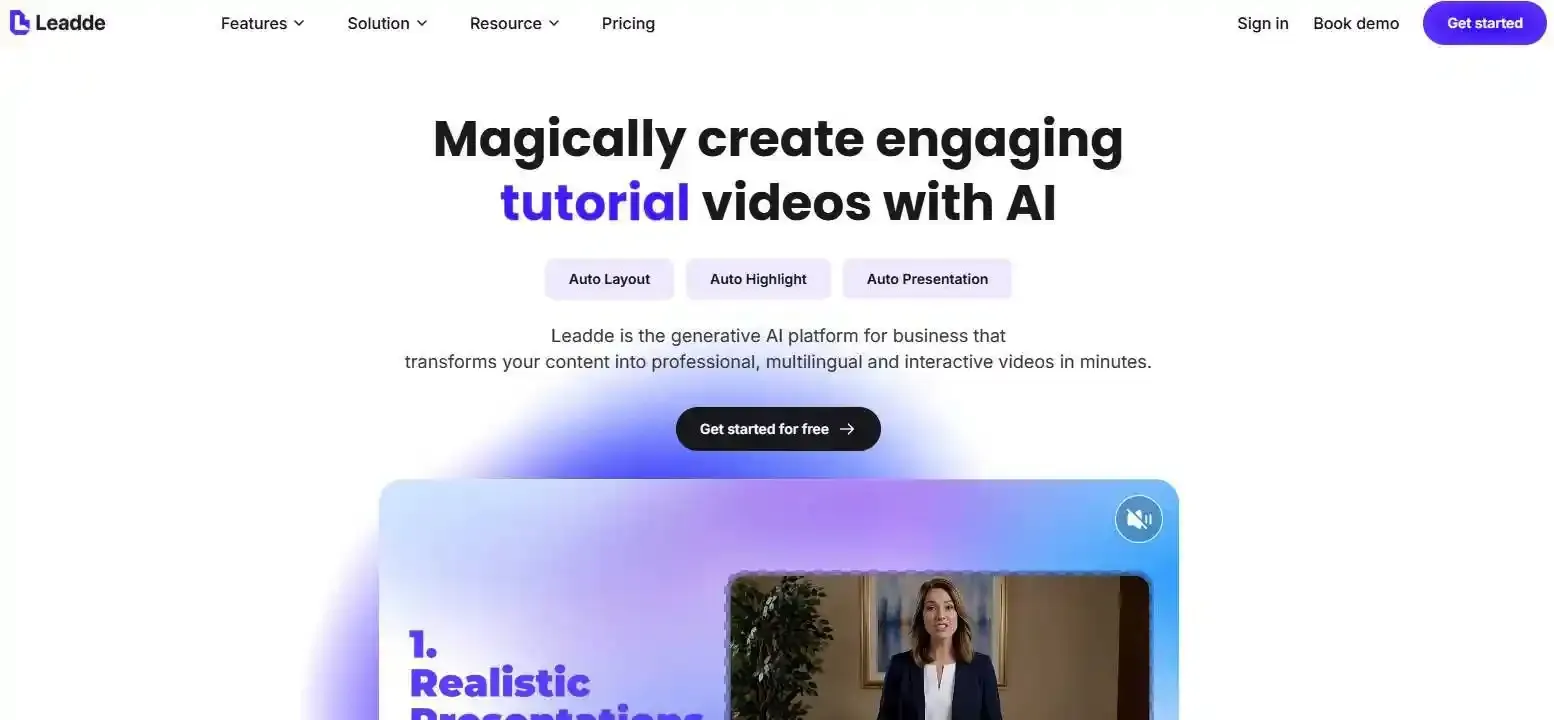
Today, educators and training teams can build animations manually, use templates, or accelerate production with AI. Leadde, for example, can turn documents, PDFs, presentations, and training materials into structured videos with generated scenes, narration, AI avatars, and multilingual output.
This guide explains the full workflow—from planning and scripting to storyboarding, animation, AI-assisted production, review, accessibility, and scaling content.
How to Create Educational Animation: What Does the Complete Workflow Look Like?
A strong educational animation usually follows this sequence:
- Define the learner and learning objective.
- Research and verify the content.
- Write the script.
- Decide what learners need to see.
- Choose an animation style.
- Create a storyboard and animatic.
- Build or generate the visual assets.
- Add narration and motion.
- Review for accuracy, learning, and accessibility.
- Publish, measure, and update.
The important point is that animation comes relatively late in the process. A storyboard, for example, makes it much easier to identify a weak scene before time is spent building the finished animation. Professional educational-video workflows commonly place learning objectives, scripting, storyboarding, and visual planning before production.
Traditional, Template-Based, and AI-Assisted Workflows
There are three practical ways to produce educational animation.
| Workflow | Best For | Main Trade-Off |
| Professional animation | Custom visuals and maximum creative control | More production time and skill |
| Template-based tools | Teachers and teams producing simple videos quickly | Less visual flexibility |
| AI-assisted production | Turning existing knowledge into videos at scale | Requires human review for accuracy and consistency |
The best workflow depends less on which tool is most advanced and more on how much visual control the lesson actually requires.
Where Does Most of the Real Work Happen?
In professional video workflows, moving an object is often easier than deciding what that object should represent.
Before opening an animation editor, answer four questions:
What should the learner understand? What can be removed? What should appear visually? What actually needs to move?
That planning prevents a common problem: technically polished animation that communicates the lesson poorly.
What Makes an Educational Animation Actually Effective for Learning?
Educational animation uses moving graphics, diagrams, characters, or visual sequences to explain knowledge and skills. Its purpose is not simply to make a lesson more entertaining. Motion should help the learner understand something that would otherwise be difficult to see, follow, or imagine.
Research on educational video emphasizes managing cognitive load, directing attention to relevant information, and connecting video with active learning rather than treating video as automatically effective.
When Should You Use Animation Instead of Static Visuals?
Animation is particularly useful for showing:
- a process unfolding over time;
- movement through a system;
- cause and effect;
- changing states;
- spatial relationships;
- invisible or abstract processes.
For example, showing oxygen moving through the respiratory system communicates more than simply displaying a static lung illustration. Animaker demonstrates this approach by representing oxygen molecules visually and moving them along the respiratory pathway.
But not everything needs movement. If the learner simply needs to inspect a diagram, read a comparison, or follow a software interface, a static visual or screen recording may communicate the information more efficiently.
Use Motion to Explain, Not Decorate
A practical rule is:
Animate relationships, changes, and processes—not every object on the screen.
Decorative movement can compete with the information that matters. Canva similarly warns against overusing animation and recommends intentional timing, spacing, and pacing.
If a molecule is traveling through a cell, animate the molecule. If one part of a diagram causes another part to change, animate that relationship. A title does not need to spin simply because the software offers the effect.
How Do You Avoid Cognitive Overload?
Use signaling to direct attention with highlights, arrows, color changes, or controlled movement. Use segmenting to break complicated explanations into smaller sections, and remove backgrounds, music, or visual effects that do not support the lesson. Educational-video research recommends complementary audio and visuals rather than forcing both channels to present the same information simultaneously.
For complex animations, learner control also matters. Multimedia-learning research has found advantages to presenting some dynamic explanations in user-paced segments rather than one uninterrupted sequence.
How Do You Plan the Script and Turn Knowledge Into Visual Scenes?
This is often the hardest part of educational animation.
A normal script tells you what people hear. An animation script also needs to determine what people see and what changes on screen.
Start With the Learner, Learning Objective, and Misconception
Do not begin with a goal such as:
“Create a video about photosynthesis.”
Use a specific learning outcome instead:
“After watching, the learner should be able to explain how light energy is converted into stored chemical energy.”
Then identify the likely misunderstanding. If learners already know what a chloroplast looks like but struggle to understand the transformation of energy, the animation should spend its visual attention on the transformation—not on repeatedly introducing the chloroplast.
Write a Script for Both the Ear and the Eye
A useful production script has three columns:
| Narration | Visual | Motion |
| What learners hear | What learners see | What changes |
Instead of writing every detail as narration, let visuals carry part of the explanation. Educational-video guidance supports using the auditory and visual channels for complementary information rather than unnecessary repetition.
Narration also provides a useful timing backbone. Once the explanation has approximately the right pace, scenes and movements can be designed around it instead of forcing a finished animation to fit a later voiceover.
The Visual Translation Gap: What Should the Learner Actually See?
For every important sentence, classify the idea:
Object? Show it. Relationship? Connect it. Change? Animate it. Sequence? Reveal it step by step. Comparison? Show the states side by side. Abstract concept? Create a meaningful visual model.
This is where visual abstraction becomes valuable. Oxygen can become two connected circles. Information flow can become moving dots. Hierarchy can become nested shapes.
The goal is not scientific illustration for its own sake. It is to create the simplest visual representation that preserves the meaning learners need.
| Idea Classification | What to Do Visually | Script Example (Narration) | Script Example (Motion/Visual) |
| Object | Show it | "This is a chloroplast." | Show a green oval shape. |
| Relationship | Connect it | "Light energy hits the cell." | Draw a yellow line connecting sun to cell. |
| Change | Animate it | "Energy converts to chemical state." | Color shifts from yellow to bright green. |
| Sequence | Reveal step-by-step | "First, water enters. Then..." | Arrow 1 appears, then Arrow 2 appears. |
| Comparison | Show side-by-side | "Unlike a regular cell..." | Display two cells next to each other. |
| Abstract Concept | Meaningful model | "Information flow increases." | Moving dots speed up along a pathway. |
How Do You Storyboard, Design, and Animate Educational Content?
Once the visual logic is clear, production becomes much more predictable.
Create the Storyboard and Test It With an Animatic
A storyboard should show the scene, narration, key visual, movement, on-screen text, and approximate duration.
Before producing finished animation, turn those frames into an animatic: a rough timed sequence combined with temporary or near-final narration.
This reveals problems a static storyboard hides. A visual may need to remain on screen longer than expected, an explanation may require another shot, or a transition may interrupt the logic of the lesson. Storyboarding also makes changes substantially easier before full animation begins.
Choose the Right Visual Style for the Concept
| Style | Useful For |
| 2D animation | General explanations |
| Motion graphics | Data and abstract concepts |
| Character animation | Dialogue, scenarios, behavior |
| Whiteboard animation | Sequential explanations |
| 3D animation | Mechanical or spatial structures |
| Screen recording | Software and digital procedures |
| Hybrid video | Lessons requiring several visual formats |
A character is useful for demonstrating a workplace conversation. It is usually less useful for explaining how blood flows through the heart, where a diagram may communicate the mechanism more directly. Choose the style for the learning objective—not the learning objective for the style.
Animate With Clear Attention and Timing
Beginners can produce surprisingly useful educational motion with a small set of controls: position, scale, rotation, opacity, motion paths, highlights, and progressive reveals.
The challenge is directing attention.
A useful heuristic is one focal motion: multiple objects may exist in the scene, but at any moment the learner should be able to tell what deserves attention.
How Can AI Help Create Educational Animation Without Losing Accuracy or Consistency?
AI can remove a large amount of repetitive production work, but it does not remove the need for instructional decisions.
What Can AI Automate—and What Still Needs Human Judgment?
AI can assist with:
- extracting information from source materials;
- drafting scripts and scene structures;
- nerating images and characters;
- generating images and characters;
- creating narration and subtitles;
- translating content;
- translating content;
- producing initial video scenes.
Humans should still validate the learning objective, facts, visual meaning, pacing, sequence, and final instructional quality.
A generated script can be factually correct while the corresponding animation is visually wrong—for example, showing the wrong direction of a process or an inaccurate relationship between parts. Educational QA therefore needs to review both words and images.
How Do You Keep AI Characters, Scenes, and Visuals Consistent?
For multi-scene projects, create a visual source of truth before producing every scene.
That can include:
- master character references;
- recurring environments and props;
- color and typography rules;
- diagram conventions;
- reusable scene layouts.
Consistency is broader than keeping the same face. Clothing, object positions, labels, room layouts, lighting, and visual conventions also matter.
This becomes especially important when producing a series rather than a single video.
Can You Turn PDFs, Documents, or Lesson Notes Into Educational Animation?
Document-to-video workflows can shorten the path between existing knowledge and finished educational content.
For example, Leadde can transform documents, PDFs, PowerPoint files, learning materials, and SOPs into structured videos by analyzing content structure and generating scenes, scripts, narration, AI-avatar delivery, and multilingual versions.
A practical workflow is:
Source material → content structure → learning hierarchy → script → scenes → visuals → narration → human review.
The final step is essential. AI can accelerate conversion, but educators and subject-matter experts should still verify what was selected, simplified, and visualized.
How Do You Review, Publish, and Scale Educational Animations?
A video is not finished simply because it exports successfully.
Review More Than Whether the Video Looks Good
Use several QA layers:
Factual QA: Are terminology, labels, numbers, and explanations correct?
Instructional QA: Does every scene support the learning objective?
Visual QA: Does motion represent the process accurately?
Audio QA: Is narration clear, and does music stay out of its way?
Continuity QA: Are characters, diagrams, colors, environments, and visual rules consistent?
If possible, test the video with people who resemble the intended learner. Vyond similarly recommends audience testing before integrating an animation into a course and using learning-platform feedback after publication.
Make the Animation Accessible and Useful in a Real Learning Environment
Accessibility should begin during scripting and storyboarding, not after production. W3C recommends planning for captions, transcripts, descriptions of important visual information, accessible media players, and sufficient visual clarity from the beginning of the project.
When an important visual action occurs, consider describing it naturally in the narration. Provide accurate captions for speech and relevant non-speech audio, and use transcripts when appropriate.
Finally, connect the animation to learning. A short quiz, explanation task, practice activity, or knowledge check can turn passive viewing into active processing. Research on educational video similarly recommends pairing video with guiding questions or other active-learning activities.
Design the First Video So the 100th Is Easier to Produce
If an organization expects to build an educational video library, define reusable systems early: scene templates, visual grammar, character references, diagram conventions, voice settings, naming rules, localization structure, and review standards.
This changes the goal from “make one good animation” to build a repeatable production system. Reusable templates and structured AI or document-to-video workflows can then make future lessons easier to update, translate, and scale.
Conclusion
Effective educational animation is not about making everything move. Start with a clear learning objective, translate knowledge into meaningful visuals, animate only what helps explain the concept, and validate the result for accuracy and accessibility. AI can accelerate production, but instructional judgment remains the part that determines whether the finished video actually teaches.
FAQ
What is educational animation?
Educational animation uses motion, diagrams, characters, graphics, or animated sequences to explain knowledge or skills. Its main purpose is to make processes, relationships, changes, and abstract ideas easier to understand—not simply to make a lesson visually entertaining.
How do you make an educational animation step by step?
Define the learner and objective, research the topic, write the script, translate concepts into visuals, create a storyboard and animatic, build the assets, add narration and animation, review the content, then publish and measure how well it supports learning.
Can you create educational animations without animation skills?
Yes. Template-based platforms and AI tools can handle many technical production tasks. However, you still need to decide what learners should understand, what should appear visually, and whether the generated content accurately represents the subject.
What is the best software for creating educational animations?
There is no single best option. Professional motion software provides more control, template tools are faster for simple projects, and AI-assisted tools are useful when teams need to turn existing knowledge into videos at scale. Choose based on the lesson rather than the number of features.
Can AI turn a PDF, document, or script into an educational video?
Yes. Modern document-to-video workflows can analyze source content, structure it into scenes, generate narration and visuals, and create an initial video. The output should still be reviewed for factual accuracy, visual accuracy, pacing, and instructional relevance.
How long should an educational animation be?
There is no universal ideal length. Keep each video focused on a clear learning goal and divide complex topics into meaningful segments rather than forcing everything into one continuous animation. Research on educational video supports concise, targeted content and segmentation when material becomes cognitively demanding.