
SaaS Demo Video Script Template: Examples and AI Workflow

A strong SaaS demo video starts with a clear script.
The visuals matter. The product UI matters. The voiceover matters. But if the script is unclear, the demo will feel like a feature tour instead of a useful explanation.
A good SaaS demo video script helps viewers understand the problem, see the product in context, follow the workflow, and know what to do next. It turns a screen recording or product walkthrough into a persuasive story.
This is especially important for SaaS teams creating product demo videos, sales enablement videos, feature launch videos, customer onboarding videos, and website explainer content.
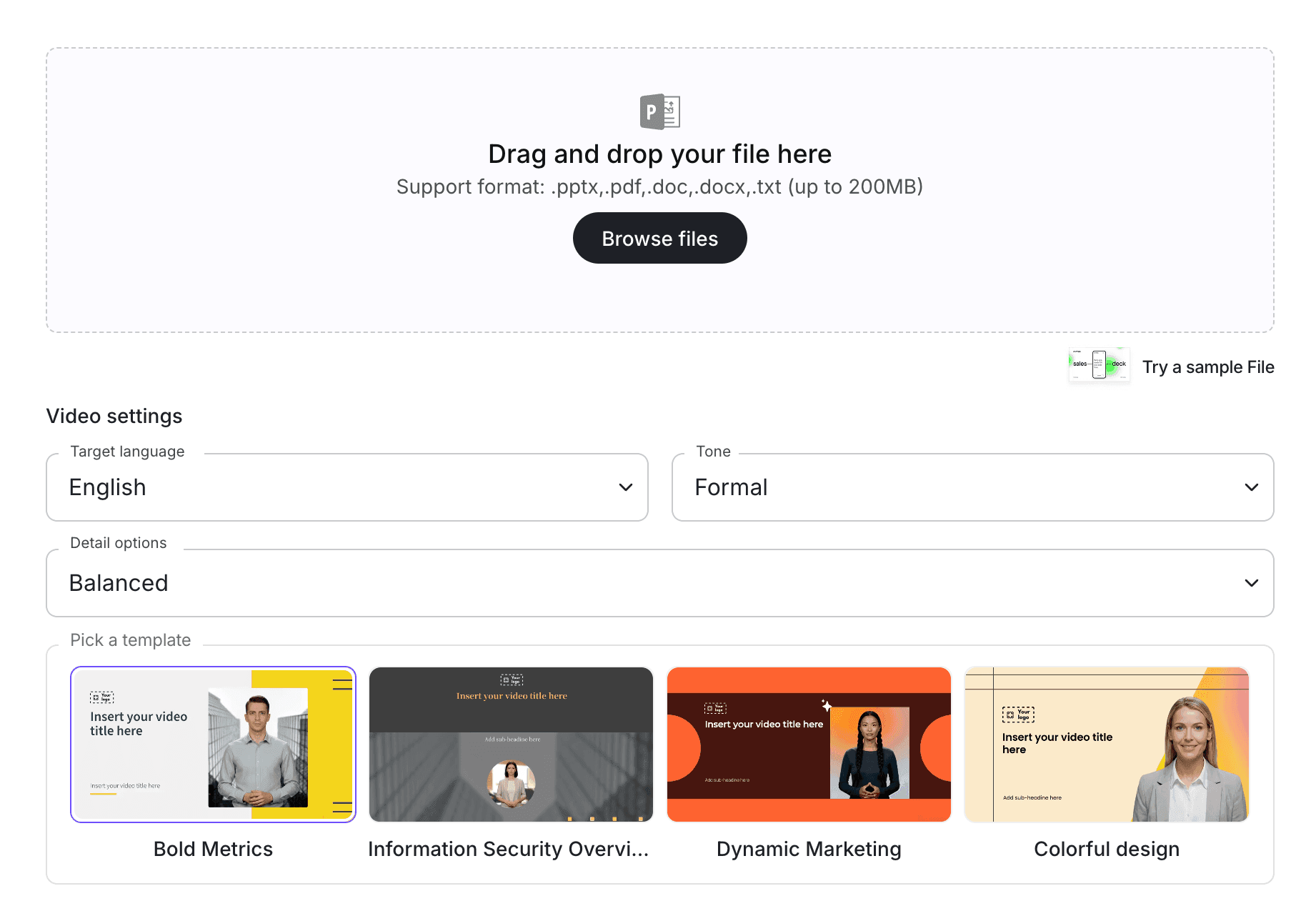
If your team already has product messaging, sales notes, demo flows, or feature documentation, Leadde's Script to Video tool can help turn your script into an editable AI video. For product-specific demos, use AI Product Demo Video Maker or AI Sales Demo Video Maker.
Why SaaS Demo Video Scripts Matter
Many SaaS demo videos fail because they show the product without explaining the story.
They jump from feature to feature. They show menus, buttons, dashboards, and settings, but the viewer does not understand why those features matter.
A script fixes that.
A strong SaaS demo video script can:
- Open with the user's problem
- Explain who the product is for
- Show the product workflow in context
- Connect features to outcomes
- Keep the demo short and focused
- Help sales teams repeat the same message
- Support website conversion
- Make feature launches easier to explain
- Turn product knowledge into reusable video content
For more tool-level comparison content, see Leadde's guide to the best SaaS product demo software. This article focuses specifically on script templates your team can use.
What Should a SaaS Demo Video Script Include?
A SaaS demo video should not simply say, "Here is our dashboard."
It should answer the viewer's real question: "Can this product help me solve my problem?"
A useful script usually includes these sections:
| Script Section | Purpose | Example |
|---|---|---|
| Hook | Name the problem | "Your team is spending hours creating training videos manually." |
| Audience | Clarify who the video is for | "This workflow is for L&D and operations teams." |
| Product setup | Introduce the product briefly | "Leadde helps turn documents into AI videos." |
| Workflow | Show the product in action | "Upload a document, generate a script, edit scenes, and publish." |
| Outcome | Explain the benefit | "Your team gets editable training videos without filming." |
| Proof or example | Make the use case concrete | "Use it for onboarding, SOPs, and policy training." |
| CTA | Tell viewers what to do next | "Try Leadde with your own document." |
This structure keeps the demo focused on the user's job, not just the product interface.
Copy-Paste SaaS Demo Video Script Template
Use this template as a starting point.
Template: SaaS Product Demo Video
Opening hook
If your team is struggling with [problem], this video will show you how [Product Name] helps you [desired outcome].
Who this is for
This workflow is built for [target audience], especially teams that need to [main use case].
Problem context
Today, many teams still [describe old workflow]. That creates problems like [pain point 1], [pain point 2], and [pain point 3].
Product introduction
[Product Name] helps you [core product promise] by giving your team a faster way to [main workflow].
Demo step 1
First, start by [first product action].
Demo step 2
Next, [second product action]. This helps you [benefit].
Demo step 3
Then, [third product action]. You can also [important feature or customization].
Result
In just a few steps, your team can [final outcome].
Use cases
Teams use this workflow for [use case 1], [use case 2], and [use case 3].
Call to action
If you want to see how this works with your own content, try [Product Name] today.
SaaS Demo Video Script Examples
Different SaaS demo videos need different scripts. A homepage demo is not the same as a sales demo. A feature launch video is not the same as a customer onboarding video.
Here are practical examples.
Example 1: Homepage SaaS Demo Video Script
A homepage demo video should be short, clear, and outcome-driven. It should help visitors understand what the product does and why they should care.
Script Template
Tired of [common problem]?
[Product Name] helps [target audience] [achieve desired outcome] without [old painful workflow].
Here is how it works.
First, [step 1]. Then, [step 2]. After that, [step 3].
Instead of [old process], your team can now [new process].
Use [Product Name] to [use case 1], [use case 2], and [use case 3].
Ready to try it? Start with [CTA].
Best For
- Homepage hero videos
- Website conversion videos
- Product overview videos
- Landing page demos
- Paid campaign landing pages
For SaaS explainer content, see Leadde's guide on how to create a SaaS explainer video.
Example 2: SaaS Sales Demo Video Script
A sales demo video should help prospects understand how the product solves a specific business problem.
It should not show every feature. It should show the path from pain to outcome.
Script Template
In this demo, we will show how [Product Name] helps [target company type] solve [specific problem].
Many teams currently [describe current process]. This can lead to [pain point], [risk], and [missed opportunity].
With [Product Name], the workflow is simpler.
First, [step 1 in product].
Next, [step 2 in product].
Then, [step 3 in product].
The result is [business outcome], with less [cost, time, manual effort, or risk].
For example, a [role or team] can use this to [specific use case].
If you want to see this workflow with your own data or content, book a demo or try the product.
Best For
- Sales enablement
- SDR follow-up videos
- Product-led sales demos
- Account-based marketing
- Prospect education
For sales-specific workflows, use AI Sales Demo Video Maker, and see Leadde's guide on how to create a sales demo video with AI.
Example 3: SaaS Feature Walkthrough Script
A feature walkthrough should focus on one feature and one use case.
Do not use a feature video to explain the entire product.
Script Template
In this video, we will walk through [Feature Name].
This feature helps you [main benefit].
To get started, go to [location in product].
First, [step 1].
Next, [step 2].
Then, [step 3].
Here is where this becomes useful: [explain practical use case].
A few tips before you use it:
- [Tip 1]
- [Tip 2]
- [Tip 3]
That is how [Feature Name] helps you [outcome].
Your next step is to [CTA or next product action].
Best For
- Feature education
- Product update videos
- Help center videos
- Customer onboarding
- In-app learning
If your demo is more product-led than sales-led, use AI Product Demo Video Maker.
Example 4: SaaS Onboarding Demo Script
An onboarding demo helps new users understand the first workflow they should complete.
It should be practical and simple.
Script Template
Welcome to [Product Name].
In this video, we will help you complete your first setup workflow.
By the end of this video, you will know how to [first important user action].
First, log in and go to [starting location].
Next, [step 1].
Then, [step 2].
After that, [step 3].
Before you finish, check that [success condition].
If you get stuck, visit [help resource] or contact [support option].
Your next step is to [next action].
Best For
- Customer onboarding
- Product activation
- Help center videos
- Post-signup flows
- Customer success enablement
For more onboarding video strategy, see Leadde's employee onboarding video script template. The audience is different, but the script structure is similar: clear steps, specific next actions, and short modules.
Example 5: SaaS Feature Launch Video Script
A feature launch video should explain what changed, why it matters, and how users can try it.
Script Template
We just launched [Feature Name], a new way to help you [desired outcome].
Before this update, teams had to [old workflow or limitation].
Now, you can [new capability].
Here is how it works.
First, [step 1].
Next, [step 2].
Then, [step 3].
This is especially useful when you need to [use case].
You can start using [Feature Name] today by going to [product location].
Best For
- Product launches
- Release notes
- Customer update videos
- In-app announcements
- Email campaign videos
For more SaaS video ideas, see Leadde's guide on AI video for SaaS feature release updates.
Example 6: SaaS Explainer Demo Script
A SaaS explainer demo sits between a product demo and an explainer video. It explains the problem, shows the workflow, and gives a quick product example.
Script Template
[Target audience] often struggle with [problem].
The old way is usually [old workflow]. That takes time and makes it harder to [desired outcome].
[Product Name] gives teams a faster way to [core product promise].
Here is a quick example.
Start by [step 1].
Then [step 2].
Finally, [step 3].
In the end, your team can [result].
Use [Product Name] when you need to [use case 1], [use case 2], or [use case 3].
Best For
- Top-of-funnel SaaS videos
- Product education
- Explainer pages
- Demand generation
- Social clips
For explainer-specific content, see Leadde's SaaS explainer video creator, or use AI SaaS Explainer Video Maker.
How to Create a SaaS Demo Video from a Script
Once you have the script, the next step is turning it into a video.
The workflow should be simple, editable, and repeatable.
Step 1: Choose One Demo Goal
Do not try to explain everything in one video.
Start with one goal:
- Explain the product
- Show one workflow
- Introduce one feature
- Support one sales use case
- Help users complete first setup
- Announce one product update
One goal keeps the demo focused.
Step 2: Pick the Right Script Template
Choose the template that matches your use case.
Use:
- Homepage demo script for landing pages
- Sales demo script for prospects
- Feature walkthrough script for product education
- Onboarding demo script for new users
- Feature launch script for product updates
- Explainer demo script for top-of-funnel education
Then customize the placeholders with your product, audience, workflow, and CTA.
Step 3: Add Product Context
A SaaS script needs real context.
Before creating the video, gather:
- Product screenshots
- Demo flow
- Feature notes
- Customer pain points
- Use cases
- Positioning statements
- Sales objections
- Help center docs
- Existing demo call notes
If your content starts as a written script, use Script to Video. If it starts as product documentation, you can also use Doc to Video or PDF to Video.
Step 4: Turn the Script into Video Scenes
A good SaaS demo video should have short, clear scenes.
A simple structure might look like this:
| Scene | Purpose |
|---|---|
| Scene 1 | Name the problem |
| Scene 2 | Introduce the product |
| Scene 3 | Show the first workflow step |
| Scene 4 | Show the second workflow step |
| Scene 5 | Explain the result |
| Scene 6 | Show use cases |
| Scene 7 | End with a CTA |
This structure works for most SaaS demos because it keeps the video focused on the viewer's job.
Step 5: Add an AI Presenter or Voiceover
Some SaaS demos work best with screen recordings. Others work better with an AI presenter guiding the viewer.
With an AI avatar generator, teams can create presenter-led SaaS demo videos without filming a new spokesperson each time a script changes.
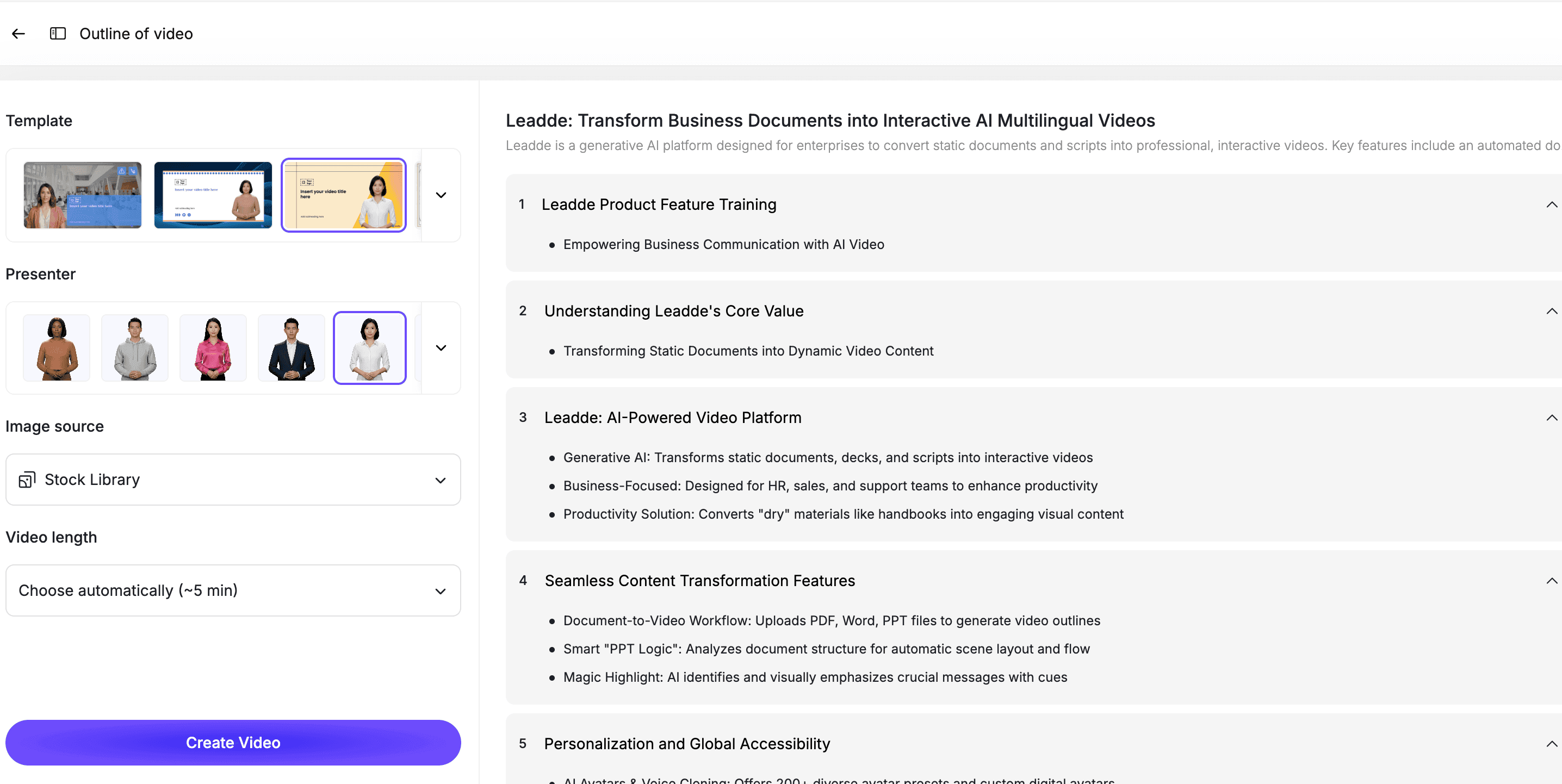
An AI presenter can help:
- Introduce the problem
- Connect product steps
- Explain why each feature matters
- Make the video feel more guided
- Create consistent sales and marketing assets
Step 6: Review the Demo for Clarity
Before publishing, review the script and video.
Check for:
- Too many features
- Unclear audience
- Weak opening hook
- Missing business outcome
- Confusing product steps
- No clear CTA
- Generic claims
- Outdated product UI
- Too much jargon
A good SaaS demo video should make the product easier to understand, not more complicated.
Best Practices for SaaS Demo Video Scripts
Start with the Problem, Not the Feature
Do not open with a dashboard.
Open with the user's pain point. Then show how the product helps.
Keep the Demo Short
Most SaaS demo videos should be 60 to 180 seconds.
If the product is complex, create multiple short videos instead of one long video.
Show One Workflow at a Time
A video that shows every feature usually converts poorly.
Focus on one workflow, one user, or one outcome.
Use Customer Language
Avoid internal product jargon.
Use the words your customers use in sales calls, support tickets, demos, and search queries.
End with a Clear CTA
Tell viewers what to do next.
Examples:
- Try the product
- Book a demo
- Watch the next video
- Start with a template
- Upload your first file
- Talk to sales
How Leadde Helps Create SaaS Demo Videos
Leadde helps SaaS teams turn scripts, product notes, sales messaging, and documentation into editable AI videos.
With Leadde, teams can:
- Turn SaaS demo scripts into video scenes
- Add AI presenters
- Edit scripts before publishing
- Add captions and visual highlights
- Create product demo videos from existing content
- Build sales demo videos for different use cases
- Create multilingual demo videos
- Update videos when product messaging changes
Start with Script to Video if you already have a demo script. Use AI Product Demo Video Maker for product-led walkthroughs, or AI Sales Demo Video Maker for sales enablement and prospect education.
If you already have a SaaS demo script ready, you can also try Leadde directly and start building your first AI demo video.
Common Mistakes to Avoid
Mistake 1: Showing Too Many Features
A demo video is not a product manual.
Focus on the features that support one clear outcome.
Mistake 2: Starting with the UI Too Early
The viewer needs context before the product tour.
Explain the problem first, then show the workflow.
Mistake 3: Using Vague Claims
Avoid generic claims like "save time" or "boost productivity" without context.
Show what changes in the workflow.
Mistake 4: Forgetting the CTA
A demo video should tell the viewer what to do next.
Make the next step obvious.
Mistake 5: Letting the Script Get Too Long
If the script is too long, the video will feel slow.
Cut anything that does not help the viewer understand the product or take action.
FAQ
What is a SaaS demo video script?
A SaaS demo video script is the written structure and narration for a video that explains a software product, shows a workflow, connects features to outcomes, and tells viewers what to do next.
What should a SaaS demo video script include?
A strong SaaS demo script should include a hook, target audience, problem context, product introduction, workflow steps, outcome, use cases, and a clear call to action.
How long should a SaaS demo video be?
Most SaaS demo videos should be 60 to 180 seconds. More complex products can use a series of shorter videos instead of one long demo.
Can AI create a SaaS demo video from a script?
Yes. AI can turn a SaaS demo script into a video by breaking the script into scenes, adding narration or an AI presenter, creating captions, and producing an editable video draft.
What is the difference between a SaaS demo video and a SaaS explainer video?
A SaaS demo video shows how the product works. A SaaS explainer video focuses more on the problem, concept, and value proposition. Some videos combine both formats.
What are good SaaS demo video examples?
Good examples include homepage demo videos, sales demo videos, feature walkthroughs, onboarding demos, feature launch videos, and explainer-style product demos.
Can SaaS demo videos be updated later?
Yes, if they are built in an editable workflow. Your team should be able to update scripts, scenes, product visuals, captions, and presenters when the product changes.
Conclusion
A SaaS demo video is only as strong as its script.
The best scripts do not simply describe features. They explain the user's problem, show a focused workflow, connect the product to a clear outcome, and end with a direct next step.
Start with one demo goal, choose the right script template, add product context, turn the script into short scenes, add an AI presenter or voiceover, review the video for clarity, and keep the final version editable.
Use Leadde's Script to Video tool to turn your SaaS demo video script into an editable AI video.





