
Leadde Logo

Text to Animation Maker

Turn written content into clear, animated explainer videos in minutes. Leadde's text to animation maker uses AI Motion, narrated scenes, and 200+ presenters to convert lesson notes, reports, scripts, and documents into polished animated videos — no animator, no video editor, and no starting from scratch.

Why Leadde is the Best Text to Animation Maker

Turn Any Text Format Into a Scene-by-Scene Animation

Turn Any Text Format Into a Scene-by-Scene Animation

From lesson notes, textbook chapters, and PowerPoint decks to business reports, product briefs, and marketing scripts, Leadde structures any written content into a scene-by-scene animated video — converting text into animated diagrams, narrated scenes, and visual storytelling in a single tool.
AI Motion That Brings Written Prompts to Life Visually

AI Motion That Brings Written Prompts to Life Visually

Static text can't show how a concept unfolds step by step or how a process connects from beginning to end. Leadde's Text-to-Motion feature turns written prompts into animated diagrams and step-by-step visuals — converting a sentence about a chemical reaction, a business process, or a historical event into a moving animated scene.
Narrated Text to Animation Videos in 88 Languages
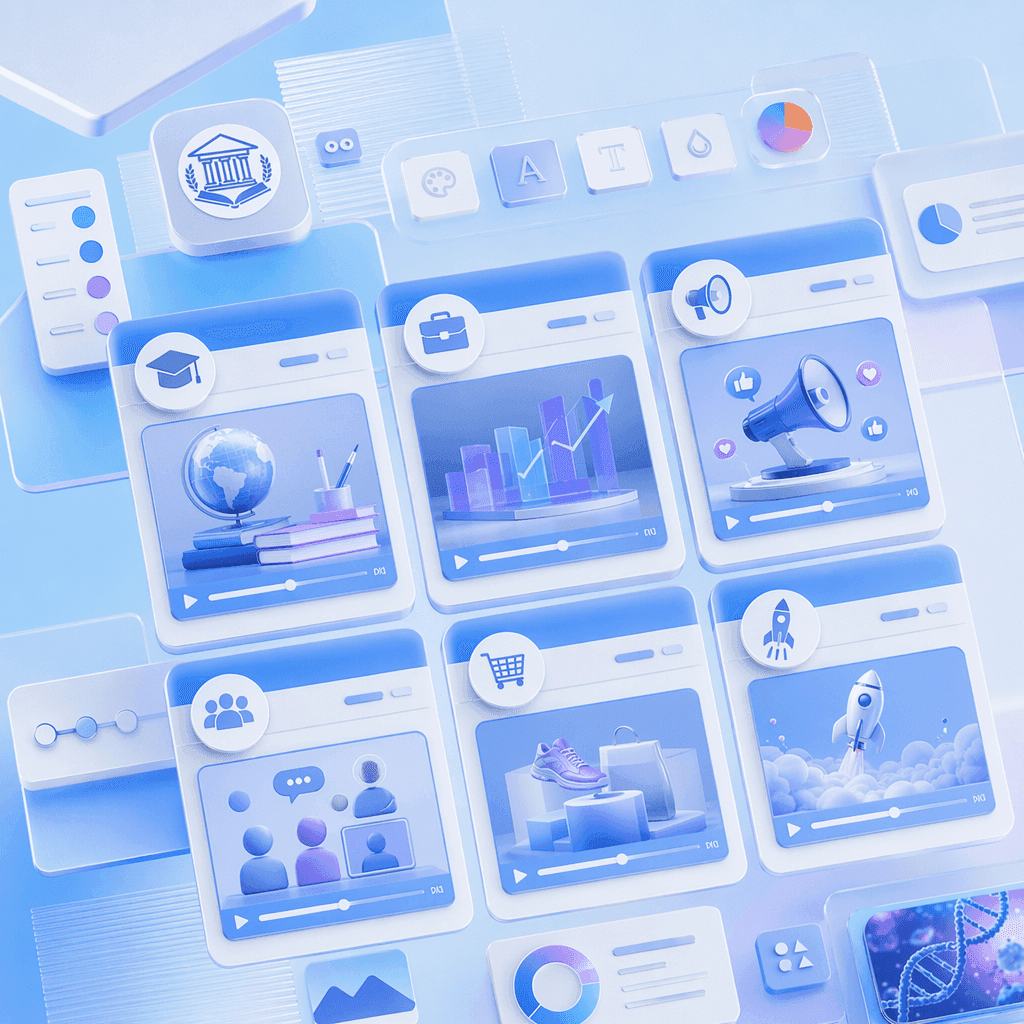
Narrated Text to Animation Videos in 88 Languages

Pair every text to animation video with a lifelike AI presenter. Choose from 200+ avatars with the Expressive IV Engine, then translate voiceover and on-screen text into 88 languages and 175 dialects — ideal for global audiences, ESL classrooms, international business teams, and multilingual online courses.
Templates for Every Content Type and Audience

Templates for Every Content Type and Audience

Apply your school, brand, or organization's colors, logo, and font once, then reuse the layout across every animated video — keeping text to animation output visually consistent from lesson explainers in term one to business presentations and product launches in the final quarter.

How to Create a Text to Animation Video with AI
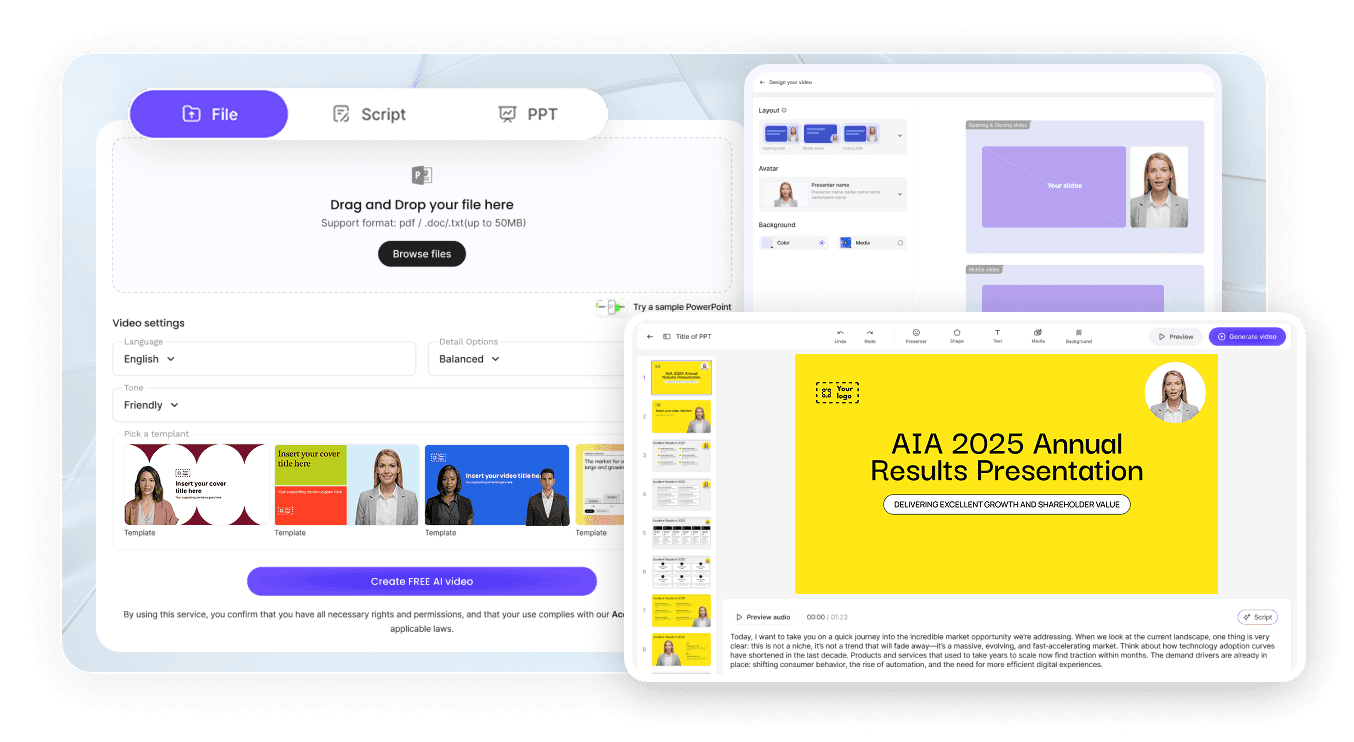
Turn any written content into a polished animated video in three steps — no animator required.
AI Video Generator Interface

Step 1: Add Your Text, Script, or Document

Log into Leadde and paste your text or upload a document, lesson plan, report, or PowerPoint deck. Set your audience and narrative style — the AI structures your written content into a scene-by-scene animation outline.

Step 2: Generate Animations and Narration

Open Text-to-Motion and generate animated visuals directly from your written prompts. Add an AI presenter, drag in supporting diagrams or data, and let the AI Script tools regenerate, expand, or shorten narration for each scene. Apply your Brand Kit across every animated video.

Step 3: Refine, Translate, and Share with Your Audience

Preview pacing, then click "Generate Video." Download the HD MP4 and upload to Google Classroom, Canvas, YouTube, or LinkedIn — or translate into 88 languages and share via a password-protected Leadde link.

Education & Explainer Text to Animation Videos

Lesson Notes to Animation

Build an animated lesson video by pasting chapter notes or uploading a textbook extract — Leadde structures the content into scenes, generates animated visuals from written topic prompts, and adds an AI narrator. Perfect for teachers, tutors, and EdTech creators across every subject and level.

Textbook Chapter to Animation

Animate a textbook chapter by uploading the PDF or pasting the content — a chapter to animation workflow mapping key concepts, definitions, and processes into narrated scene-by-scene animated videos. Ideal for GCSE, AP, IB, and undergraduate course content creation at any level.

Lecture Slides to Animation

Convert a PowerPoint or PDF lecture deck into a fully animated video — a slides to animation workflow generating animated diagrams, narrated explanations, and AI presenter delivery for each slide's content. Perfect for university lecturers, online course creators, and professional training developers.

Explainer Script to Animation

Paste a written explainer script and watch Leadde build the animated video around it — a script to animation workflow pairing your written narration with AI-generated Motion visuals, labeled diagrams, and a lifelike AI presenter. Ideal for YouTubers, EdTech brands, and science communicators at any level.

Science, Data & Technical Text to Animation Videos

Research Paper to Animation

Convert a scientific abstract, findings section, or full paper into an animated research summary video — a paper to animation workflow mapping hypothesis, methodology, results, and conclusion into narrated animated scenes. Perfect for academic conferences, research dissemination, and science communication content.

Data Summary to Animation

Animate a written data summary or analytical brief — a data to animation workflow generating animated charts, graphs, and data visualizations from written descriptions of metrics, trends, and findings. Ideal for business analysts, researchers, and data science educators at any level.

Technical Manual to Animation

Convert a technical manual, engineering specification, or process document into a step-by-step animated explainer — a manual to animation workflow generating animated diagrams, labeled schematics, and narrated procedure walkthroughs. Perfect for engineering firms, manufacturing companies, and technical training programs.

Lab Report to Animation

Animate a lab report or experimental write-up — a report to animation workflow converting method, results, and analysis into narrated animated scenes with supporting diagrams and data visualizations. Ideal for science teachers, undergraduate courses, and EdTech content at any level.

Trusted by Educators, Marketers, and Content Creators

One Tool for Every Text Format and Audience

From simple lesson notes and marketing copy to complex research papers and technical manuals, Leadde converts any written content into animated video in one workspace — build a whole course, campaign, or training program's worth of animated videos without switching tools, hiring animators, or re-recording.

Update Content as Text Changes

Lesson plans update, reports refresh, and products evolve. Reopen your saved Leadde project, edit the script or upload the new document, and regenerate the animation instantly — no re-recording, no re-animating, and no third-party motion-graphics shop ever required.

Interactive Q&A for Every Student

Share each text to animation video through a password-protected Leadde hosted link and viewers can ask follow-up questions in the built-in chat panel — answered instantly from your uploaded text content. The video becomes an always-on animated explainer for students, clients, and teams.

Track Engagement and Comprehension

Use Leadde's analytics dashboard to monitor impressions, total views, unique views, average watch time, completion rate, and interaction count for every text to animation video — easy to identify which content needs a follow-up video or refresh.
compliance background

Text to Animation Ideas & Use Cases

Teachers & EdTech Creators

Convert lesson notes, textbook chapters, and curriculum documents into animated lesson videos students rewatch before quizzes, labs, and exams across every subject.

Business & Marketing Teams

Turn business reports, marketing copy, product briefs, and campaign scripts into animated videos for presentations, social media, and client-facing content.

Online Course Creators

Package text to animation videos as standalone lessons for Udemy, Teachable, or Coursera — each document or script its own narrated, scene-by-scene animated video.

Researchers & Science Communicators

Convert research papers, data summaries, and scientific findings into polished animated videos for academic conferences, journal submissions, and public science communication.

FAQs

A text to animation maker is software that converts written content — lesson notes, scripts, reports, documents, and research papers — into animated, narrated explainer videos. Leadde uses AI to generate Motion graphics from written prompts, structure your content into scenes, and deliver the animation through realistic AI presenters in 88 languages.

Yes. Leadde's Free Plan gives you full access to the AI Video Creator, Text-to-Motion generation, the 200+ avatar library, and core editing tools. You can generate your first text to animation video entirely in your browser — no credit card and no software install required.

You can convert any written content that fits a scripted video — lesson notes, textbook chapters, lecture slides, explainer scripts, business reports, marketing copy, training documents, product briefs, research papers, data summaries, technical manuals, and lab reports. Upload PPTX, PDF, DOC, DOCX, or TXT files up to 200 MB, or paste your content directly into the AI Video Creator.

Yes. Leadde supports 88 languages and 175 dialects. Create the text to animation video once in your source language, then use the Translate tool to regenerate it with localized voiceover, synced lip movements, and on-screen captions for every viewer in your audience.

You can try it yourself by heading to the sidebar and navigating to AI Tools > Create Media, where you’ll find two ways to generate visuals. For a free option, use the Motion tab to animate specific actions or explanations. For full video generation, Text-to-Video lets you create complete video clips from pure text prompts using your account credits.

Ready to try Leadde?

Start creating text to animation videos today. Sign up free — no credit card required, no animation software to learn.
avatar
