
Leadde Logo

AI SaaS Explainer Video Maker

Turn product docs, scripts, and presentations into clear SaaS explainer videos with AI-generated narration, scenes, visuals, and optional avatar presenters.
Topic
File
Text
Script
PPT
369/10000
Need inspiration? Try one of these ideas
By using this service, you confirm you have the necessary rights and that your use complies with our Acceptable Use Policy and applicable laws.

The Easiest Way to Explain Your SaaS Product
Onboarding walkthrough

Onboarding walkthrough

Turn compliance documents, safety protocols, or regulatory guidelines into structured certification videos. Let an AI avatar walk employees through each requirement clearly — reducing legal risk and keeping teams audit-ready.

Cleanroom protocols

Cleanroom protocols

Explains the behavior guidelines and operational requirements for cleanrooms, ensuring employees adhere to standards and improve work efficiency and safety.

AR-700 operation training

AR-700 operation training

Introduces the operation process and safety guidelines of the AR-700 precision assembly robot, helping employees master proper operating techniques.

Marketing insights

Marketing insights

Covers insights extraction, segment narrowing, and next step alignment.

Trusted by the world's leading brands

11.png
22.png
33.png
44.png
55.png
66.png
77.png
11.png
22.png
33.png
44.png
55.png
66.png
77.png
11.png
22.png
33.png
44.png
55.png
66.png
77.png

What Is an AI SaaS Explainer Video Maker?

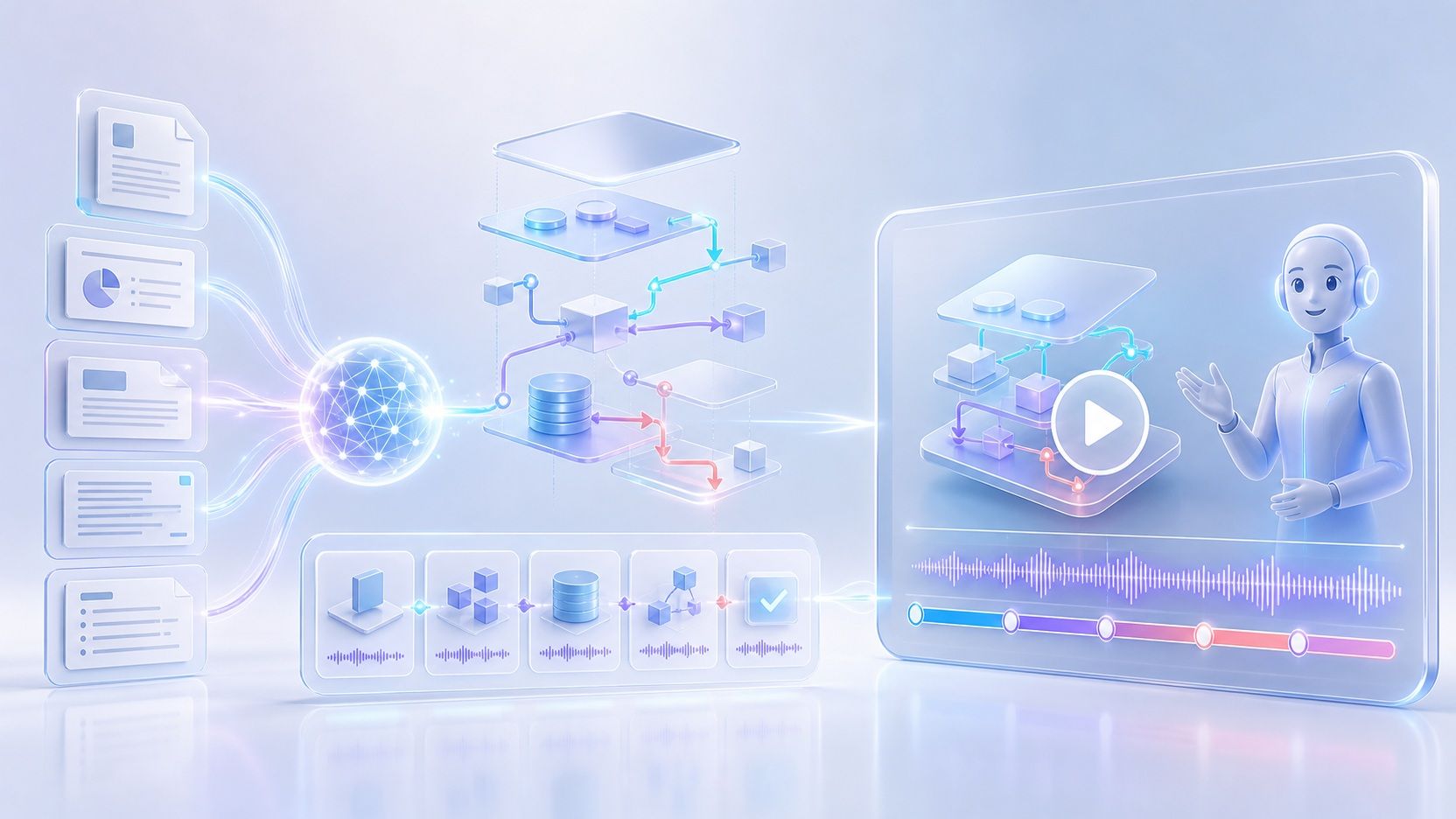
An AI SaaS explainer video maker turns software product content into a structured video that explains what your product does and how it works. Add product documents, PPTs, PDFs, text, or a script, and Leadde can analyze the content, create an outline and narration, organize it into scenes, and generate supporting visuals for your explainer video.
What Is an AI SaaS Explainer Video Maker?

Why Use Leadde's AI SaaS Explainer Video Maker?

Replace Expensive Agencies

Stop paying thousands of dollars to video production agencies. Leadde brings professional video creation in-house. Generate studio-quality SaaS explainers using text and AI, saving you both time and money.

Free Templates to Start Fast

You don't need a video editing course to get started. Leadde offers a variety of "Template Video" options. Simply choose a template, paste your software script, and generate a professional layout instantly.

Perfectly Synced Screen Recordings

SaaS explainers require showing the software. Upload your screen recordings (.mp4, .mov) and use Leadde's "Video Fit" modes. Choose "Freeze" or "Insert" to automatically pause your UI footage while the AI avatar finishes explaining a complex feature.

Global Reach in 89 Languages

Expand your SaaS product globally. Create your explainer video in English and instantly translate the script and voiceover into 89 languages and 175 dialects, ensuring users worldwide understand your software.

How to Make a SaaS Explainer Video with AI
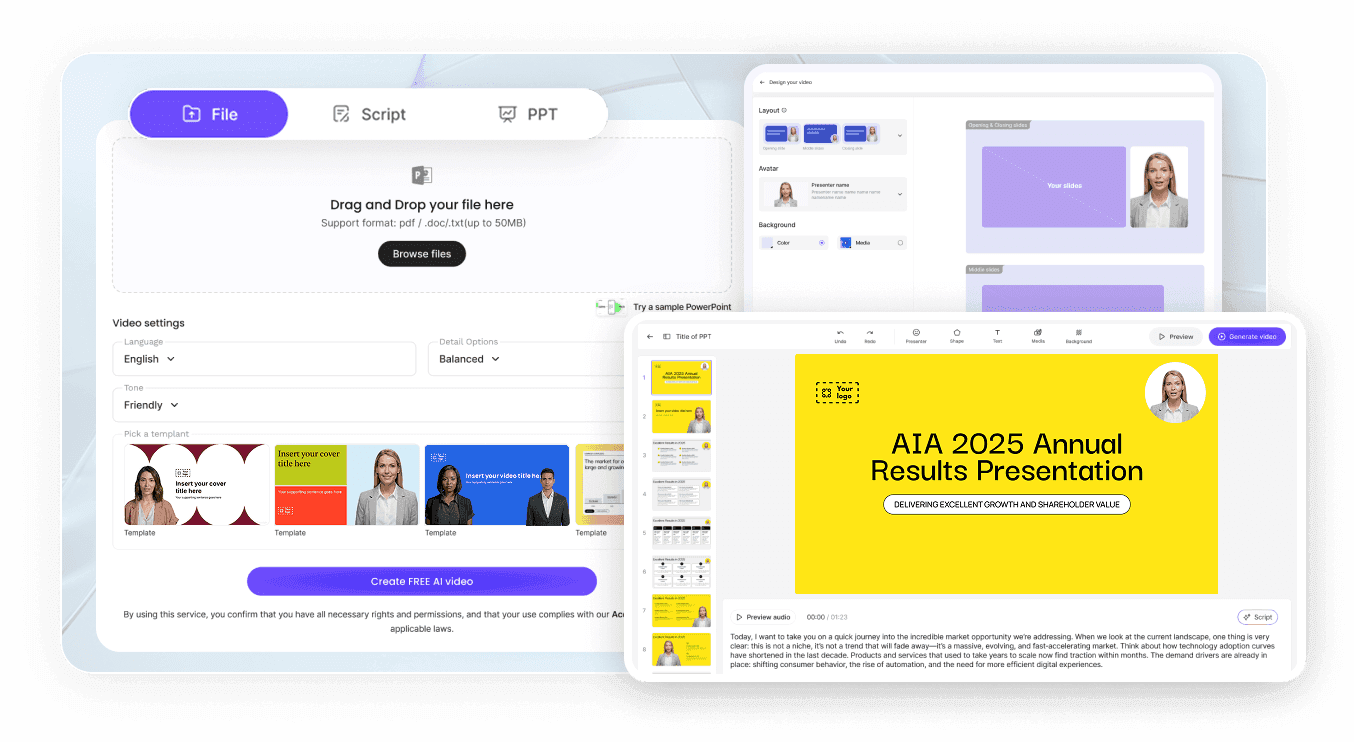
Create a high-converting explainer video in three simple steps—no course required.
Step 1: Choose a Template & Avatar

Step 1: Choose a Template & Avatar

Start by selecting "Template Video" from the home page. Choose a layout that fits your brand. Then, select a professional AI avatar from the 200+ available options to act as your friendly software guide.

Step 2: Add Your Script & Media

Type your script or use the AI to generate one. Set the avatar's tone to "Explanatory" to ensure your software is described clearly. Upload your UI screenshots or screen recordings to the "My Media" library and drag them onto the canvas.

Step 3: Sync and Generate

Use the "Animate" feature to add entrance and emphasis animations to key UI elements. Adjust the Video Fit settings for your screen recordings. Once everything is perfectly timed, click "Generate Video" to publish your explainer.
compliance background

Trusted by Modern SaaS Companies

Leadde empowers product marketers and founders to scale their video strategies. We provide an intuitive platform to create consistent, high-quality explainer videos that drive user understanding and activation.

Brand Consistency

Make every video look like it belongs to your brand. Use "Brand Kits" to lock in your logo and exact color palettes, ensuring your SaaS explainers always look professional and cohesive.

Expressive AI Guides

Keep users engaged. The "Expressive IV Engine" ensures your AI avatars use natural facial expressions and gestures, making complex software tutorials feel like a 1-on-1 walkthrough with a real human.

Interactive Problem Solving

Turn your explainer into a help desk. Viewers can interact with the video on the share page, asking questions in the chat panel and receiving instant, AI-driven answers about your software.

Instant Updates for New UIs

SaaS products update frequently. With Leadde, you never have to re-record a voiceover. If your UI changes, just swap the background image or video layer, and regenerate the explainer instantly.

Who Is an AI SaaS Explainer Video Maker For?

Product Marketing Teams

Turn product positioning, feature documentation, launch materials, and presentations into SaaS product explainer videos for websites, campaigns, launches, and customer communications.

SaaS Product Teams

Explain product features, workflows, and updates through structured software explainer videos that combine narration, visual scenes, highlights, and product media.

Customer Education Teams

Convert onboarding materials, help content, product guides, and documentation into videos that walk customers through software concepts and workflows in a more visual format.

Sales Enablement Teams

Transform pitch decks, product information, and sales materials into narrated SaaS videos that teams can share when introducing products, features, and workflows to prospects.

AI SaaS Explainer Video Maker Use Cases

Homepage Overview Videos

Capture attention immediately. Create a 60-second, high-level overview video for your landing page that clearly explains what your SaaS does and the main problem it solves.

Feature Deep-Dives

Show off your best tools. Create short, focused videos explaining individual features. Upload screen recordings of the feature in action and use the AI to narrate the workflow clearly.

User Onboarding Flows

Reduce churn with great onboarding. Embed a welcoming explainer video right inside your app dashboard. Use an AI avatar to guide new users through their first "aha!" moment.

Help Center Tutorials

Deflect support tickets. Build a visual knowledge base by turning your written FAQ articles into step-by-step video explainers, utilizing the "Objective" or "Explanatory" voice tones.

Sales Pitch Follow-ups

Show off your best tools. Create short, focused videos explaining individual features. Upload screen recordings of the feature in action and use the AI to narrate the workflow clearly.

Product Launch Announcements

Launch with impact. Use the "Slide Presenter" to turn your Product Hunt launch deck into a fully narrated explainer video, ensuring your new product gets maximum visibility.

Frequently asked questions

Yes. Leadde accepts content through Topic, File, Text, Script, and PPT inputs. Supported document formats include PPTX, PDF, DOC, DOCX, and TXT, allowing you to reuse existing product documentation and presentations as the starting point for a video.

Yes. Leadde can analyze your source material and generate a structured outline and narration for the video. The content can be adapted around factors such as the intended audience, purpose, tone, and level of detail before you generate the final scenes.

Yes. Leadde supports AI avatar-led videos and currently lists 300 AI avatars. You can also hide the avatar layer and create a voice-over-only explainer when a presenter is not needed.

Yes. Leadde supports 88 languages and 175 dialects, along with more than 100 AI voices. Its localization capabilities can help teams create versions of product and software explainer videos for different languages and markets.

Yes. Leadde offers a Free plan, and the current homepage lists 200 free credits. Available features and usage limits can vary by plan, so you can start with the free option and choose a plan based on your video workflow.

Create Your SaaS Explainer Video with AI

Turn your product documents, scripts, and presentations into a structured SaaS explainer video with narration, visuals, and AI presentation.

avatar






