
AI SaaS Explainer Video Maker
The Easiest Way to Explain Your SaaS Product
Onboarding walkthrough
Turn compliance documents, safety protocols, or regulatory guidelines into structured certification videos. Let an AI avatar walk employees through each requirement clearly — reducing legal risk and keeping teams audit-ready.

Cleanroom protocols
Explains the behavior guidelines and operational requirements for cleanrooms, ensuring employees adhere to standards and improve work efficiency and safety.

AR-700 operation training
Introduces the operation process and safety guidelines of the AR-700 precision assembly robot, helping employees master proper operating techniques.

Marketing insights
Trusted by the world's leading brands







What Is an AI SaaS Explainer Video Maker?
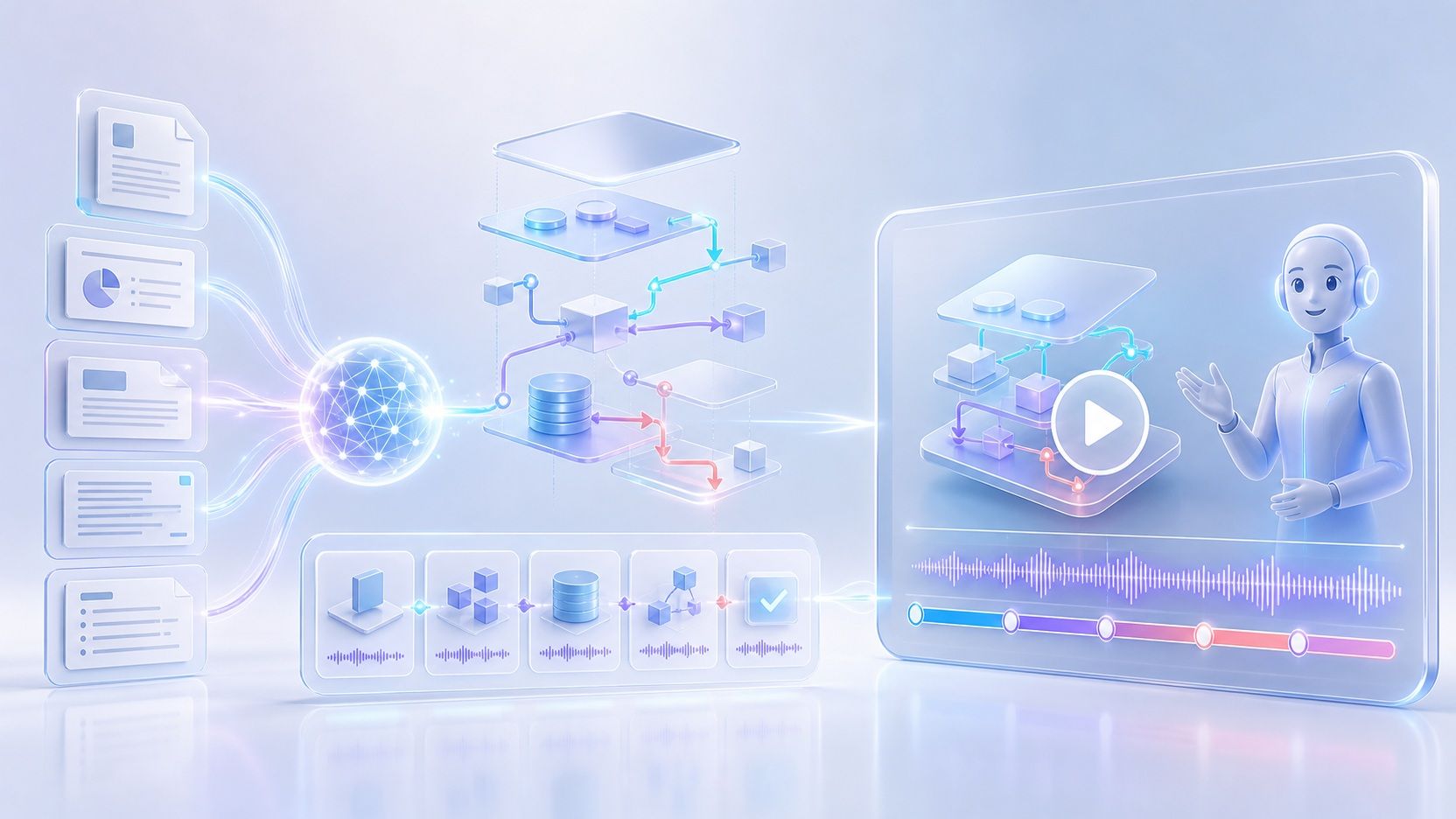
An AI SaaS explainer video maker turns software product content into a structured video that explains what your product does and how it works. Add product documents, PPTs, PDFs, text, or a script, and Leadde can analyze the content, create an outline and narration, organize it into scenes, and generate supporting visuals for your explainer video.
Why Use Leadde's AI SaaS Explainer Video Maker?
Replace Expensive Agencies
Free Templates to Start Fast
Perfectly Synced Screen Recordings
Global Reach in 89 Languages
How to Make a SaaS Explainer Video with AI
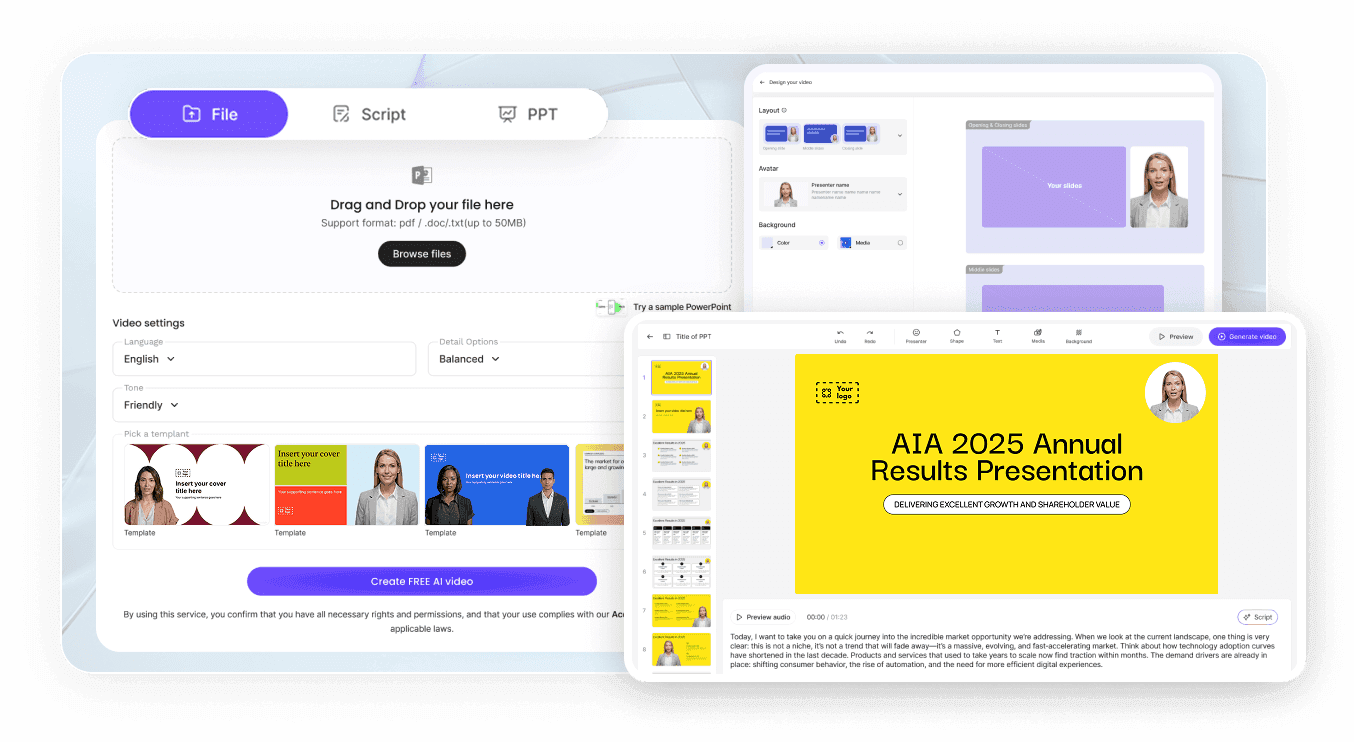
Step 1: Choose a Template & Avatar
Step 2: Add Your Script & Media
Step 3: Sync and Generate

Trusted by Modern SaaS Companies
Brand Consistency
Expressive AI Guides
Interactive Problem Solving
Instant Updates for New UIs
Who Is an AI SaaS Explainer Video Maker For?
Product Marketing Teams
Turn product positioning, feature documentation, launch materials, and presentations into SaaS product explainer videos for websites, campaigns, launches, and customer communications.
SaaS Product Teams
Explain product features, workflows, and updates through structured software explainer videos that combine narration, visual scenes, highlights, and product media.
Customer Education Teams
Convert onboarding materials, help content, product guides, and documentation into videos that walk customers through software concepts and workflows in a more visual format.
Sales Enablement Teams
Transform pitch decks, product information, and sales materials into narrated SaaS videos that teams can share when introducing products, features, and workflows to prospects.
AI SaaS Explainer Video Maker Use Cases
Homepage Overview Videos
Feature Deep-Dives
User Onboarding Flows
Help Center Tutorials
Sales Pitch Follow-ups
Product Launch Announcements
Frequently asked questions
Yes. Leadde accepts content through Topic, File, Text, Script, and PPT inputs. Supported document formats include PPTX, PDF, DOC, DOCX, and TXT, allowing you to reuse existing product documentation and presentations as the starting point for a video.
Yes. Leadde can analyze your source material and generate a structured outline and narration for the video. The content can be adapted around factors such as the intended audience, purpose, tone, and level of detail before you generate the final scenes.
Yes. Leadde supports AI avatar-led videos and currently lists 300 AI avatars. You can also hide the avatar layer and create a voice-over-only explainer when a presenter is not needed.
Yes. Leadde supports 88 languages and 175 dialects, along with more than 100 AI voices. Its localization capabilities can help teams create versions of product and software explainer videos for different languages and markets.
Yes. Leadde offers a Free plan, and the current homepage lists 200 free credits. Available features and usage limits can vary by plan, so you can start with the free option and choose a plan based on your video workflow.
Create Your SaaS Explainer Video with AI
Turn your product documents, scripts, and presentations into a structured SaaS explainer video with narration, visuals, and AI presentation.
