How to Create AI Avatar Videos for Employee Onboarding: A Step-by-Step Guide
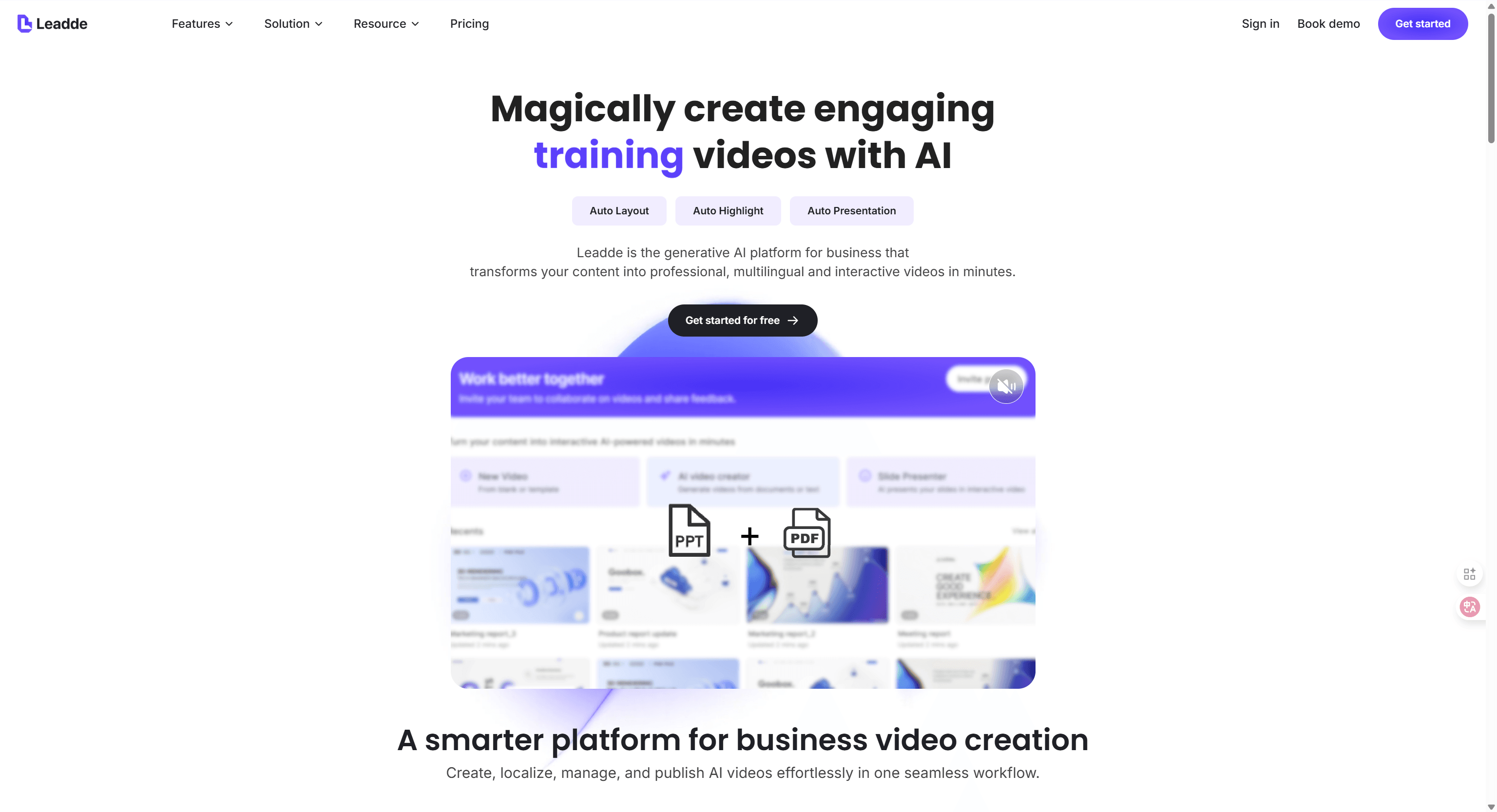
To create an employee onboarding video using AI, simply upload your existing training documents or scripts to an AI video platform and select a digital presenter.
The system automatically generates a structured video draft with synchronized voiceovers, realistic animations, and localized narration in minutes.
This modern workflow allows HR teams to learn how to create AI avatar videos for employee onboarding without expensive filming equipment or technical editing skills.
Stop letting your high-value training manuals gather digital dust in static folders.
With Leadde, you can instantly breathe life into stale PowerPoints and PDFs, turning them into interactive, "conversational" training assets that new hires actually enjoy watching.
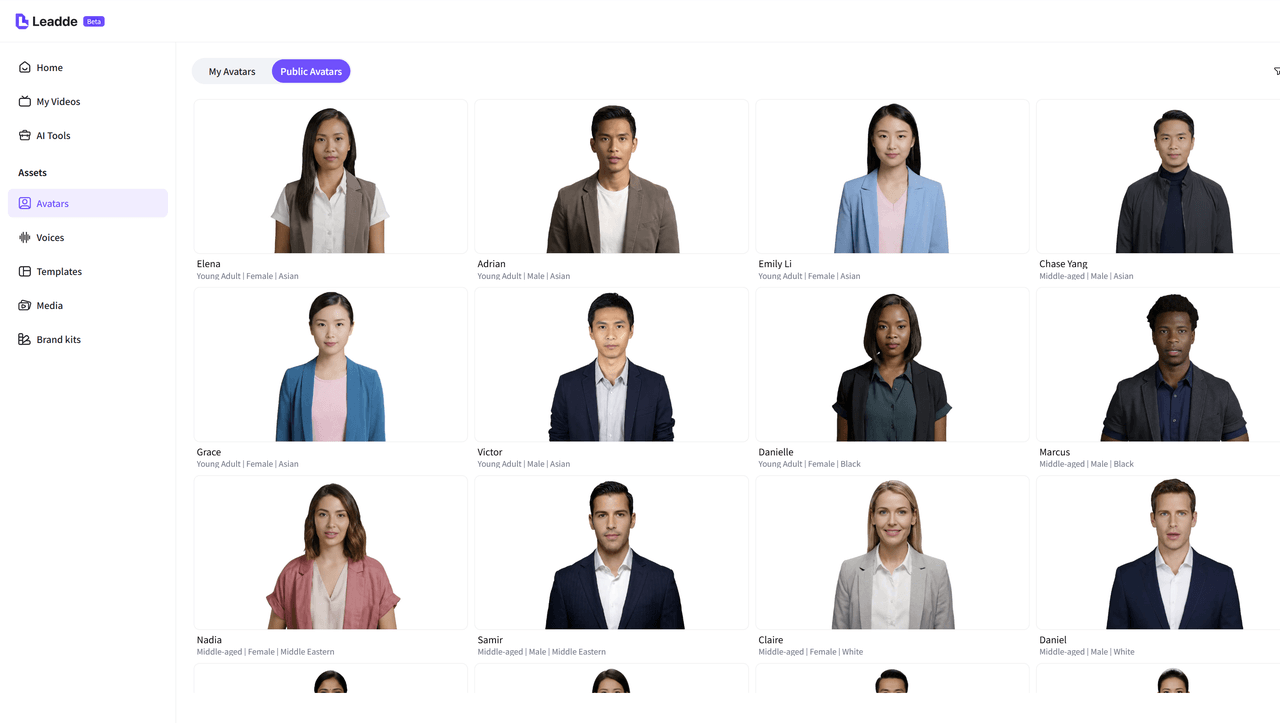
Experience the power of the Expressive IV Engine, which ensures your virtual mentors deliver every welcome message with natural facial expressions and a professional human touch. Join the ranks of forward-thinking L&D leaders who have slashed production times from weeks to hours by launching their first AI-driven onboarding project today.
Why Should You Use an Employee Onboarding Video Created by AI?
The shift toward AI-driven content production addresses the most common friction points in corporate training. Traditional methods often struggle to keep pace with rapid organizational change. An employee onboarding video generated through artificial intelligence introduces a level of agility that manual filming cannot deliver.
This shift transforms video from a luxury asset into a standard internal communication tool. Teams learning how to create AI avatar videos for employee onboarding discover they can maintain a high-frequency update cycle without operational strain. The comparison below highlights the measurable advantages of modernizing your production workflow.
| Feature | Traditional Video Production | AI Video Workflow (Leadde) |
|---|---|---|
| Production Time | 2 to 4 weeks per module | 2 to 4 hours from script to finish |
| Average Cost | $5,000 to $25,000 per video | $50 to $500 per video |
| Team Size | Director, editor, actors, crew | One L&D professional |
| Updates | Requires full reshoots | Edit text and regenerate instantly |
Efficiency gains extend beyond time and cost. Reliability and scalability drive long-term adoption. By integrating Leadde into the tech stack, organizations unlock several strategic advantages:
- Flawless Content Delivery: AI avatars eliminate recording fatigue and inconsistency.
- Visual Polish Without Equipment: Professional layouts generate automatically without studios or cameras.
- Global Language Parity: Training localizes instantly into 170+ languages.
- Scalable Personalization: Modular onboarding videos adapt to large hiring waves without increasing workload.
How Do You Plan a High-Impact AI Onboarding Video?
Strategic planning ensures that an employee onboarding video remains outcome-driven. Without defined objectives, even visually polished content loses instructional value. High-performing L&D teams prioritize measurable learning goals before production begins.
Mapping the learner journey prevents cognitive overload and improves retention. The “Signpost” structure provides a reliable narrative framework that simplifies complex internal policies.
- Define Measurable Goals: Example — enable a new hire to process a refund within three minutes.
- Audience Segmentation: Separate foundational onboarding from advanced skill modules.
- Information Chunking: Limit each video to one to three learning objectives.
- Asset Repurposing: Use existing PowerPoints, SOPs, and employee handbooks as script foundations.
With this structure in place, Leadde acts as a strategic accelerator. Uploaded documents are analyzed and converted into a scene-by-scene video outline, reducing preparation time while preserving instructional clarity.
| Narrative Stage | Duration | Primary Objective |
|---|---|---|
| Introduction | 30–60 seconds | Present the topic and explain relevance |
| Main Content | 8–12 minutes | Break concepts into 3–5 practical sections |
| Summary | 30–60 seconds | Reinforce key takeaways |
| Knowledge Check | 2–3 minutes | Validate comprehension with interactive prompts |
Batch scripting multiple modules before generation creates a sustainable internal content pipeline.
Mastering how to create AI avatar videos for employee onboarding becomes a repeatable operational capability rather than a one-time experiment.
What Is the Step-by-Step Process to Create AI Avatar Videos for Employee Onboarding?
The transition from a static document to a professional employee onboarding video follows a logical sequence that prioritizes clarity and speed. Utilizing an automated workflow allows L&D teams to produce high-quality assets without the steep learning curve of traditional editing software. This streamlined approach ensures that every training module remains consistent with the latest corporate standards.
Step 1: Converting Documents to Structured Video Outlines
Modern production begins by repurposing existing knowledge stored in common business formats.
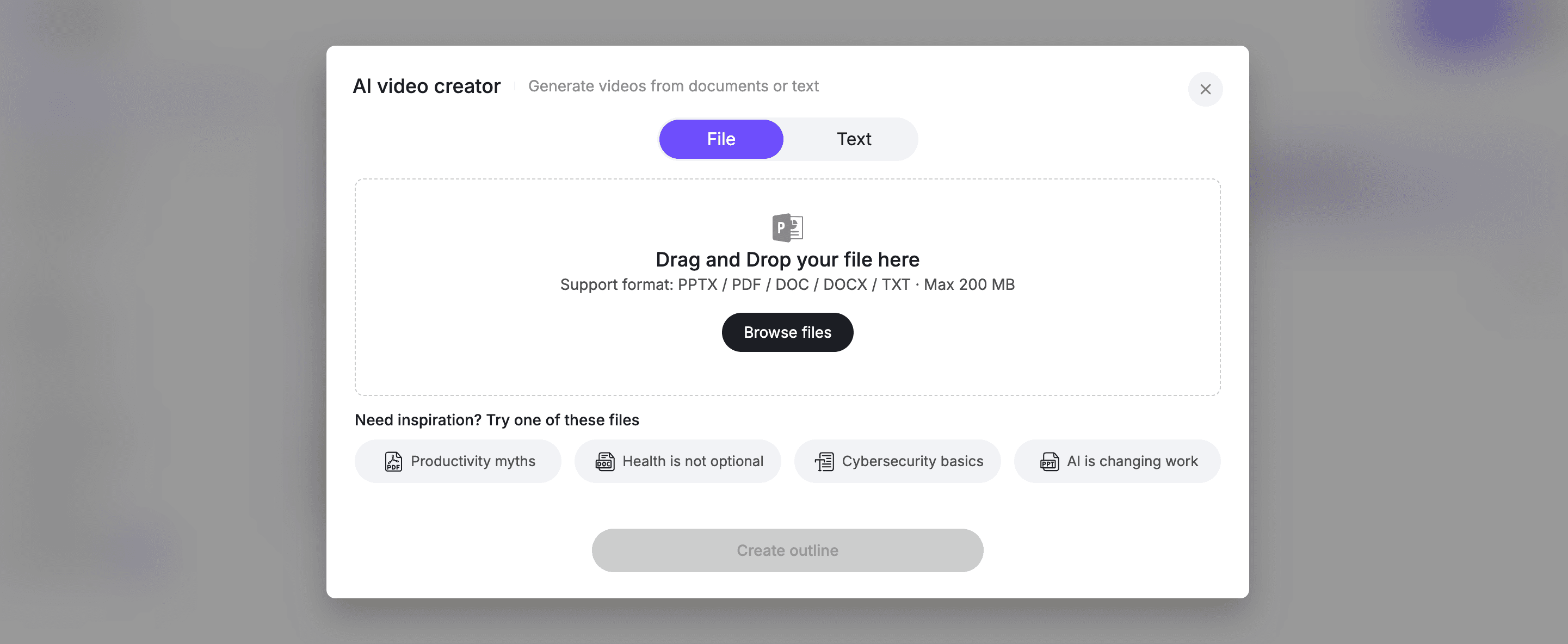
Uploading a PDF or PPT file into Leadde triggers an intelligent analysis that extracts key points and organizes them into a scene-by-scene draft.
- Format Flexibility: The platform supports .pptx, .pdf, .doc, and .txt files up to 200MB.
- Automatic Structuring: AI identifies logical breaks in the text to build a clear outline and narration flow.
- Narrative Flow: The generated structure serves as a foundation that eliminates the need to design every frame manually.
Step 2: Refining the Script for Oral Delivery
Once the AI generates a draft, the focus shifts to ensuring the content is easy for a new hire to hear and understand. Use the internal script editor to adjust the pacing and tone so the message sounds natural and welcoming.
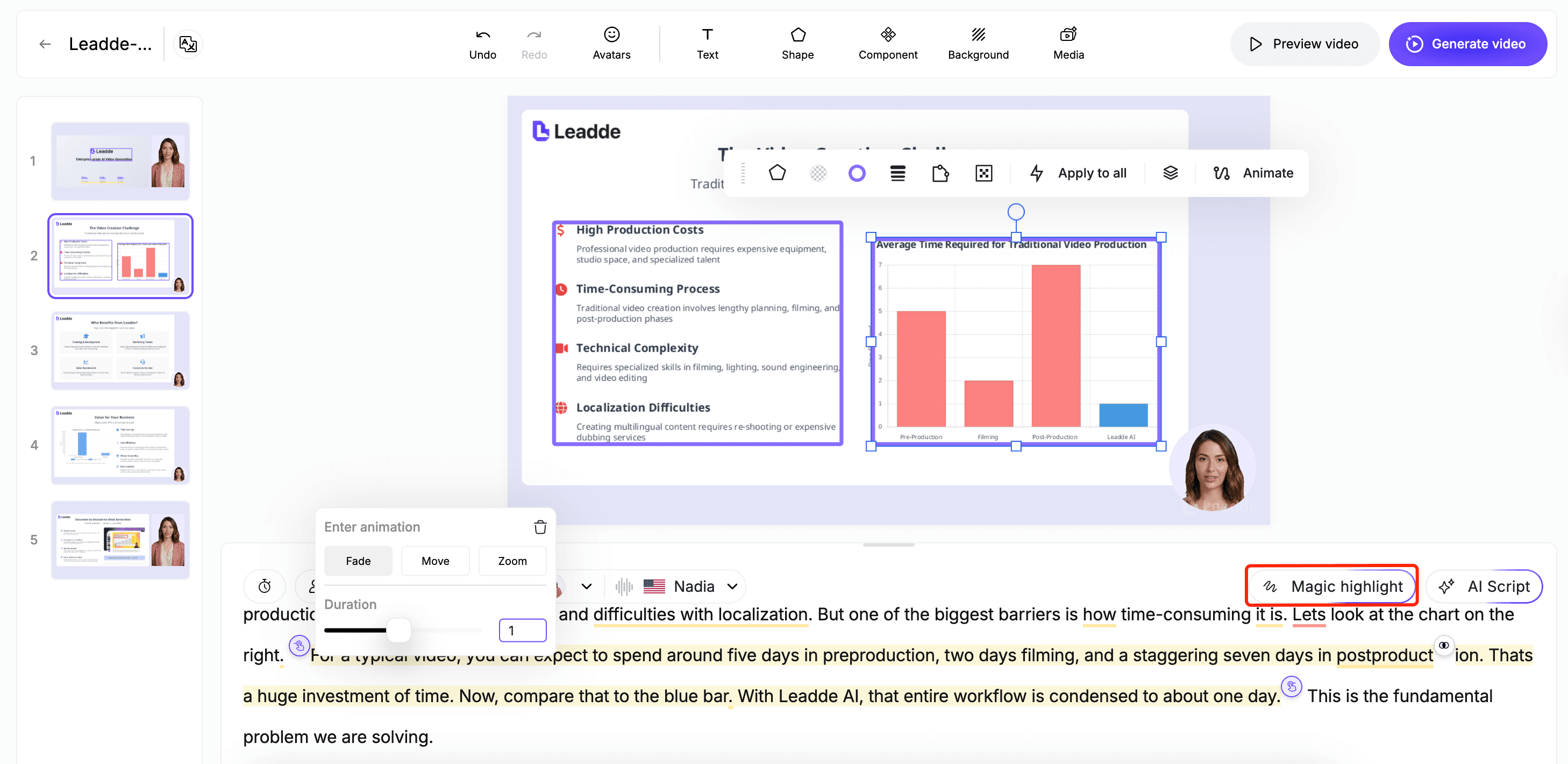
- Conversational Tone: Replace formal written jargon with short, direct sentences that prioritize clarity over sophistication.
- Pacing Control: Insert pauses at critical moments to allow the viewer time to absorb complex policy information.
- Pronunciation Accuracy: Utilize correction tools to ensure that company-specific terms and names are pronounced correctly every time.
Step 3: Selecting the Ideal AI Avatar and Voice
The visual and auditory representation of your training presenter establishes the tone for the employee's relationship with the company. Leadde offers a diverse library of over 200 multi-ethnic avatars to ensure your employee onboarding video reflects your actual workforce.
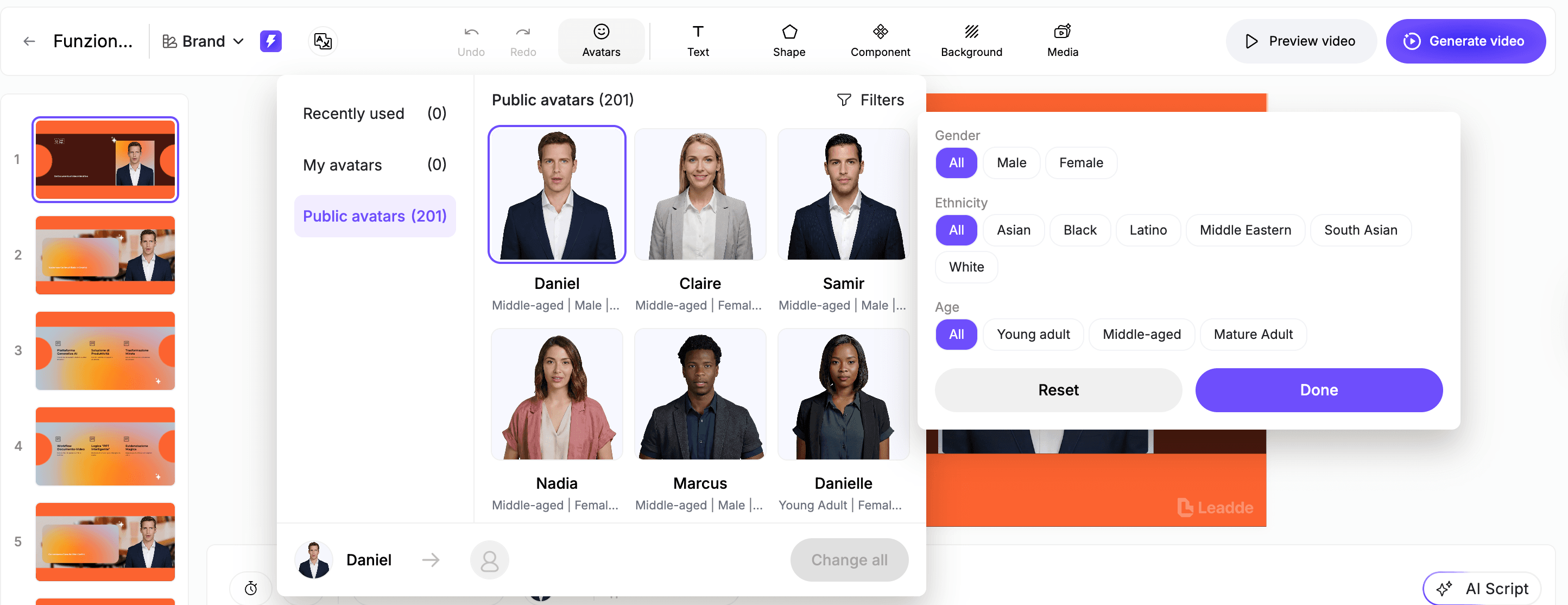
- Contextual Matching: Choose between professional business attire for corporate headquarters or casual styles for creative environments.
- Global Localisation: Select from 170+ languages and localized accents to provide a native training experience for distributed teams.
- Expressive Delivery: Leverage advanced engines to ensure the digital presenter uses natural facial expressions and full-body movements.
Step 4: Enhancing Clarity Through Visual Enrichment
A great training video uses on-screen elements to emphasize the most important parts of the narration. Adding shapes, text boxes, and animated highlights helps guide the learner's attention to key policy details.
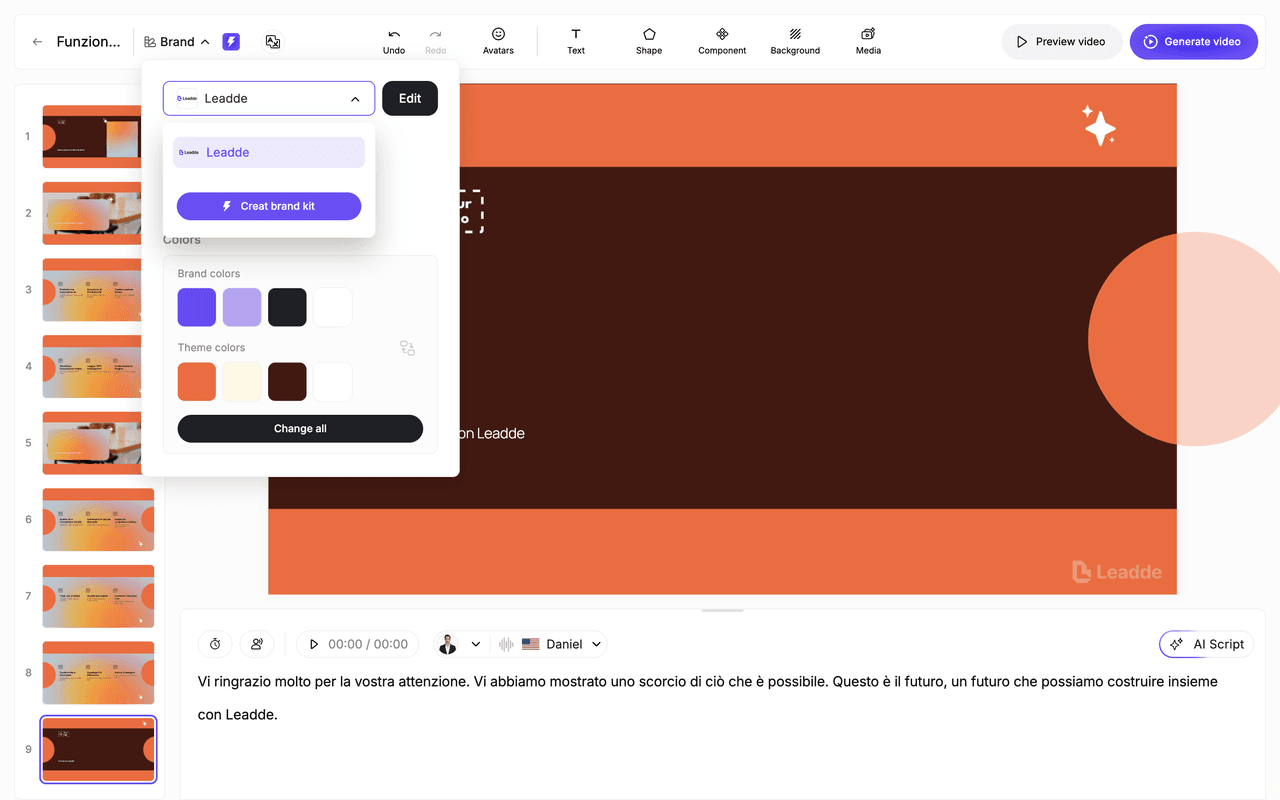
- Dynamic Highlights: Automatically animate essential text or steps in a process to reinforce information retention.
- Environmental Context: Set backgrounds that match the topic such as office settings for HR updates or laboratory environments for safety training.
- Brand Alignment: Apply consistent colors and logos across every scene in a single click to maintain a professional brand kit.
Step 5: Final Preview and High-Definition Rendering
The final stage involves a comprehensive review of the audio-visual synchronization. This ensures the employee onboarding video meets all learning objectives before it reaches the hands of new hires.
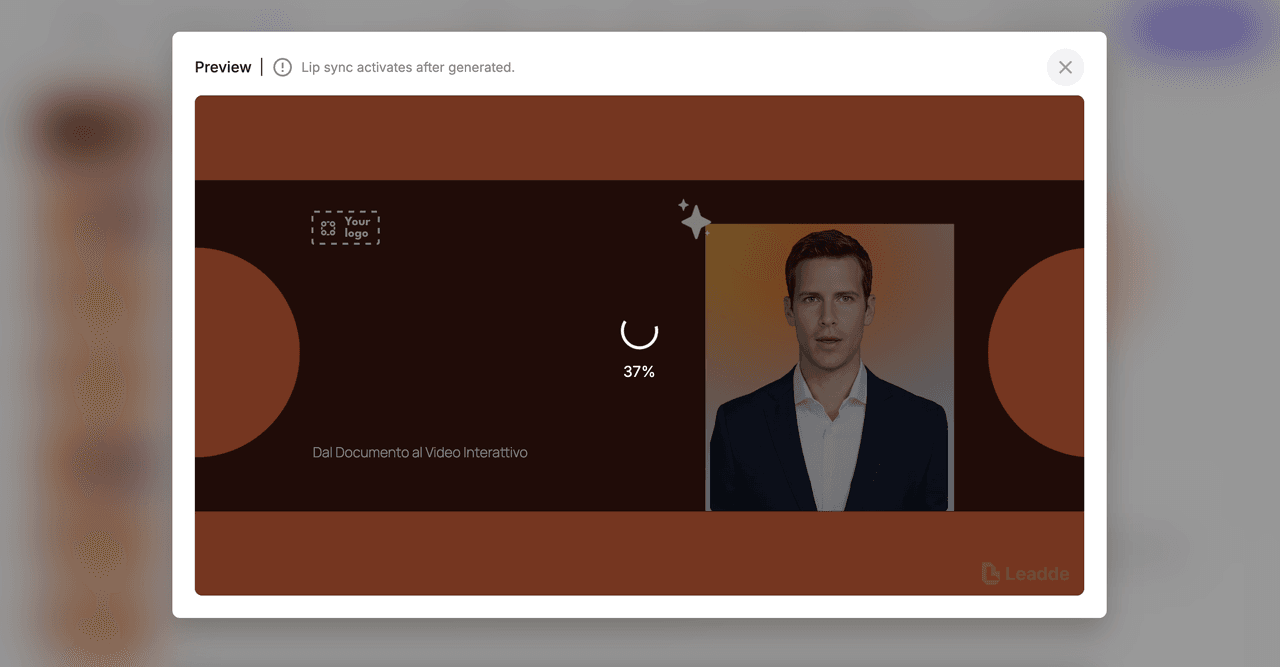
- Scene Previews: Watch individual scenes to verify the timing of animations and the clarity of the voiceover.
- Technical Quality Check: Confirm that all visual elements are readable and properly sized for both desktop and mobile viewing.
- One-Click Generation: Render the final high-definition video once the content and pacing align with your training goals.
How Can You Optimize Your Onboarding Videos for Maximum Engagement?
High engagement rates depend on delivering content that is both accessible and interactive. Learning how to create AI avatar videos for employee onboarding is only part of the process. The real value comes from how you structure the final experience for the learner.
The following optimization strategies ensure that your training remains effective long after the first viewing.
- Microlearning Focus: Keep videos under 10 minutes or break long manuals into 2-minute bursts to prevent cognitive fatigue.
- Interactive Knowledge Checks: Insert questions every 3 to 5 minutes to force active engagement and improve retention by up to 40%.
- Conversational Content: Use the Leadde chat panel to allow new hires to ask questions directly to the video and receive instant answers.
- Agile Content Updates: Modify scripts or visuals instantly like editing a text document to reflect real-time policy changes without reshoots.
Integrating these elements transforms a standard presentation into a dynamic learning tool. This level of flexibility ensures that your employee onboarding video stays relevant as your organization grows.
Conclusion: Transforming Your Hiring Pipeline with AI-Driven Onboarding
Adopting an AI-driven approach to employee training marks a significant shift in how organizations manage their talent pipeline. A high-quality employee onboarding video created through artificial intelligence directly addresses the most persistent challenges of traditional corporate education: prohibitive costs, slow production cycles, and low learner engagement.
By automating the transition from static documents to dynamic presenters, HR teams can ensure that every new hire receives a consistent, professional, and welcoming introduction to the company.
This modern methodology empowers Learning and Development leaders to maintain a library of content that is always accurate and culturally relevant. Understanding how to create AI avatar videos for employee onboarding has become a vital skill for those looking to scale their training efforts across global teams without increasing their operational burden. This approach allows for instant updates and multilingual support, ensuring that your onboarding process remains as agile as your business.
- Solve Cost and Speed Constraints: Move from weeks of filming to hours of AI generation, reducing budgets by up to 90%.
- Boost Information Retention: Use interactive Q&A and microlearning formats to keep new hires focused and informed.
- Ensure Global Consistency: Deliver the same high-standard message in over 170 languages to support a diverse workforce.
- Maintain Agility: Update training modules as easily as editing a text document, eliminating the need for expensive reshoots.
Ready to revolutionize your training strategy? Start your free trial with Leadde today and transform your static manuals, PowerPoints, and PDFs into professional, multilingual AI video assets in minutes.