
Brain Animation Maker
Create brain and neuroscience animation videos from your lesson notes. Use Leadde to draft Motion visuals for anatomy, neural signals, and learning, add narration, then review the scientific details before sharing the explanation with your students.
Create Brain Lessons With Leadde

Build a Focused Neuroscience Lesson

Draft Motion Visuals From a Prompt

Narrated Brain Animation Videos in 88 Languages

Reuse Templates and Brand Settings
How to Create a Brain Animation with AI
Start with reviewed teaching material, draft the visual sequence, and check the finished lesson before sharing.
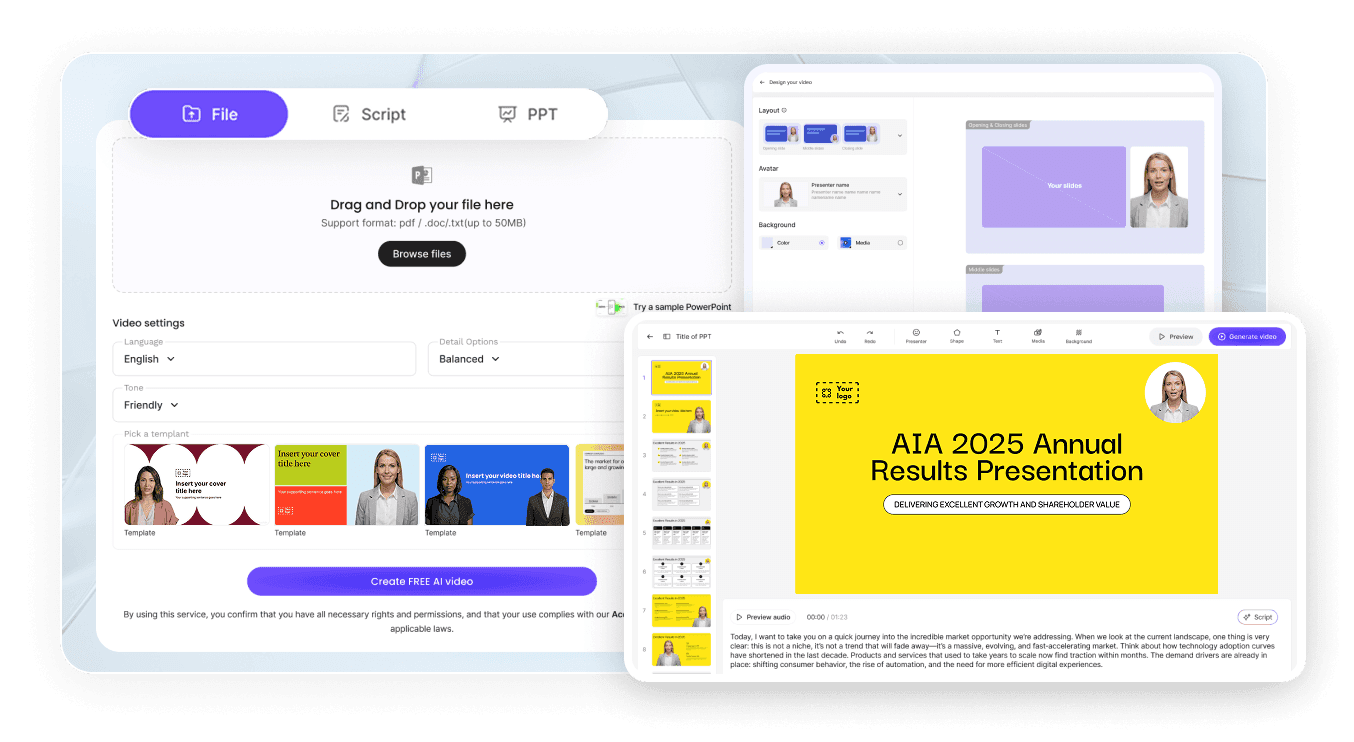
Step 1: Add Your Topic, Notes, or Textbook Chapter
Step 2: Generate Animations and Narration
Step 3: Refine, Translate, and Share with Students
Plan a Clear Visual Sequence
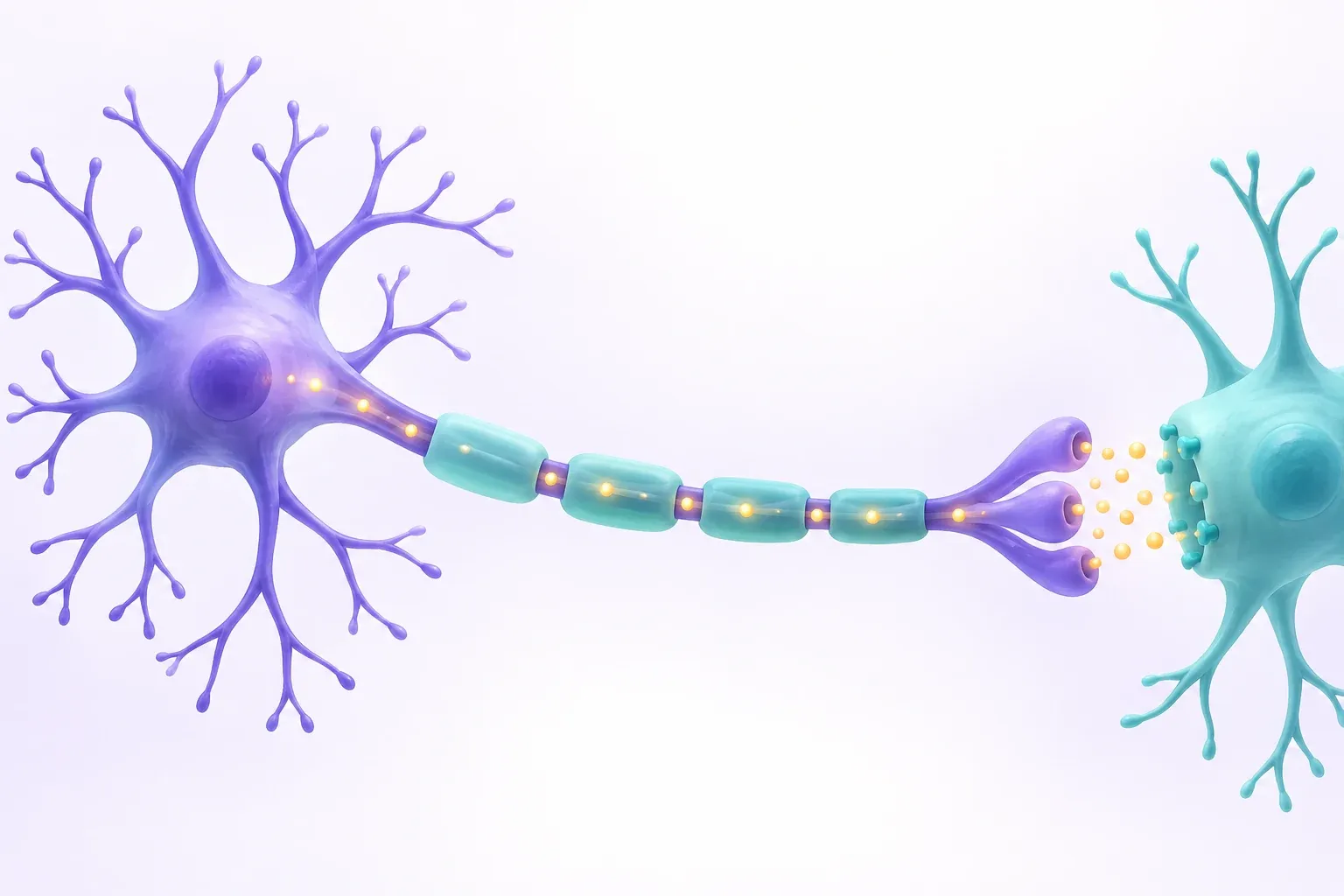
Choose one idea for the lesson and describe what should change between scenes. The illustration is a simplified concept for planning a visual explanation.
Brain Structure and Neuroanatomy Animation
Brain Lobes Animation
Brainstem and Cerebellum Animation
Limbic System Animation
Cerebral Cortex Animation
Brain Function, Disorders & Neuroscience Videos
Memory and Learning Animation
Stroke Animation
Neuroplasticity Animation
Alzheimer's Disease Animation
For Biology Teachers, Tutors, and EdTech Creators
Keep Related Lessons in One Workspace
Update Content as Curriculum Changes
Questions Alongside the Lesson
Track Viewing and Engagement

Brain Animation Ideas & Use Cases
Middle School & AP Biology Lessons
Undergraduate Neuroscience & Anatomy
Online Course Modules
Tutoring & Exam Prep
Build Dedicated Biology Animation Videos for Top Topics

Cell Animation
Visualize cell structure, organelles, and the cell cycle — animated diagrams covering plant cell and animal cell biology.

Heart Animation
Show the four-chamber heart, blood circulation, and the cardiac cycle through AI-generated animated diagrams with narration in supported languages.

DNA Replication Video
Show the replication fork, helicase, and polymerase step by step — useful in genetics and protein synthesis animation lessons.

Breathing Animation
Animate the diaphragm, lungs, and gas exchange — a scene-by-scene respiratory system animation that beats static diagrams.

Mitosis Animation
Walk through prophase, metaphase, anaphase, and telophase — each mitosis stage gets its own scene with animated chromosomes.

Biology Animation
From cells and mitosis to evolution — animated biology videos covering a range of life-science topics.
Related Leadde Tools for Brain Animation

AI Medical Education Video Maker
Turn neuroanatomy PDFs into clear teaching videos on the brain and nervous system, in 88 languages.

AI Classroom Video Maker
Turn a lesson plan on the brain and senses into a classroom video presented by an AI instructor.

AI Video Course Creator
Build a multi-lesson neuroscience course from your PDFs or slides, with AI instructors and editable scenes.
FAQs
A brain animation maker is software that turns neuroscience concepts — brain anatomy, neural signaling, nervous system function, and neurological disorders — into animated, narrated explainer videos. Leadde uses AI to generate Motion graphics from a prompt, structure your topic into scenes, and deliver the lesson through realistic AI presenters in 88 languages.
Yes. Motion generation uses account credits. Check the pricing page and your account for the current plan allowance and generation cost.
Lesson ideas include brain anatomy, action potentials, synaptic transmission, reflex arcs, and learning. Use a specific teaching objective and a reviewed explanation. Simplify the visuals for the audience while keeping the scientific sequence and terminology accurate.
Yes. Leadde supports 88 languages and 175 dialects. Create the brain animation once in your source language, then use the Translate tool to regenerate it with localized voiceover, synced lip movements, and on-screen captions for every student in the class.
Open Media, choose Create with AI, and select Motion. Describe the visual sequence in your prompt, choose the available options, and generate a draft. Preview the asset, revise it as needed, and add it to your lesson with supporting diagrams and narration.
Choose one process and state what learners should understand. For a neural signal lesson, distinguish electrical propagation along an axon from chemical transmission at a synapse. Prepare a checked script and reference diagrams, describe the desired sequence in Motion, and review labels and directionality before sharing.
Ready to try Leadde?
Start with your lesson topic in Leadde. Draft the visual sequence, add narration, and review the result before sharing. Motion generation uses account credits.
