AI Business Video Maker & Generator
Scale Your Business Video Maker Production
Onboarding walkthrough
Turn compliance documents, safety protocols, or regulatory guidelines into structured certification videos. Let an AI avatar walk employees through each requirement clearly — reducing legal risk and keeping teams audit-ready.

Cleanroom protocols
Explains the behavior guidelines and operational requirements for cleanrooms, ensuring employees adhere to standards and improve work efficiency and safety.

AR-700 operation training
Introduces the operation process and safety guidelines of the AR-700 precision assembly robot, helping employees master proper operating techniques.

Marketing insights
Trusted by Global Teams Using Our Corporate Video Maker







Why Companies Choose Leadde as Their Business Video Maker
Brand Consistency on Creator and Enterprise
Convert PowerPoint Decks Into Presenter Videos
Static decks rarely sustain attention when shared asynchronously. Import up to 50 pages and 200MB of PPTX or PDF files into our video presentation maker (Slide Presenter), extracting editable PPTX layers and speaker notes cleanly.
Reach Offices Worldwide in 88 Languages
Global teams understand policy shifts fastest in their local language. Duplicate completed projects via Translate into 88 languages and 175 dialects, or run our text to speech avatar voices and credit-billed Video Dubbing (15+ languages).
Lifelike Spokespersons With Expressive Delivery
How to Build a Corporate Video Using Our Generator
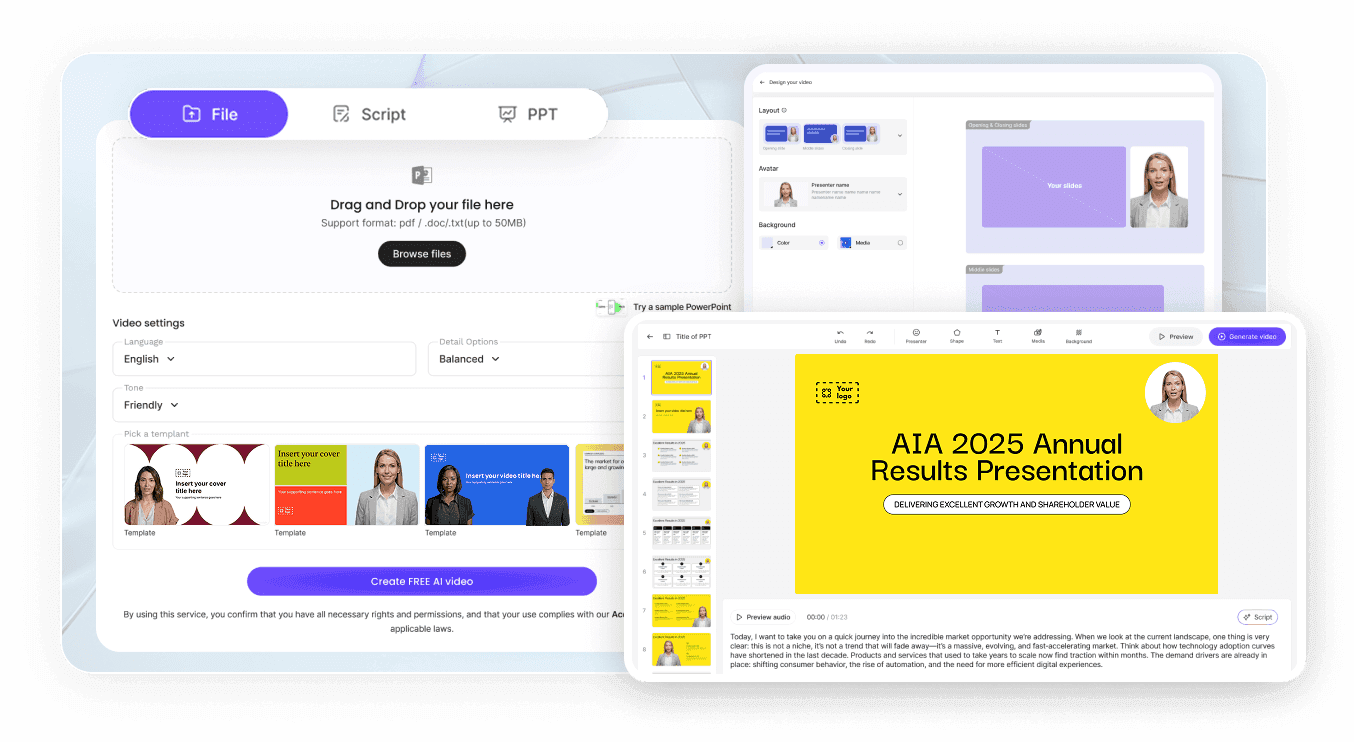
Step 1: Import Company Docs or Scripts
Open AI Video Creator or our script to video workspace, paste your talking points, or upload DOCX, DOC, PDF, PPTX, or TXT collateral up to 200MB.
Step 2: Assign Brand Styling and Voice
Step 3: Export or Share Protected Links

Governance Controls for Your Company Video Creator Workflow
Protect confidential briefings, keep links accurate across updates, and review engagement per department without external video tools.
Password Access for Internal Briefings
Live Revision Control With Smart Updates

Single-Browser Efficiency Beyond Physical Shoots
Engagement Metrics and AI Video Chat
Corporate Scenarios for Our AI Business Video Generator
Corporate Training Programs
Build consistent onboarding and annual policy lessons across departments inside our AI training video generator so script or pricing revisions propagate cleanly without rescheduling physical studio time.
Internal Company Announcements
Replace long all-staff emails with concise presenter briefings through our AI internal communication video maker, keeping quarterly priorities and organizational updates clear for hybrid teams.
Software and Product Demos
Highlight workflow benefits and new UI releases via our AI product demo video maker, letting prospects and internal teams inspect real product screens stored in My media.
Sales Playbooks and Proposal Recaps
Equip regional account executives with uniform talk tracks and custom account summaries using our AI sales enablement video maker, pairing Hosted Links with paid Video CTA buttons.
Client Onboarding and Support Walkthroughs
Greet new B2B accounts with organized orientation guides covering portal navigation, billing contacts, and implementation milestones so customer success teams skip repetitive introductory calls.
Operations and Healthcare Procedures
Deliver step-by-step safety routines and equipment checklists across clinical, warehouse, and plant locations, backed by 500MB (Free), 5GB (Starter), or 20GB (Creator) Knowledge Base storage and AI Video Chat.
AI Business Video Maker FAQ
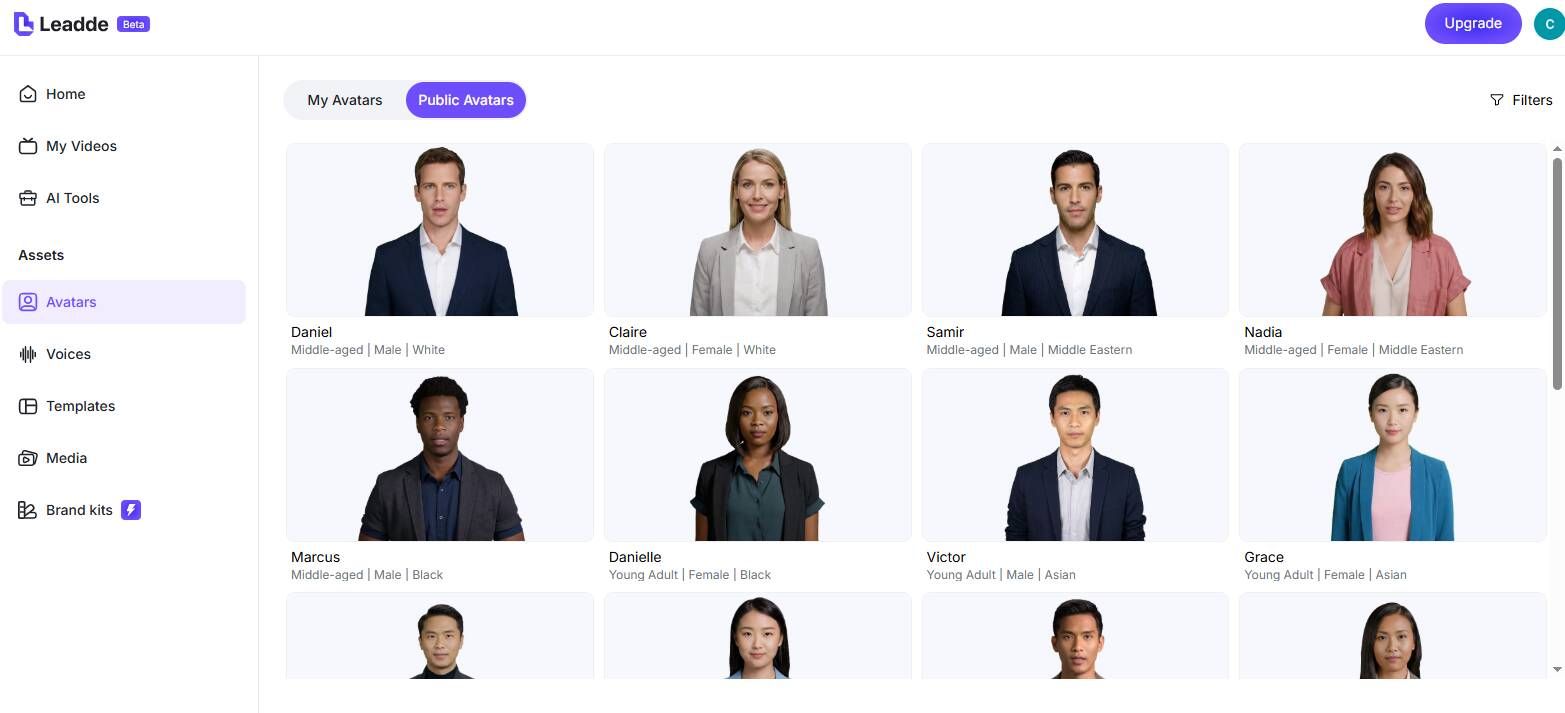
Yes. Leadde's $0 Free tier provides 200 monthly credits, 16 public presenters, 500MB Knowledge Base space, and watermarked 1080p MP4 downloads up to 10 minutes. Paid tiers start at Starter (2,000 credits, no watermark, 250+ avatars, 88 languages, SRT/VTT, Video CTA) and Creator (7,000 credits, 4K MP4, 30-min length, Brand Kits).
No timeline editing background is required. Paste notes or upload slides, pick an avatar voice and background layout, tune Speech Speed or Pauses up to 99 seconds, and let Leadde handle scene framing, captions, and MP4 rendering.
Yes. Upload .mp4, .mov, and .webm clips, images, or audio files directly to My media, or import .pptx, .pdf, .doc, .docx, and .txt files up to 200MB (Slide Presenter supports up to 50 slides/pages). Teams on Enterprise also share pooled libraries across multi-seat Workspaces.
While any plan uploads visuals in My media, dedicated Brand Kits and Custom Fonts belong to Creator and Enterprise tiers. Those plans lock official logos, palettes, and typography across templates so department contributors stay on brand.
Duplicate approved English projects through Translate across 88 languages and 175 dialects, rewriting voiceovers and canvas slides coherently. Existing pre-recorded MP4 product clips can also run through credit-billed Video Dubbing in 15+ languages with synchronized lip movement.
Upload up to 10 reference documents per batch into Knowledge Base to ground generated scripts, and enable the right-hand AI Video Chat panel on Hosted Links so viewers can ask questions directly beside the video player.
Build Business Video Maker Projects for Free
Launch Leadde's AI business video maker with 200 Free credits per month to convert company decks and scripts into clear videos.