
Leadde Logo

AI YouTube Shorts Generator

Produce 9:16 vertical videos for the YouTube Shorts shelf with our AI YouTube Shorts generator. Turn topic prompts or scripts into 30s-60s storyboards in Video Agent, apply 9 caption presets in Studio, and clone your voice from 10-60s of audio.
Prompt & Script
File
PPT
Need inspiration? Try one of these ideas
No credit card required

What Is an AI YouTube Shorts Generator?

An AI YouTube Shorts generator builds 9:16 vertical 30-to-60-second channel videos from written scripts, trivia hooks, and episode outlines for the mobile Shorts shelf. Leadde Video Agent stages fast scene cards with 9 global subtitle styles and 10-60s voice cloning inside Studio; full-length 16:9 widescreen episodes live at AI YouTube Videos Generator or AI Short Video Generator.

Trusted by the world's leading brands

11.png
22.png
33.png
44.png
55.png
66.png
77.png
11.png
22.png
33.png
44.png
55.png
66.png
77.png
11.png
22.png
33.png
44.png
55.png
66.png
77.png

Features of Our YouTube Shorts Maker AI
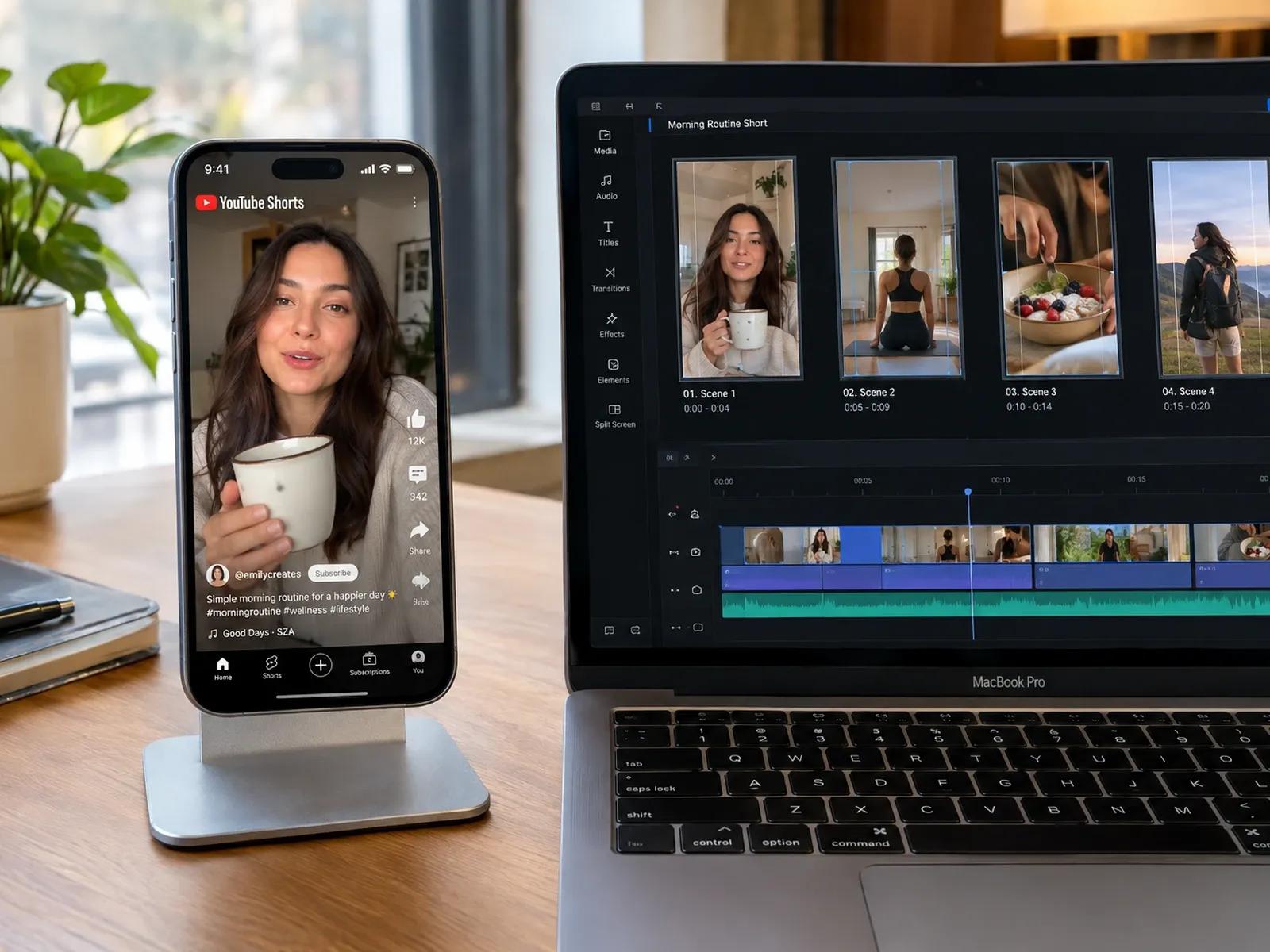
Native Vertical Framing for Shorts Shelves
Native Vertical Framing for Shorts Shelves

Select 9:16 vertical aspect ratio and a 30-second or 60-second duration inside Video Agent so every generated scene card fits the mobile YouTube Shorts player without black sidebars.
9 Global Subtitle Styles Above UI Overlays
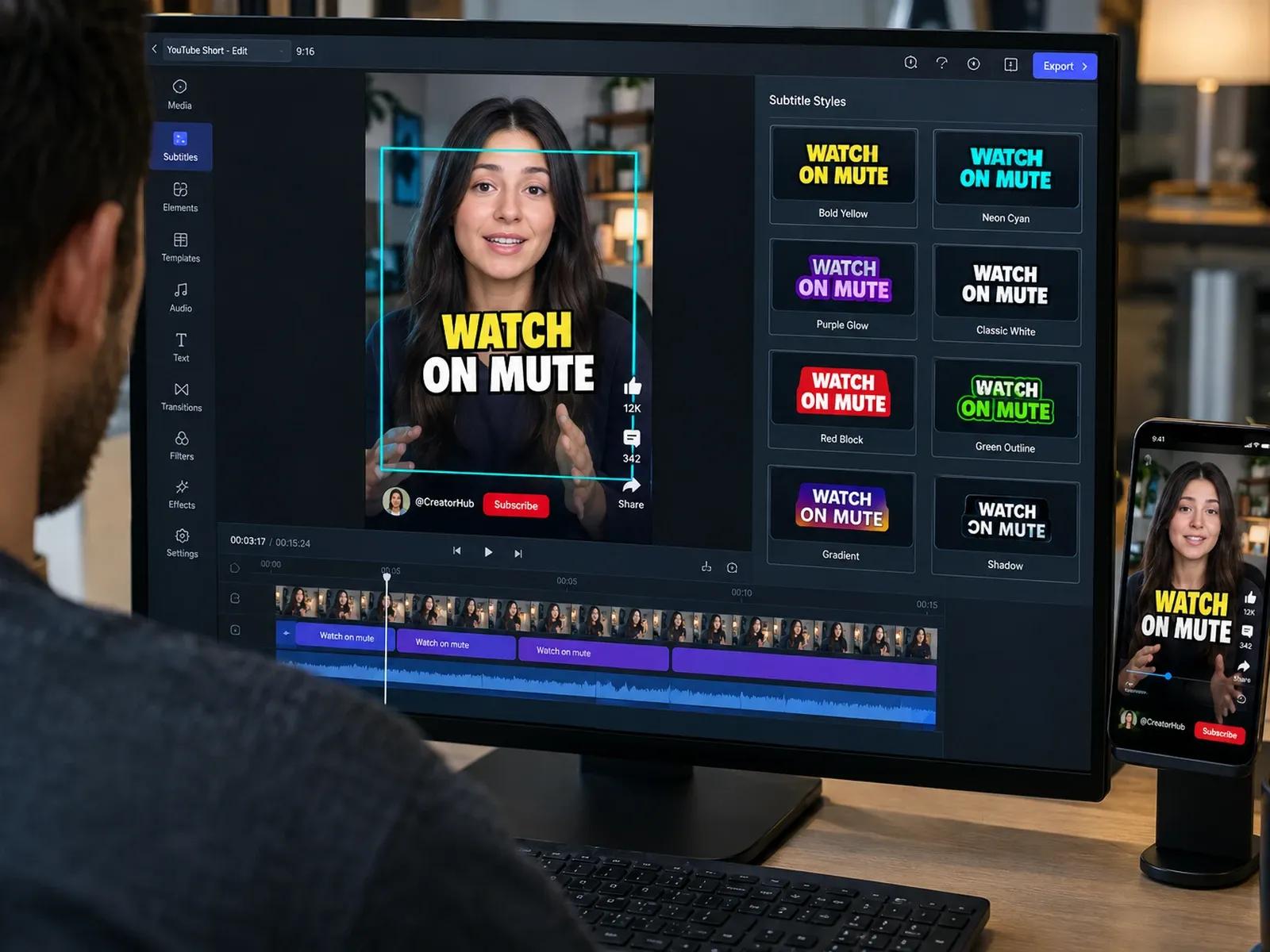
9 Global Subtitle Styles Above UI Overlays

Apply 9 global subtitle styles across your entire vertical timeline in Studio, positioning kinetic captions above the bottom channel handle and left of the mobile like/comment column.
Faceless B-Roll or Presenter Hook Cards
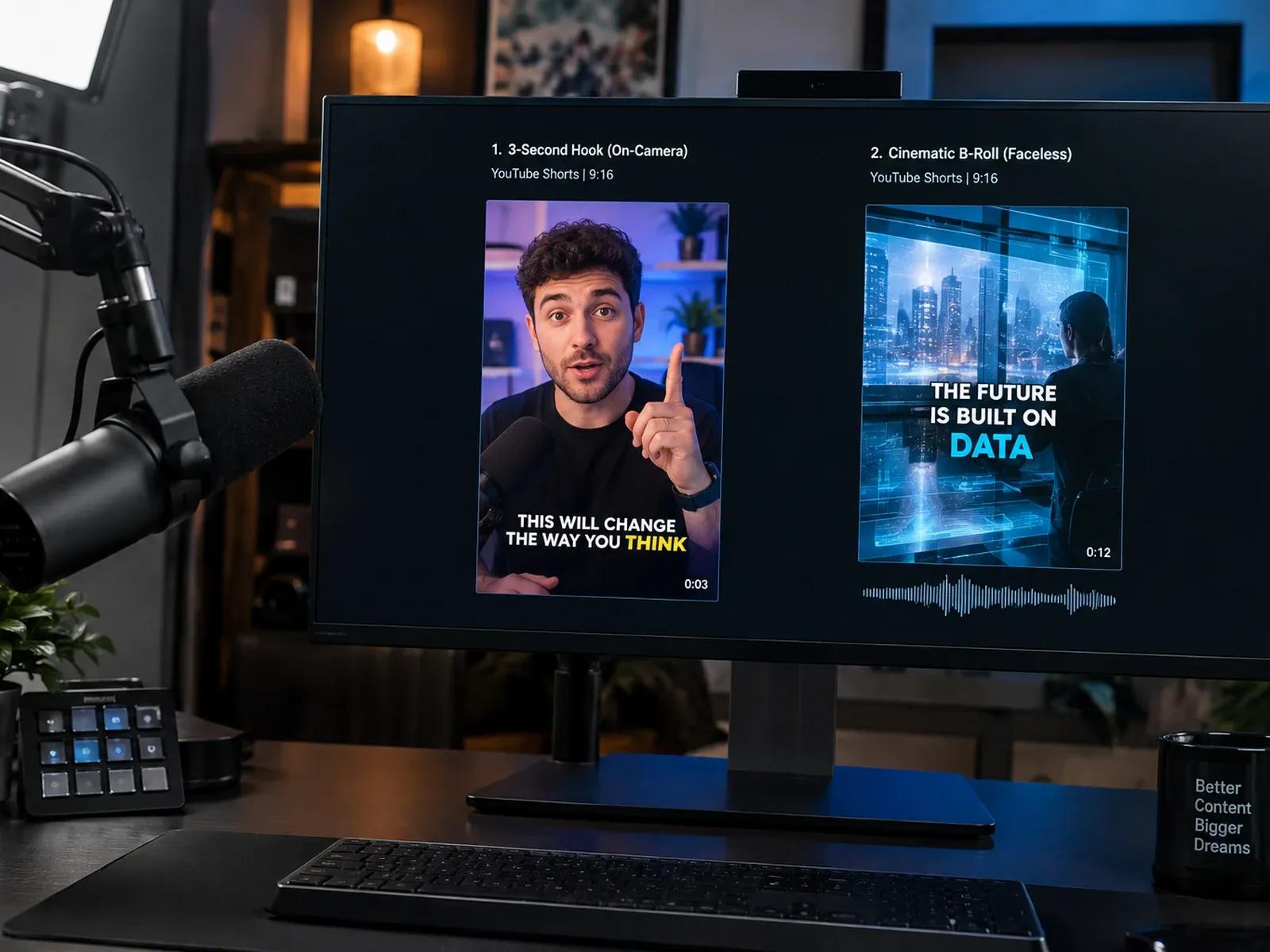
Faceless B-Roll or Presenter Hook Cards

Prompt "No avatar" in Video Agent to build faceless trivia, history, or finance Shorts backed by AI B-roll, or place a presenter on the opening hook card to boost swipe-stop retention.
One-Click Script Tightening and Voice Pacing

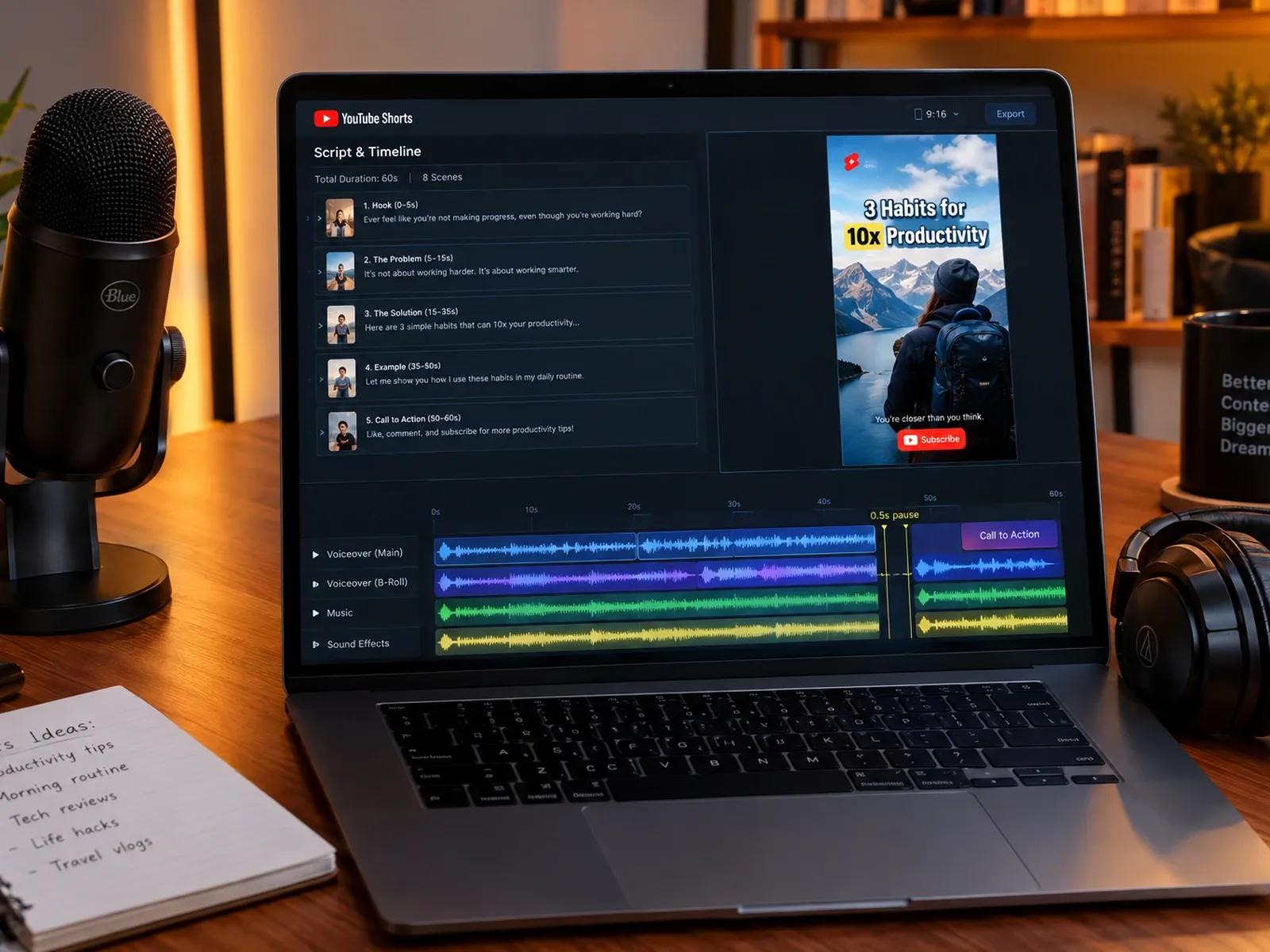
One-Click Script Tightening and Voice Pacing

Tighten long paragraphs into punchy 60-second vertical beats using Shorten in Studio's AI Script Tools, clone your voice from 10-60s of audio, and add 0.5s-5s dramatic pauses.

Workflow for a Vertical Shorts Video Generator
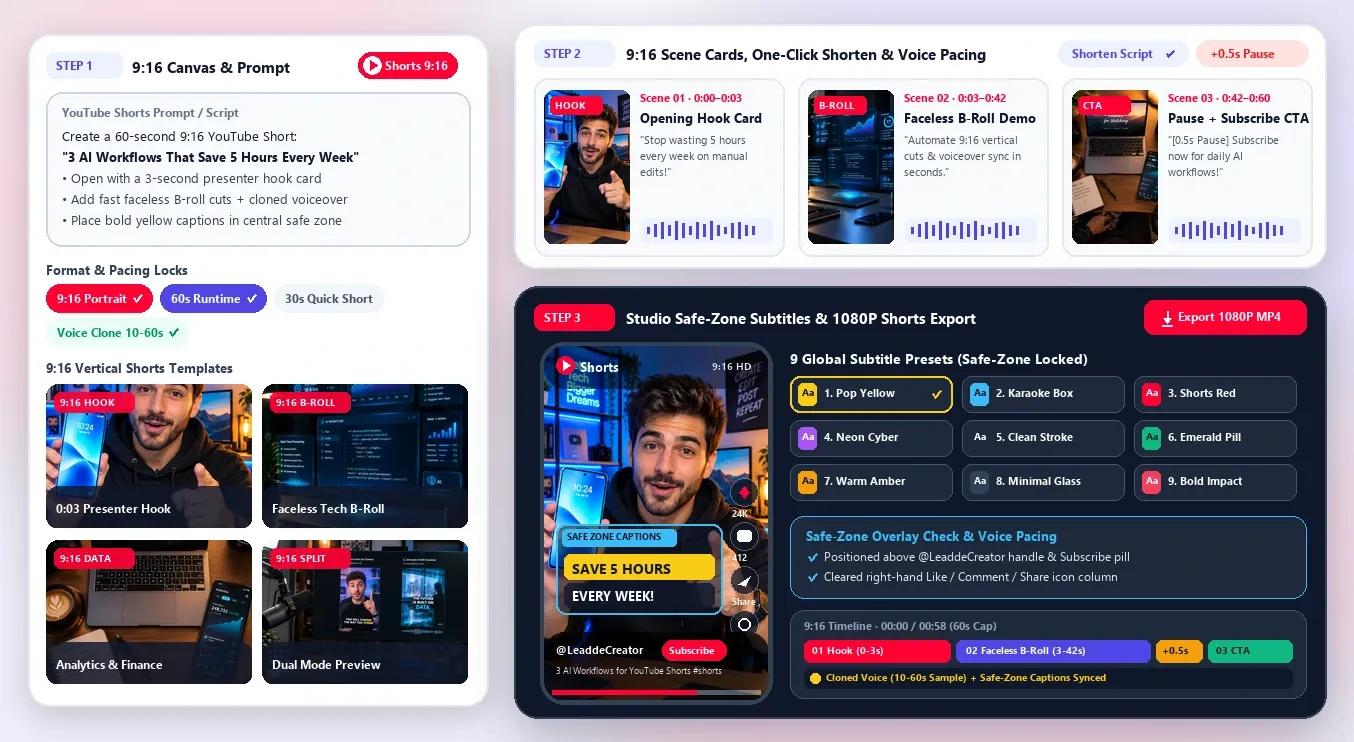
Build a scripted 9:16 YouTube Short from a raw idea or outline inside your browser.
Step 1: Set 9:16 Aspect Ratio and 30s-60s Runtime

Step 1: Set 9:16 Aspect Ratio and 30s-60s Runtime

Open Video Agent, choose 9:16 vertical framing, and lock a 30-second or 60-second target length for the Shorts shelf.

Step 2: Enter Your Topic Prompt or Script

Paste your hook, body points, and loop ending, then specify whether you want faceless visual cutaways or an on-screen host.

Step 3: Position Captions in Studio and Export MP4

Review the scene cards in Studio, apply one of the 9 subtitle styles inside the mobile safe zone, and download your MP4.

Channel Formats Built From Script to YouTube Shorts

Faceless History, Science & Trivia Channels

Turn curious facts and historical mysteries into 60-second faceless Shorts with custom AI visuals and bold captions now.

Long-Form Episode Teasers & Channel Funnels

Summarize your latest widescreen YouTube upload into a punchy 30-second vertical teaser that drives viewers to the main video.

SaaS Quick Tips & Software Micro-Tutorials

Demonstrate a single keyboard shortcut, coding trick, or workflow fix in a vertical clip with synchronized voiceover steps.

Daily Finance, Tech & Industry News Recaps

Publish fast commentary on market earnings or product launches using your cloned 10-60s voice without setting up cameras.

compliance background

Why Creators Pick Our Faceless YouTube Shorts Maker

Avoid podcast auto-clippers that chop rambling conversations into out-of-context vertical slices.

Purpose-Built Storyboards From Scratch Scripts

Podcast clippers fail when you do not have a two-hour interview to chop up; Video Agent drafts original 9:16 Shorts directly from a written prompt, outline, or uploaded reference note.

Swap Weak Visual Cards Without Re-Prompting

One-click Shorts generators force you to re-run the entire prompt and spend extra credits when scene two misses the mark; Studio lets you replace that single visual card on the canvas.

Safe-Zone Caption Placement Prevents Covered Text

YouTube's mobile interface covers the bottom title area and right-hand engagement icons; Studio lets you drag your 9 global subtitle styles into the center-upper safe zone for clear reading.

Consistent Channel Voice Across Batch Uploads

Instead of sounding like a generic stock reader, clone your own voice from 10-60s of audio and fine-tune acronyms with the 20-character Pronunciation tool across every Short you publish.

Retention Tips for High-Performing YouTube Shorts

Lead With a Visual Question in Frame One

Open your first 9:16 scene card with a direct visual contrast or bold question before the three-second swipe threshold hits.

Keep Subtitles Above the Bottom Title Bar

Place your chosen preset from the 9 subtitle styles in the middle third so YouTube's handle and audio ticker do not block it.

Insert Brief Pauses Before Final Reveals

Insert a 0.5-to-1-second pause tag in your Studio script right before the answer to build curiosity and completion rates.

Write a Continuous Loop Into Final Lines

Phrase your closing sentence so it flows grammatically back into your opening hook when the YouTube Shorts player auto-loops.

Fix Brand Names With Pronunciation Rules

Highlight technical product names or creator handles up to 20 characters in Studio and assign phonetic pronunciation rules.

Export SRT Files for Searchable Metadata

Download SRT or VTT caption files alongside your 1080P MP4 so your vertical script remains indexed and accessible to viewers.

AI YouTube Shorts Generator Frequently Asked Questions

Select 9:16 vertical aspect ratio and a 30-second or 60-second duration inside Leadde Video Agent, then enter your topic prompt or paste a script; Video Agent builds a multi-scene storyboard that opens in Studio with voiceover narration, B-roll visuals, and 9 global subtitle styles.
Yes; include "No avatar" in your Video Agent prompt or delete the presenter layer on the Studio canvas so your 9:16 video plays purely with generated AI visuals, uploaded reference images, kinetic subtitles, and either stock narration or your 10-60s cloned voice.
Leadde builds structured 9:16 YouTube Shorts from topic prompts, scripts, and uploaded documents or images rather than auto-detecting viral clips from two-hour livestream recordings; for full-length 16:9 episodes, visit AI YouTube Videos Generator, or use AI Short Video Generator for cross-platform reels.
Inside the Studio editor, apply one of the 9 global subtitle styles and drag the caption bounding box into the central safe area of the 9:16 canvas so the bottom video title, subscribe button, and right-side engagement icons do not obscure your text.
Yes; record or upload a 10-to-60-second audio sample in Studio to clone your voice, insert 0.5s-5s pauses for comedic or dramatic timing, and highlight any word up to 20 characters with the Pronunciation tool to specify exact phonetic delivery.
Generating your 9:16 storyboard in Video Agent carries the Free in beta badge, and new users receive 200 monthly credits; generating custom AI B-roll clips in Studio or exporting finished 1080P and 4K MP4 files follows the credit rules on the Leadde Pricing page.

Launch Your Next 9:16 Video in Our AI YouTube Shorts Generator
Paste your hook or channel script into Leadde Video Agent and build a captioned 9:16 YouTube Short in your browser today.
avatar