
Anniversary Video Maker for Photos and Messages
What Is an Anniversary Video Maker?
An anniversary video maker turns photographs and a written message into a video you can play at a celebration or send as a gift. The work is sequencing: which pictures, in what order, with what said over them. Leadde gives you templates to start from, scenes to arrange the photos across, and narration that reads your message aloud.
Trusted by the world's leading brands







Videos Made This Way
Merry Christmas
Send festive wishes to employees or customers.

Onboarding Journey
Start your new role with confidence, clarity, and support from day one.

Corporate culture training
GlobalPro Consulting presents core values of integrity, excellence, innovation, and commitment to lasting value.

Employee profile
Showcases the personal background, achievements, and career development of outstanding employees, sharing their success stories and work attitude.
Why Leadde Suits an Anniversary Video
Start from a template
Your photos, in order
Give the pictures movement
Say it in your own words
How to Make an Anniversary Video
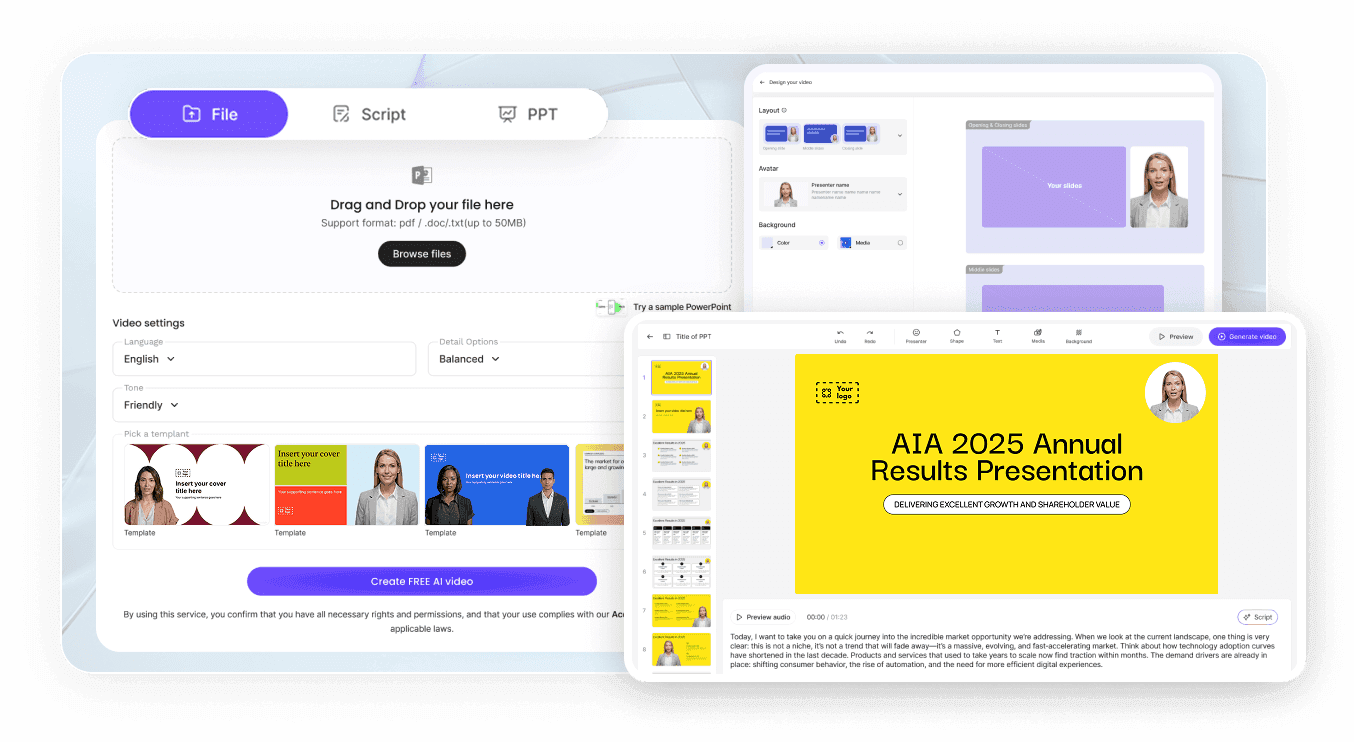
Step 1: Gather the photos
Step 2: Choose a template
Step 3: Preview, then download
Anniversary Video Use Cases
Wedding anniversary gift
A year-by-year run of photographs with a few lines each says more than a card, and it can be watched together rather than read alone.
Parents' milestone celebration
A 25th or 50th anniversary usually means gathering pictures from several people. Collect them into one sequence and play it at the party.
Friendship anniversary tribute
Long friendships have running jokes and specific places. A narrated set of photos carries those better than a caption on a post.
Work anniversary recognition
Recognizing a colleague's tenth year deserves more than a channel message, and a short video can be built in an afternoon.

Work Anniversary Videos at Team Scale
Reuse one approved format
Keep the company look
Keep the details straight
Let the team build them
Anniversary Video Ideas
Year-by-year photo timeline
The places you have lived
Messages from other people
First day to today
Milestone reel for the reception
Anniversary message in another language
Frequently asked questions
It is a tool for turning photographs and a written message into a finished video. In Leadde you upload the images to My Media, arrange them across scenes, write the narration, pick a template for the look, then generate and download the result.
Upload the photos, open Template Video and choose a style, then add one scene per moment and place the pictures. Write a line of narration for each scene, add transitions, preview the whole thing, and generate.
Ten to twenty that move the story forward beat everything you have. Choose images from different periods rather than from one good year, include the people who will be in the room watching, and leave out near-duplicates, because two similar frames in a row stall the sequence.
You can upload your own audio to My Media, and the narration is read from the text you type. You can also clone your own voice from a short recording so the message is delivered in it.
Yes. Captions are generated from the script you wrote, and the styling you choose applies across the whole video. That matters more than it sounds, because a video playing on a screen at a busy reception is usually watched with the sound off.
Yes. Where it matters is scale: a one-off gift and a bulk recognition programme are very different propositions, because generating spends credits and cloning a voice draws on the same balance. Look at the tiers first if you are making more than one.
Uploaded media sits under My Media inside your own workspace, and any asset can be removed from the menu on it once the video is finished. Who can open a project is decided by the workspace it belongs to.
You can duplicate a finished video for each person and swap the name, dates and photos, which keeps the format identical while the original stays untouched. Brand Kit keeps the logo and colors consistent across the set.
Make the anniversary video in time
