
25 Explainer Video Examples for Businesses
An explainer video shows how a product, service, or idea works using visuals and narration. Below are 25 explainer video examples across different formats. Use them to compare script structure, visual style, and target audience, and choose a format that fits what you need to explain.
Traditional production often leaves marketing teams with high costs and outdated assets after a single software update. You can now bypass these production bottlenecks by using an AI-powered workspace like Leadde to create videos. This solution transforms static documents into a dynamic video example while allowing for instant scene-level edits.
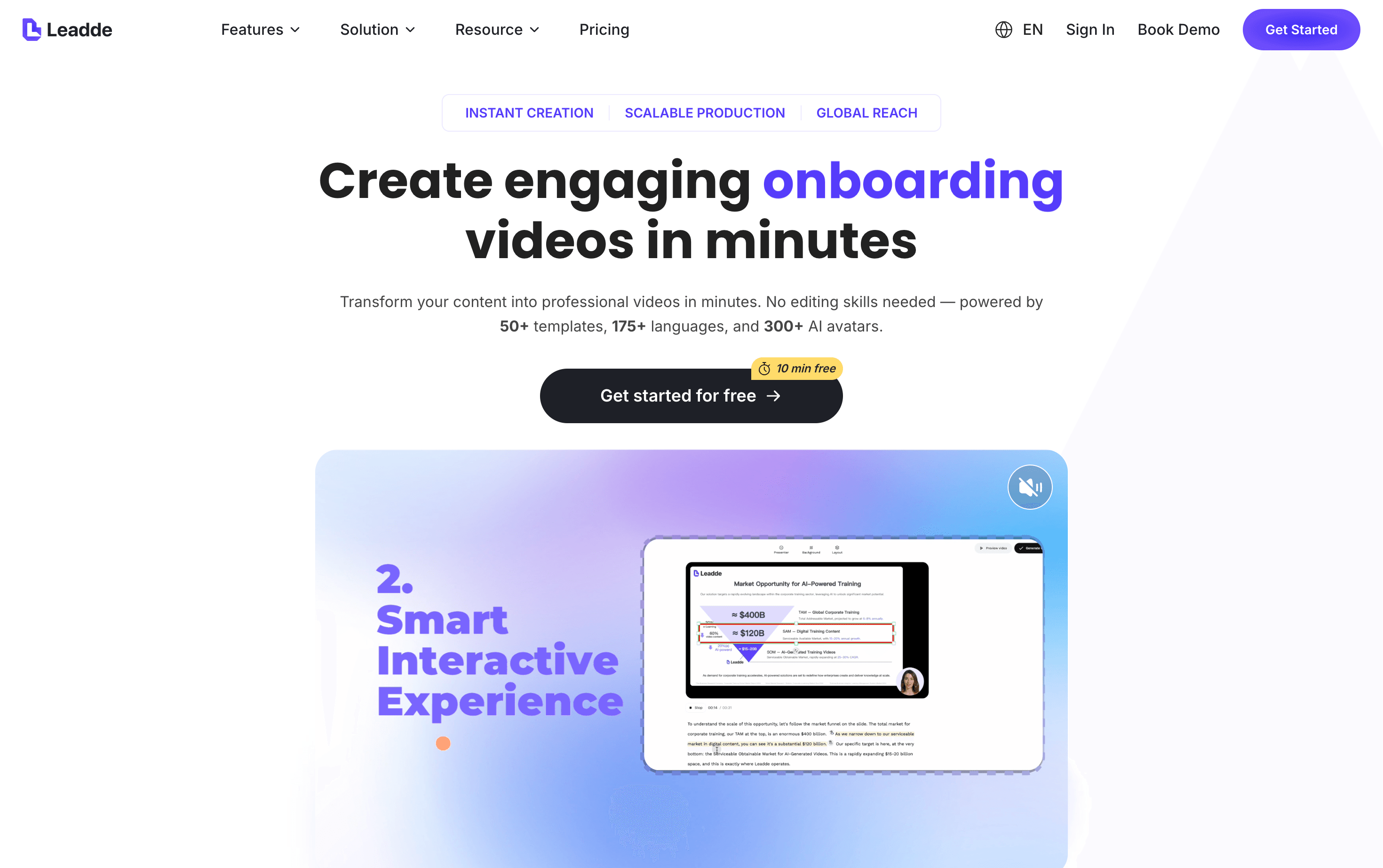
Managing complex software releases requires a "forever fresh" approach to your visual content library. Most explainer video examples fail when they rely on static recordings that become liabilities during rapid UI changes. Leadde solves this by letting you swap screenshots or rewrite scripts per scene without starting over.
Successful brands prioritize clear visual guidance and benefit-driven narration to build immediate credibility with their audience. You can control the depth of each explainer video and apply auto-highlights to emphasize key product features. Leadde supports 88 languages and 175 dialects; select a language available in your account and review the translation before publishing.
Great videos serve as an elevator pitch that addresses your customer's biggest pain points directly. By studying these 25 curated explainer video examples, you can identify the perfect style to turn your documentation into stories.
Using a professional video example is the smartest way to scale global training and marketing results.
What Is an Explainer Video and When Does the Format Fit?
Imagine a potential client landing on your site during a hectic workday. They face a choice between a heavy wall of text or a concise video. Most users instinctively choose the visual option because it acts as a dynamic elevator pitch for your brand.
Evaluate Visuals and Narration Together
Start with what the viewer needs to understand. A screen recording can show where to click, while animation can illustrate a process that is difficult to film. Text works well for reference instructions that readers need to search or read at their own pace. Choose the format based on the task.
When comparing the examples, check whether the visual shows the same step that the voiceover describes and whether the next action is clear. Judge video length based on the content rather than assuming a universal attention-span threshold.
| Task | What to Check |
|---|---|
| Demonstrate a workflow | Can the steps be followed in the right order? |
| Explain a concept | Do the visuals, labels, and narration align? |
| Present a product | Are the target audience, use case, and next step clear? |
With Leadde, you can structure key points from your document into scenes and refine the script. Review the result and compare it against your source material before publishing.
What Are the Different Types of Explainer Videos for Businesses?
Selecting the right explainer video examples depends heavily on your specific business goals and budget. Some brands require the emotional depth of real people to build deep trust. Others find that animated explainer video examples offer unlimited creative flexibility for abstract software concepts.
Understanding these distinct formats helps you align your content with user intent:
- Animated Explainer: Uses 2D or 3D graphics to explain complex SaaS tools or abstract ideas.
- Screencast: Records a digital interface to demonstrate software workflows and app guides.
- Live-Action: Features real people and settings to showcase physical products or brand stories.
- Whiteboard: Displays hand-drawn illustrations that keep viewers guessing what appears next.
- Infographic Style: Turns raw statistics and analytics into a dynamic and digestible video example.
Modern teams often need to produce several styles to cover the entire customer journey. Leadde provides business-ready templates designed for everything from internal SOPs to external marketing. You can repurpose one document into multiple explainer video examples using different AI presenters or layouts.
The following categories highlight 25 premier explainer video examples to guide your next successful production.
Category 1: Animated & Motion Graphics Examples for Abstract Concepts
Animated styles offer unlimited creative possibilities for businesses explaining invisible processes or complex software. These explainer video examples bridge the gap between abstract code and human value by using vibrant metaphors.
ClickUp: Using 2D Animation to Explain Product Existence
ClickUp utilizes a high-energy 2D animated video example to define its core purpose and market differentiation. The narrative follows a clear arc: identifying the chaos of using multiple apps and introducing ClickUp as the singular solution. It succeeds by using an engaging script that focuses on the "why" behind the tool rather than just listing features.
- Engaging Storytelling: The script clearly addresses why the product exists and the specific problems it solves.
- Visual Clarity: 2D characters and environments create a relatable world for busy professionals.
- Logical Flow: The video moves seamlessly from the "pain point" of app overload to the "solution" of a unified platform.
Clear animation styles help viewers relate immediately to the problems being solved.
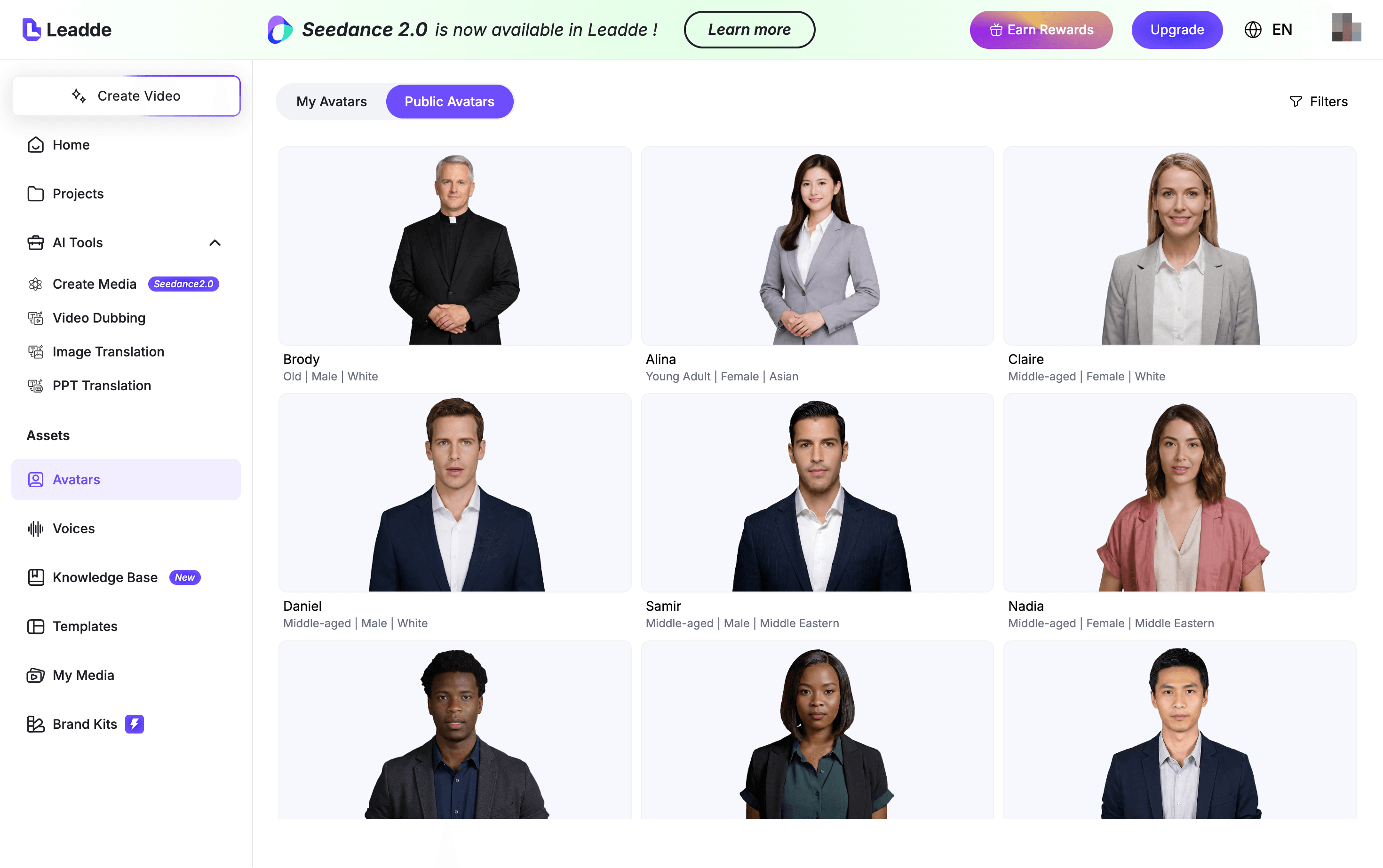
Takeaway Tip: Use 2D characters to make abstract software feel more human. With Leadde, teams can select an AI presenter from a library of 300 avatars to add a speaker to these animations without filming; availability depends on your plan.
Mailchimp: 3D Animation Focusing on Brand Personality
Mailchimp delivers a unique explainer video example by relying entirely on 3D visuals without any background narration. This video example uses animated text and stylized 3D characters to share the emotional journey of running a business.
It proves that a strong brand voice can be communicated through motion and typography alone.
- Creative 3D Assets: Stylized characters represent the "ups and downs" of entrepreneurship with humor.
- Narrative Movement: The absence of a voiceover forces the viewer to focus on the dynamic 3D movements.
- Brand Recognition: Bold colors and unique art styles reinforce Mailchimp's creative reputation.
Dynamic visual cues can effectively replace traditional voiceovers in creative campaigns.
Takeaway Tip: Focus on visual rhythm when using 3D styles. High-quality 3D renders are ideal for established brands looking to differentiate their brand experience.
Ahrefs: A Classic SaaS Video Example Showing Functional Benefits
Ahrefs provides a premier video example by blending 2D animation with direct product functionality. The video demonstrates exactly how the software helps users achieve specific marketing goals like growing search traffic.
It maintains a professional look while explaining technical SEO concepts in an easy-to-understand way.
- Benefit-Driven Logic: Every animation scene highlights how the user benefits from a specific tool.
- Sleek Motion Graphics: Professional transitions keep the audience focused on the technical walkthrough.
- Strategic Pacing: The video allows enough time for viewers to digest complex data visuals.
Technical products thrive when animation simplifies their core "superpowers" for the audience.
Takeaway Tip: Ensure your script translates technical specs into user advantages. Leadde makes this easier by auto-generating scripts that emphasize "Benefit-Driven" tones for any technical document.
Toggl Track: Leveraging Brand Typography for Engagement
Toggl Track showcases how brand elements like specific typefaces can drive an entire video example. This explainer video example uses kinetic typography where the last word of every sentence is italicized to match the brand logo. It creates an eye-catching experience through upbeat music and well-paced visual transitions.
- Visual Consistency: The use of brand colors and typography sustains prospect attention throughout the clip.
- Music Integration: Upbeat background audio eliminates white noise and matches the visual pace.
- Simplicity: No voiceover is needed as the text on screen effectively explains the core value.
Consistent brand visuals build immediate trust and long-term recognition.
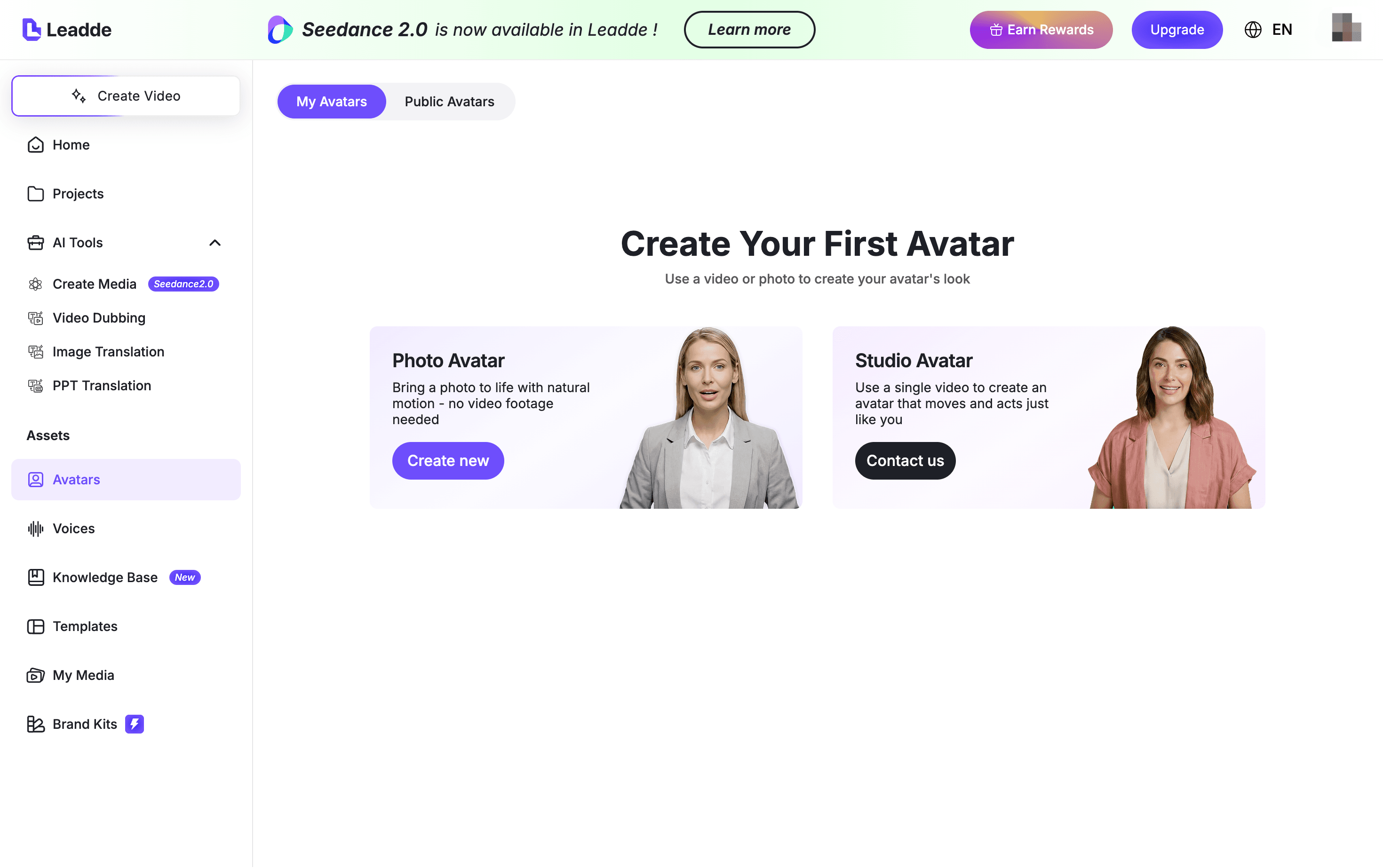
Takeaway Tip: Use kinetic typography for short, motivational clips. You can apply your specific brand fonts and colors across every scene instantly within the Leadde canvas editor.
Gong: Visualizing Complex Sales Data Through Infographic Overlays
Gong offers an engaging video example by combining interactive illustrations with real product images. The voiceover is perfectly synced with the infographic elements to create a "show-and-tell" effect for the viewer. It successfully visualizes complicated sales concepts through colorful charts and social proof badges.
- Data Visualization: Infographics make abstract sales data concrete and easier to understand.
- Social Proof: Integrating award logos and review badges convinces the viewer of the product's value.
- Synchronized Audio: Precise timing between the voiceover and visuals improves information retention.
Visualizing data helps users grasp the impact of complex analytics much faster.
Takeaway Tip: Include social proof like partner logos to build instant credibility. Leadde users can simply drag and drop these brand assets onto the video canvas at the perfect moment.
2.5D Isometric Style: Providing a Spatial Sense for Processes
The 2.5D isometric style is a popular choice for explainer video examples that need to show multi-step technical workflows. By keeping the camera angle fixed from above, this video example provides a clear sense of space for complex industrial or digital systems. It is often executed in 3D to give abstract technology a more physical and professional feel.
- Fixed Perspective: The top-down view helps organize complicated information into a clear layout.
- Technical Depth: Isometric graphics are excellent for representing cityscapes or large-scale infrastructures.
- Modern Aesthetic: This style looks sophisticated and is a favorite among B2B technology companies.
Fixed camera angles prevent the viewer from getting lost in complex technical scenes.
Takeaway Tip: Use isometric layouts for "Big Picture" explanations. Leadde AI analyzes your document to break long content into these clear, scene-by-scene flows automatically.
Data Infographics: Turning Raw Analytics into Visual Stories
Data-centric explainer video examples focus specifically on transforming numbers and analysis into dynamic stories. This video example style uses motion graphics to highlight facts and figures that might otherwise feel boring. It is the ideal format for presenting annual reports, research findings, or marketing performance results.
- Dynamic Highlights: Facts and figures are animated to draw the viewer's eye to specific successes.
- Digestible Format: Complicated data becomes easy to swallow when broken into short visual chapters.
- High Information Density: These videos pack significant value into a very short timeframe.
Transforming raw data into visual highlights ensures your most important metrics are never ignored.
Takeaway Tip: Use auto-highlights for your key messages. Leadde automatically animates textual highlights from your PDF to ensure every important point is emphasized for the viewer.
Category 2: Screencast & UI Walkthrough Examples for Product Demos
Screencast styles serve as the most effective explainer video examples for SaaS teams and mobile app developers. These videos provide direct proof of value by showing the product in action. Using a realistic video example helps potential users overcome the fear of a steep learning curve.
Klaviyo: A Detailed Product Tour with Real Interface Exposure
Klaviyo sets a high standard for explainer video examples by showing its actual software interface with total transparency. This video example uses bright sunrise branding and a friendly voiceover to guide viewers through its marketing automation features. The coordination between screenshots and narration ensures that complex data never feels overwhelming for the audience.
- Visual Trust: Generous exposure of the real UI builds immediate credibility with marketing professionals.
- Social Proof: Integrating brand logos of current clients within the walkthrough reinforces market authority.
- Synchronized Delivery: Precision timing between the audio and visual shifts keeps the viewer focused.
Seeing the actual software interface removes the mystery for prospective buyers.
Takeaway Tip: Match your narrator's tone to your brand personality. With Leadde, users can select from Formal, Friendly, or Persuasive tones to ensure the video example perfectly aligns with their brand identity.
Databox: A Tutorial-Style Video Guided by Structured Narration
Databox utilizes a standard how-to format that acts as an essential resource for new and prospective users. This video example is structured as a professional tutorial where a narrator guides the audience through core feature setups. By combining illustrations with real clips, it effectively simplifies complex data analytics concepts.
- Educational Value: The tutorial structure makes it a high-reuse asset for sales and customer onboarding.
- Clear Guidance: A well-paced voiceover explains technical steps in an easy-to-follow way.
- Clean Setup: A minimalistic script ensures that the primary information remains the central focus.
Structured tutorials bridge the gap between product curiosity and successful adoption.
Takeaway Tip: Use your documentation as the foundation for your script. Leadde can intelligently extract talking points from technical manuals to build structured outlines for any video example.
Monday.com: A 90-Second Walkthrough of Modern Dashboards
Monday.com delivers a high-impact video example by demonstrating exactly how to set up projects in 90 seconds. It starts with a clear dashboard view and lists specific user categories to make the content instantly relevant. The mix of real recorded screens and live-action footage keeps the energy high and the message clear.
- Use-Case Relevance: Explicitly listing who benefits from the tool builds immediate interest.
- Process Transparency: Walking through the exact setup removes the feeling that the product is complicated.
- Strategic Timing: Every important feature receives attention without the video feeling rushed.
Demonstrating the setup process encourages users to envision the tool in their workflow.
Takeaway Tip: Focus on the first 10 seconds to list your target audience. This strategy helps reduce bounce rates for your explainer video examples.
Loomly: Minimalistic Color Palettes for Maximum UI Legibility
Loomly provides one of the most colorful yet clear explainer video examples in the social media management space. It utilizes a light and minimalistic color palette to ensure the software interface remains legible for all viewers. Each section of this video example focuses on a specific functionality to prevent information overload.
- Visual Legibility: Simple illustrations and clear accents make the interface visually appealing.
- Segmented Information: Breaking the platform into functional chapters ensures total clarity.
- Memorable Tagline: Ending with a strong brand statement helps viewers remember the core value.
Clean design choices prevent the user from feeling distracted by unnecessary UI clutter.
Takeaway Tip: Use smart layouts to keep your message organized. Leadde automatically places key points in organized frames with textual highlights animated for emphasis.
Braze: Converting Marketing Decks into Dynamic Screen Recordings
Braze demonstrates how to turn traditional thought leadership materials into a compelling video example. By using screen recording tools, they transform standard slides into short explainers on customer engagement. This approach is ideal for teams wanting to share expertise without high-end animation costs.
- Asset Repurposing: Turning existing marketing decks into videos saves significant production time.
- Personal Touch: Including a small camera bubble of the presenter adds a layer of trust.
- Topic Diversity: This format works for everything from product updates to strategic insights.
Repurposing current documents into video assets maximizes the value of your existing content.
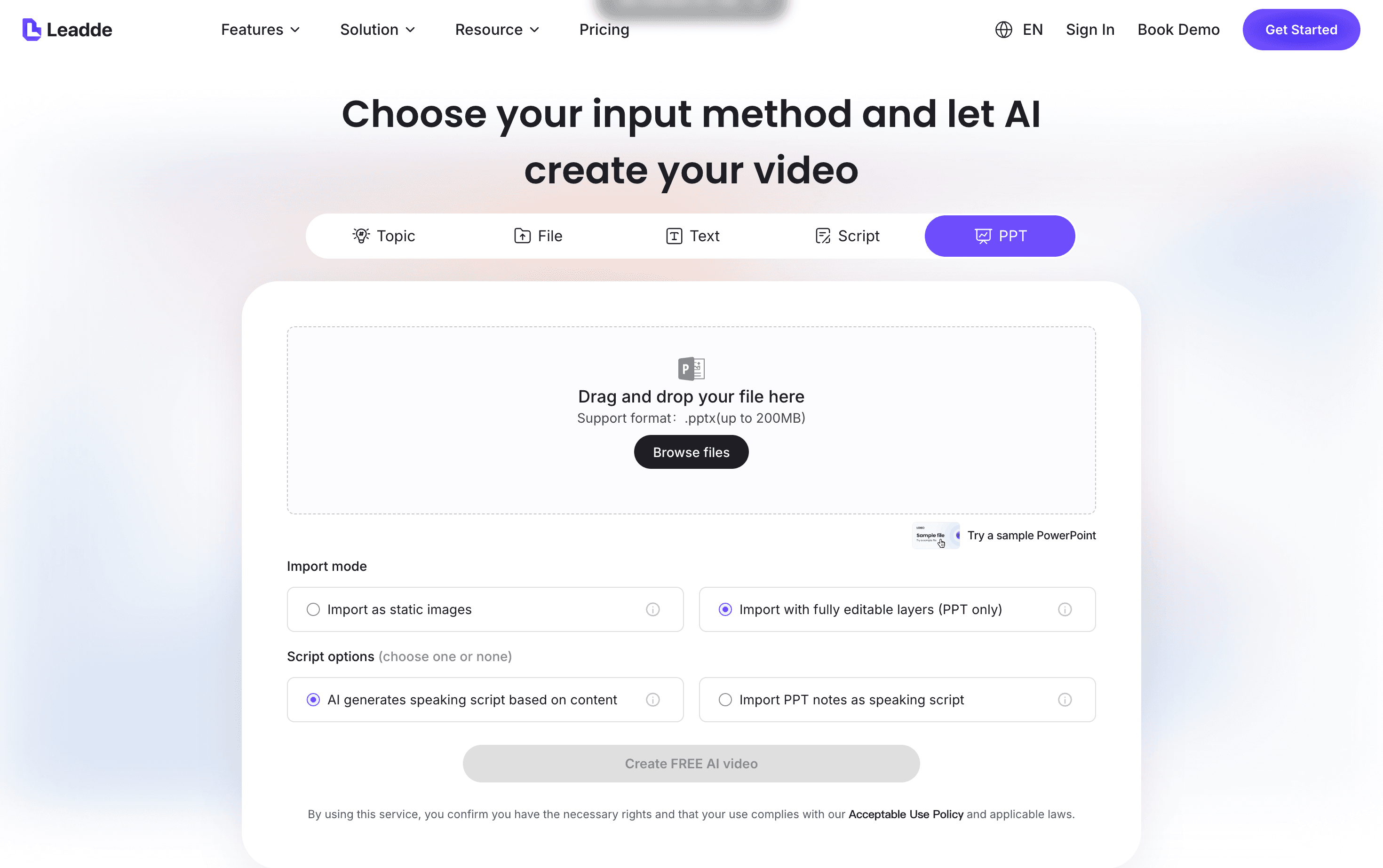
Takeaway Tip: Transform your static slides into dynamic content instantly. Leadde allows you to upload .pptx files and generates a complete video draft with avatars and narration in minutes.
PlayPlay: Fast-Paced Screen Text for High-Impact Messaging
PlayPlay offers a unique video example that communicates core benefits in less than 40 seconds without any voiceover. It relies on fast-paced screen text and live video clips to deliver its message. This style is particularly effective for social media platforms where users often watch with the sound off.
- Sound-Independent: Text-on-screen ensures viewers do not miss important information in silent mode.
- Dynamic Contrast: Alternating between backgrounds and live clips prevents viewer fatigue.
- High Energy: The rapid pace matches the quick consumption habits of modern digital audiences.
Visual-first videos perform exceptionally well on platforms like LinkedIn and TikTok.
Takeaway Tip: Always include captions to improve accessibility. You can add automated subtitles and dynamic text elements to your explainer video examples with ease.
Mixed 2D/3D Demo: Animated Screens for a High-End Look
Mixed-media explainer video examples use 2D-animated versions of real software screens combined with 3D perspectives. This style provides a sophisticated feel while maintaining the educational value of a standard walkthrough. It is a favorite for brands that want to demonstrate technical products with a polished, "big-brand" aesthetic.
- Aesthetic Polish: 3D screen views add a modern and professional layer to the presentation.
- Functional Accuracy: Animated screens modeled after real software keep the demo grounded in reality.
- Engagement Boost: The "funky" 3D angles help maintain viewer attention during technical steps.
Blending animation with real UI elements creates a premium experience for the audience.
Takeaway Tip: Update your UI visuals without starting from scratch. Leadde allows you to swap out individual screenshots in any scene and regenerate the video example instantly.
Category 3: Live-Action & Human-Centric Examples for Building Trust
Human-centric explainer video examples establish emotional connections that pure animation cannot match. These videos use real faces and authentic stories to build brand credibility and trust with global audiences. Utilizing a human-centric video example helps your prospects visualize themselves using your solution in real-world scenarios.
Airbnb: Emotional Storytelling Through Host Interviews
Airbnb utilizes a powerful interview-style video example featuring real hosts sharing their personal hosting journeys. The narrative focuses on how the platform impacts lives rather than just demonstrating a booking engine. This approach succeeds by creating a strong human connection that resonates with viewer emotions.
- Authentic Interviews: Multiple real hosts share diverse experiences to build peer-to-peer trust.
- Life Impact: The script highlights emotional and financial benefits instead of technical site features.
- Storytelling Arc: The video connects individual stories to the overarching brand mission of belonging.
Authenticity remains the most critical factor in building long-term brand loyalty.
Takeaway Tip: Use real stories to humanize your brand. For global teams, Leadde can create localized versions of these stories across 88 languages and 175 dialects available in your account—review each translation before publishing.
GetResponse: CMO-Led Professional Overview
GetResponse elevates executive authority by featuring their Chief Marketing Officer to explain a new product plan. This video example uses professional cinematography and subtle animations to present a polished, authoritative image. Direct communication from leadership provides a sense of transparency and commitment to the customer.
- Executive Presence: Having a high-level leader deliver the message increases credibility and trust.
- Professional Quality: High-definition resolution and precise editing create an air of professionalism.
- Concise Pitch: The video is short enough to maintain high engagement until the final CTA.
Leadership visibility often serves as a decisive factor for enterprise-level buyers.
Takeaway Tip: Ensure your speaker reflects your brand’s authority. In Leadde, you can choose an AI presenter from a library of 300 avatars. Pick a speaker that fits your content and check which options are included in your plan.
Asana: Showcasing Benefits in a Realistic Work Environment
Asana uses a live-action commercial video example to demonstrate product benefits within a familiar office setting. The video avoids overly promotional language by showing how the tool naturally solves common workplace friction. This "day-in-the-life" approach makes the software's value proposition feel practical and achievable.
- Realistic Context: Placing the product in a standard work environment helps viewers relate to the use case.
- Subtle Promotion: The benefits drive the narrative without feeling like a hard sales pitch.
- High Visibility: Asana places this video at the top of their homepage for immediate impact.
Relatable scenarios help potential users bridge the gap between curiosity and product adoption.
Takeaway Tip: Match the video background to your audience's daily environment. Leadde allows you to set consistent backgrounds across all scenes to ensure visual alignment with your brand.
Google Gemini: A Diverse Montage of Real-Life AI Applications
Google Gemini presents a montage of diverse individuals using AI to solve everyday problems. This explainer video example features everyone from CEOs to students to show widespread applicability. By focusing on human efforts rather than abstract code, Google makes complex AI feel approachable and helpful.
- Diversity and Inclusion: Featuring characters from various backgrounds demonstrates a commitment to global accessibility.
- Simple Language: The script avoids technical jargon in favor of real-life applications.
- Actionable Demos: The video shows exactly how people interact with AI in their daily routines.
Humanizing high-tech products reduces the barrier to entry for non-technical users.
Takeaway Tip: Use simple language to explain complex technology. Leadde can analyze your technical docs to build clear outlines that emphasize human-centric results.
Airalo: Presenter-Style Guide for Educational Authority
Airalo utilizes a presenter-style live-action video example where a narrator explains product functionality from a stage. This format mimics a high-quality university lecture, which establishes an immediate educational tone. It breaks up complex information with text-based questions to keep the audience engaged.
- Direct Narration: A single speaker provides a consistent and focused point of contact for the viewer.
- Rhythmic Breaks: Question cards and branded pauses provide natural breaks for information digestion.
- Consistent Branding: The company's colors and sounds are integrated from start to finish.
Structured educational formats are highly effective for teaching new processes or tools.
Takeaway Tip: Insert pauses for natural pacing in your narration. Leadde offers narration polish tools that let you add silences to ensure users digest information correctly.
Vervoe: High-Definition Professionalism for Mature Brands
Vervoe invests in a professional-grade video example with high-definition cameras and professional lighting. This approach is ideal for established brands that want to stand out as premium industry leaders. The use of professional actors ensures that every line of the script is delivered with maximum impact.
- Premium Production: Studio-quality visuals and audio signal a high-value product.
- Strategic Casting: Professional actors convey brand tone with confidence and charisma.
- Brand Credibility: The technical quality reinforces the company's position as a market authority.
High production values translate directly into perceived product quality in the mind of the consumer.
Takeaway Tip: Maintain a high-end look without a studio budget. Leadde provides business-ready templates and expressive avatars that deliver your message with energy and credibility.
Company Culture Videos: Enhancing HR and Recruitment
Company culture videos serve as a vital explainer video sub-category for internal communication and hiring. These videos use real team footage to showcase the work environment and brand values to potential candidates. Authentic glimpses into the office life build a deeper human connection before the first interview.
- Cultural Transparency: Showing real interactions helps attract candidates who fit your company values.
- Employee Voice: Allowing team members to speak provides a realistic view of the brand experience.
- Versatile Use: These assets work well on About pages, LinkedIn, and recruitment portals.
Sharing your brand's internal story is the most effective way to attract top-tier talent.
Takeaway Tip: Keep your internal and external messaging consistent. You can use Leadde to create videos for onboarding, SOPs, and marketing using the same branded assets.
Category 4: Creative & Out-of-the-Box Explainer Video Examples
Creative explainer video examples break standard industry formulas to spark viral engagement. These videos use unexpected humor or unique artistic styles to differentiate a brand in crowded social feeds. Choosing a creative video example ensures your product remains memorable long after the viewer finishes the clip.
Umault: Using Satire to Mock Corporate Clichés
Umault creates a satirical live-action video example that pokes fun at the predictable nature of B2B advertising. The characters break the fourth wall to interact directly with the audience while mocking "stock" office setups. It effectively positions the agency as a bold choice for businesses wanting to execute out-of-the-box marketing ideas.
- Self-Aware Humor: The script uses irony to draw attention to tired corporate video tropes.
- Unexpected Transitions: The video shifts from a dull meeting room to high-energy, interesting footage.
- High Engagement: Breaking the fourth wall encourages the public to participate in the narrative.
Humorous scripts quickly build a unique brand voice that stands out.
Takeaway Tip: Use humor to highlight common industry frustrations. Leadde helps teams experiment with different tones like "Friendly" or "Persuasive" to find the perfect satirical edge for a video example.
Certainly.io: Hand-Drawn Animation with Immersive Sound
Certainly.io delivers a highly creative video example by mixing hand-drawn animation with professional motion graphics. The story focuses on how their AI chatbot manages complex ecommerce sales tasks in just one minute. It captures attention by using background sounds that imitate real online shopping experiences.
- Immersive Audio: Browser click and checkout sound effects create a familiar context for shoppers.
- Artistic Direction: Hand-drawn elements give the video a sophisticated and natural feel.
- Pain Point Focus: The script highlights specific struggles the target market faces daily.
Unique soundscapes and artistic styles keep viewers hooked through technical details.
Takeaway Tip: Layer your visuals with realistic sound effects to increase retention. You can use the Leadde canvas tools to precisely time entrance and emphasis animations for every creative element.
Calendly: Personalizing the Hybrid Video Experience
Calendly combines live-action presenters with helpful animation to solve specific customer pain points. This explainer video example feels like a private conversation within the narrator's personal space. It identifies common scheduling problems and provides a step-by-step guide on how the tool solves them.
- Personalized Tone: The hybrid format makes the delivery feel authentic and low-pressure.
- Proactive Solutions: The video addresses common concerns before the user even asks them.
- Visual Aid: Animations assist the live narrator in demonstrating abstract scheduling benefits.
Hybrid videos provide a professional yet approachable way to explain software value.
Takeaway Tip: Start with a surprising fact or pain point to hook viewers within 5 seconds. Leadde analyzes your existing docs to suggest high-impact opening lines for your video example.
ScheduleBase: Classic Whiteboard Animation for Suspense
ScheduleBase uses a classic whiteboard video example to explain workplace scheduling. The video features a hand drawing characters in real-time while a narrator tells the story. This style maintains high engagement because viewers stay curious about what the artist will draw next.
- Visual Curiosity: The "revealing" nature of whiteboard drawing keeps eyes glued to the screen.
- Budget Friendly: Whiteboard styles are often cheaper than full 3D or 2D animations.
- Educational Clarity: This format is ideal for breaking down multi-step organizational processes.
Whiteboard videos consistently achieve high engagement rates by simplifying the storytelling process.
Takeaway Tip: Focus on "Benefits over Features" to keep your whiteboard story relatable. Leadde allows you to choose from various lifelike AI presenters to narrate these hand-drawn journeys clearly.
How to Create Your Own Professional Explainer Video Step-by-Step?
Creating a high-quality video example requires a strategic workflow that balances creative vision with technical execution. Following a structured production path ensures your final content resonates with your target audience and drives measurable business results. Most successful explainer video examples share a common development process that prioritizes clarity and engagement.
Step 1: Clarify Your Strategic Objective
The first stage involves defining exactly why you need a specific video example for your brand. You must identify your target audience and determine the primary action you want viewers to take after watching. Clear goals help you align the messaging with your long-term marketing and branding objectives.
- Define Purpose: Decide if the video is for building brand awareness or driving specific email sign-ups.
- Target Audience: Identify who you are making the video for to tailor the tone and language.
- Set the CTA: Determine the exact next step, such as booking a sales demo or starting a free trial.
Identifying these core goals early prevents your explainer video examples from becoming unfocused or ineffective.
Step 2: Choose the Right Video Type and Platform
You should select a format that matches both your production budget and your educational goals. If your goal is high-end branding, a live-action video example featuring real people might be the best choice. For software demonstrations on a limited budget, a screencast is a highly effective alternative.
- Match Goals to Style: Use animation for abstract SaaS concepts or live-action for physical products.
- Evaluate Budget: Opt for whiteboard or screencast styles if you need quality on a restricted budget.
- Select Tools: Use specialized software like Leadde to turn existing documents into an explainer video draft instantly.
Modern AI platforms allow you to generate multiple versions of a video example from a single source file to test different styles.
Step 3: Write a Benefit-Driven Script and Storyboard
The script serves as the backbone of every successful video example, focusing on how your solution improves lives. You should identify viewer pain points in the first five seconds to hook their attention immediately. Once the script is ready, draft a simple storyboard to act as a strategic blueprint for your visual flow.
- Identify Pain Points: Start by addressing a relatable problem your audience faces daily.
- Focus on Benefits: Describe the solution's value rather than just listing technical features.
- Keep it Short: Aim for a length of 60 to 90 seconds to maintain maximum engagement.
Leadde can assist by auto-generating clear, structured outlines and narrations directly from your uploaded PDFs or slides.
Step 4: Record, Edit, and Finalize Your CTA
Execute your recording with high-quality audio and visuals to ensure your brand appears professional. During the editing phase, ensure the voiceover syncs perfectly with the visuals and includes natural pauses for easier digestion. Every video example must end with a compelling call to action that directs the viewer to the next relevant step.
- Precise Editing: Trim unnecessary parts and add background music to polish the brand experience.
- Synchronize Audio: Ensure the narration flows naturally with the on-screen highlights and animations.
- Strong Conclusion: End with a clickable button or a clear verbal instruction to take action.
Using Leadde, you can update your explainer video examples anytime by simply editing the script per scene—no reshoots required.
Transforming Your Strategy with the Best Explainer Video Examples
The 25 Best Explainer Video Examples analyzed today prove that the most successful brands prioritize human storytelling over technical lists. By studying these diverse formats, it becomes clear that a professional video example is the most effective tool for simplifying complex innovations. Whether you choose 2D animation or a human-centric live-action style, your primary goal remains aligning the visuals and narration with what your audience needs to understand.
To see real results in 2026, you should implement a "Benefit-Driven" scriptwriting method that addresses user pain points immediately. Keeping your content between 60 and 90 seconds ensures maximum engagement across platforms like LinkedIn and YouTube. This disciplined approach turns every explainer video into a high-converting asset for your marketing funnel.
You no longer need a massive production budget or a dedicated studio to produce a high-quality video example. Leadde empowers your team to turn existing PDFs, slides, and manuals into professional videos in just a few clicks. This automated workflow builds structured outlines and adds lifelike AI presenters to your content instantly.
The most significant advantage of using Leadde is the ability to keep your content evergreen as your product evolves. You can update scripts or swap screenshots at the scene level like editing a simple document. This eliminates the need for expensive reshoots and ensures your explainer video examples stay accurate for global audiences.
Start your journey by transforming your static documentation into a dynamic, persuasive video example today. Use the lessons from these top-tier explainer video examples to build trust and scale your global reach. Leadde is ready to help you capture your audience’s imagination and boost your engagement rates for the long term.





