
Product Demo Video vs Explainer Video: Which Should SaaS Teams Make?
SaaS teams often use "product demo video" and "explainer video" as if they mean the same thing.
They do not.
A product demo video shows how your product works. An explainer video explains what your product is, what problem it solves, and why the viewer should care.
Both formats can help users understand your software, but they work best at different moments in the buyer journey. If you choose the wrong format, your video may feel too shallow, too detailed, or too disconnected from what the viewer needs.
For SaaS teams, the better question is not "Should we make a product demo or an explainer video?" The better question is: "What does this audience need to understand right now?"
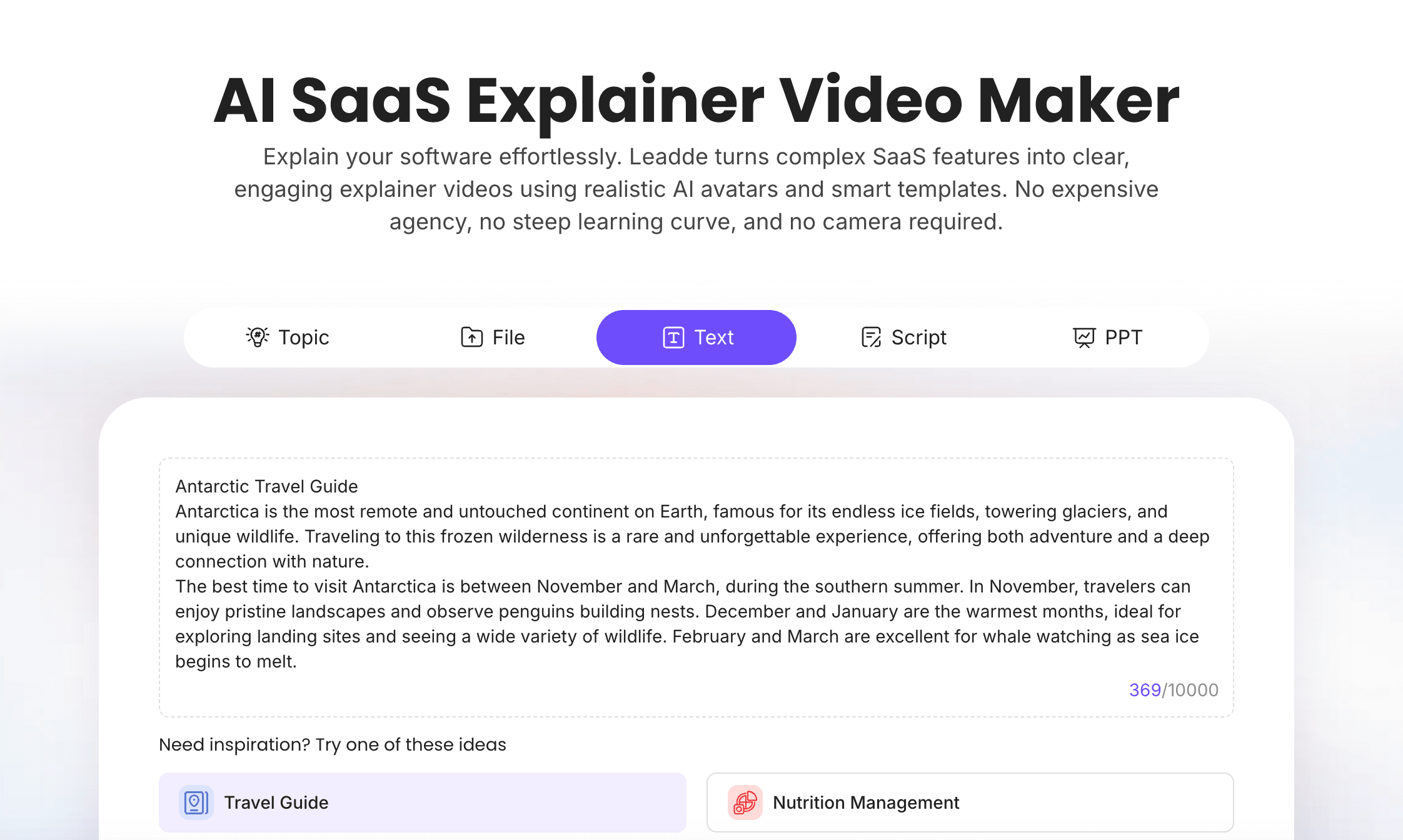
If your team is ready to create product-led videos, Leadde's AI Product Demo Video Maker helps turn product scripts, feature notes, and demo flows into editable AI videos. If you need to explain your software at a higher level, AI SaaS Explainer Video Maker is a better starting point.
Product Demo Video vs Explainer Video: Quick Answer
A product demo video is best when the viewer already understands the problem and wants to see how your product works.
An explainer video is best when the viewer still needs to understand the problem, the product category, the value proposition, or the reason your product matters.
Here is the simple difference:
| Video Type | Best Question It Answers | Best Use Case |
|---|---|---|
| Product demo video | "How does this product work?" | Product pages, sales follow-up, feature walkthroughs, onboarding |
| Explainer video | "What is this product and why should I care?" | Homepage, landing pages, top-of-funnel education, category creation |
Most SaaS teams eventually need both. The explainer creates understanding. The demo builds confidence.
What Is a Product Demo Video?
A product demo video shows the product in action.
It usually walks through a specific workflow, feature, dashboard, setup process, or use case. The viewer should leave knowing what the product does and how it works.
A product demo video might show:
- A user uploading a file
- A dashboard generating insights
- A team setting up a workflow
- A feature being configured
- A report being exported
- A customer completing onboarding
- A sales rep using a product flow
- An AI tool generating a draft or recommendation
Product demo videos work best when the viewer already has context. They know the general problem, and now they want to see the solution in motion.
For examples, see Leadde's guide to SaaS product demo video examples. If you need a script first, use the SaaS demo video script template.
What Is an Explainer Video?
An explainer video explains the product, problem, or concept at a higher level.
It may show some product visuals, but the main goal is not to walk through every step. The goal is to help the viewer understand the value.
A SaaS explainer video usually explains:
- The problem the audience faces
- Why the old workflow is painful
- What the product does
- Who the product is for
- How the workflow works at a high level
- What outcome the viewer gets
- What to do next
Explainer videos work best when the viewer is earlier in the journey. They may not understand the category yet. They may not know why the problem matters. They may not be ready for a detailed demo.
For script help, see Leadde's SaaS explainer video script templates. For broader strategy, see how to create a SaaS explainer video.
Product Demo Video vs Explainer Video: Side-by-Side Comparison
| Category | Product Demo Video | Explainer Video |
|---|---|---|
| Main purpose | Show how the product works | Explain what the product is and why it matters |
| Best audience | Product-aware prospects, users, sales leads | Problem-aware or category-curious viewers |
| Buyer journey stage | Middle to bottom of funnel | Top to middle of funnel |
| Typical length | 1 to 5 minutes | 60 to 120 seconds |
| Visual focus | Product UI, workflows, feature steps | Problem, solution, concept, workflow overview |
| Script style | Step-by-step and practical | Story-driven and value-focused |
| Best CTA | Try the product, book a demo, watch next workflow | Learn more, see how it works, start exploring |
| Common mistake | Showing too many features | Being too vague or generic |
| Best tool fit | AI Product Demo Video Maker | AI SaaS Explainer Video Maker |
The key difference is intent.
A product demo video gives proof. An explainer video gives context.
When Should SaaS Teams Make a Product Demo Video?
Create a product demo video when the viewer needs to see the workflow.
This is usually the right choice when your audience already understands the problem and is asking product-level questions.
Use a Product Demo Video When Buyers Ask "How Does It Work?"
If prospects ask questions like these, you need a demo video:
- How does the product work?
- What does the dashboard look like?
- How many steps does the workflow take?
- Can I use this for my team?
- What happens after I upload the file?
- How does the AI output get reviewed?
- What can users edit?
- Where does the data go?
A product demo answers these questions better than an explainer.
Use a Product Demo Video for Sales Follow-Up
Sales teams often repeat the same demo flow on calls.
A product demo video can make that workflow reusable. Instead of asking prospects to remember a live demo, sales reps can send a short video after the call.
A good sales demo video should show:
- The prospect's use case
- The workflow that solves it
- The business outcome
- The next step
For sales-specific workflows, use AI Sales Demo Video Maker, and see Leadde's guide on how to create a sales demo video with AI.
Use a Product Demo Video for Feature Walkthroughs
If you are launching a feature or teaching an existing customer, use a demo.
A feature walkthrough should focus on one feature or workflow.
It should explain:
- What the feature does
- When to use it
- How to start
- What steps to follow
- What result to expect
- What to do next
This format works well for product updates, help centers, customer success, onboarding, and release announcements.
Use a Product Demo Video for Activation and Onboarding
New users often need help completing the first meaningful action.
A product demo video can show the exact steps.
For example:
- Create your first project
- Upload your first document
- Invite your team
- Generate your first report
- Create your first video
- Connect your first integration
This is where product demos can improve activation. The viewer does not just learn what the product does. They learn what to do next.
When Should SaaS Teams Make an Explainer Video?
Create an explainer video when the viewer needs context before product detail.
This is usually the right choice when the viewer is not yet ready for a detailed workflow.
Use an Explainer Video When the Category Needs Explanation
Some SaaS products are easy to understand. Others need explanation.
If your product creates a new workflow, uses AI, replaces manual work, or combines multiple categories, an explainer video can help.
For example, before showing a detailed product workflow, you may need to explain:
- Why the old workflow is broken
- What the new workflow looks like
- What role AI plays
- What humans still review
- Why the product is useful for a specific team
- What outcome the buyer should expect
A demo without this context may feel confusing.
Use an Explainer Video for Homepage and Landing Pages
Homepage visitors often need a fast answer:
"What does this company do?"
An explainer video can answer that quickly.
A good homepage explainer should cover:
- Who the product is for
- What problem it solves
- How the product works at a high level
- What outcome the viewer gets
- What to do next
It should not show every feature. It should create enough understanding for the visitor to keep exploring.
Use an Explainer Video for Demand Generation
Explainer videos work well in campaigns because they can educate before selling.
They are useful for:
- Paid landing pages
- LinkedIn campaigns
- Product category education
- Launch campaigns
- Webinar follow-ups
- Email nurture sequences
- Retargeting campaigns
The goal is to make the problem and solution clear enough that the viewer wants to learn more.
Use an Explainer Video for AI Products
AI products often need more explanation because buyers want to understand what the AI does, what the user controls, and where review happens.
An AI SaaS explainer should explain:
- What input the user provides
- What the AI generates
- What the user can edit
- What happens before publishing
- How the workflow saves time
- Where human review fits
This is especially important for trust. Buyers want speed, but they also want control.
When Should You Use Both?
Many SaaS teams should use both an explainer video and a product demo video.
The explainer helps people understand the product. The demo helps them believe it works.
A strong video funnel might look like this:
| Funnel Stage | Video Type | Goal |
|---|---|---|
| Homepage | Explainer video | Help visitors understand the product quickly |
| Product page | Product demo video | Show the workflow in action |
| Sales follow-up | Sales demo video | Connect product to buyer pain |
| Help center | Feature walkthrough | Teach users how to complete tasks |
| Launch campaign | Feature explainer + demo | Explain what changed and show how it works |
This creates a better user journey than relying on one video for everything.
For example, a SaaS team might create:
- A 90-second homepage explainer.
- A 2-minute product demo.
- A 60-second feature walkthrough.
- A sales follow-up demo for prospects.
- A help center video for new users.
Each video has a different job.
Decision Framework: Which Video Should You Make First?
If you are not sure which video to create first, use this decision framework.
| If Your Audience Says... | Make This First |
|---|---|
| "I do not understand what this product does." | Explainer video |
| "Why should I care?" | Explainer video |
| "How does it work?" | Product demo video |
| "Can I see the workflow?" | Product demo video |
| "How is this different from the old way?" | Explainer video or comparison video |
| "Will this work for my use case?" | Use-case demo video |
| "How do I get started?" | Onboarding demo video |
| "What changed in this feature?" | Feature walkthrough video |
The fastest rule:
- If the audience lacks context, make an explainer.
- If the audience wants proof, make a demo.
How to Create Product Demo and Explainer Videos with AI
AI makes it easier to create both formats because your team can start from scripts, product notes, documents, or existing messaging.
The workflow is similar, but the structure is different.
Step 1: Choose the Video Job
Before creating the video, define its job.
Ask:
- Who is the audience?
- What do they already know?
- What do they need to understand next?
- Are they looking for context or proof?
- What action should they take after watching?
If the answer is context, make an explainer. If the answer is proof, make a product demo.
Step 2: Write the Right Script
A product demo script should focus on workflow.
An explainer script should focus on problem, solution, and value.
For product demo scripts, use Leadde's SaaS demo video script template.
For explainer scripts, use Leadde's SaaS explainer video script templates.
Step 3: Turn the Script into Scenes
A product demo scene structure might look like this:
| Scene | Product Demo Purpose |
|---|---|
| Scene 1 | State the use case |
| Scene 2 | Show the starting point |
| Scene 3 | Walk through step one |
| Scene 4 | Walk through step two |
| Scene 5 | Show the result |
| Scene 6 | End with a CTA |
An explainer scene structure might look like this:
| Scene | Explainer Purpose |
|---|---|
| Scene 1 | Name the problem |
| Scene 2 | Explain why it matters |
| Scene 3 | Introduce the product |
| Scene 4 | Show the workflow at a high level |
| Scene 5 | Explain the outcome |
| Scene 6 | End with a CTA |
The structure should match the viewer's need.
Step 4: Add Product Visuals or Concept Visuals
A product demo should show more product UI.
An explainer should show more concept, workflow, and value visuals.
Use:
- Product screenshots
- Workflow cards
- Feature callouts
- Before-and-after comparisons
- Captions
- Timeline scenes
- Avatar presenter segments
- Simple diagrams
- Use-case cards
Do not overload either format with too much text.
Step 5: Add an AI Presenter or Voiceover
Some videos work well with only voiceover. Others benefit from a presenter.
With an AI avatar generator, SaaS teams can create presenter-led product demo or explainer videos without filming a spokesperson.
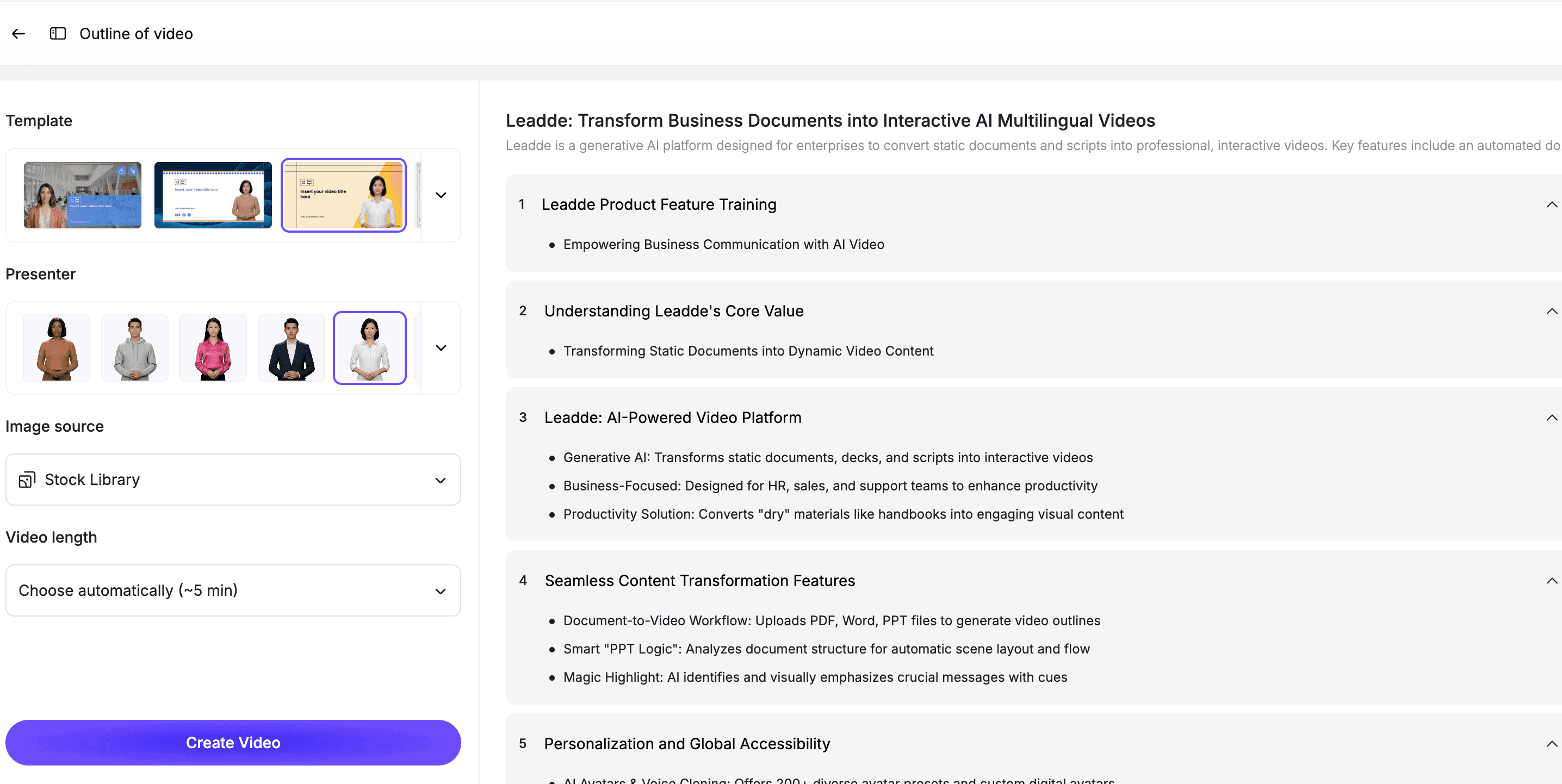
An AI presenter can help introduce the problem, explain transitions, and guide the viewer through the workflow.
Step 6: Review the Video for Fit
Before publishing, check whether the video format matches the audience.
Ask:
- Does this video answer the right question?
- Is it too detailed for a first-time visitor?
- Is it too vague for a product-aware prospect?
- Does the CTA match the viewer's stage?
- Are we showing enough product for a demo?
- Are we giving enough context for an explainer?
A good video is not just well produced. It is well matched to the viewer's intent.
Best Practices for Product Demo Videos
Show One Workflow at a Time
Do not show the entire product in one video.
Pick one workflow, use case, or feature.
Start with the Use Case
Do not begin with a menu.
Tell the viewer what they are about to learn and why it matters.
Keep It Practical
A product demo should show real steps, real screens, and a real outcome.
Avoid vague narration.
End with a Product-Level CTA
Examples:
- Try the workflow
- Book a demo
- Start your first project
- Upload your first file
- Watch the next feature video
Best Practices for Explainer Videos
Start with the Problem
Do not start with the product.
Start with the problem the viewer recognizes.
Keep It Short
Most SaaS explainer videos should be 60 to 120 seconds.
If the product is complex, create separate videos for each use case.
Use Plain Language
Avoid internal jargon and feature names unless buyers already know them.
End with a Learning or Conversion CTA
Examples:
- Learn how it works
- Watch the product demo
- Try the product
- Explore use cases
- Book a demo
How Leadde Helps SaaS Teams Create Both
Leadde helps SaaS teams create both product demo videos and explainer videos from scripts, product notes, sales messaging, documents, and feature workflows.
With Leadde, teams can:
- Turn scripts into video scenes
- Add AI presenters
- Create product demo videos
- Create SaaS explainer videos
- Add captions and visual highlights
- Build multilingual video versions
- Update scripts and scenes when messaging changes
- Reuse product content across sales, marketing, onboarding, and customer education
Use AI Product Demo Video Maker when you need to show product workflows. Use AI SaaS Explainer Video Maker when you need to explain the problem, product, and value proposition. Use Script to Video if your script is already ready.
If you already know which format you need, you can also try Leadde directly and start building your first AI video.
Common Mistakes to Avoid
Mistake 1: Using One Video for Every Stage
A homepage visitor and a sales-qualified lead do not need the same video.
Create different videos for different intent levels.
Mistake 2: Making an Explainer Too Product-Heavy
If the viewer does not understand the problem yet, too much UI can be confusing.
Use the explainer to create context first.
Mistake 3: Making a Demo Too Vague
If the viewer wants proof, do not stay at the concept level.
Show the workflow.
Mistake 4: Showing Too Many Features
Both demos and explainers fail when they try to cover everything.
Focus on one message.
Mistake 5: Forgetting the CTA
Every video should lead somewhere.
Make the next action clear.
FAQ
What is the difference between a product demo video and an explainer video?
A product demo video shows how a product works, usually through a workflow or feature walkthrough. An explainer video explains what the product is, what problem it solves, and why the viewer should care.
Should SaaS teams make a product demo or an explainer video first?
If visitors do not understand the product yet, make an explainer video first. If prospects already understand the problem and want to see how the product works, make a product demo video first.
Can a product demo video also be an explainer video?
Yes. Some SaaS videos combine both formats. They explain the problem briefly, then show a focused product workflow. This hybrid format works well for landing pages and product pages.
Where should SaaS teams use product demo videos?
Product demo videos work well on product pages, sales follow-ups, feature pages, onboarding flows, help centers, and customer education libraries.
Where should SaaS teams use explainer videos?
Explainer videos work well on homepages, landing pages, top-of-funnel campaigns, product overview pages, and category education content.
How long should product demo and explainer videos be?
Most SaaS explainer videos should be 60 to 120 seconds. Product demo videos can be 1 to 5 minutes depending on the workflow, but shorter is usually better.
Can AI help create both product demo and explainer videos?
Yes. AI can help turn scripts, product notes, demo flows, and positioning into scenes, narration, captions, avatar-led videos, and editable drafts for both product demo and explainer formats.
Conclusion
Product demo videos and explainer videos solve different problems.
A product demo video shows how your product works. An explainer video helps people understand what your product is and why it matters.
SaaS teams usually need both, but not at the same moment. Use explainers when the audience needs context. Use demos when the audience wants proof.
Start by identifying the viewer's question. If they are asking "Why should I care?", make an explainer. If they are asking "How does it work?", make a product demo.
Use Leadde's AI Product Demo Video Maker for product workflows, or AI SaaS Explainer Video Maker for SaaS explainer videos.





