
The Fastest Way to Convert PowerPoint Slides into Training Videos for Employees

The fastest way to convert PowerPoint slides into training videos for employees is to use an AI training video tool that lets you upload a PowerPoint, PDF, SOP, Word document, or training manual, then automatically generates the outline, narration script, voiceover, video scenes, captions, and knowledge checks.
The fastest workflow is:
Upload PowerPoint → AI generates outline → AI writes script → AI creates voiceover/video → human reviews → publish to LMS or training portal.
In my training-content research across L&D, compliance, onboarding, nonprofit, and software-training workflows, the biggest production bottleneck was rarely the final video export. The real bottlenecks were rewriting messy slide decks, creating scripts, recording narration, editing audio, waiting for SME review, building quizzes, and updating videos later. AI is now the fastest way to remove those bottlenecks while still keeping human review in the process.
For teams that want an AI-first workflow, Leadde is a practical option because it can turn PowerPoint files and training documents into AI-generated outlines, scripts, voiceovers, video scenes, subtitles, and ready-to-share training videos.

Why AI Is the Fastest Way to Convert PowerPoint into Training Videos
Traditional PowerPoint-to-video workflows still work, but they are slower:
PowerPoint → clean slides → write script → record voiceover → edit audio → build video → add quiz → upload to LMS.
An AI-first workflow compresses that into:
Upload source file → generate training draft → review and publish.
This is especially useful when your source content already exists as PowerPoint decks, PDFs, policy documents, onboarding manuals, product guides, or SOPs. Instead of rebuilding everything manually, AI can turn those materials into a structured training video draft.
In one AI-assisted compliance training case I studied, a 30-minute compliance module could be drafted in 30 to 45 minutes. SMEs usually made only 2 to 3 small changes before approval. That kind of workflow changes PowerPoint conversion from a production-heavy project into a review-and-edit process.
| Workflow Step | Manual Workflow | AI-First Workflow | Time-Saving Benefit |
|---|---|---|---|
| Content input | Manually review PowerPoint slides | Upload PowerPoint, PDF, SOP, or document | Faster content intake |
| Course structure | Manually create outline | AI generates training outline | Reduces planning time |
| Scriptwriting | Write narration slide by slide | AI creates narration script | Speeds up first draft |
| Voiceover | Record and edit audio manually | AI generates voiceover | Faster updates and consistency |
| Video creation | Build scenes manually | AI generates video scenes | Reduces production work |
| Quizzes | Write questions manually | AI generates knowledge checks | Faster assessment creation |
| Review | SME reviews final draft | SME reviews AI-generated draft | Shorter review cycle |
| Publishing | Export and upload manually | Export MP4 or publish to LMS | Easier distribution |
Best AI Workflow for PowerPoint-to-Training Video Conversion
Start by uploading the PowerPoint or source document. The best AI tools should not only read the slides but also understand the structure, summarize the content, and convert it into a training sequence.
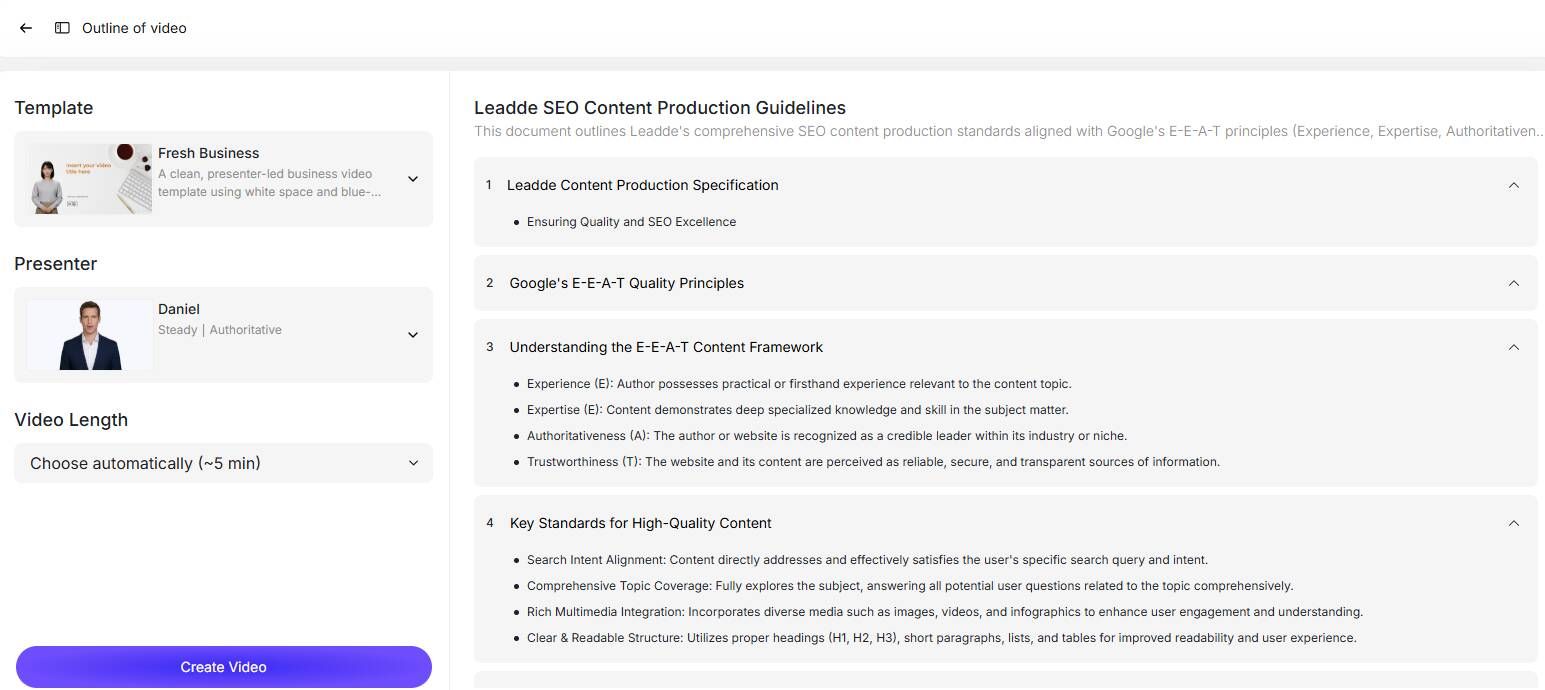
A strong AI workflow should include:
- AI-generated outline
The tool should split a long deck into short modules, identify learning objectives, and remove repetition. - AI-generated narration script
The script should not simply read slide text aloud. It should explain what employees need to do, why it matters, and how to avoid mistakes. - AI voiceover and captions
AI voiceover is one of the biggest time savers. In one workflow I studied, AI voice generation made narration updates at least 10 times faster than manual re-recording. - AI-generated video scenes
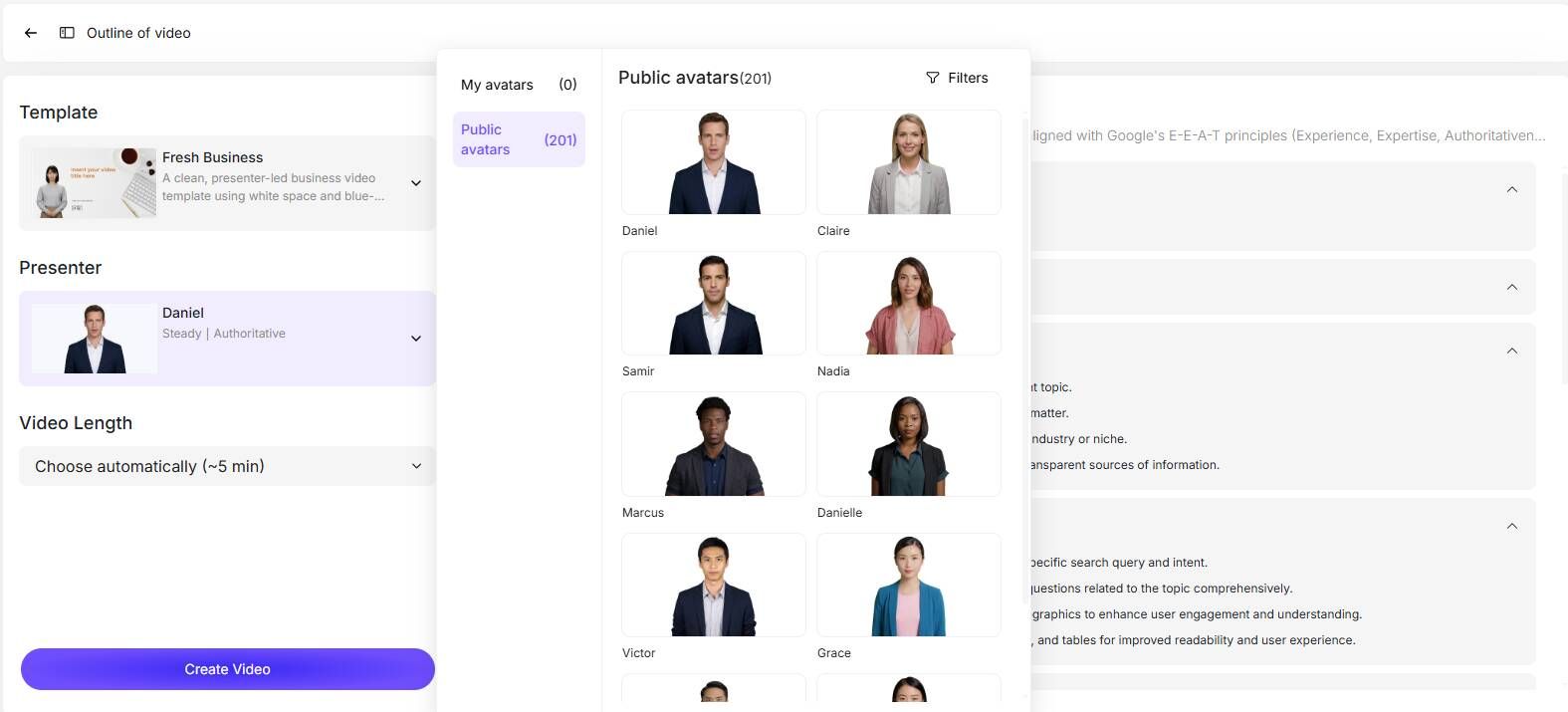
The tool should create scenes, presenters, captions, visuals, and transitions automatically. - Knowledge checks and job aids
Employee training should not stop at video. AI should also generate quizzes, scenario questions, FAQs, and checklists. - Human SME review
AI creates the first draft. Humans verify accuracy, compliance, process steps, tone, and final publishing settings.
Real Case Studies: What Actually Saves Time
Case 1: AI Compliance Training in 30–45 Minutes
The strongest AI case involved turning compliance documents into training. The system generated outlines, slides, images, videos, narration, and knowledge checks. A 30-minute training could be created in 30 to 45 minutes, with SMEs making only 2 to 3 small edits.
The lesson: AI works best when the source material is already available and the goal is to create a structured first draft quickly.
Case 2: AI Voiceover Made Updates 10x Faster
In another workflow, AI voiceover made narration updates at least 10 times faster. This matters because training videos often need small updates: policy dates, product names, software steps, approval rules, or compliance language.
Manual narration turns each small change into a re-recording project. AI voiceover lets teams edit the script and regenerate the line quickly.
Case 3: Traditional Video Production Was Too Slow
A software-training creator used Audacity and Camtasia to produce training videos. The target length was 6 to 8 minutes, but one video expanded toward 20 minutes. In the same research set, a polished-video estimate reached about 8 hours per finished minute, while another example showed that editing could take 30 minutes, but SME feedback could delay the project by 3 weeks.
The lesson: AI should be used before production begins, especially to shorten scripts, split modules, and reduce review cycles.
Case 4: Nonprofit Training Needed Scale and Low Friction
One nonprofit needed to train about 70 volunteers and 300 workers using PowerPoints, PDFs, and videos. The annual budget was around $2,500, while one commercial option was around $3,600/year. The team also needed quizzes but wanted to avoid login friction.
The lesson: fast video creation is not enough. The final training must be easy to access, affordable, trackable, and simple for learners to complete.
Case 5: Manual PowerPoint-to-eLearning Copy-Paste Did Not Scale
Another team converted instructor PowerPoints into Rise-style eLearning by copying text, cleaning it, redesigning layouts, and adding interaction. They explored AI authoring tools; one option offered 3 hours per month of free trial usage for summaries and assessments.
The lesson: AI is valuable when it reduces repetitive work, but the output must still be editable, brandable, and compatible with LMS or SCORM workflows.
Case 6: AI Avatars Can Create Maintenance Risk
AI avatars can help create videos fast, but they are not always the best choice. In one case, a vendor change forced a team to redo 42 videos because avatars or voices changed. Advanced localization or enterprise options were also discussed around $4,000/year or £8,300 in some contexts.
The lesson: AI voiceover is often safer than AI avatar video. Avatar-led presentations can work, but only when they improve the learning experience and remain easy to update.
Recommended AI Tools for PowerPoint Training Videos
Leadde
Leadde is a strong fit for this workflow because it focuses on turning business content into AI training videos. Its PowerPoint-to-video tool lets users upload a .pptx file, generate an outline, create video scenes and voiceovers, preview the result, and download the final MP4. Leadde also supports PowerPoint, PDF, DOC, DOCX, and TXT uploads up to 200 MB in its lecture/training video workflows, with AI avatars, narration, subtitles, and multilingual output.
Leadde is especially relevant for employee training, onboarding, SOP videos, compliance training, safety training, product training, and internal process explainers. Its site describes support for large avatar libraries, brand consistency, version control, team collaboration, and multilingual training delivery.
Synthesia
Synthesia is another AI video option for creating training videos from existing materials. Its learning-and-development page states that its AI Video Assistant can convert PDFs, PowerPoint presentations, and web pages into training videos.
Elai, iSpring, Articulate, Camtasia, OBS
Elai-style tools are useful for AI presenter videos; iSpring and Articulate are stronger when SCORM, quizzes, and LMS tracking matter; Camtasia is better for detailed software tutorials; OBS and Shotcut can work for low-cost manual recording. One practical non-AI workflow used OBS plus Shotcut to create approximately 15-minute training chapters with a multiple-choice quiz in an LMS.
Common Mistakes to Avoid
Do not upload a 100-slide deck and accept the first AI output without editing. Ask the AI to shorten, split, and prioritize the content.
Do not let AI read slide text word for word. The script should explain workplace actions.
Do not overuse AI avatars. For many employee training videos, AI voiceover plus clear visuals is better.
Do not skip SME review, especially for compliance, safety, legal, HR, medical, financial, or product training.
Do not forget publishing requirements. Decide early whether you need MP4, SCORM, LMS tracking, quiz scores, captions, or multilingual versions.
FAQ
What is the fastest way to turn PowerPoint into employee training videos?
Use an AI training video tool. Upload the PowerPoint, generate an outline and script, create AI voiceover and video scenes, review the result, and publish.
Can AI convert PowerPoint into a full training video?
Yes. AI tools can generate scripts, narration, scenes, captions, avatars, and quizzes from PowerPoint or other documents. Human review is still required.
Should I edit the PowerPoint before uploading it?
Yes. Remove outdated, duplicate, and irrelevant slides first. Cleaner input produces better AI output.
How long should employee training videos be?
Keep them short and task-based. A target 6–8 minute video can easily become 20 minutes if the scope is not controlled.
Is AI better than Camtasia?
AI is faster for first drafts, scripts, voiceover, and content conversion. Camtasia is better for precise screen recording and detailed software tutorials.
Do I need an LMS?
Use MP4 for simple sharing. Use an LMS or SCORM workflow when you need completion tracking, quiz results, reporting, or compliance records.
Final Recommendation
The fastest way to convert PowerPoint slides into training videos for employees is to use an AI tool such as Leadde to upload existing materials, generate the outline, script, voiceover, video, captions, and knowledge checks, then have a human reviewer approve the final version.
The best process is not manual recording. It is:
Upload → AI generate → human review → publish → update quickly.





