VIDEO MODEL
MiniMax H3 AI Video Generator





What Is MiniMax H3?


MiniMax H3 is an AI video generation model released by MiniMax in July 2026. It allows users to create video and matching stereo audio from a single prompt.
The model reads text, images, video, and audio in one context, making it suitable for advertising, product, localization, and post-production workflows.
Key Features of MiniMax H3
2K Video with Stereo Sound
Generate clips of up to 15 seconds at up to 2K, with stereo audio produced alongside the picture rather than added afterwards.
Reference-Led Shots
Supply up to nine images, three clips, and three audio files, and MiniMax H3 builds the shot around what you gave it.
Motion Transfer from Video
Hand the model a clip and it carries that movement onto a new subject and setting, so a take you like becomes a template.
In-Frame Text and Brand Rendering
Ask for a headline, a product name, or a logo inside the shot and MiniMax H3 renders it as part of the frame.
What Can You Create with MiniMax H3?
MiniMax H3 covers video work that needs sound, resolution, and reference control.
Use Case
- High-Resolution Ad Cuts
- Multilingual Brand Scenes
- Motion-Matched Remakes
- Titled Openers
- Sound-Led Product Films
- Social Cutdowns
Description
- Deliver ad footage at 2K resolution
- Speak lines in eleven supported languages
- Reuse movement from a clip you like
- Render headlines and logos inside the frame
- Generate stereo audio with the picture
- Resize one scene for vertical feeds
MiniMax H3 Examples
2K Product Spot
Shoot a close-range product moment where the sound carries as much as the picture.
Prompt Example:
Create a macro shot of a perfume bottle on wet stone, rain tapping, distant thunder.
Multilingual Brand Scene
Record a spoken brand moment in a market language without booking a voice session.
Prompt Example:
Create a chef in a Tokyo kitchen introducing a dish in Japanese, warm evening light.
Motion-Matched Remake
Carry the movement of a take you already approved onto a new subject.
Prompt Example:
Create the same dance move as this reference clip, performed by a dancer on a rooftop.
How to Use MiniMax H3
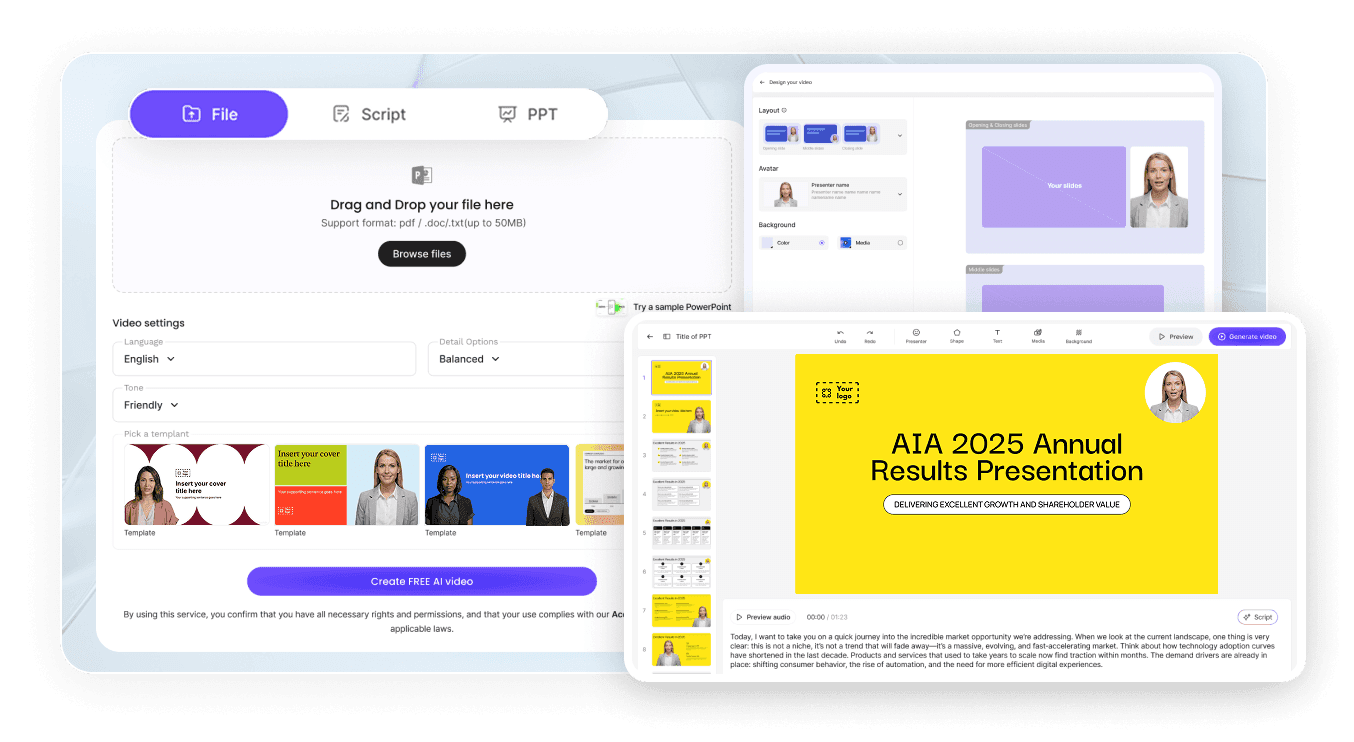
Step 1: Enter a Prompt or Upload an Image
Describe the scene, or upload the images, clips, and audio you want it to match.
Step 2: Customize Settings
Choose aspect ratio, clip duration, and resolution.
Step 3: Generate and Refine
Play the take with its sound, then adjust the prompt and run it again.
Step 4: Export Your Video
Download in HD MP4 and use it across ads, product pages, or social.
MiniMax H3 vs Seedance 2.5
Feature
- Developer
- Text to video
- Image to video
- Native audio
- Max resolution
- Native clip length
- Best for
MiniMax H3
- MiniMax
- Excellent
- Excellent
- Stereo, generated with the picture
- Up to 2K
- Up to 15 seconds
- Sharp 2K shots with sound
Seedance 2.5
- ByteDance
- Excellent
- Excellent
- Strong
- Strong
- Longer takes
- Long continuous scenes
Who Should Use MiniMax H3?
Localization Teams
Produce one scene in several languages instead of re-shooting a version for each market.
Post-Production Teams
Match the motion of an approved take and deliver the new shot at 2K.
Game and App Studios
Cut trailers and store clips with generated sound and titles already inside the frame.
Why Use MiniMax H3 on Leadde?
Leadde runs MiniMax H3 inside the same AI creative workspace: generate a 2K take, edit it on a timeline, add captions in 88 languages, and export HD MP4.
MiniMax H3 FAQ
MiniMax H3 is MiniMax's omni-modal AI video model. It generates video with native stereo sound from text prompts, reference images, video clips, and audio files.
You can start free on Leadde. How much you generate depends on the plan you are on, and finished takes export as HD MP4.
MiniMax H3 renders up to 2K at 24 frames per second. A single generation runs from four to fifteen seconds.
Yes. MiniMax H3 produces 32 kHz stereo audio in the same pass as the picture, including spoken dialogue in eleven supported languages.
Yes. One request takes up to nine images, three video clips, and three audio files, and the model matches the shot to them.
MiniMax H3 renders up to 2K with stereo sound and can carry motion across from a clip you supply. Seedance 2.5 focuses on longer continuous takes.
API availability follows MiniMax's own product offerings and the platform providing access. On Leadde you generate inside the workspace rather than building an integration.
Commercial rights follow MiniMax's license terms and those of the platform providing access. Check both before a clip runs in a paid placement.
Start Creating with MiniMax H3
Generate your first 2K take with sound in under a minute. Free to start, export in HD MP4.