
IMAGE MODEL
Wan 2.7 AI Image Generator







What Is Wan 2.7?
Wan 2.7 is an AI image model released by Alibaba. It creates images from natural language prompts and edits uploaded pictures from written instructions.
The model handles both photographic and illustrated output and works across Chinese and English prompts, making it suitable for cross-market campaign work.
Key Features of Wan 2.7

Text-to-Image Generation
Describe the visual and Wan 2.7 renders it, covering product photography, illustration, and campaign imagery from a single prompt.
Bilingual Prompting
Prompts work in Chinese or English, which matters when the brief, the brand, and the market are not all in the same language.

Image Editing
Upload a picture and describe the change. Backgrounds, objects, and styling can be adjusted without leaving the workspace.

Photographic and Illustrated Range
The same model covers a clean catalogue shot and a stylised key visual, so a campaign does not need two separate tools.
What Can You Create with Wan 2.7?
Wan 2.7 supports cross-market visual production across different teams.
Use Case
- Marketing Visuals
- Product Photography
- Cross-Market Assets
- Illustrated Key Visuals
- Retail Graphics
- Concept Boards
Description
- Create campaign and channel imagery
- Generate clean catalogue shots
- Adapt visuals for other regions
- Design stylised campaign art
- Produce promotion and sale visuals
- Explore directions before production
Wan 2.7 Examples
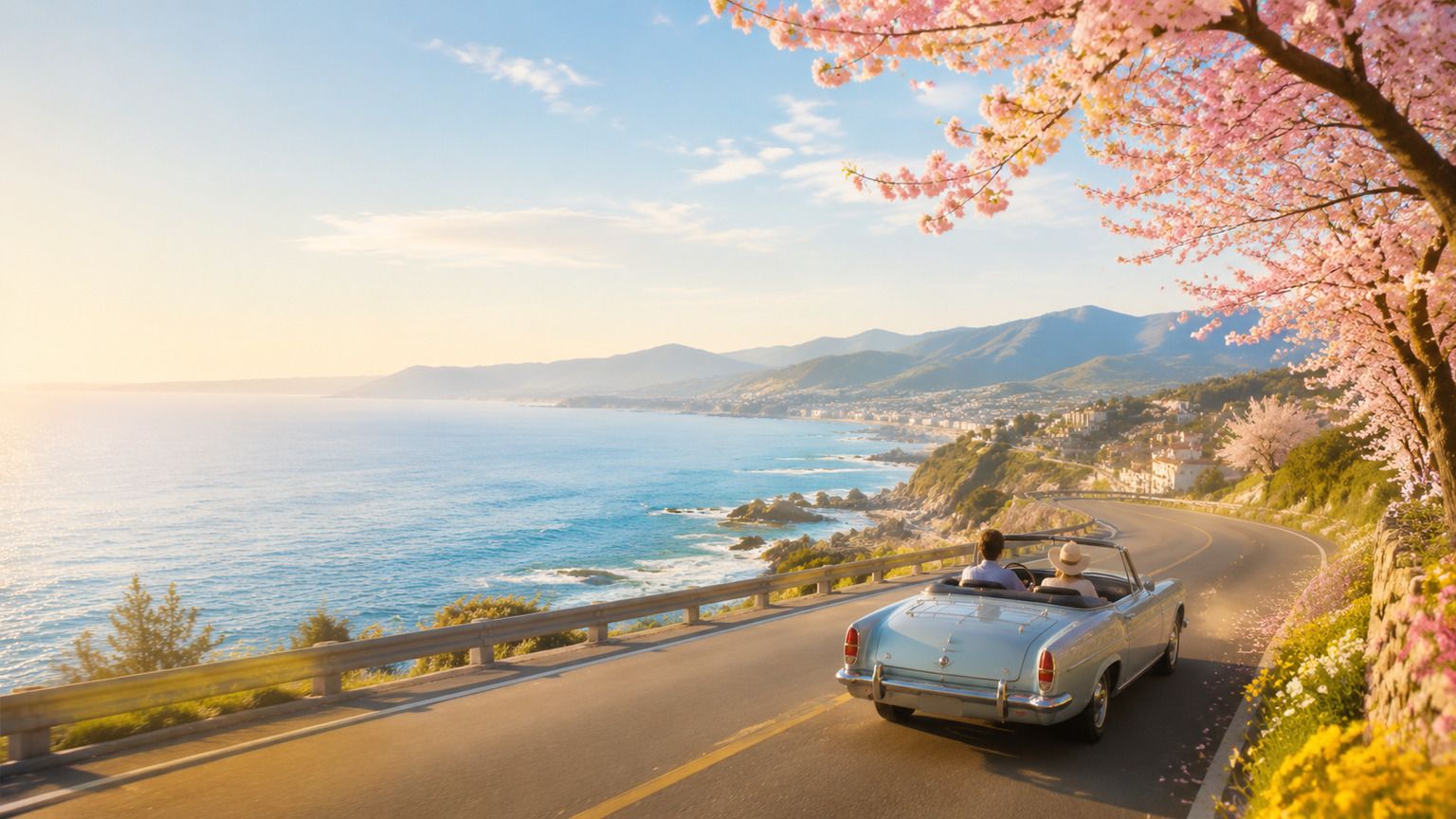
Campaign Key Visual
Produce the hero image a campaign is built around.
Prompt Example:
Create a spring travel campaign visual with a coastal road, warm morning light, and space for a headline.
Product Catalogue Shot
Generate consistent listing imagery without a studio booking.
Prompt Example:
Create a clean studio photo of a ceramic teapot on a light grey backdrop with soft even lighting.

Retail Promotion Graphic
Design sale and promotion visuals for storefronts and channels.
Prompt Example:
Create a mid-autumn sale graphic with warm gold tones, a lantern motif, and a clear central focus.

How to Use Wan 2.7

Step 1: Enter a Prompt or Upload an Image
Describe the visual you need or upload a picture you want to edit.
Step 2: Customize Settings
Choose image ratio, output quantity, and creative preferences.
Step 3: Generate and Refine
Review the result and refine it with a follow-up instruction.
Step 4: Export Your Image
Download your final visual and use it across campaigns, listings, or social channels.
Wan 2.7 vs FLUX
Feature
- Developer
- Text-to-image
- Image editing
- Bilingual prompting
- Photographic output
- Illustrated output
- Best for
Wan 2.7
- Alibaba
- Excellent
- Strong
- Excellent
- Strong
- Excellent
- Cross-market campaign visuals
FLUX
- Black Forest Labs
- Excellent
- Strong
- Strong
- Excellent
- Strong
- Photorealistic generation
Who Should Use Wan 2.7?

Marketing Teams
Produce campaign visuals for more than one market without briefing a separate design pass for each.

Ecommerce Teams
Generate consistent catalogue imagery for listings across regions and storefronts.
Content Creators
Move between photographic and illustrated styles inside one tool instead of switching between two.
Why Use Wan 2.7 on Leadde?
Leadde combines Wan 2.7 with an AI creative workspace. Teams can generate images, apply brand assets, and reuse visuals across videos, presentations, and regional campaigns.

Wan 2.7 FAQ
Wan 2.7 is Alibaba's AI image model. It creates images from text prompts and edits uploaded pictures through written instructions.
Availability depends on the platform providing access. Leadde lets you start generating at no cost, and downloads carry no watermark.
Yes. Upload a picture and describe the change. Backgrounds, objects, and styling can be adjusted from a written instruction.
Yes. Prompts work in Chinese or English, which is useful when the brief and the target market are in different languages.
Wan 2.7 can create campaign visuals, product photography, cross-market assets, illustrated key visuals, retail graphics, and concept boards.
Wan 2.7 is Alibaba's model, strong on bilingual prompting and illustrated output. FLUX is known for photorealistic generation.
API availability depends on Alibaba's current product offerings and the platform providing access to the model.
Commercial usage depends on Alibaba's licence terms and the platform where the model is accessed.
Start Creating with Wan 2.7
Create your first campaign visual with Wan 2.7. Free to start, no watermark on export.
