Leadde Logo

Turn Any Document Into a Teaching Video

Leadde Motion converts your existing documents — notes, papers, manuals, and knowledge writeups — into fully animated teaching videos. Knowledge-first. From document to final production. Research papers, lecture notes, SOPs, knowledge base articles, or subject guides — simply upload a PDF, Word file, or paste text.

From Document to Teaching Video

Convert Your Content to Video in 4 Steps
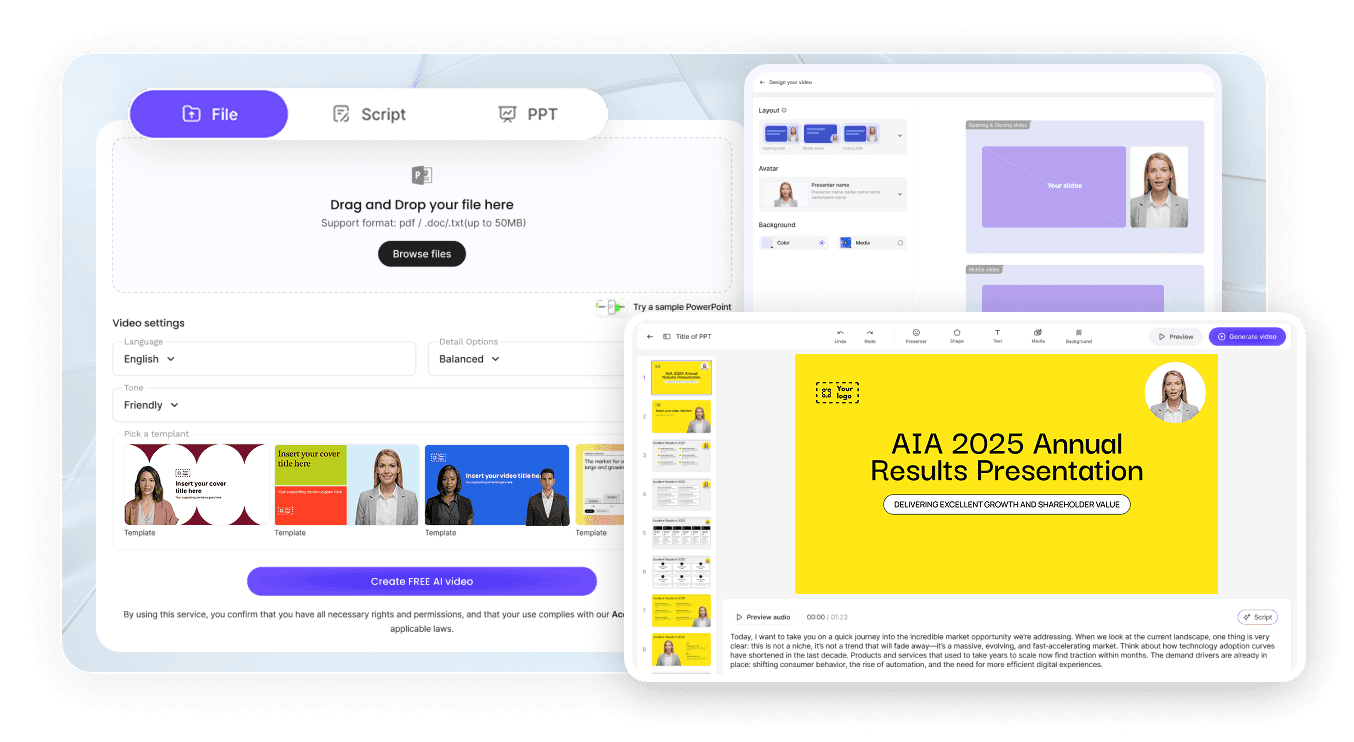
AI Video Generator Interface

Upload Your Document or Paste Your Notes

Upload a PDF, Word file, or plain text. Leadde Motion reads the content, identifies the key concepts, and maps the learning flow automatically.

Review the AI-Generated Teaching Outline

Leadde structures your document into a clear, progressive teaching sequence — with sections for concepts, explanations, examples, and summaries. Edit any section before proceeding.

Select Your Presenter and Visual Style

Choose an AI avatar to guide the material visually. Select animation templates that match the complexity and tone of your subject — technical, academic, or accessible.

Generate and Export the Teaching Video

Leadde produces the finished video with animated scenes, visual explanation, and highlighted key moments. Ready to publish or share in minutes.

How Organizations Use Leadde Motion to Transform Documents

Converting Academic and Research Content

Researchers and academics upload papers, literature reviews, and theory writeups to create shareable video summaries. Translate dense written knowledge into animated explanations that broader audiences can understand and engage with.

Internal Knowledge Transfer

Learning and development teams convert internal knowledge bases, training manuals, and subject guides into animated teaching videos for onboarding and skill development. Remove the bottleneck of scheduled training sessions.

Frequently asked questions

Leadde Motion supports PDF, Word (.docx), PowerPoint (.pptx), plain text, and Markdown. You can also paste content directly or enter a prompt to describe the topic.

Leadde Motion analyzes the document structure and identifies the key concepts, sections, and learning points. For long documents, the AI builds a structured outline that you can edit — removing sections, reordering content, or adjusting the depth of expla

Yes. Your uploaded documents are handled securely. Leadde is SOC 2 and GDPR compliant, making it suitable for internal knowledge transfer and confidential training materials.

Leadde Motion works primarily from text content. For best results, ensure the key information is present in the text of the document. The AI generates relevant animation and visual scenes based on the textual content.

Ready to unlock the knowledge sitting in your documents?

Start a free trial today and turn your first document into a teaching video in minutes.
avatar