
AI eLearning Video Creator



Scalable eLearning Content for Modern Organizations

Onboarding walkthrough
Turn compliance documents, safety protocols, or regulatory guidelines into structured certification videos. Let an AI avatar walk employees through each requirement clearly — reducing legal risk and keeping teams audit-ready.

Cleanroom protocols
Explains the behavior guidelines and operational requirements for cleanrooms, ensuring employees adhere to standards and improve work efficiency and safety.

AR-700 operation training
Introduces the operation process and safety guidelines of the AR-700 precision assembly robot, helping employees master proper operating techniques.

Marketing insights
Trusted by the world's leading brands







What Is an AI eLearning Video Creator?
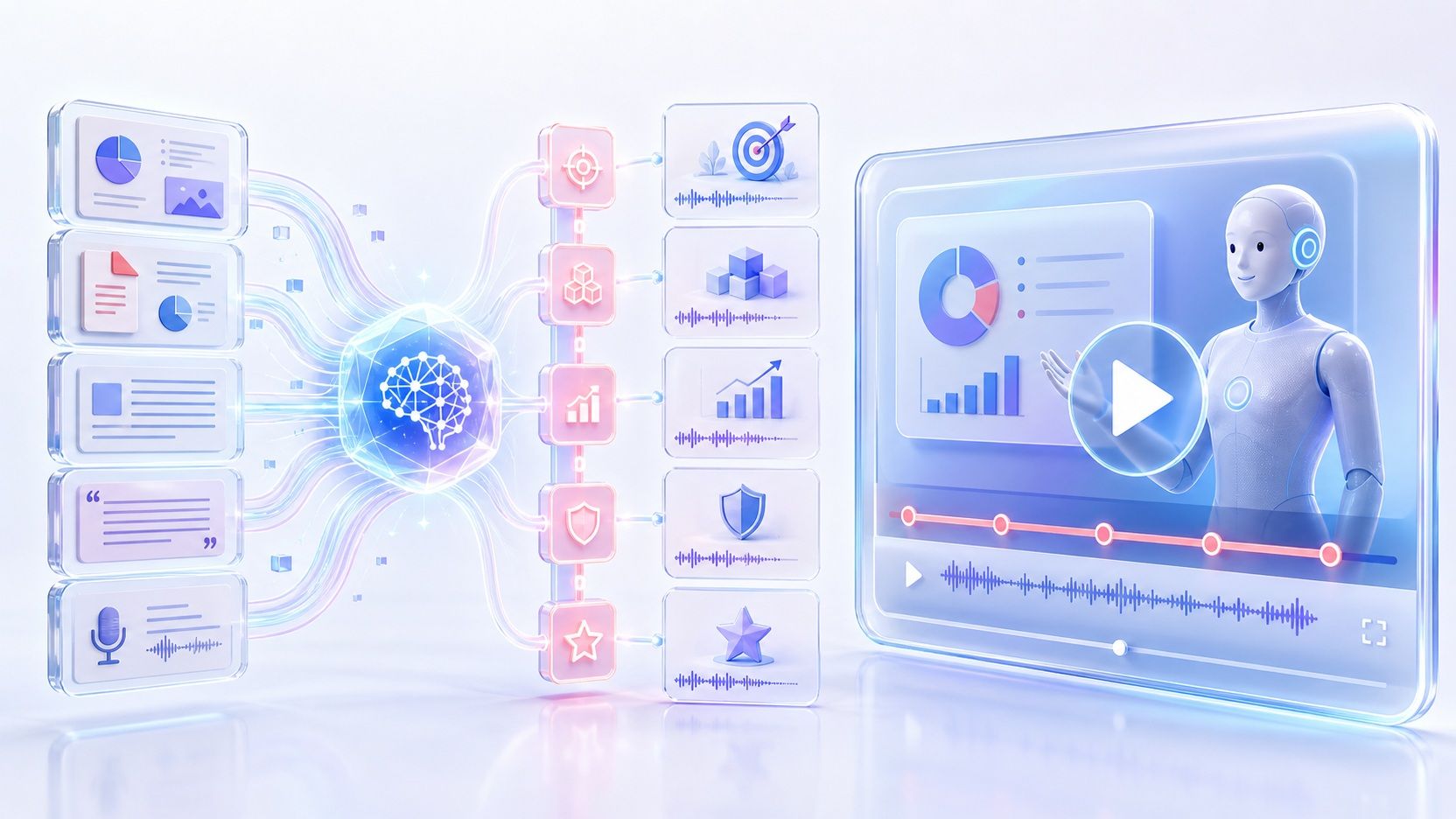
An AI eLearning video creator turns learning and training materials into structured video content without requiring you to build every scene manually. Add a PPT, PDF, Word document, text, or script, and Leadde can analyze the content, create an outline and narration, organize video scenes, add visuals, and prepare the material for video presentation.
Why Use Leadde's AI eLearning Video Creator?
Convert Training Docs to eLearning Videos Instantly
Upload your training manuals, HR handbooks, compliance documents, or PowerPoint presentations. Leadde's AI training video generator extracts the core information, organizes it into structured video scenes, and generates narration scripts automatically. Set the AI extraction level to "Summary" for quick overviews or "Comprehensive" for detailed eLearning modules.
AI Instructors That Keep Learners Engaged
Ready-Made eLearning Templates
Multilingual Training at Scale
How to Create an eLearning Video with AI

Step 1: Upload Your Training Content
Step 2: Customize Visuals and Instructor
Step 3: Generate, Review, and Deploy
Preview narration pacing with "Preview Audio." Click "Generate Video" to render your eLearning module in HD MP4. Download and upload to your LMS (Moodle, Canvas, Blackboard, TalentLMS), distribute via SCORM packages, or share through a password-protected Leadde link with built-in analytics to track learner engagement.

Trusted by L&D Teams and Training Managers
Leadde equips learning and development professionals, HR teams, and training managers with our AI learning video generator to produce corporate eLearning content at scale — without video production budgets or external agencies.
Free eLearning Video Creator
Instant Compliance Updates

Interactive Learner Support
When employees watch your eLearning video through a Leadde shared link, they can ask questions in the built-in chat panel and receive instant, AI-generated answers based on the training content — reinforcing comprehension without waiting for a live instructor.
Analytics for Training Effectiveness
Measure learning outcomes with Leadde's built-in analytics dashboard. Track total views, unique views, average watch time, and completion rates per video — providing actionable data to optimize your eLearning program.
Who Is the AI eLearning Video Creator For?
Learning & Development Teams
Turn existing training materials, policies, presentations, and internal knowledge into repeatable video learning content for employees across different roles and locations.
HR & People Teams
Create video-based onboarding, orientation, policy communication, and workplace learning content from the documents your team already maintains.
Educators & Instructional Designers
Convert lecture notes, presentations, PDFs, lesson materials, and scripts into structured educational videos with narration, visuals, and an optional AI instructor.
Operations & Enablement Teams
Transform SOPs, process documentation, product knowledge, and enablement materials into clear videos that are easier to share, update, and reuse.
eLearning Video Ideas & Use Cases
Compliance & Regulatory Training
Employee Onboarding Programs
Software & Systems Training
Sales & Product Enablement
Safety & Operations Training
Partner & Vendor Certification
Frequently asked questions
Yes. Leadde offers a Free plan, and the Leadde homepage currently states that users receive 200 free credits. Available generation and export capabilities can depend on the plan you use.
Leadde supports PPTX, PDF, DOC, DOCX, and TXT files. You can also begin with a topic, paste text, provide a script, or use an existing PowerPoint presentation as your source content.
Yes. Leadde can analyze the text and structure in PowerPoint and PDF files and reorganize the material into video scenes with narration and supporting visuals, rather than simply turning the original pages into a screen recording.
Yes. Leadde supports 88 languages and 175 dialects and provides multilingual AI voices. Video translation and dubbing are also available when you need to localize existing video content.
Yes. Saved Leadde projects can be edited and regenerated. You can revise scripts, scenes, visuals, avatars, pacing, and highlights without recording the entire video again, which is useful for frequently updated training, policies, products, and SOPs.
Create Your eLearning Video with AI
Turn the learning materials you already have into a structured, narrated video with Leadde.
