Leadde Logo

YouTube Outro Maker

Keep viewers binge-watching your channel playlists with our YouTube outro maker. Draft 16:9 closing cards in Video Agent, clone your host voice from 10-60s of audio inside Studio, and loop end-screen motion backgrounds with 4 fit modes today.
Prompt & Script
File
PPT
Need inspiration? Try one of these ideas
No credit card required

What Is a YouTube Outro Maker?

A YouTube outro maker designs the closing 5-to-20-second 16:9 end screen of a channel upload, pairing open card zones with spoken next-video recommendations for higher session watch time. Inside Leadde, Video Agent drafts closing callout scripts while Studio loops background visuals via 4 fit modes and 10-60s voice cloning; channel openers live at Intro Video Maker or Logo Animation Maker.

Trusted by the world's leading brands

11.png
22.png
33.png
44.png
55.png
66.png
77.png
11.png
22.png
33.png
44.png
55.png
66.png
77.png
11.png
22.png
33.png
44.png
55.png
66.png
77.png

Features of Our Video Outro Maker
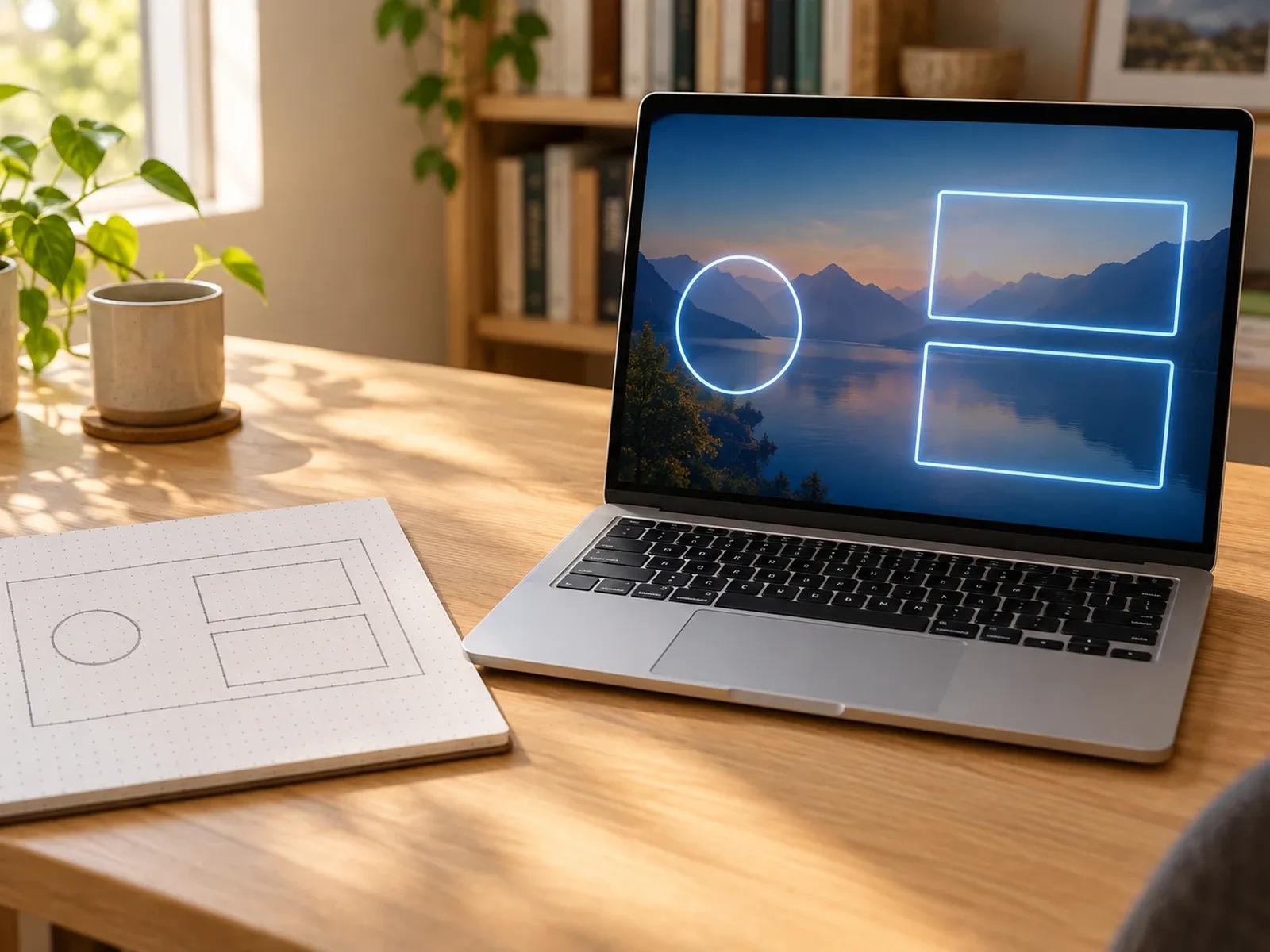
Uncluttered 16:9 Zones for End Screen Cards
Uncluttered 16:9 Zones for End Screen Cards

Arrange your 16:9 widescreen Studio canvas with open left, right, or center framing zones so YouTube Studio's clickable Next Video, Playlist, and Subscribe overlays sit cleanly over your background.
Smooth Background Loops With 4 Fit Modes
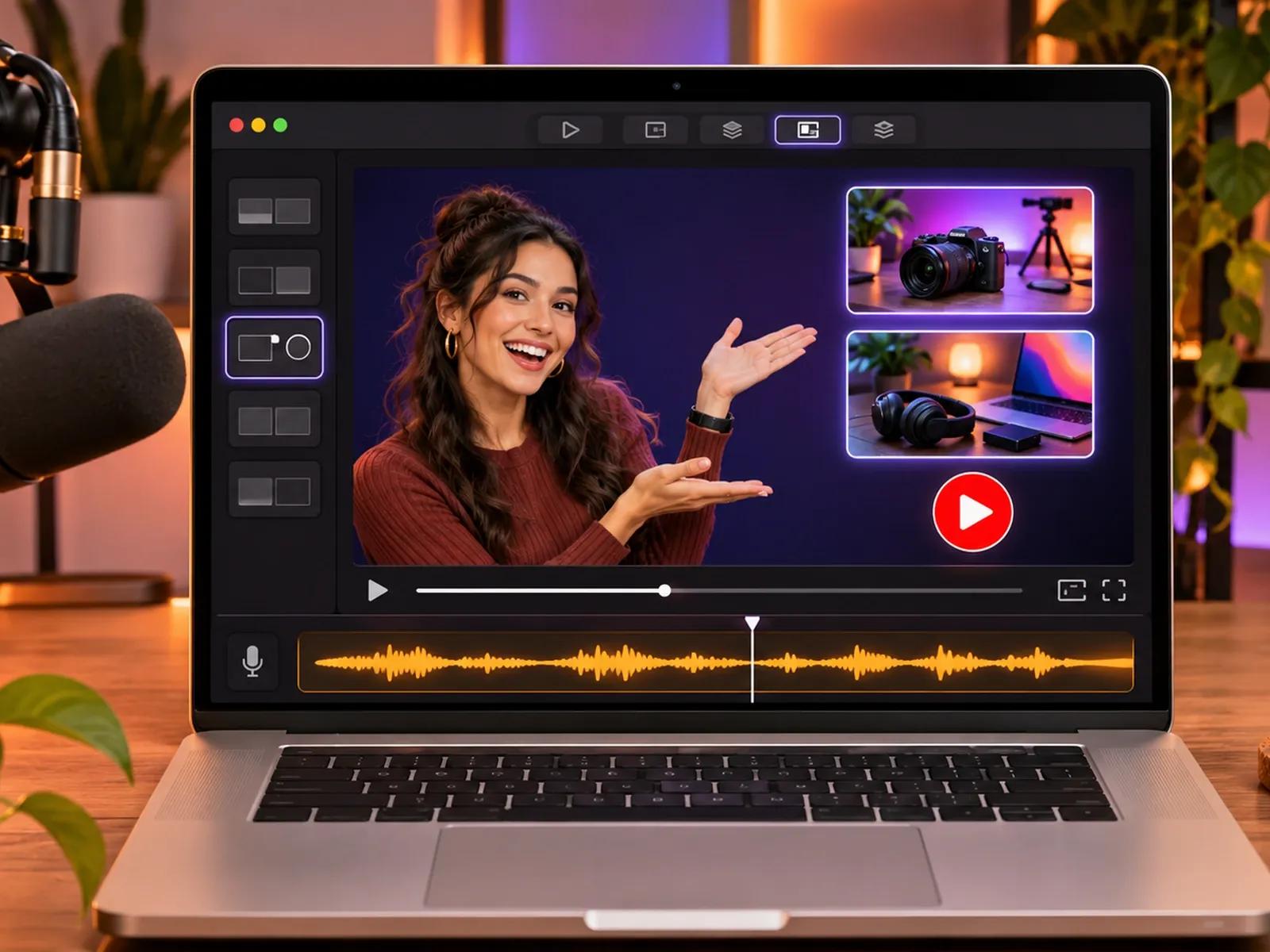
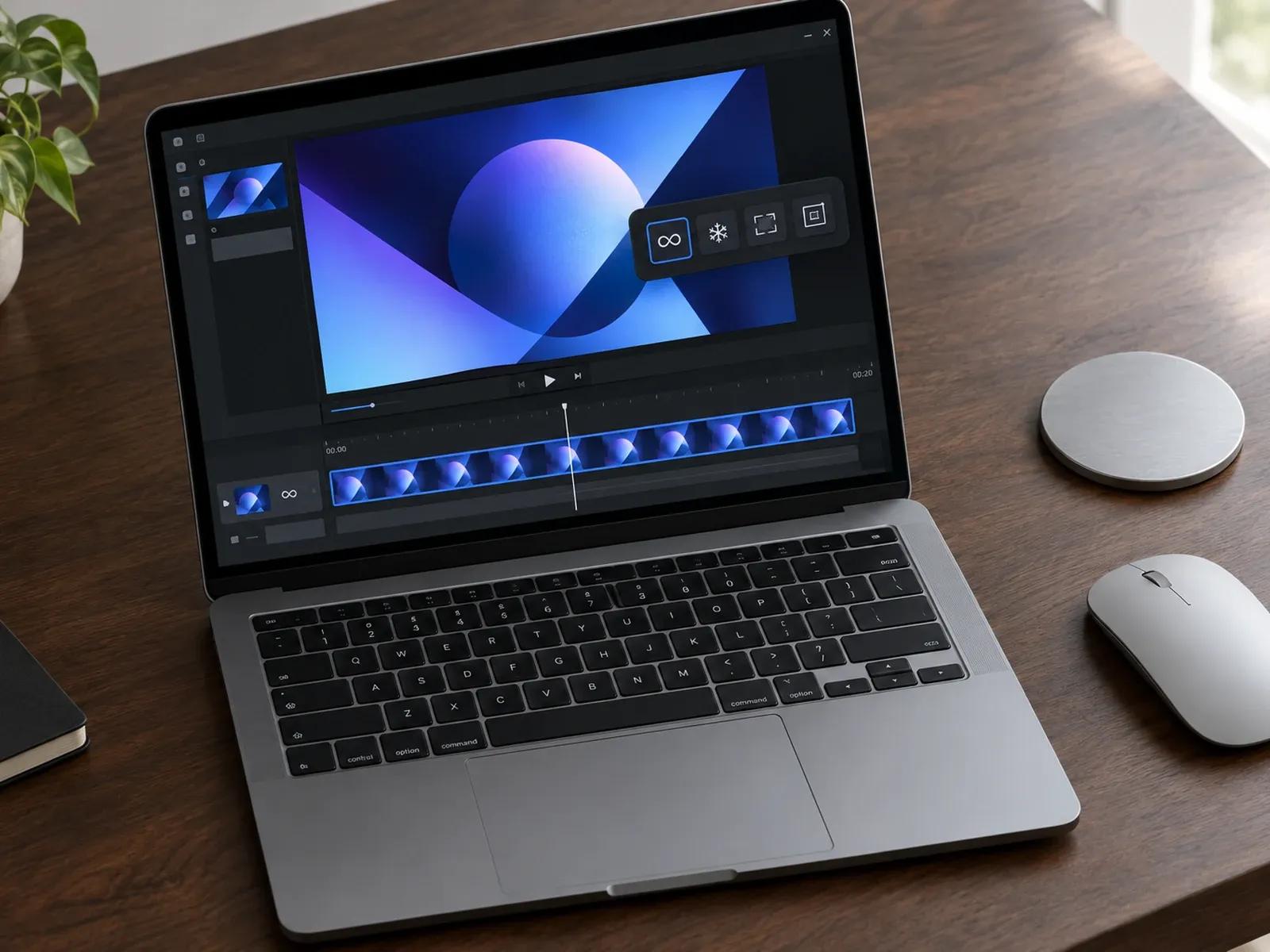
Smooth Background Loops With 4 Fit Modes

Extend subtle motion backgrounds, channel watermarks, or B-roll teasers across your 15-to-20-second outro window using Loop, Freeze, Full Frame, or Insert video fit modes.
Corner Avatar Pointers and Spoken Handoffs
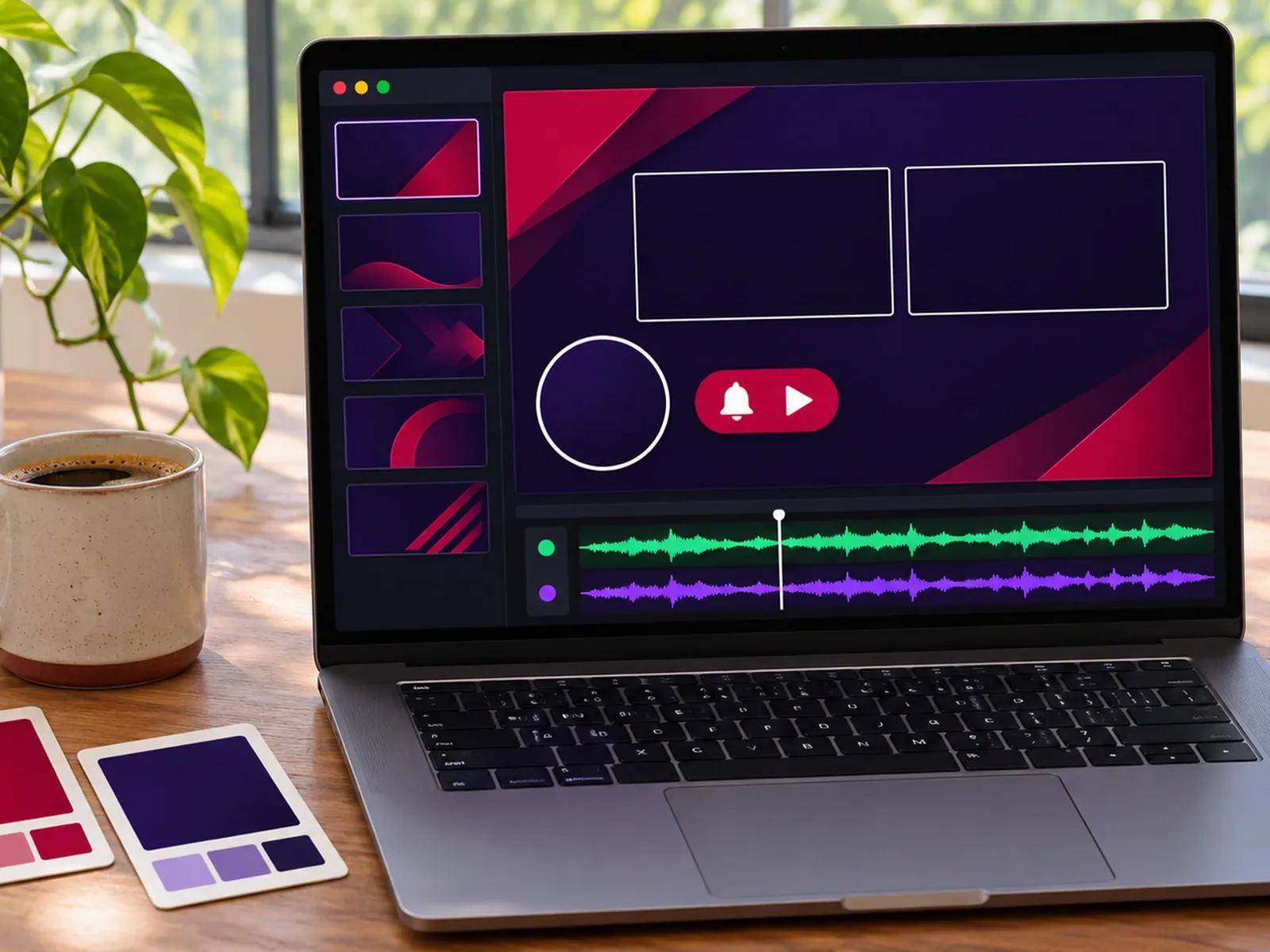
Corner Avatar Pointers and Spoken Handoffs

Place a scaled-down AI presenter in the lower corner pointing toward your Next Video card, and clone your creator voice from 10-60s of audio to pitch the follow-up episode verbally.
Reusable 1080P and 4K Channel Outro Templates

Reusable 1080P and 4K Channel Outro Templates

Save your closing end-screen layout with your channel Brand Kit in Studio, swap the spoken pitch line for each new upload, and export crisp 1080P or 4K MP4 files.

Designing Closers in a YouTube End Screen Maker
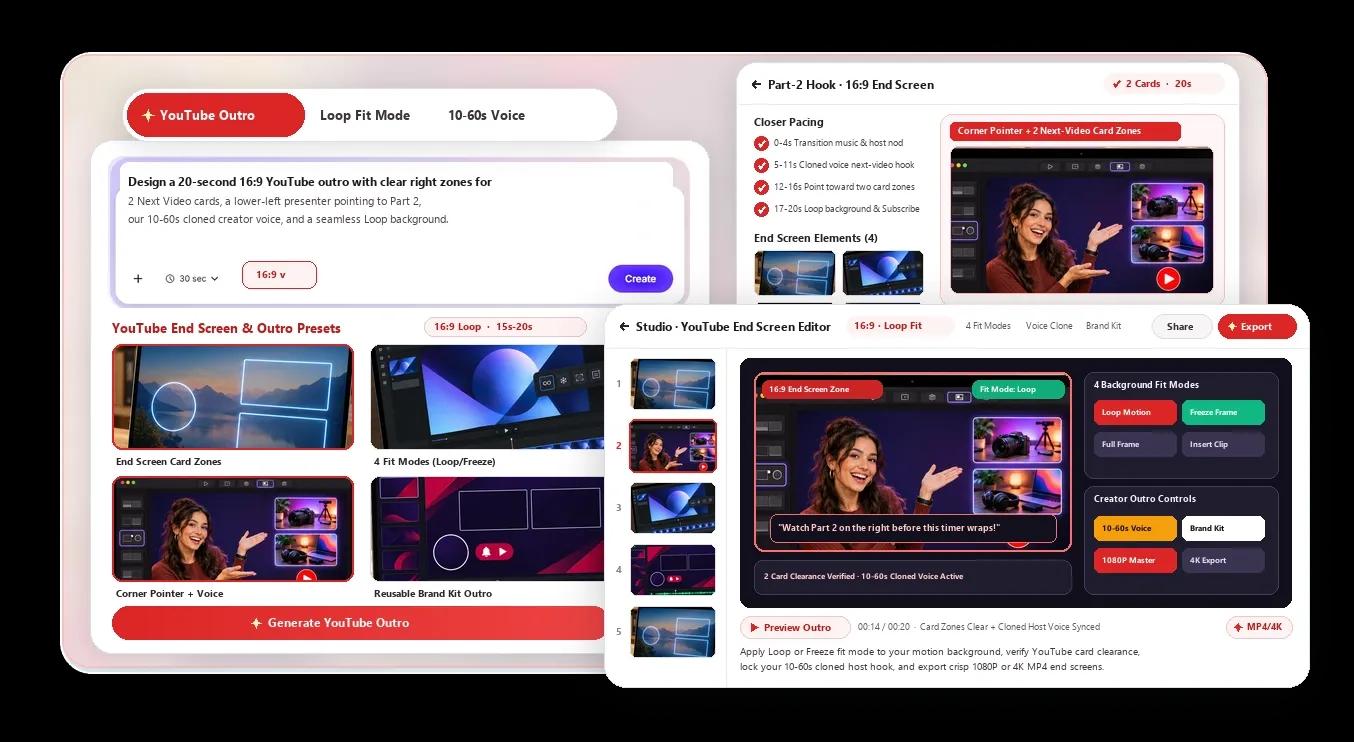
Create a reusable 16:9 channel outro with a spoken next-video pitch in your browser.
Step 1: Set 16:9 Widescreen Framing in Video Agent

Step 1: Set 16:9 Widescreen Framing in Video Agent

Select 16:9 widescreen aspect ratio and prompt a 15-to-20-second closing segment with space for two end-screen cards.

Step 2: Script Your Next-Episode Pitch and CTA

Write a one-sentence hook teasing the next video in your series and assign your 10-60s cloned voice or an AI host.

Step 3: Set Loop Fit Mode and Download MP4

Apply Loop or Freeze fit mode to the background layer in Studio, check card clearance zones, and export your 1080P or 4K MP4.

Closing Formats for a Channel Outro Video Creator

Two-Card Next Video & Playlist End Screens

Leave balanced left and right 16:9 frame zones for a Best for Viewer video card and a thematic series playlist link today.

Spoken Cliffhanger & Part-Two Handoff Outros

Use your cloned voice to explain why viewers should click the next episode on screen before the twenty-second timer ends.

Patreon, Newsletter & Merch Callout Closers

Pair a clean subscribe zone with an on-screen QR code or URL callout for channel memberships, newsletters, and digital guides.

Gaming, Tech & Commentary Channel Sign-Offs

Build dark-mode or neon looping motion backgrounds that hold viewer attention while your closing episode commentary wraps.

compliance background

Why Creators Prefer This Subscribe Outro Generator

Ditch noisy spinning-text templates that trigger immediate tab closures during the final twenty seconds of your video.

Verbal Next-Video Hooks Beat Silent Screens

When music swells and the host says "Thanks for watching," viewers click away; a scripted spoken pitch in your cloned 10-60s voice gives them a concrete reason to click the next card.

Custom Card Clearance Prevents Covered Faces

Pre-baked graphic templates often center giant logos right where YouTube places its rectangular video thumbnails; Studio's freeform canvas lets you position avatars and text around those zones.

Exact 20-Second Timing With Fit Controls

If your animated background clip is only five seconds long, Studio's Loop and Freeze fit modes stretch or hold the visual cleanly across the full twenty-second YouTube end-screen window.

Swap Next-Episode Teasers in Seconds

Instead of using the exact same generic outro on every upload, duplicate your Studio project and change one spoken sentence to pitch the specific follow-up video for that topic.

Session-Time Tips for Your YouTube Outro Maker Clips

Skip Saying Thanks for Watching at the End

Transition straight from your final point into pitching the next on-screen video so viewers do not close the browser tab.

Keep End Screen Backgrounds Between 5 and 20s

Match YouTube Studio's official end-screen window by timing your closing scene card between five and twenty seconds long.

Leave Upper-Left or Right Zones Uncluttered

Keep faces and captions out of the upper-left or right quadrants where YouTube's rectangular video cards will be positioned.

Pitch One Specific Follow-Up Video Verbally

Use your 10-60s cloned voice in Studio to name the exact problem solved in the linked follow-up video on screen right now.

Use Loop Mode on Subtle Motion Backgrounds

Set ambient gradients or studio backdrops to Loop fit mode so the end screen stays active while viewers choose a next card.

Attach Interactive Cards in YouTube Studio

Upload your exported 1080P or 4K MP4 to YouTube Studio and place clickable video and subscribe elements over your zones.

YouTube Outro Maker Frequently Asked Questions

Inside Leadde Video Agent, select 16:9 widescreen framing and prompt a 15-to-20-second closing segment with a spoken next-video hook; then open Studio to arrange card clearance zones, apply Loop or Freeze background modes, and add your 10-60s cloned host voice.
Leadde exports your 16:9 outro visual layout, motion background, and spoken callout as a 1080P or 4K MP4 file; after uploading your full episode to YouTube, open the YouTube Studio Editor and place interactive End Screen elements over your pre-planned zones.
Yes; upload or record a 10-to-60-second audio sample once in Studio to create a custom voice clone, then type a fresh one-sentence teaser for each new episode so your outro verbally pitches the exact follow-up video on screen to your channel subscribers.
Select the background video layer on the Studio canvas and choose one of the 4 Video Fit Modes: Loop repeats ambient motion continuously for the full 20 seconds, while Freeze holds the final frame cleanly behind your interactive end-screen cards.
YouTube Outro Maker is built for the final 5-to-20-second end-screen handoff at the close of an episode; to hook viewers in the opening five seconds, visit AI Intro Video Maker, or use Logo Animation Maker for standalone animated brand marks.
Channel creators can script and preview 16:9 closing storyboards in Video Agent under the Free in beta badge, and free accounts include 200 monthly credits; credit deductions apply when cloning your voice, generating custom background motion in Studio, or exporting MP4s per the Leadde Pricing page.

Design a High-Retention 16:9 YouTube End Screen Today
Open Leadde Video Agent to build a custom 16:9 YouTube outro with spoken next-episode hooks and looping motion backgrounds.
avatar