
How to Make an Instructional Video: 7 Secrets for High Retention

To understand how to make an instructional video that truly sticks, you must prioritize information retention over cinematic polish. High-retention videos are built on structured, micro-learning principles that prevent cognitive overload for the viewer.
By combining clear visual cues, synchronized narration, and concise segments, you transform passive observers into active learners.
💡Imagine spending days filming a perfect tutorial, only to find your trainees forgot every critical step within a week. Traditional recording methods often fail because they lack the precise pacing and visual anchoring required for long-term knowledge transfer.

Leadde solves this by turning your static documents into dynamic, AI-powered learning experiences that guide the eye and reinforce memory. You can bypass the studio and generate professional, high-retention content directly from your existing manuals.
The shift from manual production to automated intelligence allows Instructional Designers to scale their impact across global teams. Mastering how to make an instructional video is no longer about mastering a camera, but about mastering the flow of information.
This guide reveals the framework for building a future-proof training library that survives the "forgetting curve".
What Is an Instructional Video and Why Is It Essential for Modern L&D?
A professional instructional video acts as a strategic visual tool designed to teach specific processes or explain complex subjects. Modern Learning and Development (L&D) teams rely on these assets to simplify ideas while making the educational experience personal.
High-quality video tutorials transform abstract concepts into actionable steps that viewers can follow at their own pace.
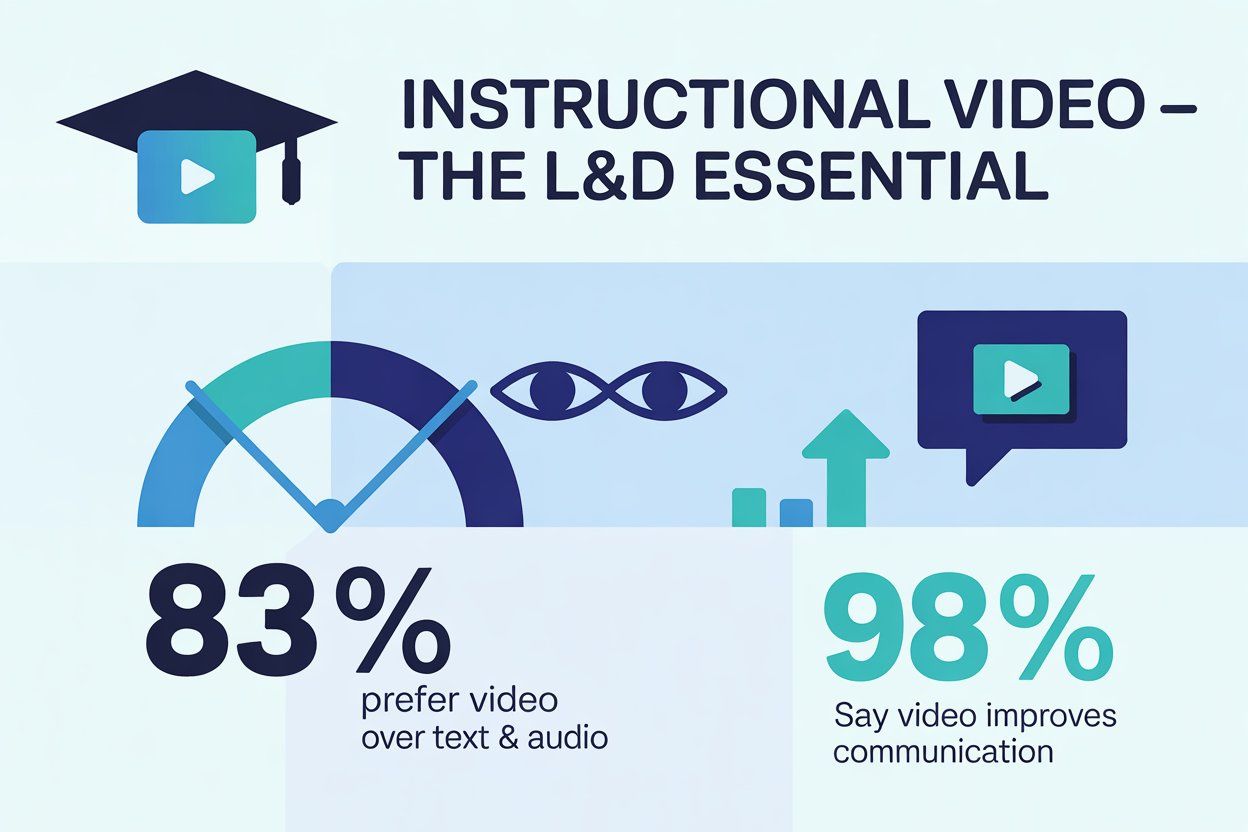
The shift toward visual learning is backed by significant data regarding information retention and user preference. Research shows that 83% of people prefer watching instructional videos over reading static text or listening to audio. Furthermore, 98% of employees report that using video at work improves the overall effectiveness of their communication.
The Shift to Asynchronous Learning and Engagement
Transitioning from passive viewing to active, asynchronous learning is a key challenge in modern corporate environments. Traditional methods often lead to cognitive overload due to a lack of interactivity and clear visual structure.
Adopting approaches similar to creating microlearning videos helps break down complex content into short, focused segments that are easier to absorb and retain. Leadde supports this shift by automating the creation of training videos that highlight key points through intelligent content extraction.
Strategic visual communication depends on the following core values:
- Information Efficiency: Breaking long content into micro-learning segments saves time for both creators and viewers.
- Visual Anchoring: Using smart highlights and animations directs attention to critical data at the exact right moment.
- Global Accessibility: Multilingual support in 170+ languages ensures consistent training standards across diverse, distributed teams.
These elements combine to create a holistic and immersive educational resource.
What Are the Most Effective Types of Instructional Videos for Businesses?
Selecting the right format depends on the complexity of the topic and the specific needs of the target audience. Different business goals require unique video styles to ensure maximum knowledge retention and engagement.
Whether introducing a new feature or explaining a deep technical workflow, the structure must match the intent.
The following formats represent the most practical and popular choices for modern organizations:
| Video Type | Average Duration | Primary Business Use Case |
|---|---|---|
| Microvideos | < 60 Seconds | Explaining a specific software feature or a single quick task. |
| Tutorial Videos | 2–10 Minutes | Providing step-by-step instructions for complex, multi-stage processes. |
| Training Videos | Variable | Onboarding new staff and covering essential compliance or safety protocols. |
| Explainer Videos | 60–90 Seconds | Introducing a product's value proposition or highlighting new campaign features. |
| Screencasts | Quick & Informal | Sharing rapid screen recordings to answer specific questions or troubleshoot. |
Each format offers unique advantages for capturing and holding viewer attention.
Effective instructional design often involves combining these styles into a comprehensive library. Leadde accelerates this by reusing existing business materials like PowerPoint-style content to generate any of these formats in minutes.
This eliminates the need for manual production while maintaining a consistent brand tone across all marketing videos and internal guides.
The following section provides a step-by-step roadmap to master the creation process effortlessly.
How to Make an Instructional Video: Step-by-Step Guide
Mastering the creation of effective educational videos requires a shift from manual labor to strategic automation. Traditional production often involves high costs and specialized editing skills that slow down the delivery of critical knowledge.
Modern instructional design favors a streamlined approach where existing business materials become the foundation for dynamic content, making it easier to scale use cases such as multilingual medical training videos for diverse, global audiences.
Following this professional roadmap ensures that every video meets high standards of visual clarity and learner engagement.
Step 1: Goal Alignment and Audience Mapping
The foundation of every successful instructional video is a clearly defined objective. Identifying exactly what the learner needs to accomplish after watching prevents the inclusion of irrelevant information.
Understanding the target audience's prior knowledge allows for the selection of appropriate technical depth and language. This alignment ensures that the final product solves a specific problem for the viewer.
Strategic planning involves answering several core questions:
- What specific action should the viewer take after the video ends?
- What is the current technical proficiency level of the audience?
- What additional context is required to achieve the learning goal?
Clear goals act as a compass for the entire production team.
Step 2: Intelligent Scripting and Storyboarding
Visualizing content through a detailed script and storyboard eliminates the "blank page" problem that stalls many projects. A well-structured script outlines the dialogue and corresponding visuals to keep the message concise and focused.
Leadde accelerates this phase by using AI to analyze uploaded PDFs or PowerPoints and generate an AI-generated outline. This automated structure ensures a logical scene-by-scene flow that is easy to review before production.
Step 3: Selecting the Right Tools for Scalability
Choosing the right technology determines whether a video library remains a static asset or a scalable resource. Traditional screen recording tools like Camtasia or Loom are excellent for quick, informal captures of computer screens.
However, for high-volume corporate training, AI-driven platforms offer superior efficiency by removing the need for manual filming. Leadde provides an automated workflow that turns existing documentation into an avatar-led video in minutes.
Step 4: Professional Production and Narration
High-quality audio is the most critical element for maintaining professional standards in instructional videos. While manual recording requires a dedicated microphone and a quiet space, AI voices offer perfect clarity without background noise.
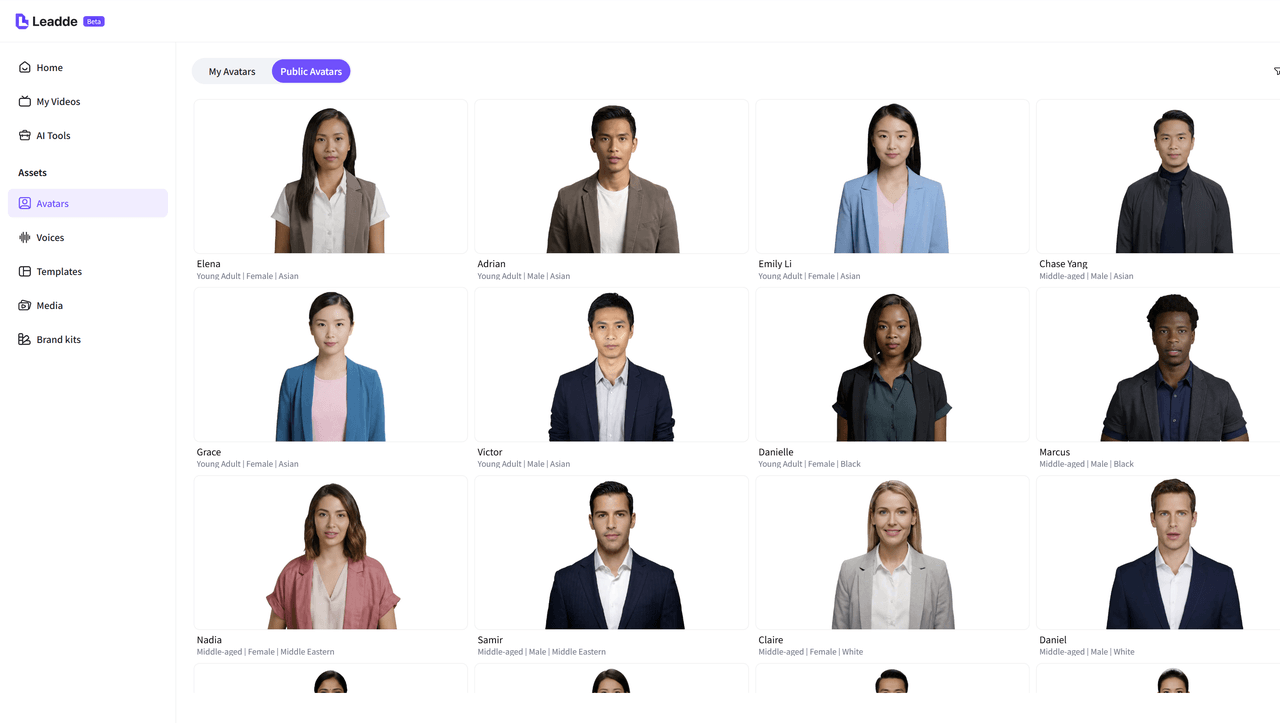
Leadde features lifelike AI presenters that deliver narration with natural expressions and consistent energy. These digital avatars provide a human touch to complex technical topics without requiring anyone to step in front of a camera.
Step 5: Advanced Editing for Visual Clarity
Editing should focus on removing filler and adding visual cues that emphasize key learning points. Utilizing smart layouts ensures that every message appears in a clean and organized frame. Leadde automatically animates textual highlights and critical metrics at the exact moment they are mentioned in the narration. This synchronization of audio and visual elements drastically reduces the cognitive load on the learner.
Effective visual communication includes:
- On-screen Annotations: Using arrows and shapes to guide the learner's eye.
- Element Timing: Controlling exactly when highlights appear for better pacing.
- Brand Consistency: Setting uniform backgrounds across all scenes to maintain a professional look.
These refinements transform raw footage into a polished educational asset.
Step 6: Global Distribution and Localization
Reaching a global workforce requires providing training in the learner's native tongue. Translating video tutorials manually often involves high costs and significant production delays.
Leadde simplifies this through multilingual video generation, allowing for 1-click translation into over 170 languages. This localized approach ensures that every employee across international offices receives the same accurate standard of instruction.
What Are the 7 Secrets to Achieving Maximum Knowledge Retention?
Modern instructional design prioritizes how the human brain processes and stores new information.
High-retention educational videos succeed by reducing cognitive load and creating a clear path for the learner to follow.
Moving beyond simple recording, these seven secrets leverage psychological principles and advanced technology to ensure knowledge sticks. Integrating these strategies transforms standard training videos into high-impact corporate assets that drive performance.
Secret 1: The Hook First Strategy
Establishing immediate value is the most effective way to earn learner trust. Every instructional video should open with a "hook" that clearly defines the learning objectives and the specific problem being solved.
This clarity eliminates confusion and motivates the audience to pay attention from the very first frame. When viewers know exactly what they will gain, they are more likely to stay engaged throughout the entire session.
Practical Application:
- Start with a direct statement about the task being mastered.
- Briefly outline the steps to set clear expectations.
- Show the successful end result to provide a visual goal.
This opening sets a professional tone for the rest of the tutorial.
Secret 2: Automated Microlearning
Breaking complex subjects into small, focused segments prevents mental fatigue and improves understanding. Microvideos—brief segments under one minute—focus on a single narrow topic to provide quick answers.
Leadde automates this by analyzing long documents and generating a scene-by-scene AI-generated outline. This structured flow allows learners to master one concept before moving to the next.
Secret 3: Strategic Visual Anchoring
Directing the learner's eye to specific details is essential for teaching complex software or technical procedures.
Visual clarity is maintained when important areas are emphasized at precisely the right moment.
Leadde utilizes smart layout features to automatically animate highlights and key metrics for emphasis. These visual anchors serve as landmarks that guide the viewer through the instructional process.
Secret 4: Precise Pacing for Technical Content
The speed and clarity of narration directly impact how well a student absorbs technical jargon.
Narration polish involves ensuring that every term sounds right and is delivered at a comfortable speed.
Leadde allows creators to insert natural pauses to give the audience time to process difficult information. This controlled pacing prevents the "rushed" feeling often found in unedited screen recording sessions.
User Case:
- A healthcare trainer uses Leadde to insert three-second pauses after complex medical terms.
- This allows staff to visualize the procedure before the next instruction.
- Accuracy is maintained through pronunciation correction for specific drug names.
Refined audio ensures the lesson is easy to follow and understand.
Secret 5: Human-Centric Digital Delivery
Adding a human presence to training videos increases engagement and makes learning more personal. Learners respond better when they can see a presenter’s expressions and body language.
This approach is essential when developing effective e-learning videos, where clarity and connection directly impact knowledge retention.
Leadde enhances this by providing lifelike AI presenters that deliver content with charisma and confidence—creating a consistent brand presence without expensive filming.
Secret 6: Multilingual Mastery
True comprehension is highest when information is delivered in a person's primary language. Providing localized training in 170+ languages ensures that a global workforce receives the same high-quality information.
Leadde supports multilingual video generation with one click, removing the language barrier for international offices.
This inclusivity demonstrates a commitment to the success of every team member regardless of location.
Secret 7: Frictionless Updates and Version Control
The value of an instructional video plummets if the information becomes outdated. High-retention libraries stay relevant because they are easy to edit and keep current.
Leadde allows you to update scripts or visuals like editing a document, followed by instant regeneration.
This means your educational content is always accurate without the need for time-consuming reshoots or studios.
Effective maintenance involves these core activities:
- Regularly reviewing videos for technical or policy changes.
- Updating specific scenes without re-recording the entire project.
- Republishing instantly to keep all learners on the same page.
Keeping content fresh ensures the instructions remain a trusted resource.
What Common Instructional Video Mistakes Should You Avoid?
Even experienced designers can undermine their own training videos. Mastering how to make an instructional video means prioritizing clarity over cinematic flair.
Avoid these common pitfalls to keep your content effective and scalable:
1. Over-Investing in Equipment
- Focusing on expensive hardware delays production
- High-quality results come from a clear script and solid instructional design
- Tools like Leadde remove the need for cameras or studios
2. The Perfectionism Trap
- Over-polishing minor details creates production bottlenecks
- Delays critical training delivery
- Prioritize speed + usefulness over unnecessary refinement
3. Generic Targeting
- One-size-fits-all content reduces engagement
- Training must match the audience’s skill level and context
- Lack of targeting leads to confusion and disengagement
4. Information Silos
- Poor structure makes videos hard to search and reuse
- Users waste time navigating long, unstructured content
- Add transcripts, summaries, and proper metadata
- Platforms like Leadde automate this process for better accessibility
⭕️ Key Takeaway
Clear structure + targeted content + fast production = effective instructional videos.
Conclusion: Master How to Make an Instructional Video with Leadde
Mastering how to make an instructional video has evolved from a manual craft into an AI-driven strategic framework. Organizations now favor asynchronous learning that is scalable, consistent, and easy to update.
Moving away from traditional recording allows L&D leads to focus on the quality of information rather than the mechanics of a camera.
The following takeaways summarize the path to high-retention success:
- Prioritize Microlearning: Break long documents into scene-by-scene segments to prevent cognitive overload.
- Ensure Visual Clarity: Use smart layouts and automated highlights to guide the learner’s eye.
- Enable Global Scale: Translate training videos into 170+ languages to support a diverse workforce.
- Maintain Accuracy: Update your scripts like a text document to keep information current without reshoots.
Leadde empowers your team to turn any PDF, PPT, or manual into a global training asset in minutes. This modern approach ensures your instructional library overcomes the forgetting curve and delivers lasting value.
You can reclaim your production time and maximize knowledge retention across every department.





