How to Create Microlearning Videos: 80% Faster with AI

Creating microlearning videos in 2026 involves a streamlined, AI-driven process of transforming a single learning objective into a concise, 1-to-6 minute instructional module. The modern workflow focuses on automating content creation by converting existing business documents—like PPTs and PDFs directly into interactive video assets featuring AI digital avatars. By leveraging generative AI for scriptwriting, voice cloning in 92+ languages, and two-way "Chat with Video" interactivity, organizations can reduce production time by up to 94% and slash costs by over 80%. This bite-sized approach not only matches modern attention spans but also improves knowledge retention by up to 60% compared to traditional long-form training.
Struggling with slow, expensive microlearning production that drains your L&D budget? Leadde fixes this. Turn any PPT or PDF into a professional training video automatically. Super fast. Create micro-modules in minutes. Save over 80% of production costs and 90% of content creation time.

The 2026 Microlearning Standard: Why "Bite-Sized" Content is the Future (The "Why")
Decoding the 1-6 Minute Engagement Curve: Data-Driven Insights
In 2026, microlearning videos typically perform best within 1–6 minutes. This range aligns with modern attention spans and mobile-first consumption patterns.
Shorter videos deliver:
- Higher completion rates
- Better knowledge retention
- Increased repeat engagement
As of 2026, available information suggests that organizations adopting short-form training see measurable improvements in engagement compared to traditional long-form modules.
Single Learning Objective (SLO): Keeping Focus in a Generative AI Era
Each microlearning video should focus on one clear objective.
This ensures:
- Faster understanding
- Reduced cognitive overload
- Easier content reuse
In an AI-driven workflow, defining a Single Learning Objective (SLO) allows systems to automatically generate structured scripts and visuals with higher accuracy.
The 80/90 Rule: Slashing Costs by 80% and Creation Time by 90%
Modern AI video platforms enable massive efficiency gains.
According to official platform data:
- Up to 90% reduction in content creation time
- Up to 80% reduction in production costs
This shift eliminates:
- Manual filming
- Editing bottlenecks
- Localization overhead
The Core Workflow: 5 Steps to Professional Micro-Modules (The "How")
Phase 1: Identifying the Knowledge Gap and Defining Learning Goals
Start by identifying:
- What learners don’t know
- What they must achieve
Clear goals enable:
- Better scripting
- Accurate AI-generated structure
- Measurable outcomes
Phase 2: Writing High-Retention Scripts for AI Digital Avatars
Scripts should be:
- Simple and conversational
- Structured into short segments
- Focused on action-based learning
AI systems can auto-generate scripts, but manual refinement ensures clarity and tone alignment.
Phase 3: Converting Static PPTs and PDFs into Structured Video Outlines
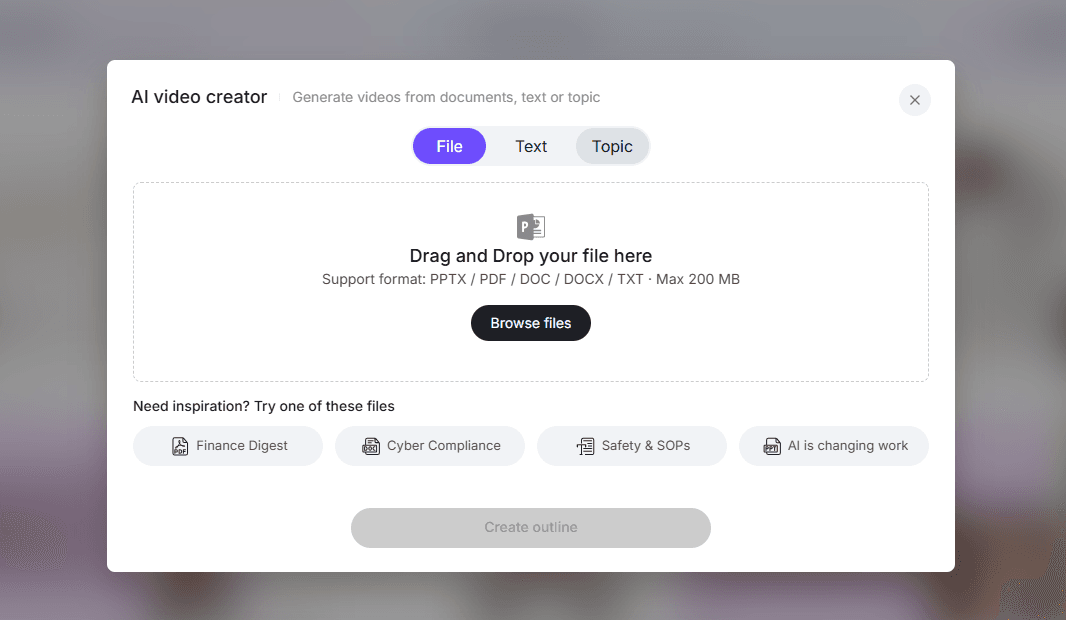
Modern platforms convert documents into videos automatically.
They:
- Extract key points
- Generate scenes
- Build narrative flow
This turns static assets into dynamic training content instantly.
Phase 4: Selecting the Right AI Presenter: Using 200+ Avatars for Brand Consistency
AI avatars allow scalable presentation.
Key benefits:
- 200+ avatar options for different roles
- Consistent branding across videos
- No need for repeated recording
Phase 5: Voice Cloning and Accents: Scaling Native-Sounding Instruction in 170+ Accents
Voice technology enables:
- Natural-sounding narration
- Multiple accents and tones
- Global accessibility
This supports large-scale training without hiring voice actors and helps scale training with AI avatars across global departments.
Breaking the "Maintenance Trap": Using Slide Presenter for Effortless Updates
Beyond Fixed Templates: The Power of Layered PowerPoint Import and Editing
Traditional tools lock content into fixed formats.
Advanced systems allow:
- Layer-level editing
- Reusable slide components
- Flexible updates
How to Update Training Content in Seconds Without Re-recording Footages
Instead of re-recording videos:
- Edit the source content
- Regenerate instantly
This enables:
- Real-time updates
- Version control
- Continuous improvement
Maintaining Visual Identity Across Thousands of Microlearning Assets
Consistency is critical at scale.
AI-driven workflows ensure:
- Uniform design templates
- Standardized layouts
- Brand alignment across all videos
From Passive to Proactive: Boosting Retention with "Chat with Video"
The Interactivity Gap: Why Traditional Quizzes Aren't Enough in 2026
Static quizzes fail to:
- Address real-time questions
- Adapt to learner needs
Modern learners expect interactive experiences that mirror real-world problem-solving.
Implementing Two-Way Interactions: Allowing Learners to Ask Questions Directly to the Video
Interactive video systems enable:
- Real-time Q&A
- Contextual explanations
- Personalized learning paths
Transforming SOPs and Compliance Training into Interactive Knowledge Assets
Instead of static documents:
- SOPs become interactive videos
- Learners can explore content dynamically
This improves:
- Retention
- Accessibility
- Compliance understanding
Global Scaling: Localizing Microlearning into 92+ Languages Instantly
One-Click Multilingual Video Translation: Reaching a Global Workforce
Global teams require multilingual training.
Modern platforms support:
- 92+ languages
- Instant translation workflows
Managing Hyper-Localized Content Without Traditional Localization Workflows
Traditional localization is slow and expensive.
AI enables:
- Automated translation
- Centralized management
- Rapid deploymen
Using Built-in Image Translation to Maintain Consistency Across Global Regions
New tools allow:
- Text inside images to be translated
- Visual consistency across regions
This ensures:
- Accuracy
- Brand integrity
- Faster localization
Choosing the Best Tool: Leadde vs. Synthesia vs. HeyGen (The "Compare")
Feature Showdown: Document-to-Video Automation and Interactivity
| Feature | Leadde | Synthesia | HeyGen |
|---|---|---|---|
| Document to Video | ✅ Full automation | ❌ Limited | ❌ Limited |
| Interactivity | ✅ Chat with Video | ❌ | ❌ |
| Slide Editing | ✅ Layer-level | ❌ | ❌ |
Pricing Analysis: Why $19/Month Unlimited Plans Beat Per-Minute Billing Models
As of 2026, available information suggests:
- Some tools charge per video minute
- Others offer subscription-based unlimited plans
Subscription models are better for:
- High-volume content
- Enterprise training
- Predictable costs
Use Case Alignment: Finding the Right Fit for Enterprise Training and Knowledge Conversion
Choose based on needs:
- Enterprise training → automation + scalability
- Marketing videos → visual customization
- Global teams → multilingual support
Conclusion: Future-Proofing Your Microlearning Strategy (The "Choose")
Microlearning in 2026 is defined by speed, scalability, and interactivity.
To stay competitive:
- Focus on short, targeted content
- Use AI-driven workflows
- Enable global and interactive learning
Organizations that adopt automated video platforms can:
- Reduce costs
- Scale content globally
- Improve engagement
The future of training is not just digital—it is automated, adaptive, and interactive.