
AI Podcast Generator: Documents into Episodes


What Is an AI Podcast Generator?
An AI podcast generator turns written source material into a narrated episode without a studio or a recording session. Leadde takes the document itself, builds an outline from it, and reads the result in a voice you choose. The output is a video episode you can publish or share, which suits shows that run on YouTube and internal channels as much as audio feeds.
Trusted by the world's leading brands







Narrated Episode Examples

InsightX growth lab
Turn unified user data into AI-driven insights that power smarter growth decisions.

Marketing insights

KPI overview report
A concise summary of key performance indicators and business metrics.

Customer due diligence
Learn key customer due diligence steps to identify risks, verify customers, and strengthen financial crime prevention.
Why Leadde Suits Ongoing Podcast Production
Feed it the source document
Keep the same host voice
Reuse the episode format
Shape the tone before drafting
How to Generate a Podcast Episode
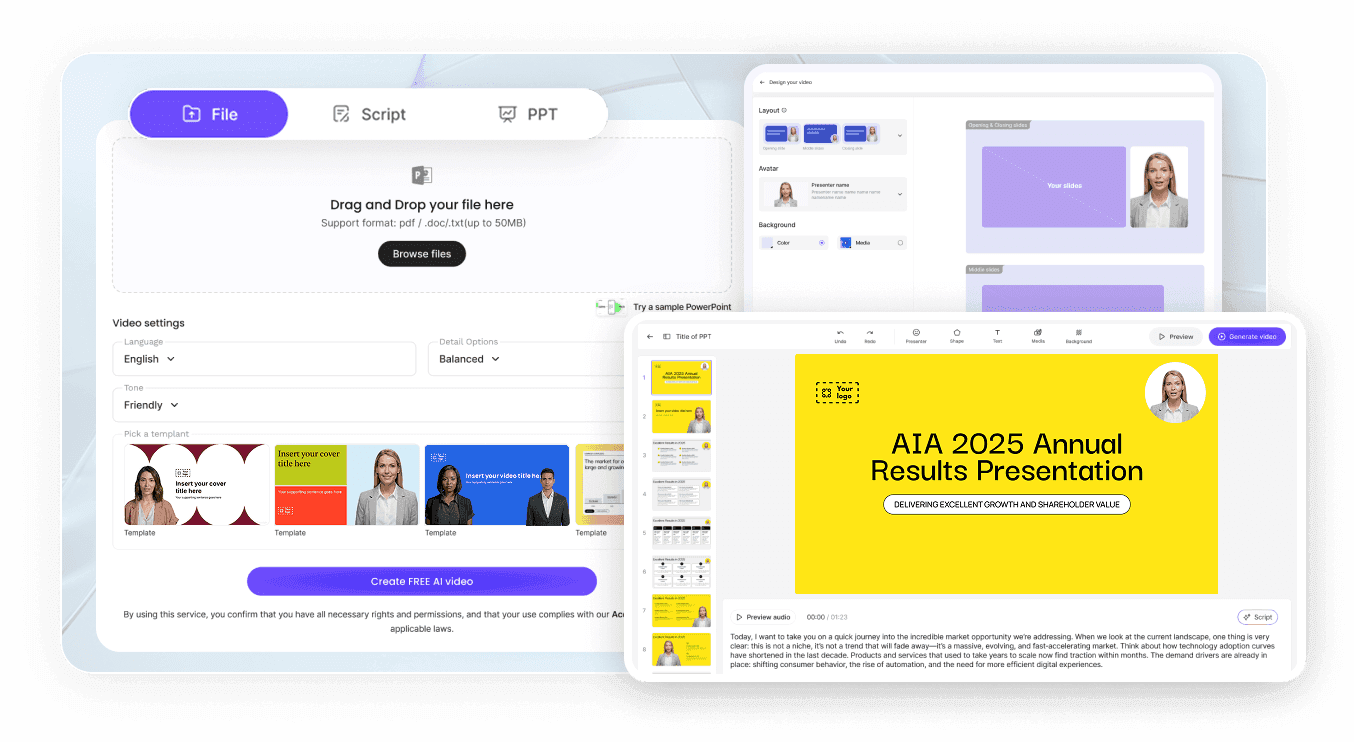
Step 1: Upload the source
Step 2: Set voice and length
Step 3: Edit, generate, publish
AI Podcast Use Cases
Turn a newsletter into an episode
The writing is already done. Publishing it as an episode reaches subscribers who would rather listen than open another email.
Summarize research for a series
Dense papers become a regular segment when the source document does most of the structural work.
Run an internal briefing show
Weekly updates for a distributed team work better as a short recurring episode than as another meeting in the calendar.
Build a customer education series
Product material published on a schedule gives customers somewhere to go before they contact support.

What This Tool Does and Does Not Do
Single narrator, not two hosts
Video first, with audio-led options
Documents and text, not URLs
Distribution stays with you
AI Podcast Episode Ideas
Weekly industry roundup
Deep dive on one report
Internal all-hands recap
Course companion episodes
Onboarding series for new customers
Localized versions of the same show
Frequently asked questions
It converts written source material into a narrated episode. In Leadde you upload the document, the platform analyses it and drafts an outline and script, you edit that script, then it is narrated in the voice you selected and generated as an episode.
PPTX, PDF, DOC, DOCX and TXT files up to 200 MB, or pasted text. Duration presets run from a short summary of roughly one to three minutes up to in-depth pieces of around five to seven minutes, with longer runs possible by adding scenes.
No. Leadde narrates in a single voice and does not stage a dialogue between two hosts. If a conversational format is the point of your show, this is the wrong tool and you should look at products built specifically for synthetic co-host dialogue instead.
Yes, and it is worth settling before episode one. Record yourself, add the file under Voices, and set the resulting clone as the show's standing host. A programme that changes voice partway through reads to listeners as a different programme altogether.
Not directly. Leadde takes source material as an uploaded file or as pasted text, and there is no option to supply a link and have the page fetched. For web content, copy the text in yourself, or save the page as a PDF and upload that instead.
Exports are collected from the share page, video and subtitles listed separately. Episodes are produced as video rather than as standalone audio, and removing the presenter from the canvas gives you an audio-led piece, which suits shows that publish to YouTube or an internal channel.
Leadde gives you a share page and a downloadable file. Hosting, RSS feeds and submission to Spotify, Apple Podcasts or YouTube happen through whichever distribution platform you already use, so plan on keeping your existing host rather than replacing it with this.
Yes, there is a Free plan. Every episode you render spends credits out of one balance that avatars, voice cloning and the other AI tools also draw on, which makes a weekly show considerably more expensive than a single pilot. Compare the upgrade tiers before committing to a schedule.
Turn a document into your first episode
