
How to Convert Documents into Training Videos with AI
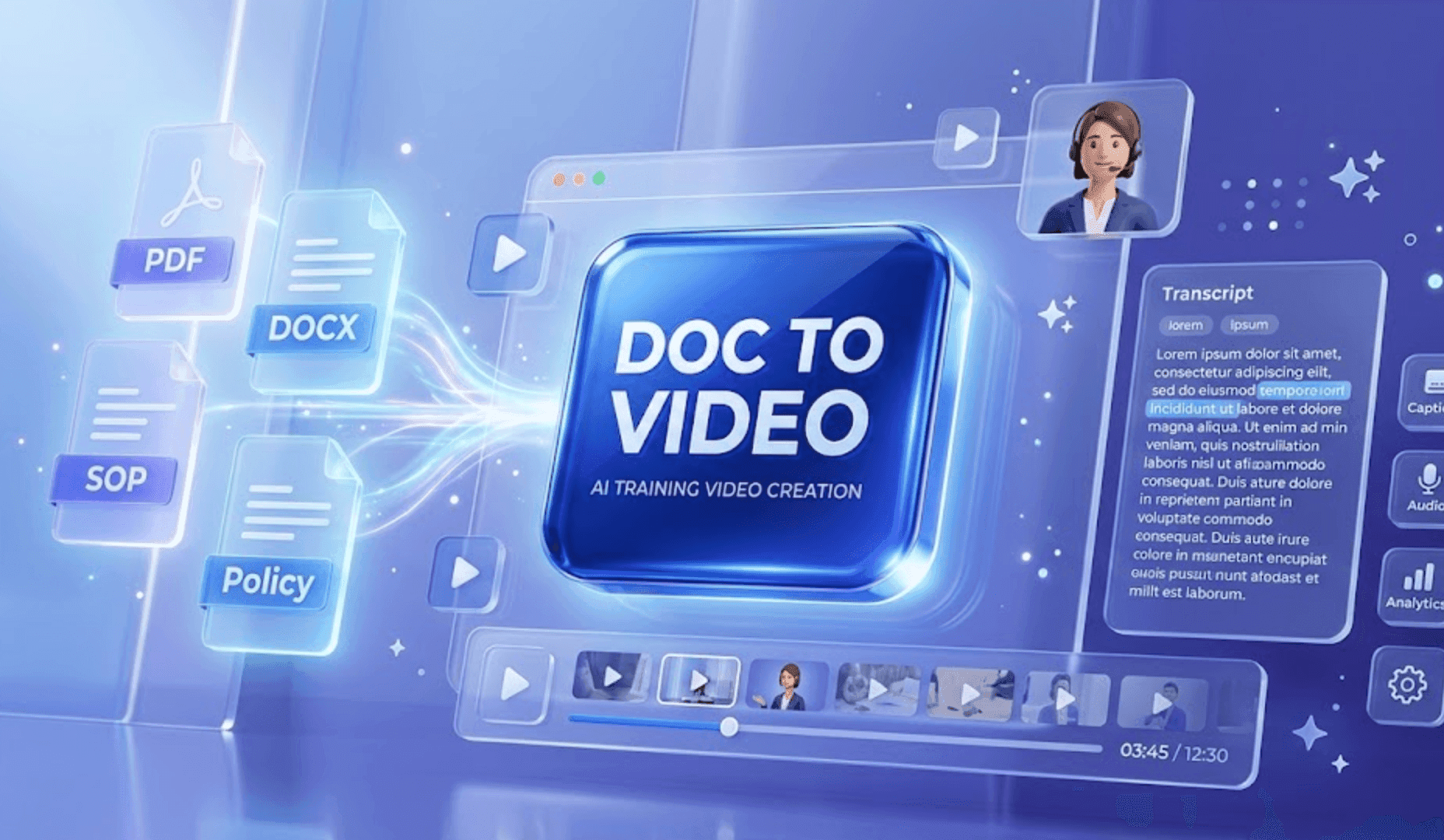
The fastest way to convert a document into a training video is to use an AI workflow that turns the source file into a structured script, breaks it into short scenes, adds an AI presenter, and lets your team edit the video before publishing.
This works especially well for training materials that already exist as PDFs, DOCX files, PowerPoint decks, SOPs, policy documents, onboarding manuals, product documentation, and internal process guides.
Instead of asking an L&D team, HR manager, or operations lead to rewrite every document into a video script manually, AI can extract the core information and turn it into a watchable, editable training module.
If your team already has documents but struggles to turn them into engaging training content, Leadde's Doc to Video tool helps convert those files into avatar-led training videos for employees, customers, and partners.
This is the hub workflow for turning business documents into training videos. If you already know your source format, use the specific guide instead: PDF to training video, PowerPoint to training video for teams, SOP training video examples, or policy training video examples.
For teams that want to start from a DOCX, PDF, SOP, policy, manual, or training document, Leadde's Doc to Video tool is the fastest place to begin.
Why Convert Documents into Training Videos?
Most companies already have the knowledge they need. The problem is format.
Important training information is often trapped inside long documents that employees do not have time to read carefully. This includes HR onboarding manuals, compliance policies, SOPs, process documents, product documentation, sales enablement guides, customer education materials, safety procedures, and internal knowledge base articles.
A document may be accurate, but that does not mean it is easy to learn from. Long text creates friction. Employees skim it, forget key steps, or ask the same questions again later.
Training videos solve this by turning static information into guided instruction. A good training video can explain the main idea, highlight the most important steps, and make the material easier to remember.
AI makes the process faster because it removes the most time-consuming parts of production: scriptwriting, scene planning, narration, presenter recording, and multilingual versioning.
What Types of Documents Can Become Training Videos?
Almost any structured business document can become a training video, as long as the source material has a clear teaching purpose.
| Document Type | Best Video Format | Example Use Case |
|---|---|---|
| PDF manuals | Step-by-step explainer video | Teach employees how to follow a process |
| DOCX files | Avatar-led training module | Turn internal guides into onboarding content |
| PowerPoint decks | Slide-based video lesson | Convert training slides into narrated videos |
| SOPs | Process walkthrough video | Show staff how to complete a repeatable task |
| Policy documents | Compliance training video | Explain rules, risks, and required actions |
| Product docs | Customer education video | Help users understand product workflows |
| Sales scripts | Enablement video | Train reps on positioning and objection handling |
For example, a 20-page onboarding document can become a short video series: one video for company overview, one for tools setup, one for compliance, and one for team workflow.
That modular approach is usually better than turning the entire document into one long video.
How to Convert Documents into Training Videos with AI
The best workflow is not simply "upload a document and generate a video." That may sound convenient, but it often creates long, unfocused videos.
A better approach is to turn the document into a structured training experience.
Step 1: Upload the Source Document
Upload a document to Leadde Doc to Video
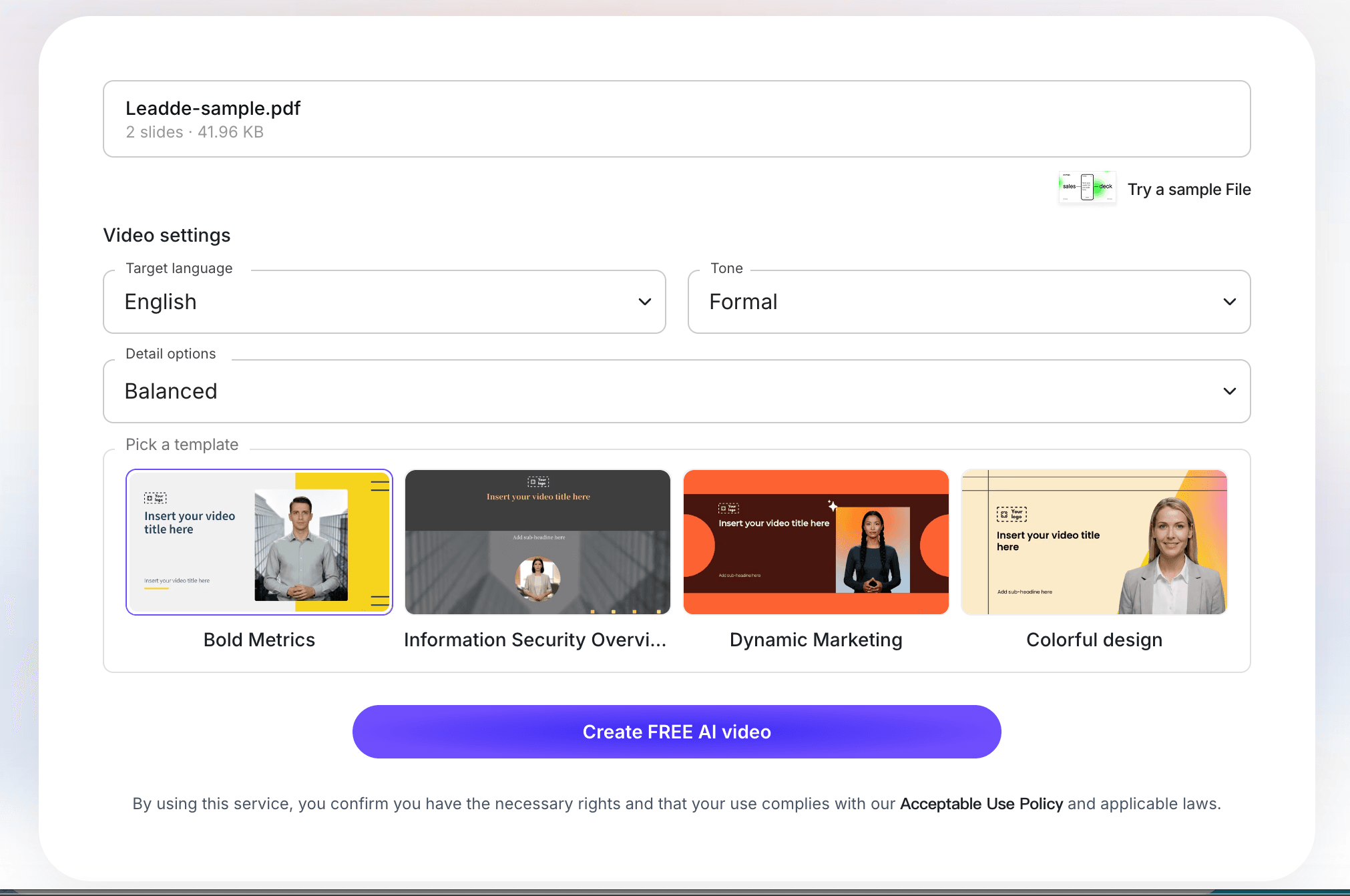
Start with the document your team already uses: an onboarding manual, compliance policy, SOP, product guide, course handout, or internal process document. The cleaner the source document is, the easier it is for AI to identify the key training points.
Good source documents usually have:
- A clear audience
- A specific process or lesson
- Headings or sections
- Step-by-step instructions
- Rules, examples, or checklists
- Information that employees, customers, or students need to remember
If the document is too broad, split it first. A 40-page manual usually works better as several short training videos than one long video.
Step 2: Review the AI Training Script
Review AI-generated document training script in Leadde
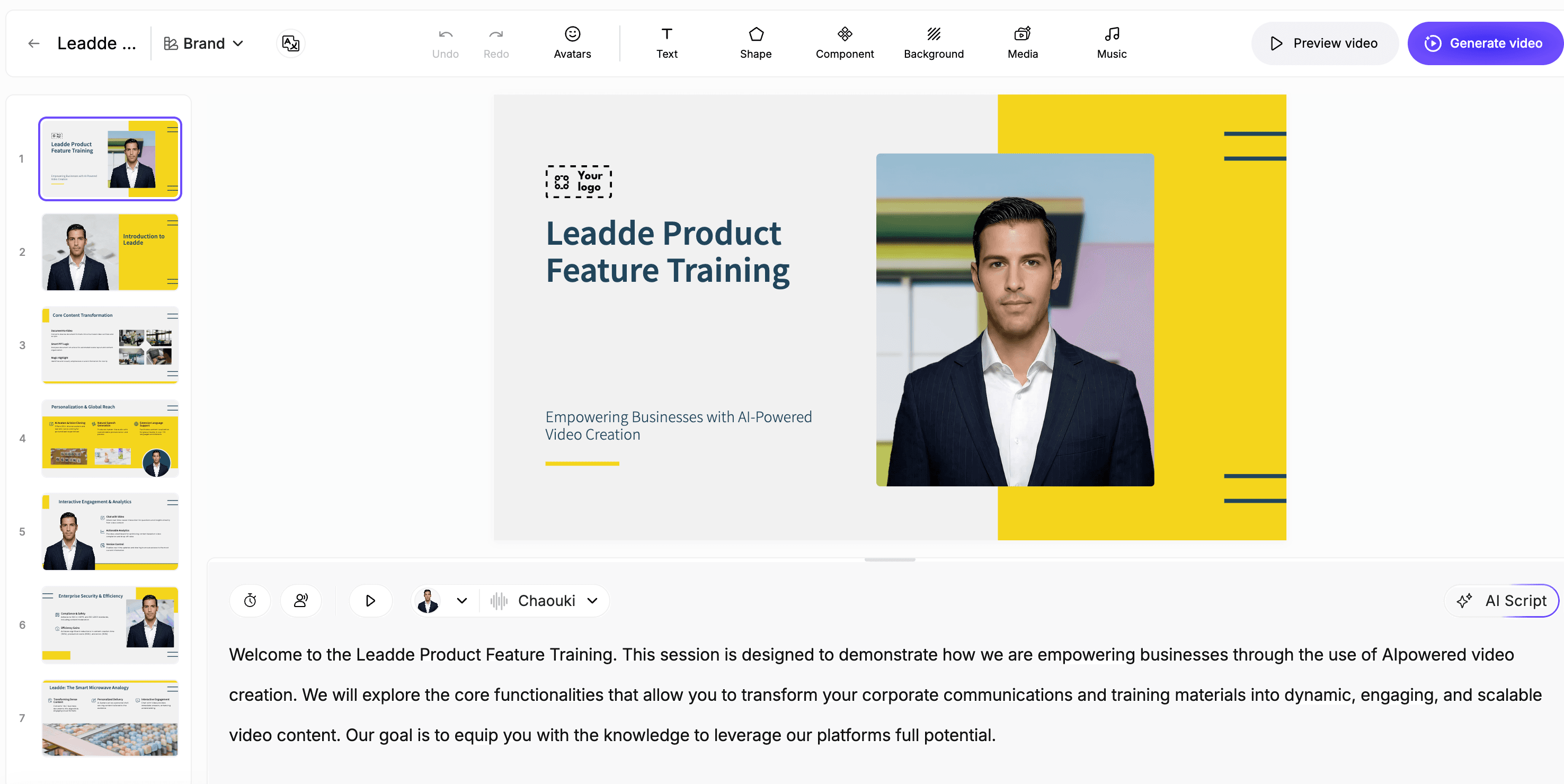
After the document is processed, review the script before moving into video production. This is where you decide whether the video teaches the right lesson.
Look for:
- Whether the script explains the main point clearly
- Whether each section has one job to do
- Whether unnecessary document details were removed
- Whether the wording sounds like training, not legal copy
- Whether the learner knows what to do next
This step is important because most documents are written for reference, not for learning. A good training video should simplify the material without losing accuracy.
Step 3: Turn the Script into Short Training Scenes
Edit document-based training video scenes in Leadde
Once the script is ready, turn it into scenes. Each scene should cover one idea, one step, or one decision.
A strong document-based training video usually includes:
- A short introduction explaining why the topic matters
- 3-6 main teaching scenes
- Examples or common mistakes
- A recap of key actions
- A final CTA or next step
For employee training, keep each video focused. For example, instead of turning an entire onboarding handbook into one video, create separate videos for company overview, tool setup, compliance, team workflow, and first-week expectations.
Step 4: Add Presenter, Voice, and Visual Emphasis
Adjust avatar and voice for document training video in Leadde
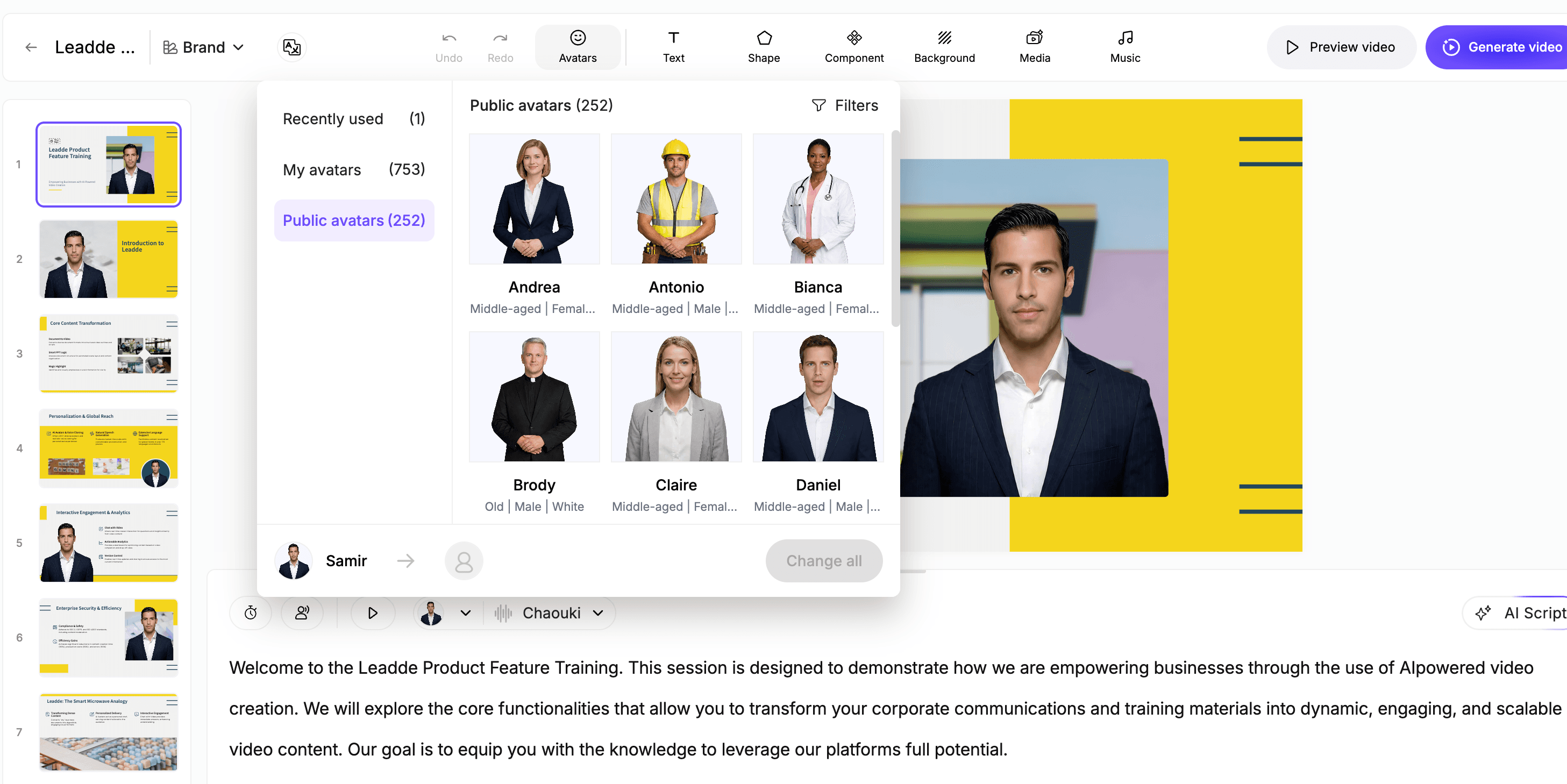
A presenter or avatar can make document-based training easier to follow, especially when the material is dense. Use the presenter to guide the learner through the most important points instead of reading the document word for word.
Use this step to:
- Choose a presenter style that fits the audience
- Adjust narration speed
- Highlight key terms or warnings
- Add scene titles
- Remove repetitive text
- Make the video easier to watch on desktop or mobile
For compliance, HR, SOP, and onboarding videos, clarity matters more than creativity. The goal is to help viewers understand the action they need to take.
Step 5: Export or Share the Training Module
Export document training video from Leadde
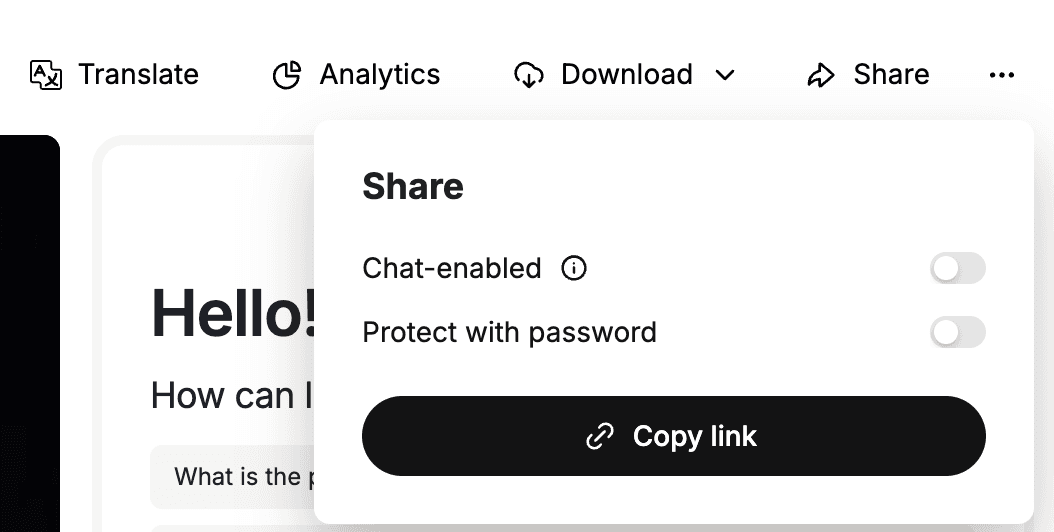
Before publishing, watch the full video once as a learner. Ask whether the video makes the document easier to understand.
Then export or share the video in the place your audience already uses:
- LMS or learning portal
- Internal knowledge base
- Employee onboarding checklist
- Customer education library
- Sales enablement hub
- Compliance training program
- Partner training center
You can start with Leadde's Doc to Video tool, use Docx to Video for Word documents, or create a broader training module with Leadde's AI training video generator.
Best Practices for Document-to-Training-Video Workflows
The best document-to-video workflows are not fully automatic. They are controlled, modular, and reviewable.
Keep Each Video Focused
One video should teach one concept, one workflow, or one decision.
If the document covers ten topics, create ten short videos. This makes the content easier to watch and easier to update later.
Preserve the Source of Truth
The original document should remain the source of truth.
The video is a training layer, not a replacement for the official policy, SOP, or manual. This matters for compliance and operational accuracy.
Use Clear Scene Titles
Scene titles help learners understand where they are in the training.
Examples:
- What this policy covers
- Who needs to follow this process
- Step 1: Prepare the required materials
- Step 2: Complete the approval form
- Common mistakes to avoid
- What to do if you are unsure
Add Human Review Before Publishing
Do not publish AI-generated training content without review.
At minimum, the document owner should check the script, terminology, sequence, and final message.
Update Videos When Documents Change
One of the biggest advantages of AI video is faster updating.
When a policy or SOP changes, your team should be able to update the affected scene instead of recreating the entire video.
This is why scene-level editing is important for document-based training.
When Should You Convert Documents into Training Videos?
Document-to-video works best when the content needs to be understood, remembered, or acted on.
Good use cases include:
| Use Case | Why Video Helps |
|---|---|
| Employee onboarding | New hires absorb information faster with guided explanation |
| SOP training | Processes become easier to follow visually |
| Compliance training | Important rules become more memorable |
| Product education | Users learn workflows without reading long docs |
| Sales enablement | Reps can practice messaging with examples |
| Customer training | Customers understand features with less support |
| Internal updates | Teams can consume changes quickly |
| Policy rollouts | Employees get a clear explanation of what changed |
If a document is only meant for legal reference, it may not need to become a video. But if people need to learn from it, act on it, or remember it, video is usually a better format.
Example: Turning an SOP into a Training Video
Imagine your operations team has a five-page SOP for handling customer escalation.
The document includes:
- When to escalate
- Who to notify
- What information to collect
- What not to promise
- How to document the outcome
- Where to update the CRM
As a document, it may be accurate but easy to ignore.
As a training video, it can become:
- A short introduction explaining why escalation matters
- A visual checklist of escalation triggers
- A role-play example of what to say to the customer
- A screen walkthrough of where to log the case
- A final summary of mistakes to avoid
That is much easier for a new employee to understand than a static SOP.
For SOP-specific workflows, Leadde also has an SOP Video Maker, and you can read the related guide on turning SOP documents into training videos.
Example: Turning a Policy Document into Training
Policy documents are often written in formal language. Employees may technically receive the policy, but that does not mean they understand it.
A training video can explain:
- What the policy means
- Who it applies to
- What behavior is expected
- What examples are allowed or not allowed
- What happens if someone is unsure
- Where to find the official policy
This is useful for HR, compliance, security, finance, and legal teams.
If your team wants to build a broader library of policy and compliance modules, start from an AI training video generator and connect each video back to the original policy owner.
For a deeper policy-specific workflow, see Leadde's guide on turning policy documents into videos.
Example: Turning Onboarding Documents into Videos
Onboarding documents are often overloaded with information.
New hires may receive pages of material about company tools, communication norms, security rules, benefits, team workflows, and internal processes.
Instead of sending all of that as text, HR teams can create a video onboarding library.
For example:
- Welcome to the company
- How we communicate
- How to set up your tools
- Security basics
- Expense policy
- Team workflow
- First-week checklist
This makes onboarding feel more guided and less overwhelming.
For this use case, connect the article internally to AI Onboarding Video Maker.
How Leadde Helps Convert Documents into Training Videos
Leadde is built for teams that already have source materials and need to turn them into scalable video content.
With Leadde, teams can:
- Upload documents such as PDFs, DOCX files, and presentations
- Generate training scripts from existing materials
- Create avatar-led videos without filming
- Edit scripts and scenes before publishing
- Add visual layouts and highlights
- Translate content for global teams
- Reuse existing training materials instead of starting from scratch
This makes Leadde useful for HR teams, L&D teams, operations teams, customer education teams, and sales enablement teams that need more video content but do not have the time or budget for traditional production.
Start with Doc to Video, or use AI Training Video Generator if your goal is to build a broader training library.
If you already have a document ready, you can also try Leadde directly and start building your first AI training video.
Common Mistakes to Avoid
Mistake 1: Turning the Entire Document into One Long Video
Long videos are hard to finish and hard to update.
Split long documents into short modules instead.
Mistake 2: Removing Human Review
AI can draft and assemble the video, but your team should still validate accuracy.
This is especially important for policies, SOPs, compliance, and product documentation.
Mistake 3: Using Too Much On-Screen Text
A training video should not simply display the original document on screen.
Use short visual highlights, examples, and checklists instead.
Mistake 4: Ignoring the Learner's Context
A new hire, a frontline employee, a customer, and a sales rep do not need the same version of the content.
Adapt the script and examples to the audience.
Mistake 5: Treating the Video as Final Forever
Documents change. Training videos should change too.
Use an editable workflow so your team can revise specific scenes when the source material is updated.
FAQ
Can AI convert documents into training videos?
Yes. AI can convert documents into training videos by extracting the source content, generating a spoken script, breaking the content into scenes, adding an AI presenter, and producing an editable video draft. Human review is still important before publishing.
What documents can be converted into training videos?
Common examples include PDFs, DOCX files, PowerPoint presentations, SOPs, policy documents, onboarding manuals, product documentation, sales enablement guides, and internal process documents.
Is a document-to-video workflow useful for employee training?
Yes. It is especially useful for employee onboarding, compliance training, SOP training, internal process education, and recurring policy updates.
Should the AI rewrite the document completely?
No. For business training, the AI should simplify and structure the document for video, but it should not change the meaning of the source material. The final script should remain faithful to the original document.
How long should a document-based training video be?
Most training videos should be short and focused. A good target is 2 to 6 minutes per module. Long documents should usually be split into multiple videos.
Can I convert PDFs into training videos?
Yes. PDFs are one of the most common source formats for training video creation. You can use Leadde's PDF to Video tool to turn PDF-based training content into video modules.
Can I update the video later if the document changes?
Yes, if the video is created in an editable workflow. This is why scene-level editing matters. Your team should be able to update one section without recreating the whole video.
Conclusion
Converting documents into training videos is not just a faster way to make content. It is a better way to make important knowledge easier to understand, remember, and apply.
The best workflow is simple:
- Start with a useful source document.
- Extract the core training objective.
- Generate a clear script.
- Break the content into short scenes.
- Add an AI presenter and visual highlights.
- Review the video against the original document.
- Publish, translate, and update as needed.
For teams with many PDFs, SOPs, policies, onboarding guides, and internal manuals, this workflow can turn static knowledge into a scalable video training library.
Use Leadde's Doc to Video tool to convert your existing documents into editable, avatar-led training videos.





