How to Turn Research Papers into Video Summaries
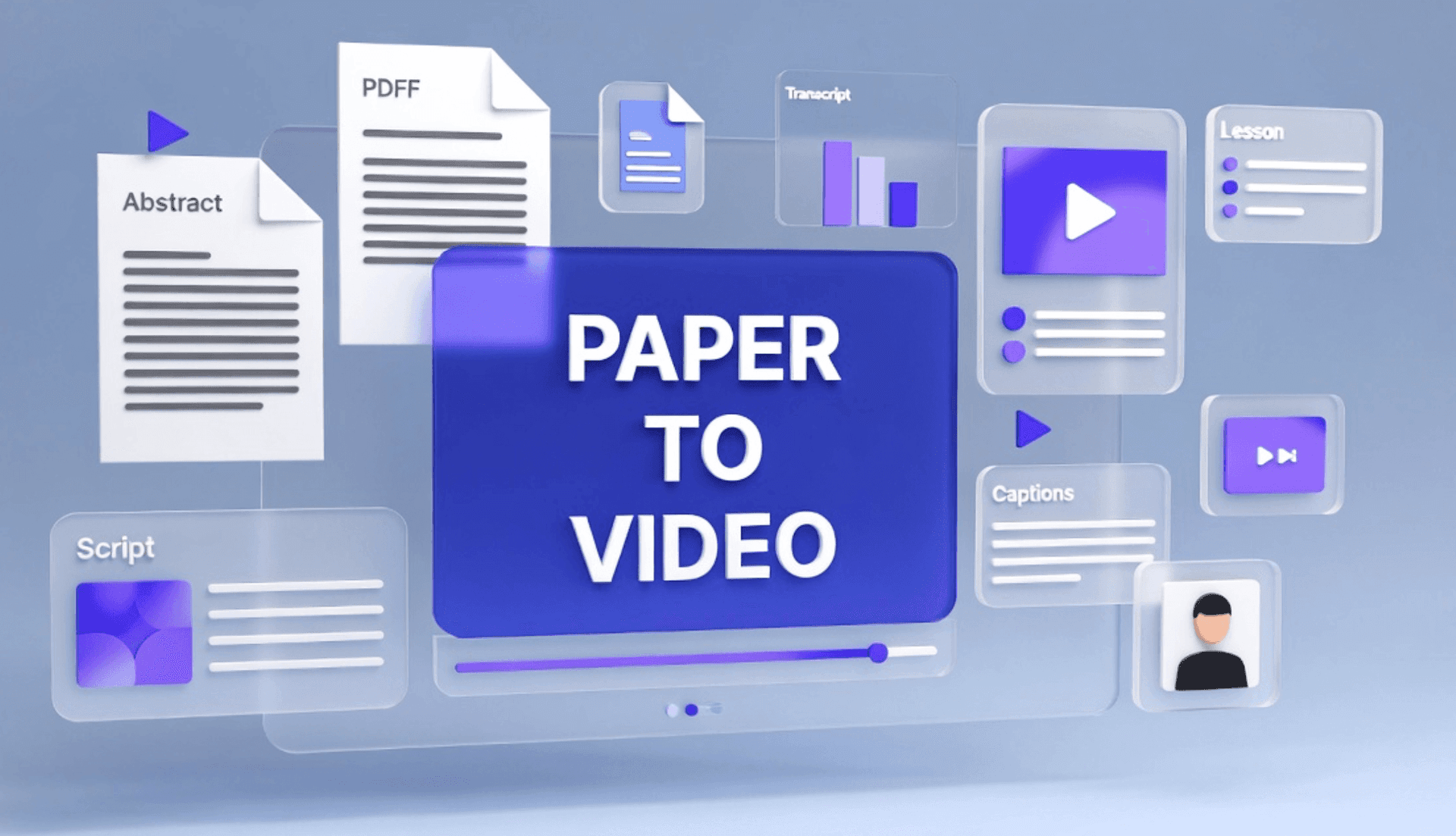
Research papers are full of valuable ideas, but they are not always easy to share, teach, or remember.
A paper may include a strong abstract, important findings, detailed methodology, charts, limitations, and references. But for students, educators, researchers, and training teams, reading the full paper is often time-consuming. The core ideas may be useful, but the format is dense.
That is why research papers can be turned into video summaries.
With AI, you can convert a research paper into a short explainer video that introduces the topic, summarizes the main findings, explains the method, highlights limitations, and makes the paper easier to understand. The goal is not to replace the original paper. The goal is to create a clear learning layer on top of it.
If your source material is a research paper PDF, Leadde's PDF to Video tool can help turn it into an editable video draft. For lecture-based workflows, Leadde's AI Lecture Video Maker can also help transform academic materials into structured learning videos.
Why Turn Research Papers into Video Summaries?
Research papers are written for precision, not speed.
They usually follow an academic structure: abstract, introduction, methodology, results, discussion, limitations, and references. This structure is useful for researchers, but it can be difficult for a broader audience to process quickly.
A video summary can help by making the paper easier to understand.
A good research paper video summary can:
- Explain the paper's main question
- Summarize the core argument
- Highlight key findings
- Turn complex sections into plain-language narration
- Show charts, concepts, or frameworks visually
- Make the paper easier to discuss in class or training
- Help students review academic material
- Help teams share research internally
- Support multilingual learning and knowledge sharing
This is especially useful when the paper needs to be explained to people who do not have time to read the full text immediately.
For example, an instructor might turn a paper into a five-minute recap before a class discussion. A student might turn study notes and a paper PDF into a review video. A product or strategy team might summarize an industry report or academic article for internal learning.
The original paper should still remain the source of truth. The video is a summary and teaching aid, not a substitute for reading or citing the paper.
What Types of Research Papers Work Best as Video Summaries?
Not every paper should become the same type of video. The best format depends on the paper's purpose and audience.
| Source Material | Best Video Format | Example Use Case |
|---|---|---|
| Academic research paper | Explainer summary video | Help students understand the main question, method, and findings |
| Literature review | Topic overview video | Summarize major themes and debates in a field |
| Scientific article | Concept explanation video | Explain a process, framework, or discovery |
| Case study paper | Scenario-based video | Show what happened, why it mattered, and what can be learned |
| Industry research report | Executive summary video | Share insights with internal teams |
| Course reading | Class discussion recap | Help learners prepare before a seminar |
| Technical paper | Step-by-step concept video | Explain methodology or system design in plain language |
The best papers for video summaries usually have a clear research question, strong abstract, visible section headings, and findings that can be explained visually.
If the source is a scanned PDF or a very technical paper, the output needs more careful review.
How to Turn Research Papers into Video Summaries with AI
The goal is not to turn the entire paper into a long narration.
A better workflow is to turn the paper into a short, structured learning video. The video should help viewers understand the paper's purpose, argument, evidence, findings, and limitations.
Step 1: Choose the Right Research Paper
Start with a paper that has a clear learning or communication purpose.
Good candidates include:
- A paper assigned in a course
- A paper used for a literature review
- A research article your team needs to discuss
- A scientific or technical paper with important findings
- A case study that teaches a concept
- An industry report with insights for a business team
- A paper that supports a lecture or workshop
Before converting the paper, ask:
- Who is the audience?
- What should they understand after watching?
- What is the paper's main question?
- Which findings are most important?
- Which methodology details need to be explained?
- Which limitations should be mentioned?
- Should the video be a short recap or a deeper lesson?
A long academic paper should rarely become one long video. It is usually better to create a short summary first, then create separate videos for methodology, findings, and discussion if needed.
Step 2: Identify the Paper's Core Message
A research paper contains many details. A video summary needs focus.
Before generating the video, identify the paper's core message.
A useful structure is:
| Section | Question to Answer |
|---|---|
| Topic | What is this paper about? |
| Research question | What problem or question does it study? |
| Method | How did the authors study it? |
| Findings | What did they find? |
| Significance | Why does it matter? |
| Limitations | What should viewers be careful about? |
| Takeaway | What should the audience remember? |
This structure helps prevent the video from becoming a vague abstract summary.
The best video summaries explain not only what the paper says, but why the paper matters.
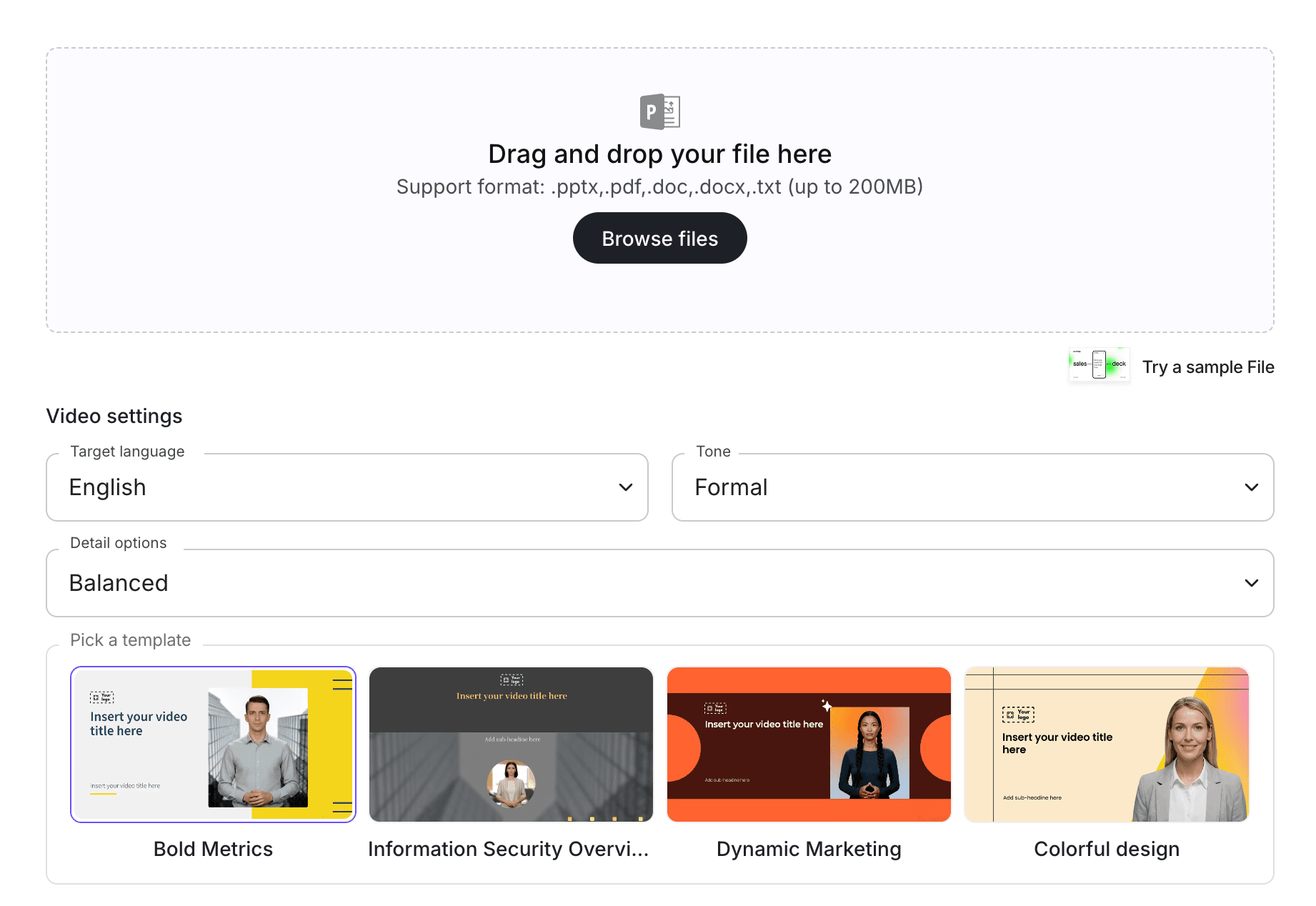
Step 3: Upload the Paper into an AI Video Workflow
If the paper is in PDF format, upload it into a PDF-to-video workflow.
With PDF to Video, teams can turn research PDFs into editable video drafts. If your source includes lecture notes, class handouts, or course outlines, you can also use AI Lecture Video Maker or AI Educational Video Maker.
For broader document workflows, Leadde's guide on converting documents into training videos explains how to turn structured documents into video-based learning content.
At this stage, AI should extract the paper's structure and suggest a summary outline. The output should not be published immediately. It should become a draft that a human can review.
This matters because research content needs accuracy. The AI should help summarize and structure the paper, but the final video should be checked against the source.
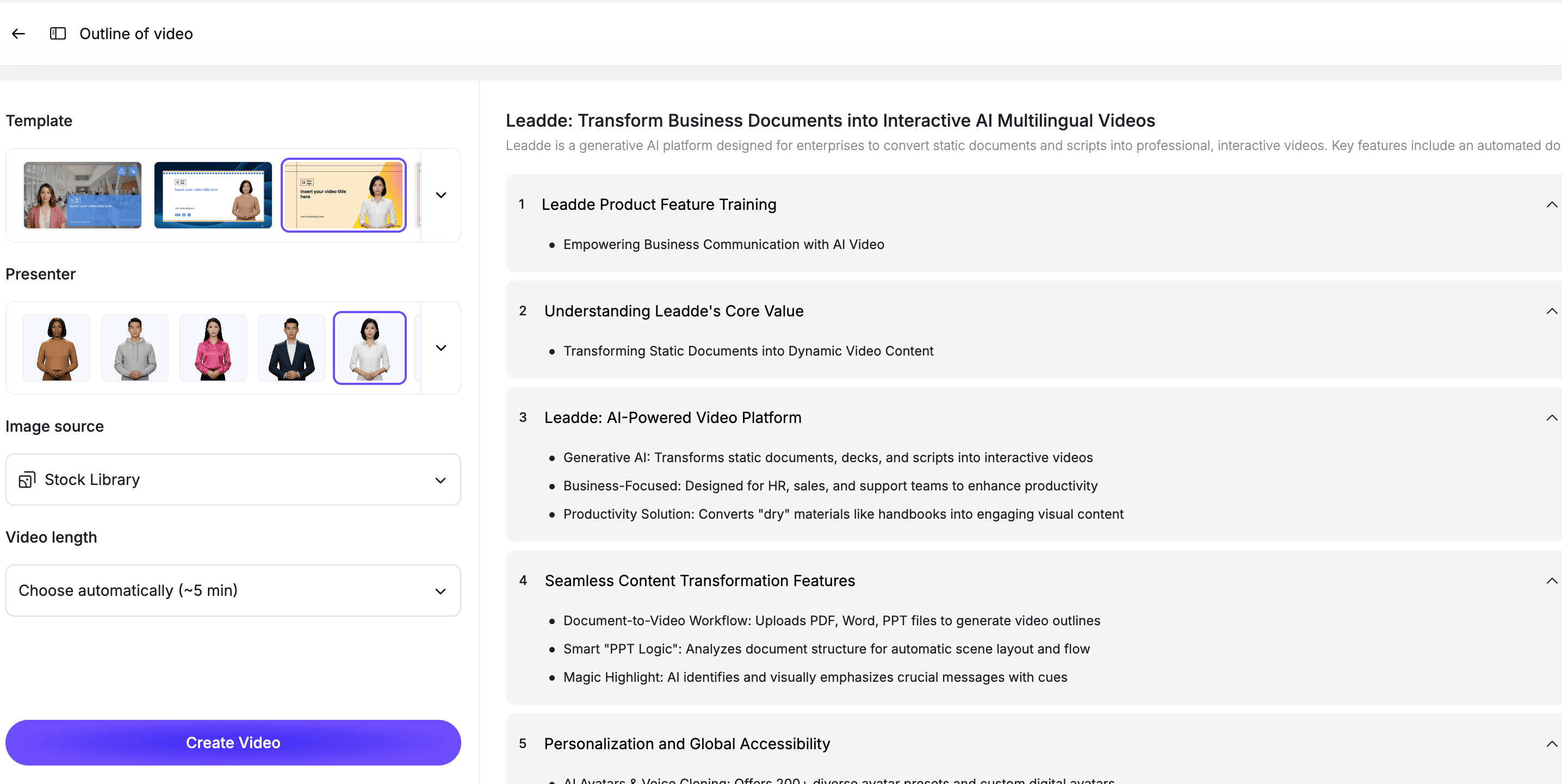
Step 4: Convert the Paper into a Video Script
A research paper is written for academic reading. A video script is written for listening and learning.
That difference matters.
A paper might say:
"The findings suggest a statistically significant association between intervention exposure and improved retention outcomes, controlling for baseline differences."
A video script should explain:
"The study found that people who experienced the intervention were more likely to stay engaged, even after the researchers accounted for differences at the start."
A strong research video script should be:
- Clear when spoken aloud
- Faithful to the original paper
- Shorter than the source text
- Organized around the research question
- Careful with claims and certainty
- Clear about limitations
- Easy for a reviewer to edit
- Written in plain language
For academic and scientific content, do not let the script overstate the findings. If a paper says "suggests," the video should not say "proves." If the study has limitations, the video should mention them.
Step 5: Break the Summary into Short Scenes
A good research paper summary video should have a clear flow.
A simple structure might look like this:
| Scene | Purpose |
|---|---|
| Scene 1 | Introduce the paper topic |
| Scene 2 | Explain the research question |
| Scene 3 | Summarize the method |
| Scene 4 | Highlight the key findings |
| Scene 5 | Explain why the findings matter |
| Scene 6 | Mention limitations |
| Scene 7 | End with the key takeaway |
This structure works for class recaps, study videos, research explainers, and internal knowledge sharing.
For more complex papers, you can split the content into several videos:
- Video 1: Paper overview
- Video 2: Methodology explained
- Video 3: Key findings
- Video 4: Limitations and discussion
- Video 5: What this means for practice
This is usually better than forcing everything into one long summary.
Step 6: Add an AI Presenter or Narration
A presenter can make a research summary easier to follow.
With an AI avatar generator, teams can create presenter-led explainers without filming a live instructor or recording voiceover. This is useful for educators, course creators, internal training teams, and research teams that need to summarize many papers.
The presenter should match the audience.
For example:
- University course recap: clear and academic
- Student study video: simple and encouraging
- Internal research briefing: concise and professional
- Technical paper summary: precise and careful
- Customer education: approachable and practical
The tone should be informative, not promotional. Research summaries need credibility.
Step 7: Use Visuals to Explain the Paper
Research papers often include ideas that are easier to understand visually.
Use visual highlights for:
- Research questions
- Definitions
- Frameworks
- Study design
- Sample groups
- Process diagrams
- Charts or simplified findings
- Key takeaways
- Limitations
- Discussion prompts
Do not overload the video with text. A research paper already has enough text. The video should make the ideas easier to absorb.
For example, instead of showing a dense paragraph from the discussion section, show three short takeaways:
- What the study found
- Why it matters
- What the study does not prove
Step 8: Review Claims, Citations, and Limitations
This is the most important step for research content.
AI can help summarize, but it can also oversimplify, omit nuance, or make claims sound stronger than the paper supports.
Before publishing the video, review:
- Paper title and author names
- Research question
- Main findings
- Methodology summary
- Statistical or technical claims
- Definitions
- Limitations
- Citation wording
- Any comparison with other research
- Any practical recommendations
Be especially careful with:
- Medical research
- Legal research
- Financial research
- Scientific claims
- Emerging technology claims
- Policy recommendations
- Sensitive social science topics
The video should make the paper easier to understand, but it should not misrepresent the research.
Step 9: Publish, Share, and Update the Video Summary
Once the video is reviewed, publish it where the audience already learns or collaborates.
This might include:
- Course pages
- LMS platforms
- Student portals
- Internal research libraries
- Team knowledge bases
- Training libraries
- Webinar follow-up pages
- Customer education hubs
If the paper is part of a course, connect the video to the class discussion or assignment. If it is for an internal team, connect it to the decision, training, or strategy it supports.
If new research changes the interpretation, update the video or add a note. Research summaries should stay accurate over time.
Best Practices for Research-Paper-to-Video Workflows
Keep the Original Paper as the Source of Truth
The video is a summary, not the official source.
Always link or reference the original paper where appropriate. Learners should be able to return to the full text for details, citations, and exact claims.
Do Not Overstate the Findings
Research papers often use careful language.
If the paper says "may," "suggests," or "is associated with," preserve that caution. Do not turn cautious findings into absolute claims.
Include Limitations
A good research summary includes what the paper does not prove.
This makes the video more trustworthy and helps learners understand the research in context.
Use Plain Language Without Losing Accuracy
The best video summaries make the paper easier to understand without changing the meaning.
Simplify sentence structure, but keep technical terms when they are necessary. Define terms when the audience may not know them.
Split Complex Papers into Multiple Videos
Some papers are too complex for one short summary.
Create separate videos for the abstract, methodology, results, limitations, and class discussion questions if the audience needs deeper understanding.
Review Before Publishing
Research content needs human review.
The instructor, researcher, trainer, or content owner should review the final script and video before it is shared widely.
Use Cases for Research Paper Video Summaries
Student Study Videos
Students can use research paper video summaries to review assigned readings before class, prepare for exams, or understand difficult papers more quickly.
This works especially well when the video explains the research question, method, findings, and limitations in a clear sequence.
University Course Recaps
Educators can create short paper recap videos for weekly readings.
Instead of asking students to enter discussion cold, instructors can provide a five-minute overview that prepares learners to engage with the full paper.
For related education workflows, see Leadde's guide on turning lecture notes into videos.
Literature Review Support
A literature review often requires comparing many papers.
Short video summaries can help researchers, students, or teams organize what each paper says and how it connects to a broader topic.
Internal Research Briefings
Business, product, strategy, and policy teams often read research to inform decisions.
A video summary can help share key findings with stakeholders who need the insight but may not read the full paper.
Training and Learning Programs
Research papers can support employee training, professional education, customer education, and technical onboarding.
If the paper is part of a larger training program, connect it with an AI training video generator so the format matches the rest of the learning library.
How Leadde Helps Turn Research Papers into Video Summaries
Leadde helps teams turn research papers, academic PDFs, lecture materials, and course content into editable AI videos.
With Leadde, teams can:
- Upload research papers and academic PDFs
- Generate summary scripts from source material
- Break complex papers into short scenes
- Add AI presenters
- Edit scripts and visuals before publishing
- Add captions and visual highlights
- Create multilingual learning videos
- Build video libraries from papers, notes, slides, and documents
Start with PDF to Video if your research paper is a PDF. Use AI Lecture Video Maker for lecture-based academic content, or AI Learning Video Generator for broader learning videos.
If you already have a paper ready, you can also try Leadde directly and start building your first AI video summary.
Common Mistakes to Avoid
Mistake 1: Treating the Video as a Replacement for the Paper
A video summary should help people understand the paper. It should not replace the original source.
Keep the full paper available for exact claims, citations, methodology, and details.
Mistake 2: Skipping the Limitations
A research summary without limitations can be misleading.
Include what the paper does not prove, where the study is limited, and what viewers should be cautious about.
Mistake 3: Making Claims Too Strong
Do not turn cautious academic language into certainty.
Preserve the paper's level of confidence.
Mistake 4: Making the Video Too Long
A research paper video summary should be focused.
If the paper is complex, create multiple short videos instead of one long explanation.
Mistake 5: Publishing Without Expert Review
AI-generated summaries can miss nuance.
A teacher, researcher, subject-matter expert, or content owner should review the script and final video before publishing.
FAQ
Can AI turn a research paper into a video summary?
Yes. AI can turn a research paper into a video summary by extracting the key sections, generating a spoken script, breaking the content into scenes, adding visuals or an AI presenter, and producing an editable video draft.
What should a research paper video summary include?
A strong research paper video summary should include the paper topic, research question, method, key findings, significance, limitations, and main takeaway.
Can I use AI video summaries for academic papers?
Yes, but the final video should be reviewed for accuracy. AI can help summarize and explain the paper, but it should not replace the original source or expert review.
Should a video summary replace reading the full paper?
No. A video summary is a learning aid. The original paper should remain the source of truth for citations, methodology, exact wording, and detailed evidence.
What types of papers work best for video summaries?
Papers with clear research questions, structured sections, important findings, and educational value work best. Literature reviews, scientific articles, case studies, and course readings can all work well.
Can I turn a research paper PDF into a video?
Yes. If the paper is a PDF, you can use Leadde's PDF to Video tool to create an editable video draft from the source material.
Can I edit the video after it is generated?
Yes, if you use an editable AI video workflow. You should be able to revise the script, adjust scenes, update visuals, change captions, and correct any summary details before publishing.
Conclusion
Research papers are valuable, but they are not always easy to teach, discuss, or share.
AI video summaries make research easier to understand by turning dense academic material into structured scripts, short scenes, visual explanations, captions, and presenter-led videos. This can help students, educators, researchers, and training teams communicate complex ideas more clearly.
The best workflow is simple: choose a useful paper, identify the core message, upload the PDF, generate a script, break the summary into scenes, add visuals, review the claims carefully, and keep the original paper as the source of truth.
Use Leadde's PDF to Video tool to turn research paper PDFs into editable video summaries.