
Best Descript Alternatives in 2026 for Podcast, Editing & AI Video

The best Descript alternatives in 2026 depend on your workflow. Tools like Riverside excel at high-quality podcast recording, while CapCut and Opus Clip are ideal for creating social media content at scale.
For professional editing, platforms like Adobe Premiere Pro and DaVinci Resolve offer full creative control. Meanwhile, AI tools such as Synthesia—and document-to-video platforms like Leadde—introduce a fundamentally different approach by generating videos instead of editing them.
But if you’re dealing with slow edits, confusing AI credit limits, or constant rework, traditional tools may still feel inefficient.
Instead of editing content piece by piece, Leadde lets you turn any document or script into a professional video in minutes—helping teams reduce production time by up to 90% and significantly reduce overall traditional video production costs by as much as 80%.
What Are the Best Descript Alternatives in 2026 for Podcasting, Editing, and AI Video Creation?
Before diving into details, here’s a quick overview of the best Descript alternatives based on different workflows:
| Use Case | Best Tool | Key Advantage | Best For |
| Podcast Recording | Riverside | Local recording, stable quality | Remote interviews |
| Social Media Clips | CapCut / Opus Clip | Fast clip generation | Short-form creators |
| Professional Editing | Premiere Pro / DaVinci Resolve | Full control | Advanced editors |
| AI Video Creation | Synthesia | Script-to-video | Marketing teams |
| Business Automation | Leadde | Document-to-video | Training / internal content |
The best Descript alternative depends on what you actually want to do, not just which tool is “better.” Different platforms are designed for different workflows, and no single tool replaces everything perfectly.
If your focus is podcast recording, Riverside is one of the strongest options because it records audio locally, resulting in more stable and professional sound quality during remote interviews.
Creators focused on short-form content often prefer tools like CapCut and Opus Clip because they make it easier to turn long videos into TikTok clips, Reels, and YouTube Shorts quickly.
For professional editing workflows, Adobe Premiere Pro and DaVinci Resolve provide much more creative control, although they require more experience and time to learn.
Meanwhile, AI generation platforms such as Synthesia—and the growing market of advanced Synthesia software alternatives—introduce a completely different workflow by generating videos directly from scripts or documents instead of editing recorded footage.
Why Are Creators Abandoning Descript in 2026? Is AI Credit Fatigue the Real Problem?
| Problem | Description | Impact |
| AI Credit Limits | Many AI features use credit-based or usage-based pricing models | Costs become difficult to predict for heavy users |
| Performance Lag | Some users report slower performance with large or high-bitrate video projects | Editing workflows become slower and less reliable |
| Locked Workflow | Projects are often tied to a single editing ecosystem | Limits flexibility and tool compatibility |
| Long-Form Editing Issues | Editing podcasts or multi-track projects can become difficult over time | Increases production time and frustration |
| Scaling Content Production | Manual editing workflows require significant time and effort | Harder for teams to scale content efficiently |
| Limited Professional Flexibility | Advanced editors often need more control than all-in-one tools provide | Professionals move toward modular workflows |
What Is the Best Descript Alternative for High-Fidelity Podcast Recording?
Riverside: High-Quality Podcast Recording for Remote Creators
Unlike traditional cloud-based recording tools, Riverside records audio and video directly on each participant’s device. This helps maintain stable recording quality even when the internet connection becomes unstable. As a result, podcasts often sound cleaner and more professional, especially during remote interviews.
One of Riverside’s biggest advantages is its local recording workflow. Instead of relying entirely on live internet transmission, each participant keeps a high-quality local copy of their audio and video. This reduces common podcasting problems such as audio dropouts, blurry video, or compressed sound quality.
For creators producing long-form interviews or professional podcasts, this workflow offers much more control during editing and usually leads to a more polished final result.
Local vs. Cloud Recording: A Reddit-Proven Guide
There are two main ways to record podcasts:
- Local recording → saved on each person’s computer
- Cloud recording → depends on internet connection
- Based on real user discussions on Reddit:
Local recording is the most reliable option. It avoids common problems caused by weak Wi-Fi
Using local recording helps prevent:
- Audio glitches or dropouts
- Blurry or compressed video
- Poor guest sound quality
Local recording also gives creators a cleaner and more reliable copy of each participant’s audio and video. This provides more control during editing and often leads to a more professional final result.
Alitu: The “Zero-Stress” Podcast Workflow
Alitu is designed for creators who want a simpler podcast workflow without learning advanced editing software.
Instead of manually cleaning audio or balancing sound levels, users can upload recordings and let the platform handle much of the technical work automatically.
The platform can reduce background noise, balance audio levels, and prepare episodes for publishing with minimal setup.
This makes Alitu especially useful for beginners or creators who want to focus more on storytelling and less on technical production tasks.
Which Descript Alternative Is Best for Creating Viral Social Media Clips (TikTok, Reels, Shorts)?
The best Descript alternative depends on what you actually want to do, not just which tool is “better.” Different platforms are designed for different workflows, and no single tool replaces everything perfectly.
If your main focus is podcast recording, Riverside is one of the strongest options because it records audio locally, resulting in more stable and professional sound quality during remote interviews.
For creators focused on short-form social media content, tools like CapCut and Opus Clip make it much easier to turn long videos into TikTok clips, YouTube Shorts, and Reels without spending hours editing manually.
If you need full creative control, Adobe Premiere Pro and DaVinci Resolve remain better choices for professional editing workflows, although they require more experience and time to learn.
Meanwhile, AI generation tools such as Synthesia and Leadde introduce a completely different workflow by generating videos directly from scripts or documents instead of editing recorded footage.
Choppity & AI Video Cut: From Transcripts to “Magic Clips”
Tools like Choppity are designed to help creators repurpose long-form content into short videos much faster. Instead of manually searching through hours of footage, the software automatically scans videos to identify moments that are more likely to perform well on platforms like TikTok and YouTube Shorts.
These tools can automatically generate clips, resize videos for vertical mobile viewing, and reduce the amount of manual editing required. For creators publishing content daily or managing multiple social channels, this workflow can save a significant amount of time.
In simple terms, one long podcast or interview can quickly become multiple ready-to-post clips within minutes.
CapCut Desktop (2026): Is Free Finally Enough?
CapCut has become one of the most popular free editing tools because it combines simplicity with surprisingly strong AI features. Many creators now use it as their primary editing platform for short-form content instead of paying for more advanced software.
The platform includes automatic captions, trending templates, effects, transitions, and built-in tools designed specifically for TikTok-style editing. For many creators, the free version already covers most day-to-day editing needs, especially for social media content.
Opus Clip: Scaling Long-Form into Short-Form Automatically
Opus Clip focuses heavily on content repurposing. The platform can take a long podcast or interview and automatically transform it into multiple short clips optimized for social media platforms.
One of its more unique features is the “virality score,” which attempts to predict which clips are more likely to perform well online. This makes the platform especially attractive for creators trying to grow quickly without building a large editing team.
Native Text-Based Editing Inside Premiere Pro
Adobe Premiere Pro now includes transcript-based editing features similar to Descript. Editors can remove words directly from a transcript, and the software automatically cuts the corresponding video sections.
This approach combines the convenience of text-based editing with the advanced control expected from professional editing software. For experienced creators, it offers a balance between speed and precision that simpler all-in-one tools often cannot provide.
Cutsio & XML Workflows: AI-Assisted Pre-Editing
Professional editors increasingly use AI-assisted workflows to reduce repetitive editing tasks. Tools like Cutsio can automatically remove silence, pauses, and unnecessary sections before exporting projects into professional editing software such as Premiere Pro or DaVinci Resolve.
This workflow allows creators to save time during the rough-cut stage while still maintaining full control over the final edit. Instead of replacing professional editing entirely, AI acts more like an assistant that speeds up the production process.
What Are the Best Descript Alternatives for Text-Based Editing and Transcription?
Reduct
Reduct is designed for people who work with large amounts of recorded content
Instead of just editing, it helps you:
- Search through hours of video using keywords
- Find specific topics or themes quickly
- Edit content directly from the transcript
It is especially useful for:
- Researchers
- Interview-based content
- Documentary-style projects
Trint
Trint is widely used by journalists and media teams
Its main strength is accuracy, especially when working with:
- Different accents
- Multiple speakers
- Multilingual content
It also supports:
- Team collaboration
- Shared editing workflows
- Fast transcript review
Otter.ai
Otter.ai is one of the best tools for live transcription and meetings
It works in real time, which means:
- It records conversations as they happen
- It generates notes automatically
This makes it ideal for:
- Meetings
- Online classes
- Interviews
It helps you never miss important details
Happy Scribe
Happy Scribe is known for handling complex speech patterns
It performs well when dealing with:
- Heavy accents
- Technical or industry-specific language
- Multilingual subtitles
It also supports:
- Subtitle generation
- Translation workflows
- Global content creation
Can You Replace Descript Entirely with AI? What Is the “Zero-Recording” Workflow?
Leadde: The Document-to-Video Automation Engine
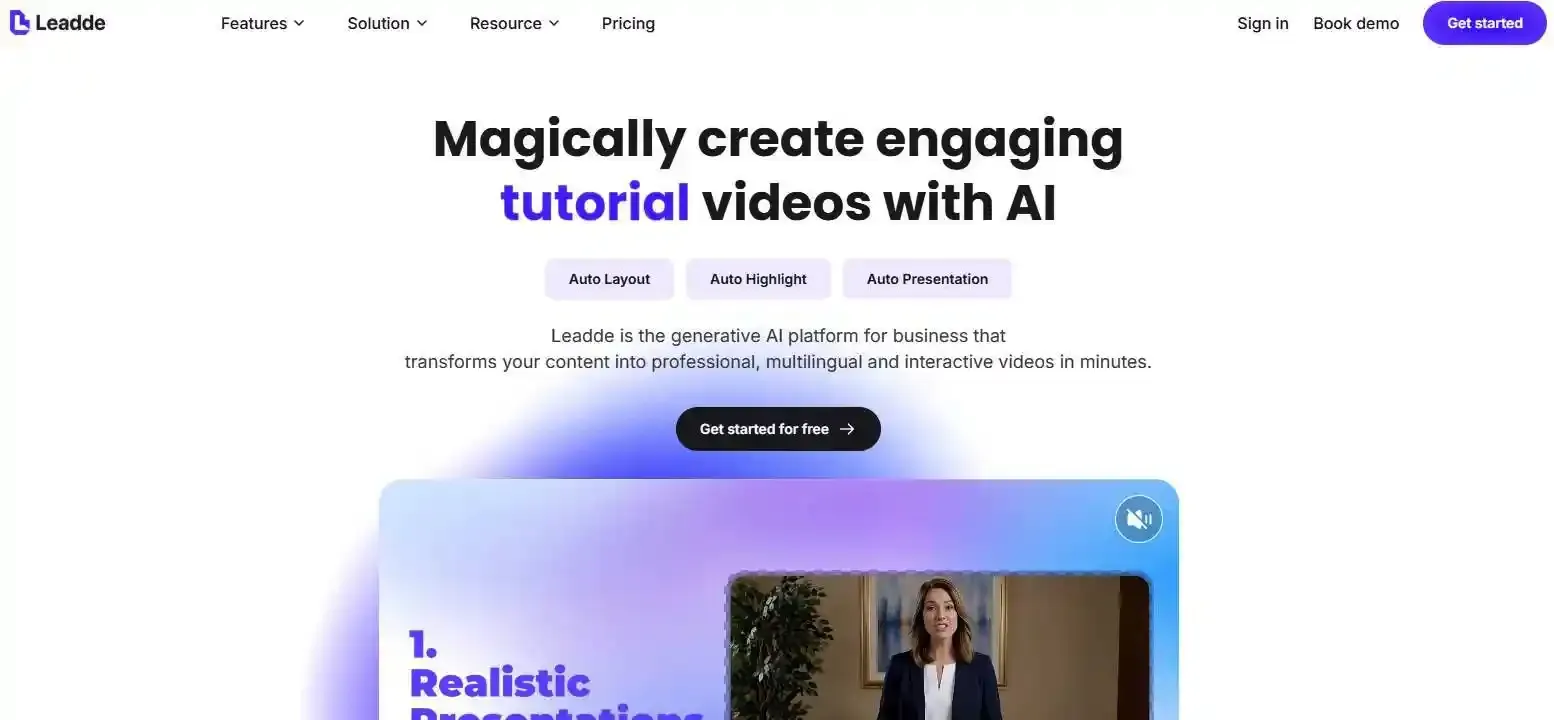
Leadde introduces a completely different approach to video creation, often described as a “zero-recording workflow.” Instead of filming content manually, users can upload PDFs, PowerPoint slides, scripts, or text documents and automatically turn them into finished videos.
This workflow removes the need for cameras, microphones, and traditional production setups, making it especially useful for onboarding content, internal communications, and companies seeking the most effective 2026 training video creators to scale organizational learning.
From PDF to Video: No Camera, No Editing
With Leadde, the process starts by uploading documents—allowing teams to instantly convert static PDF documents into dynamic videos online—as well as PowerPoint slides, or plain text scripts. The platform then automatically generates structured scenes, voice-over narration, visual layouts, and supporting media.
Its smart layout system helps arrange visuals and text automatically, allowing teams to create professional-looking videos without filming or manual editing.
Interactive AI Avatars: Beyond Static Video
Leadde also provides a streamlined solution for brands wondering where to find high-quality AI avatars for marketing, integrating digital presenters capable of delivering content in a natural and human-like way. Unlike traditional video workflows, users do not need to appear on camera or repeatedly record presentations manually.
In some business scenarios, interactive video experiences can create a more engaging learning environment than static recordings, especially for customer education, onboarding, and scalable training content.
Real Experience: How Teams Reduce Production Costs and Time
- By removing the need for filming and manual editing, teams can:
- Produce videos much faster
- Reduce reliance on large production teams
- As of 2026, available information suggests:
- Up to 90% reduction in content creation time
- Up to 80% reduction in production costs
- In practical terms:
- A single person can handle tasks that previously required multiple roles
- Video production becomes more scalable for businesses
What Is the Difference Between Editing Videos and Generating Videos with AI?
| Aspect | Editing Tools (Descript) | AI Generation (Leadde) |
| Workflow | Edit recorded content | Generate from text |
| Input | Video/audio files | Documents / scripts |
| Time | High | Low |
| Scalability | Limited | High |
| Best For | Creators | Businesses |
The core difference between editing and AI generation is simple. Editing tools improve content that has already been recorded, while AI generation tools create videos directly from text, scripts, or documents.
Traditional editing platforms like Descript are designed for creators who want to refine recordings, remove mistakes, and maintain a personal on-camera style. In contrast, AI generation platforms such as Leadde focus on automation, scalability, and reducing manual production work.
For businesses producing large amounts of training or communication content, generation workflows are often faster and more cost-efficient than traditional editing workflows.
How Do Descript Alternatives Compare in Pricing, Features, and Workflow Efficiency?
2026 ROI Comparison: Descript vs Leadde vs Synthesia
In 2026, pricing and workflow efficiency have become some of the most important factors when choosing a Descript alternative. Different platforms use very different pricing models, and those models can significantly affect long-term production costs and scalability.
| Dimension | Leadde | Synthesia | Descript |
| Pricing Model | Subscription-based (automation-focused) | Often usage-based (video minutes) | Credit-based + subscription |
| Video Creation | Document → video automation | Script → avatar video | Edit existing content |
| Languages | 90+ supported languages | Multi-language support | Transcription-focused |
| Workflow | Fully automated video generation | Template-based generation | Manual editing + AI tools |
| Interactivity | Interactive video features | One-way video output | Limited |
| Best For | Business teams | Marketing | Creators |
Pay-Per-Minute vs Unlimited Models
Many AI video tools now rely on pay-per-minute or credit-based pricing. While this can feel flexible at first, the costs often become difficult to predict for creators producing large amounts of content regularly.
For heavy users, these pricing models can quickly become expensive and may even discourage people from using AI features freely during production.
In contrast, automation-focused workflows like Leadde focus more on production efficiency rather than usage limits. Instead of tracking every generated minute, teams can scale content creation more comfortably across training materials, internal communication, and multilingual business content.
In practical terms, pay-per-minute platforms are often better suited for occasional creators, while automation-based subscription workflows are generally more scalable for businesses producing content continuously.
Which Descript Alternative Should You Choose Based on Your Use Case?
The best Descript alternative depends less on feature lists and more on the type of workflow you actually need.
Scenario A: High-End Podcasting → Riverside
Riverside is one of the strongest choices for creators focused on professional podcast recording. Because it records locally on each participant’s device, the final audio and video quality usually remains stable even during remote interviews with weaker internet connections.
This makes Riverside especially useful for creators recording long-form interviews, remote guest podcasts, or high-quality video podcasts that need a polished final result.
Scenario B: Social Media Content → CapCut / Opus Clip
For creators focused on TikTok, Reels, or YouTube Shorts, tools like CapCut and Opus Clip make short-form production much faster. Instead of manually editing every clip, creators can quickly transform long videos into multiple social-ready pieces of content.
This workflow is especially useful for creators publishing content frequently or managing multiple social platforms at the same time.
Scenario C: Business Automation → Leadde
Leadde is designed for teams that want to create videos without relying heavily on manual recording or editing workflows. Instead of filming content traditionally, businesses can utilize these platforms to master how to produce a corporate video with AI, converting documents, PDFs, or presentations directly into professional videos.
This approach is particularly effective for onboarding, training, internal communication, and scalable educational content where production speed and consistency matter more than traditional editing workflows.
Are There Any Free Descript Alternatives Worth Using in 2026?
Yes, several free tools can replace parts of Descript depending on the type of work you do. However, most free platforms focus on specific tasks rather than offering a complete all-in-one workflow.
CapCut: The Most Powerful Free AI Video Editor
CapCut has become one of the most widely used free editing platforms because it combines simplicity with strong AI-powered editing features. The software includes automatic captions, social media templates, effects, and transitions that make short-form editing much easier for beginners.
For many creators producing TikTok videos, Reels, or Shorts, the free version already provides enough functionality for everyday content creation.
Audacity: A Simple but Reliable Audio Tool
Audacity remains one of the most reliable free tools for audio recording and cleanup. While the interface feels less modern than newer AI tools, it still performs extremely well for podcast editing, voice recording, and basic audio correction.
Creators who prioritize functionality over design often continue using Audacity because of its stability and long-standing reputation.
DaVinci Resolve: Professional Editing for Free
DaVinci Resolve offers one of the most advanced free editing suites available today. It includes professional video editing tools, advanced color grading, and high-end production capabilities typically associated with expensive editing software.
The biggest trade-off is the learning curve. Compared to beginner-friendly platforms, DaVinci Resolve requires more time to learn, but it provides much greater creative control for advanced users.
| Tool | Type | Strength | Limitation |
| CapCut | Video editing | Free + AI features | Limited pro control |
| Audacity | Audio editing | Reliable, free | Outdated UI |
| DaVinci Resolve | Pro editing | High-end features | Steep learning curve |
What Are the Pros and Cons of Switching Away from Descript?
Switching away from Descript can improve workflow flexibility and reduce long-term costs, but it also changes how creators manage production.
Pros of Switching Away from Descript
One major advantage is cost control. Many creators move away from credit-based workflows because usage limits can become frustrating over time, especially for long-form or high-volume content production.
Using specialized tools also gives creators more flexibility. Instead of relying on one all-in-one platform, teams can choose different tools for recording, editing, automation, and social media clipping based on their exact needs.
Professional workflows may also benefit from better performance, stronger editing precision, and more scalable production systems.
Cons of Switching Away from Descript
The biggest downside is workflow complexity. Instead of managing everything inside one platform, creators may need to combine several tools together during production.
There is also a learning curve involved, especially when moving toward more advanced editing software like Adobe Premiere Pro or DaVinci Resolve.
For some users, rebuilding an entire workflow can take time before the efficiency benefits become noticeable.
FAQs
What is the best free Descript alternative in 2026?
The best free alternatives include CapCut for video editing and Audacity for audio. These tools are powerful but usually focus on specific tasks instead of offering an all-in-one solution like Descript.
Is Descript still worth using in 2026?
Yes, Descript is still useful for beginners and simple editing workflows. However, many advanced users switch to specialized tools or AI generation platforms for better performance and flexibility.
What is the best Descript alternative for podcast recording?
Riverside is one of the best options for podcast recording because it uses local recording, which ensures high-quality audio even with poor internet connections.
What is the best Descript alternative for AI video creation?
For AI video generation, tools like Leadde allow users to create videos directly from documents or scripts without recording, which is very different from traditional editing tools.
Can AI tools completely replace Descript?
Not completely. Editing tools and AI generation tools serve different purposes. However, for some workflows—especially business or training content—AI tools can replace most manual editing tasks.
Conclusion
The best Descript alternative in 2026 depends on what you need. Tools like Riverside, CapCut, and Adobe Premiere Pro are strong choices for recording and editing, while platforms like Leadde offer a new way to create videos without manual work. As workflows continue to evolve, choosing the right tool is less about features and more about how efficiently you can create and scale your content.





