
Breaking News Video Examples You Can Make with AI
Breaking news videos are designed to explain what happened quickly.
They can be used for real-time updates, social media recaps, local announcements, classroom current events, company communications, event coverage, and newsletter summaries. The goal is not to make a video feel dramatic for no reason. The goal is to help people understand a timely update in a clear, visual, and trustworthy format.
AI makes this easier because teams can turn a short news brief, article, script, or announcement into a video without filming a presenter or editing every scene manually.
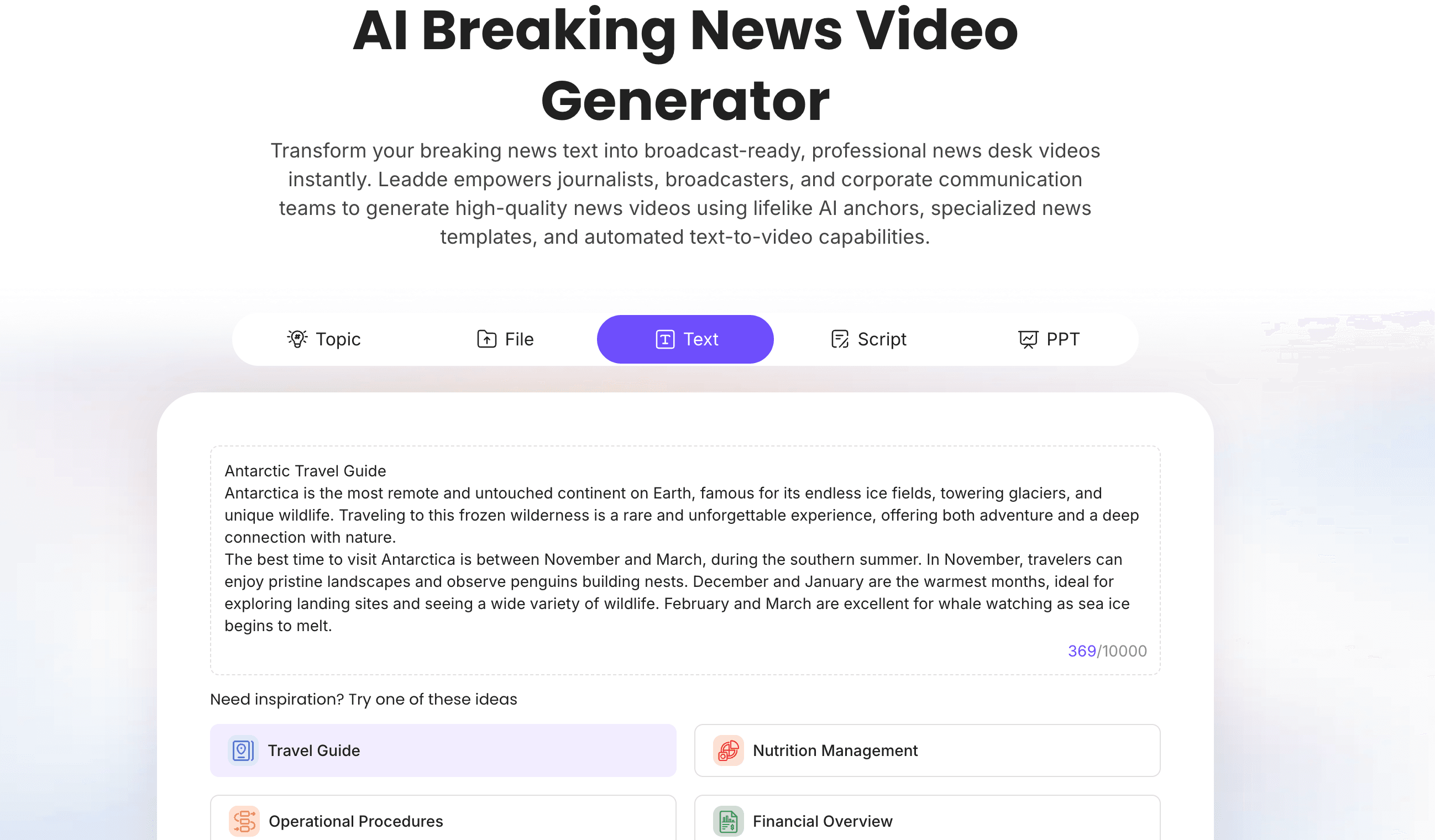
If your team needs to create fast news-style videos, Leadde's AI Breaking News Video Generator helps turn scripts and updates into editable, avatar-led news videos.
Why Breaking News Videos Work
Breaking news videos work because they combine speed, structure, and visual clarity.
A written update can be easy to miss. A long article can be too slow for quick understanding. A social post may not have enough context. A short video can explain the key facts, show the main points, and guide viewers through the update in under a minute.
A good breaking news video can:
- Summarize what happened
- Explain why it matters
- Show key details visually
- Add captions for silent viewing
- Help teams publish faster
- Turn articles or newsletters into social clips
- Make timely updates easier to share
- Support multilingual communication
- Create a consistent format for repeated news updates
This format is useful for media teams, educators, marketers, internal communications teams, creators, event teams, nonprofits, and local organizations.
For newsletter-based content, see Leadde's guide on turning newsletters into engaging videos.
What Makes a Good Breaking News Video?
A good breaking news video should be fast, clear, and accurate.
It should not exaggerate, invent urgency, or make uncertain information sound confirmed. This is especially important for sensitive topics, safety updates, finance, health, politics, or crisis communication.
A strong breaking news video usually includes:
| Section | Purpose |
|---|---|
| Headline | State the update clearly |
| Context | Explain what happened and why it matters |
| Key facts | Share the most important verified details |
| Visuals | Use captions, cards, maps, screenshots, or simple graphics |
| Next step | Tell viewers where to learn more or what to do |
| Update note | Mention if details may change |
The best format is simple: what happened, why it matters, what viewers should know next.
Breaking News Video Examples
Here are practical breaking news video examples you can create with AI.
| Example | Best For | Main Goal |
|---|---|---|
| Social media breaking news clip | Creators, media, brands | Explain a timely update quickly |
| Local community alert | Schools, cities, community groups | Share urgent or useful local information |
| Event update video | Conferences, webinars, sports, campus events | Recap schedule changes or live moments |
| Company internal news update | Internal comms, HR, leadership | Communicate important company updates |
| Product announcement news video | SaaS, ecommerce, product teams | Announce a launch or feature update |
| Education current events recap | Teachers, schools, course creators | Turn news into classroom discussion material |
| Newsletter-to-news video | Publishers, marketers, creators | Repurpose newsletter content into video |
| Industry news explainer | B2B teams, analysts, consultants | Explain market or industry developments |
| Crisis communication update | Operations, public service, nonprofits | Share clear instructions during urgent situations |
| Research or report news summary | Education, policy, business teams | Explain new findings or data quickly |
| Sports or entertainment news recap | Media and creators | Summarize a timely story or event |
| Multilingual news update | Global teams and publishers | Localize the same update for different audiences |
Example 1: Social Media Breaking News Clip
A social media breaking news clip is short, direct, and caption-heavy.
It is useful when you need to publish a timely update on platforms where people scroll quickly.
A simple structure:
- Start with a clear headline.
- Explain the update in one sentence.
- Add two or three key facts.
- Show why it matters.
- End with a follow-up or source note.
Sample Script
Breaking update: [headline].
Here is what we know so far.
First, [fact 1].
Second, [fact 2].
Third, [fact 3].
This matters because [impact or context].
We will continue to update this story as more details become available.
Best For
- Short-form social video
- Publisher clips
- Creator updates
- Brand newsrooms
- Community pages
If you already have a short script, Script to Video can help turn it into video scenes.
Example 2: Local Community Alert Video
Local community alerts need to be clear and practical.
They may cover weather updates, school announcements, transportation changes, public service notices, event changes, or community reminders.
A good local alert video should answer:
- What happened?
- Who is affected?
- When does it happen?
- What should people do?
- Where can they get updates?
Sample Script
Community update: [headline].
This affects [audience or location] starting [time or date].
The main change is [key update].
If you are affected, please [recommended action].
For the latest details, check [official source or update channel].
Best For
- Schools
- Local governments
- Community organizations
- Event organizers
- Public service teams
The tone should be calm and useful, not dramatic.
Example 3: Event Update Video
Events change quickly. A video can help attendees understand schedule updates, speaker changes, location changes, or recap highlights.
An event update video can cover:
- Session changes
- Speaker announcements
- Venue updates
- Registration reminders
- Live event highlights
- Post-event recap moments
Sample Script
Event update for [Event Name].
Here are the three things attendees should know today.
First, [update 1].
Second, [update 2].
Third, [update 3].
If you are attending, your next step is [action].
We will share more updates through [channel].
Best For
- Conferences
- Webinars
- Campus events
- Community events
- Company town halls
- Sports or entertainment events
Example 4: Company Internal News Update
Internal news videos help employees understand important updates without reading a long announcement.
They can be used for:
- Leadership updates
- Policy changes
- Office or remote work updates
- Product milestones
- Team announcements
- Company-wide reminders
- Training deadlines
Sample Script
Company update: [headline].
This update affects [team, department, or company-wide audience].
Here is what is changing.
[Explain update clearly.]
This matters because [context].
Employees should [next action].
If you have questions, contact [owner or department].
Best For
- Internal communications
- HR teams
- Leadership updates
- Company training
- Remote teams
For internal communication videos, use AI Internal Communication Video Maker if that page is available in your Strapi/site setup. If not, AI Training Video Generator is a safe general workflow.
Example 5: Product Announcement News Video
Product announcements can use a news-style format when the update is timely or important.
This works especially well for SaaS teams launching:
- New features
- Product improvements
- Pricing updates
- Integrations
- Templates
- AI features
- Platform changes
Sample Script
Product update: [Feature Name] is now available.
This update helps [target users] [main benefit].
Before this launch, teams had to [old workflow].
Now, they can [new workflow].
To try it, go to [product location or CTA].
Best For
- SaaS product launches
- Feature release updates
- Customer newsletters
- In-app announcements
- Product marketing
For product-led video creation, use AI Product Demo Video Maker if your update needs a product walkthrough, or Text to Video for a simple announcement script.
Example 6: Education Current Events Recap
Teachers and education teams can turn news into short discussion videos.
A current events recap should help learners understand the story without turning it into a biased or overloaded explanation.
A good classroom news recap should include:
- The headline
- The background
- The key facts
- Why the topic matters
- One or two discussion questions
Sample Script
Today's current events topic is [headline].
This story is about [short explanation].
Here are the key facts.
First, [fact 1].
Second, [fact 2].
Third, [fact 3].
This matters because [context].
Discussion question: [question].
Best For
- Teachers
- Schools
- Online courses
- Student news recaps
- Educational creators
For education-focused videos, use AI Educational Video Maker if your workflow is course-based, or AI Breaking News Video Generator for timely news-style recaps.
Example 7: Newsletter-to-News Video
Many newsletters already contain strong news summaries. AI can help turn those summaries into short videos.
This works well for:
- Weekly industry updates
- Market news
- Creator newsletters
- Company updates
- Community newsletters
- Investor updates
- Product newsletters
Sample Script
Here are the top three updates from this week's newsletter.
First, [update 1].
Second, [update 2].
Third, [update 3].
The biggest takeaway is [summary].
Read the full newsletter for more details.
Best For
- Publishers
- B2B marketers
- Creators
- Community teams
- Internal communications
Use Newsletter to Video if your source content starts as a newsletter.
Example 8: Industry News Explainer
Industry news videos help business audiences understand market changes.
This format is useful for B2B companies, consultants, analysts, educators, and thought leadership teams.
An industry news explainer can cover:
- Market shifts
- Regulatory updates
- Technology trends
- Funding news
- Competitive changes
- Industry reports
- Customer behavior trends
Sample Script
Industry update: [headline].
This matters for [target audience] because [impact].
Here is the context.
[Explain background.]
The key takeaway is [takeaway].
Teams should watch [next development or action].
Best For
- B2B marketing
- Consulting
- Analyst content
- Executive updates
- Thought leadership
If your source is a written article, use Article to Video.
Example 9: Crisis Communication Update
Crisis communication videos need to be careful, calm, and accurate.
They should not exaggerate or use dramatic visuals. The goal is to communicate clearly.
A crisis update video should include:
- What happened
- Who is affected
- What action is required
- Where to get verified updates
- When the next update will happen
- Who to contact for help
Sample Script
Important update: [headline].
This affects [audience or location].
Here is what we know now: [verified information].
If you are affected, please [action].
For updates, use [official source].
We will share the next update at [time or channel].
Best For
- Operations teams
- Public service teams
- Schools
- Nonprofits
- Internal communications
- Community organizations
This type of video should always be reviewed by the responsible team before publishing.
Example 10: Research or Report News Summary
New reports, studies, and research findings can become news-style video summaries.
This works for education, policy, business, science communication, and industry analysis.
A good report summary should explain:
- What the report studied
- What changed or was discovered
- What the key findings are
- What the limitations are
- Why the audience should care
Sample Script
New report summary: [report title or topic].
The report looks at [topic].
The key finding is [finding].
This matters because [context].
One limitation to keep in mind is [limitation].
The main takeaway is [takeaway].
Best For
- Education
- Research teams
- Policy organizations
- Business analysts
- Content marketers
If the source is a PDF or article, use PDF to Video or Article to Video.
Example 11: Sports or Entertainment News Recap
Sports and entertainment updates often work well in short news video formats.
A recap video can cover:
- Game results
- Match highlights
- Award announcements
- Casting news
- Event results
- Schedule updates
- Fan community updates
Sample Script
Quick recap: [headline].
Here are the key moments.
First, [moment 1].
Second, [moment 2].
Third, [moment 3].
The biggest takeaway is [summary].
Stay tuned for the next update.
Best For
- Sports creators
- Entertainment pages
- Fan communities
- Event recaps
- Short-form social content
Avoid using copyrighted footage unless your team has the rights. Use original visuals, graphics, captions, and licensed media.
Example 12: Multilingual Breaking News Update
Global teams may need to share the same update in multiple languages.
A multilingual news update can help organizations communicate consistently across regions.
This is useful for:
- International companies
- Global education teams
- Multilingual publishers
- NGOs
- Distributed teams
- Event organizers
The workflow is simple: create one verified source script, generate the first video, localize the script, review the translation, and publish versions for each audience.
How to Create Breaking News Videos with AI
The best breaking news videos are fast, but they still need structure and review.
Step 1: Start with a Verified Source
Do not start with rumors or unconfirmed details.
Use a verified source such as:
- Official announcement
- Internal update
- Published article
- Newsletter
- Event notice
- Report or briefing
- Approved company statement
If the story is still developing, say that clearly.
Step 2: Write a Short News Script
A breaking news video should be direct.
Use this structure:
| Script Section | What to Include |
|---|---|
| Headline | What happened |
| Context | Who or what is affected |
| Key facts | Two to four verified details |
| Impact | Why it matters |
| Next step | What viewers should do or where to learn more |
Keep the script short. Most breaking news videos should be under 60 seconds unless the topic needs deeper explanation.
Step 3: Turn the Script into Video Scenes
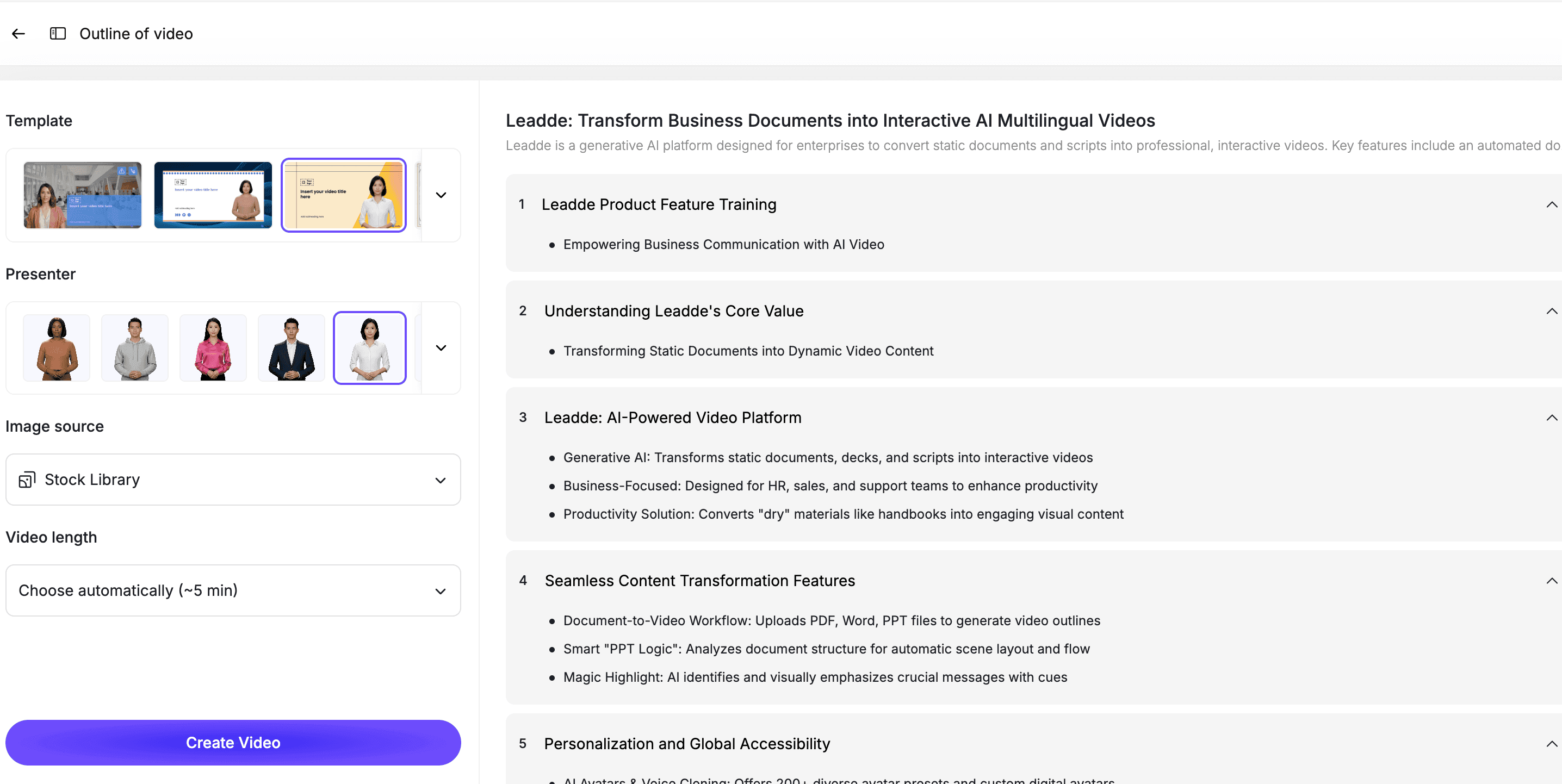
With AI Breaking News Video Generator, teams can turn a news script into editable video scenes.
A simple scene structure:
| Scene | Purpose |
|---|---|
| Scene 1 | Breaking news headline |
| Scene 2 | Key fact one |
| Scene 3 | Key fact two |
| Scene 4 | Context or impact |
| Scene 5 | Next step or update note |
If you already have a written script, Script to Video can also help create the first draft.
Step 4: Add an AI Presenter, Captions, and Visuals
News videos often work better with a presenter or voiceover.
With an AI avatar generator, teams can create presenter-led news videos without filming a new anchor or spokesperson.
Use visuals such as:
- Headline cards
- Captions
- Timeline cards
- Simple maps
- Quote cards
- Key fact cards
- Source notes
- Update labels
- Call-to-action cards
Do not overload the video with text. The goal is quick understanding.
Step 5: Review Before Publishing
Breaking news content can spread quickly, so review matters.
Before publishing, check:
- Is the headline accurate?
- Are the facts verified?
- Are uncertain details labeled correctly?
- Is the tone appropriate?
- Are visuals misleading?
- Are sources clear?
- Is the CTA correct?
- Does the video need a timestamp or update note?
For sensitive topics, get approval from the responsible editor, communications lead, legal team, or internal owner.
Best Practices for Breaking News Videos
Keep the Headline Clear
The headline should explain the update without exaggerating it.
Avoid clickbait when the topic is serious.
Use Verified Information
Do not use AI to invent missing facts.
If details are unknown, say they are unknown.
Add Captions
Many people watch news videos without sound.
Captions make the video easier to understand and share.
Include Context
A headline alone is not enough.
Explain why the update matters and who is affected.
Keep the Video Editable
News changes quickly.
Use an editable workflow so your team can update the script, captions, visuals, or final scene when new details arrive.
How Leadde Helps Create Breaking News Videos
Leadde helps teams turn timely updates, scripts, articles, newsletters, and announcements into editable AI news videos.
With Leadde, teams can:
- Generate news videos from scripts
- Add AI presenters
- Create captioned update videos
- Turn articles into video summaries
- Repurpose newsletters into video clips
- Edit scenes before publishing
- Create multilingual versions
- Update videos when details change
Start with AI Breaking News Video Generator for news-style videos. Use Newsletter to Video if your source is a newsletter, or Article to Video if your source is a published article.
If you already have a news script ready, you can also try Leadde directly and start building your first AI news video.
Common Mistakes to Avoid
Mistake 1: Making the Video Too Dramatic
Breaking news does not need to feel sensational.
Keep the tone appropriate to the topic.
Mistake 2: Publishing Before Verification
Speed matters, but accuracy matters more.
Verify key details before publishing.
Mistake 3: Leaving Out the Next Step
Viewers need to know what to do next.
Tell them where to find updates, what action to take, or what the story means.
Mistake 4: Using Too Much Text
Do not turn the video into a moving article.
Use short captions, headline cards, and key facts.
Mistake 5: Forgetting to Update the Video
Breaking stories change.
If new information changes the story, update the video or publish a follow-up.
FAQ
What is a breaking news video?
A breaking news video is a short video that explains a timely update, event, announcement, or developing story. It usually includes a headline, key facts, context, and a next step.
What are good breaking news video examples?
Good examples include social media news clips, local community alerts, event updates, internal company news, product announcements, education current events recaps, newsletter video summaries, and industry news explainers.
Can AI create breaking news videos?
Yes. AI can help create breaking news videos by turning scripts, articles, newsletters, or announcements into scenes, captions, narration, and editable video drafts. Human review is still important before publishing.
How long should a breaking news video be?
Most breaking news videos should be short. A good target is 30 to 90 seconds. More complex topics can use a longer explainer or a follow-up video.
Should AI-generated news videos be reviewed?
Yes. News videos should be reviewed for accuracy, tone, source clarity, and potential misinformation before publishing.
Can I turn a newsletter into a news video?
Yes. You can use Leadde's Newsletter to Video tool to turn newsletter updates into short video summaries.
Can breaking news videos be updated later?
Yes, if they are created in an editable workflow. Your team should be able to update the script, captions, visuals, and final scene when new information becomes available.
Conclusion
Breaking news videos help teams explain timely updates quickly and clearly.
The best examples are not just fast. They are accurate, structured, captioned, and easy to update. They explain what happened, why it matters, and what viewers should know next.
Start with a verified source, write a short script, turn the update into scenes, add captions and visuals, review the video carefully, and keep the final version editable.
Use Leadde's AI Breaking News Video Generator to turn timely updates into editable, avatar-led news videos.





