
How to Cite a Lecture Video in APA 7 (2026 Guide)

To cite a lecture video in APA 7, list the responsible author or uploader, the publication date, the italicized video title, a source description such as [Video] or [Lecture recording], the hosting platform, and the URL.
For in-text citations, use the author and year, adding a timestamp for a direct quote. If the lecture is private or unrecorded and readers cannot retrieve it, cite it as personal communication instead of adding it to the reference list.
However, turning citation guidance into clear learning videos can still take hours and strain budgets.
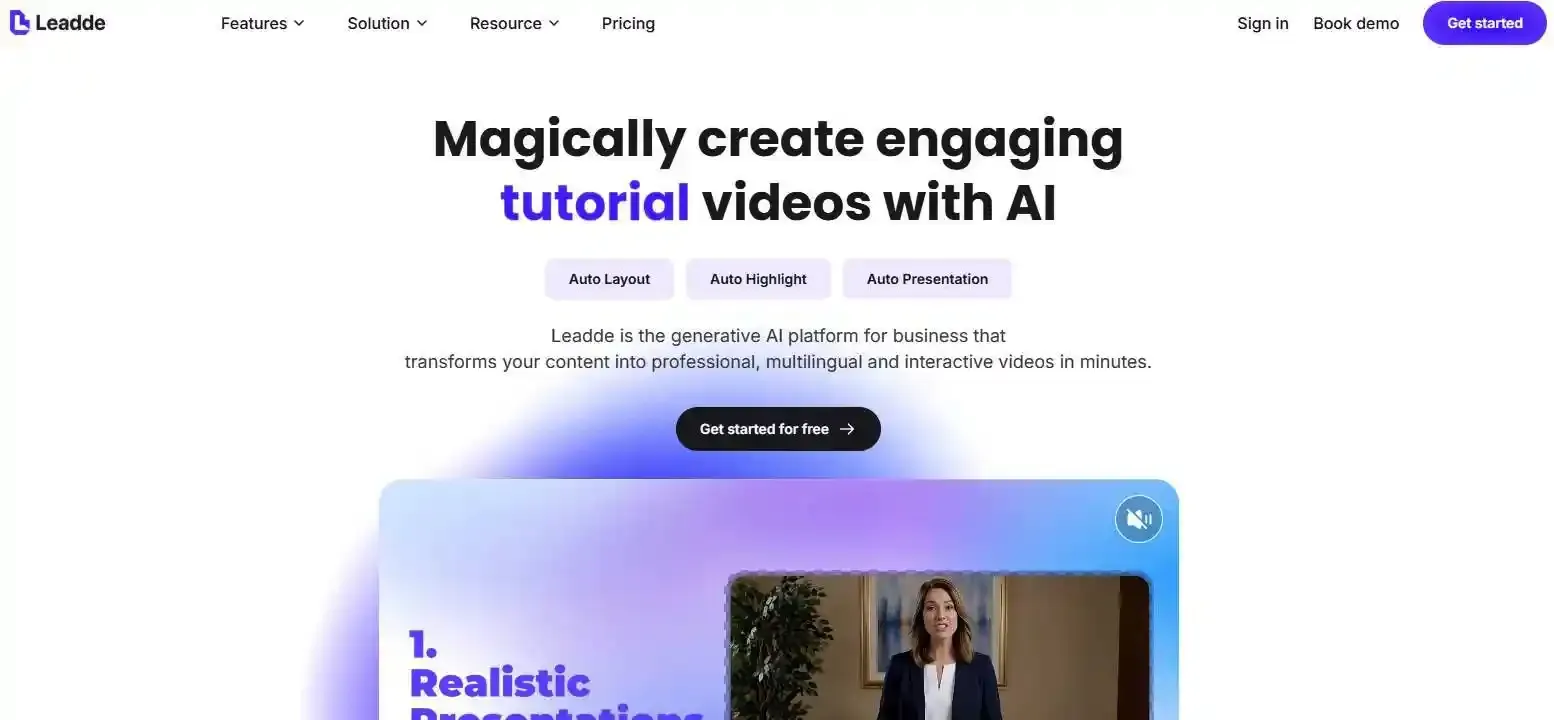
Leadde solves this by automatically transforming documents and text into professional educational videos in minutes, helping teams save over 80% of production costs and 90% of content creation time.
How to Cite a Lecture Video in APA: Which Format Should You Use?
The correct APA format depends on what you watched, where you watched it, and whether your readers can retrieve it. A public YouTube lecture, a private Canvas recording, an unrecorded classroom talk, and a PowerPoint deck are different source types.
Before formatting punctuation, identify the exact version of the lecture you used. This prevents the most common mistake: applying one video template to every lecture.
The basic APA 7 lecture video format
For a publicly available lecture video, use this general APA 7 format:
Author, A. A. [Username]. (Year, Month Day). Title of lecture video [Video]. Platform. URL
For example:
Rivera, M. [LearningWithRivera]. (2025, September 14). How memory affects workplace learning [Video]. YouTube. URL
The title is written in sentence case and italicized. Add [Video] after the title, then name the platform and provide the direct URL. When the creator’s real name and username differ, APA allows both to appear in the author element.
A lecture video reference usually contains five parts:
| Element | What to include |
| Author | The responsible creator, uploader, or organization |
| Date | The publication or upload date |
| Title | The title shown on the video page |
| Description | [Video] or another accurate description |
| Source | The platform and URL |
Do not add academic titles such as “Dr.” or “Professor” to the reference-list author. Use the author’s surname and initials, or the full name of a group author.
Recorded, unrecorded, public, or restricted: identify the source type first
Use the source itself—not only the lecture topic—to select the format.
| Source you used | Usual APA treatment |
| Public YouTube or Vimeo lecture | Online video reference |
| Video on a public university website | Public video or webpage reference |
| Recorded lecture in Canvas or Blackboard | LMS reference when readers have access |
| Private recording readers cannot access | Personal communication |
| Live, unrecorded classroom lecture | Personal communication |
| PowerPoint file | PowerPoint slides reference |
| Published transcript | Transcript or webpage reference |
| Your own notes from class | Usually not a recoverable reference |
A recording does not automatically become a public source. A video may exist but still be unavailable to the readers of your paper.
Similarly, a lecture shown inside Canvas may actually be a public YouTube video. In that case, cite the original YouTube version rather than treating Canvas as the creator or publisher.
When a lecture belongs in the reference list—and when it does not
A source belongs in the reference list when the intended readers can locate or retrieve it. APA applies this principle to materials hosted in classroom websites, learning management systems, and company intranets.
For a normal course assignment, the intended audience may include the instructor, teaching assistant, and classmates. If they can log in to the same LMS and view the recording, the lecture can receive a full reference entry.
When the paper is intended for readers who cannot access the course platform, cite the private lecture as personal communication instead. Personal communications appear only in the text because readers cannot retrieve them.
How Do You Cite a Public Lecture Video in APA?
A public lecture video is available to readers without enrollment in a private course. Common hosts include YouTube, Vimeo, TED, university media pages, professional associations, and public webinar archives.
Cite the exact version you watched. The same lecture may require a different author and platform depending on whether you watched it on TED, YouTube, or a university website.
YouTube, Vimeo, and university-hosted lecture videos
For YouTube or another user-generated video platform, the uploader is treated as the author:
Uploader, A. A. [Username]. (Year, Month Day). Title of video [Video]. Platform. URL
Purdue OWL gives the same basic structure and states that the person or group that uploaded the video is considered the author. If the author name and username are identical, the bracketed username may be omitted.
For an organization:
North Valley University. (2025, October 3). Understanding research ethics [Video]. YouTube. URL
For an individual whose username differs:
Chen, A. [ProfessorChenExplains]. (2025, October 3). Understanding research ethics [Video]. YouTube. URL
Use the same general approach for Vimeo or another streaming platform. Replace “YouTube” with the actual service name.
For a university-hosted video, inspect the page carefully. The author may be:
- The lecturer who created the video
- The university
- A department or research center
- A media office responsible for publishing the work
Do not assume that the university is the author only because its website hosts the file.
TED Talks and videos embedded on webpages
A TED Talk viewed on the TED website usually lists the speaker as the author:
Speaker, A. A. (Year, Month Day). Title of talk [Video]. TED. URL
The same talk viewed on YouTube is cited using the YouTube uploader as the author:
TED. (Year, Month Day). Title of talk [Video]. YouTube. URL
APA provides separate reference examples for TED Talks viewed on TED and those viewed on YouTube. Purdue OWL also distinguishes the two versions.
For an embedded video, identify the source of the player. If the page embeds an original YouTube video and you relied on the video itself, cite the YouTube video.
Cite the surrounding webpage separately only when you also use its written commentary, analysis, or other page-specific content.
Should you cite the speaker, uploader, channel, or organization?
The correct author is the person or group responsible for the version being cited.
| Situation | Reference author |
| Lecturer uploads the video personally | Lecturer |
| University channel uploads a professor’s talk | University channel or institution |
| TED website hosts the speaker’s talk | Speaker |
| TED YouTube channel uploads the talk | TED uploader |
| Course instructor creates an LMS recording | Instructor |
| Publisher produces a course video | Publisher or responsible organization |
The person speaking on screen is not always the reference author. For YouTube, APA uses the uploader because that account published the retrievable version.
You can still name the speaker in your sentence:
In the lecture, Professor Malik explains that retrieval practice improves long-term learning (Central State University, 2025, 18:42).
Here, Professor Malik is the speaker, but Central State University is the author of the uploaded video.
How Do You Cite a Lecture From Canvas, Blackboard, or Moodle?
Recorded lectures in Canvas, Blackboard, Moodle, Brightspace, or another LMS require an extra decision: Can the intended readers access the course platform?
The fact that a source requires a password does not automatically exclude it from the reference list.
APA format for an LMS lecture recording
When the intended readers can access the recording, use a format based on the actual work:
Instructor, A. A. (Year, Month Day). Title of lecture [Video]. LMS Name. LMS homepage URL
Example:
Patel, R. J. (2025, September 8). Introduction to organizational behavior [Video]. Canvas. LMS homepage URL
An institution-specific guide may describe this source as [Recorded lecture], [Lecture recording], or [Video]. Use a short description that accurately identifies the material, but do not add information that is not shown or supported by the source. APA uses square brackets to describe a work when the description helps readers identify it.
Use the stable LMS homepage or login page rather than a long course link containing personal IDs, temporary tokens, or session details.
Course names and course numbers are not automatically required. Include them when they are part of the displayed title or are needed to identify the material.
Audience access and the recoverability rule
APA’s classroom-source rule focuses on the intended audience, not the public internet.
For example:
- A student submits a paper to an instructor who can access the same Canvas course.
- A team member writes an internal report for colleagues who can access the company intranet.
- A student shares a discussion post with classmates enrolled in the same module.
In these cases, the source may be recoverable by the intended audience and can receive a reference-list entry.
However, a dissertation, journal article, public report, or blog may reach readers who cannot access the LMS. The same private recording would then be nonrecoverable and should normally be treated as personal communication.
This means one lecture can be cited differently in two papers because the papers have different intended audiences.
When to use personal communication for a private or unrecorded lecture
Use personal communication when the lecture is not recoverable by your intended readers.
Parenthetical format:
(A. A. Instructor, personal communication, Month Day, Year)
Narrative format:
A. A. Instructor (personal communication, Month Day, Year)
Example:
(L. M. Jordan, personal communication, February 12, 2026)
Do not create a reference-list entry for personal communication. APA excludes these sources from the reference list because readers cannot retrieve them.
Personal communication may apply to:
- An unrecorded classroom lecture
- A private Zoom lecture with no accessible archive
- A lecture recording available only to the writer
- A deleted recording that no intended reader can recover
- A professor’s direct explanation during office hours
Before using personal communication, check whether a public recording, slide deck, transcript, article, or other recoverable source is available.
How Do You Write In-Text Citations and Timestamps for Lecture Videos?
APA uses the author–date system for lecture videos. The author in the in-text citation must match the first element of the reference entry.
Do not switch from an institutional uploader in the reference list to the lecturer’s surname in the citation.
Parenthetical and narrative citations
A parenthetical citation places the author and year in parentheses:
(Rivera, 2025)
A narrative citation places the author in the sentence:
Rivera (2025) explains how retrieval practice supports memory.
For an organization:
(North Valley University, 2025)
or:
North Valley University (2025) explains the policy.
APA’s general in-text system requires the author and year for a paraphrase or reference to the work as a whole.
A timestamp is normally optional for a paraphrase, but it can help readers find a specific point in a long lecture:
(Rivera, 2025, 27:10)
Use the same author spelling in both the text and reference list.
Direct quotations, paraphrases, and video timestamps
For a direct quotation from a video, add the time at which the quoted words begin:
(Rivera, 2025, 14:22)
For a video longer than one hour:
(Rivera, 2025, 1:14:22)
A timestamp acts as a locator for audiovisual material that has no page numbers. APA directs writers quoting sources without pages to provide another logical way for readers to locate the passage.
Example:
“Practice becomes more useful when learners must retrieve information without prompts” (Rivera, 2025, 14:22).
For a paraphrase:
Retrieval without prompts may strengthen later recall (Rivera, 2025).
Adding the timestamp to a paraphrase is useful when the video is long or when the idea appears in one narrow section, but it is not always required. Purdue notes that locators can be added to paraphrases when they help the reader find information in a longer source.
Videos with multiple speakers or an uploader different from the lecturer
When a video has several speakers, the reference author still follows the responsibility information shown on the source page.
For example, a university may upload a panel discussion with four lecturers. The reference can begin with the university if the institution is the uploader:
Westbridge University. (2025, November 2). The future of digital learning [Video]. YouTube. URL
In the text, name the relevant speaker while keeping the source author in the citation:
During the panel, Amara Lewis argues that accessibility should be planned before recording begins (Westbridge University, 2025, 36:18).
This wording tells the reader who spoke and where the retrievable statement appears.
When two videos have the same author and year, distinguish them with letters after the year:
(Westbridge University, 2025a) (Westbridge University, 2025b)
The letters must also appear in the corresponding reference entries.
How Do You Handle Slides, Transcripts, Missing Details, and Other Special Cases?
Not every recorded lecture should be cited as a video. Cite the material you actually used.
If you read a slide deck but did not watch the video, cite the slides. If you relied on a separately published transcript, cite the transcript rather than pretending you watched the recording.
PowerPoint slides, voice-over presentations, lecture notes, and transcripts
For online lecture notes or slides, Purdue provides this general format:
Author, A. A. (Year, Month Day). Title of presentation [PowerPoint slides]. Publisher or platform. URL
Purdue specifically instructs writers to place the file type in square brackets after the title. APA also provides separate examples for PowerPoint slides and lecture notes.
Use the source’s actual form:
| Material accessed | Suitable description |
| Editable PowerPoint file | [PowerPoint slides] |
| PDF lecture handout | [PDF] or a more specific supported description |
| Written course notes | [Lecture notes] |
| Playable MP4 lecture | [Video] |
| Archived webinar | [Webinar] or [Video], based on the source |
| Separately published transcript | Cite the published transcript source |
A PowerPoint with embedded narration can create ambiguity. Focus on the version you used:
- If you opened and studied the editable slide file, cite the slide deck.
- If the presentation was exported and watched as a continuous MP4, cite it as an instructional video.
- If you used both the slides and the recording for different information, cite both separately.
If you generate your own transcript from a lecture video, the transcript is not a new published source. Cite the original video and verify every quotation against the recording.
Lecture videos with no author, date, title, or public URL
Do not guess missing information. APA adjusts the reference according to which element is absent.
No date
Use:
Author. (n.d.). Title [Video]. Platform. URL
Purdue also directs writers to use (n.d.) when no publication date is listed.
No named individual author
Look for a responsible organization, channel, department, university, or publisher. A group can serve as the author.
No title
Provide a short factual description in square brackets instead of inventing a promotional title:
Author. (2025). [Lecture video about research ethics]. Platform. URL
No public URL
For an accessible LMS source, use the stable LMS homepage or login page. For a source that the intended audience cannot retrieve, use personal communication instead of placing a broken or private URL in the reference list.
No reliable uploader information
Check the video page, channel profile, course module, opening title screen, and accompanying syllabus. Do not treat YouTube, Canvas, or Moodle as the author merely because the platform hosts the file.
Retrieval dates are normally unnecessary for fixed videos. They are generally reserved for unarchived content that is designed to change over time. Purdue notes that APA 7 no longer requires “Retrieved from” before ordinary URLs and uses retrieval dates mainly for changing, unarchived sources.
MOOC lectures, webinars, Zoom recordings, and conference presentations
APA provides a separate format for an online course or a lecture within a MOOC.
A general MOOC lecture structure is:
Author, A. A. (Year). Title of lecture [MOOC lecture]. In Course title. Platform. URL
Use the date and title shown on the course page. Do not add a course number or instructor role unless it is part of the source information.
For Zoom, Microsoft Teams, Panopto, or Google Meet recordings, the software name alone does not decide the reference format. Ask:
- Is the recording publicly hosted?
- Is it stored in an LMS?
- Can the intended readers retrieve it?
- Who created or published the recording?
A publicly archived webinar can be cited as an online video or webinar according to the information presented on the source page. A live webinar with no available recording may be personal communication.
A conference presentation and a recording of that presentation are also different sources:
- Cite the event presentation when you attended or are documenting the presentation itself.
- Cite the online video when you watched a published recording.
- Cite the conference webpage when you used information from the event page rather than the presentation content.
Should you cite the lecture or the original research behind it?
A lecture can be a valid source, but it is often a secondary explanation of research published elsewhere.
Use the original scholarly source when:
- The lecturer identifies a journal article, book, report, or dataset.
- The assignment requires peer-reviewed or independent research.
- You are making a precise claim based on a study.
- You need to inspect the original methods, results, or limitations.
Use the lecture itself when:
- You are analyzing the lecturer’s explanation or teaching approach.
- The idea is original to the lecture.
- You are discussing how the course presented a concept.
- The assignment specifically asks you to use course materials.
When both sources matter, cite both for different purposes. Cite the original study for its findings and the lecture for the lecturer’s interpretation.
Do not use a lecture citation to imply that you read an original article you did not access.
What Are the Best APA Lecture Video Examples and Final Checks?
The examples below use fictional names and titles. Replace every placeholder with metadata from the exact source you used.
Complete examples for YouTube, LMS, TED, MOOC, and personal communication
YouTube lecture uploaded by the lecturer
Bennett, A. [AnnaBennettLearning]. (2025, April 12). How cognitive load affects online learning [Video]. YouTube. URL
In-text citation:
(Bennett, 2025)
Direct quotation:
(Bennett, 2025, 8:41)
University uploads a professor’s lecture
Redwood State University. (2025, April 12). How cognitive load affects online learning [Video]. YouTube. URL
In the text:
Professor Bennett describes working memory as a limited system (Redwood State University, 2025, 8:41).
Recorded Canvas lecture available to the intended audience
Bennett, A. (2025, April 12). Week 4: Cognitive load and instructional design [Video]. Canvas. LMS homepage URL
In-text citation:
(Bennett, 2025)
Private or unrecorded lecture
(A. Bennett, personal communication, April 12, 2025)
No reference-list entry is created.
TED Talk viewed on TED
Bennett, A. (2025, April). Designing lessons for limited attention [Video]. TED. URL
The same talk viewed on YouTube
TED. (2025, April 20). Designing lessons for limited attention [Video]. YouTube. URL
MOOC lecture
Bennett, A. (2025). Managing cognitive load [MOOC lecture]. In Foundations of learning design. Course Platform. URL
Lecture video with no date
Bennett, A. (n.d.). Managing cognitive load [Video]. University Media. URL
These models illustrate the main structures, but the original source page controls the final author, date, title, description, and platform. The YouTube and TED distinctions follow APA and Purdue guidance.
Common mistakes with authors, platforms, URLs, and source descriptions
Mistake 1: Listing the lecturer automatically
A professor may be the speaker while a university channel is the uploader. For a YouTube reference, use the uploader as the author.
Mistake 2: Listing YouTube or Canvas as the author
These names are normally platforms. They become authors only when the responsible account or organization is actually named that way.
Mistake 3: Using an inaccessible course deep link
Use the LMS homepage or login page when the intended readers have access. Use personal communication when they cannot retrieve the source.
Mistake 4: Adding personal communication to References
Personal communications appear only in the text.
Mistake 5: Forgetting the timestamp for a quotation
A direct quotation from a video needs a locator, such as 14:22.
Mistake 6: Citing slides as a video
Use [PowerPoint slides] when you studied the deck and [Video] when you watched a video version.
Mistake 7: Copying an APA 6 template
Check that the guide explicitly applies to APA 7. Older templates may use outdated producer roles, location details, or URL wording.
Mistake 8: Adding a retrieval date to every video
A fixed video normally does not need one. Retrieval dates are mainly for content designed to change.
How to verify citations created by AI tools or citation generators
Citation generators can arrange information, but they may select the wrong source type or import incomplete metadata.
Check these items manually:
- Author: Did the tool choose the lecturer, uploader, institution, or platform?
- Date: Is it the actual publication date rather than the date you accessed it?
- Title: Does it match the source and use sentence case?
- Description: Is the source really a video, slide deck, webinar, or lecture note?
- Platform: Is the hosting service correctly named?
- URL: Is it stable and accessible to the intended audience?
- In-text citation: Does its author match the reference entry?
- Timestamp: Does a direct quotation point to the correct moment?
When a generator offers no “lecture recording” option, select the closest accurate source category and edit the result manually. APA advises using the format for the source most similar to a type not directly covered by its examples.
Never allow an AI tool to invent a missing date, title, author, or URL. Use (n.d.), a group author, a factual bracketed description, or personal communication as appropriate.
A final submission checklist for APA 7 accuracy
Before submitting your paper, confirm that:
- You cited the exact version you watched.
- You identified whether the source was public, LMS-restricted, or unrecorded.
- The intended audience can retrieve every source in the reference list.
- The author is the responsible creator, uploader, or organization.
- The title is italicized and written in sentence case.
- The bracketed description matches the source.
- The date matches the published or uploaded version.
- The platform is not mistakenly listed as the author.
- A direct quotation includes a correct timestamp.
- The in-text citation matches the reference-list author.
- Private personal communications do not appear in References.
- LMS links point to a stable homepage or login page.
- Each reference uses a hanging indent.
- The References page is double-spaced.
- Original research is cited when the assignment requires scholarly evidence.
APA reference lists use hanging indentation, and every retrievable source cited in the text should have a matching reference entry.
Conclusion
To cite a lecture video in APA 7, first identify the exact source you used and determine whether your intended readers can retrieve it. Public videos normally use the responsible uploader or creator, a date, an italicized title, [Video], the platform, and a URL. Accessible LMS recordings can receive full references, while private or unrecorded lectures are cited as personal communications. Use author–date in-text citations, add timestamps for direct quotations, and verify all metadata against the original source before submitting your work.





