How to Dub a Video with AI: 7 Easy Steps + Best Tools
AI dubbing lets you translate a video's spoken audio into another language using AI-generated voices—without recording new dialogue. To dub a video with AI, simply upload your video, choose a target language, generate the translated voiceover, and review the results for accuracy and synchronization.
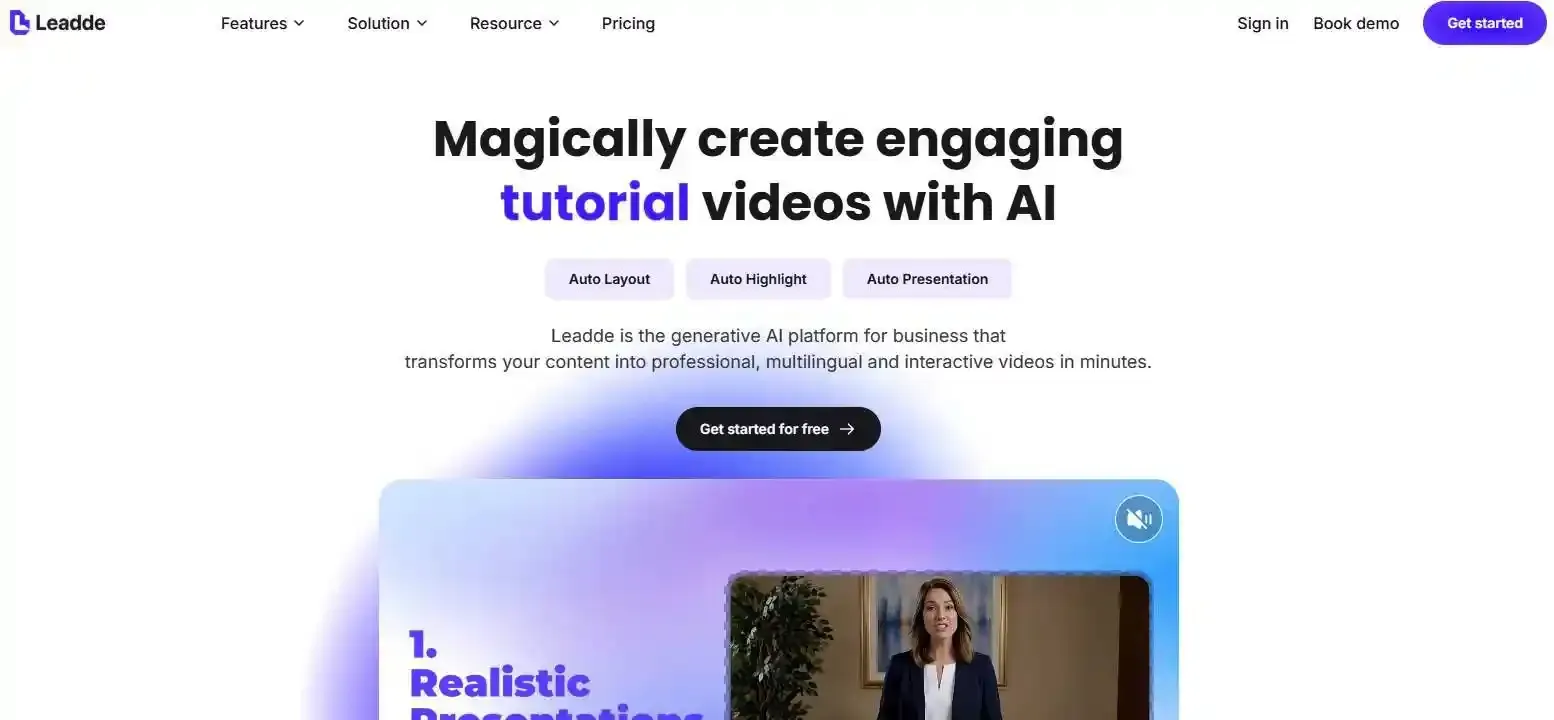
For businesses and educators creating multilingual content, Leadde offers another practical approach: turning documents, presentations, and training materials into structured videos with AI narration and multilingual support, without starting from a recorded video.
In this guide, you'll learn how to dub a video with AI in 7 steps, compare popular tools, and discover how to improve voice quality, timing, and translation accuracy.
How to Dub a Video with AI in 7 Steps
AI video dubbing generally follows seven steps, from preparing your original video to reviewing and exporting the translated version. Most AI dubbing platforms automate speech recognition, translation, and voice generation, but the final quality still depends on your source audio and review process.
Step 1–2: Prepare and Upload Your Video
Start with a finished video containing clear, understandable speech. Reduce background noise, avoid overlapping dialogue when possible, and confirm that you have permission to use the video and its voices.
For educational videos or product tutorials, prepare the original script and a list of important terminology. This helps prevent AI from misinterpreting product names, technical terms, or instructions.
Next, open an AI dubbing platform such as HeyGen, ElevenLabs, or Synthesia and upload your video. Some platforms also accept video URLs.
Tip: Complete your video editing before dubbing. Changing the original video's timing afterward can create synchronization problems.
Step 3–4: Choose Languages and Review the Translation
Select the original language and the language you want your video dubbed into. Some tools can detect the source language automatically.
After transcription and translation, review the text before generating the final voice whenever your tool allows it.
Pay particular attention to:
- Brand names, numbers, and technical terminology.
- Cultural expressions that may not translate naturally.
- Sentences that become significantly longer in the target language.
For example, a short English software instruction might require a longer explanation in German. Instead of forcing the AI voice to speak unnaturally fast, adjust the translated sentence while preserving its meaning.
Step 5–6: Select an AI Voice and Generate the Dubbed Audio
Choose an AI voice suitable for your content.
You can use a preset voice for tutorials and presentations or authorized AI voice cloning to preserve recognizable characteristics of the original speaker.
Generate the translated audio and check whether the new dialogue matches the video's timing.
For videos featuring someone speaking directly to the camera, consider AI lip synchronization. For screen recordings, slideshows, and software tutorials, accurate audio timing is often more important than lip movement.
Step 7: Preview, Export, and Publish
Watch the complete dubbed video before exporting it.
Check pronunciation, translation accuracy, speaker consistency, background music, and whether the narration matches important visual actions.
Add subtitles in the target language if needed. Remember that translating the audio does not automatically translate text already embedded in your video.
Finally, export the video or audio track in a format supported by your publishing platform.
The key is to review the complete viewing experience—not just the generated audio.
What Is AI Dubbing and How Does It Work?
What Is AI Video Dubbing?
AI dubbing is the process of using artificial intelligence to translate spoken dialogue in a video and replace it with synthesized speech in another language. It typically combines speech recognition, machine translation, and voice generation. Advanced systems may also preserve speaker characteristics, synchronize dialogue timing, and adjust lip movements.
Unlike subtitles, AI dubbing changes what viewers hear rather than simply displaying translated text.
How AI Dubbing Technology Works
Most AI dubbing systems use four connected technologies:
- Automatic Speech Recognition (ASR): Converts spoken dialogue into text and identifies speakers.
- AI Translation: Translates the transcript into the target language while attempting to preserve its meaning.
- Text-to-Speech (TTS) or Voice Cloning: Generates speech using a selected AI voice or characteristics of the original speaker.
- Audio Synchronization: Aligns the new speech with video timing and mixes it with background audio.
Some platforms add AI lip sync to adjust the speaker's mouth movements.
However, errors can spread through this process. An incorrect transcript may produce an inaccurate translation, even when the final AI voice sounds natural.
Which AI Dubbing Tools Should You Use?
The right AI dubbing tool depends on your video type, languages, editing requirements, and whether you need voice cloning or lip synchronization. As you search for the best video translator, consider how you plan to edit your videos.
Popular AI Video Dubbing Tools Compared
| Tool | Best For | Notable Capabilities |
| HeyGen | Talking-head videos and marketing | Video translation, voice preservation, lip sync, translation proofreading |
| ElevenLabs | Multilingual voice dubbing | Voice preservation, speaker detection, audio dubbing, transcript editing |
| Synthesia | Training and business videos | Video dubbing, transcript review, optional lip sync, multilingual output |
| VEED | Creators and video editors | AI dubbing, translated voices, optional lip sync, video editing |
| One incorrect sentence | Regenerate the affected segment if supported |
Features, usage allowances, and editing access vary by plan and product version. Check each platform's official documentation before choosing. Note that platforms like Synthesia or HeyGen have various options, and you can also explore Synthesia alternatives or HeyGen alternatives if your specific use case requires different pricing or features.
What Features Matter Most When Choosing an AI Dubbing Tool?
Rather than choosing a platform based only on the number of languages it supports, consider whether it can:
- Edit transcripts and translations before or after generation.
- Identify multiple speakers correctly.
- Preserve or replace the original voice.
- Adjust timing, captions, and lip synchronization.
- Regenerate incorrect dialogue without restarting the entire project.
One overlooked feature is segment-level editing.
Imagine a 20-minute employee training video where only one product name is pronounced incorrectly. A tool that supports individual segment regeneration may let you fix that sentence rather than repeat the complete dubbing process.
ElevenLabs, for example, documents transcript editing and individual segment regeneration in its dubbing interface.
For frequently updated training videos, this editing control can be more useful than having the largest voice library.
How Can You Make AI Dubbing Sound Natural and Accurate?
AI-generated dubbing can sound convincing while still containing translation mistakes, unnatural pacing, or incorrect speaker assignments. A reliable workflow treats these as separate problems.
Fix Translation, Pronunciation, and Voice Errors
Start by reviewing the translated script.
Avoid literal translations that change the intended meaning or sound unnatural when spoken. Use a terminology glossary to keep product names, acronyms, and technical vocabulary consistent.
Choose a voice that matches the video's purpose. An instructional video generally benefits from clear, steady delivery, while marketing content may require more expressive narration.
For multilingual content, test a short passage containing difficult words before generating the full video.
How to Fix AI Dubbing Timing and Lip-Sync Issues
Translation often changes sentence length.
If the generated voice runs longer than the original scene, try this sequence:
- Shorten the translated wording without removing essential meaning.
- Adjust pauses between sentences.
- Regenerate the affected audio.
- Make small timing adjustments if necessary.
Avoid excessively accelerating speech simply to match the original duration.
Lip sync is most valuable when viewers can clearly see someone speaking. For software tutorials, matching narration to on-screen actions should usually take priority.
When Should You Regenerate a Segment Instead of the Whole Video?
Fix the source of the error, not just its final symptom.
| Problem | Recommended Fix |
| Incorrect terminology | Correct the transcript or translation |
| Unnatural pronunciation | Adjust wording or voice settings |
| Dialogue out of sync | Revise sentence length and timing |
| Wrong speaker voice | Correct speaker assignment |
| One incorrect sentence | Regenerate the affected segment if supported |
A practical quality review can classify each segment as Approve, Improve, or Redo.
This approach is especially useful for longer educational videos where a single incorrect instruction can affect the learner's understanding.
AI Dubbing vs. Subtitles vs. Voiceover: Which Is Better?
AI dubbing, subtitles, and voiceovers serve different communication needs. The best option depends on how viewers interact with your video.
| Method | Best For | Main Advantage | Limitation |
| AI Dubbing | Multilingual videos | Replaces speech with the target language | Requires translation and timing review |
| Subtitles | Accessibility and silent viewing | Keeps the original audio | Viewers must read |
| AI Voiceover | Explainers and presentations | Flexible narration | May not match the original speaker |
| Traditional Dubbing | Performance-driven productions | Direct human performance control | Requires recording coordination |
AI dubbing does not replace the need for subtitles. Captions remain valuable for viewers with hearing impairments and people watching without sound.
Likewise, lip synchronization is not essential for every dubbed video. An animated explainer or screen recording may work well with translated narration alone.
For many educational and business videos, combining AI dubbing with accurate subtitles provides a more flexible learning experience.
When Should You Use AI Dubbing for Education, Training, and Business Videos?
AI dubbing is particularly useful when organizations already have valuable video content and want to make it available to audiences speaking different languages. For a comprehensive global reach, you might also want to review a robust video localization guide.
Localizing Training Videos, Online Courses, and Product Tutorials
Consider a company with an English onboarding video explaining how employees should use an internal software system.
Instead of recording separate training sessions for each region, the team can translate the existing video into other languages using AI dubbing.
However, instructional accuracy matters more than simply making the voice sound realistic.
The translated narration must match the software interface, button names, procedures, and on-screen demonstrations.
From an instructional design perspective, a naturally spoken but incorrect instruction is still a failed training outcome.
AI Dubbing vs. Creating a New Multilingual Video
Not every organization starts with an existing video.
Sometimes the source material is a PDF, PowerPoint presentation, standard operating procedure, or product guide.
There are two distinct workflows:
| Workflow | Best When |
| Existing Video → AI Dubbing | You already have a finished video that needs translation |
| Document → New Multilingual AI Video | Your knowledge is stored in documents rather than recorded footage |
For the second approach, platforms such as Leadde help transform documents to multilingual demos with AI narration and multilingual AI avatars.
This can be useful for educators, HR teams, and businesses that want to turn SOP documents into training videos without first filming an original-language video.
How Can Teams Update Multilingual Videos Efficiently?
Multilingual video production does not end after the initial translation.
When a company updates its software interface or training procedures, its localized videos may also need revision.
Teams should maintain a consistent source script, approved terminology, and a record of each language version.
Where supported, individual scenes or audio segments can be updated instead of recreating an entire video.
The broader goal is to maintain accurate multilingual knowledge—not just generate translated audio once.
Frequently Asked Questions About AI Video Dubbing
Can I dub a video with AI for free?
Some AI dubbing platforms offer free trials or limited usage allowances. These may restrict video duration, language options, exports, or watermarks. Free plans are useful for testing voice quality and translation accuracy, but check current plan limits before processing longer videos.
Can AI dubbing keep my original voice?
Yes. Some tools use AI voice cloning to preserve recognizable characteristics of the original speaker across languages. However, voice similarity and natural pronunciation can vary. You should only clone a voice when you have the necessary authorization and the platform permits that use.
Can AI dub a video into multiple languages?
Yes. Many platforms support multilingual dubbing. Some allow several target languages in one project, while others require separate generation tasks. Each translated version should be reviewed independently because terminology, pronunciation, and timing can differ between languages.
How long does AI video dubbing take?
Processing time depends on video duration, language selection, model complexity, lip synchronization, and platform workload. Short videos may be generated relatively quickly, but producing a publication-ready version also requires translation review, audio checks, and possibly corrections.
Can AI dubbing translate multiple speakers accurately?
AI dubbing tools with speaker detection can distinguish different speakers and generate separate voices. However, overlapping conversations, interruptions, and similar-sounding voices can cause mistakes. Review speaker assignments carefully, especially in interviews, panel discussions, and recorded meetings.
Is it legal to use AI voice cloning for video dubbing?
AI voice cloning can be used for legitimate video localization, but permission and legal requirements matter. Make sure you have the appropriate rights to the video and the voice being reproduced. Commercial use, privacy, disclosure, and platform restrictions vary by jurisdiction and service.
Conclusion
AI dubbing makes it easier to translate existing videos into multiple languages without recording every version from scratch. By preparing clear audio, reviewing translations, choosing suitable voices, and correcting synchronization issues, creators and businesses can produce more useful multilingual content. For organizations working primarily from documents rather than recorded footage, generating new multilingual AI videos can be another practical option.