
How to Translate Any Video Automatically with AI in 2026

Translating a video means converting its speech, subtitles, and on-screen content into another language using subtitles, AI dubbing, or full video localization workflows. In 2026, the fastest and most scalable way to translate videos is through AI-powered platforms like Leadde.ai, HeyGen, and Synthesia that automate transcription, subtitle translation, voice cloning, lip sync, and multilingual exports in minutes instead of weeks.
After testing multiple AI video translation workflows across YouTube tutorials, SaaS demos, and onboarding videos, we found that the best results come from combining AI automation with editable subtitle layers and human review — not relying on fully automatic dubbing alone.
For creators and businesses scaling global content, modern AI tools now make it possible to:
- Translate videos into 50–90+ languages
- Generate multilingual subtitles automatically
- Clone the original speaker’s voice
- Preserve lip sync and timing
- Launch localized YouTube channels faster
- Reduce localization costs dramatically
However, the biggest challenge is no longer translation accuracy. It is creating translated videos that still feel natural, emotionally convincing, and professionally synced.
This guide covers:
- How AI video translation actually works
- The best workflows for subtitles vs dubbing
- Common translation problems and fixes
- Real multilingual content scaling examples
- The best AI video translation tools in 2026
- How businesses create multilingual videos at scale
Many video creators struggle with translating videos manually—subtitles, dubbing, and editing can take hours. Instead, tools like Leadde let you transform documents into multilingual demos automatically, generating scripts, visuals, and voiceovers in minutes while cutting production costs dramatically.

What Does It Mean to Translate a Video?
Video Translation vs Video Localization
While often used interchangeably, video translation and video localization are distinct processes. Translation strictly involves converting the spoken or written language of a video into another language.
Localization, however, goes a step further. It adapts the content to fit the cultural nuances, idioms, and visual expectations of the target region. While translation changes the words, localization changes the entire viewer experience to feel native.
The Core Components of Video Translation
Translating a video requires multiple synchronized elements to ensure a seamless viewing experience. Missing even one component can break viewer immersion.
- Speech-to-text transcription: Converting the original audio into an accurate, time-stamped text document.
- Subtitle translation: Translating the transcribed text into the target language while maintaining readable line lengths.
- AI voice dubbing: Replacing the original audio track with a translated voiceover, often using AI voice cloning for emotional accuracy.
- On-screen text translation: Modifying visual elements like lower-thirds, presentation slides, and captions to match the new language.
When You Should Translate vs Recreate a Video
You should translate a video when the visual elements (like product UI or universal stock footage) are highly relevant across all global markets. This saves immense video production costs.
However, you must recreate a video if the core message relies on hyper-local cultural references, specific regional actors, or highly localized physical products. In 2026, AI tools make it possible to dynamically update visual layers without full recreation.
Why Translating Videos Is Essential for Global Reach
Expand Content to International Audiences
In a globally connected digital economy, restricting your video content to a single language severely limits your market cap. Over 70% of global consumers prefer to engage with digital content in their native language.
By translating videos, businesses instantly unlock new geographical markets. A single English product explainer can become a revenue-generating asset in Latin America, Europe, and Asia.
Improve Accessibility and Viewer Engagement
Video translation isn't just about crossing borders; it's about accessibility. Adding translated subtitles or localized dubbing helps viewers who are deaf, hard of hearing, or watching in sound-off environments.
Translated videos boast significantly higher retention rates. When audiences understand the exact nuances of your message, they are up to 3x more likely to engage and convert.
Common Use Cases (Training, Marketing, Education)
Different departments leverage video translation to drive global alignment and revenue.
- Corporate Training: Ensuring global employees receive consistent onboarding and compliance standards.
- Product Marketing: Launching SaaS features or physical products simultaneously across 10+ countries, often utilizing the best SaaS explainer video creator.
- Customer Education: Providing localized tutorials to reduce global support tickets. Understanding how to make a tutorial video that translates well is crucial here.
How to Translate a Video (Step-by-Step Guide)
Step 1 — Upload or Import Your Video
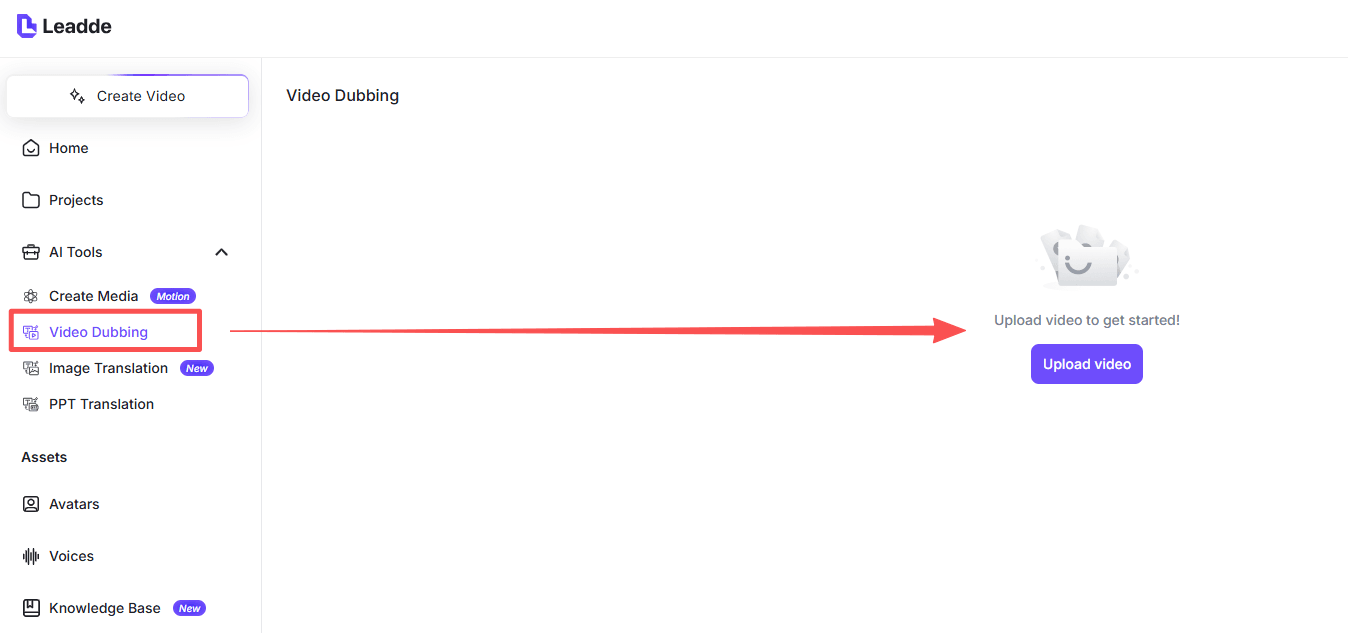
Begin by uploading your high-resolution source file (usually MP4 or MOV) into your chosen video translation platform. Ensure the original audio is clean and free of excessive background noise for accurate AI detection.
Step 2 — Add AI Voiceover or Dubbing
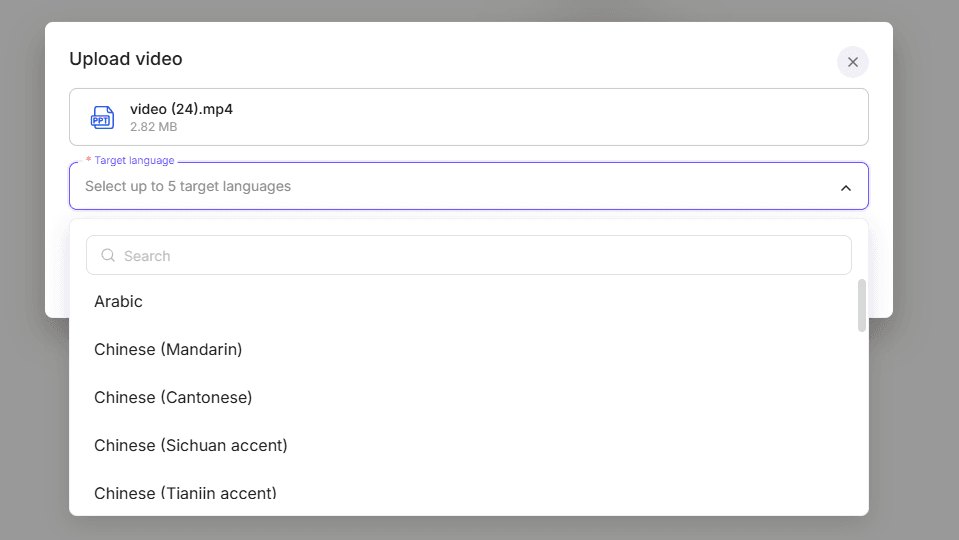
Choose a synthetic AI voice or clone the original speaker's voice to match the translated subtitles. Ensure the AI voice pacing aligns naturally with the on-screen visuals to prevent the "uncanny valley" effect.
Step 5 — Export the Translated Video
Once audio and subtitles are perfectly synced, configure your export settings. You can export the video with hardcoded subtitles (burned-in) or as a clean video file with separate SRT files for platforms like YouTube.
4 Main Methods to Translate a Video
Method 1 — Manual Video Translation
This involves hiring human translators, voiceover actors, and video editors. While it offers premium localized quality, it is the slowest and most expensive method, often taking weeks to complete a single project.
Method 2 — Subtitle Translation Tools
These are lightweight tools focused purely on generating translated SRT or VTT files. This method is incredibly cost-effective but relies entirely on the viewer reading text, offering a less immersive experience than full dubbing.
Method 3 — AI Video Translation Platforms
These platforms automate transcription, translation, and synthetic voice dubbing into one workflow. They are the standard in 2026 for businesses needing fast, high-quality localization without the high price tag often associated with traditional animated explainer video companies.
Method 4 — AI Video Generation With Built-in Translation
The most advanced method bypasses traditional video files entirely. Platforms generate videos from text or documents and instantly localize them into multiple languages during the generation phase, offering ultimate scalability.
Quick Comparison of Video Translation Methods
| Method | Speed | Cost | Best For |
|---|---|---|---|
| Manual Translation | Very Slow (Weeks) | Very High | Super Bowl Ads, High-end cinema |
| Subtitle Tools | Fast (Hours) | Low | YouTube creators, Social media |
| AI Translation Platforms | Very Fast (Minutes) | Medium | Corporate training, Marketing |
| AI Video Generation | Instant | Low (Subscription) | Global SaaS, Enterprise onboarding |
Best AI Tools to Translate Videos Automatically (2026)
AI Video Translation Platforms
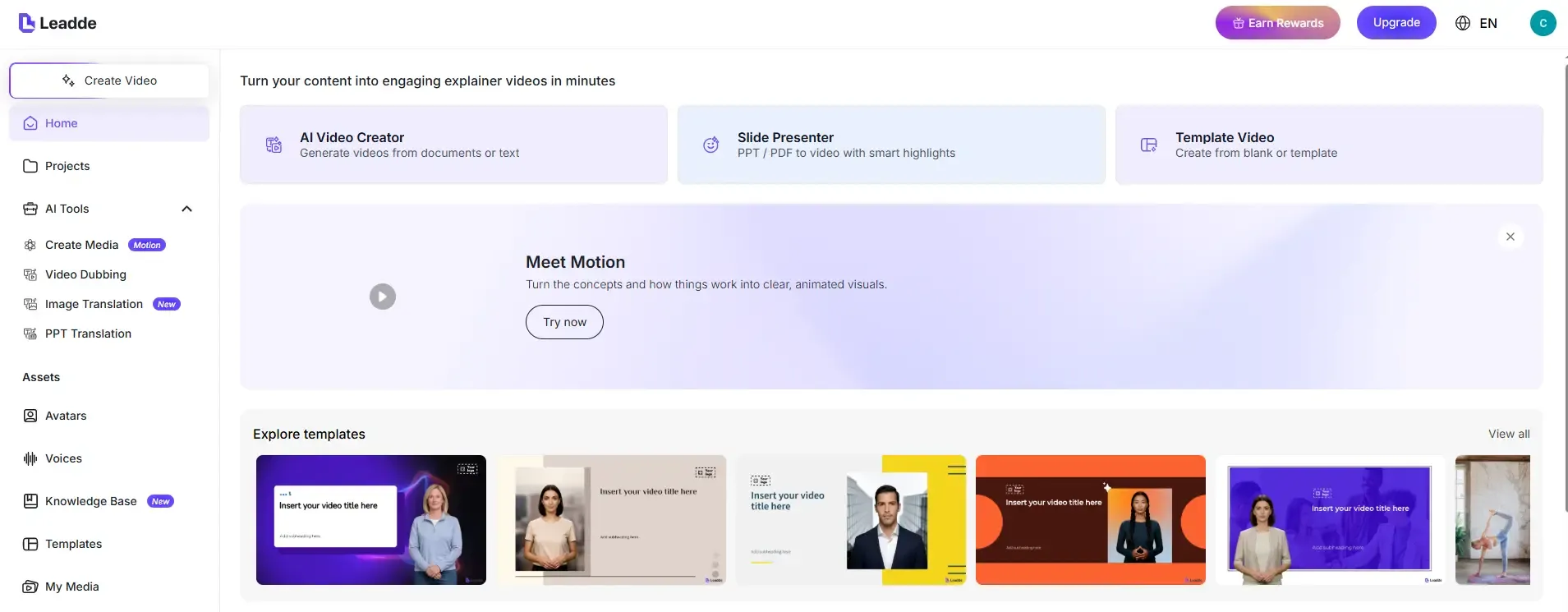
As of 2026, finding the best video translator guide shows the market is dominated by tools capable of advanced lip-syncing and voice cloning. Platforms like Leadde, HeyGen and Synthesia offer strong dubbing capabilities, though they frequently utilize expensive per-minute credit billing.
Subtitle Translation Tools
For creators strictly needing text translation, tools like Veed.io and Kapwing remain highly popular. They offer intuitive timeline editors for tweaking translated captions perfectly to the audio waveforms.
Online Video Editors With Translation Features
Major editing suites like Adobe Premiere Pro and CapCut now feature built-in auto-captioning and translation plugins. These are ideal for professional editors who want to keep localization within their native editing environment.
Why Most AI Video Translation Tools Still Sound Robotic
The biggest problem with AI dubbing in 2026 is no longer translation quality. It is emotional realism.
After testing multiple AI voice translation systems, we found the most common problems were:
- Unnatural pauses
- Flat emotional delivery
- Overly fast pacing
- Timing mismatch
- Missing emphasis
- Robotic cadence
The issue becomes especially noticeable in:
- Tutorials
- Talking-head videos
- Webinars
- Educational content
- Product explainers
Interestingly, viewers were often more forgiving of subtitle imperfections than unnatural AI voices.
That is why many professional creators still prefer:
- Human voiceovers for flagship content
- AI dubbing for scalable content libraries
The strongest workflows used:
- AI voice generation
- Editable subtitle timing
- Human QA review
- Dynamic lip-sync correction
How to Translate a YouTube Video
Using YouTube Automatic Captions
YouTube provides a free, built-in auto-translate feature. It generates initial captions using speech recognition and translates them on the fly for viewers. However, the accuracy is often flawed, especially for technical or niche topics.
Translating YouTube Subtitles Manually
For maximum accuracy, creators can upload custom, professionally translated SRT files directly into YouTube Studio. This ensures global viewers read the exact intended message, significantly boosting international SEO rankings.
Using AI Tools to Translate YouTube Videos Faster
Modern creators use third-party AI tools to download their YouTube video, auto-dub it into multiple languages (like Spanish and Hindi), and re-upload it to dedicated localized channels. This dramatically accelerates international subscriber growth.
Real-World AI Video Translation Case Studies
Case Study 1: Scaling a Multilingual YouTube Channel
A creator managing hundreds of long-form tutorial videos needed to expand into Spanish and Portuguese markets without rebuilding the production pipeline.
Workflow
- Whisper transcription
- AI subtitle translation
- Manual subtitle cleanup
- Localized uploads
Before
- Manual subtitles
- Separate editing workflows
- Slow localization
After
- Semi-automated multilingual workflow
- Faster publishing
- Easier batch scaling
Key Insight
The goal was not translation alone. It was scalable international content distribution.
Case Study 2: Translating Tutorial Videos Into English
A creator producing German-language educational tutorials used AI dubbing to enter the English-speaking market.
Workflow
- AI transcription
- English subtitle translation
- ElevenLabs voice dubbing
Biggest Challenge
Maintaining natural pacing without robotic delivery.
Outcome
AI dubbing dramatically reduced production friction compared to hiring traditional voice actors.
Key Insight
Creators increasingly accept slight imperfections in exchange for massive speed gains.
Case Study 3: Enterprise Training Localization
A distributed company needed multilingual onboarding videos across multiple regions.
Workflow
- Centralized English source content
- AI dubbing
- Subtitle localization
- Shared multilingual asset management
Before
Each region created separate onboarding materials.
After
A unified multilingual training system ensured consistent messaging globally.
Key Insight
AI translation solved operational consistency problems as much as language problems.
Case Study 4: Subtitle-First Localization for Educational Videos
An educational content team found that direct AI dubbing repeatedly caused timing failures in long-form lessons.
Workflow
- Generate subtitles first
- Translate subtitles manually
- Edit timing
- Add optional voiceovers later
Outcome
Better pacing control and fewer synchronization issues.
Key Insight
Professional editors still trust editable subtitle layers more than fully automated pipelines.
Common Problems When Translating Videos (and How to Fix Them)
Subtitle Timing and Sync Issues
Translated text is often longer or shorter than the original language (e.g., German is roughly 30% longer than English). This causes subtitles to bleed into the next scene.
- The Fix: Use AI tools with auto-timing adjustments or manually shorten the translated sentences to capture the core meaning rather than a literal word-for-word translation.
Translation Accuracy Problems
AI translators often struggle with brand names, industry jargon, and regional slang, leading to embarrassing or confusing localized output.
- The Fix: Maintain a custom glossary in your translation software and always have a native-speaking proofreader review the script before generating the final audio.
Voice Dubbing That Doesn't Match the Video
If a fast-paced English speaker is dubbed into a language that requires more words, the AI voice must speak unnaturally fast to catch up, ruining the viewing experience.
- The Fix: Utilize platforms with "video stretching" or dynamic lip-sync technology that subtly alters the visual playback speed to match the new audio track naturally.
AI Video Translation vs Traditional Video Translation
Speed and Production Time
Traditional translation requires coordinating translators, recording studios, and video editors, taking up to 3 weeks per language. AI video translation condenses this entire workflow into just a few minutes of rendering time.
Cost Differences
Human-led dubbing and editing easily cost thousands of dollars per finished minute, heavily impacting how much an explainer video costs. Conversely, AI platforms operate on SaaS models, dropping the cost to mere dollars per minute, or even a flat monthly rate.
Scalability for Global Content
Traditional methods bottleneck your content output. AI translation offers infinite scalability, allowing a single marketing team to launch a campaign in 30 languages simultaneously without expanding headcount.
How Businesses Create Multilingual Videos at Scale
Translating Training and Onboarding Videos
Global enterprises cannot afford miscommunication in compliance or safety training. Businesses use AI platforms to guarantee every employee, regardless of region, receives the exact same standard of onboarding in their native tongue.
Localizing Marketing Videos for Global Markets
Marketing requires emotional resonance. Brands scale by using AI voice cloning to preserve the original actor's tone and excitement, ensuring the localized ad performs just as strongly in Tokyo as it does in New York.
Managing Multiple Language Versions Efficiently
Handling dozens of MP4 files is a logistical nightmare. Top-tier businesses utilize unified content management systems where they can update the core English script, and the AI automatically cascades the update across all localized video versions.
A Smarter Alternative: Create Multilingual Videos Directly From Documents
Why Translating Existing Videos Isn't Always the Best Workflow
Translating a finished MP4 file is fundamentally flawed. You cannot easily edit the underlying visual layers, update outdated text on the screen, or fix the original layout. Once a video is rendered, it is rigid.
If your product interface changes, you must re-record the original English video before you can even begin translating it again. This creates a massive bottleneck for fast-moving corporate teams.
How AI Can Turn Documents Into Multilingual Videos
Instead of translating rigid video files, 2026's smartest workflow is Document-to-Video generation. Platforms like Leadde enable teams to bypass the camera entirely by converting PowerPoint, PDFs, Word files, or text directly into structured videos automatically.
The system automatically generates scenes, scripts, and visual layouts from your document. Because the video is generated dynamically, you can edit text layers and visual elements instantly before exporting.
Using AI Avatars and Automated Voiceovers for Global Content
Once your document is imported, you can localize it instantly. Leadde supports 92 languages, allowing you to create translated video drafts directly inside the editor without external translation tools.
Users can select from over 200+ AI avatars for product explainer videos and generate automated voiceovers with perfect accents. With a $19/month Starter Plan offering unlimited videos, businesses can produce interactive, multilingual video content at a fraction of the traditional cost and time.
Tips for Accurate and Natural Video Translation
- Use clear source audio: The better the original English audio, the more accurate the initial AI transcription will be.
- Review AI-generated translations: Always manually spot-check scripts for brand names and industry-specific jargon.
- Adapt cultural references: Swap out local jokes or highly specific regional analogies for universally understood concepts.
- Use subtitles and voice together for clarity: Providing both a localized voiceover and matching subtitles drastically improves viewer retention.
- Test videos with native speakers: Before a major global launch, have a native employee verify the tone and visual lip-sync quality.
Frequently Asked Questions About Video Translation
What is the fastest way to translate a video?
The fastest workflow is using an end-to-end AI video translation platform that automates:
- Transcription
- Subtitle translation
- AI dubbing
- Lip sync
- Exporting
Many systems can localize videos in under five minutes.
Why does AI dubbing sound unnatural?
The most common reasons include:
- Poor pacing
- Flat emotional delivery
- Timing mismatch
- Over-compressed speech
- Weak lip sync
Natural AI dubbing depends heavily on subtitle timing and sentence restructuring.
Should I use subtitles or dubbing for multilingual videos?
For tutorials and educational content, subtitles are usually more reliable.
For onboarding, marketing, and training videos, AI dubbing often creates a more immersive experience.
Many professional workflows now combine both.
What is the best workflow for translating YouTube videos?
The most stable workflow we tested was:
- Whisper transcription
- AI subtitle translation
- Manual subtitle cleanup
- AI dubbing (optional)
- Upload multilingual metadata and subtitles
How do I keep subtitles synced after translation?
Use:
- Editable subtitle layers
- Timing-aware subtitle editors
- AI auto-sync tools
- Sentence shortening instead of literal translation
Can AI preserve the original speaker’s voice?
Modern AI voice cloning tools can replicate:
- Tone
- Accent
- Speaking style
However, emotional realism still varies heavily by language and pacing.
Which languages are hardest for AI video translation?
Languages with major structural differences from English often create more timing and pacing problems, especially:
- Japanese
- Chinese
- German
Technical terminology also remains difficult.
Is AI video translation accurate enough for training videos?
Yes — especially when combined with human review.
AI workflows are now widely used for:
- Employee onboarding
- Compliance training
- SaaS tutorials
- Internal education
How do creators scale multilingual video production?
The most scalable systems use:
- Centralized subtitle workflows
- Reusable translation layers
- AI dubbing
- Shared multilingual asset management
This allows teams to localize hundreds of videos efficiently.
Conclusion
Translating videos is no longer an expensive luxury reserved for massive global brands; it is a baseline requirement for modern digital growth. Whether you utilize subtitle tools, end-to-end AI dubbing platforms, or manual agency services depends entirely on your budget and quality needs.
However, as of 2026, the most efficient workflow bypasses traditional video translation entirely. By using platforms like Leadde to generate multilingual videos directly from business documents, creators and enterprises can scale their global content effortlessly, ensuring perfectly localized messaging across 90+ languages in minutes.





