
Best HeyGen Alternatives in 2026: Top Tools for Ads, Training & AI Video Creation
What is the best HeyGen alternative? Based on my testing, the best HeyGen alternative depends on your exact needs.
- For corporate training and document-to-video creation, Leadde and Synthesia are the best choices.
- For social media ads, Creatify wins with its user-generated content style.
- For developers wanting a free tool, local setups like ReFlow Studio are best.
- For very long courses, a hybrid workflow using ElevenLabs saves the most money.

Why Look for a HeyGen Alternative? My Research
I have spent months testing AI video tools and interviewing real users. HeyGen has great lip-sync features and highly realistic avatars. However, I found a big gap between their marketing and actual use.
The biggest problem is hidden costs. Many users buy the $29 plan thinking it is unlimited. In reality, premium avatars and translation features drain your credits fast. If you make a lot of videos, the cost gets out of control quickly.
Another issue is the "corporate" look. When I ran ads on TikTok, HeyGen avatars looked too perfect. People skip ads that look like TV commercials. Finally, some users lost all their work when a cloud platform suddenly deleted their custom avatars. This makes people want safer, better options.
Key Pain Points of HeyGen (Based on User Testing)
| Pain Point | Explanation | Impact on Users |
|---|---|---|
| Credit limits feel restrictive | Advanced features (translation, premium avatars) consume credits quickly, even on paid plans | Scaling video production becomes expensive and unpredictable |
| Not ideal for performance ads | Highly polished avatars look too “corporate” on TikTok, Instagram, and Meta feeds | Lower engagement and weaker ad conversion rates |
| SaaS risk (asset control) | Cloud-based platforms may restrict, remove, or alter user assets like custom avatars | Risk of losing important creative assets or workflows |
| Limited flexibility for long-form content | Fully avatar-based videos become costly for courses, SOPs, and training modules | Inefficient for long educational or corporate content production |
Quick Comparison: Best HeyGen Alternatives
Here is a quick look at how the top tools compare based on my research and data.
| Tool | Best For | Visual Style | Pricing Model | Key Strength |
|---|---|---|---|---|
| HeyGen | Short studio videos | Highly polished | High credit burn | Top-tier lip-syncing |
| Leadde | Corporate training | Professional | Business-focused | Auto document-to-video |
| Creatify | Social media ads | Casual (UGC) | Low monthly fee | Fast A/B testing |
| ReFlow Studio | Developers | Varies | $0 (Free) | Total privacy, local run |
| Synthesia | Enterprise comms | Very formal | Predictable | High security and stability |
The Best HeyGen Alternative for Corporate Training
Making training videos from text documents is hard work. You need a tool that turns boring text into a good video quickly.
The Solution: Leadde
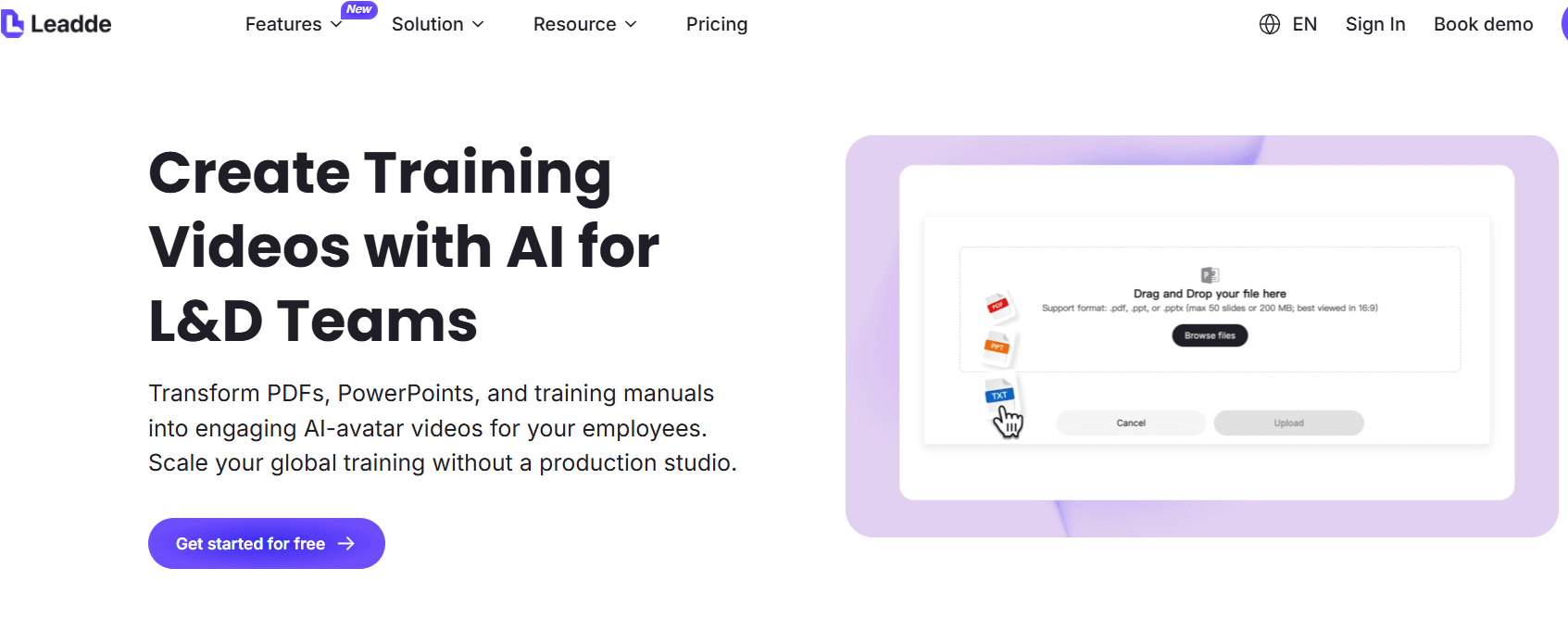
I tested Leadde specifically for learning and development. Leadde is a generative AI platform for business that transforms content into professional, multilingual videos.
My testing showed it removes the need to write scripts by hand. You just choose your content source and upload files directly. It supports .pptx, .pdf, .doc, .docx, and .txt formats up to 200MB, allowing you to easily convert PDFs to videos online.
- The Data: Leadde can make videos in over 170 languages with diverse avatars. Using this tool can reduce content creation time by 90% and cut production costs by 80%.
- The Insight: Training teams waste time writing scripts. Leadde fixes this by auto-generating speech and highlighting key points so your message stands out clearly. It is the best alternative if you manage a large library of company documents.
Synthesia: A Reliable Enterprise Option
For corporate training and internal communications, Synthesia offers a stable, predictable AI video solution. It’s particularly effective for creating professional, formal videos with a polished look, making it a good alternative to HeyGen for enterprise use.
Key Benefits:
- Predictable Pricing: Synthesia offers a more controlled pricing model, which is beneficial for companies looking to scale video production without unexpected costs.
- Professional Avatars: The avatars have a formal, dignified appearance, making them well-suited for internal communications and training.
Considerations:
- Voice and Animation: The voices may sound more robotic compared to newer AI tools, and the avatars’ movements are slightly less fluid. This may be less ideal for marketing or highly dynamic video content.
The Best HeyGen Alternative for Social Media Ads
If you make video ads for Meta or TikTok, you do not need perfect cinema quality. You need clicks and sales. You need videos that look like normal social media posts.
The Solution: Creatify
I watched digital ad agencies run A/B tests. They needed to make 10 or more ad versions fast. HeyGen avatars looked too stiff. The ads failed.
They switched to Creatify. It is built just for ads. The avatars look like real people filming on their phones.
- The Data: Agencies ran full tests starting at just $19 a month. They completely avoided high credit costs.
- The Insight: A perfect-looking video does not always make money. Advertisers need cheap, casual-looking avatars that blend into social feeds.
The Best Free HeyGen Alternative for Power Users
Many advanced users hate paying monthly fees. Developers and teams with strict privacy rules need a different path.
The Solution: ReFlow Studio and Open-Source Tools
I worked with developers who stopped paying cloud subscriptions. They built systems right on their own computers.
One user needed to translate languages and clone voices without crashing their computer. They used a free desktop app called ReFlow Studio.
- The Data: This system ran well on a basic 8GB VRAM graphics card. It kept the crisp 1080p resolution. Best of all, the monthly cost was exactly $0.
- The Insight: There is a huge demand for free, private AI tools. Advanced users are moving to open-source software to get total control over their work.
The Best Cost-Saving Alternative for Long E-Learning Videos
Making a 10-hour online course is completely different from making a 30-second ad. Using an AI avatar for 10 hours is too expensive.
The Solution: ElevenLabs Hybrid Workflow
I spoke with healthcare trainers making standard operating procedure (SOP) videos.
- The Challenge: They needed over 10 hours of video. Using a premium AI avatar for the whole time broke their budget instantly.
- The Pivot: They changed their method. They used an AI avatar only for the first and last 30 seconds of the video. For the other 9.5 hours, they used screen recordings with a great AI voice from ElevenLabs.
- The Insight: Cloud AI video is too costly for long content. To save money, show the avatar less and rely on good AI audio instead.
Synthesia vs HeyGen for Enterprise Use
Synthesia is the tool most big companies ask about when looking for a HeyGen alternative.
- The Pros: Big companies like Synthesia's pricing. It is stable and predictable. The avatars look very dignified, which is great for internal rules and training.
- The Cons: During my tests, Synthesia's voices sounded a bit more robotic than newer tools. The avatars also move a bit stiffly. It is great for a secure company portal, but not the best for outside marketing.
Frequently Asked Questions
1. Why do tools like HeyGen, Synthesia, and Creatify have such different prices?
Prices depend on video quality and computer power. HeyGen charges a lot for cinema-quality videos. Creatify is cheaper because it makes casual, lower-resolution videos for mobile phones.
2. How do people make 10-hour training videos without spending too much? They do not use the avatar the whole time. They use screen recordings for the main parts. Also, with tools like Leadde, you can simply delete or hide the Avatar layer to create a video with voice-over only.
3. What are the real limits of "Unlimited" subscription plans?
Most unlimited plans restrict premium tools. Once you use advanced translations or ultra-realistic avatars, you use up a hidden credit system. Your limits are reached very fast.
4. Will perfect AI avatars ruin my social media ads?
Yes, they often do. My tests show that highly professional avatars look like TV ads. Users scroll past them. Ads do much better when they look like regular, casual user videos.
5. Are there free voice cloning tools that sound like real humans?
Yes. A tool called RVC is currently the best free option. If you set it up on your own computer, it sounds very natural and has zero monthly fees.
6. What is the best free tool to make an avatar's lips match the audio?
Many users like ReFlow Studio. It is a desktop app that combines lip-syncing and translation. It processes everything on your computer, so you do not pay cloud fees.
7. How do I keep my videos safe if a platform deletes my avatar?
Always download your final videos and audio files right away. If you need total safety for a long project, use free open-source tools on your own computer instead of cloud websites.
8. Is Synthesia's audio good enough?
Synthesia looks very professional. However, its voice engine can sometimes sound unnatural. Many smart users make their AI audio in a different tool and upload it to Synthesia.
9. What is the easiest way to turn text documents into videos? Use a tool built for reading documents. For example, Leadde lets you drag and drop files like .pptx or .pdf right into the platform. The AI will automatically layout your video scenes by converting documents into structured outlines.
10. Should I use an AI video generator like Veo 3 for ad testing?
No, it is too slow. For product ads, an avatar model is faster and easier to use. Generative models require very long text prompts to make faces look right.





